
If you want a setup that feels sharp, spacious, and productive without overspending, then choosing the best 27 inch 1440p monitors under $300 for work is a smart move. This size and resolution combo hits the sweet spot—giving you more screen space than Full HD and much better clarity for text, spreadsheets, and multitasking.
With a 27-inch QHD (1440p) display, you can comfortably open multiple windows side-by-side, read without zooming, and work longer without straining your eyes. It’s a noticeable upgrade if you’re coming from a basic 1080p monitor.
The good part? You don’t need to spend a fortune anymore. There are plenty of budget-friendly 1440p monitors under $300 that offer features like IPS panels, higher refresh rates, and eye-care modes, making them perfect for everyday work, remote jobs, and home office setups.
In this guide, I’ve picked the best 27-inch 1440p monitors for productivity under $300 that balance clarity, comfort, and value—so you can work smarter without blowing your budget.
Let’s get into it.
Read also: 6 Best Screen Privacy Filters for Laptop and Monitor Office Work
1. Samsung Odyssey G5 27″ QHD Monitor – High Performance Meets Work Productivity
27″ | QHD (1440p) | IPS | 200Hz | HDR10 | FreeSync Premium
If you’re looking for a monitor that blends work productivity with premium performance, the Samsung Odyssey G5 G53F 27-inch QHD Monitor is a standout option in the best 27 inch 1440p monitors under $300 for work category. It delivers sharp visuals, smooth performance, and modern features without pushing your budget.
Right away, the QHD resolution on a 27-inch screen makes a big difference for work. Text looks crisp, spreadsheets are easier to manage, and you can comfortably run multiple windows side-by-side without feeling cramped.
The IPS panel ensures consistent colors and wide viewing angles, which is great for long work sessions where you don’t want to keep adjusting your position.
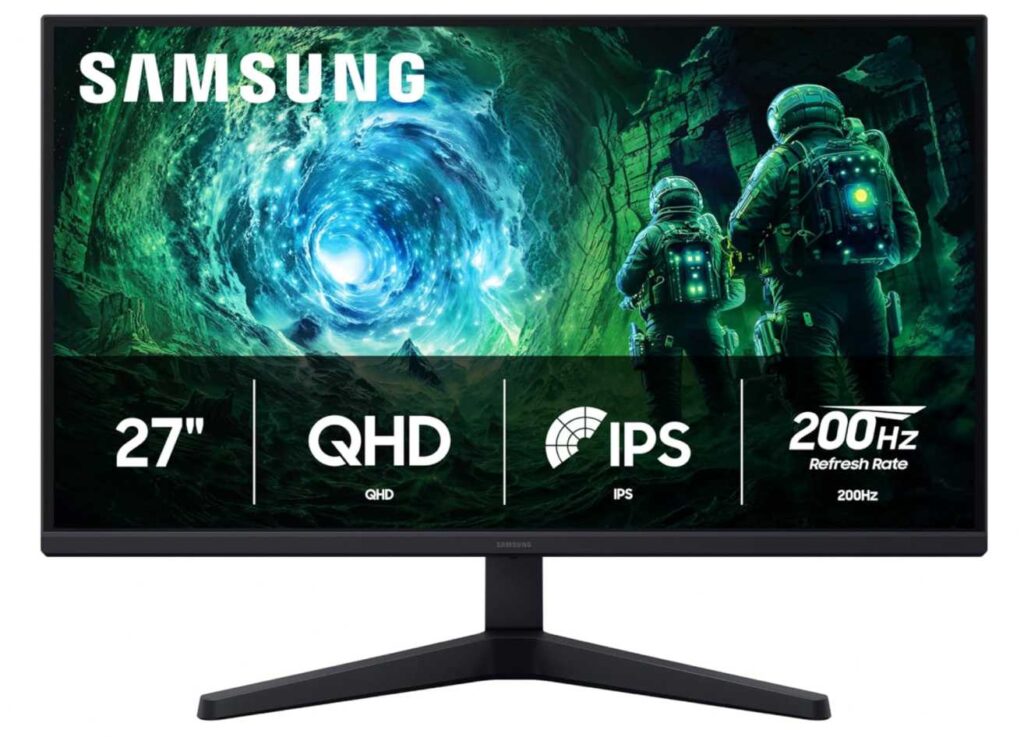
Now, compared to something like the KTC 27-inch QHD 100Hz Monitor, this Samsung takes things further with a 200Hz refresh rate. While that’s mainly a gaming feature, it also makes everyday tasks like scrolling and switching between apps feel noticeably smoother.
You also get HDR10 support, which adds better contrast and depth—useful if your work involves media, design, or content consumption alongside productivity.
Why it’s a strong pick
- Sharp QHD resolution for multitasking
- IPS panel with consistent color accuracy
- Ultra-smooth 200Hz refresh rate
- HDR10 for better contrast and visuals
- Great value under $300
Things to keep in mind
- Designed with gaming in mind (features may be overkill for basic office use)
My take
If you want a monitor that handles both work and entertainment effortlessly, this is a great pick. It gives you premium smoothness and clarity while still staying budget-friendly.
Perfect for remote work, multitasking, and users who want a little extra performance without overspending.
2. ASUS TUF Gaming VG27AQL5A – Ergonomic Powerhouse for Work + Performance
27″ | QHD (1440p) | Fast IPS | 210Hz | Height Adjustable | 0.3ms
If you want something that feels premium for both work and performance, the ASUS TUF Gaming VG27AQL5A 27-inch QHD Monitor easily earns its spot among the best 27 inch 1440p monitors under $300 for work. It’s not just fast—it’s also surprisingly practical for long productivity sessions.
The QHD resolution on a 27-inch panel gives you that perfect balance of sharp text and extra workspace, making it ideal for multitasking, documents, and spreadsheets. You can comfortably keep multiple apps open without things feeling cramped.
Where this monitor really stands out is ergonomics. Unlike many budget options, it comes with height adjustment, which means you can align the screen properly at eye level—huge for long hours of work.
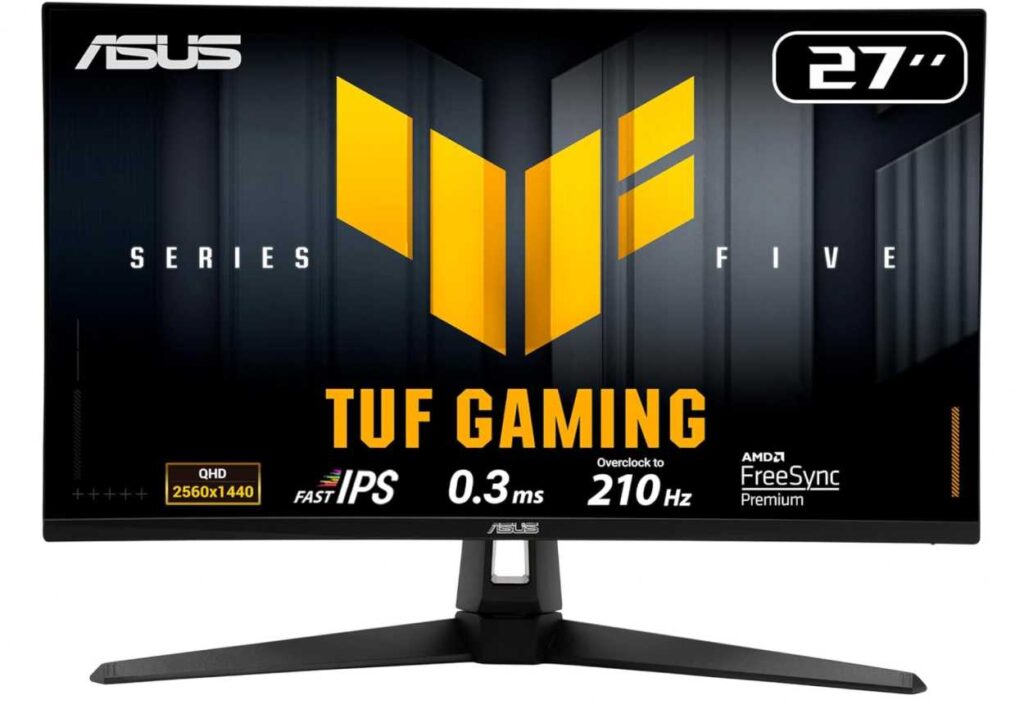
Compared to the Samsung Odyssey G5 G53F 27-inch QHD Monitor, this ASUS model leans more toward precision and adjustability, making it slightly better for desk setups where comfort matters as much as performance.
The Fast IPS panel keeps colors accurate and viewing angles consistent, so you’re not constantly adjusting your position.
And yes, the 210Hz refresh rate is overkill for basic work—but it makes scrolling, animations, and switching between windows feel incredibly smooth, which you’ll actually notice daily.
Why it’s a strong pick
- Sharp QHD resolution for productivity
- Height adjustment for better posture
- Fast IPS panel with accurate colors
- Ultra-smooth performance (210Hz)
- Premium build and features under $300
Things to keep in mind
- Gaming-focused features may be unnecessary for basic office users
My take
If you want a monitor that feels fast, sharp, and comfortable all at once, this is one of the best picks in this price range. It’s especially good if you care about both ergonomics and performance.
Perfect for multitasking, creative work, and users who want a future-proof setup.
3. AOC Q27G41ZE – High Refresh Meets Budget-Friendly Work Setup
27″ | QHD (1440p) | IPS | 240Hz | 0.3ms | VESA Mount
If you’re looking for a budget-friendly 27 inch 1440p monitor that still feels fast and modern, the AOC Q27G41ZE 27-inch QHD Monitor is one of the strongest options in the best 27 inch 1440p monitors under $300 for work category. It delivers sharp visuals and smooth performance at a surprisingly low price.
The QHD resolution gives you that much-needed clarity for work—text looks crisp, and you can easily split your screen for multitasking without feeling cramped. For productivity, this is a big step up from standard 1080p monitors.
The IPS panel ensures consistent colors and wide viewing angles, so you don’t have to keep adjusting your position during long sessions.
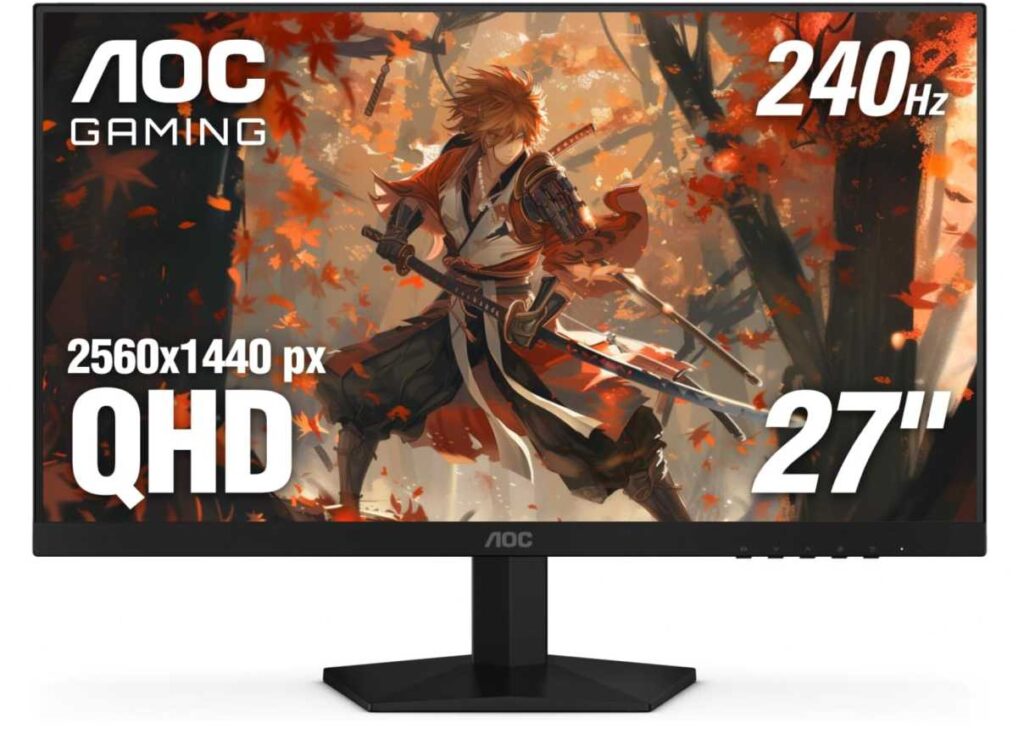
Compared to the ASUS TUF Gaming VG27AQL5A 27-inch QHD Monitor, this AOC monitor is more budget-focused. You won’t get the same premium ergonomics, but you still get excellent core performance at a lower price point.
The 240Hz refresh rate is clearly designed for gaming, but even for work, it makes scrolling and animations feel smoother than typical office monitors.
It also supports VESA mounting, which is important—because pairing it with a monitor arm can instantly improve your posture and comfort.
Why it’s a strong pick
- Sharp QHD resolution for productivity
- IPS panel with good viewing angles
- Extremely smooth performance (240Hz)
- Affordable price under $150
- VESA mount support for ergonomic setups
Things to keep in mind
- Limited stand adjustability
My take
If you want the best value 1440p monitor under $200, this is hard to beat. It gives you clarity, smoothness, and flexibility, especially if you plan to use a monitor arm.
A great choice for budget setups, students, and multitaskers who want more screen space without overspending.
4. Sceptre 27″ QHD Monitor – Simple, Sharp, and Budget-Friendly for Work
27″ | QHD (1440p) | IPS | 75Hz | 99% sRGB | Edgeless
If you’re looking for a clean and no-nonsense 1440p monitor for work, the Sceptre 27-inch QHD IPS Monitor is a solid pick in the best 27 inch 1440p monitors under $300 for work category. It focuses on what actually matters—clarity, color, and usability—without unnecessary extras.
The QHD resolution on a 27-inch display gives you a comfortable workspace where text looks sharp and you can easily manage multiple windows side-by-side. It’s ideal for productivity tasks like documents, browsing, and spreadsheets.
The IPS panel with 99% sRGB ensures consistent colors and wide viewing angles, so you don’t need to constantly adjust your sitting position. That’s especially helpful during long work sessions.
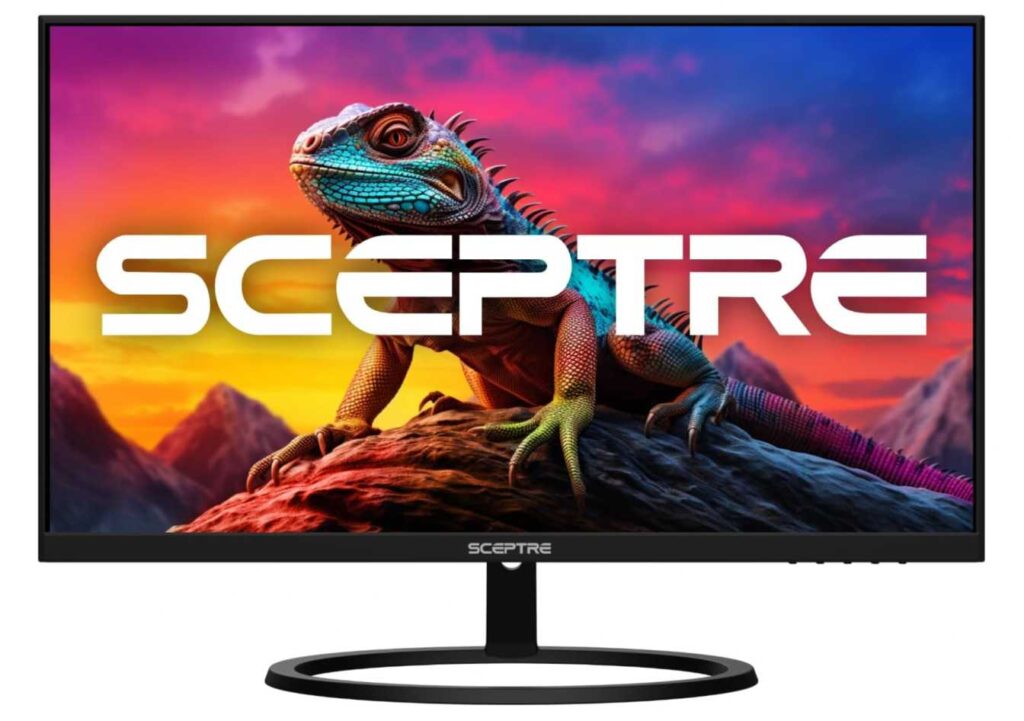
Compared to something like the AOC Q27G41ZE 27-inch QHD Monitor, this Sceptre monitor is more work-focused and minimal. You don’t get ultra-high refresh rates, but you get a simpler, distraction-free experience that’s perfectly fine for everyday use.
The 75Hz refresh rate still feels smoother than standard 60Hz, which makes scrolling and basic tasks more comfortable.
Why it’s a strong pick
- Sharp QHD resolution for productivity
- IPS panel with good color accuracy
- Simple, clean design for office setups
- Smooth enough performance (75Hz)
- Great value for everyday work
Things to keep in mind
- Limited ergonomic adjustments on the stand
My take
If you just want a reliable 1440p monitor for work without overthinking specs, this is a great option. It keeps things simple while still giving you clear visuals and a comfortable viewing experience.
A great choice for office work, students, and budget-friendly productivity setups.
5. Dell S2725DSM – Best Balanced 1440p Monitor for Work Under $300
27″ | QHD (1440p) | IPS | 144Hz | Full Ergonomics | Eye Comfort
If you want a monitor that truly balances productivity, comfort, and modern performance, the Dell S2725DSM 27-inch QHD Monitor is one of the strongest picks in the best 27 inch 1440p monitors under $300 for work category. It’s the kind of monitor that just makes your daily workflow feel easier.
The QHD resolution on a 27-inch display gives you a sharp and spacious workspace. Text looks crisp, and you can comfortably run multiple apps side-by-side, which is perfect for office work, browsing, or multitasking.
What really sets this monitor apart is the fully adjustable stand. You get height, tilt, swivel, and pivot, so you can position the screen exactly how you want. Compared to something like the AOC Q27G41ZE 27-inch QHD Monitor, which is more budget-focused, this Dell offers a much better ergonomic experience—and that matters a lot for long hours.
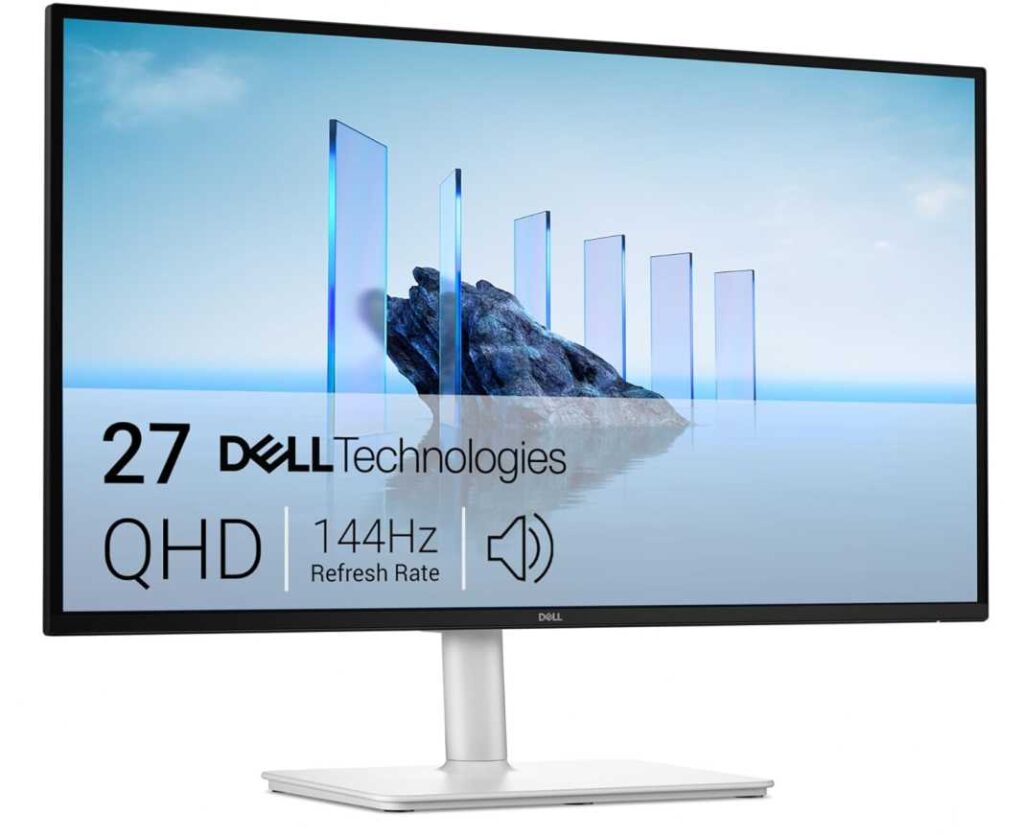
The 144Hz refresh rate is a nice bonus. While it’s more than enough for work, it also makes scrolling, animations, and window switching feel noticeably smoother.
You also get TÜV-certified eye comfort, which helps reduce strain during extended sessions—something you’ll appreciate if you spend hours in front of the screen.
Why it’s a strong pick
- Sharp QHD resolution for productivity
- Full ergonomic stand (height, tilt, swivel, pivot)
- Smooth 144Hz experience
- Eye comfort features for long use
- Clean design with built-in speakers
Things to keep in mind
- Slightly higher price compared to basic options
My take
If you want a no-compromise 27″ 1440p monitor for work under $300, this is one of the easiest recommendations. It delivers comfort, clarity, and smooth performance all in one package.
Perfect for remote work, multitasking, and anyone building a long-term productive setup.
6. KTC 27″ QHD Monitor – Best Budget Pick for Everyday Work
27″ | QHD (1440p) | IPS | 100Hz | Eye Care | VESA
If you’re trying to get the best value 27 inch 1440p monitor under $300 for work, the KTC 27-inch QHD 100Hz IPS Monitor is one of the easiest recommendations. It covers all the essentials without pushing your budget.
The QHD resolution on a 27-inch screen gives you a noticeable upgrade in clarity compared to 1080p. Text looks sharper, and you can comfortably work with multiple windows open—perfect for productivity, browsing, and office tasks.
The IPS panel ensures consistent colors and wide viewing angles, so you don’t have to adjust your position while working. That’s especially useful for long sessions.
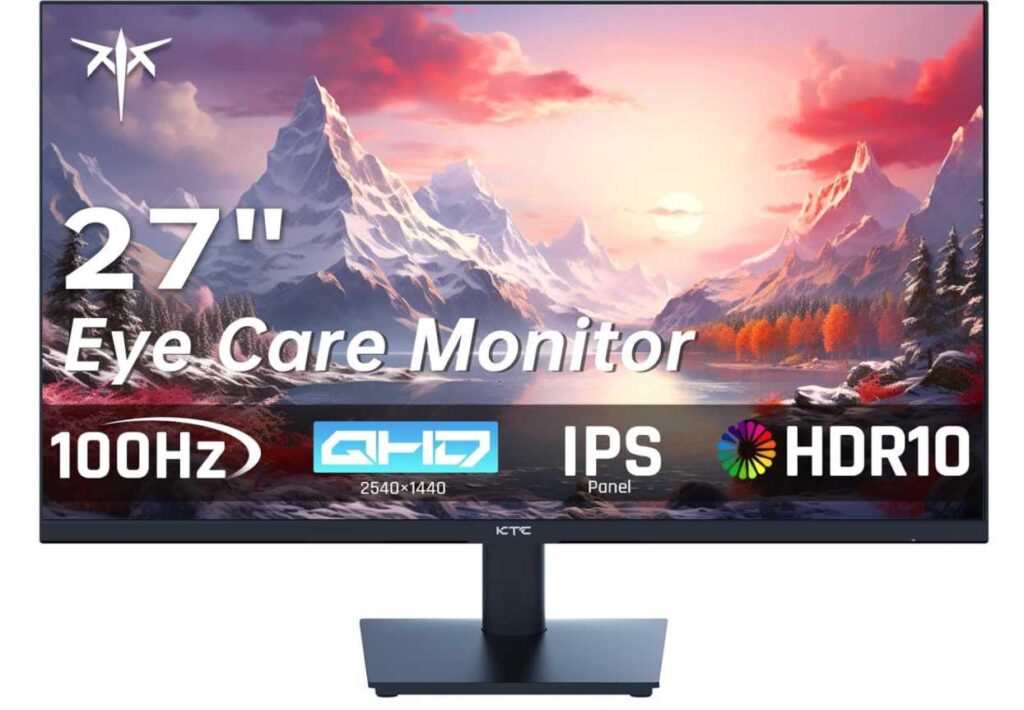
Compared to something like the Dell S2725DSM 27-inch QHD Monitor, this KTC monitor is more budget-focused. You won’t get a fully adjustable stand, but you still get excellent core features for the price.
The 100Hz refresh rate is a nice upgrade over standard 60Hz, making scrolling and everyday use feel smoother without being overkill.
You also get eye-care features like low blue light and flicker-free technology, which help reduce fatigue during long hours.
Why it’s a strong pick
- Sharp QHD resolution for work
- IPS panel with good viewing angles
- Smooth 100Hz performance
- Eye-care features for long sessions
- Excellent value under $150
Things to keep in mind
- Limited ergonomic adjustments on the stand
My take
If you want a budget-friendly 1440p monitor that just gets the job done, this is a great choice. It’s simple, reliable, and perfect for everyday productivity.
A great option for students, remote workers, and anyone building a cost-effective home office setup.
Final Thoughts
Choosing the best 27 inch 1440p monitors under $300 for work really comes down to one thing—finding the right balance between clarity, comfort, and value.
A good 1440p monitor should make your daily work feel easier: sharper text, more screen space, and less eye strain. Once you experience that extra clarity and workspace, it’s hard to go back to 1080p.
- If you want the best overall balance, the Dell S2725DSM 27-inch QHD Monitor is the safest pick.
- If you need performance + ergonomics, the ASUS TUF Gaming VG27AQL5A 27-inch QHD Monitor stands out.
- If you’re looking for maximum value on a budget, the KTC 27-inch QHD 100Hz IPS Monitor is hard to beat.
- And if you want something fast and feature-packed, the Samsung Odyssey G5 G53F 27-inch QHD Monitor is a great option.
At the end of the day, the best monitor is the one that lets you work comfortably for hours without thinking about your screen. If your setup feels smooth, clear, and easy on your eyes—you’ve made the right choice.