
MacBook Neo users looking for the best mice for MacBook Neo users often realize that not every mouse delivers the smooth, seamless experience macOS is known for. From inconsistent scrolling to limited gesture support, the wrong mouse can quickly ruin your workflow.
That’s why choosing the right one matters. Whether you’re editing, coding, designing, or handling everyday tasks, a good mouse should offer precise tracking, smooth scrolling, multi-device connectivity, and strong macOS compatibility.
In this guide, we’ve selected the best mice for MacBook Neo users, focusing on performance, comfort, and features that actually improve productivity—not just flashy specs.
But before that, also read :
Logitech M720 Triathlon Wireless Mouse
If you want a reliable multi-device mouse for MacBook Neo users without spending too much, this is one of the most practical options available.
The biggest highlight is the multi-device connectivity, allowing you to switch between up to 3 devices with a single button. Whether you’re using your MacBook Neo, iPad, or another laptop, it makes multitasking much smoother—especially for productivity workflows.
It also supports both Bluetooth and USB receiver, so you get flexibility depending on your setup. On macOS, tracking feels smooth and consistent, and the customizable buttons add extra productivity once configured.
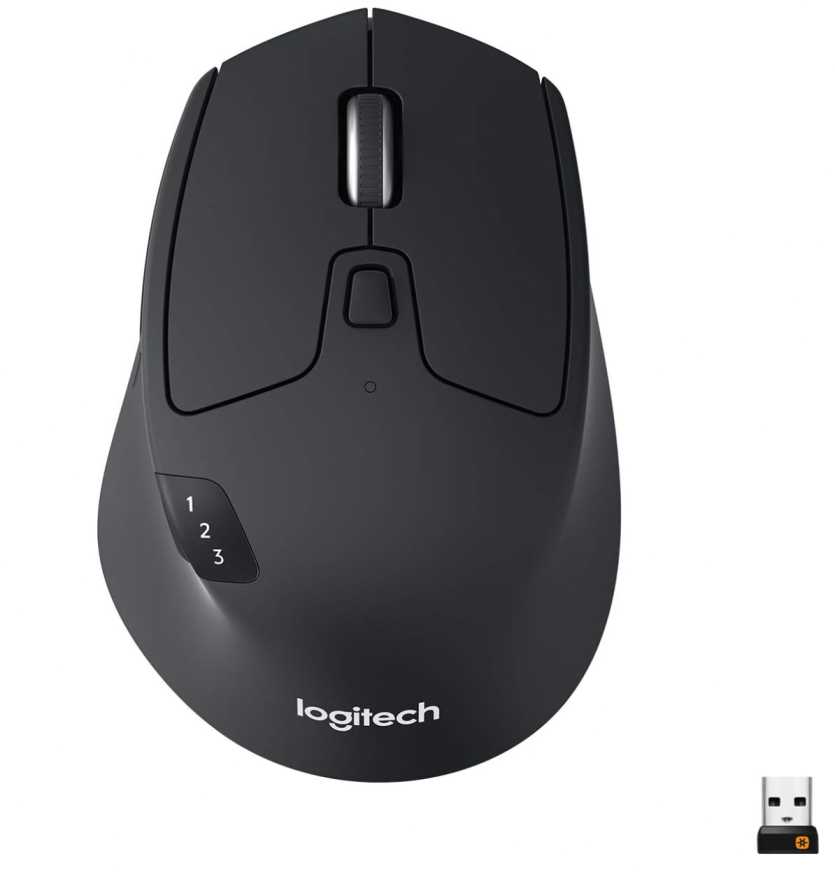
The hyper-fast scroll wheel is another useful feature, letting you quickly move through long documents or web pages—something Mac users will appreciate when working or browsing.
Battery life is excellent, lasting up to 2 years, which means you won’t have to worry about frequent charging or replacements.
However, the 1000 DPI sensor is more suited for productivity than precision work, and the design is slightly bulky compared to slim travel mice.
👍 What We Like
- Easy switching between 3 devices
- Works smoothly with macOS
- Excellent battery life (up to 2 years)
- Comfortable ergonomic design
👎 What We Don’t Like
- Not ideal for high-precision tasks
- Slightly bulky for travel
- Software customization on Mac is limited compared to Windows
Best for users who want a versatile, comfortable mouse for MacBook Neo with strong multi-device support and long battery life.
TECKNET Wireless Mouse (BT5.0/2.4G Rechargeable)
If you’re looking for a cheap and practical mouse for MacBook Neo users, this is one of the best budget options that still covers all the essentials.
The main highlight is the dual connectivity, allowing you to switch between Bluetooth and USB receiver easily. This makes it convenient if you’re using your MacBook Neo alongside another device. Setup is simple, and it works smoothly with macOS for everyday tasks.
You also get adjustable DPI up to 4800, which is impressive at this price. Whether you’re browsing, working, or doing light creative tasks, you can tweak the sensitivity to your preference.
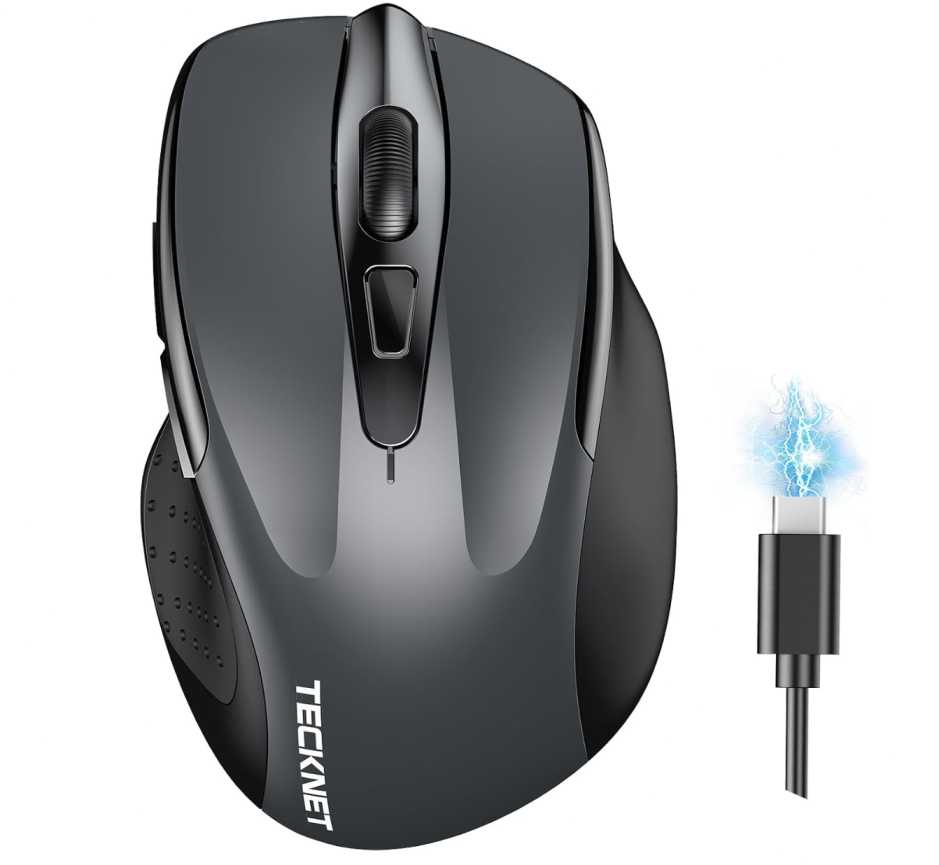
Another big plus is the silent click design, which is perfect for quiet environments like offices, libraries, or late-night work sessions. The rechargeable battery is also a nice touch, lasting weeks on a single charge without needing replacements.
However, the build is more basic, and side buttons don’t work on macOS, which limits customization. It’s also better suited for small to medium hands.
👍 What We Like
- Very affordable price
- Dual connectivity (Bluetooth + USB)
- Silent clicks for quiet use
- Adjustable DPI up to 4800
👎 What We Don’t Like
- Side buttons not supported on macOS
- Basic build quality
- Not ideal for large hands
Best for users who want a budget-friendly, quiet, and simple mouse for MacBook Neo for everyday tasks.
RaceGT USB-C Wireless Mouse
If you want a simple USB-C wireless mouse for MacBook Neo users on a budget, this is a straightforward option that works well for basic daily use.
The main advantage here is the USB-C receiver, which makes it convenient for newer MacBook Neo models without needing a separate adapter. It’s very much a plug-and-play mouse, so setup is easy and hassle-free.
You also get silent clicks, which makes it a good fit for work, study, or quiet environments. The lightweight design adds to portability, so it’s easy to carry with your laptop if you work in different places.
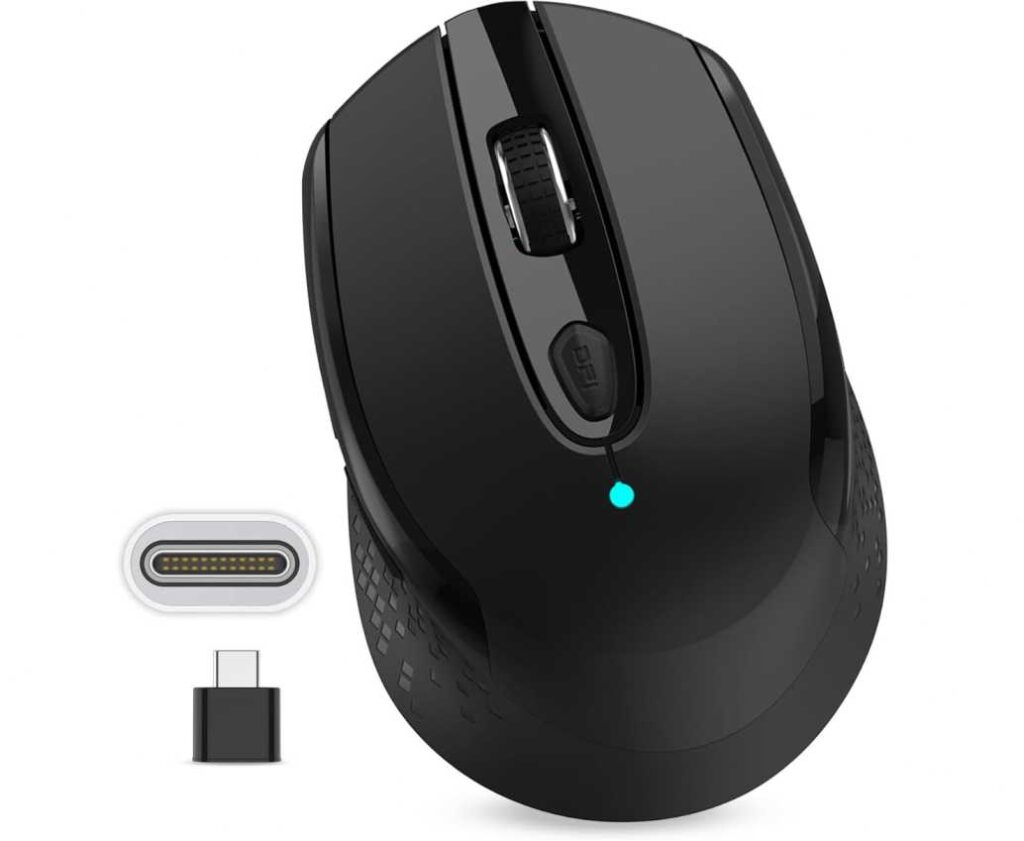
Compared to Bluetooth models, though, this is less flexible since it relies entirely on the USB-C receiver. The DPI options are basic, and while the overall experience is fine for browsing and office work, it’s not the smoothest or most premium mouse in this category.
👍 What We Like
- USB-C receiver works directly with MacBook Neo
- Very affordable price
- Silent clicks for quiet environments
- Lightweight and easy to carry
👎 What We Don’t Like
- No Bluetooth support
- Basic DPI and feature set
- Build quality feels entry-level
Best for users who want a cheap, plug-and-play USB-C mouse for MacBook Neo for simple everyday tasks.
Normdecos Bluetooth Wireless Mouse
If you want a feature-packed budget mouse for MacBook Neo users with maximum connectivity options, this is a surprisingly versatile choice.
The biggest highlight is the 4-mode connectivity, including Bluetooth 5.2, Bluetooth 3.0, and both USB-A and USB-C receivers. This makes it extremely flexible—you can switch between multiple devices like your MacBook Neo, tablet, or another laptop without any hassle.
It also comes with a rechargeable battery, so you don’t have to deal with replacing batteries. The silent click design makes it great for quiet environments, while the lightweight and ergonomic shape keeps it comfortable for daily use.
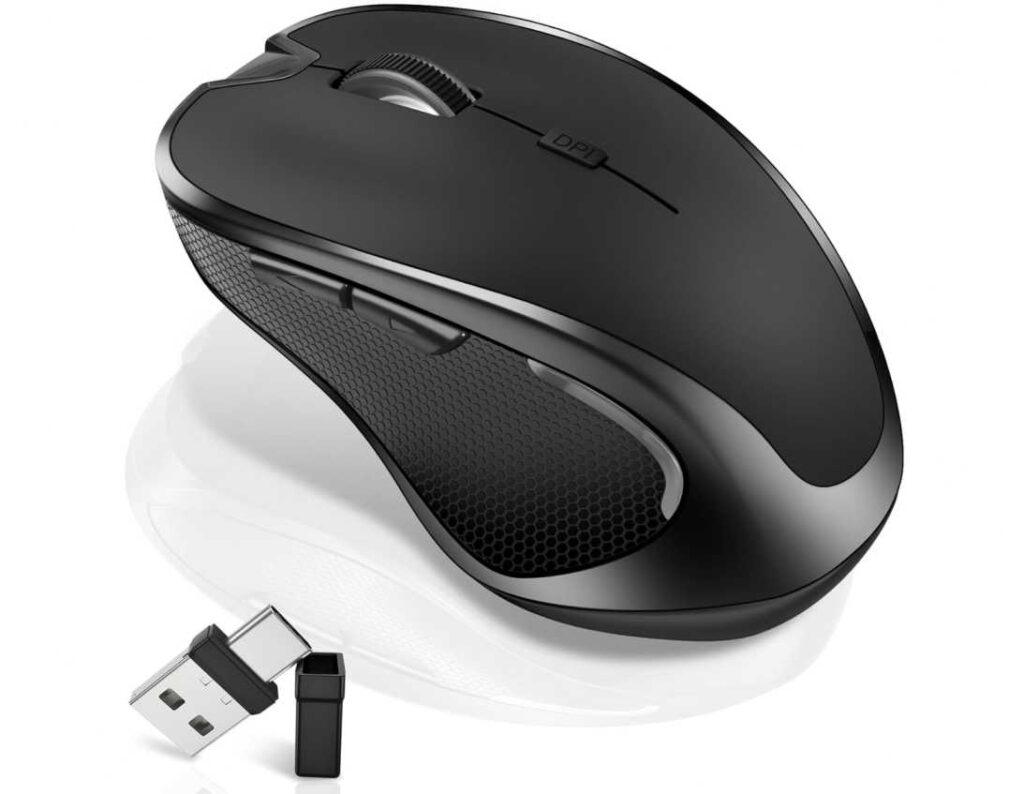
A unique feature here is the mouse jiggler mode, which keeps your system active—useful for long downloads, meetings, or preventing sleep mode during work sessions.
However, the overall build quality is still budget-level, and while it works well with macOS, advanced customization is limited. DPI options are also fairly basic compared to higher-end mice.
👍 What We Like
- 4-mode connectivity (Bluetooth + USB-A + USB-C)
- Rechargeable battery
- Silent clicks for quiet work
- Useful jiggler feature
👎 What We Don’t Like
- Average build quality
- Limited macOS customization
- Basic DPI performance
Best for users who want a versatile, multi-device mouse for MacBook Neo with maximum connectivity at a budget price
Normdecos Wireless Bluetooth Mouse (Dual Mode)
If you want a simple and affordable wireless mouse for MacBook Neo users, this is a solid everyday option that covers the basics well.
The main highlight is the dual-mode connectivity, including Bluetooth and both USB-A + USB-C receivers. This gives you flexibility to connect with your MacBook Neo or switch to another device easily without needing extra adapters.
It also features a rechargeable battery, so you don’t have to deal with replacing batteries, and the silent click design makes it ideal for quiet environments like offices or late-night work sessions. The slim and lightweight design also makes it easy to carry with your laptop.
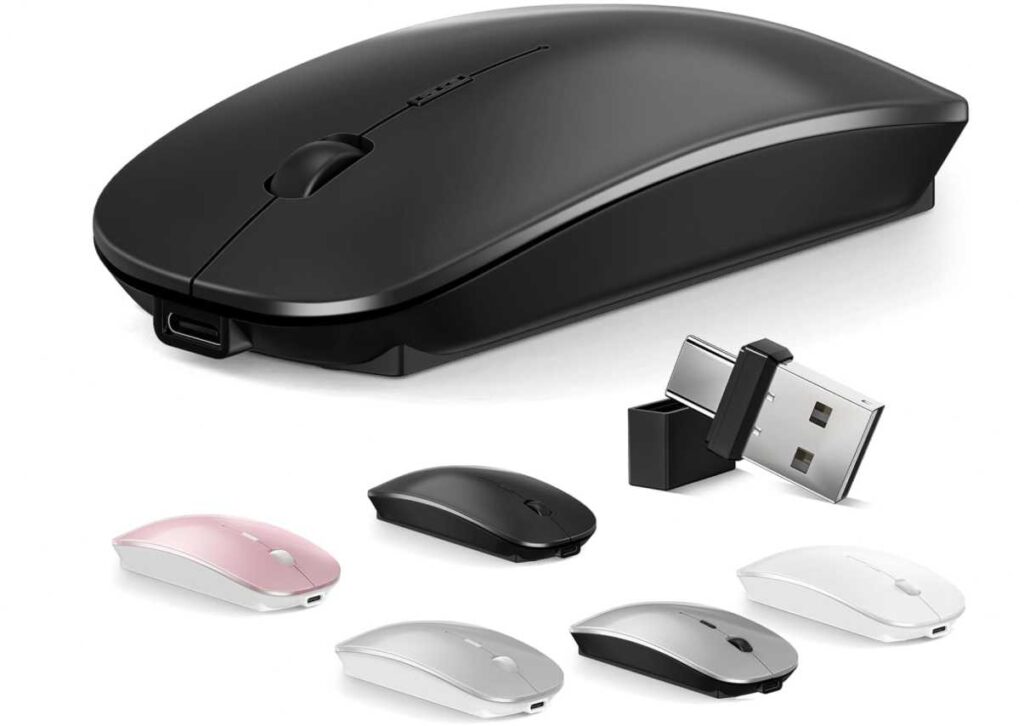
Performance-wise, the adjustable DPI (up to 1600) is fine for daily tasks like browsing, office work, and light editing, but it’s not meant for precision-heavy work. It works smoothly on macOS, though customization options remain limited.
👍 What We Like
- Dual-mode connectivity (Bluetooth + USB-C/USB-A)
- Rechargeable and eco-friendly
- Silent clicks for quiet use
- Lightweight and portable
👎 What We Don’t Like
- Basic DPI performance
- Average build quality
- Limited macOS customization
Best for users who want a budget-friendly, lightweight mouse for MacBook Neo for everyday productivity and casual use.
TENMOS Wireless Bluetooth Mouse (Dual Mode LED)
If your priority is keeping things simple, lightweight, and budget-friendly for your MacBook Neo, this mouse fits the bill without overcomplicating anything.
What stands out first is the dual connectivity setup. You can switch between Bluetooth and the USB receiver depending on your setup, which is useful if you’re juggling multiple devices. Pairing is quick, and it works smoothly for everyday macOS tasks like browsing, documents, and general use.
The design leans toward portability. It’s thin, light, and easy to slip into a laptop bag, making it a good companion for travel or working from different locations. The silent clicks also make a noticeable difference if you’re working in shared or quiet spaces.
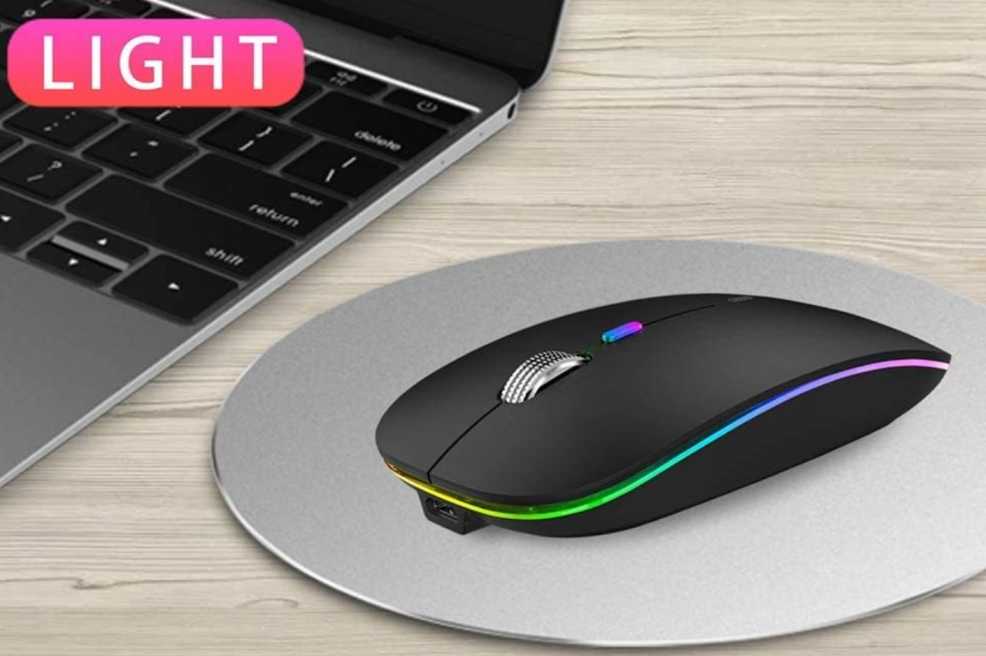
There’s also a bit of personality here with the color-changing LED lighting. It doesn’t add functionality, but it does give the mouse a more modern, eye-catching look compared to plain budget options.
Performance is basic but usable. The DPI levels are enough for normal tasks, but if you’re doing detailed design work or need ultra-smooth precision, this won’t be the right tool.
👍 What We Like
- Easy dual-mode switching between devices
- Compact and travel-friendly design
- Quiet clicks for distraction-free use
- Rechargeable—no batteries needed
👎 What We Don’t Like
- Not suited for precision-heavy tasks
- Build feels more budget than premium
- LED lighting may not appeal to everyone
Best for users who just need a no-fuss, portable mouse for MacBook Neo that handles everyday work without costing much.
Wrapping up
Choosing the best mouse for MacBook Neo users really comes down to how you plan to use it—whether it’s productivity, portability, or just keeping things simple.
If you want a reliable all-rounder, the Logitech M720 Triathlon Wireless Mouse stands out with its multi-device support and long battery life, making it perfect for serious work setups.
For those who want flexibility without spending too much, options like the Normdecos Wireless Bluetooth Mouse offer multiple connectivity modes and rechargeable convenience, which is great for switching between devices.
If you’re on a tight budget, mice like the TECKNET Wireless Mouse or TENMOS Wireless Bluetooth Mouse still deliver the essentials—smooth tracking, silent clicks, and portability—for everyday use.
And if you prefer a simple plug-and-play experience, the RaceGT USB-C Wireless Mouse is an easy choice, especially for MacBook users who want a direct USB-C connection.
At the end of the day, the right mouse isn’t about specs alone—it’s about how well it fits into your daily workflow.
👉 Focus on comfort, connectivity, and macOS compatibility first—those are what truly make a difference over time.