
If you’re editing videos on a MacBook Air M5, storage becomes a bottleneck faster than you expect. Large 4K files, project caches, and exports can quickly fill up your internal SSD—and slow down your workflow.
That’s why choosing the best SSD for MacBook Air M5 video editing is important. A good external SSD lets you edit directly from the drive, transfer files faster, and keep your system running smoothly without constantly worrying about space.
The tricky part is that not all SSDs perform the same in real-world editing. Some look fast on paper but slow down during long edits or heat up under load.
In this guide, we’ve picked the best budget SSDs for MacBook Air M5 Video Editing that actually deliver consistent speed, reliability, and performance for video editing on your MacBook Air M5.
Before that, also read:
1. Lexar ES5 Magnetic External SSD (1TB)
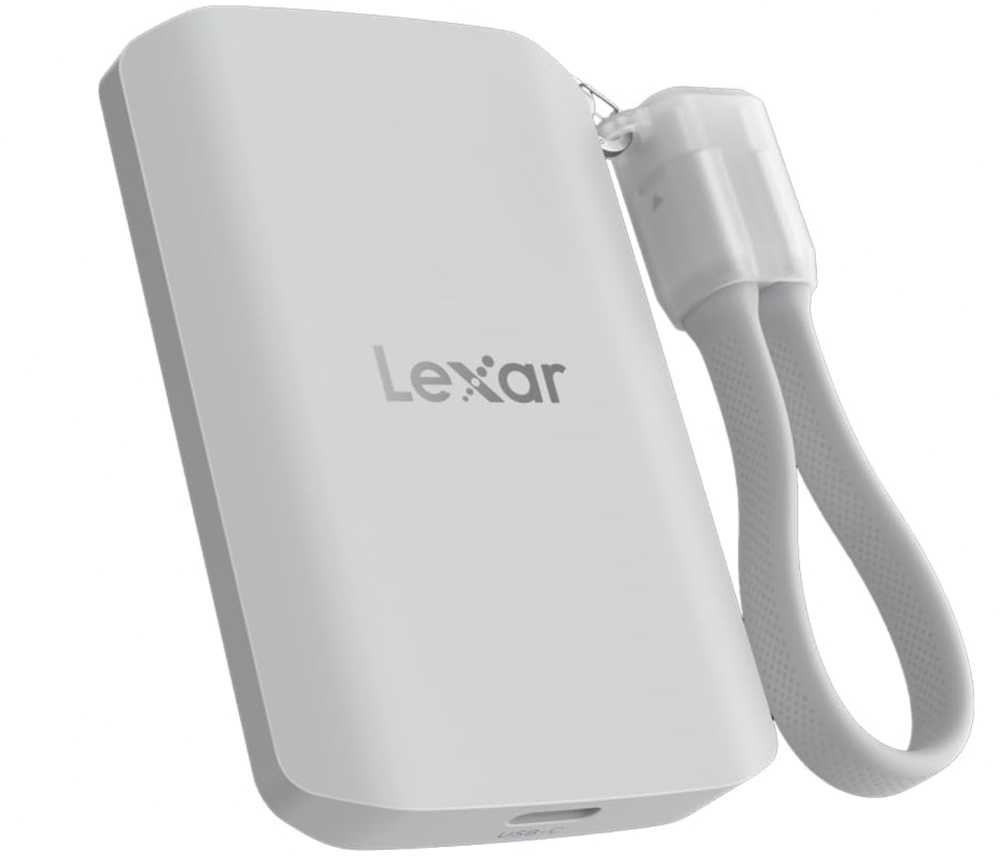
The Lexar ES5 Magnetic External SSD 1TB is a premium option worth considering if you want higher speeds and a modern, mobile-friendly design for video editing on MacBook Air M5.
(Best for: Fast file transfers + creators who also shoot/edit on iPhone)
If you’re searching for the best SSD for MacBook Air M5 video editing, this one stands out for its speed and versatility compared to standard portable SSDs.
This SSD is built for performance. On supported systems, it can reach up to 2000MB/s, which is faster than most external SSDs for MacBook Air M5 video editing.
However, there’s one important thing to understand:
(Important: MacBook Air M5 may not fully support 2000MB/s → real speeds closer to ~1000MB/s)
So while it’s fast, you won’t always get the full advertised speed on a Mac. Still, performance remains strong for 4K video editing, large file transfers, and editing directly from an external SSD on MacBook Air M5.
One unique feature here is the MagSafe-style magnetic design. If you also use an iPhone, you can attach it directly and record ProRes video straight to the SSD, which is useful for creators working across devices.
It’s also well-built with thermal control and durability, which helps maintain stable performance during longer editing sessions.
Pros
- Faster than most portable SSDs for MacBook Air M5 video editing
- Great for MacBook + iPhone video workflow (ProRes support)
- Compact and travel-friendly design
- Reliable for editing videos directly from SSD
Cons
- You won’t get full 2000MB/s speeds on MacBook
Final thoughts
(If you want faster speeds + flexible workflow → this is a great pick)
If you want a high-performance external SSD for MacBook Air M5 video editing, this offers a great mix of speed, portability, and flexibility—especially if you’re working across MacBook and iPhone.
2. Samsung X5 Portable SSD (Thunderbolt NVMe)
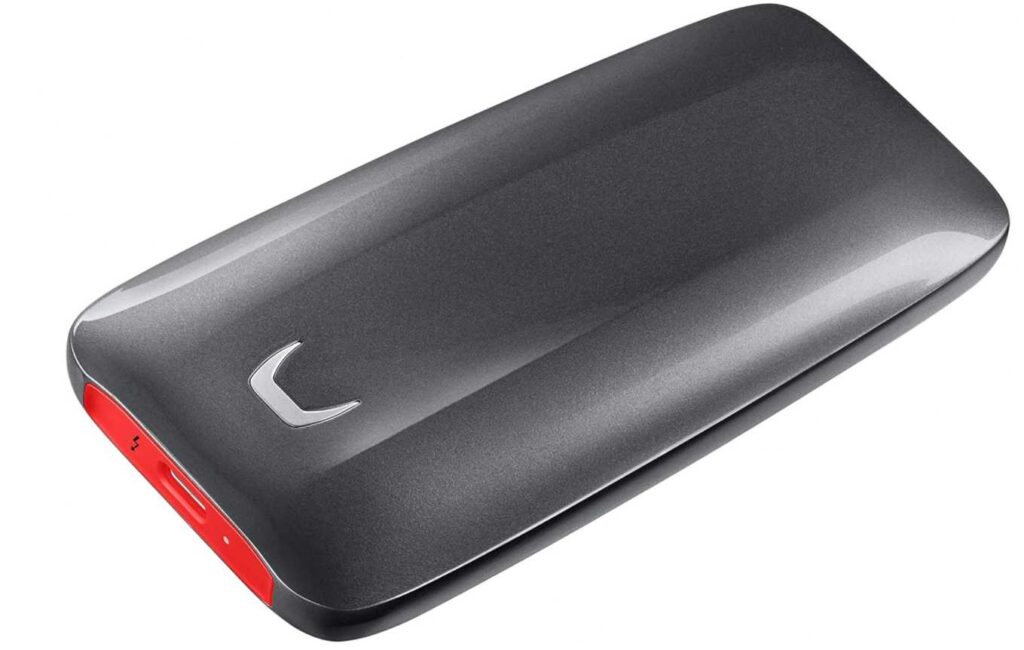
The Samsung X5 Portable SSD 500GB is a high-end option built for people who want maximum speed for serious video editing on MacBook Air M5.
(Best for: Professional workflows + ultra-fast file transfers)
This isn’t a typical USB-C SSD—it uses Thunderbolt 3 + NVMe, which puts it in a completely different performance category compared to standard external SSDs.
On paper, it delivers up to 2800MB/s read speeds, which is significantly faster than most external SSDs for MacBook Air M5 video editing.
In real-world use, this means:
- Faster timeline scrubbing
- Quicker imports and exports
- Smooth handling of large 4K (even 6K) files
If you’re working on heavier projects, this kind of speed actually makes a noticeable difference.
However, there are a couple of important things to keep in mind:
(Important: Requires Thunderbolt support → won’t work with regular USB-C speeds)
(Also: You need the right cable/port to get full performance)
The build quality is also solid. It has a metal body with thermal management, so it maintains performance without overheating too quickly during long editing sessions.
Pros
- Extremely fast compared to regular SSDs
- Ideal for high-end video editing on MacBook Air M5
- NVMe performance for heavy workloads
- Durable and well-built
Cons
- Expensive for the storage you get (500GB)
Final thoughts
(If you want maximum speed and work with heavy video files → this is a premium choice)
For most people, this is overkill. But if you want the fastest possible SSD for MacBook Air M5 video editing, especially for demanding projects, the Samsung X5 delivers top-tier performance.
3. Crucial X10 Portable SSD (1TB)
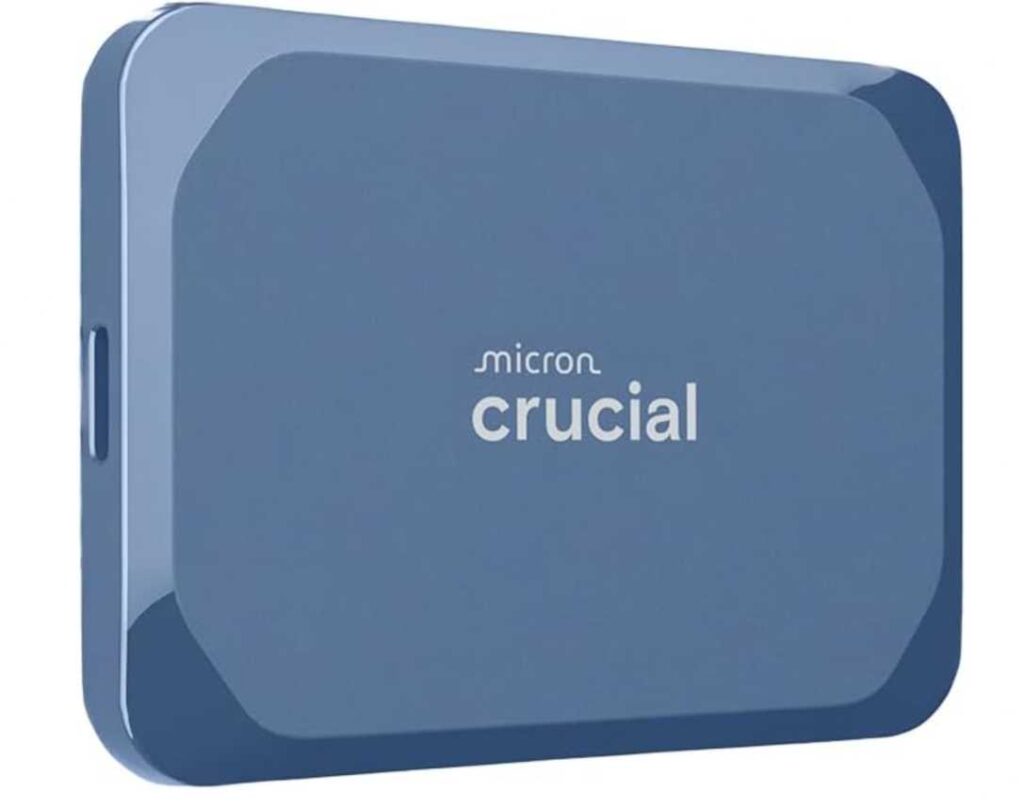
The Crucial X10 Portable SSD 1TB is a strong pick if you want faster-than-average speeds with a simple, reliable setup for MacBook Air M5 video editing.
(Best for: Faster transfers + simple plug-and-play editing setup)
This sits between budget SSDs and premium Thunderbolt drives. It offers up to 2100MB/s speeds, which is higher than most standard external SSDs for MacBook Air M5 video editing.
But here’s the real-world part:
(Important: MacBook Air M5 may not fully utilize 2100MB/s → expect ~1000–1200MB/s in actual use)
Even with that, it still feels faster than typical 1000MB/s drives, especially when transferring large video files or working on bigger projects.
In practical use, it handles:
- 4K video editing smoothly
- Fast file transfers and backups
- Editing directly from the SSD without lag
It’s also built well. With IP65 water/dust resistance and drop protection, it’s a good option if you carry your SSD around a lot.
Another advantage is simplicity—no drivers, no setup. Just plug it in and start working, which is exactly what most people want in a MacBook Air M5 video editing SSD.
Pros
- Faster than most portable SSDs for MacBook Air M5 video editing
- Good balance between speed and simplicity
- Durable and travel-friendly design
- Reliable for editing videos directly from external SSD
Cons
- Won’t reach full 2100MB/s speeds on MacBook
Final thoughts
(If you want more speed than budget SSDs without going full premium → this is a great middle-ground)
For anyone looking for a fast and reliable external SSD for MacBook Air M5 video editing, the Crucial X10 offers a nice upgrade in performance without getting overly complex or expensive.
4. OSCOO Portable SSD (1TB, 2100MB/s)
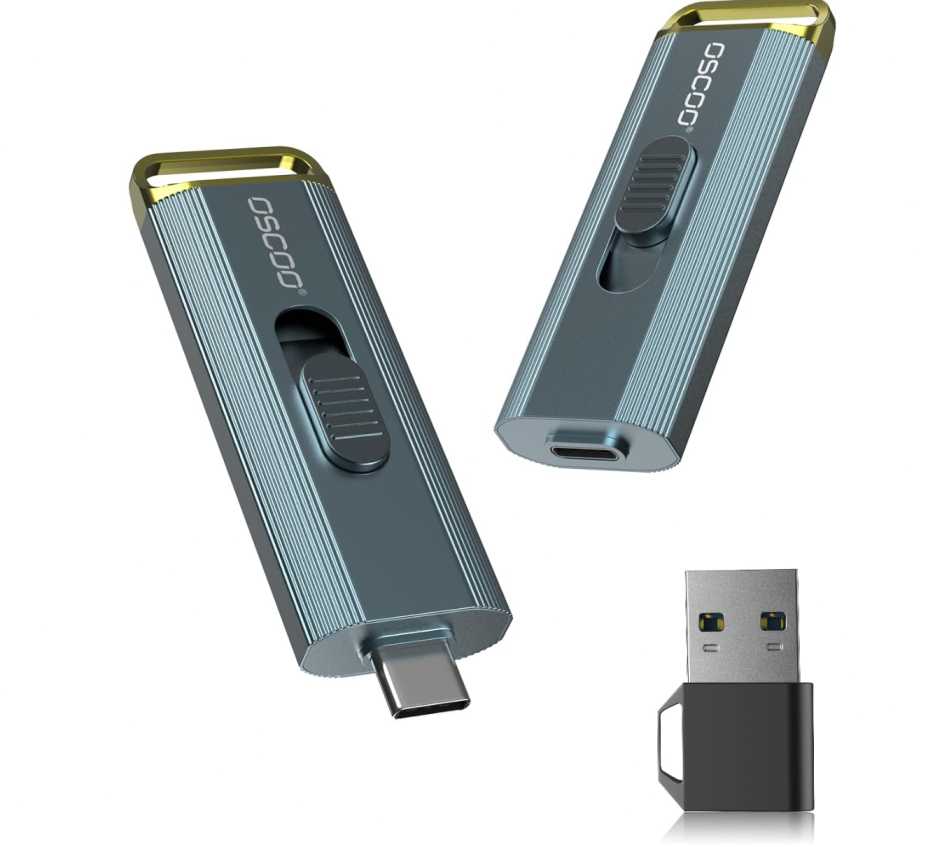
The OSCOO 1TB Portable SSD 2100MB/s is a lesser-known option, but it can work well if you want a fast and affordable external SSD for MacBook Air M5 video editing.
(Best for: Budget-friendly high-speed SSD + simple plug-and-play use)
On paper, it offers up to 2100MB/s speeds, which puts it in the same category as newer high-speed portable SSDs for MacBook Air M5 video editing.
But here’s what actually matters in real use:
(Important: MacBook Air M5 may not support full 2100MB/s → expect ~1000MB/s in real workflows)
That said, it still performs well for:
- 4K video editing on MacBook Air M5
- Fast file transfers and backups
- Editing directly from an external SSD without lag
One nice advantage is flexibility. It supports USB-C and USB-A, so you can use it across MacBook, iPhone, Android, and other devices without needing extra adapters.
It also supports Apple ProRes recording, which makes it useful if you’re shooting video on iPhone and want to record directly to the SSD.
Build quality is decent too, with a lightweight aluminum design and basic durability features, making it suitable for everyday use.
Pros
- Affordable option for a fast SSD for MacBook Air M5 video editing
- Supports ProRes recording for iPhone workflows
- Plug-and-play with wide device compatibility
- Good for editing videos directly from SSD
Cons
- Brand is less established compared to Samsung or SanDisk
Final thoughts
(If you want a cheaper high-speed SSD and don’t mind a lesser-known brand → this is worth considering)
For users looking for a budget-friendly external SSD for MacBook Air M5 video editing, this offers good speed and flexibility, even if it’s not as proven as top-tier brands.
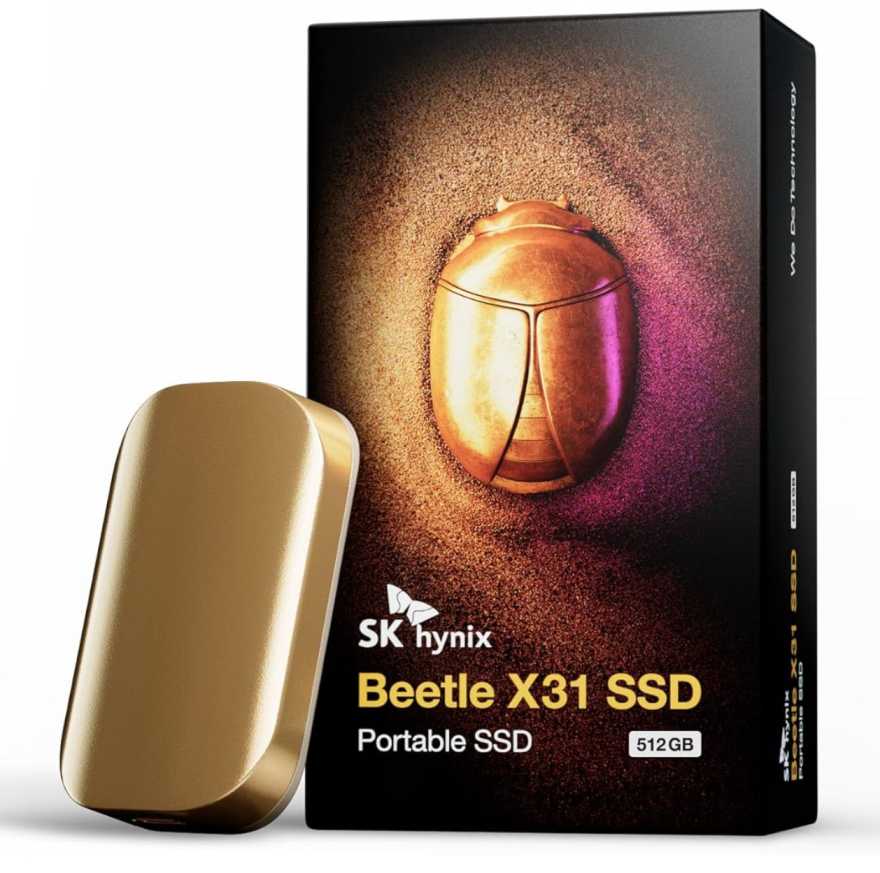
5. SK hynix Beetle X31 Portable SSD (1TB)
The SK hynix Beetle X31 Portable SSD 1TB is a solid choice if you want a reliable and stable SSD for MacBook Air M5 video editing, especially for everyday workflows.
(Best for: Stable performance + reliable brand + consistent speeds)
This SSD focuses more on consistency than peak speed. With up to 1050MB/s, it’s right in the sweet spot for most external SSDs for MacBook Air M5 video editing.
In real use, that’s exactly what you need for:
- 4K video editing on MacBook Air M5
- Smooth timeline playback
- Editing directly from the SSD without lag
One thing that makes it stand out is the built-in DRAM cache. This helps maintain steady speeds during longer file transfers and editing sessions, which is something many cheaper SSDs struggle with.
The design is also compact and premium, with a durable aluminum body, making it easy to carry around without worrying too much about damage.
It comes with both USB-C and USB-A cables, so you can easily connect it to different devices without extra accessories.
Pros
- Stable and consistent performance for MacBook Air M5 video editing
- DRAM cache helps maintain speeds during heavy use
- Compact and premium build quality
- Reliable for editing videos directly from external SSD
Cons
- Not as fast as newer 2000MB/s SSDs
Final thoughts
(If you want reliability over peak speed → this is a smart pick)
For most users, this is a dependable external SSD for MacBook Air M5 video editing that focuses on stability, which is often more important than chasing higher speeds.
6. OSCOO Internal NVMe SSD (1TB)
The OSCOO 1TB NVMe SSD ON900A is a completely different type of upgrade compared to external SSDs—it’s an internal SSD replacement designed for older MacBooks, not modern ones like the MacBook Air M5.
(Best for: Upgrading older MacBook models, NOT for MacBook Air M5)
If you’re specifically looking for the best SSD for MacBook Air M5 video editing, this is not the right option.
Here’s why:
(Important: MacBook Air M5 does NOT support internal SSD upgrades)
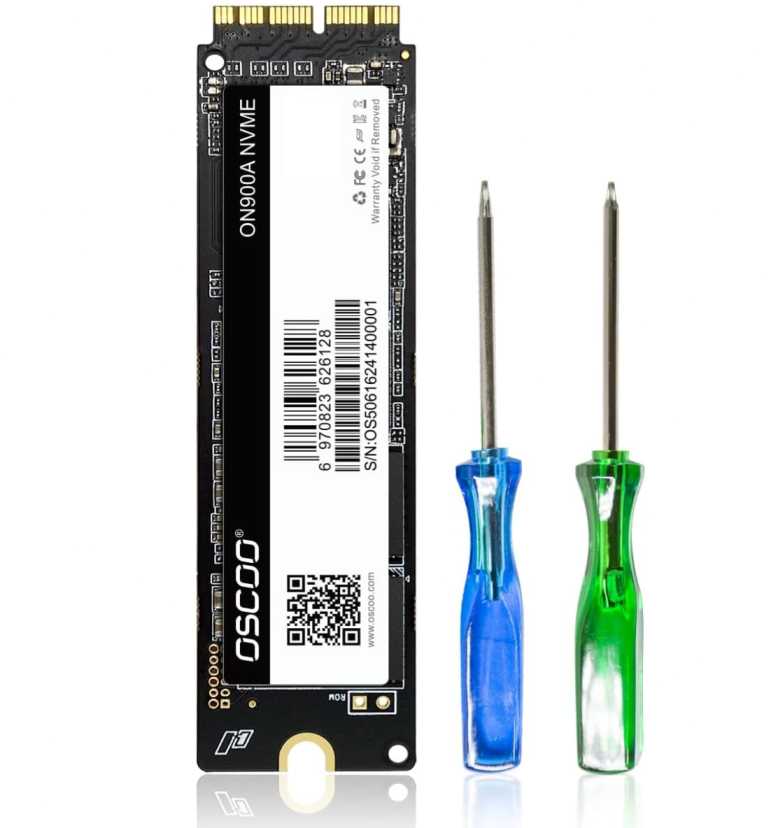
Modern MacBooks (including M-series like M5) have soldered storage, which means you can’t replace or upgrade the internal SSD at all.
This SSD is only compatible with older Intel-based models like:
- MacBook Air (2013–2017)
- MacBook Pro (2013–2016)
- Older iMac / Mac mini
For those devices, it’s actually a decent upgrade, offering NVMe speeds up to ~2100MB/s, which can significantly improve performance.
But for your use case—video editing on MacBook Air M5—you should only be looking at:
- External USB-C SSDs
- Thunderbolt SSDs
Pros
- Good upgrade option for older MacBooks
- Faster NVMe performance compared to original drives
- Improves system speed and storage
Cons
- Not compatible with MacBook Air M5
- Requires installation and macOS setup
Final thoughts
(If you’re using MacBook Air M5 → skip this completely)
For MacBook Air M5 video editing, always go with an external SSD, since internal upgrades aren’t possible.
Final Thoughts
Choosing the best SSD for MacBook Air M5 video editing comes down to how you actually work—your files, your editing style, and how much speed you really need.
For most people, you don’t need the fastest SSD on paper. What matters more is consistent performance, reliability, and the ability to edit directly from the drive without slowdowns.
If you’re working with 4K footage, even a good 1000MB/s SSD is enough for smooth editing. Faster SSDs can help with large transfers, but they won’t always give full speed on MacBook Air M5 anyway.
(Important:
Higher speed on paper ≠ real-world performance on Mac)
Simple way to choose
- (Want reliability and zero issues) → Go with trusted SSDs like Samsung or SanDisk
- (Want faster transfers) → Choose 2000MB/s SSDs (but expect lower real speeds on Mac)
- (Want stable long editing sessions) → Pick SSDs known for thermal performance
- (Want flexibility with iPhone workflow) → Look for ProRes-compatible SSDs
What actually matters
- Stable speeds (not just peak numbers)
- Good thermal control (no throttling)
- Reliable brand and build quality
- Plug-and-play compatibility with macOS
At the end of the day, any good external SSD for MacBook Air M5 video editing should let you edit smoothly, transfer files quickly, and work without interruptions.
Once you focus on real performance instead of just specs, it becomes much easier to pick the right SSD for your workflow.