
If you’re using a MacBook Neo, you’ve probably already run into the same issue—not enough ports for real work.
You plug in a charger, maybe a monitor, and suddenly you’re out of space for everything else. No USB-A, limited HDMI, and juggling accessories gets annoying fast.
That’s exactly where finding the Best USB-C Dongles for MacBook Neo makes a huge difference.
A good dongle turns your MacBook into a proper workstation—you can connect external displays, plug in USB drives, use SD cards, hook up Ethernet, all without constantly swapping cables.
But here’s the thing—not all dongles are worth it. Some overheat, some don’t support proper display output, and some just feel unreliable after a few weeks.
So instead of picking randomly, I’ve put together options that actually make sense depending on how you use your MacBook—whether you want something compact for travel, balanced for daily use, or more powerful for a full desk setup.
Let’s get into the ones that are actually worth using.
Read also; 11 Best MacBook Neo Accessories Under $100
1. MOKiN 7-in-1 USB-C Hub – The Budget Pick That Actually Covers Everything
7-in-1 | 4K@60Hz HDMI | 100W PD | USB + SD Card | Compact
If you’re trying to keep things affordable but still useful, this is one of those dongles I’d easily suggest.
For anyone looking for the Best USB-C Dongles for MacBook Neo, this fits into that “does everything without costing much” category.
You’re getting all the essentials—HDMI, USB ports, SD card reader, and power delivery—which is honestly what most people need day-to-day. Nothing feels missing for a normal setup.
The big plus here is the 4K@60Hz HDMI. That’s something a lot of cheap dongles skip, and it actually matters if you’re connecting to an external monitor. You’ll get smoother visuals compared to basic 30Hz hubs.
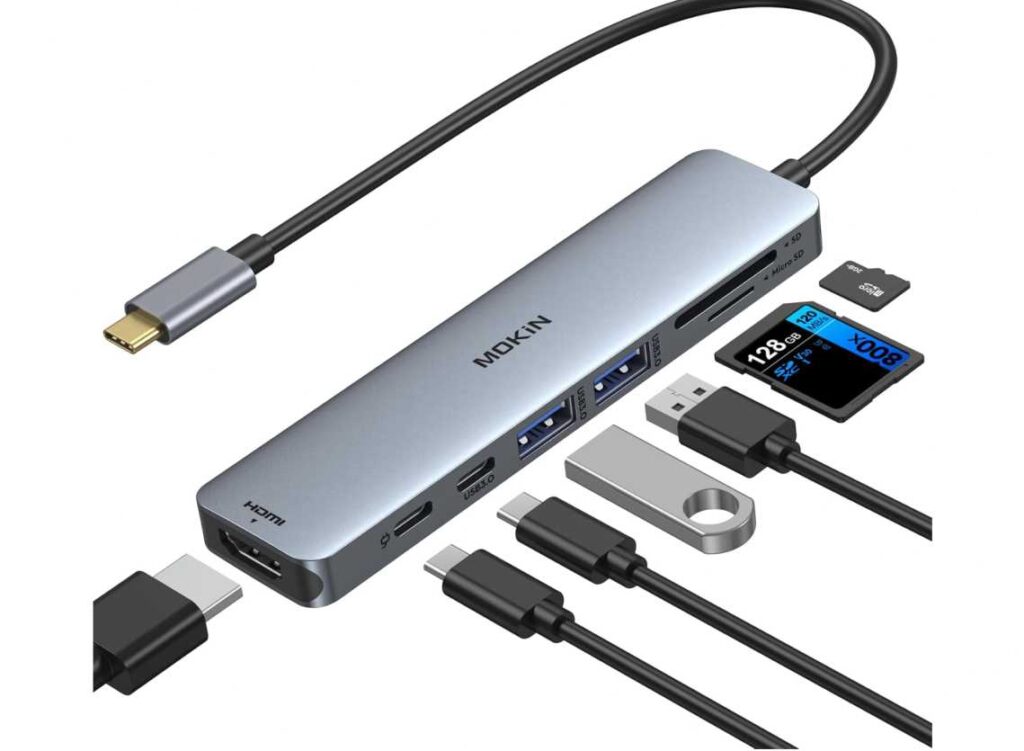
Now in real use, this is more of a set-and-use type dongle. You plug it in, connect your devices, and it works. It’s not trying to be premium or super powerful—it’s just practical.
For a MacBook Neo setup, this kind of hub works well if you:
need extra ports for everyday work,
occasionally connect to a display,
or use SD cards and USB devices regularly.
Compared to ultra-cheap hubs, this feels more complete. Compared to expensive docking stations, it’s way more compact and travel-friendly.
So thinking simply for the Best USB-C Dongles for MacBook Neo:
If you want maximum value for money → this is a great pick
If you want heavy-duty, desk-level performance → look at higher-end docks
Who this is for
- You want a budget-friendly all-in-one dongle
- You need HDMI + USB + SD card support
- You prefer something compact and travel-friendly
Who should skip it
- You need multiple displays or pro-level setup
- You want a premium, heavy-duty docking station
My take
This is the kind of dongle most people actually end up using.
Simple, affordable, and covers the basics really well. For the Best USB-C Dongles for MacBook Neo, this is a solid everyday choice.
2. UANTIN 7-in-1 USB-C Hub – The Ultra-Cheap Option That Still Gets the Job Done
7-in-1 | 4K@30Hz HDMI | 100W PD | USB + SD Card | Ultra Budget
Let’s be honest—this one is all about price.
If you’re searching for the Best USB-C Dongles for MacBook Neo and want to spend as little as possible, this is the kind of option that comes up. And surprisingly, it still covers the basics pretty well.
You’re getting all the core ports—HDMI, USB-A, SD/TF card reader, and power delivery—so for simple everyday use, nothing really feels missing.
But here’s the real talk.
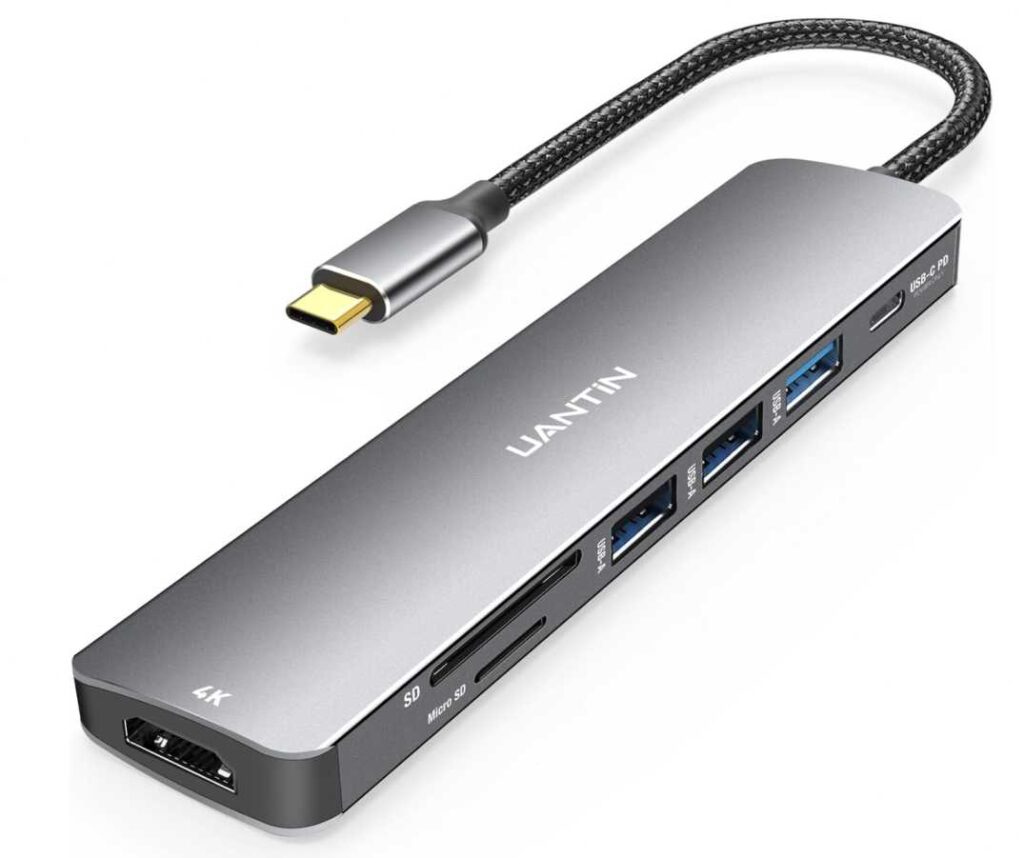
At this price, you’re not getting premium performance. The HDMI is 4K@30Hz, which is fine for normal work, but not as smooth as 60Hz if you’re using an external monitor a lot. Same with overall build and long-term durability—it’s decent, not exceptional.
Where this makes sense is simple setups:
you plug in a keyboard, mouse, maybe a USB drive,
occasionally connect to a display,
and just need more ports without spending much.
For that, it works.
So thinking practically for the Best USB-C Dongles for MacBook Neo:
If your goal is lowest cost with basic functionality → this is a solid pick
If you want better display quality and long-term reliability → spend a bit more
Who this is for
- You want the cheapest usable USB-C hub
- You need basic ports for everyday tasks
- You don’t use external displays heavily
Who should skip it
- You want 4K@60Hz or smoother display output
- You need a premium, long-lasting dongle
My take
This is the “spend as little as possible and move on” option.
It’s not perfect, but it works. And for the Best USB-C Dongles for MacBook Neo, sometimes that’s all you really need.
3. Satechi 8-in-1 USB-C Hub V2 – A Safer Long-Term Pick
8-in-1 | 4K@60Hz HDMI | 115W PD | Ethernet | High-Speed Ports
If you’re planning to use a dongle every day, not just occasionally, this is the kind of option that makes more sense.
A lot of cheaper hubs look similar on paper, but over time you start noticing small issues—loose connections, slower transfers, random heating. This one avoids most of that. It feels more consistent and dependable, which is honestly what matters more than extra features.
For a MacBook Neo setup, it covers everything you’d realistically need:
a proper 4K@60Hz display output,
Ethernet for stable internet,
and enough ports to run a clean desk without juggling cables.
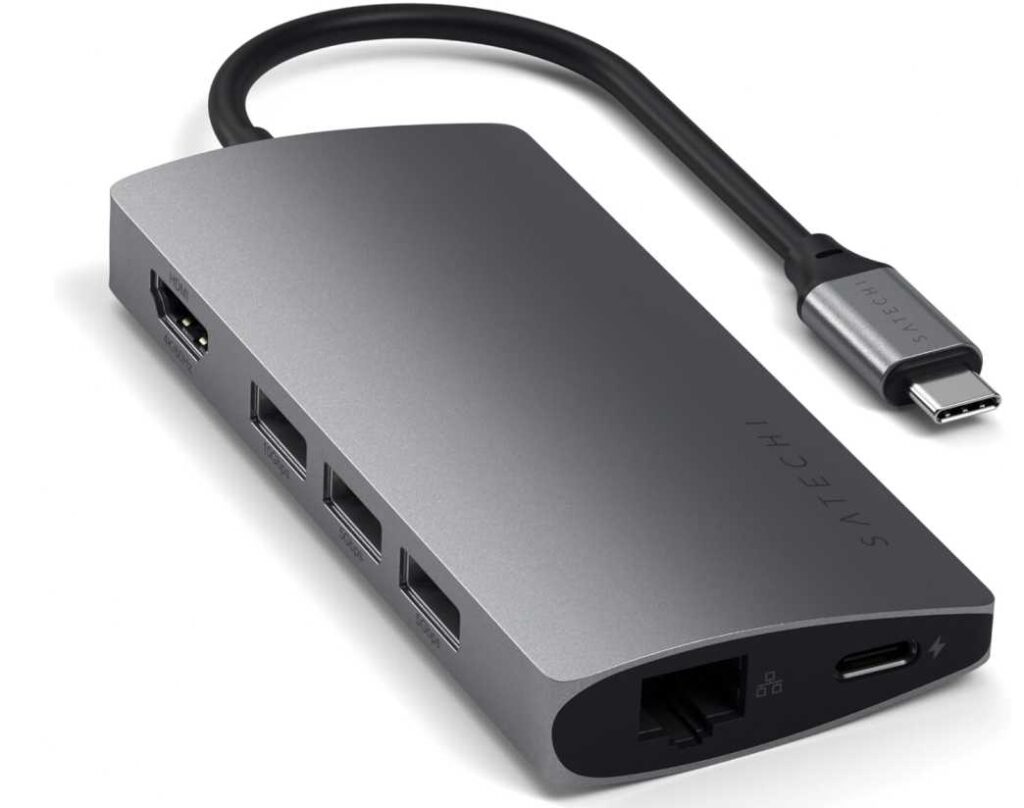
It’s not the cheapest option, but you’re paying for something that you won’t have to replace quickly.
So if you’re choosing the Best USB-C Dongles for MacBook Neo, think of it like this:
If you just need something temporary → cheaper hubs are fine
If you want something that stays reliable over time → this is a better investment
Who this is for
- You use your setup daily for work or study
- You want stable performance without small issues
- You need a proper desk setup with multiple devices
Who should skip it
- You only need a dongle once in a while
- You’re trying to spend as little as possible
My take
This isn’t about having more ports—it’s about having fewer problems later.
If that’s important to you, this is one of the more dependable choices.
4. Anker 5-in-1 USB-C Hub – Simple, Reliable, No Guesswork
5-in-1 | 4K@30Hz HDMI | 100W PD | USB-A + USB-C
If you just want something that works without issues, this is a safe choice.
For the Best USB-C Dongles for MacBook Neo, not everyone needs a big 7-in-1 or 8-in-1 hub. Sometimes you only need a few ports—and you want them to be stable. That’s exactly where this fits.
You get:
HDMI for a monitor,
USB ports for accessories,
and power delivery to keep your MacBook charged.
That’s it—and honestly, for a lot of setups, that’s enough.
One thing to be clear about: it’s 4K@30Hz, not 60Hz. For regular work, browsing, or watching content, it’s fine. But if you’re used to smoother external displays, you’ll notice the difference.
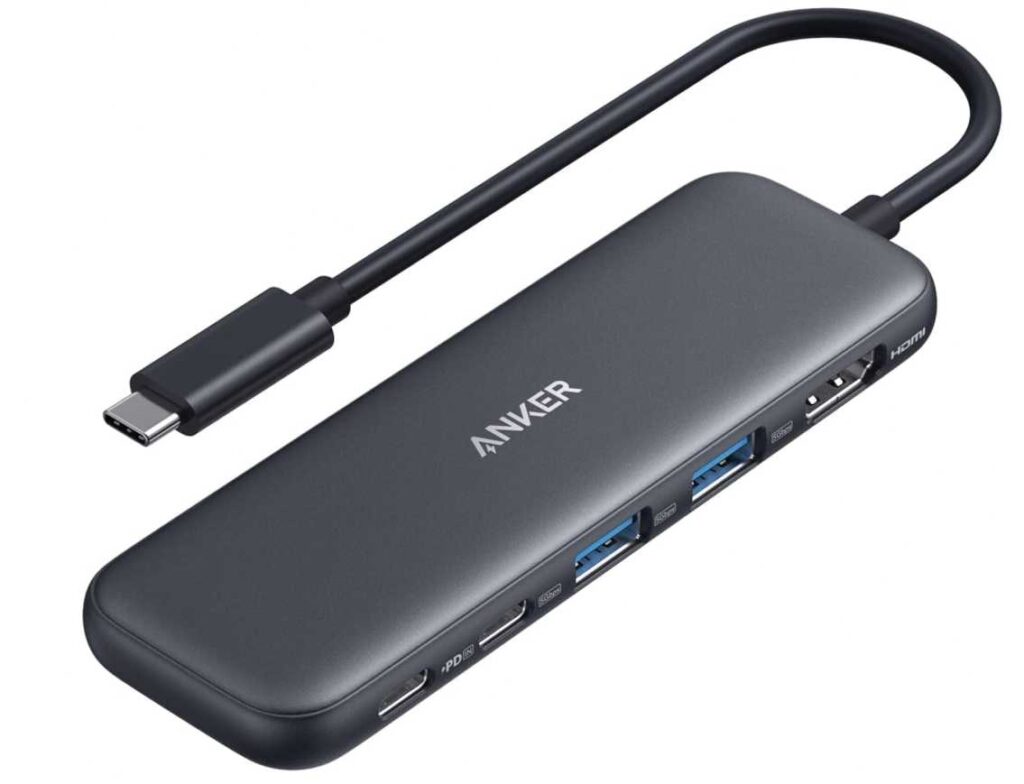
Where this stands out is consistency. Products from Anker tend to be more reliable over time—fewer random disconnects, fewer small annoyances. That matters more than extra ports you may not even use.
So thinking practically for the Best USB-C Dongles for MacBook Neo:
If you want something basic but dependable → this makes sense
If you want more features or better display output → go for a higher-end hub
Who this is for
- You want a straightforward, reliable hub
- You only need core ports
- You care more about stability than features
Who should skip it
- You need 4K@60Hz output
- You want SD card slots, Ethernet, or more expansion
My take
This isn’t about having more—it’s about having fewer problems.
If that’s your priority, this is an easy recommendation.
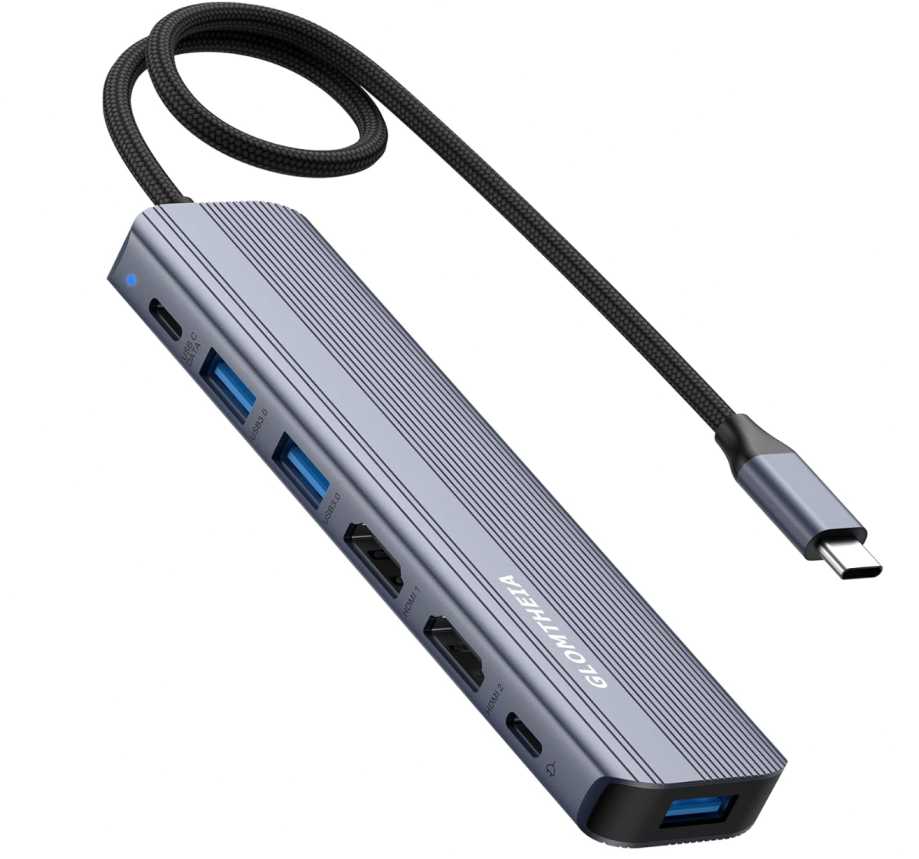
5. Glomtheia 7-in-1 USB-C Hub – The “Dual Monitor on a Budget” Option
7-in-1 | Dual HDMI | 100W PD | USB-A + USB-C | Compact
If your main goal is running two screens without spending a lot, this is the kind of dongle that stands out.
When people look for the Best USB-C Dongles for MacBook Neo, dual HDMI always sounds like a big win—and on paper, this delivers exactly that.
But here’s the part most listings don’t explain clearly.
On MacBooks, dual HDMI usually works in mirror mode (same screen on both displays) unless you use extra software or specific chips. So while it supports two monitors, it may not give you true extended dual displays the way it does on Windows.
That doesn’t make it bad—it just depends on what you expect.
For normal use, this still gives you:
two HDMI ports,
USB ports for accessories,
and solid 100W charging while everything is connected.
So if you’re using one external monitor + extra ports, it works perfectly. The second HDMI becomes useful mainly for mirroring or specific setups.
Thinking practically for the Best USB-C Dongles for MacBook Neo:
If you want dual HDMI flexibility at a low price → this is worth considering
If you need true dual extended displays on Mac → you’ll need a more advanced dock
Who this is for
- You want two HDMI ports without spending much
- You mainly use one external monitor + accessories
- You want a compact all-in-one hub
Who should skip it
- You expect two independent extended displays on MacBook
- You want a fully featured docking station replacement
My take
This one looks powerful, but it’s really about how you plan to use it.
If you understand the Mac display limitation, it’s a good value pick. If not, it can be confusing.
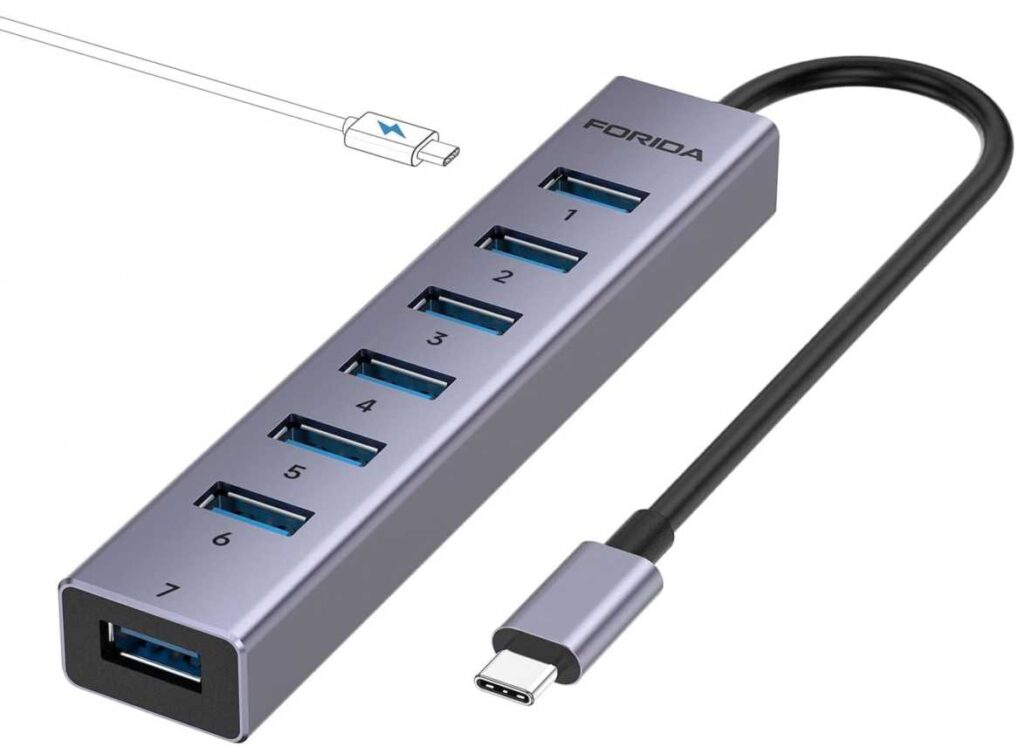
6. FORIDA USB-C Hub (7 USB Ports) – Only If You Just Need More USB
7× USB 3.0 | 5Gbps | No HDMI | No Laptop Charging
This one is very different from the other dongles on your list—so you need to position it carefully.
If you’re building a list for the Best USB-C Dongles for MacBook Neo, this is not an all-in-one hub. It’s basically a USB splitter. That’s it.
No HDMI.
No SD card slot.
No proper power delivery for your laptop.
So why would anyone pick this?
Simple—you just need more USB ports.
If your setup looks like:
keyboard + mouse + USB drive + maybe a webcam or printer…
and you keep running out of ports, this solves that problem cleanly.
It gives you 7 USB ports with decent speed (5Gbps), which is actually useful if you have a lot of accessories plugged in at once.
But there’s an important limitation:
the USB-C port here is only for powering the hub itself, not charging your MacBook. That’s something people often misunderstand.
So thinking honestly for the Best USB-C Dongles for MacBook Neo:
If you want extra USB ports only → this works
If you want a complete dongle (HDMI + charging + everything) → skip it
Who this is for
- You need a lot of USB ports in one place
- You already have other ports covered (like HDMI)
- Your setup is more desk-based than travel-based
Who should skip it
- You need HDMI or display output
- You want a single all-in-one dongle
- You expect it to charge your MacBook
My take
This is not a main dongle—it’s more like a support tool for a bigger setup.
Useful in the right situation, but not something I’d recommend as your primary pick.
Wrapping Up
At the end of the day, picking the Best USB-C Dongles for MacBook Neo isn’t about getting the one with the most ports—it’s about getting the one that actually fits how you use your laptop.
If you just need a few extra ports for daily work, a simple hub will do the job without overcomplicating things.
If you’re connecting to external monitors or building a desk setup, then things like 4K@60Hz output, stable power delivery, and better build quality start to matter a lot more.
And if you’re someone who uses multiple accessories all the time, going for a more complete hub (or even pairing two simple ones) makes more sense than struggling with limitations later.
So keep it simple:
Basic use → go with a compact, reliable hub
Regular desk setup → choose something more stable and feature-complete
Heavy multitasking → invest in a higher-quality option
Once you pick the right one, you stop thinking about ports altogether—and that’s exactly how it should be.