
If you’re using an HP 24 inch monitor, chances are your setup is pretty straightforward—but the stock stand? Yeah, that’s usually where things fall apart.
It takes up space, doesn’t adjust much, and kind of locks you into one position.
That’s where getting the Best Monitor Arm For HP 24 Inch Monitor makes a real difference.
You lift the screen off your desk, suddenly you’ve got more space, better posture, and way more flexibility. Want it higher? Done. Need to tilt or rotate? Easy. It just makes everything feel more comfortable without trying too hard.
And the good part—since a 24 inch monitor is light and easy to support, you don’t need anything expensive or overbuilt. Even a simple arm can completely upgrade your setup if you pick the right one.
That’s exactly what this guide is about—finding the monitor arms that actually fit well with HP 24 inch monitors, without wasting money or dealing with unnecessary features.
Let’s get into the ones that are actually worth it.
1. HUANUO FlowLift™ Monitor Arm – The Easy Win for HP 24″ Setups
13″–32″ | Up to 19.8 lbs | Full Motion | Gas Spring
If you’ve got an HP 24 inch monitor and just want a simple upgrade that actually makes your setup feel better, this is the one I’d tell you to start with.
When people look for the Best Monitor Arm For HP 24 Inch Monitor, this is exactly the kind of option that fits—no overkill, no unnecessary features, just something that works really well.
The biggest thing you’ll notice is how easy it is to use. You set it up in a few minutes, adjust the tension once, and after that you can move your monitor up or down with one hand. It just stays where you put it.
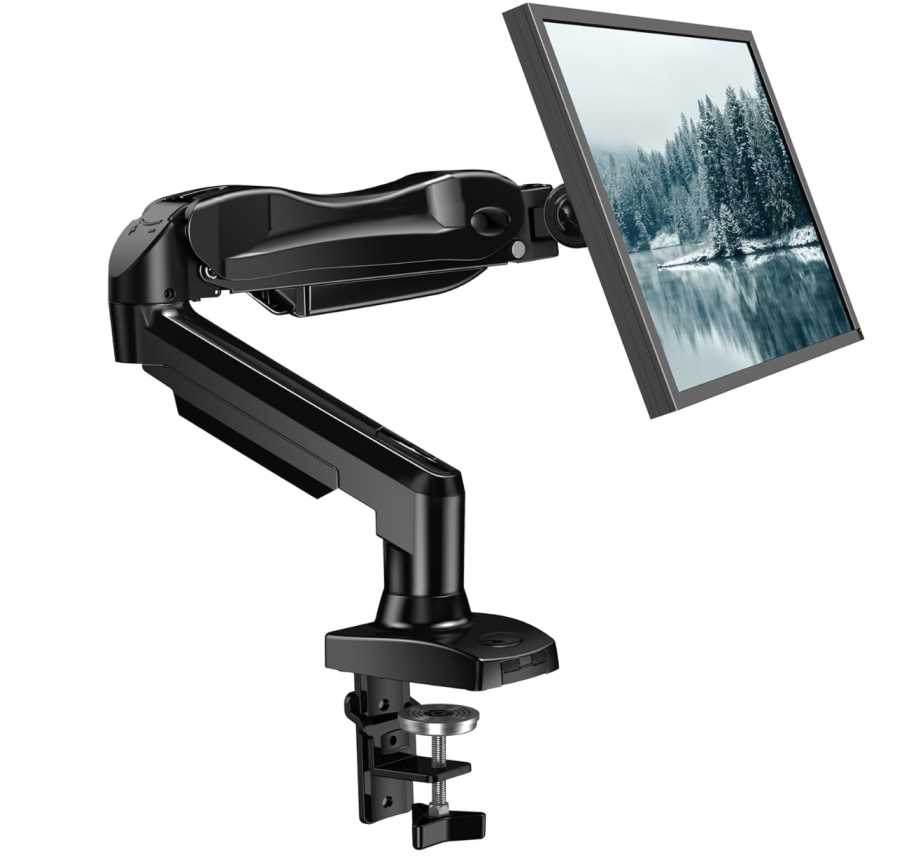
You also get all the basic adjustments—tilt, swivel, rotation—so you can position your screen exactly how you like. For a 24 inch monitor, that’s honestly all you need.
And yeah, your desk instantly feels cleaner. More space, less clutter, and the arm keeps everything looking neat.
Build quality is solid too. Since HP 24″ monitors are lightweight, this arm feels stable and comfortable for daily use without any issues.
Compared to cheaper options, this feels more refined. Compared to expensive ones, you’re not really missing anything important for this kind of setup. That’s why as a monitor mount for HP 24 inch monitors, it’s such an easy recommendation.
Who this is for
- You’re using an HP 24 inch monitor
- You want something quick, simple, and reliable
- You just want a cleaner, more comfortable desk setup
Who should skip it
- You’re planning to upgrade to a heavy or ultrawide monitor
- You want a premium, heavy-duty arm
My take
This is the “just fix your setup in 10 minutes” option.
It’s simple, works exactly how you expect, and makes your setup feel better instantly. For the Best Monitor Arm For HP 24 Inch Monitor, this is one of those picks you won’t regret.
2. monTEK Single Monitor Arm – The “Little Upgrade That Feels Worth It”
17″–45″ | Up to 35 lbs | Full Motion | Gas Spring
Okay, if you’ve got an HP 24 inch monitor and you’re thinking, “I don’t want the cheapest thing, but I also don’t want to overspend,” this is exactly the kind of option I’d point you to.
For the Best Monitor Arm For HP 24 Inch Monitor, this sits in that nice middle zone where you get a bit more comfort and flexibility without going crazy on price.
Here’s the nice part—since your monitor is only 24″, this arm feels super easy to move around. You can raise it, pull it closer, adjust the angle… everything just feels light and smooth.
It’s one of those things where after setting it up, you’ll be like, “yeah, this feels way better than the stock stand.”
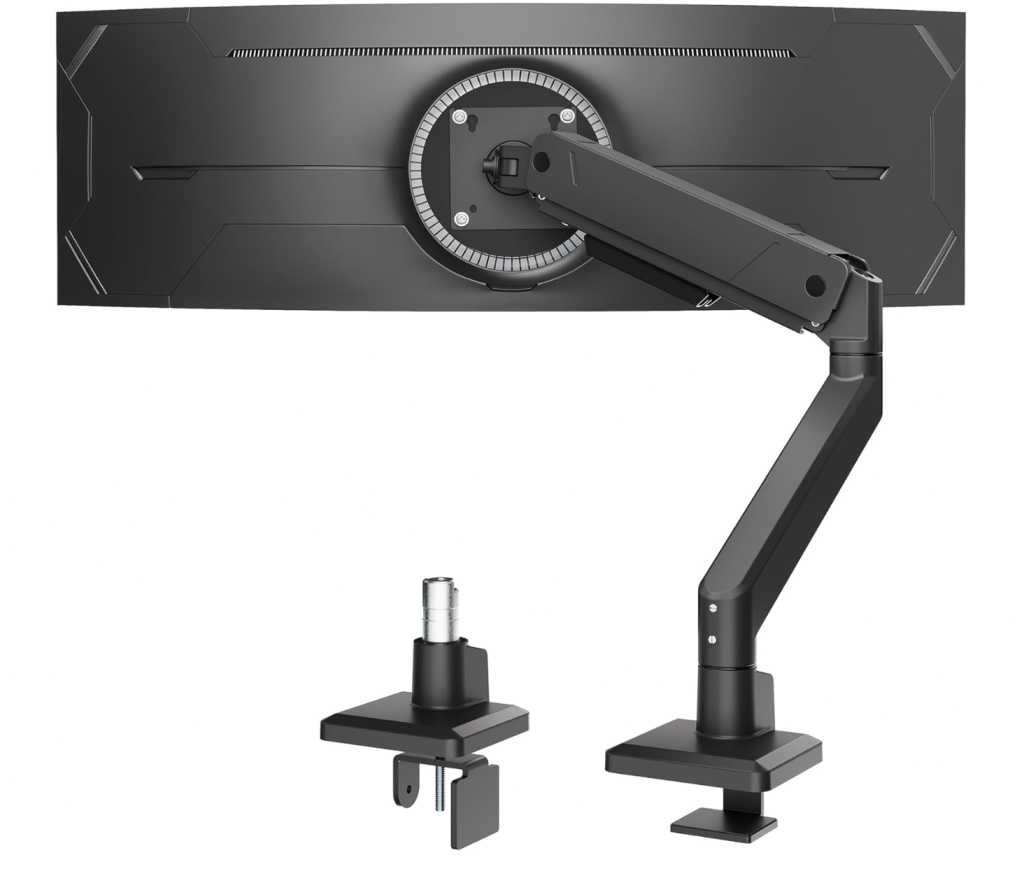
Also, your desk will instantly look cleaner. More space, less clutter, and the cable management keeps things from getting messy.
Build quality feels solid too. Nothing fancy, but definitely something you can rely on daily without worrying about it.
Compared to basic arms, this just feels a bit nicer to use. Compared to expensive ones, you’re not really missing anything important for a 24″ setup.
Who this is for
- You’ve got an HP 24 inch monitor
- You want something a bit better than the cheapest option
- You like having extra movement and flexibility
Who should skip it
- You just want the lowest price possible
- You don’t care about smoother adjustments
My take
This is the “you’ll notice the upgrade” option.
Not overkill, not basic—just a really comfortable step up. For the Best Monitor Arm For HP 24 Inch Monitor, this is one of those picks that quietly makes your setup feel better.
3. MOUNTUP Freestanding Monitor Stand – The No-Drill, No-Hassle Option
13″–32″ | Up to 17.6 lbs | Full Motion | Freestanding Base
Okay, this one’s for you if you don’t want to clamp anything to your desk.
If you’re looking for the Best Monitor Arm For HP 24 Inch Monitor but your desk setup doesn’t allow clamps—or you just don’t want to deal with them—this is a super easy solution.
It’s a freestanding monitor stand, which means you just place it on your desk and you’re done. No drilling, no tightening clamps, nothing complicated.
For an HP 24″ monitor, this works perfectly. Your screen is light enough that the stand feels stable and balanced, thanks to the heavy base.
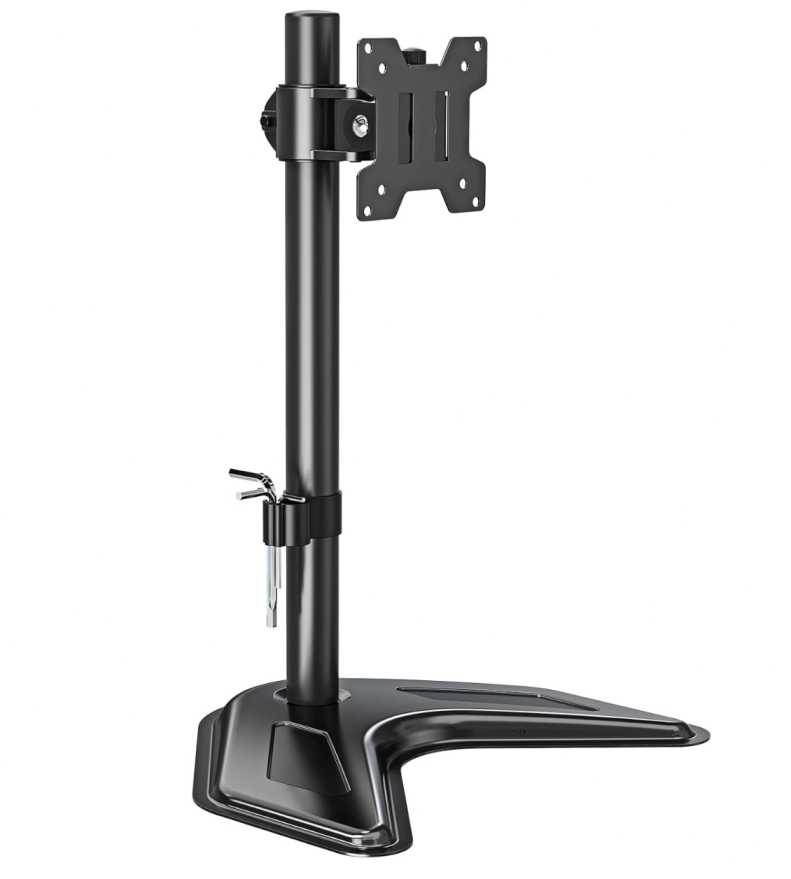
You still get the important adjustments too—height, tilt, swivel, rotation—so you’re not stuck in one position like with the default stand. It’s not as flexible as full monitor arms, but for most setups, it’s more than enough.
And yeah, it still helps clean things up a bit. You won’t get as much free space as a clamp arm, but it definitely looks more organized and adjustable than a stock stand.
Compared to clamp mounts, this is more about convenience over maximum flexibility. That’s why as a monitor mount for HP 24 inch monitors, it’s a great option for simpler setups.
Who this is for
- You’ve got an HP 24 inch monitor
- You don’t want to use a clamp or drill your desk
- You want something quick and easy to set up
Who should skip it
- You want maximum desk space and flexibility
- You’re okay using a clamp-style monitor arm
My take
This is the “zero effort, no setup stress” option.
It’s not as flexible as a full arm, but it’s simple, stable, and gets the job done. For the Best Monitor Arm For HP 24 Inch Monitor, this is perfect if you just want something easy that works right away.
4. VIVO Single Monitor Arm – The Reliable Everyday Pick
13″–38″ | Up to 22 lbs | Full Motion | Budget-Friendly
If you just want something that works without any fuss, this is the kind of monitor arm I’d tell you to go for.
For the Best Monitor Arm For HP 24 Inch Monitor, this fits perfectly. It’s not overbuilt, not complicated—just a solid, dependable option for a simple setup.
Your HP 24″ monitor is pretty lightweight, so on this arm it feels easy to move and stable at the same time. Once you mount it and tighten things up, you don’t really have to think about it again.
You get all the basic adjustments you actually need—tilt, swivel, rotation, and height. Nothing fancy, but enough to make your setup way more comfortable than using the stock stand.
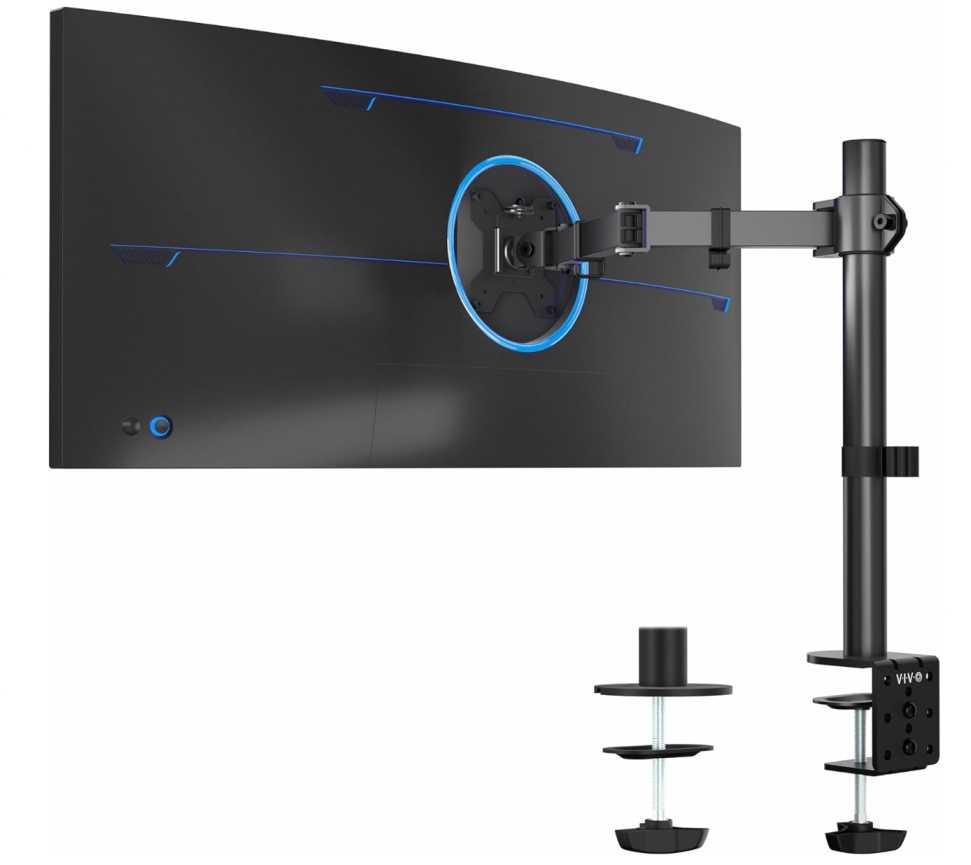
And yeah, the biggest difference—you free up a lot of desk space. Your setup instantly feels cleaner and less crowded, especially with the built-in cable management.
Installation is simple too. Clamp it to your desk or use the grommet, mount your monitor, and you’re done in a few minutes.
Compared to cheaper no-name options, this feels more trustworthy. Compared to premium arms, you’re saving money without losing anything important for a 24″ setup.
Who this is for
- You’ve got an HP 24 inch monitor
- You want something simple and dependable
- You don’t want to spend too much
Who should skip it
- You’re planning to use a heavy ultrawide monitor
- You want a premium, high-end feel
My take
This is the “safe and easy choice”.
Nothing fancy, nothing risky—it just works. For the Best Monitor Arm For HP 24 Inch Monitor, this is one of those picks you can go with and not worry about later.
5. Acer Single Monitor Arm – The Perfect Match for a Simple 24″ Setup
17″–34″ | 4.4–19.8 lbs | Full Motion | Gas Spring
If you’ve got an HP 24 inch monitor and just want something that fits perfectly without any guesswork, this is honestly a really easy pick.
For the Best Monitor Arm For HP 24 Inch Monitor, this one just feels like it was made for this kind of setup. Not too big, not too powerful—just the right balance.
The first thing you’ll notice is how easy it is to adjust. You can move the monitor up, down, tilt it, rotate it—all with one hand once you set the tension. It doesn’t fight you, it just moves the way you expect.
And since your monitor is on the lighter side, this arm feels super stable. No wobbling, no dropping—just stays where you leave it.
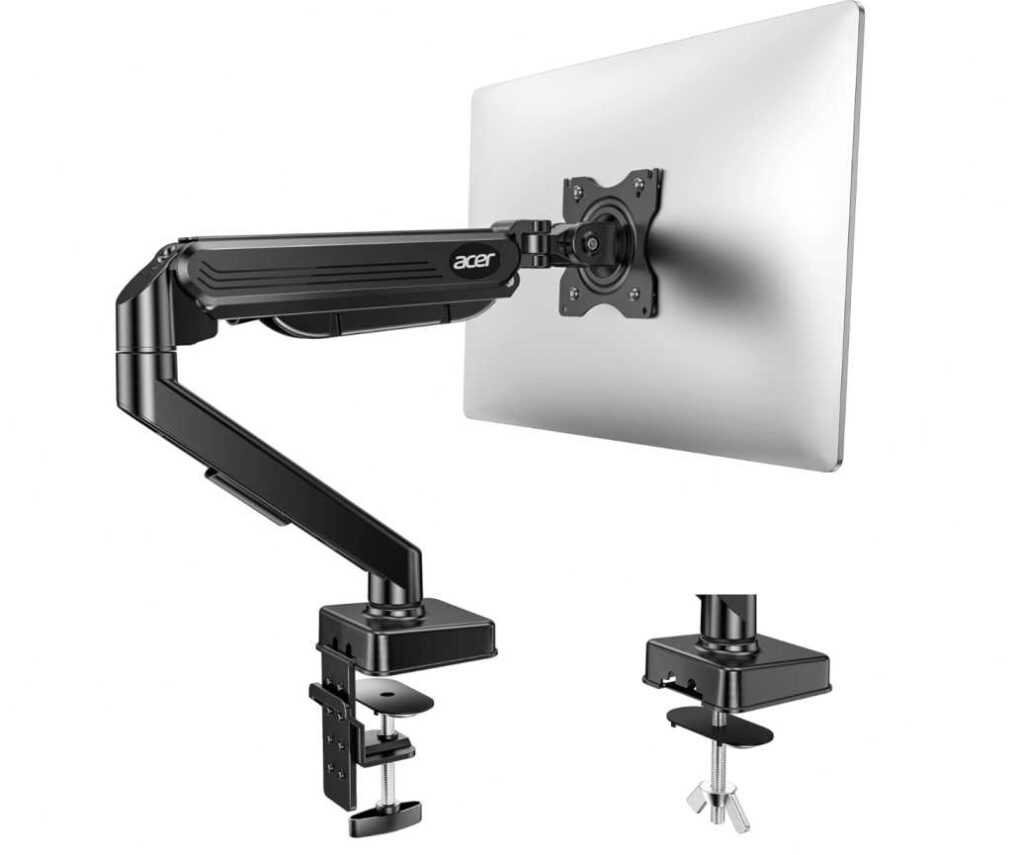
It also helps your setup feel way cleaner. You get more desk space, better positioning, and overall it just looks more organized.
Setup is quick too. Clamp it or use the grommet, attach your monitor, adjust the tension—and you’re done.
Compared to cheaper arms, this feels a bit more refined. Compared to expensive ones, you’re not really missing anything for a 24″ monitor. That’s why as a monitor mount for HP 24 inch monitors, it’s such a comfortable recommendation.
Who this is for
- You’ve got an HP 24 inch monitor
- You want something that fits perfectly without overkill
- You like smooth, easy adjustments
Who should skip it
- You’re planning to upgrade to a heavy ultrawide monitor
- You want a premium, heavy-duty arm
My take
This is the “just works perfectly for your setup” option.
Nothing complicated, nothing extra—just a clean, smooth upgrade. For the Best Monitor Arm For HP 24 Inch Monitor, this is one of those picks that feels right from day one.
6. WALI Heavy Duty Monitor Arm – The Cheap but Surprisingly Solid Pick
17″–49″ | Up to 33 lbs | Full Motion | Budget Heavy-Duty
Alright, if you’re trying to keep things as budget-friendly as possible but still want something that can handle more than just basic use, this is one I’d mention.
For the Best Monitor Arm For HP 24 Inch Monitor, this might look like overkill—and yeah, for a 24″ screen, it kind of is. But that’s actually a good thing here.
Because your monitor is light, this arm feels extra stable. Once you set it up, it just stays in place. No sagging, no constant adjustments—just does its job quietly.
You still get all the movement you need—tilt, swivel, rotation, height adjustment—so you can easily find a comfortable position. And since the arm is rated higher than what you need, everything feels a bit more solid.
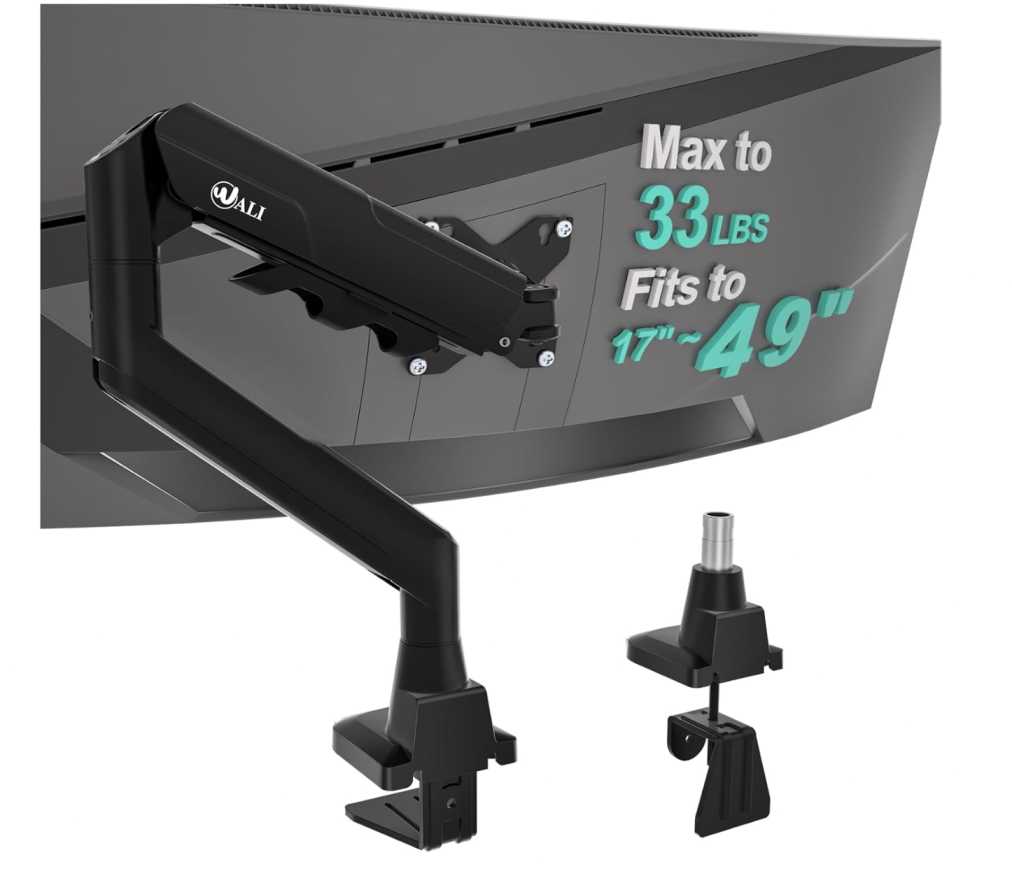
It also helps a lot with desk space. The moment you remove the stock stand, your setup feels cleaner and more open, especially with the built-in cable management.
Now yeah, it’s not a premium arm. You won’t get super smooth movements or high-end finish. But for the price, it’s honestly better than expected.
Compared to basic arms, this gives you more strength and stability. Compared to expensive ones, you’re saving a lot while still getting a good experience. That’s why as a monitor mount for HP 24 inch monitors, it’s a solid budget option.
Who this is for
- You’ve got an HP 24 inch monitor
- You want something strong at a low price
- You prefer stability over fancy features
Who should skip it
- You want a premium, ultra-smooth feel
- You care a lot about design and finish
My take
This is the “cheap but does more than expected” option.
Not the prettiest, not the smoothest—but it holds your monitor properly and gets the job done. For the Best Monitor Arm For HP 24 Inch Monitor, this is a great pick if you’re trying to save money.
7. EVEO Single Monitor Arm – The Clean, Premium Feel Upgrade
14″–34″ | Up to ~19–20 lbs | Full Motion | Gas Spring
Okay, if you want your setup to feel a bit more clean and polished, this is the kind of arm I’d tell you to look at.
For the Best Monitor Arm For HP 24 Inch Monitor, this is one of those options where you’re not just buying function—you’re getting a nicer overall experience.
The first thing you’ll notice is how smooth everything feels. The gas spring is well-tuned, so moving your monitor up, down, or adjusting the angle feels easy and controlled. It’s not something you have to fight with.
And since your HP 24″ monitor is lightweight, this arm feels super stable. You set it once, and it stays exactly where you want it.
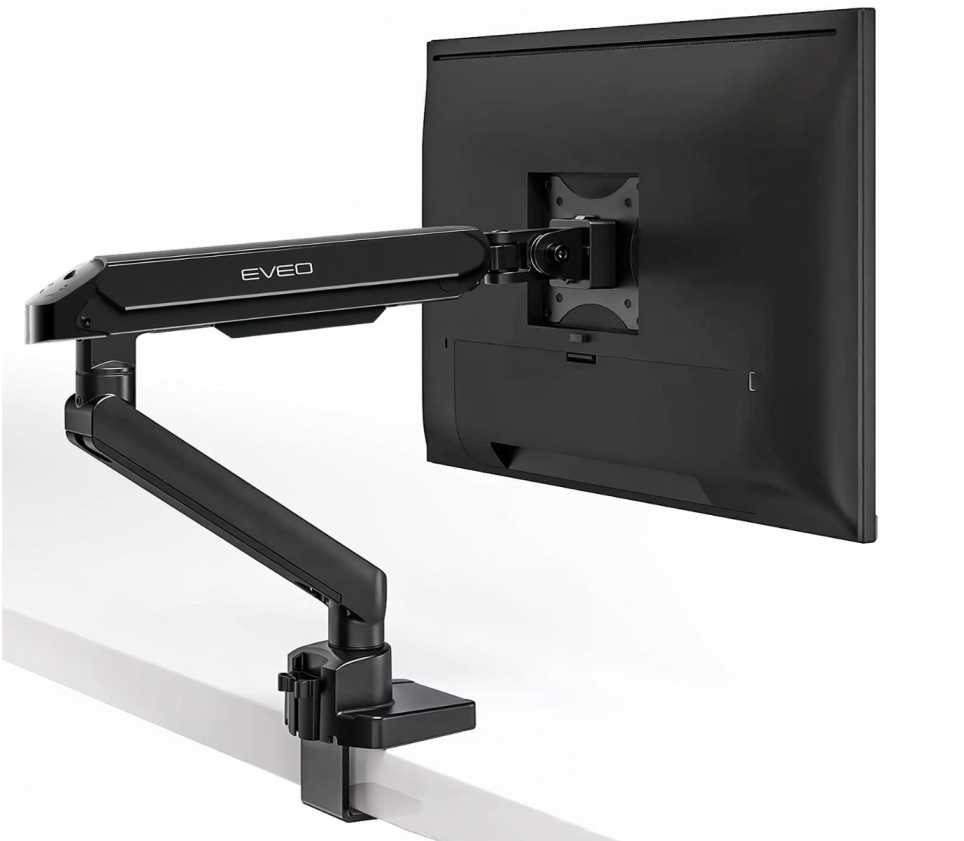
It also makes your desk look better. The design is clean, the arm isn’t bulky, and once your monitor is off the stand, your setup just feels more minimal and organized.
Installation is quick too. Clamp it or use the grommet, attach your monitor, and you’re done. No complicated steps.
Compared to budget arms, this feels more refined and smoother to use. Compared to heavy-duty ones, it’s lighter and better suited for a simple 24″ setup. That’s why as a monitor mount for HP 24 inch monitors, it’s a really nice upgrade.
Who this is for
- You’ve got an HP 24 inch monitor
- You want something that feels a bit more premium and smooth
- You care about a clean, minimal setup
Who should skip it
- You just want the cheapest option possible
- You’re planning to use a heavy ultrawide monitor
My take
This is the “make your setup feel nicer” option.
It’s not just about holding your monitor—it’s about how smooth and clean everything feels once it’s set up. For the Best Monitor Arm For HP 24 Inch Monitor, this is a great pick if you want that extra polish.
Wrapping Up
So yeah, if you’re picking the Best Monitor Arm For HP 24 Inch Monitor, it’s actually pretty simple once you think about it.
Your monitor is light and easy to handle, so you don’t need anything heavy-duty or expensive. Almost any decent arm will work—but the difference comes down to how smooth, stable, and easy it is to use daily.
If you want something cheap and basic, there are solid options that get the job done.
If you want a bit more comfort, go for something with better movement and stability.
And if you care about how your setup looks and feels, spending a little more on a smoother, cleaner arm is worth it.
At the end of the day, a good monitor mount for HP 24 inch monitors isn’t about features—it’s about making your setup feel less cramped, more comfortable, and easier to use every day.
Pick one that matches your budget, set it up once, and you’re good.