

Players in Battlefield 6 Portal mode have been facing a frustrating issue — revives not tracking properly after matches. Even after successfully reviving multiple teammates, the revive counter remains stuck or resets once the round ends. This Battlefield 6 portal revives bug appears to affect both casual and custom Portal servers, leaving players unable to progress in related challenges or achievements.
Battlefield 6 Portal Revives Not Tracking – What’s the Issue?
The revive tracking issue might stem from a data sync delay between EA’s servers and the in-game stat system. Some reports suggest that revives completed in community-made modes don’t always count toward overall progress. As a result, many users are seeing zero revive stats or incomplete tallies in their match summary. EA has yet to roll out an official fix, but community feedback shows this Battlefield 6 portal revive glitch is widespread across platforms.

Why Revive Stats Disappear After Matches or Relogging
Many Battlefield 6 players notice their revive stats disappear after relogging or match completion, making it difficult to track true performance. This revive stats disappearing bug often occurs when the game fails to save match data to player profiles before disconnecting from the session.
The issue may also be tied to Portal server instability or how custom match configurations record progress. Players have reported that while their in-game revives show correctly mid-match, the count resets after the results screen or upon restarting the game. This glitch prevents the nurse trophy and revive missions from progressing as intended.
Until EA addresses this Battlefield 6 revive tracking issue, players are advised to complete revive-related tasks in official or ranked modes, where stat tracking is more stable. Custom Portal servers seem most affected by the sync delay.
Nurse Trophy Progress Not Counting – Is It a Bug?
The Battlefield 6 nurse trophy not tracking issue has left players puzzled and disappointed. This trophy, which requires a set number of successful revives, doesn’t seem to register progress despite completing the actions. Even when the revive icon confirms successful assists, the trophy counter stays at zero.

Players speculate that the revive progress not counting bug is linked to the same underlying Portal stat tracking problem. Since Portal uses a separate stat recording system, revives done there may not sync with main progression servers. EA’s forums and Reddit threads are full of reports from users saying they’ve revived dozens of teammates without earning a single update.
For now, the safest way to pursue the Nurse Trophy is through standard Battlefield 6 multiplayer, not Portal. EA has acknowledged the issue and hinted at a future patch to fix trophy tracking inconsistencies.
How Portal Mode Revives Differ From Standard Multiplayer Revives
One key reason behind the Battlefield 6 revive progress bug lies in how the Portal mode tracks gameplay actions differently from the core multiplayer experience. In standard modes, every revive is directly logged into EA’s central database. However, in Portal, where players can create custom match rules, certain event triggers like revives, assists, and kills don’t always sync with progression stats.
This design flexibility is great for creativity, but it also means revive stats not saving or syncing properly in community servers. For example, modified health values or custom respawn rules can cause revive events to fail registration.
Until EA updates Portal’s backend, players aiming to complete revive missions or unlock the nurse trophy should stick to official playlists. Doing so ensures that revives count consistently and progress toward Battlefield 6 portal revive achievements isn’t lost after each match.
Possible Causes: Sync Errors, Server Delays, or Tracking Glitch?
The ongoing Battlefield 6 portal revives bug likely stems from a mix of server sync errors, delayed stat updates, and tracking glitches in EA’s backend systems. When matches end in Portal mode, data such as kills, assists, and revives must sync to the main player profile. However, if servers lag or disconnect early, revive progress fails to upload, leading to missing or incorrect stats.
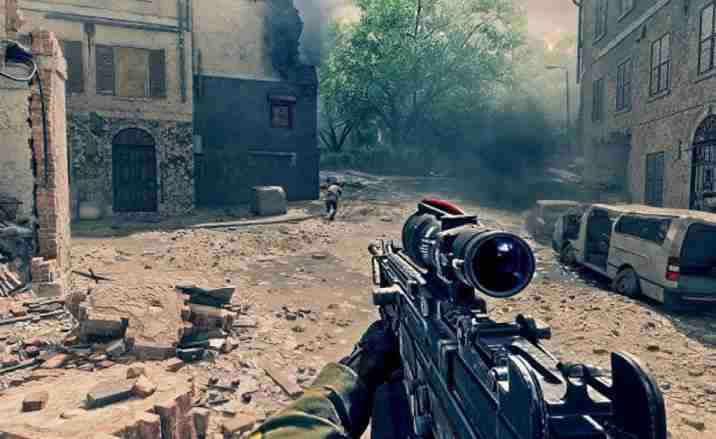
Some players also noticed that using custom rules or unofficial community servers increases the risk of this glitch. These modes often modify revive timers or health mechanics, which can confuse the game’s stat recognition system.
In short, the Battlefield 6 revive tracking issue isn’t just cosmetic — it’s a backend data sync flaw. Until EA improves post-match stat caching or real-time progress validation, players may continue facing revive stats disappearing or resetting after each session.
Is the Battlefield 6 Portal Mode Still Bugged After Latest Update?
Despite a recent update, many users confirm the Battlefield 6 portal revive tracking bug persists. While EA patched several gameplay issues, Portal’s stat sync remains unstable. Players still report revive counters failing to update and Nurse Trophy progress frozen even after multiple successful matches.
The patch notes didn’t directly mention fixes for revive-related tracking. Instead, improvements focused on weapon balance, hit registration, and matchmaking. Unfortunately, that means the Portal revive glitch likely remains unresolved behind the scenes.
Players testing the latest build claim that revives occasionally track properly in short matches but reset after longer sessions or custom lobbies. This suggests that the tracking bug may be tied to server timeouts rather than the revive mechanic itself. Until EA releases a targeted fix, users should treat Portal progress as temporarily unreliable for tracking trophies or challenges.
How Missing Portal Stats Affect Overall Player Progression
The Battlefield 6 portal stats not saving bug doesn’t just affect vanity numbers — it directly impacts player progression, XP gain, and achievement tracking. When revives or other key actions fail to register, players lose valuable XP that contributes to weekly goals, ribbons, and overall rank.
For completionists chasing the Nurse Trophy or event-based objectives, this issue can be especially frustrating. Missing Portal stats mean hours of gameplay go unrewarded, forcing players to redo progress in official multiplayer modes. Some have even reported that lost revive data causes inconsistencies in career scoreboards and leaderboards.
Since Portal shares the same account system as other Battlefield modes, any desync in stat uploads can ripple across all tracking categories. Until EA resolves these backend synchronization problems, players should complete revive-related challenges in core Battlefield 6 playlists, where stat reliability is far higher.
Step-by-Step Fix Attempts for Revive Tracking Issues
Tracking revives in Battlefield 6’s Portal mode can be frustrating when your stats don’t register. Many players experience a “revive counter broken” scenario, where revives either don’t count, reset after the match, or vanish entirely. This guide walks you through the best fix attempts and workarounds for the portal revives bug and revive stats not updating issues.
1. Use Official Playlist Rather than Custom Portal Servers
First, switch out of heavily-modded or custom Portal servers. Many reports indicate that portal mode revives differ from standard multiplayer revives, and custom servers can break stat tracking. By playing in the official Portal playlist or a less-altered server, you significantly reduce the chance of your revives not registering. This targets the root cause of the portal revive tracking issue, where deviations from standard rules cause stats to fail syncing.
2. Fully Restart the Game After a Session
After a match in which you performed multiple revives, close Battlefield 6 completely. On console: back out of the game and power it off momentarily. On PC: exit the game, wait 30 seconds, then relaunch. This helps flush local caches and forces a fresh upload of post-match stats. Many players discovered that revives counted only after a restart, addressing the revive stats disappearing after matches or relogging bug.
3. Avoid Switching Between Game Modes Until After Stats Upload
Switching modes or leaving mid-match may cause your revive stats not to save. After a session in Portal mode where you earned revives, avoid immediately hopping into another mode until the post-match screen fully resolves and results show. This prevents creating a tracking glitch where stats are lost because the game didn’t finish writing the data. Let the results screen sit for a minute, then exit cleanly.
4. Monitor the Post-Match Screen for Revive Count Confirmation
Watch the “Revives” tally in the scoreboard immediately after the match. If your count appears correct there, that’s a good sign. But if it reads zero or far lower than expected, you may have encountered the portal revive stats reset after match issue. Capture a screenshot showing your revive count before exiting or logging out to provide evidence if you need to report the bug.
5. Relog Immediately if Stats Didn’t Track
If you notice your revives didn’t process, log out of your EA account and back in. This forces a re-sync of your profile data and can help recover lost progress. Some players say that after doing this, their revive counters updated correctly next session. This addresses the revive count disappears post match problem. While not guaranteed, it’s a low-cost step to try before more involved fixes.
6. Use a Wired / Stable Internet Connection
Network instability could interfere with the upload of post-match stats. A weak Wi-Fi or mobile hotspot connection may cause the game to disconnect while syncing your revives. Switch to a wired LAN connection or a proven stable Wi-Fi network when attempting revive-heavy sessions. This helps avoid the revive tracking issue in portal mode caused by premature data drops.
7. Limit Modded Game Rules During Your Revive Runs
Avoid playing revives under unusual rule modifications (e.g., 3-second respawns or ultra-high health). The game may fail to register a revive event if the rules deviate too far from normal. Stick to matches with standard settings for better tracking. This helps avoid the glitch where revive missions not progressing because the game doesn’t recognize your action under modified rules.
8. Complete Revive-Heavy Runs Early in the Event / Season
If you’re aiming for the nurse trophy not unlocking after revives, do a focused session at the start of a match day or when servers are less loaded. High traffic can delay stat syncing and increase the chance of the portal revives not tracking properly bug. Early in the cycle, the servers are smoother and less likely to drop data packets.
9. Check Event / Mission Progress Menus Immediately After
After leaving the match, open the “Missions” or “Events” tab and verify your revive count updated. If the revive counter remains stuck, try step 2 or 5 and monitor whether it changes. Doing this quickly helps you catch and document the issue early, which is helpful if you end up needing to file a bug report.
10. Document the Occurrence for Reporting
If one of your sessions still results in lost revives, make sure you take screenshots of the following:
- The match scoreboard showing your revive count.
- The mission or trophy page showing zero or unchanged revives.
- Post-match screen time/date and match ID if available.
- Any error messages or abrupt exits.
Having this documentation strengthens your case if you decide to submit a clearer report later, especially given the revive bug causing lost stats many players are facing.
11. Try a Clean Profile Session
If the issue persists, create a fresh session with minimal player changes and perform a small number of revives. Use this as a test — does the count issue happen after 2-3 revives? If yes, it suggests the bug is persistent rather than situational. This helps you determine whether the portal mode bug is affecting your account or is a general server problem.
12. Avoid Concurrent Large-Scale Pack-Opening or Transfers
Large transfers or pack openings can overload your client’s data handling immediately after a match. This may interfere with stat uploads. For any session focusing on revives or the nurse trophy, avoid doing pack openings or major inventory changes right after a match — give the game a moment to sync.
13. Use Official or Ranked Lobbies When Possible
If revive tracking remains inconsistent in casual or custom Portal servers, switch to official ranked or time-limited modes where possible. These modes have more stable stat-upload paths and reduce the risk of revive stats not saving after relog. While Portal’s creative freedom is great, its stat systems appear less reliable.
14. Wait for the Next Small Patch or Hotfix
Keep your game updated. EA often issues small backend patches targeting stat-tracking issues rather than obvious gameplay features. While you wait, subscribe to EA’s forums and patch-note feeds to see when a “Revive Tracking” fix or “Portal Mode Stats Upload” update appears. This gives you confidence the dev team is aware of the revive bug report and working on a solution.
15. Submit a Bug Report if All Else Fails
If after trying all the above you still can’t get your revives to count, file a detailed bug report:
- Use help.ea.com → Battlefield 6 → Portal Mode → Stats or Revive Tracking.
- Attach your documentation (screenshots, time stamps).
- Explain the highest number of revives you performed and show that your counter remained unchanged.
- Mention if the revive counter broke mid-match or reset after relogging.
EA Support can manually adjust stats for affected players once logs are verified.
Revive tracking issues in Battlefield 6’s Portal mode are primarily caused by backend sync problems, not player error. By following these steps — prioritizing standard modes, ensuring stable connections, verifying stats immediately, and documenting problems — you can minimize your risk of lost progress. While a permanent fix that addresses the portal revive counter broken issue is still pending, these steps give you control and reduce frustration in the interim. Stay evidence-ready, check for patch updates, and don’t rely solely on custom servers for revive-based missions. With patience and proper workflow, you’ll protect your stats and keep moving toward the nurse trophy and other revive-based objectives.
Checking EA Servers and Stat Sync Logs for Revive Bugs
Before assuming the Battlefield 6 portal revives bug is on your end, it’s smart to check EA’s server status. Many players have noticed that the revive tracking issue often happens during backend sync delays or live maintenance. Visit the official EA Help Server Status page or the Battlefield 6 Twitter support handle to see if outages are listed.
If the servers are active, open your in-game Portal Mode stats tab and check your logs immediately after a match. Some players report that revive stats disappear post match but return after a few hours. Others have noticed their revive progress not counting even though they successfully revived teammates. This often points to a stat sync lag, meaning the data exists but hasn’t been updated to your profile yet.
If your stats remain stuck after 24 hours, the best approach is to relog, clear cache, and recheck your “Nurse Trophy” tracking in the achievements tab.
Temporary Workarounds Until EA Fixes Portal Revive Tracking
While the Battlefield 6 revive bug persists, players can use a few temporary fixes to minimize lost progress. First, try switching to standard multiplayer revives instead of Portal Mode — these seem to track more consistently across platforms. Completing revives in the base game sometimes updates your stats globally, partially syncing stuck progress.
Next, avoid quitting matches early or force-closing the game before end-of-round stats appear. Many players report that the revive counter broken issue happens when the game doesn’t properly submit match results to the server. Let the end screen fully load before exiting.
Another workaround is to play custom Portal servers hosted by EA or verified creators, since these often have stable sync connections. Restarting your console or PC before each session can also help reset cached data that blocks revive progression in Portal.
Until EA confirms a patch, these steps can at least help reduce stat losses and ensure partial credit toward the Nurse Trophy.
Community Reactions – Frustration Over Missing Revive Data
The Battlefield 6 community has been vocal about the portal revive glitch. Reddit threads and EA forums are full of players sharing screenshots of disappearing revive counts. Some report that their revive stats not saving even after dozens of successful revives per match. Others mention entire days of play lost due to unsynced data.
Players grinding for the Nurse Trophy are especially frustrated since it requires consistent revive progress. Losing stats means repeating missions multiple times. Many users have also noted that after the latest patch, the issue seemed improved for a while but resurfaced within days — indicating that the revive tracking bug is tied to deeper database sync errors.
Despite the frustration, the community has been proactive in documenting the bug, helping EA collect valuable reports to trace its cause.
Can You Still Earn the Nurse Trophy While Revives Are Bugged?
Unfortunately, earning the Nurse Trophy during this Battlefield 6 revive tracking issue is hit or miss. The trophy is designed to unlock once a set number of successful revives are logged, but if your portal stats not saving, the count resets after every session.
That said, a few players have reported unlocking the Nurse Trophy even while the revive counter broken for others. This suggests that tracking still occurs intermittently, especially when revives are done in official modes or when the servers are stable.
If you’re focused on completing the trophy, your best bet is to stick to base multiplayer modes, avoid custom servers, and finish every match completely. You can also record your revives manually as a cross-check — if you surpass the requirement but still don’t get the trophy, you’ll have solid evidence when contacting support.
EA has acknowledged that trophy progress can desync during Portal stat errors, meaning the system is aware of your actions but fails to display them until a backend refresh.
EA’s Official Response or Known Issue Status (If Any)
As of the most recent updates, EA has not released a full patch addressing the Battlefield 6 portal revives not tracking bug. However, support staff on official forums have acknowledged the problem and confirmed it’s under investigation. The company believes the cause lies in server-side stat synchronization between Portal and the main multiplayer progression system.
In some cases, EA Help agents have advised players to submit bug reports through the Battlefield Tracker and attach gameplay clips or screenshots showing missing revive counts. A few updates to Portal Mode backend systems have already rolled out quietly, which may be early-stage fixes preparing for a full patch.
Although there’s no confirmed timeline, EA’s acknowledgment signals that a long-term fix is being tested internally. Players who consistently report the bug are helping developers isolate what causes revive stats to disappear post match.
Final Thoughts – When Will Battlefield 6 Fix Portal Revive Tracking?
Right now, the Battlefield 6 revive bug remains one of the most annoying technical issues for Portal players. Losing progression toward the Nurse Trophy or having revive stats not updating kills motivation for those chasing completion goals.
Based on similar issues in past Battlefield titles, such as XP and kill tracking errors, fixes for stat sync bugs usually arrive within a few weeks once officially recognized. Until EA releases a patch, players should use the recommended temporary workarounds — finish matches fully, stick to official servers, and avoid relogging mid-game.
Community data shows the issue is server-based, not account-specific, meaning a global patch should eventually resolve it for everyone. In the meantime, staying patient, tracking your own progress, and reporting repeat errors will help speed up a fix.
If EA’s next update includes backend stat stability improvements, there’s hope that revive tracking in Portal Mode will finally sync correctly — restoring lost stats, unblocking the Nurse Trophy, and giving players credit for their teamwork once again.