
Many players encounter sudden FPS drops, heavy stuttering, or brief freezes during the Caligo raid, most noticeably when the boss triggers the crystal-shooting attack.
This mechanic floods the arena with dense visual effects, causing the screen to become chaotic and visibility to fall to near zero.
At the same moment, the game’s frame rate often collapses, creating a sharp performance drop during Caligo’s crystal attack that disrupts movement, dodging, and timing.
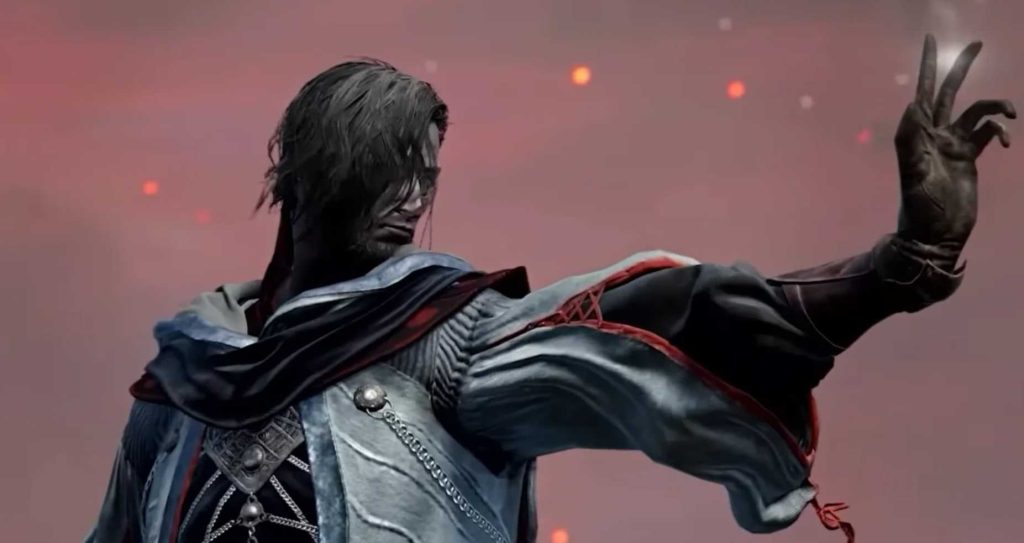
The issue has become one of the most frequently discussed performance problems, with search queries such as “Caligo raid FPS drops,” “Caligo crystal attack lag,” “Caligo boss stutter fix,” and “why Caligo lags when shooting crystals” rising across community forums.
The consistency of these reports shows that the FPS drop in the Caligo raid is not isolated to specific hardware; instead, it is a repeatable, encounter-specific performance bottleneck affecting a large portion of players.
Quick Answer: What Actually Causes the FPS Drop
Caligo’s crystal-shooting attack triggers a combination of GPU-intensive visual effects that overload the engine during a single combat window.
The moment the attack begins, the game must process high particle density, thick volumetric fog, multiple screen-wide lighting passes, and a surge of rapid projectile spawns.
These systems run simultaneously and create a severe rendering bottleneck during the Caligo raid, leading to immediate frame-time spikes.
This interaction produces extreme particle overdraw, where overlapping transparent shards force the GPU to re-render the same pixels repeatedly.
At the same time, the volumetric fog load demands heavy screen-space calculations, and the sudden appearance of numerous projectiles increases CPU draw-call spikes.
The combination of these effects explains why even high-end systems report Caligo raid FPS drops, crystal attack lag, and stuttering during the Caligo boss fight.
In summary: the performance problem occurs because the Caligo crystal attack overwhelms the GPU and CPU in the same frame, causing unavoidable dips in framerate, stuttering, and momentary freezes across a wide range of hardware.
Read Also: Elden Ring Nightreign 0xc000007b Error Fix Guide
What Happens During the Attack

1. Heavy Particle Overdraw During the Crystal Barrage
Caligo’s crystal-shooting attack generates a dense wave of transparent, overlapping particle effects. Each shard forces the GPU to re-render the same pixels repeatedly, a process known as particle overdraw.
This dramatically increases pixel shading load, leading to noticeable Caligo raid FPS drops whenever particle density reaches its peak. High-overdraw regions are a common cause of boss fight stuttering in visually intensive encounters.
2. Volumetric Fog and Frost Layers Filling the Arena
The battlefield becomes saturated with volumetric fog, frost buildup, and reflective ice surfaces. Volumetric effects require multiple screen-space rendering passes, pushing GPU frame times higher than usual. When fog layers overlap with bright crystal shards, the engine must process even more light scattering and transparency, increasing the chances of crystal attack lag and frame-time spikes during the Caligo raid.
3. Rapid Projectile Spawning Causing CPU Draw-Call Spikes
During the attack, Caligo fires a rapid sequence of projectiles. Each projectile requires the engine to generate new entities, update physics interactions, and manage collision data. This burst of activity produces CPU draw-call spikes, especially on systems with limited single-core performance. The result is micro-stutter, reduced responsiveness, and measurable FPS drops during the Caligo boss fight.
4. VRAM Streaming and High Texture Demand
The crystal effects, fog buffers, and frost textures often exceed the VRAM budget on mid-range GPUs. When VRAM usage peaks, the engine must stream textures dynamically, creating sudden memory-access delays. These delays cause micro-stutter during the Caligo crystal attack, particularly in scenes with high-resolution frost assets or multiple active particle layers.
5. Stacked Post-Processing Effects Increasing Render Pipeline Load
Several post-processing systems activate simultaneously during the encounter. Bloom intensifies on crystal shards, ambient occlusion deepens shadows between particle layers, and motion blur captures rapid camera movement. Combined with screen-space lighting and color grading, these effects increase overall render complexity, contributing to Caligo crystal attack FPS instability and sudden dips in frame consistency.
Read Also: How to Unlock Undertaker Chapter 5 in Nightreign ?
Fast Tips to Stabilize FPS During Caligo’s Crystal Attack
These targeted adjustments directly address the systems responsible for Caligo raid FPS drops, helping stabilize frame time during the crystal-shooting attack. Each change reduces GPU load, prevents CPU spikes, and improves overall encounter performance.
Lower Particle Quality
Reducing Particle Quality minimizes the number of overlapping transparent effects that cause heavy particle overdraw. This is one of the most effective fixes for players experiencing crystal attack lag or sudden frame dips during the barrage.

Disable or Reduce Volumetric Fog
Lowering Volumetric Fog removes the largest single GPU workload in the encounter. Since Caligo’s arena is filled with dense fog and frost layers, reducing this setting significantly improves stability and prevents frame-time spikes during the Caligo raid.
Lower Shadow Quality
Lowering Shadow Quality reduces the number of lighting calculations required during peak particle density. This frees GPU resources and improves performance when the screen becomes saturated with shards and fog, a common cause of Caligo boss fight stuttering.
Enable DLSS, FSR, or XeSS
Upscaling technologies such as DLSS, FSR, and XeSS offload internal rendering and stabilize frame times during high-load effects. Enabling them helps counter the GPU strain created by volumetric fog, reflective crystals, and rapid projectile spawning.
Reduce Render Scale to 85–90%
Lowering the Render Scale decreases pixel workload without noticeably impacting clarity. This adjustment is particularly effective for fixing Caligo crystal attack FPS drops on mid-range GPUs.
Disable Overlays (Discord, Steam, Recording Tools)
Overlays and capture tools can cause CPU hook conflicts during heavy visual sequences. Disabling them removes unnecessary overhead and prevents micro-stutter during the Caligo raid, especially when many projectiles spawn simultaneously.
Switch to Exclusive Fullscreen
Using Exclusive Fullscreen ensures more stable GPU scheduling, reduces input latency, and improves consistency during demanding moments like the Caligo crystal-shooting attack.
Verify Game Files
Verifying game files repairs corrupted shaders or textures that may worsen performance issues. This step is useful when the Caligo boss fight experiences abnormal stuttering or sudden FPS instability unrelated to hardware limitations.
Comparison Table: Why Caligo’s Attack Causes More FPS Drops than Similar Boss Attacks
| Feature / Effect Type | Caligo Crystal Attack | Mountaintop Ice Dragon | Performance Impact |
|---|---|---|---|
| Particle Density | Extremely High (many shards) | Moderate | ★★★★★ |
| Volumetric Fog Usage | Heavy, continuous | Intermittent | ★★★★★ |
| Projectile Spawn Rate | Very High | Low–Moderate | ★★★★☆ |
| Screen-Space Lighting | Strong bloom and glints | Moderate | ★★★★☆ |
| CPU Draw-Call Load | High bursts | Mild | ★★★★☆ |
| Expected FPS Stability | Low during attack | Moderate | ★★☆☆☆ |
Summary: The combination of continuous fog, rapid projectile spawning, and dense overlapping particles makes Caligo’s attack significantly more demanding than comparable encounters.
Why This Issue Is Not Hardware-Specific
Performance reports from players across low-end, mid-range, and high-end systems confirm that Caligo raid FPS drops occur regardless of GPU class or CPU generation. Identical symptoms—crystal attack lag, micro-stutters, and sudden frame-time spikes—appear on machines that should easily exceed the encounter’s requirements. This consistency indicates that the problem is rooted in encounter design and engine behavior, not individual hardware limitations.
The issue aligns with several engine-level characteristics:
Unreal-Engine Style Particle Overdraw
High-density particle effects, such as the crystal barrage, create extreme particle overdraw, forcing all GPUs to re-render overlapping transparent pixels. This behavior affects every hardware tier similarly, which explains why even strong systems experience FPS drops during Caligo’s crystal-shooting attack.
Volumetric Fog Performance Constraints
Volumetric fog and frost effects require multiple screen-space calculations. Because volumetrics scale poorly across GPU generations, both budget and premium hardware show the same frame-time instability during the Caligo raid, especially when fog layers overlap with reflective crystals.
CPU Scheduling Load From Rapid Projectile Spawning
The encounter spawns numerous projectiles in a short window, producing CPU draw-call spikes. Even modern CPUs encounter brief scheduling delays during these bursts, resulting in stuttering during the Caligo boss fight regardless of core count or clock speed.
Because these systems rely on engine-level rendering and simulation logic, the FPS drop during Caligo’s crystal attack is not a sign of faulty components or insufficient hardware. Instead, it reflects how the encounter’s visual effects scale across platforms. The performance dip is therefore encounter-driven, not hardware-specific, meaning optimization must focus on in-game settings rather than hardware upgrades.
Final Takeaway
The FPS drop during Caligo’s crystal attack is the result of a severe rendering overload created by dense particles, volumetric fog, rapid projectile spawning, and stacked post-processing—not a player mistake or a hardware failure. Because these effects scale poorly across all GPU and CPU tiers, the performance dip is an encounter-driven bottleneck, which explains the widespread reports of Caligo raid FPS drops, crystal attack lag, and boss fight stuttering on every type of system.
Targeted performance adjustments offer the most reliable fix. Players who reduce particle quality, disable or lower volumetric fog, adjust shadow settings, and fine-tune render scale consistently see the largest gains in stability and responsiveness. With these optimizations, the Caligo boss encounter becomes significantly smoother, reducing frame-time spikes and improving overall gameplay during this high-intensity raid moment.
Frequently Asked Questions About Caligo’s FPS Drops (Crystal Attack Performance Issue)
1. Why does the FPS drop specifically when Caligo starts shooting crystals?
The FPS drop occurs because the crystal attack generates a high particle count, dense volumetric fog, and multiple simultaneous projectile spawns. These effects overlap in the same frame, increasing GPU pixel shading and CPU draw-call load. This creates immediate frame-time spikes, which players perceive as stuttering or freezing.
2. Is this FPS drop caused by weak hardware?
Not necessarily. The issue is widely reported across entry-level, mid-range, and high-end GPUs. The performance dip is linked to effect-level rendering demands, not hardware failure. Even powerful rigs can experience drops during the crystal attack due to inefficient particle and volumetric processing.
3. Why is visibility so low during the attack, and does that affect performance?
Yes. The fog and frost layers used for the crystal attack reduce visibility and also increase volumetric rendering cost. Volumetrics require multiple passes across the screen, which significantly raises GPU workload during already heavy particle moments.
4. Does lowering graphics settings actually fix the FPS drop?
Lowering the correct settings provides substantial improvement.
The most impactful adjustments are:
- Particle Quality → lowers overdraw
- Volumetric Fog → removes the heaviest screen-space cost
- Shadows → reduces GPU time spent on lighting calculations
- Render Scale → decreases pixel shading load
Changing unrelated settings (e.g., texture resolution) provides minimal benefit for this specific attack.
5. Why is Caligo’s crystal attack more demanding than the Mountaintop Ice Dragon’s frost breath?
The Ice Dragon’s attack uses a directional, continuous effect, while Caligo’s attack relies on multiple overlapping transparent particles and a persistent fog field. Transparency and volumetrics create far heavier overdraw, making the GPU redraw the same pixels many times. This stack is fundamentally more demanding.
6. Can CPU bottlenecks also cause FPS drops during the raid?
Yes. The crystal attack spawns many objects at once. If the CPU struggles with rapid entity creation, draw-call batching, or physics triggers, the frame time increases even when the GPU is not maxed. This is often visible as small freezes or delayed input response.
7. Will enabling DLSS, FSR, or XeSS improve performance during this attack?
Yes. Upscaling reduces the native render resolution, which lowers pixel shading cost during heavy particle scenes. DLSS, FSR, and XeSS generally stabilize the frame rate and smooth out frame-time spikes during the crystal barrage.
8. Are overlays like Discord and Steam causing extra FPS drops?
Sometimes. Overlays interact with the game’s frame presentation pipeline. During intense visual loads, overlays create additional CPU/GPU hooks, which can turn small performance dips into noticeable stutters. Disabling overlays often improves consistency during the raid.
9. Is the FPS drop caused by a memory leak or VRAM issue?
Typically, no. The issue is not a memory leak but temporary VRAM pressure when volumetric and particle textures load simultaneously. Systems with lower VRAM capacity may experience momentary texture swapping, leading to micro-stutter.
10. Does switching from Borderless to Fullscreen help?
Often yes. Exclusive Fullscreen reduces latency and prevents Windows compositor interference. This ensures the GPU dedicates more consistent resources to handling the sudden spike of particles and fog during the crystal attack.