
So you’re running around Where Winds Meet, feeling good about your progress… and then you hit Blissful Retreat and it just won’t hit 100%.
You check the map.
You check the rooftops.
You remember there used to be a chest on that pagoda — but now the roof is gone.
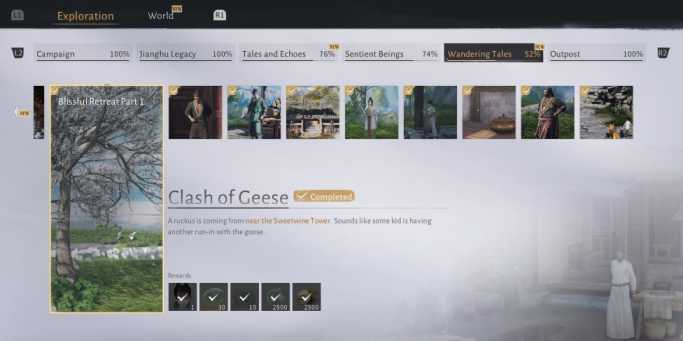
Yeah. You’re not imagining things — and no, you’re not locked out.
This is one of those moments where the game doesn’t explain itself very well, and a lot of players end up thinking they missed something or broke their save. The truth is, this situation is way more common than it seems, especially after certain story events change the area.
Let’s break it down and clear up what’s actually happening so you can stop second-guessing your progress and move on with confidence.
Why the Pagoda Chest “Disappears”
During the invasion event in Blissful Retreat, the entire area goes through a physical transformation. Buildings collapse, roofs cave in, and parts of the environment are permanently altered to reflect what’s happened in the story. This isn’t just visual — it actually affects gameplay and item placement.
That includes the pagoda where the chest originally sat.
When the roof gets destroyed, the chest doesn’t stay floating in midair or vanish forever. Instead, the game quietly handles it in the background. This is the part most players miss.
👉 The chest isn’t deleted — it’s relocated.
Once the invasion state kicks in, the game moves that chest to a nearby, more “logical” location that fits the new layout of the area. It’s still there, still collectible, and still counts toward completion — it’s just no longer where you first remember seeing it.
So if you’re searching the old rooftop and coming up empty, you’re not doing anything wrong. You just need to look a little differently this time.
Read also: Weapon Skin Isn’t Showing in Emotes in Where Winds Meet: Solution
Where the Chest Actually Goes
After the invasion, the chest usually shows up somewhere nearby, not far from where the pagoda originally stood. The game doesn’t teleport it across the map or hide it in a completely different zone — it just shifts it to a location that makes sense based on the new layout of the area.
Most players end up finding it in one of a few common spots:
- On or inside a damaged building close to the original pagoda
- Sitting on a lower rooftop or broken platform that didn’t exist before
- Tucked near rubble, debris, or collapsed walls along the shoreline
The key thing to remember is that the game keeps the chest within the same general zone. It’s still part of the Blissful Retreat area — just no longer sitting in an obvious, high-up spot.
So if you’re sweeping the area thinking, “There’s no way I missed this,” you’re probably right. You didn’t miss it — it simply moved, and the game never tells you where it went.
Read also: Draw Shop Slow or Not Working in Where Winds Meet? Solved
Stuck at 99%? You’re Not Alone
Here’s the frustrating part — even after collecting everything, Blissful Retreat can still sit at 99%.
This doesn’t mean you missed something. In most cases, it’s a UI tracking issue, not an actual missing collectible. A lot of players have run into the same thing and reported identical results:
- All chests collected
- Exploration fully cleared
- Map still refuses to tick over to 100%
It’s annoying, especially if you’re a completionist, but the good news is that it doesn’t block story progression or lock any rewards. You can safely move on without worrying that something is permanently broken.
How to Double-Check You Didn’t Miss Anything
If you want some peace of mind before moving on, there are a few quick checks you can do to make sure nothing slipped through the cracks.
- Use exploration or treasure-detection perks to scan the area. These can highlight nearby collectibles and help confirm whether anything is still hiding nearby.
- Recheck the ruined buildings around the pagoda, especially interiors or partially collapsed structures that are easy to overlook.
- Look slightly above and below ground level — verticality matters here, and some chests end up on broken platforms or lower ledges.
- If available, check any alternate or dreamlike versions of the area, as some objects can appear in one state but not the other.
If nothing pings and you’ve done a thorough sweep, you’re good. Even if the UI still says 99%, you haven’t missed anything important — the game just isn’t great at reflecting it.
Quick Wrapping up
✅ You’re not locked out of 100% completion
🏯 The pagoda chest moves after the invasion — it doesn’t disappear
🔍 Check nearby ruined buildings and lower platforms, not the original roof
📊 Being stuck at 99% is likely a UI tracking issue
🧘 You didn’t miss anything important — you’re good to move on
Blissful Retreat Completion (Where Winds Meet)
1️⃣ Can I still get 100% after the invasion?
Yes. You’re not locked out. The invasion changes the environment, but the game relocates important collectibles instead of deleting them.
2️⃣ Is the pagoda chest permanently missable?
Nope. The chest that used to be on the pagoda roof is moved to a nearby spot after the invasion. It’s still obtainable.
3️⃣ Where exactly does the pagoda chest move to?
There’s no single fixed pixel-perfect location, but it’s usually:
- On a lower roof
- Inside or near a damaged building
- Close to the original pagoda ruins
Think “same area, different elevation.”
4️⃣ Why does my map say 99% even after collecting everything?
This is a known UI tracking issue. Many players report full completion but the map never updates to 100%. It doesn’t affect progression or rewards.
5️⃣ Do I need to visit a dream version of Blissful Retreat?
Sometimes, yes. Depending on your progression, certain collectibles may appear in an alternate or dream-like version of the area. It’s worth checking if something feels missing.
6️⃣ Can I lock myself out of completion permanently?
No. There are no missable collectibles tied to story choices in Blissful Retreat. The game always provides a way to access relocated items.
7️⃣ What’s the best way to confirm I didn’t miss anything?
Use exploration or treasure-detection perks and do a slow sweep around:
- The ruined pagoda
- Nearby buildings
- Elevated or broken platforms
If nothing pings, you’re done — even if the UI disagrees.