
So you did the work.
You tracked down every pirate treasure spot, dug up all the chests, grabbed the loot… and now Firs just stares at you like nothing happened.
You check your inventory and—yep—there it is:
only ONE “Captain’s Golden Treasure” instead of five.
Bad news: the quest is bugged.
Good news: you didn’t do anything wrong, and there are ways to fix it.
Let’s break it down.
If you’re confused, frustrated, or worried you somehow missed a step, you’re not alone. This issue has hit a lot of players, especially those who explored thoroughly and completed everything “by the book.”
The game gives you no warning, no error message, and no hint that something went wrong, which makes it feel like you messed up — even though you didn’t. The problem isn’t your playstyle or your choices; it’s a quest-tracking bug that stops progression cold until it’s fixed.
What’s Going Wrong in Old Pirate’s Treasure Quest Bug
This is a known bug in the Old Pirate’s Treasure quest.
Even though:
You visit all treasure locations
Every chest drops “A Captain’s Golden Treasure”
You loot them properly
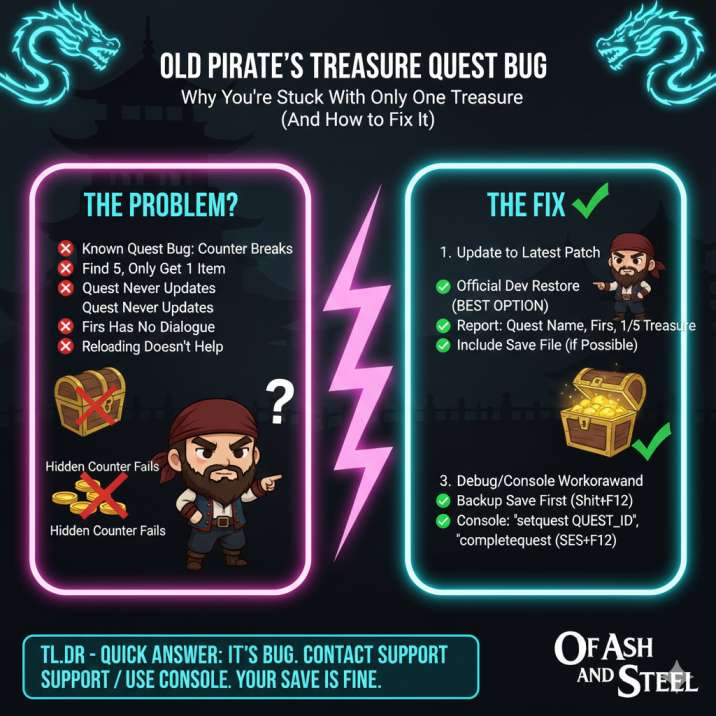
…the game only registers one item instead of five. Because of that:
The quest never updates
Firs has no new dialogue
The objective stays stuck on “Return to Firs”
What makes this especially annoying is that nothing looks broken while you’re playing.
The chests open normally, the loot appears correctly, and the game never tells you something failed in the background. From the player’s perspective, everything feels finished — until you go back to Firs and hit a dead end.
Reloading saves or re-digging treasure spots usually doesn’t help, because once the quest counter breaks, it stops tracking additional treasures entirely. That’s why this bug feels so confusing and frustrating.
Read also: Of Ash and Steel Free Beds, Free Sleeping Spots & Fatigue Management Guide
Why Old Pirate’s Treasure Quest Bug Happens
The quest relies on a hidden counter, not just what’s in your inventory.
That counter can break due to:
Save/load issues mid-quest
Chests being opened too quickly or in one session
Quest items stacking incorrectly instead of incrementing
Because this counter runs in the background, players never see it updating in real time.
Everything appears to work normally while you’re looting the chests, which is why the bug is so easy to miss. Once that counter fails, the game assumes you only found one treasure, no matter how many you actually dug up. At that point, the quest logic stops progressing, and talking to Firs won’t trigger any new dialogue or completion steps until the counter is repaired or overridden.
Does Reloading Fix It?
Short answer: usually no.
Players have tried:
Reloading before the last chest ❌
Re-digging treasure spots ❌
Restarting the game ❌
The problem is that once the quest’s internal counter breaks, it stays broken across saves. Reloading only restores the world state, not the quest logic that failed in the background. So even if the chest appears again and drops the same item, the game still doesn’t recognize it as progress. If the counter already bugged out, the quest won’t fix itself without an update, a restore, or some kind of manual intervention.
Read also:
How to Actually Fix the Old Pirate’s Treasure Quest Bug
✅ Step 1: Make Sure You’re Fully Updated
Before anything else:
Update the game to the latest patch
Load your save
Talk to Firs again
Several quest-item and progression bugs have been addressed in recent updates, and in some cases the game will correctly re-evaluate the quest state once you load back in. If you’re lucky, this alone is enough to trigger the missing dialogue or advance the objective. It doesn’t work for everyone, but it’s quick, safe, and absolutely worth checking before trying anything more involved.
If not, move on.
✅ Step 2: Use the Official Dev Restore (Best Option)
The developers are aware of disappearing or non-registering quest items and can restore missing quest progress.
When submitting a report, include:
Quest name: Old Pirate’s Treasure
NPC: Firs
Issue: Only 1/5 Captain’s Golden Treasure counted
What you tried (reloading, re-digging, etc.)
Your save file if possible
This approach works because the issue isn’t your inventory — it’s the quest state itself. A restore allows the game to correctly flag the missing treasures or advance the quest past the broken step. It’s the safest and cleanest fix available, and it won’t mess up future quests or cause unexpected side effects later in your playthrough.
Step 3: Debug / Console / Mod Workaround (Advanced)
If you don’t want to wait:
Community debug tools can spawn quest items
Some can force quest completion flags
Just remember:
Back up your save first
Use trusted tools only
These methods work by bypassing the broken quest counter entirely and manually giving the game what it expects to see. While this is unofficial, it’s a commonly used workaround among players who don’t want to pause their playthrough. As long as you’re careful and keep a backup, it’s a practical option — just understand that you’re stepping outside the intended systems.
Will This Break Anything Later?
Nope.
You didn’t fail the quest
You didn’t miss secret content
Your save isn’t ruined
Once fixed, the game continues normally
This bug is isolated to this quest.
It doesn’t lock you out of future storylines, side quests, or endings, and it won’t cause a domino effect of other problems later on. Once the missing progress is restored — whether through a patch, a dev restore, or a workaround — the game behaves as if nothing ever went wrong. It’s frustrating in the moment, but thankfully it’s not something that permanently impacts your playthrough.
The Bottom Line
If Old Pirate’s Treasure is stuck and you only have one Captain’s Golden Treasure:
✔ It’s a real bug
✔ You played the quest correctly
✔ Reloading usually won’t fix it
✔ Updating + dev restore or debug tools will
✔ Your save is safe
Annoying? Absolutely.
Game-breaking? Thankfully, no.
FAQ: Old Pirate’s Treasure Quest Bug
FAQ 1: Did I mess up the quest by opening the chests in the wrong order?
No — chest order does not matter.
You can dig up the pirate treasure locations in any order, and the quest is supposed to count each Captain’s Golden Treasure automatically. The bug happens after looting, not because of how or when you opened the chests.
If you only see 1 treasure in your inventory, that’s a quest-tracking failure, not a player mistake.
FAQ 2: Why does every chest give the same item instead of five different ones?
That’s actually intended behavior.
All pirate chests are meant to drop the same item name. The quest tracks progress through a hidden counter, not by giving you unique items.
The problem is that the counter sometimes fails to increment, so even though you loot all five chests, the game only acknowledges one.
So yes — identical loot is normal.
The quest getting stuck is not.
FAQ 3: Can I fix this by reloading, re-digging, or restarting the game?
In most cases, no.
Once the quest counter breaks:
- Reloading an earlier save usually doesn’t help
- Re-digging treasure spots doesn’t add progress
- Restarting the game won’t reset the quest state
These steps are worth trying once, but if the quest is still stuck after that, you’ll need an external fix (patch, dev restore, or debug tools).
FAQ 4: Is my save file corrupted or permanently broken?
Good news: your save is fine.
This bug:
- Does NOT corrupt your save
- Does NOT lock future content
- Does NOT affect other quests
It’s an isolated quest logic issue. Once the missing progress is restored (officially or manually), the game continues normally like nothing happened.
FAQ 5: What’s the safest way to fix this without breaking my game?
The safest option is official quest or item restoration.
If you want zero risk:
- Update the game to the latest version
- Report the bug with your save file
- Ask for restoration of Old Pirate’s Treasure progress
If you’re comfortable with mods or debug tools, those work too — just back up your save first.
Either way, the quest is fixable.
Read more article of ash and steel: