
So you finally set up your farm in Pokopia, assigned your gather Pokémon, dropped a community box…
…and nothing happens.
No items. No progress. Just an empty box staring back at you.
If your Pokopia gather Pokémon are not working, or your community box is not filling in Pokopia, don’t worry — this isn’t just you. A lot of players run into this exact issue when their auto farming is not working in Pokopia, especially when trying to build a proper AFK farming setup.
The catch?
👉 Pokopia’s farming system looks simple, but it’s actually very picky about setup, placement, and Pokémon roles — which is why the Pokopia farming system sometimes feels like it’s not working at all.
Let’s break down exactly what’s going wrong — and how to fix it fast.
Quick Fix (If Your Farming Isn’t Working)
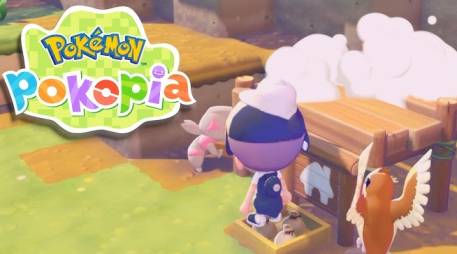
If you just want the solution right away and don’t want to dig through every detail, here’s what usually fixes the issue when your Pokopia gather Pokémon are not working or your community box is not filling in Pokopia:
- Place the community box inside the habitat zone (not near it — fully inside)
- Use actual gather Pokémon, not processors or traders
- Match your Pokémon to the correct biome or region
- Keep the box close to their home or main activity path
- Don’t rely on full AFK — auto farming in Pokopia is limited, so stay nearby occasionally
👉 If your auto farming is not working in Pokopia, or your farming system feels broken, one of these setup mistakes is almost always the cause.
Common Problems & Fixes
If your Pokopia gather Pokémon are not working, your community box is not filling in Pokopia, or your auto farming is not working in Pokopia, this quick breakdown will help you identify the exact issue fast.
Most farming problems come down to small setup mistakes — and once you spot them, the fix is usually simple.
| Problem | What’s Actually Happening | How to Fix It |
|---|---|---|
| Community box not filling Pokopia | Box is outside habitat zone | Move it fully inside the habitat |
| Gather Pokémon not gathering | Assigned Pokémon is not a true gatherer | Replace with a real gather Pokémon |
| Auto farming not working Pokopia | System is semi-AFK, not fully automatic | Stay nearby and check cycles |
| Farming system not working | Pokémon doesn’t match biome/region | Use biome-compatible Pokémon |
| No items showing up | Poor box placement inside habitat | Move box near homes or activity areas |
👉 If your Pokopia farming system is not working, this table covers almost every common reason players run into.
The Real Reasons Your Gather Pokémon Aren’t Working
1. Your Community Box Is in the Wrong Spot
This is the biggest reason why Pokopia gather Pokémon are not working — and it’s also the easiest mistake to miss when your community box is not filling in Pokopia.
Even if your box is slightly outside the habitat boundary, your Pokémon will completely ignore it. That’s why many players think their auto farming is not working in Pokopia, when in reality, the system just isn’t recognizing the box as valid.
You might think:
“It’s close enough”
…but Pokopia doesn’t work like that. Placement needs to be exact.
✔ Fix it:
- Turn on habitat view to clearly see boundaries
- Move the community box fully inside the zone (not touching the edge)
- Place it near the center or high-activity area
👉 If your Pokopia farming system is not working, this is the first thing you should check.
2. You’re Using the Wrong Pokémon
Here’s something the game doesn’t explain well — and it’s a major reason why Pokopia gather Pokémon are not working for a lot of players.
👉 Not every Pokémon that looks like a gatherer actually gathers resources.
Some Pokémon are designed to:
- Trade items
- Process materials
- Convert resources
So if your Pokopia farming system is not working, or your community box is not filling in Pokopia, there’s a good chance your assigned Pokémon simply isn’t a true gatherer. This often makes it feel like your auto farming is not working in Pokopia, even though the system itself is fine.
✔ Fix it:
- Swap in a different Pokémon and test results
- Wait for a short cycle to see if items appear
- Stick with Pokémon that clearly collect raw materials
👉 The right Pokémon makes all the difference in getting your farm running.
3. Your Biome Doesn’t Match
This is one of those issues that even experienced players overlook, and it’s a common reason why Pokopia gather Pokémon are not working even when everything seems set up correctly.
Some Pokémon only function properly in:
- Specific regions
- Specific habitat types
So if your auto farming is not working in Pokopia, or your community box is not filling in Pokopia, your setup might actually be fine — it’s just placed in the wrong biome. This makes it feel like the Pokopia farming system is not working, when it’s really a compatibility issue.
✔ Fix it:
- Move your farming setup to the Pokémon’s correct biome
- Or replace them with Pokémon suited to your current area
- Double-check habitat requirements if results seem inconsistent
👉 Matching the right Pokémon with the right environment is key to making your farm work properly.
4. Your Box Placement Is Killing Efficiency
Even if your setup looks correct, poor placement is a big reason why Pokopia gather Pokémon are not working efficiently and your community box is not filling in Pokopia as expected.
A lot of players assume that once the box is inside the habitat, everything should work perfectly — but that’s not how the system behaves. Placement inside the zone still affects how often Pokémon interact with it, which can make it feel like your auto farming is not working in Pokopia.
If your results are slow or inconsistent, your box might be:
- Too far from Pokémon homes
- Outside their natural walking paths
- Sitting at the edge of the habitat zone
✔ Fix it:
- Place the community box near houses or resting areas
- Keep it in high-traffic zones where Pokémon move frequently
- Avoid corners, edges, or isolated spots
👉 Better placement directly improves how fast your farming system works.
5. AFK Farming Isn’t Really AFK
A lot of players search for:
👉 “AFK farm not working Pokopia”
And honestly, it does feel broken at first — especially when your Pokopia gather Pokémon are not working the way you expected and your community box is not filling in Pokopia while you’re away.
But here’s the reality:
👉 Pokopia’s farming system is semi-automatic, not a fully idle system. That’s why many players think their auto farming is not working in Pokopia, when it’s actually working as intended — just with limits.
Pokémon:
- Work in timed behavior cycles
- Depend on player proximity
- Don’t consistently farm when you’re off-screen
✔ Fix it:
- Stay nearby while farming for better results
- Check back regularly instead of going fully AFK
- Don’t expect idle-game style automation
👉 Once you understand this, the farming system feels much more reliable.
6. You’re Mixing Up Gathering vs Processing
Another sneaky reason why Pokopia gather Pokémon are not working is because of how the game separates gathering and processing — something it barely explains.
Some Pokémon don’t actually collect resources at all. Instead, they:
- Process materials
- Convert items
- Work only with what’s already in the box
So if your community box is not filling in Pokopia, or your auto farming is not working in Pokopia, it might be because there’s nothing for them to process — not because the system is broken.
👉 If the box is empty, they simply have nothing to do.
✔ Fix it:
- Drop some raw materials into the community box
- Watch if the Pokémon interacts with it
- Replace them with a true gatherer if needed
👉 Understanding this difference is key to fixing your farming setup.
Why Your AFK Farm Setup Feels Broken
If your auto farming isn’t working in Pokopia, or it feels like your Pokopia gather Pokémon are not working properly, the issue usually comes down to how the system is designed — not a bug.
Pokopia doesn’t support true idle farming, which is why many players notice their community box is not filling in Pokopia when they leave the area.
Here’s what’s really happening:
- The system isn’t built for full automation
- Efficiency drops significantly when you go AFK
- Pokémon need active conditions and proximity to work consistently
👉 This is why your farming setup feels unreliable or slow.
✔ Best AFK Setup (That Actually Works)
- Use a small habitat (6×6 or 8×8 for better efficiency)
- Assign 1–2 reliable gather Pokémon
- Place the community box in the center of activity
- Match the correct biome for your Pokémon
- Check in occasionally instead of staying fully AFK
👉 This setup gives you consistent results without the frustration of a “broken” farm.
The Setup That Always Works
If you want to fully fix your Pokopia farming system not working, and finally get consistent results when your Pokopia gather Pokémon are not working or your community box is not filling in Pokopia, this simple setup is the most reliable way to do it.
Instead of guessing, follow this proven layout:
- Build a compact habitat (small spaces improve efficiency)
- Assign real gather Pokémon (avoid processors or traders)
- Place the community box fully inside the zone
- Keep it close to homes or high-activity areas
- Match the biome correctly for your Pokémon
👉 This setup removes almost every common issue that causes auto farming not working in Pokopia, and once everything is aligned, your farm will start producing items consistently — often almost immediately.
Final Thoughts
If your gather Pokémon are not gathering in Pokopia, or it feels like your Pokopia farming system is not working, the system usually isn’t broken — it’s just very strict about how everything is set up.
Most problems happen when your community box is not filling in Pokopia or your auto farming is not working in Pokopia, and it almost always comes down to a few key factors:
- Placement of the community box
- Pokémon role (gatherer vs processor)
- Biome mismatch
- Unrealistic AFK expectations
👉 Once you fix these, everything starts to click.
Get the setup right, and your Pokopia gather Pokémon will start working properly, with your community box filling up the way it should — no more confusion, no more wasted time.
Read more articles: