
Looking for the best Samsung Odyssey G7 VESA mount to upgrade your setup? You’re not alone. The Odyssey G7 is a powerful curved monitor, but its stock stand can take up a lot of space and limit how you position your screen.
A good VESA mount can completely change your experience. It helps you free up desk space, adjust your monitor to the perfect height, and create a cleaner, more comfortable setup. Whether you’re gaming for hours or working daily, the right mount can reduce neck strain and improve your overall posture.
The challenge is choosing the right one. Not every mount is strong enough for the Odyssey G7, especially because of its size, weight, and curved design. You need something stable, adjustable, and reliable.
In this guide, we’ll help you find the best Samsung Odyssey G7 VESA mount that offers the right balance of strength, flexibility, and value—so you can get the most out of your monitor.
Best 9 Samsung Odyssey G7 VESA mount (New)
Tjweiqing Odyssey G7 VESA Mount Adapter
Type: VESA Adapter (Wall Mount Compatible)
If you’ve tried mounting your Odyssey G7 and realized it’s not directly VESA-compatible, this is the exact kind of solution you need. After using this adapter, it feels less like an optional accessory and more like a necessary fix. That’s why it’s one of the most practical options when looking for the best Samsung Odyssey G7 VESA mount.
The biggest advantage here is compatibility. The Odyssey G7 series doesn’t always work with standard mounts out of the box, and this adapter solves that problem cleanly. Once installed, it converts your monitor into a standard VESA-compatible setup, allowing you to use wall mounts or monitor arms without issues.
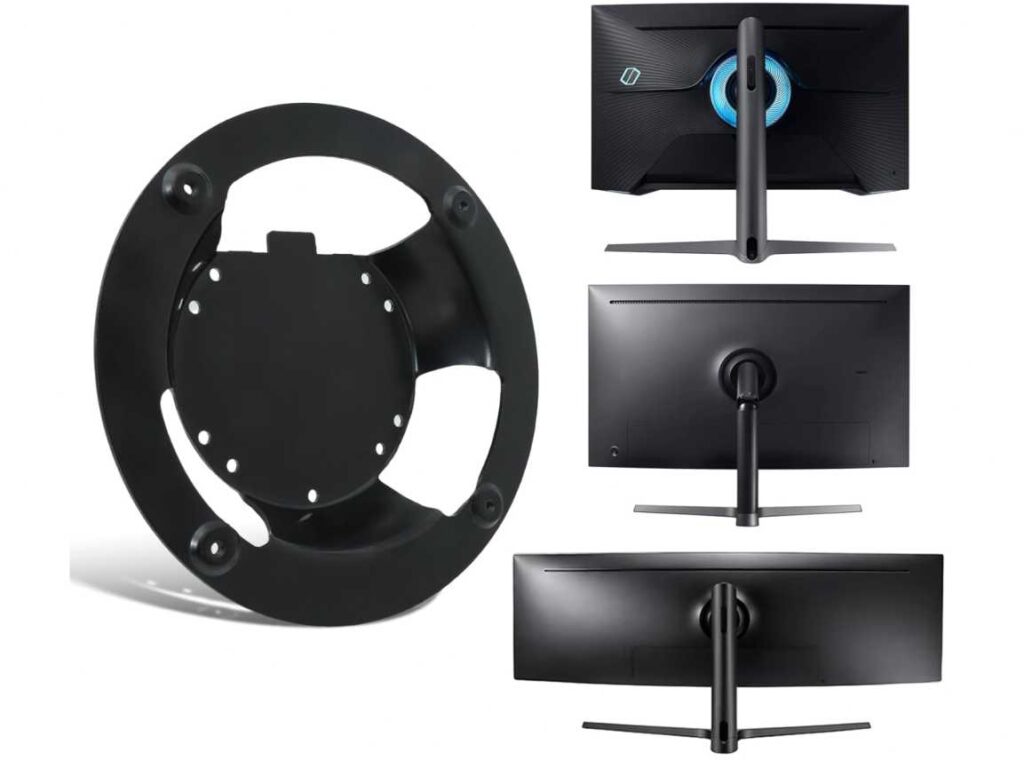
Build quality is solid. It’s made of metal—not plastic—so it feels sturdy enough to handle even larger and heavier curved models like the 32-inch version. After mounting, the monitor stays secure without any wobble or instability.
Installation takes a bit of attention, but it’s straightforward if you follow the steps properly. Once set up, it opens up a lot of flexibility—you can finally use a proper arm or wall mount and improve your desk space and ergonomics.
This isn’t a traditional mount—it’s an adapter—but it’s essential if you want to unlock full mounting options for your Odyssey G7.
What We Like
- Solves VESA compatibility issue for Odyssey G7
- Strong metal build for durability
- Works with multiple Odyssey models and sizes
- Enables use of monitor arms and wall mounts
- Secure and stable once installed
What We Don’t Like
- Not a complete mount (adapter only)
- Installation may take a few extra steps
Bedycoon Odyssey G7 VESA Mount Adapter
Type: VESA Adapter (100x100mm Compatible)
If you’re trying to mount your Odyssey G7 and want something a bit more practical than basic adapters, this one adds a few useful touches. After using the Bedycoon adapter, it feels like a more “complete” solution rather than just a conversion piece. That’s why it stands out when looking for the best Samsung Odyssey G7 VESA mount.
The main job—VESA compatibility—is handled well. Once installed, your monitor works perfectly with standard 100×100 mounts, whether it’s a monitor arm or wall mount. It opens up full adjustability, which makes a big difference for both gaming and work setups.
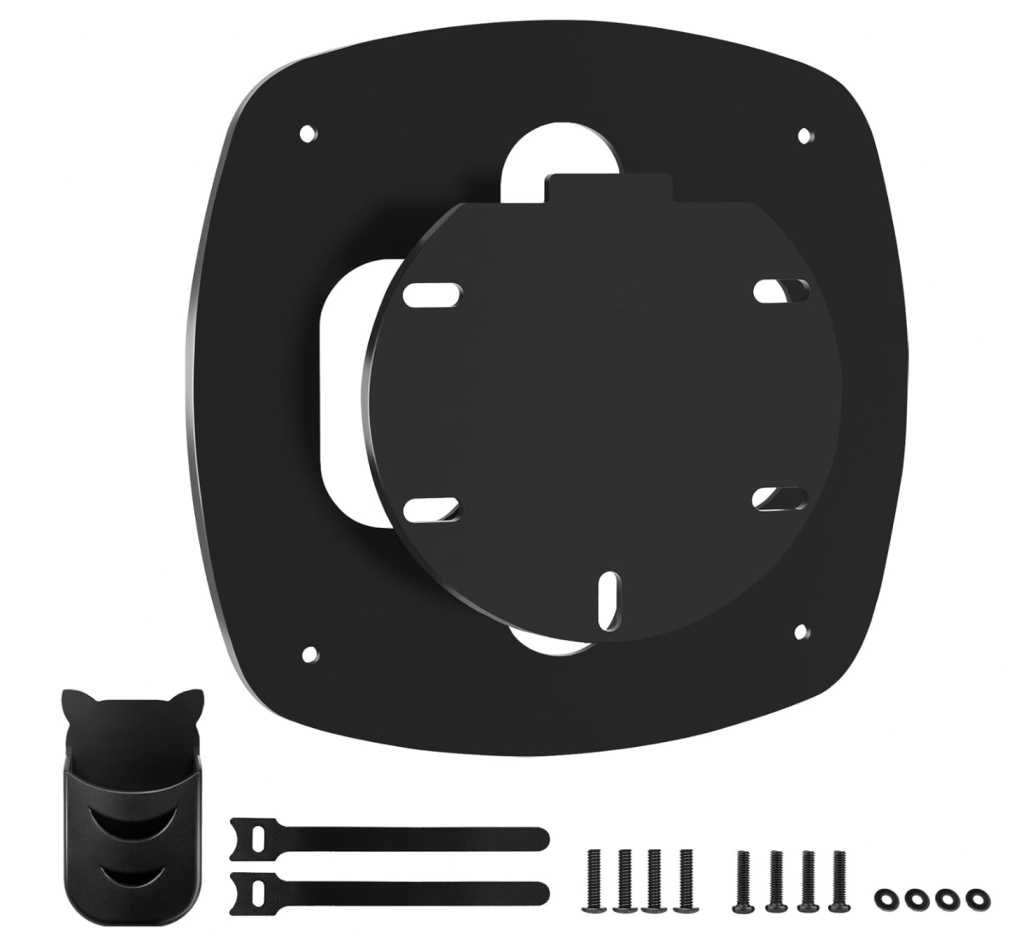
Build quality is solid. The steel construction feels strong and reliable, which is important for a curved monitor like the G7. After mounting, it holds steady without any noticeable flex.
What makes this different is the small extras. The built-in pen holder might seem minor, but it’s actually useful for keeping your desk organized. The included cable ties also help clean up your setup, which adds to the overall experience.
Installation is straightforward if your monitor model matches the compatibility list. That’s important—this adapter is not universal, so checking your exact model is necessary.
After using it, this feels like a smart upgrade if you want both function and a bit of added convenience. If you’re looking for a VESA adapter for Odyssey G7, monitor arm compatibility solution, or one of the best Samsung Odyssey G7 VESA mount options, this is a reliable pick.
What We Like
- Converts Odyssey G7 to standard VESA easily
- Strong steel build for stability
- Adds useful extras like pen holder
- Includes cable management accessories
- Improves overall desk setup flexibility
What We Don’t Like
- Only compatible with specific models
- Not a full mount (adapter required for arm/wall mount)**
HUANUO Dual Monitor Stand (HNDS7)
Screen Size Support: 13–40 inches
Weight Capacity: Up to 26.4 lbs (per arm)
If you’re planning to mount your Odyssey G7 and maybe add a second monitor later, this is the kind of setup that gives you room to grow. After using the HUANUO HNDS7, it feels like more than just a mount—it’s a full desk upgrade. That’s why it stands out when looking for the best Samsung Odyssey G7 VESA mount for multi-monitor setups.
The first thing you notice is stability. This isn’t a lightweight dual arm—it’s built for heavier screens, including large curved monitors like the 32-inch Odyssey G7. Once tightened properly, both arms stay firm without sagging, even during adjustments.
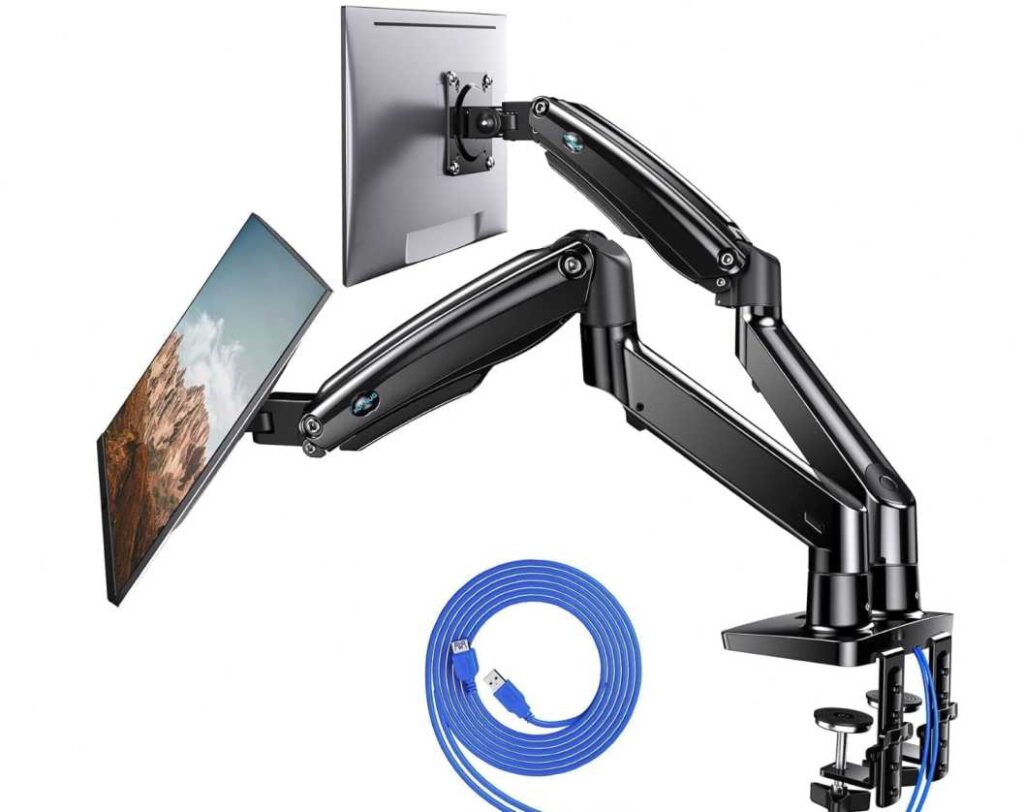
Adjustability is where it really shines. You can tilt, swivel, rotate, and raise the monitors easily, which makes a huge difference for comfort. Whether you’re gaming, working, or multitasking, you can position both screens exactly how you want.
The extra height and extension range also make it suitable for larger desks. During use, this flexibility feels practical—you’re not limited by fixed positions.
Another standout feature is the built-in USB ports. It’s a small addition, but having easy access to charging right on your desk setup is genuinely useful.
Cable management is handled well too. Once everything is set up, your desk looks cleaner and more organized.
After using it, this feels like the right choice if you want power, flexibility, and future-proofing. If you’re looking for a dual monitor arm for Odyssey G7, heavy-duty VESA mount, or one of the best Samsung Odyssey G7 VESA mount options for a complete setup, this is a confident pick.
What We Like
- Strong and stable for heavy monitors
- Excellent adjustability for comfort
- Supports dual monitor setups
- Built-in USB ports add convenience
- Great for clean, organized desk setups
What We Don’t Like
- Requires enough desk space for full use
- May be overkill for single monitor setups
HUANUO TitanLift Heavy Duty Monitor Arm
Screen Size Support: 17–49 inches
Weight Capacity: Up to 44 lbs
If you’re using a Samsung Odyssey G7 and want a mount that feels absolutely solid—this is the kind of arm that gives you that confidence. After testing the HUANUO TitanLift, it stands out as a true heavy-duty option. For many users, this is exactly what they mean when they search for the best Samsung Odyssey G7 VESA mount.
The first thing you notice is strength. This arm is built for large and heavy monitors, and the Odyssey G7 fits comfortably within its range. Once mounted, there’s no wobble, no sagging—just a firm, stable hold even when adjusting positions.
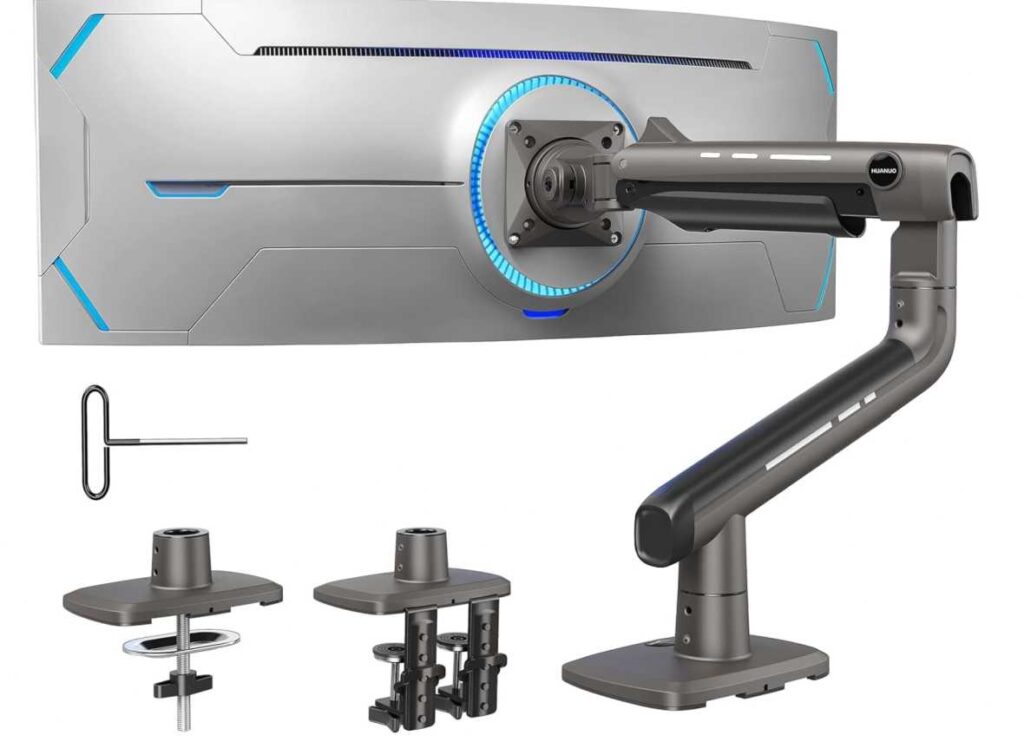
Adjustability is smooth and practical. You can easily tilt, swivel, rotate, and extend the monitor to match your setup. Whether you want it closer for gaming or pushed back for a cleaner desk look, it adapts without effort.
What really impressed me is how easy it is to fine-tune. Unlike many heavy-duty arms that are stiff or hard to adjust, this one allows simple tension control, so you can dial it in perfectly.
The build quality feels premium. The aluminum construction and reinforced design make it clear this is built for long-term use, not just short-term convenience.
It also helps clean up your desk. Once installed, you free up a lot of space, and the cable management keeps everything organized.
After using it, this feels like a serious upgrade—not just a mount. If you want maximum stability, smooth adjustments, and long-term reliability, this is one of the strongest options in the heavy-duty monitor arm, ultrawide VESA mount, and best Samsung Odyssey G7 VESA mount category.
What We Like
- Extremely strong and stable build
- Handles heavy curved monitors easily
- Smooth and precise adjustments
- Easy tension control compared to other heavy arms
- Great for clean and ergonomic setups
What We Don’t Like
- Slightly bulky design
- Premium option compared to basic mounts
Gladiator Joe Odyssey G7 VESA Adapter
Type: VESA Adapter (100x100mm Compatible)
If you’re just trying to solve one problem—“How do I mount my Odyssey G7 properly?”—this is one of the simplest and most reliable answers. After using the Gladiator Joe adapter, it feels like a no-nonsense solution that does exactly what it’s supposed to do. That’s why it’s often considered a practical pick for the best Samsung Odyssey G7 VESA mount setup.
The main job here is conversion, and it does that well. Once installed, your Odyssey G7 becomes fully compatible with standard VESA mounts, meaning you can use monitor arms or wall mounts without issues. It opens up proper positioning and helps improve both comfort and desk space.
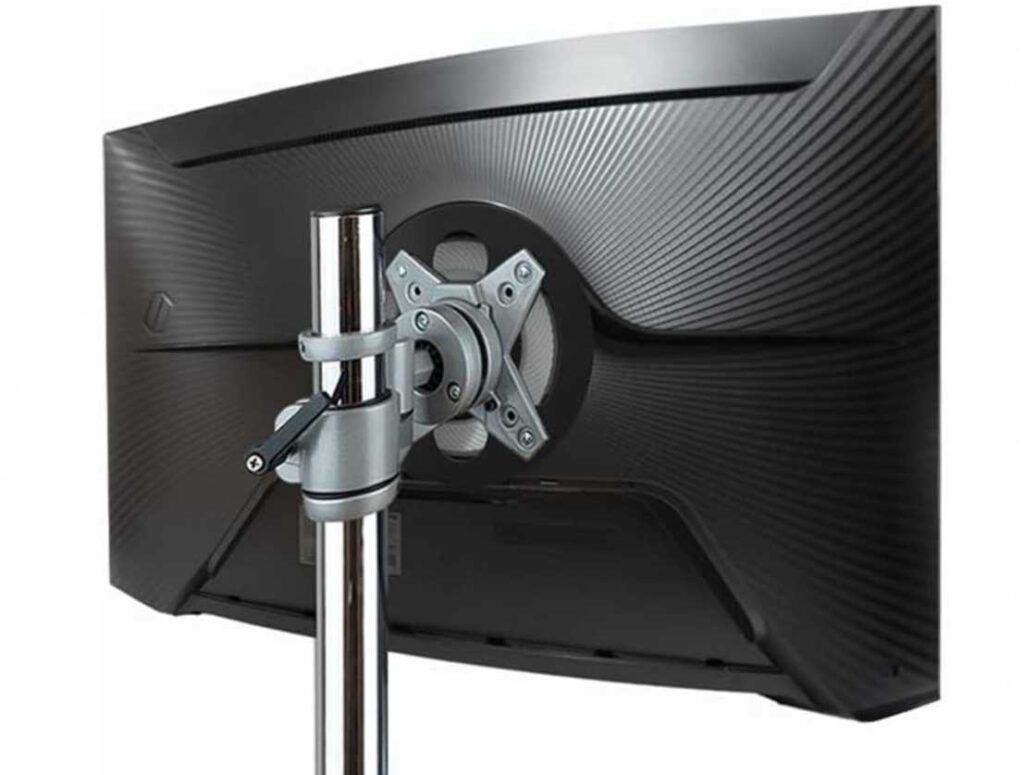
Build quality is a strong point. The steel construction feels solid and durable, and once mounted, it holds the monitor securely without flexing. Even with a heavier 32-inch curved display, it stays stable.
What stands out is its simplicity. There are no extra features or unnecessary parts—just a clean, sturdy adapter that focuses on reliability. Installation is straightforward if you follow the instructions and ensure compatibility with your exact model.
This isn’t a flashy product, but it’s effective. If your goal is to unlock mounting options without spending much, this is a smart choice.
What We Like
- Simple and reliable VESA conversion
- Strong steel build for durability
- Budget-friendly option
- Secure fit with no wobble
- Works well with most monitor arms
What We Don’t Like
- No extra features or accessories
- Only works with specific Odyssey models
Tjweiqing Odyssey Neo G7 43″ VESA Mount Adapter
Type: VESA Adapter (43-inch Specific)
If you own the 43-inch Odyssey Neo G7, you already know—it’s a completely different beast compared to standard monitors. And that’s exactly why finding the best Samsung Odyssey G7 VESA mount for this size isn’t as straightforward. After using this adapter, it feels like a purpose-built solution rather than a generic fit.
The biggest advantage here is precision compatibility. This adapter is made specifically for the 43-inch Neo G7, so everything lines up perfectly. There’s no guesswork, no loose fit—it just works the way it should.
Build quality is solid. Unlike cheaper plastic or 3D-printed options, this one uses metal construction with clean finishing. Once installed, the monitor feels secure and well-balanced, which is crucial for a screen this large.
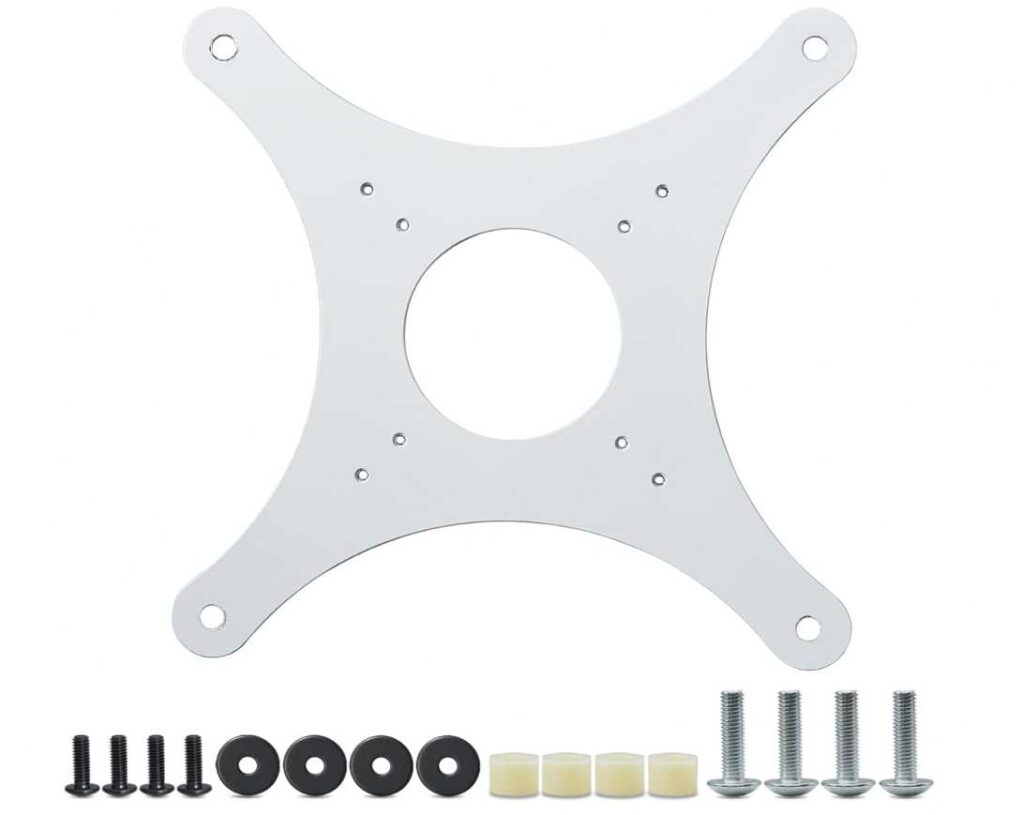
What stands out during use is stability. Even when mounted on an arm, the weight distribution feels right. There’s no extra strain or awkward positioning, and the screen stays steady without wobble.
Installation is straightforward, but you need to double-check compatibility. This is strictly for the 43-inch model and even depends on the back color (white), so it’s not a universal solution.
After using it, this feels like a must-have if you own the 43” Neo G7 and want to mount it safely. If you’re looking for a VESA adapter for large Odyssey monitors, stable mounting solution, or the best Samsung Odyssey G7 VESA mount for this specific model, this is a reliable choice.
What We Like
- Designed specifically for 43” Neo G7 (perfect fit)
- Strong metal build for heavy monitors
- Balanced design improves stability
- Clean and precise construction
- Reliable long-term performance
What We Don’t Like
- Only works with specific 43” model
- Not a full mount (adapter required for arm/wall mount)
monTEK Single Monitor Arm
Screen Size Support: 17–45 inches
Weight Capacity: Up to 35 lbs
If you’re looking for a simple, reliable arm to pair with your Odyssey G7, this is the kind of mount that gets the job done without overcomplicating things. After using the monTEK monitor arm, it feels like a practical, everyday solution—especially if you want something affordable but still capable. That’s why it fits well among the best Samsung Odyssey G7 VESA mount options.
The first thing that stands out is how balanced it feels. It’s not overly heavy or bulky, but it still holds a 32-inch curved monitor securely. Once mounted, there’s no noticeable sagging, and it stays stable during normal adjustments.
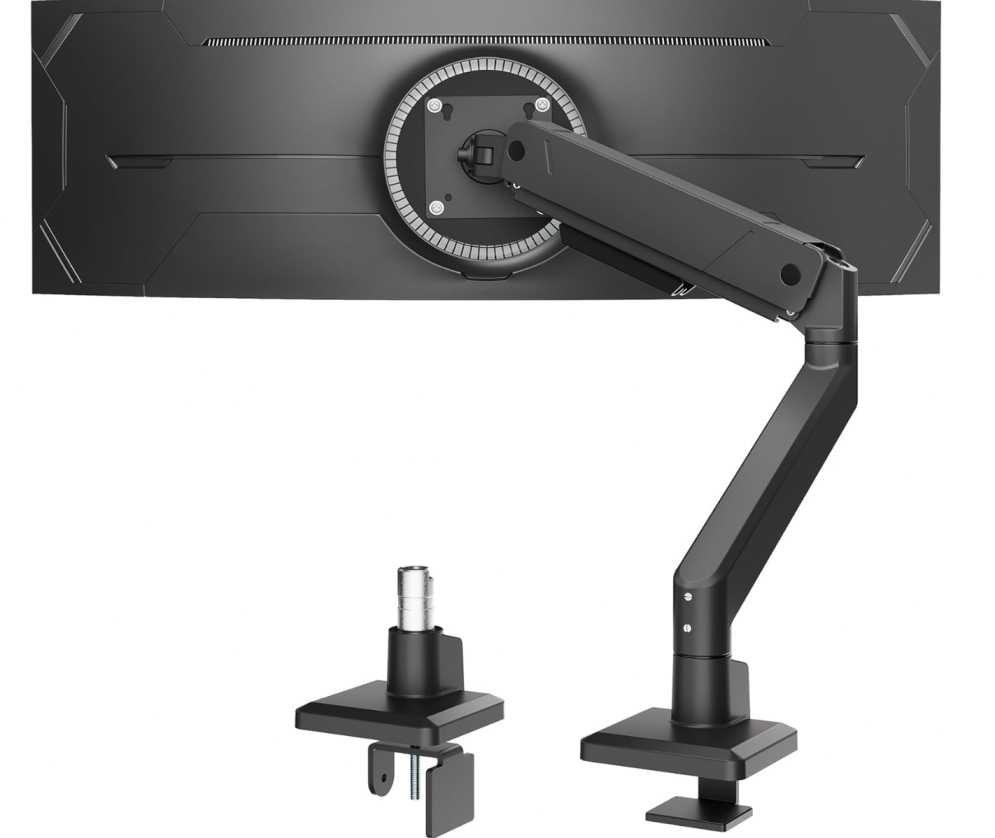
Adjustability is smooth and easy to use. You can tilt, swivel, rotate, and adjust height without much effort, which helps you find a comfortable viewing position quickly. Whether you’re gaming or working, it adapts well to your setup.
What makes this a good choice is its simplicity. Installation is quick, and the clamp/grommet options make it compatible with most desks. It doesn’t try to be a heavy-duty premium arm—but for most users, it’s more than enough.
The cable management is a nice touch too. It helps keep your desk clean and organized without extra effort.
After using it, this feels like a great option if you want solid performance at a reasonable price. If you’re looking for a budget-friendly monitor arm, adjustable desk mount, or one of the best Samsung Odyssey G7 VESA mount choices without spending too much, this is a smart pick.
What We Like
- Good balance of price and performance
- Stable for most 32-inch monitors
- Smooth and easy adjustments
- Simple and quick installation
- Clean cable management
What We Don’t Like
- Not ideal for very heavy or ultrawide setups
- Lacks premium build feel compared to high-end arms
Putilsen Ultrawide Heavy Duty Monitor Arm
Screen Size Support: 24–57 inches
Weight Capacity: Up to 59.4 lbs
If your main concern is “Will this actually hold my Odyssey G7 securely?”—this is the kind of mount that answers that with confidence. After using the Putilsen heavy-duty arm, it feels built for bigger, heavier monitors rather than standard setups. That’s why it stands out as a strong contender for the best Samsung Odyssey G7 VESA mount.
The biggest strength here is load capacity. It easily handles heavy curved monitors, and even when fully extended, it doesn’t feel weak or unstable. Once set up, the monitor stays exactly where you position it—no drifting or sagging over time.
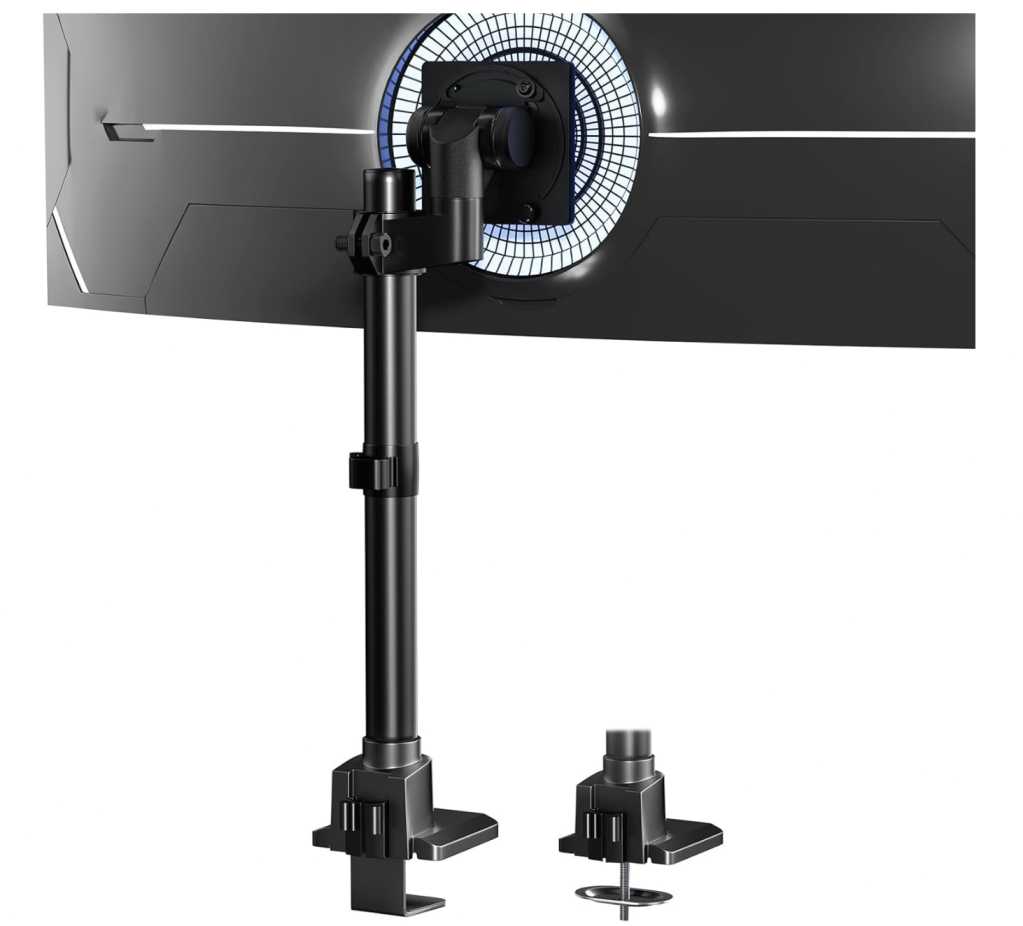
Adjustability is smooth and practical. You can tilt, swivel, rotate, and adjust height to get the perfect viewing angle. During use, this flexibility makes a real difference, especially for long gaming or work sessions.
What makes this mount even more useful is its versatility. It works well in smaller setups too, thanks to its compact base and efficient design. You don’t need a massive desk to use it comfortably.
Installation is straightforward, and the quick-release VESA plate helps speed things up. Once installed, the cable management keeps your setup looking clean and organized.
After using it, this feels like a great balance between heavy-duty performance and affordability. If you want something strong, adjustable, and reliable without paying premium prices, this is a solid pick in the ultrawide monitor arm, heavy-duty desk mount, and best Samsung Odyssey G7 VESA mount category.
What We Like
- High weight capacity for heavy monitors
- Stable with no sagging or wobble
- Smooth and flexible adjustments
- Works well even in compact setups
- Good value for heavy-duty performance
What We Don’t Like
- May require adapter for some monitors
- Design is more functional than premium-looking
MOUNT PRO Heavy Duty Monitor Arm
Screen Size Support: Up to 49 inches
Weight Capacity: Up to 44 lbs (33 lbs for curved)
If you’re trying to upgrade your Odyssey G7 setup without spending too much, this is one of those options that feels surprisingly capable for the price. After using the MOUNT PRO arm, it comes across as a budget-friendly but solid contender for the best Samsung Odyssey G7 VESA mount.
The first thing you notice is how well it handles weight for its price range. It’s designed for ultrawide monitors, so a 27” or 32” Odyssey G7 feels well within its comfort zone. Once mounted correctly, it stays stable and doesn’t feel fragile.
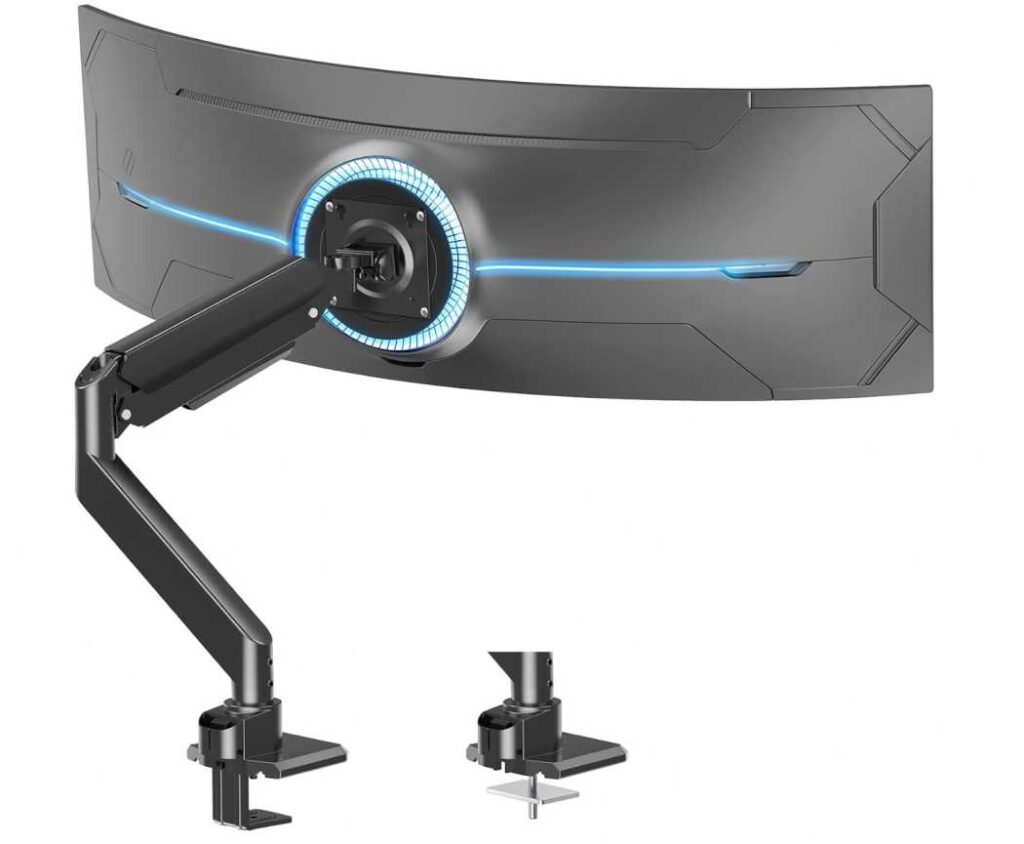
Adjustability is where it performs well for everyday use. You can tilt, swivel, rotate, and adjust height easily, which helps you find a comfortable viewing position whether you’re gaming or working. It’s not the smoothest premium arm, but it’s practical and gets the job done.
One important thing to note—if you’re using a Samsung Odyssey monitor, you’ll likely need a VESA adapter (not included). Once that’s sorted, the mount works as expected.
It also helps clean up your desk. Lifting the monitor frees up space, and the built-in cable management keeps things tidy.
After using it, this feels like a great entry-level heavy-duty option. If you want something affordable that still supports curved monitors well, this is a smart pick in the budget monitor arm, curved monitor mount, and best Samsung Odyssey G7 VESA mount category.
What We Like
- Strong performance for the price
- Handles curved monitors well
- Good range of motion for adjustments
- Easy installation with clamp/grommet options
- Helps create a cleaner desk setup
What We Don’t Like
- Requires VESA adapter for Odyssey G7
- Not as smooth or premium as higher-end arms
What to Look Before Buying the Best Samsung Odyssey G7 VESA Mount
Buying a mount for the Odyssey G7 isn’t as simple as picking any monitor arm. Because of its curved design and weight, you need something that’s actually built to handle it. If you want the best Samsung Odyssey G7 VESA mount, here are the key things to check before buying.
1. VESA Compatibility (Check First)
Not all Odyssey G7 models are directly VESA compatible. Many require a VESA adapter before you can use a mount.
👉 Simple rule:
- If your monitor doesn’t have VESA holes → you need an adapter
- Always confirm your exact model before buying
2. Weight Capacity (Avoid Sagging Issues)
The G7 isn’t extremely heavy, but its curved shape puts extra stress on the arm.
👉 What to do:
- Choose a mount with higher capacity than your monitor weight
- Avoid mounts that are just at the limit
This prevents sagging over time.
3. Arm Strength & Type
You’ll find two main types:
- Basic arms (limited movement)
- Gas spring/heavy-duty arms (smooth and flexible)
👉 Best choice:
Go for a gas spring or heavy-duty arm for better control and durability.
4. Adjustability (For Comfort)
A good mount should allow:
- Height adjustment
- Tilt
- Swivel
- Rotation
This helps you set the perfect viewing angle and reduces neck strain during long sessions.
5. Desk Compatibility
Check your desk before buying:
- C-clamp: easiest option
- Grommet mount: more secure but needs a hole
Also make sure your desk is strong enough to hold the weight.
6. Build Quality
Look for mounts made from:
- Aluminum or steel
Stronger materials = better stability and longer life. Cheap mounts may wobble or loosen over time.
7. Space & Setup Needs
Ask yourself:
- Single monitor or dual setup?
- Small desk or large desk?
Choose a mount that fits your setup without overcrowding your space.
8. Cable Management
Many good mounts include cable routing. It helps keep your desk clean and organized, especially with gaming setups.
Final Advice
If you want the best Samsung Odyssey G7 VESA mount, don’t just go for the cheapest option.
Focus on:
- Compatibility
- Stability
- Adjustability
Get these right, and your setup will feel cleaner, more comfortable, and much more premium to use every day.
Read more articles: