
Best Wireless Keyboards for MacBook User : A great MacBook deserves more than just a built-in keyboard. Whether you’re working long hours, setting up a clean desk, or boosting productivity, the right wireless keyboard can completely transform your experience.
The best wireless keyboards for MacBook users are designed to work seamlessly with macOS—offering Mac-specific layouts, smooth Bluetooth connectivity, multi-device pairing, and a comfortable typing feel. No extra setup, no key confusion—just plug in and start working.
From ultra-slim Apple-style keyboards to powerful mechanical options, there’s something for every type of user—whether you prioritize portability, performance, or premium typing comfort.
In this guide, we’ll explore the top wireless keyboards for MacBook users that combine style, functionality, and reliability to upgrade your setup.
Best 8 Wireless Keyboards for MacBook Users to buy
1. Macally Wireless Bluetooth Keyboard for Mac
- Type: Full-size wireless keyboard with numeric keypad
- Connectivity: Bluetooth (connect up to 3 devices)
- Best for: productivity, office work, and multi-device setups
If you want something that feels close to an Apple keyboard—but with more functionality—the Macally Wireless Bluetooth Keyboard for Mac is a solid pick.
This keyboard is built for productivity-focused Mac users.
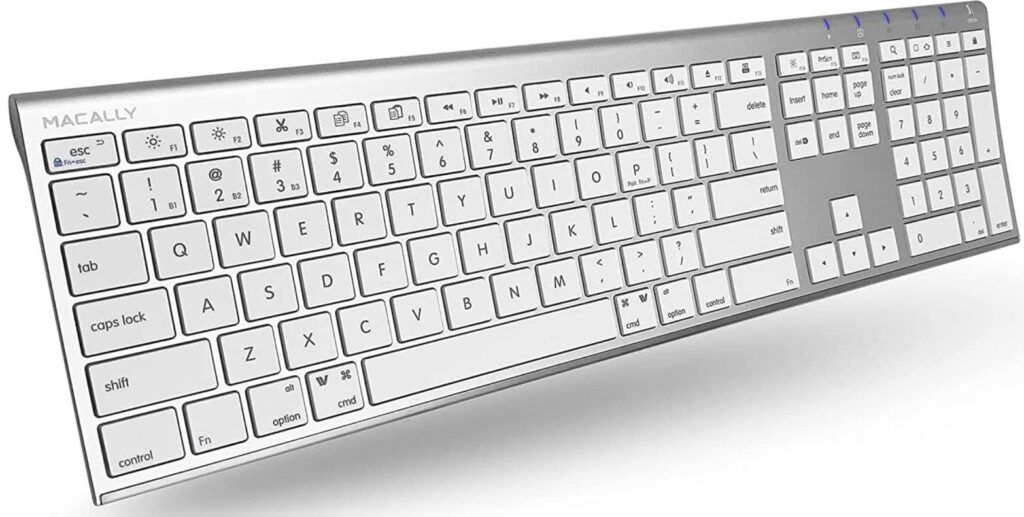
You get a full-size layout with 110 keys, including a numeric keypad and 20 shortcut keys, which makes it ideal for tasks like spreadsheets, data entry, or general office work.
The typing experience is clean and quiet.
Thanks to scissor-switch keys, it offers a smooth, low-profile feel, similar to Apple’s Magic Keyboard—comfortable for long typing sessions without noise.
One of its biggest advantages is multi-device support.
You can connect up to 3 devices at once and switch between them easily—perfect if you use a MacBook, iPad, or even a second computer.
The ultra-slim aluminum-style design also blends nicely with Apple setups, keeping your desk looking minimal and modern.
Pros
- Full-size layout with numeric keypad
- Connects up to 3 devices simultaneously
- Quiet and comfortable scissor-switch typing
- Clean Apple-style design
- Long battery life (up to ~3 months)
Cons
- No backlighting
- Build quality not as premium as Apple
- Slightly larger footprint (less portable)
Final thoughts
If you need a budget-friendly wireless keyboard for MacBook with full-size functionality, the Macally keyboard is a practical and reliable choice.
It’s especially great for users who value productivity and multi-device use over premium extras.
2. SABLUTE KMA2 Bluetooth Keyboard & Mouse Combo for Mac
- Type: Full-size keyboard + wireless mouse combo
- Connectivity: Bluetooth (up to 3 devices)
- Best for: budget Mac setups & complete desk upgrade
If you’re building a clean Mac setup without spending too much, the SABLUTE KMA2 keyboard and mouse combo gives you everything in one package.
This is an all-in-one solution.
Instead of buying a keyboard and mouse separately, you get a matching Mac-style combo designed to work smoothly with MacBook, iMac, iPad, and even iPhone.
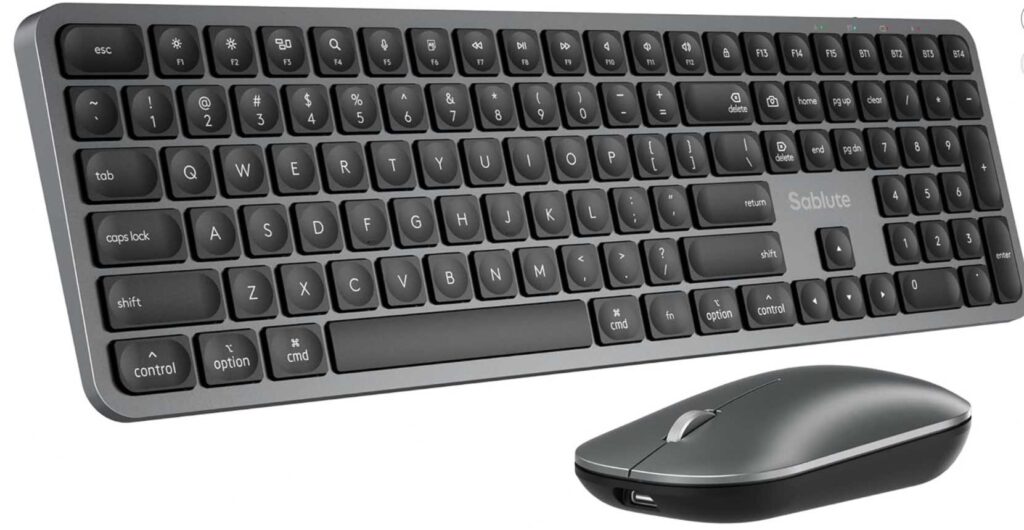
The keyboard features a full-size layout with numeric keypad, making it great for productivity tasks like spreadsheets, office work, or daily multitasking.
Typing feels familiar and comfortable.
The scissor-switch keys provide a soft, quiet, laptop-like experience—very similar to what most Mac users are already used to.
The included mouse keeps things simple.
With 1200 DPI sensitivity, it’s tuned for everyday use like browsing, editing, and work—not gaming, but perfectly fine for productivity.
One standout feature is multi-device switching.
You can connect up to 3 devices and switch between them easily, which is super useful if you use a mix of Apple devices.
The USB-C charging is also a nice touch, keeping it aligned with modern Mac accessories.
Pros
- Complete keyboard + mouse combo
- Full-size layout with numeric keypad
- Connect up to 3 devices
- Quiet and comfortable typing
- USB-C rechargeable (Mac-friendly)
- Great value for money
Cons
- No backlighting
- Mouse is basic (not for advanced users)
- Build is more budget than premium
Final thoughts
If you want a budget-friendly wireless keyboard and mouse for MacBook, the SABLUTE combo is a practical choice.
It’s ideal for users who want a simple, clean, and affordable Mac-style setup without overcomplicating things.
3. OMOTON Wireless Keyboard for Mac (Compact & Budget Pick)
- Type: Compact (no number pad)
- Connectivity: Bluetooth
- Best for: portability, travel, and minimal setups
If you want a simple, lightweight keyboard for your MacBook, the OMOTON Wireless Keyboard is one of the easiest and most affordable options.
This keyboard is all about simplicity and portability.
With its compact layout (no numeric keypad), it takes up very little desk space and is easy to carry—perfect for students, travelers, or anyone working on the go.
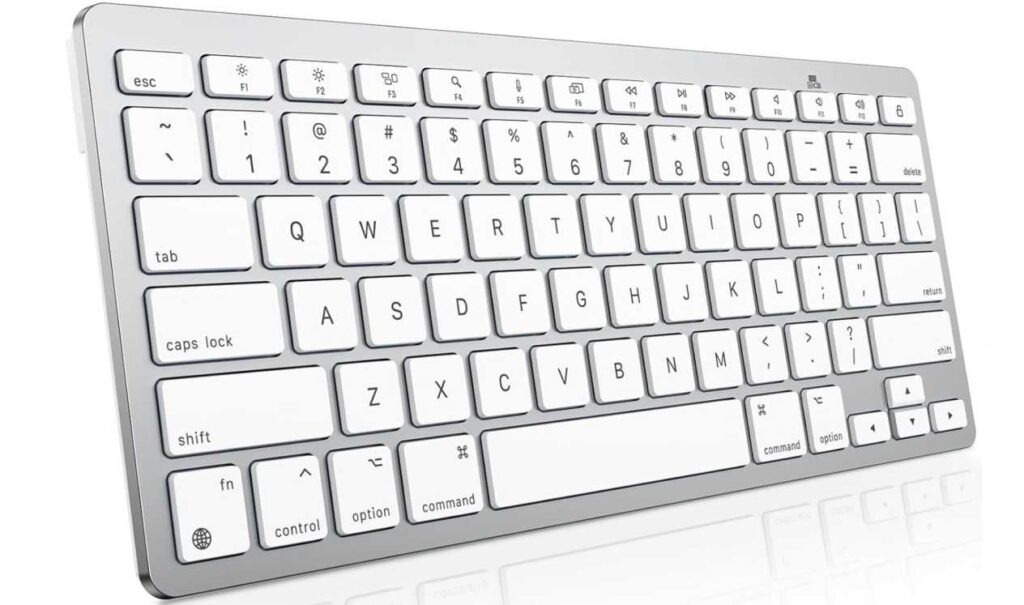
Despite the low price, it still keeps a Mac-friendly layout.
You get dedicated macOS function keys, so you can control things like brightness, volume, and multitasking without any setup.
Typing is comfortable for everyday use.
The slight 8° tilt angle helps reduce wrist strain, and the keys are quiet—good for long writing sessions or office environments.
Battery life is another strong point.
Powered by AAA batteries, it can last for months thanks to auto-sleep features, so you don’t have to worry about frequent charging.
Pros
- Very affordable
- Compact and travel-friendly
- Mac-specific shortcut keys
- Comfortable for light to moderate typing
- Long battery life
Cons
- No backlight
- No numeric keypad
- Plastic build feels basic
- Not ideal for heavy/professional typing
Final thoughts
If you need a budget wireless keyboard for MacBook that’s portable and easy to use, the OMOTON keyboard is a great entry-level choice.
It’s best for casual users, students, or secondary setups, rather than power users.
4. Seenda SKM64-2 Bluetooth Keyboard & Mouse Combo for Mac
- Type: Compact keyboard + wireless mouse combo
- Connectivity: Triple Bluetooth (up to 3 devices)
- Best for: portability + multi-device Apple ecosystem
If you want a sleek, portable combo that works across all your Apple devices, the Seenda SKM64-2 is a smart choice.
This setup is built for flexibility and convenience.
You can connect up to 3 devices at once—like a MacBook, iPad, and iPhone—and switch between them instantly. That makes it perfect for users who move between devices throughout the day.
The keyboard keeps things compact and minimal.
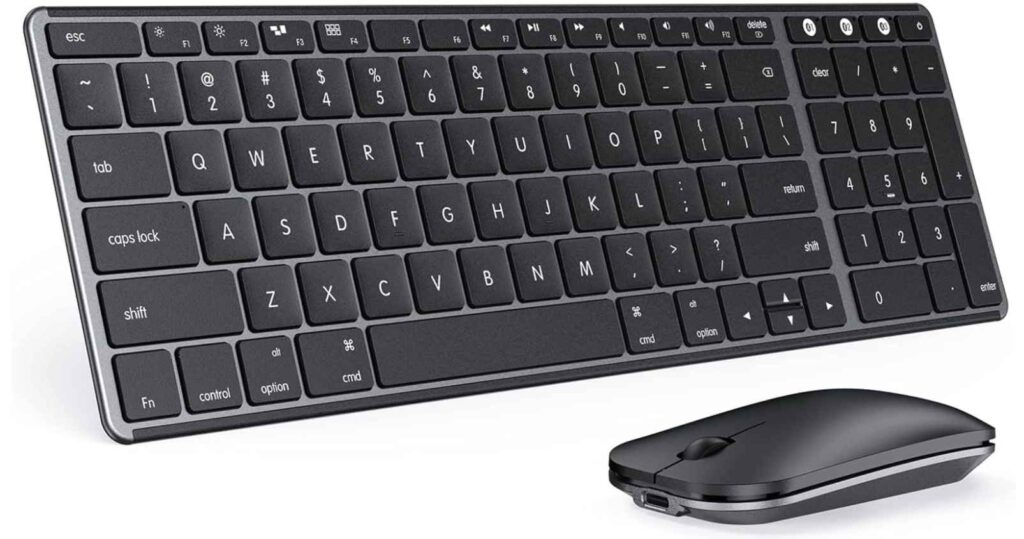
It doesn’t include a number pad, which helps save space and makes it easy to carry. The Mac-style layout ensures everything feels familiar right away.
Typing is quiet and comfortable.
The keys are designed for low-noise operation, which is great for shared spaces like offices, libraries, or late-night work sessions.
The included mouse is simple but practical.
It’s designed for everyday use—smooth tracking, lightweight feel, and good enough for browsing, editing, and general productivity.
Another big plus is USB-C rechargeability.
No need for disposable batteries—just plug in and go, with long standby time and energy-saving features.
Pros
- Keyboard + mouse combo for full setup
- Connects up to 3 devices seamlessly
- Compact and travel-friendly design
- Quiet typing experience
- USB-C rechargeable
Cons
- No backlighting
- No numeric keypad
- Mouse is basic
- Not ideal for heavy/pro users
Final thoughts
If you want a portable wireless keyboard and mouse for MacBook, the Seenda combo offers great value.
It’s best for users who prioritize multi-device convenience, portability, and a clean minimal setup over premium features.
5. Nillkin Foldable Bluetooth Keyboard with Touchpad
- Type: Foldable full-size keyboard with touchpad
- Connectivity: Bluetooth (up to 3 devices)
- Best for: travel, portability, and all-in-one control
If you’re always on the move and want a portable keyboard for your MacBook or iPad, the Nillkin Foldable Keyboard offers something very different.
This is built for maximum portability without losing functionality.
When unfolded, you get a full-size layout with number pad, which is rare for travel keyboards. But fold it up, and it becomes pocket-sized, making it easy to carry in a bag or even a large pocket.
The standout feature here is the built-in touchpad.
You don’t need a separate mouse—just use gestures, scrolling, and clicks directly on the keyboard. This is especially useful when working on the go, in cafés, flights, or tight spaces.
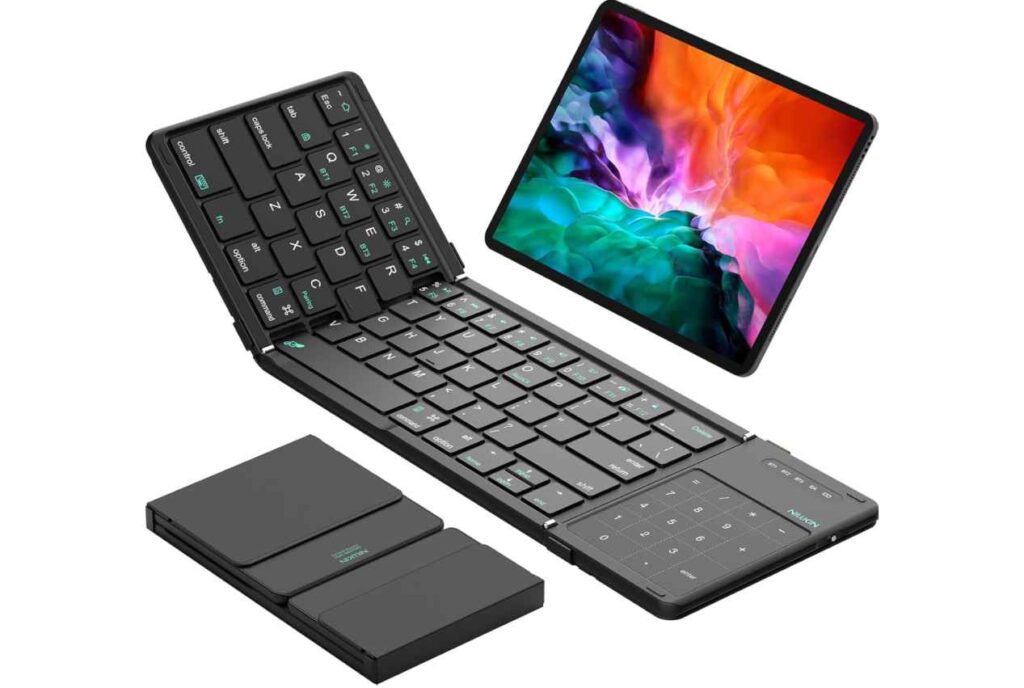
It also supports multi-device switching (up to 3 devices), so you can move between your MacBook, iPad, or phone easily.
Typing is quiet and decent for a portable device.
The low-profile scissor keys keep noise down, though the flat design means it may not feel as comfortable as a full desk keyboard for long sessions.
Pros
- Foldable, ultra-portable design
- Includes touchpad (no mouse needed)
- Full-size layout with number pad
- Connects up to 3 devices
- USB-C rechargeable
Cons
- Typing feel is average (not for heavy typing)
- No backlight
- Needs a flat surface for stability
- Touchpad gestures can vary by device
Final thoughts
If you want a travel-friendly wireless keyboard for MacBook, the Nillkin foldable keyboard is a unique and practical option.
It’s best for users who prioritize portability and convenience over premium typing comfort.
6. Rapoo 9010M Multi-Device Keyboard & Mouse Combo
- Type: Full-size keyboard + mouse combo
- Connectivity: Bluetooth + 2.4GHz USB (up to 4 devices)
- Best for: budget users & multi-device flexibility
If you want a reliable wireless keyboard and mouse for MacBook at a very low price, the Rapoo 9010M combo is one of the most practical options.
This combo is all about versatility and value.
It supports both Bluetooth and 2.4GHz wireless (USB dongle), which means you can connect it to almost anything—MacBook, PC, tablet, or even a second system—without worrying about compatibility.
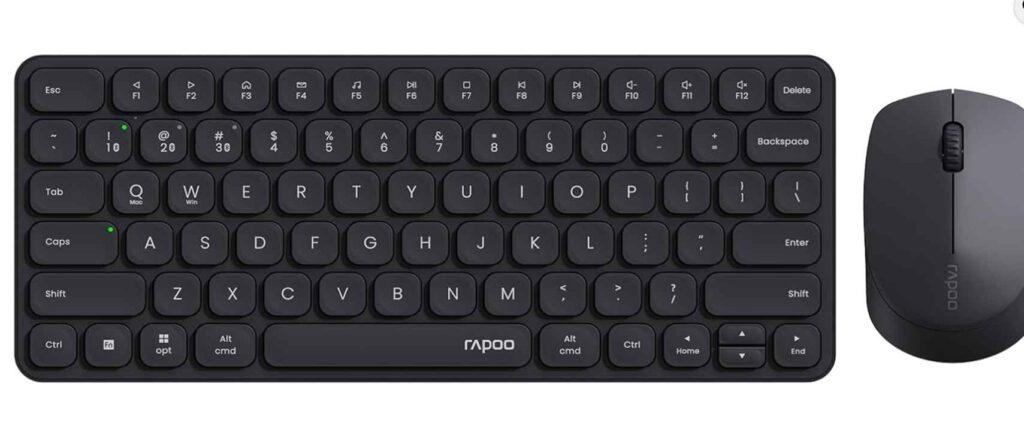
One of its standout features is 4-device switching.
You can connect multiple devices and switch between them seamlessly, making it great for people working across different platforms.
The keyboard offers a full-size layout with low-profile keys, delivering a quiet and comfortable typing experience suitable for everyday work.
The mouse adds flexibility with adjustable DPI settings, so you can fine-tune cursor speed depending on your setup.
It’s not flashy—but it gets the job done efficiently.
Pros
- Very affordable combo
- Supports Bluetooth + USB receiver
- Connects up to 4 devices
- Quiet typing and silent mouse clicks
- Works across multiple operating systems
Cons
- Not Mac-specific layout (some keys may differ slightly)
- Battery-powered (no recharge)
- Build quality is basic
- No backlighting
Final thoughts
If you want a cheap wireless keyboard and mouse for MacBook, the Rapoo 9010M is a great value pick.
It’s ideal for users who need multi-device support and flexibility on a budget, rather than premium design or Mac-exclusive features.
7. CLVX 1 Mac AI Gesture Keyboard (Premium Innovation Pick)
- Type: Full-size smart keyboard with built-in touch gestures
- Connectivity: Bluetooth + USB-C (up to 3 devices)
- Best for: creators, power users & futuristic Mac setups
If you want something completely different from a regular keyboard, the CLVX 1 Mac is one of the most advanced options you can get right now.
This is not just a keyboard—it’s a keyboard + trackpad hybrid.
The standout feature is “Touch On Keys”, which lets you swipe, scroll, and use gestures directly on the keyboard surface. That means you don’t need to move your hand to a mouse or trackpad—everything happens right where you type.
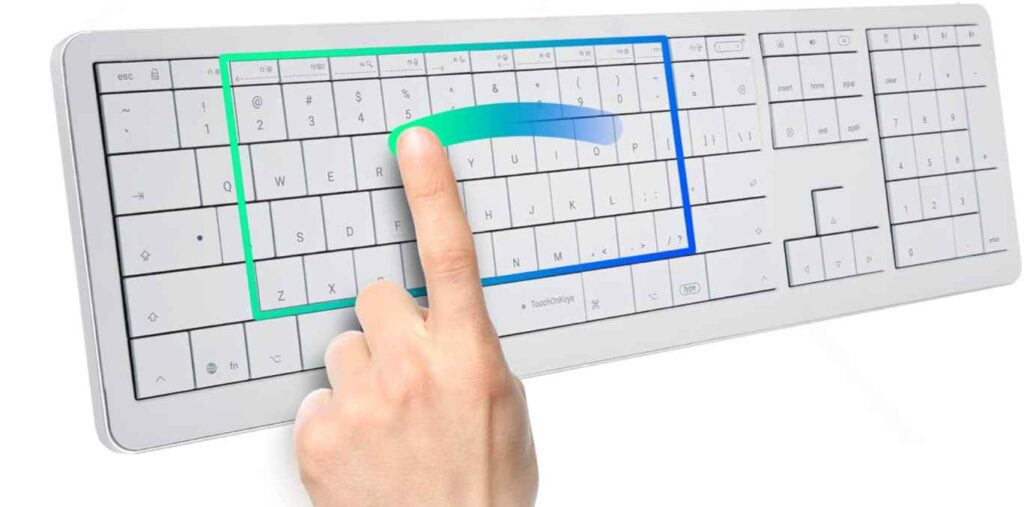
For Mac users, this feels especially powerful.
You get native Mac gestures, similar to a MacBook trackpad, making navigation faster and more fluid—great for editing, browsing, and multitasking.
Typing itself is premium.
The low-profile scissor switches deliver a quiet and precise feel, while the aluminum chassis gives it a high-end, durable build.
It also includes RGB lighting with gesture interaction, which isn’t just for looks—you can customize it based on actions and workflows.
Another big highlight is AI-powered input detection.
The keyboard can distinguish between typing and gestures, reducing accidental inputs and making the experience smoother.
Pros
- Unique gesture control built into keys
- Replaces need for a mouse/trackpad
- Premium aluminum build
- RGB backlighting with customization
- Multi-device support + USB-C option
- Great for creative workflows
Cons
- Expensive
- Requires app for full functionality
- Learning curve for gestures
- Not necessary for casual users
Final thoughts
If you want the most advanced wireless keyboard for MacBook, the CLVX 1 Mac is a next-level option.
It’s perfect for power users, designers, and creators who want a faster, more integrated workflow—but overkill for basic everyday use.
8. Apple Magic Keyboard with Numeric Keypad
- Type: Full-size Apple keyboard with numeric keypad
- Connectivity: Bluetooth (Apple seamless pairing)
- Best for: pure Mac experience + productivity
If you want a keyboard that feels like it was made specifically for your MacBook, this is the one.
The Apple Magic Keyboard with Numeric Keypad delivers the most seamless macOS experience you can get—no setup, no compatibility issues, just instant pairing and smooth performance.
This keyboard is built for productivity and precision.
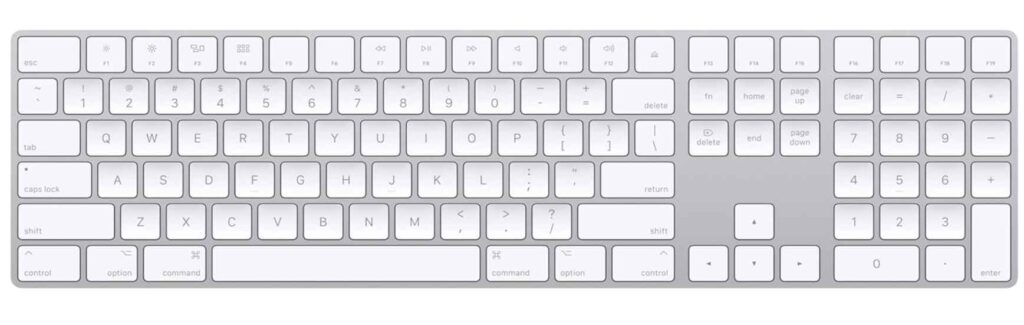
The full-size layout + numeric keypad makes it perfect for tasks like spreadsheets, finance work, or heavy typing sessions. Apple also includes full-size arrow keys and navigation controls, which improve workflow efficiency.
Typing feels exactly like a MacBook.
You get low-profile scissor-switch keys that are quiet, responsive, and comfortable for long hours—ideal for writers, developers, and office users.
Battery life is another strong point.
It’s fully rechargeable and can last for weeks on a single charge, so you don’t have to worry about constant charging or replacing batteries.
And of course, the minimal Apple design fits perfectly into any Mac setup.
Pros
- Best native macOS compatibility
- Full-size layout with numeric keypad
- Smooth, quiet, and precise typing
- Long battery life (weeks per charge)
- Premium Apple design and build
Cons
- No backlighting
- Expensive compared to alternatives
- Limited multi-device switching
Final thoughts
If you want the best wireless keyboard for MacBook with full-size layout, the Apple Magic Keyboard with Numeric Keypad is the gold standard.
It’s perfect for users who value simplicity, reliability, and the true Apple experience over extra features.
Bottom Line
- 👉 Best overall: Apple Magic Keyboard
- 👉 Best value: Macally / Seenda combos
- 👉 Best budget: OMOTON / Rapoo
- 👉 Best portable: Foldable keyboards
- 👉 Best premium: CLVX 1 Mac
At the end of the day, the right choice is simple:
👉 Pick a keyboard that fits your workflow, not just your budget.