
Best USB-C hubs for Samsung Galaxy Book 6: If you’re using a Samsung Galaxy Book 6, you already have a powerful and well-equipped laptop—but let’s be honest, modern workflows demand more ports than ever.
Whether you’re connecting an external monitor, transferring large files, or setting up a full desk workstation, a reliable USB-C hub for Samsung Galaxy Book 6 can instantly expand your laptop’s capabilities.
The good news? Today’s hubs go far beyond basic adapters. You’ll find options with 4K HDMI output, high-speed USB 3.0 ports, SD card readers, Ethernet, and even 100W power delivery—all in a compact, travel-friendly design.
But not all hubs are created equal.
Some are perfect for minimal everyday use, while others are built for power users who need multi-display setups, fast charging, and seamless connectivity. Choosing the right one can make a huge difference in productivity, especially if you’re using your Galaxy Book 6 for work, content creation, or multitasking.
In this guide, we’ve rounded up the best USB-C hubs for Samsung Galaxy Book 6, focusing on performance, compatibility, and real-world usability—so you can find the perfect hub for your setup.
But before that, also Check out :
Best 5 USB-C hubs for Samsung Galaxy Book 6
MOKiN 7-in-1 USB-C Hub – Practical, No-Nonsense Pick
Sometimes you don’t need a complicated dock—you just need something that works every day without fuss. That’s exactly where the MOKiN 7-in-1 hub fits in.
When talking about the best USB-C hubs for Samsung Galaxy Book 6, this one leans toward function over flash. It gives you the core ports most users actually use—nothing more, nothing less.
What Makes It a Smart Everyday Choice
Instead of overloading you with features you may never use, this hub focuses on the essentials:
- 4K HDMI output (60Hz) for a smooth external display experience
- Two USB 3.0 ports for accessories like a mouse, keyboard, or flash drive
- USB-C Power Delivery (up to 100W input) so your laptop stays charged
- SD & microSD slots for quick file transfers
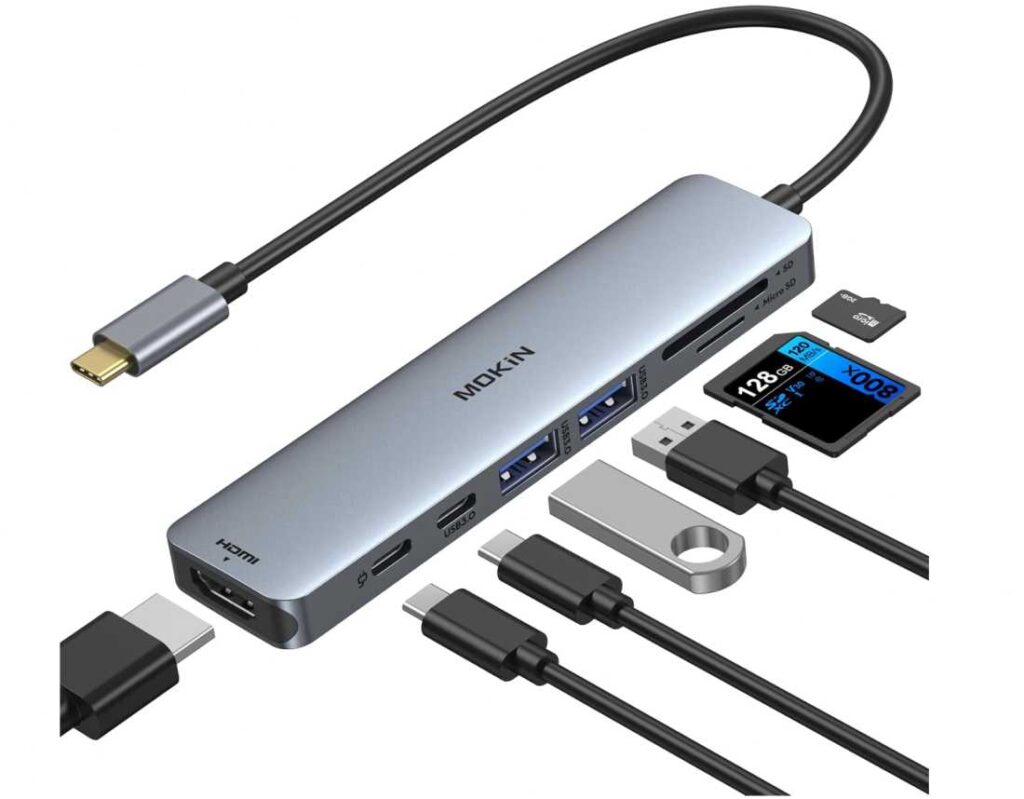
For most users, that covers 90% of daily needs—especially if you’re using your Galaxy Book 6 for work, study, or light creative tasks.
Who Should Pick This
This is a great fit if you want a reliable USB-C hub for Samsung Galaxy Book 6 without overpaying, especially for:
- Students and office users
- Remote workers with a single monitor setup
- Anyone who prefers a compact USB-C dongle over bulky docks
Where It Falls Short
- Not built for multi-monitor or heavy workstation setups
- Limited USB port count for power users
- No Ethernet port (Wi-Fi only setups)
Bottom Line
If your goal is a simple, budget-friendly USB-C hub with HDMI and charging support, this one nails the basics. It’s not flashy, but it gets the job done—cleanly and consistently.
Belkin 4-Port USB-C Hub – Speed Over Everything
If most hubs feel like “jack-of-all-trades,” this one takes a different route—it’s built for pure USB-C power users.
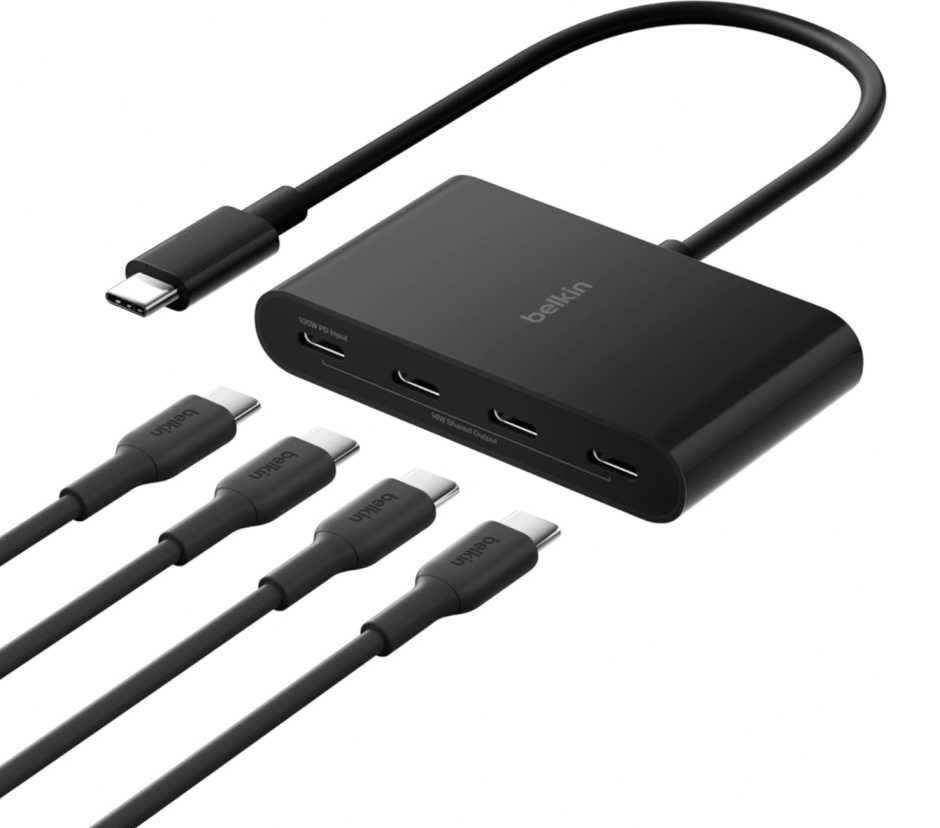
The Belkin Connect 4-Port hub isn’t trying to give you HDMI, SD cards, or Ethernet. Instead, it focuses on one thing: ultra-fast USB-C expansion.
And for the right user, that’s exactly what makes it one of the best USB-C hubs for Samsung Galaxy Book 6.
What Makes It Different
This isn’t your typical multiport adapter. You get:
- 4× USB-C 3.2 Gen 2 ports (10Gbps each)
- 100W pass-through charging
- Clean, minimal design with no unnecessary extras
That means if your workflow revolves around USB-C devices (SSDs, hubs, audio gear, capture cards), this hub is insanely efficient.
Why It’s a Power User Favorite
Most hubs split bandwidth across different port types. This one doesn’t.
- Perfect for high-speed file transfers (external SSD workflows)
- Ideal for creators using USB-C accessories only
- Great as a USB-C expansion hub for Galaxy Book 6 Thunderbolt ports
It’s basically turning one USB-C port into a high-speed workstation hub.
Who This Is For
This is NOT for everyone—and that’s the point.
Pick this if you:
- Use multiple USB-C devices daily
- Need fast data transfer over port variety
- Want a premium USB-C hub with 10Gbps performance
Who Should Skip It
- If you need HDMI or SD card slots
- If you want an all-in-one adapter
- If your setup still relies on USB-A devices
Final Take
If your setup is fully modern and USB-C focused, this is one of the fastest and cleanest USB-C hubs for Samsung Galaxy Book 6 you can buy. It’s niche—but for the right user, it’s incredibly powerful.
MOKiN 9-in-1 USB-C Hub – The “Do-It-All” Desk Companion
If minimal hubs feel limiting, this is the opposite—it’s built for people who want everything in one place.
The MOKiN 9-in-1 hub is easily one of the most feature-packed USB-C hubs for Samsung Galaxy Book 6, especially if your setup includes multiple devices, wired internet, and external displays.
Why This Hub Feels Complete
This isn’t just a dongle—it’s closer to a portable docking station. You get:
- HDMI output (4K) for external monitors
- 3× USB ports for accessories and storage
- Gigabit Ethernet (RJ45) for stable wired internet
- SD + microSD card readers for fast file access
- 100W Power Delivery to keep your laptop charged
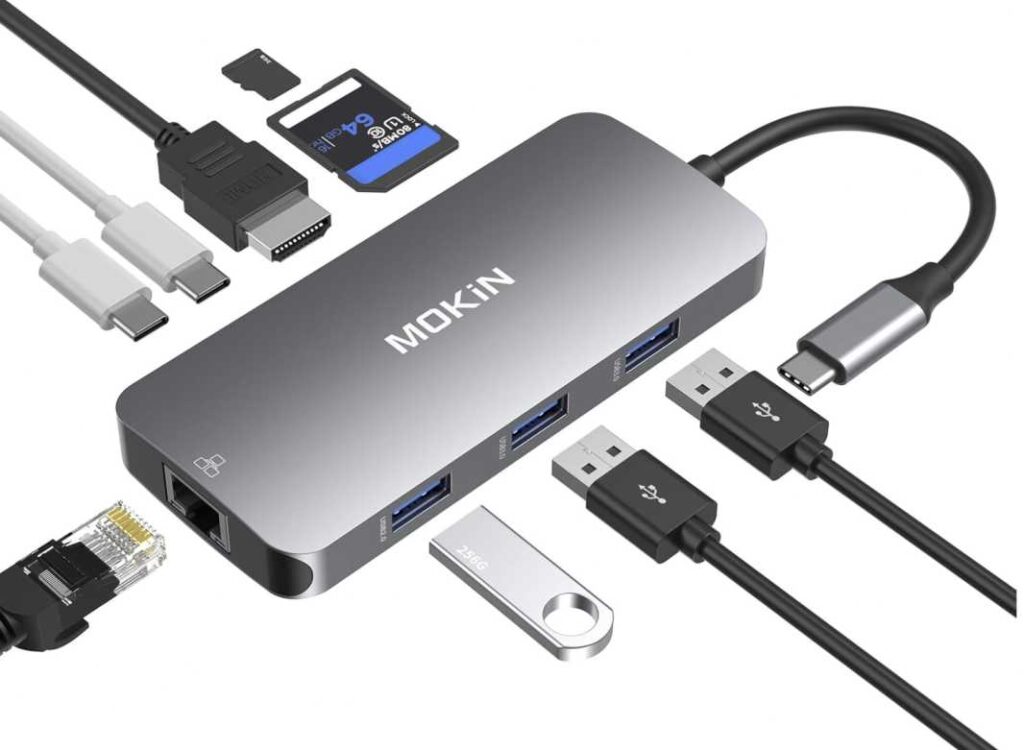
Everything works simultaneously, which is exactly what you want in a USB-C hub for Galaxy Book 6 multitasking setups.
Where It Really Shines
This hub is perfect if your workflow looks like this:
- External monitor + keyboard + mouse
- Wired internet for stability
- Frequent file transfers (camera, SD cards)
It’s basically designed for users who want a full workstation experience from a single USB-C port.
Who Should Consider It
Go for this if you need:
- A USB-C hub with Ethernet and HDMI for Samsung Galaxy Book 6
- A reliable all-in-one adapter for work or home office
- Maximum port variety without buying multiple accessories
Downsides to Know
- Slightly bulkier than basic hubs
- HDMI limited to 4K@30Hz (not ideal for high refresh setups)
- Can feel like overkill for casual users
Final Take
If you want a versatile, all-in-one USB-C hub for Samsung Galaxy Book 6, this is one of the most practical options. It replaces multiple adapters and turns your laptop into a fully connected workstation—simple as that.
BENFEI USB-C Ethernet Hub – The Stability-First Choice
Not every setup needs flashy features—sometimes you just want rock-solid internet and a few extra ports. That’s exactly where the BENFEI adapter shines.
When looking at the best USB-C hubs for Samsung Galaxy Book 6, this one takes a very focused approach: stable wired connectivity + essential expansion.
What Makes It Different
Instead of trying to do everything, this hub solves a specific problem really well—Wi-Fi instability.
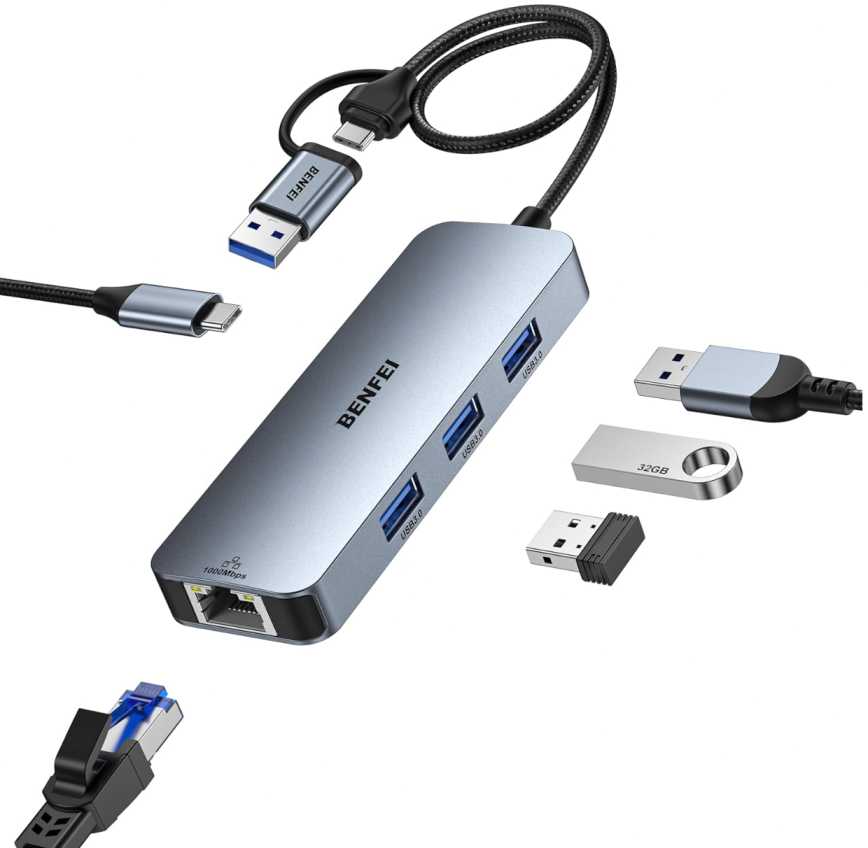
Here’s what you get:
- Gigabit Ethernet (RJ45) → fast, reliable wired internet
- 3× USB 3.0 ports (5Gbps) → connect keyboard, mouse, drives
- Compact, durable design with plug-and-play support
That’s it. No distractions—just the essentials that actually improve your daily workflow.
Why It’s Worth Considering
If your work depends on a stable connection, this becomes one of the most useful USB-C adapters for Samsung Galaxy Book 6:
- Perfect for online work, video calls, gaming, or large downloads
- Eliminates Wi-Fi drops and inconsistent speeds
- Adds just enough USB ports for everyday accessories
Best For
- Remote workers needing stable Ethernet connection
- Students or professionals with unreliable Wi-Fi
- Users who want a compact USB-C hub with Ethernet
Limitations
- No HDMI (not for external display setups)
- No SD card reader
- More of a specialized adapter than full hub
Final Take
If your priority is speed + stability over extra features, this is one of the smartest picks. It’s a no-nonsense USB-C Ethernet hub for Samsung Galaxy Book 6 that quietly solves one of the biggest real-world problems—unreliable internet.
GKEAPZA USB-C Hub – Minimal Gear, Maximum Flex
Not every setup needs a bulky dock. Sometimes you just want something light, quick, and flexible—and this hub leans exactly in that direction.
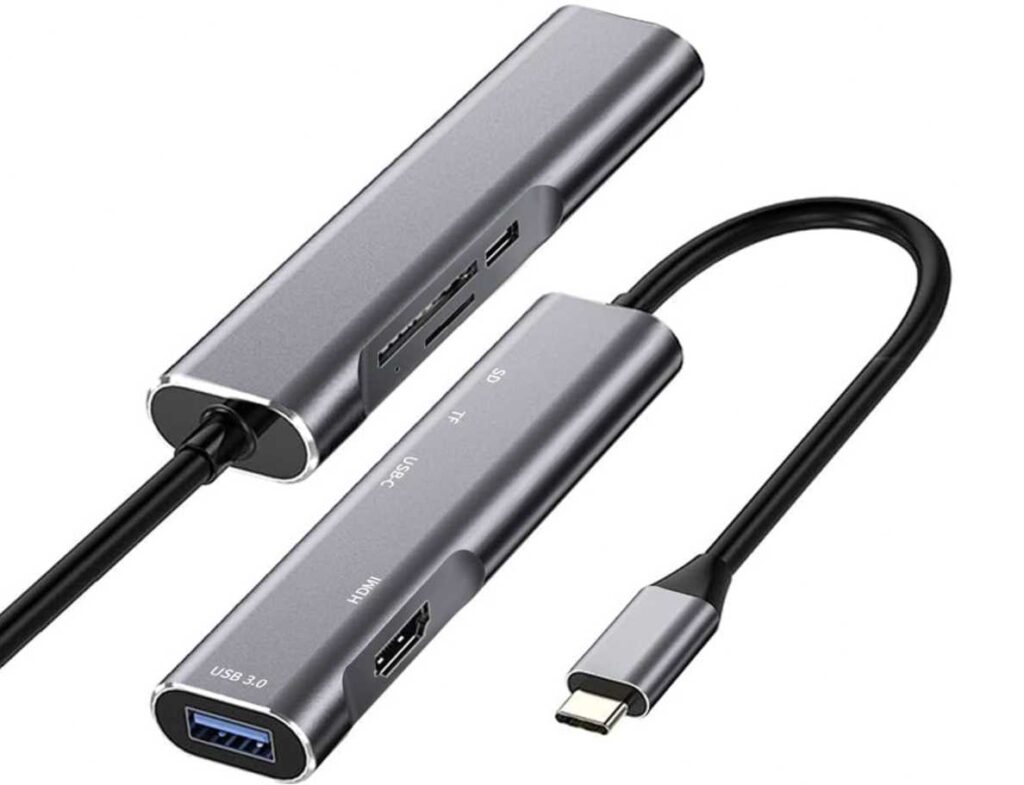
The GKEAPZA adapter is a bit different from typical options in the best USB-C hubs for Samsung Galaxy Book 6 category. It’s not trying to be a full workstation hub—instead, it’s built for on-the-go productivity and Samsung-style workflows.
What It Brings to the Table
This is more of a grab-and-go tool than a desk anchor:
- 4K HDMI output → plug into any screen instantly
- USB 3.0 port → connect essentials (mouse, drive, keyboard)
- SD & microSD slots → fast media access without extra adapters
- 60W PD charging → enough to keep things running smoothly
Everything is designed to be quick, simple, and portable.
The Real Advantage
Where this hub stands out is Samsung DeX compatibility.
If you’re someone who:
- Uses your phone like a mini PC
- Switches between devices frequently
- Wants a clean, cable-light setup
…this becomes more than just a hub—it’s a portable desktop solution.
Who It’s Actually For
- Digital nomads / students
- Samsung ecosystem users
- Anyone wanting a lightweight USB-C hub for Galaxy Book 6 + mobile setup
What It Doesn’t Try to Be
- Not a heavy-duty docking station
- Not for multi-monitor or complex setups
- Not overloaded with ports
And honestly—that’s the point.
Final Word
If your priority is portability over power, this is a smart pick. It’s one of those USB-C hubs for Samsung Galaxy Book 6 that quietly fits into your routine—no clutter, no complexity, just plug in and go.
Final Thoughts: Choosing the Right USB-C Hub for Samsung Galaxy Book 6
By now, it’s clear—there’s no one-size-fits-all when it comes to picking the best USB-C hub for Samsung Galaxy Book 6. It really comes down to how you use your laptop.
Some people just need a couple of extra ports. Others want to turn their setup into a full workstation. And a few want something ultra-portable they can carry everywhere.
Here’s the Simple Way to Decide
- For everyday use: go with a compact hub with HDMI + USB ports
- For work setups: choose a hub with Ethernet, card readers, and power delivery
- For speed-focused users: look for high-speed USB-C (10Gbps) hubs
- For travel & flexibility: pick a lightweight, minimal hub
Also, don’t overlook charging—having a hub with Power Delivery (PD) keeps your Galaxy Book 6 running while everything else is connected.
What Actually Matters
Instead of chasing the most ports, focus on:
- The ports you’ll actually use daily
- Build quality and reliability
- Compatibility with your workflow (desk vs travel)
Bottom Line
A good hub doesn’t just add ports—it removes friction from your setup.
Whether you need a simple adapter or a full-featured docking solution, choosing the right USB-C hub for Samsung Galaxy Book 6 will make your workflow smoother, cleaner, and far more productive.