
Let’s be real—once you start using an LG ultrawide monitor, there’s no going back. But using it on the stock stand? That’s where things start to feel limited.
These monitors are big, wide, and often heavy, especially in the 34-inch and above range. So a basic monitor arm just won’t cut it—you need something that’s actually built to handle the size and weight without sagging or wobbling.
That’s exactly where the top 34 inch & above monitor arms for LG ultrawide monitors come in. A good arm doesn’t just hold your screen—it gives you better ergonomics, more desk space, and full control over positioning, whether you’re working, gaming, or editing.
The tricky part is finding the right one. Some arms can’t handle ultrawide weight properly, some lack enough extension, and others just don’t feel stable in real use.
So in this list, I’ve focused on options that actually make sense—strong weight support, smooth adjustment, and enough reach for ultrawide setups. No random picks, just mounts that work well with large LG displays.
If you’re upgrading your setup or tired of that bulky stand, this will help you find the right monitor arm without wasting money.
Read also: 6 Best Frameless Monitors for Multi-Screen Setup
1. Ergotron LX Pro Premium Monitor Arm – Best Premium Pick for Ultrawide Setups
Up to 34″ | 4–22 lbs | Gas Spring | Full Motion | Premium Build
If you’re investing in a high-end LG ultrawide, this is the kind of arm that actually matches that level.
The Ergotron LX Pro fits perfectly into the top 34 inch & above monitor arms for LG ultrawide monitors, especially if you care about build quality and long-term reliability.
It supports monitors up to 34 inches and 22 lbs, which works for most standard ultrawide models. Just keep in mind—some heavier 34″+ displays might push that limit.
Where this really stands out is the smoothness. The gas spring movement is super refined—you can adjust height, tilt, and position with almost no effort. It just feels premium in daily use.
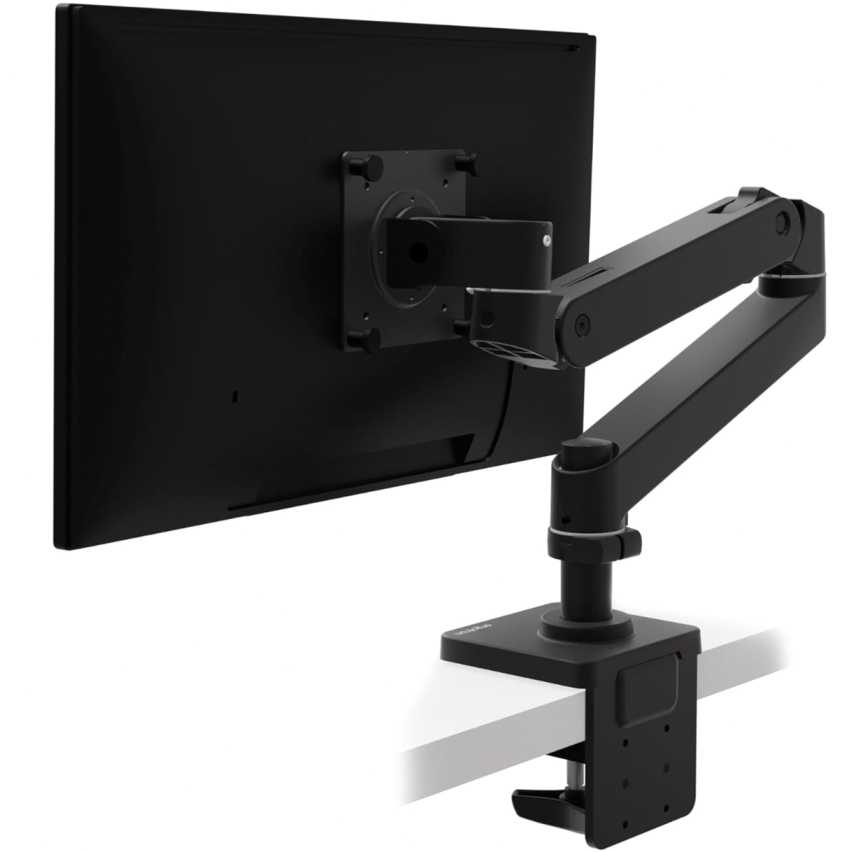
You also get great vertical lift (over 18 inches) and full rotation, which makes it easy to dial in the perfect ergonomic position.
The build quality is on another level too—solid metal, clean finish, and a 10-year warranty. This is the kind of arm you buy once and forget about.
If I compare it quickly
Compared to budget arms, this feels way smoother and more durable
Compared to heavy-duty arms, it’s more refined but slightly limited in max size/weight
So it’s really about premium feel vs extreme capacity
Who this is for
- You want a premium, long-lasting monitor arm
- You’re using a 34-inch Ultrawide (within weight limits)
- You want one of the top 34 inch & above monitor arms for LG ultrawide monitors with smooth adjustments
Who should skip it
- If you’re on a tight budget
- If your monitor is very heavy (close to limit)
- If you need support for super large ultrawides (38″–49″)
My take
This is the “buy once, use for years” option.
If your ultrawide setup is premium, this matches it perfectly—it’s easily one of the top 34 inch & above monitor arms for LG ultrawide monitors if you care about quality and smoothness.
2. FlexiSpot Ultrawide Monitor Arm – Best Heavy-Duty Option for 34″–49″ LG Ultrawides
17″–49″ | Up to 44 lbs | Gas Spring | Full Motion | C-Clamp + Grommet
If you’re using a bigger LG ultrawide (especially 38″ or 49″), this is the kind of arm you actually need.
The FlexiSpot Ultrawide Monitor Arm easily fits into the top 34 inch & above monitor arms for LG ultrawide monitors, especially when weight and size start going up.
It supports up to 49-inch monitors and 44 lbs, which is way higher than most standard arms. So whether it’s a heavy 34″ or a massive ultrawide, this can handle it comfortably.
The biggest win here is the power + smoothness combo. You get a strong gas spring that still moves smoothly, so adjusting such a large screen doesn’t feel awkward.
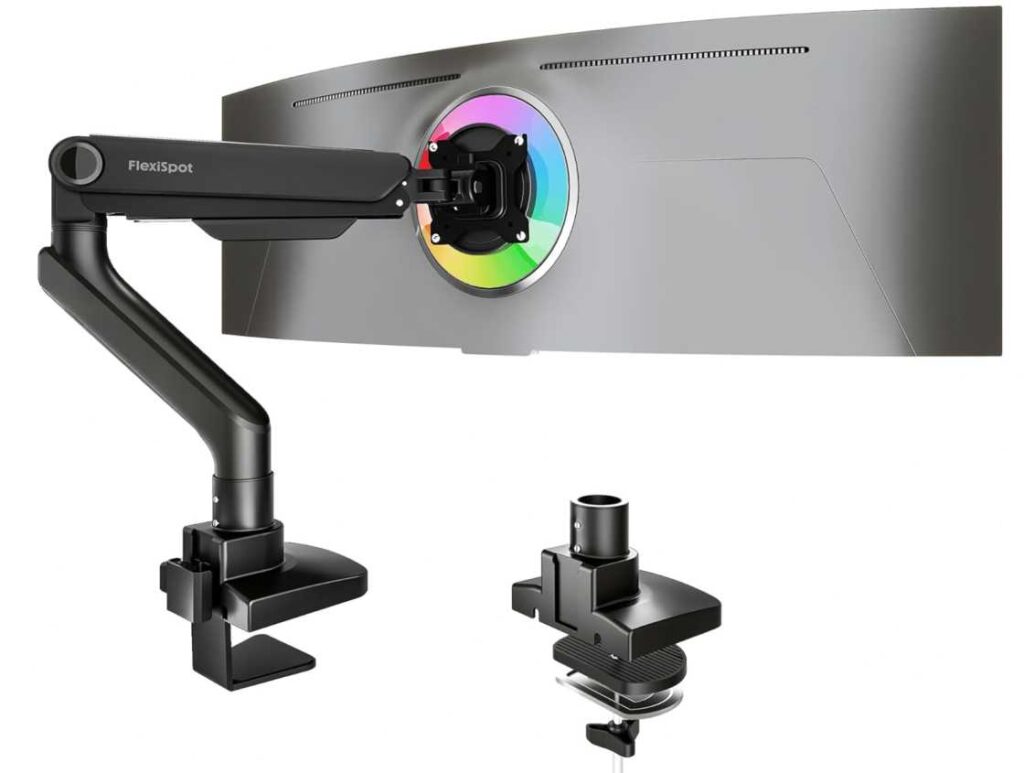
It also has a long extension (around 24.5 inches), which actually matters for ultrawides since you often need more reach to position them properly.
Build quality feels solid and stable, which is exactly what you want with a big display—no sagging or wobbling.
If I compare it quickly
Compared to Ergotron LX, this is much stronger for bigger/heavier monitors
Compared to cheaper arms, this is built specifically for ultrawide setups
So it’s really about heavy-duty performance vs premium refinement
Who this is for
- You’re using a 34″–49″ LG ultrawide monitor
- You need high weight capacity and strong support
- You want one of the top 34 inch & above monitor arms for LG ultrawide monitors for larger setups
Who should skip it
- If you’re using a lightweight 34″ monitor (overkill)
- If you want a minimal or ultra-compact arm
- If you prefer a premium brand feel over raw strength
My take
This is the “powerful ultrawide solution”.
If your monitor is big and heavy, this is exactly the kind of arm that makes your setup feel stable and usable—it’s one of the smartest picks in this category.
3. NB Gaming Monitor Arm – Best Heavy-Duty + Gaming Setup Option
32″–60″ | Up to 44 lbs | Gas Spring | Full Motion | RGB Lighting
If you want something that feels powerful and a bit more “setup-focused”, this is a really interesting option.
The NB Gaming Monitor Arm easily fits into the top 34 inch & above monitor arms for LG ultrawide monitors, especially if you’re dealing with very large or heavy screens.
It supports 32 to 60-inch monitors with up to 44 lbs capacity, which puts it right there with the strongest arms in this list. So even big LG ultrawides are handled without issues.
You get full flexibility—tilt, swivel, rotation, and a long extension (up to ~25 inches)—which is great for dialing in the perfect position on a large screen.
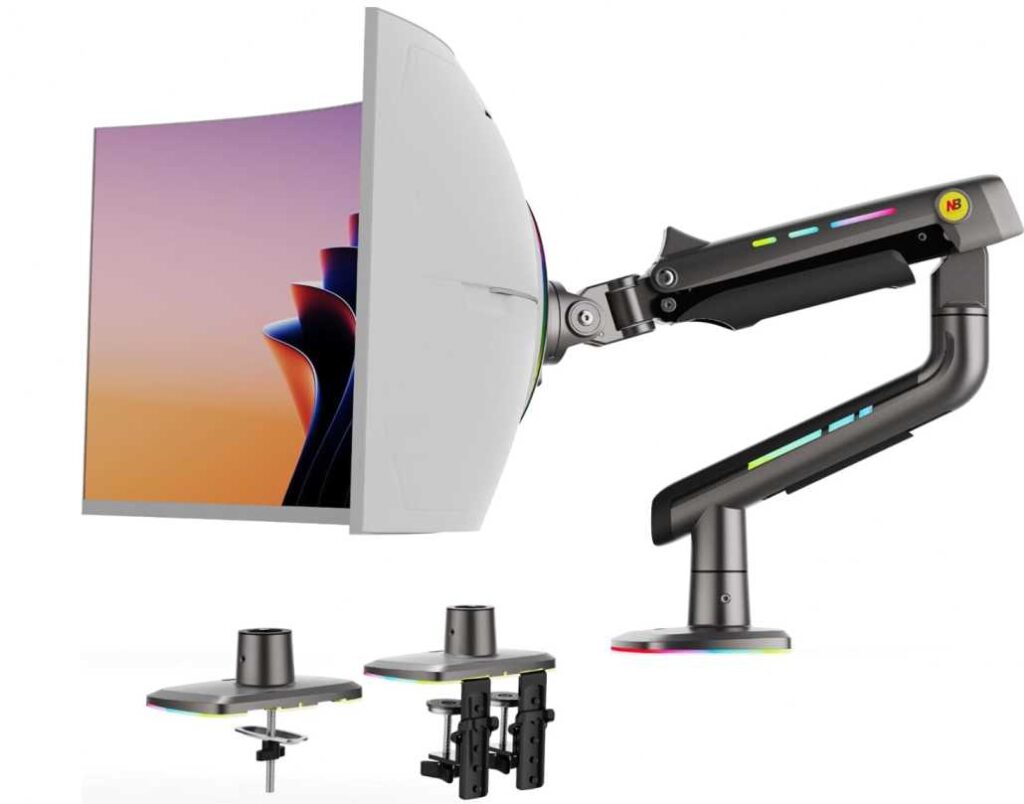
What makes it a bit different is the RGB lighting. Not necessary, but if you’re building a gaming setup, it actually adds to the overall vibe.
Build quality is aluminum and heavy-duty, and it’s designed to stay stable even with bigger monitors. Movement is smooth, though slightly more “mechanical” compared to premium brands.
If I compare it quickly
Compared to FlexiSpot, this is similar in strength but more gaming-focused
Compared to Ergotron, it’s less refined but supports much larger screens
So it’s really about power + features vs premium polish
Who this is for
- You’re using a large/heavy LG ultrawide (34″–49″+)
- You want a strong arm with extra features like RGB
- You want one of the top 34 inch & above monitor arms for LG ultrawide monitors for a gaming setup
Who should skip it
- If you want a clean, minimal workspace
- If you prefer a premium brand feel
- If your monitor is lightweight (overkill)
My take
This is the “power + gaming vibe” option.
If your setup is more on the gaming or high-performance side and you want something that can handle big screens easily, this is a very solid pick.
4. HUANUO Ultrawide Monitor Arm – Best Budget Heavy-Duty Pick
13″–49″ | Up to 26.4 lbs | Gas Spring | Full Motion | USB + Cable Management
Okay, if you’re trying to handle a big LG ultrawide without spending too much, this is honestly one I’d suggest first.
The HUANUO Ultrawide Monitor Arm fits really well into the top 34 inch & above monitor arms for LG ultrawide monitors, especially if you want something strong but still affordable.
It supports 13 to 49-inch monitors with up to 26.4 lbs, which is enough for most LG ultrawides. Unless you’re using something super heavy, you should be fine here.
What I like is the range you get. You can raise it pretty high (around 21″) and extend it out a lot too. For ultrawide screens, that extra reach actually makes a big difference when setting things up comfortably.
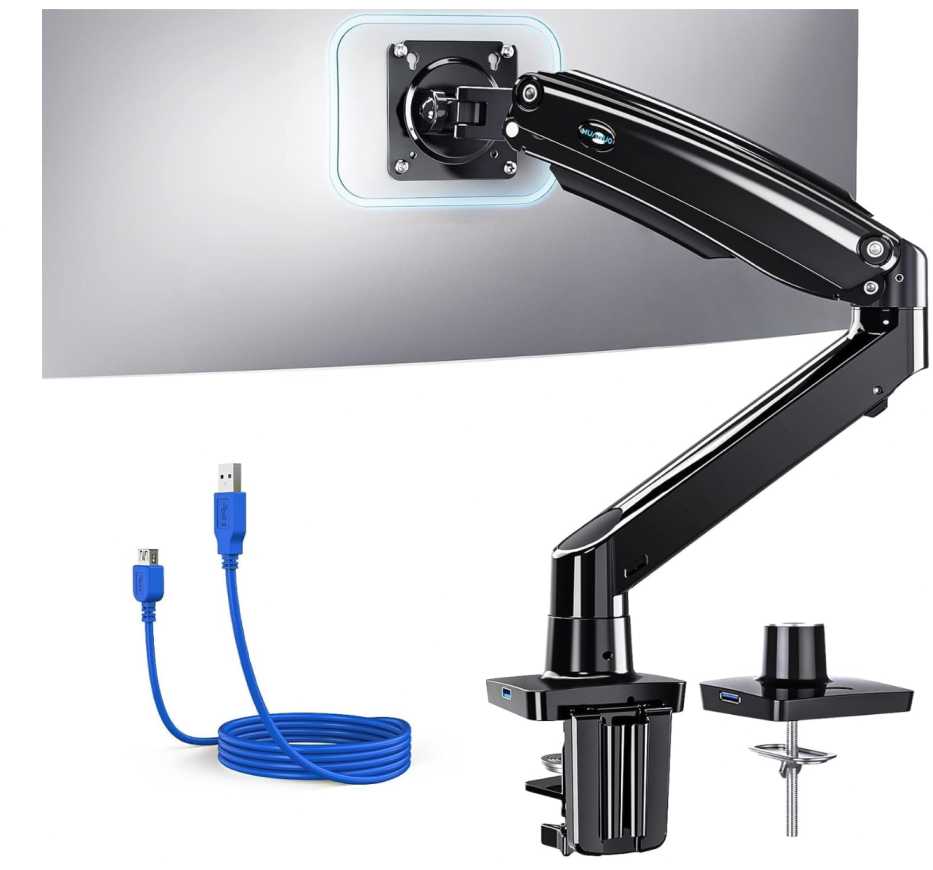
You still get full movement—tilt, swivel, rotation—so adjusting your screen feels easy. Not premium-level smooth, but definitely good enough for daily use.
The USB port + cable management is a nice bonus too. Small thing, but it helps keep your desk cleaner.
If I compare it quickly
Compared to FlexiSpot, this is cheaper but a bit less powerful
Compared to the NB arm, this is more clean and office-friendly
So it’s really about saving money while still getting solid performance
Who this is for
- You’re using a 34″–49″ LG ultrawide
- You want something strong but budget-friendly
- You’re looking for one of the top 34 inch & above monitor arms for LG ultrawide monitors without overspending
Who should skip it
- If your monitor is very heavy (close to limit)
- If you want a premium feel and super smooth movement
- If you want something ultra compact
My take
This is the one I’d call the “smart budget choice.”
It’s not the fanciest—but if you just want something that can handle an ultrawide properly without spending a lot, this does the job really well.
5. ARES WING Ultrawide Monitor Arm – Best Budget Heavy-Duty Alternative
17″–49″ | Up to 44 lbs | Gas Spring | Full Motion | C-Clamp + Grommet
If you want something that can handle a big ultrawide but don’t want to spend a lot, this is another really solid option.
The ARES WING Ultrawide Monitor Arm fits nicely into the top 34 inch & above monitor arms for LG ultrawide monitors, especially if you’re trying to stay in that mid-budget range.
It supports 17 to 49-inch monitors with up to 44 lbs capacity, so yeah—even larger LG ultrawides are not a problem here. That’s the main reason people go for this.
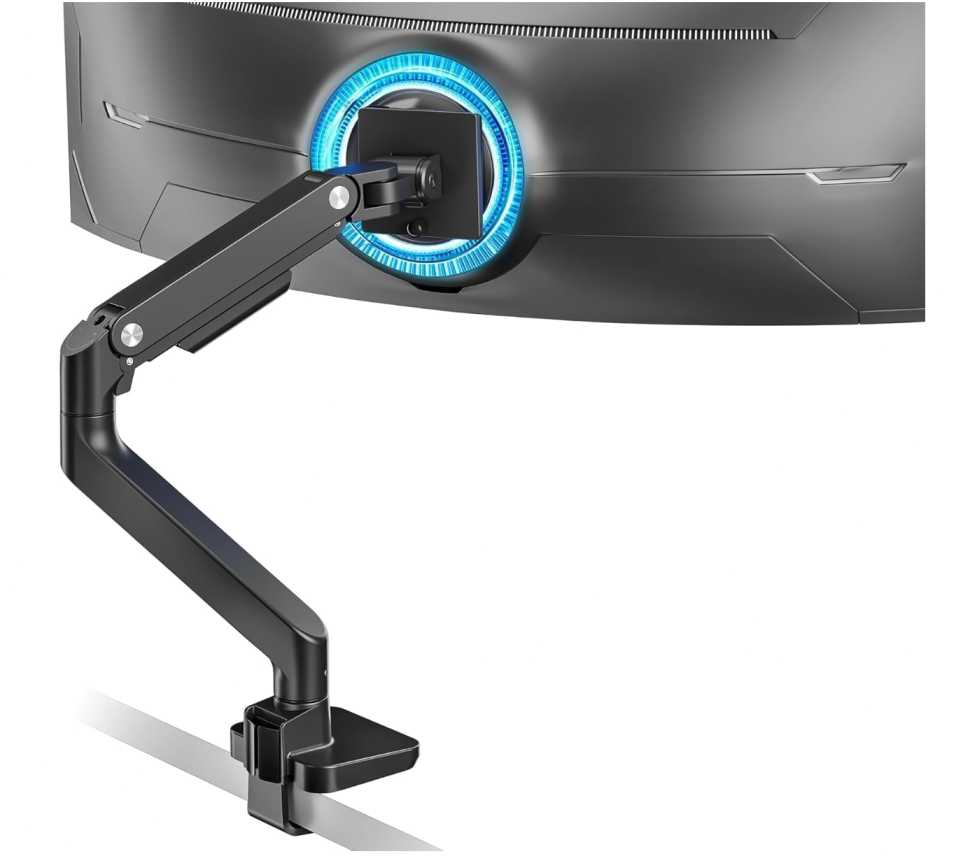
You get full movement—tilt, swivel, rotation, plus decent height and extension. It’s not the longest reach compared to some others, but still more than enough for most setups.
Build quality is steel + aluminum, and it feels sturdy once set up. Not premium-level smooth, but it holds position well, which matters more for bigger screens.
If I compare it quickly
Compared to FlexiSpot, this is similar in strength but usually cheaper
Compared to HUANUO, this gives you higher max weight capacity
So it’s really about maximum support at a lower price
Who this is for
- You’re using a 34″–49″ LG ultrawide monitor
- You want a strong arm without spending too much
- You’re looking for one of the top 34 inch & above monitor arms for LG ultrawide monitors with high weight support
Who should skip it
- If you want super smooth premium movement
- If you prefer a minimal or high-end design
- If your setup is more lightweight (overkill)
My take
This is the “budget heavy-duty alternative.”
If your main concern is holding a big ultrawide safely without paying premium prices, this does the job really well and is an easy pick.
6. WALI Ultrawide Monitor Arm – Cheapest Heavy-Duty Option That Still Works
13″–49″ | Up to 44 lbs | Full Motion | C-Clamp + Grommet | Budget Pick
If you just want something that can hold a big LG ultrawide without spending much, this is probably the cheapest option I’d still feel okay recommending.
The WALI Ultrawide Monitor Arm fits into the top 34 inch & above monitor arms for LG ultrawide monitors, mainly because it gives you high weight support at a low price.
It supports up to 49-inch monitors and 44 lbs, which is honestly impressive for this price range. So even larger ultrawides are covered.
You still get the basics—tilt, swivel, rotation, and enough adjustability to get a comfortable position. It’s not super smooth, but it works.
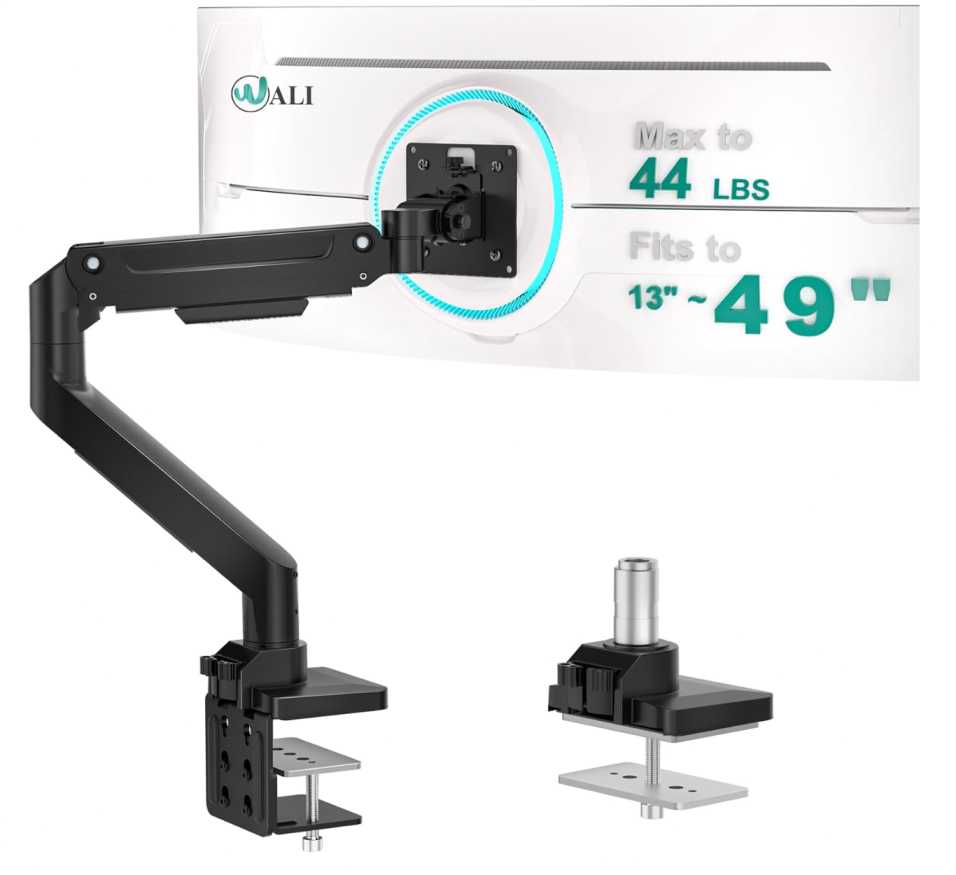
Build quality is decent, not premium. Once you set it up properly, it holds steady—but don’t expect that refined movement you get from higher-end arms.
If I compare it quickly
Compared to ARES WING, this is cheaper but slightly less refined
Compared to HUANUO, this is more budget-focused and basic
So it’s really about lowest price vs overall quality
Who this is for
- You’re using a 34″–49″ LG ultrawide
- You want the cheapest arm that can still handle the weight
- You’re looking for one of the top 34 inch & above monitor arms for LG ultrawide monitors on a tight budget
Who should skip it
- If you want smooth, premium adjustments
- If you care about design and finish
- If you want something long-term premium quality
My take
This is the “bare minimum that works” option.
It’s not fancy—but if your goal is simple: hold a big ultrawide safely without spending much, this gets the job done.
7. WALI Heavy Duty Monitor Arm (33 lbs) – Cheapest Practical Pick for Lighter Ultrawides
17″–49″ | Up to 33 lbs | Full Motion | C-Clamp + Grommet | Ultra Budget
Alright, if you’re really trying to spend as little as possible, this is probably the lowest I’d go while still making sense.
The WALI Heavy Duty (33 lbs version) still fits into the top 34 inch & above monitor arms for LG ultrawide monitors, but this is more for lighter ultrawide setups, not the really heavy ones.
It supports 17 to 49-inch monitors with up to 33 lbs, which is decent—but noticeably lower than the 44 lbs options. So you need to be a bit careful with heavier LG ultrawides.
You still get full movement—tilt, swivel, rotation, and a pretty good height range. It’s actually flexible enough for daily use.
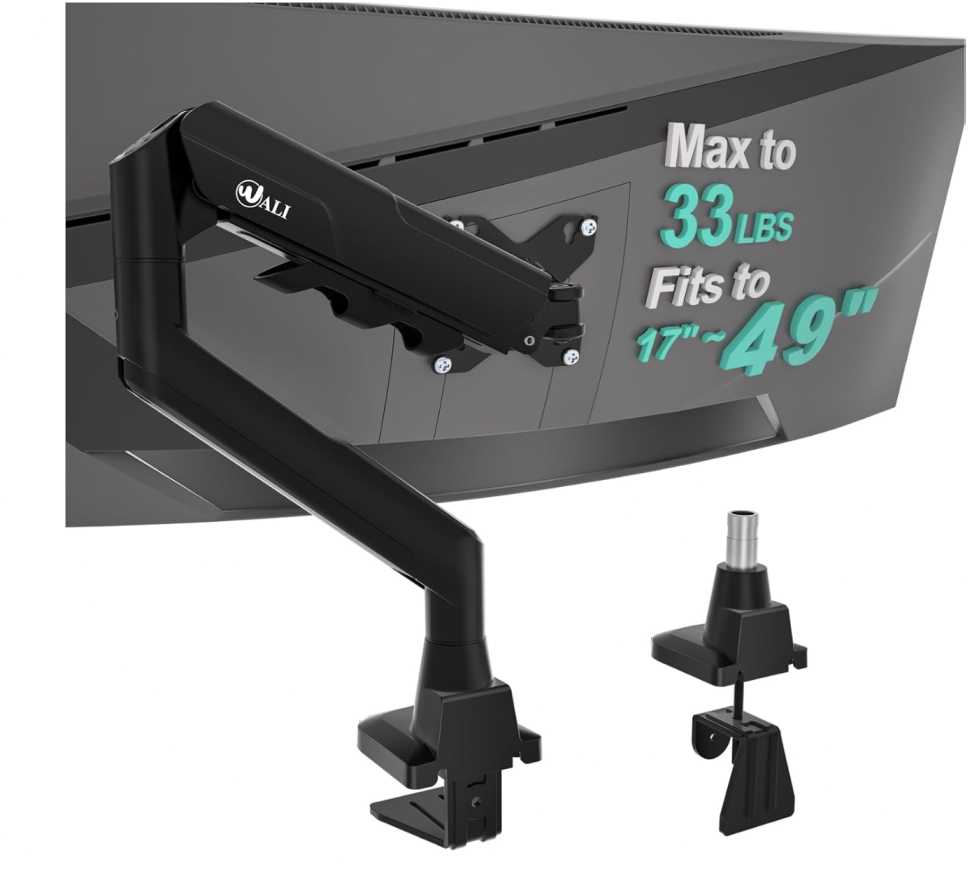
What’s nice here is the “set and stay” stability. Once you position it, it doesn’t drift much, which is important at this price.
If I compare it quickly
Compared to the 44 lbs WALI version, this is cheaper but less powerful
Compared to HUANUO, this is more budget-focused and basic
So it’s really about saving money vs handling heavier screens
Who this is for
- You’re using a lighter 34″–38″ LG ultrawide
- You want the cheapest usable option
- You’re looking for one of the top 34 inch & above monitor arms for LG ultrawide monitors on a tight budget
Who should skip it
- If your monitor is heavy (close to 30+ lbs)
- If you want smooth premium adjustments
- If you want something long-term high-end
My take
This is the “absolute budget pick.”
It works—but only if your monitor isn’t too heavy. If you can spend a bit more, you’ll get a noticeably better experience, but for tight budgets, this still does the job.
Wrapping Up
At this point, it really comes down to how big and heavy your LG ultrawide actually is—because that’s what matters most here.
If you’re using a standard 34″ ultrawide, something like Ergotron or HUANUO will feel smooth and more than enough.
If you’re stepping into 38″ or 49″ territory, then you really want something like FlexiSpot, ARES WING, or NB—basically higher weight capacity + stronger arms.
And if you’re just trying to spend as little as possible, WALI options work—but only if your monitor isn’t too heavy.
All of these fit into the top 34 inch & above monitor arms for LG ultrawide monitors, but the real difference is just how much weight they can handle and how smooth they feel.
If you’re confused, just think like this
lighter ultrawide (34″) → go smoother / premium
bigger ultrawide (38″–49″) → go heavy-duty
tight budget → go WALI
That’s it. Don’t overthink it—just match the arm to your monitor weight and you’ll be good