
If you turned on the AI Raider Voice feature in Arc Raiders on PS5 but your voice still sounds the same, you are not alone.
Many players report that the in-game AI voice changer doesn’t work, works only sometimes, or stops working after a few matches. The good news is that in most cases this problem comes from voice chat or console settings, not from a completely broken feature.
This full guide explains what Raider Voice is, why it often appears to be not working on PS5, and gives you a complete step-by-step checklist to fix it.
What Is AI Raider Voice In Arc Raiders
Arc Raiders includes a built-in AI voice changer called Raider Voice (shown as Raider Voice Beta in the menu). When you enable it, the game takes your microphone input and replaces it with an AI-generated Raider voice in team chat and proximity chat. You speak normally, but other players hear the AI voice you selected.
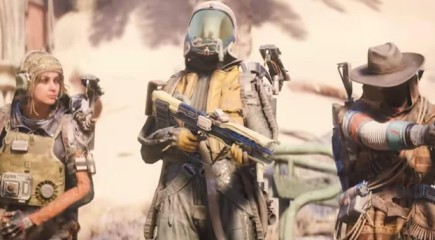
On PS5, it only works if your microphone is working properly, your PS5 settings allow voice to be shared, and Raider Voice Beta is enabled with the correct AI voice selected. If any of these parts are blocked or muted, the AI voice changer will look like it’s doing nothing.
Why The AI Raider Voice Change Is Not Working On PS5
The most common reasons on PS5 include the following:
- The PS5 Game Base is muting game voice chat
Sony’s Game Base has a “Mute Game Voice Chat” option that can silently mute all in-game chat. Even if your headset works in parties or other games, if this option is ON, Raider Voice will never output anything. - Your PS5 privacy setting “Share Your Voice” is blocking your voice
If this is set to block your voice, Arc Raiders will not receive any microphone audio for AI processing. - Arc Raiders currently has voice chat and audio bugs
The game has known issues where sound cuts out, mic icons get crossed out, or voice chat randomly stops working. Since Raider Voice uses the same system as normal voice chat, it will fail whenever voice chat fails. - Raider Voice Beta is turned on but not fully set up
Sometimes players enable it but forget to select an AI voice preset or forget to ensure the correct microphone is selected as the input device. - The DualSense controller mute button or wrong input device is blocking the mic
The tiny orange mute light on the controller or incorrect input settings can block your mic entirely, making the AI voice changer appear broken. - PS5 party chat is taking priority
If you are inside a PS5 party, your microphone may be routed to the party only. In-game chat (and the AI voice changer) will not activate in this situation.
How To Fix AI Raider Voice Change Not Working On PS5
Here is the complete checklist. Do each step in order and don’t skip any part, even if you think your mic is already working.
Step 1: Enable Raider Voice In Arc Raiders
- Launch Arc Raiders.
- Open the Settings menu.
- Go to the Audio section.
- Find Raider Voice Beta and turn it ON.
- Choose an AI voice profile from the list.
After enabling it, stay in a match, go near teammates, and speak using team chat or proximity chat to test it.
Step 2: Check In-Game Voice Chat Settings
In the Arc Raiders Audio settings:
- Make sure Voice Chat is enabled.
- Confirm that the Input Device is your actual microphone or headset.
- Confirm the Output Device is your headset so you can hear teammates.
- If there is an option between Open Mic and Push-to-Talk, select your preference and remember the correct button if using Push-to-Talk.
Before testing with AI voice, test normal voice chat:
- Turn Raider Voice Beta OFF.
- Speak to teammates.
- If they can hear your real voice, then normal chat works and you can turn Raider Voice back ON.
If normal voice chat does not work, fix that first because the AI voice cannot function without a working voice chat system.
Step 3: Fix PS5 Game Base Voice Chat Settings
Game Base is one of the biggest reasons Raider Voice fails. To fix it:
- Press the PS button.
- Select the Game Base icon.
- Press the Options button and choose “Go to Game Base.”
- Open the Game Base settings on the right side.
- Go to Voice Chat Settings.
- Turn “Mute Game Voice Chat” OFF.
- Set “Share Your Voice” to Allow.
After changing these, close Arc Raiders fully, restart the game, and test again.
Step 4: Check PS5 Microphone, Controller Mute, And Audio Inputs
- Check the DualSense controller mute button. If the orange light is on, press it to unmute.
- Go to PS5 Settings > Sound.
- Ensure the Input Device is your actual headset mic.
- Speak to check if the input bar moves.
If your PS5 does not detect your voice here, then the issue is with the mic or console settings, not Arc Raiders.
Step 5: Leave PS5 Party Chat Or Prioritize Game Chat
If you are inside a PS5 party:
- Leave the party completely to ensure your mic goes to the game.
- Or switch settings so that game chat has priority.
The AI Raider Voice only applies to in-game voice chat, not party chat.
Step 6: Restart Game And PS5 To Clear Bugs
Arc Raiders currently has several audio issues, so do the following:
- Close Arc Raiders from the PS5 home screen.
- Restart the PS5 completely (not Rest Mode).
- Reopen Arc Raiders and recheck all voice chat and Raider Voice settings.
Restarting clears most temporary audio and microphone bugs.
Step 7: Update Arc Raiders And Check For Ongoing Issues
- Highlight Arc Raiders on the PS5 home screen.
- Press Options and select “Check for Update.”
- Install any available patches.
The developers are actively improving audio, voice chat, and AI features, so updates often quietly fix the issue.
Also check the latest community posts to see if many PS5 players are reporting the same problem at the same time. If many players are facing it, the issue may be temporary or server-side.
Step 8: Contact Support If Nothing Works
If you have:
- Enabled Raider Voice Beta
- Chosen an AI voice profile
- Confirmed normal voice chat works
- Fixed Game Base settings
- Verified PS5 mic settings
- Updated the game
- Restarted PS5
…and the AI voice still does not trigger, it may be a bug specific to your hardware or an Arc Raiders server issue.
At that point, contact Arc Raiders support and include details like your PS5 model, region, headset, and steps already tried. This helps the developers fix console-specific Raider Voice problems faster.
Final Tips To Make Raider Voice Work Consistently On PS5
- Always test normal voice chat before testing the AI voice.
- Avoid switching between PS5 party chat and game chat while using Raider Voice.
- Check Game Base settings after system updates as they can reset.
- Keep Arc Raiders updated because new patches continue improving audio and AI systems.
By following the full checklist above, most PS5 players can get the Arc Raiders AI Raider Voice working again or confirm it’s a temporary game bug waiting for a patch.
Frequently Asked Questions (FAQ)
1. Why is my AI Raider Voice not changing on PS5 even after enabling it?
This usually happens because your PS5 is blocking in-game voice chat through Game Base settings, your mic is muted at the console level, or Arc Raiders is experiencing a temporary audio bug. Even if Raider Voice Beta is turned on, it cannot replace your voice unless the console is correctly sending mic audio to the game. Always confirm that Game Base’s “Mute Game Voice Chat” is off, “Share Your Voice” is allowed, and that you have selected an AI voice inside Arc Raiders.
2. Do I need normal voice chat working before the AI Raider Voice can function?
Yes. Raider Voice only works on top of the existing voice chat system. If your teammates cannot hear your real voice, they will definitely not hear the AI version. Make sure your microphone input works inside Arc Raiders without the AI feature first. Once normal voice chat is fixed, turn Raider Voice back on to test again.
3. Does the AI Raider Voice work inside PS5 parties?
No. The AI Raider Voice will not activate while you are in a PS5 party chat because the console routes your microphone input to the party instead of the game. Only in-game voice chat supports the AI processing. To use the AI Raider Voice, leave the party completely or switch the priority back to in-game chat.
4. Why is my microphone icon crossed out in Arc Raiders?
A crossed-out mic icon usually means your PS5 is blocking input, the DualSense mute button is enabled, the headset is not selected as the input device, or Arc Raiders has temporarily failed to detect your mic. The fastest fix is to unmute the controller, check mic input in PS5 Sound Settings, and then restart Arc Raiders to refresh the audio system.
5. Do I need to select an AI voice profile for Raider Voice Beta?
Yes. Turning on Raider Voice Beta alone is not enough. You must also select an AI voice profile from the available list inside the Audio settings. Without selecting a profile, the game has no voice to swap your real voice with. Many players forget this step and think the feature is broken.
6. Why does the Raider Voice work sometimes but not in every match?
Intermittent behavior usually points to in-game audio bugs or temporary microphone detection failures. Arc Raiders currently has issues where sound randomly cuts, voice chat stops mid-match, or proximity chat fails. Restarting the game or the console often restores functionality. Keeping the game updated is also important since audio fixes are released frequently.
7. Does the DualSense controller mute button affect the AI Raider Voice?
Yes. The DualSense controller has a small mute button that lights up orange when muted. If this light is on, the PS5 blocks your microphone completely. Raider Voice cannot process or transform your voice while the controller is muted. Press the mute button once to disable the orange light and then test again.
8. Will Arc Raiders patch the Raider Voice issues on PS5 soon?
The developers are actively updating the game to fix audio, chat, and AI-related problems. Since Raider Voice Beta is a new feature, it may receive several improvements over time. Keeping your game updated ensures you benefit from the latest fixes related to voice chat reliability, mic detection, and AI processing stability.
9. Can server or backend issues affect the AI Raider Voice?
Yes. While Raider Voice works locally on your console, the in-game chat system depends on Arc Raiders’ servers. If the voice chat servers are unstable or under maintenance, your voice may fail to transmit, making the AI voice seem broken. When many players experience the same issue at the same time, the cause is usually server-side.
10. What should I do if none of the fixes work on my PS5?
If you have followed every step—enabled Raider Voice, confirmed voice chat works, fixed Game Base settings, selected the correct microphone, and updated the game—but the AI voice still never activates, the issue may be unique to your console or account. In this case, contact Arc Raiders support. Provide details such as your headset model, PS5 version, region, and exactly what troubleshooting steps you completed. This helps the developers identify and address console-specific bugs.