
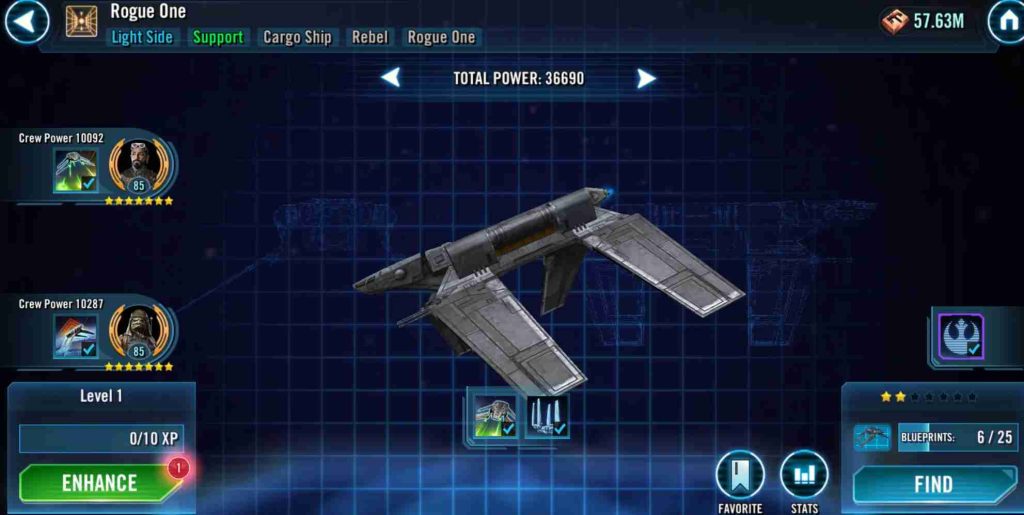
Players of Star Wars: Galaxy of Heroes (SWGOH) are facing a confusing and frustrating problem with one of the in-game bundles. Recently, several players have reported that after buying the B-Wing Bundle, they did not receive the correct rewards. Instead of getting the 30 B-Wing shards as promised, they received Rogue 1 character shards, which are completely different.
One of the players, known as Argotz, shared his experience on the official EA forums. He mentioned that on October 7, 2025, he purchased the B-Wing Bundle 1 through the Google Play Store but received the wrong items. When he contacted the in-game support team, the issue was quickly closed without any clear fix or explanation.
This situation has left many players disappointed and confused, especially those using Android devices. It has raised questions about whether this is a technical glitch affecting the bundle system or a problem related to certain platforms. As more players report similar issues, the community is hoping for an official response or patch from EA to resolve the problem and ensure that future purchases deliver the correct rewards.
What Is the SWGOH B-Wing Bundle Issue?
The SWGOH B-Wing Bundle issue is a recent problem affecting players who purchase the bundle expecting to receive B-Wing ship shards. Normally, this bundle is meant to help players unlock or upgrade the Rebel B-Wing ship, an important part of many fleets in Star Wars: Galaxy of Heroes.
However, many players are reporting that after buying the bundle, they are instead getting Rogue 1 character shards — which belong to a completely different bundle. This error not only gives the wrong rewards but also prevents players from progressing with the B-Wing ship as planned.
The issue is especially frustrating because these bundles are bought with real money through the Google Play Store or Apple App Store. Players expect to receive what they pay for, but instead, they are receiving unrelated items. Many community members have voiced their concerns on the EA forums and Reddit, hoping for a quick fix or compensation.
Until the developers officially address the issue, players are being advised to avoid purchasing the B-Wing Bundle to prevent losing money or receiving incorrect rewards.
Possible Causes for the SWGOH B-Wing Bundle Glitch
The SWGOH B-Wing Bundle glitch appears to stem from a series of technical and backend problems that could be affecting how the game connects purchase data to in-game rewards. Several potential causes have been identified by players and technical experts, which might explain why some players are receiving Rogue 1 shards instead of B-Wing ship shards after making a purchase. Let’s look at each possible cause in detail:
1. Server or Database Mislabeling
One of the most likely explanations is that the bundle IDs on EA’s servers were accidentally mismatched. Each in-game bundle in Star Wars: Galaxy of Heroes has a specific identification tag in the database that tells the system what items to deliver when a player makes a purchase. If, during an update or maintenance cycle, these IDs were incorrectly linked or labeled, the system could easily send the wrong rewards. For instance, the B-Wing Bundle might be mapped to the Rogue 1 bundle’s reward list, leading to players receiving incorrect shards.
2. In-Game Shop Sync Error
Another possible reason could be a syncing error within the in-game store. The SWGOH client on Android or iOS devices often caches store data to improve loading times. However, when this cache doesn’t properly update after a new event or store refresh, the game may display the correct bundle name and image (B-Wing Bundle) but still link to outdated backend data (Rogue 1 rewards). This desynchronization is a common issue in live-service games, especially after major updates or during overlapping promotions.
3. Google Play Purchase Mismatch
Some reports point to potential issues with Google Play purchase verification. When a player buys an in-game bundle, the app sends a purchase token to Google’s servers, which then returns a confirmation to EA’s servers. If this process is interrupted or if the local cache on the device is outdated, the game might associate the purchase with the wrong item. This can result in the player receiving incorrect bundle rewards, even though the transaction appears valid. This issue seems to occur more frequently on Android devices, suggesting that Google Play’s purchase API might not always sync perfectly with the SWGOH servers.
4. Incorrect Reward Mapping After Update
A broader cause could be related to reward mapping issues introduced after a game update or server maintenance. When developers add new bundles or change existing ones, the data tables that control item rewards need to be carefully updated. A small oversight—such as reusing a bundle ID, misplacing a shard entry, or overlapping bundle configurations—can create confusion in the reward system. This kind of backend mapping error might only affect specific regions, platforms, or timeframes, which could explain why not all players experience the glitch.
In summary, the SWGOH B-Wing Bundle glitch seems to be a combination of technical syncing problems and backend data mismatches. Whether caused by server-side mislabeling, caching issues, or a recent update conflict, the error highlights the challenges of maintaining live-service games with complex in-game economies. Until EA officially confirms the root cause and rolls out a fix, players are advised to hold off on purchasing the B-Wing Bundle to avoid getting the wrong rewards or losing money.
Steps to Fix the SWGOH Bundle Issue
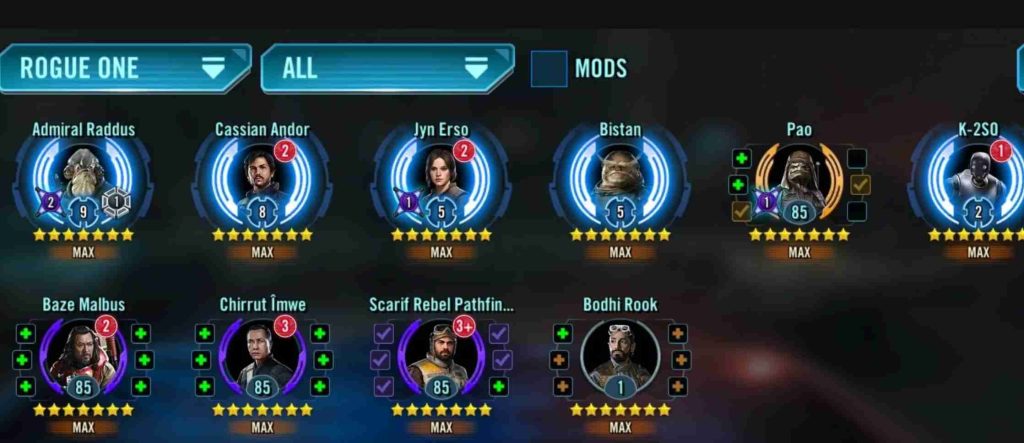
1. Take Clear Screenshots of the Purchase
Before doing anything else, capture screenshots of your purchase confirmation.
- On Android, open your Google Play purchase history and find the B-Wing Bundle transaction.
- On iOS, check your Apple purchase receipt in your email or App Store account.
Make sure the screenshot shows the date, time, and purchase amount clearly. This will be important proof later when contacting EA or Google Play.
2. Capture In-Game Evidence
Next, open Star Wars: Galaxy of Heroes and take a screenshot of what you actually received.
- Show that instead of B-Wing shards, you got Rogue 1 shards or another incorrect reward.
- Keep the image unedited and clear — EA support often rejects cropped or modified screenshots.
3. Collect Key Details
Before filing a report, write down the following:
- Ally Code (found in your in-game profile)
- Date and time of purchase
- Type of device (e.g., Samsung Galaxy, iPhone 14, etc.)
- Operating system version (Android 14, iOS 18, etc.)
- Payment method used (Google Play balance, credit card, PayPal, etc.)
Having these ready helps support staff process your case faster.
4. Submit a Ticket to EA Help
Go to EA Help and follow this path:
Star Wars: Galaxy of Heroes → Missing Content or Rewards → Report an Issue.
Attach all the screenshots, details, and your proof of purchase.
Write a short but clear description, for example:
“I purchased the B-Wing Bundle on October 7, 2025, through Google Play. Instead of B-Wing shards, I received Rogue 1 shards. Please correct the bundle reward or refund the purchase.”
5. Double-Check for Ticket Confirmation
After submitting your ticket, EA Help should send you a confirmation email with a case number. Save this email — you’ll need it to follow up later if there’s no reply.
6. Follow Up on the EA SWGOH Forums
Go to the official SWGOH forums and post under “Technical Issues”.
Use a descriptive title such as:
“Purchased B-Wing Bundle but Received Rogue 1 Shards Instead (Android)”
Explain your issue briefly and include your case number from EA Help. This increases visibility and helps EA community managers or moderators escalate your case.
7. Comment on Similar Threads
Check if other players have posted the same problem. Comment on those threads politely with your experience, date of purchase, and platform (Android/iOS).
This shows that the problem is widespread, which may encourage EA to investigate faster.
8. Clear Cache and Restart the Game
While waiting for EA’s reply, try clearing your cache to rule out any temporary sync issues:
- On Android: Settings → Apps → SWGOH → Storage → Clear Cache.
- On iOS: You may need to reinstall the game.
Then restart your device and reopen SWGOH to refresh your store data.
9. Avoid Repurchasing the Bundle
Do not buy the same bundle again hoping it will work the second time.
Until EA confirms that the issue is fixed, you could lose money twice and still get the wrong rewards. Wait for an official patch or update before making another purchase.
10. Contact Google Play or Apple Support
If EA doesn’t respond within 3–5 business days, reach out to Google Play (for Android) or Apple Support (for iOS).
Explain that you received incorrect digital content after your purchase.
On Google Play:
- Visit play.google.com → Order History → Request a Refund.
State clearly: “Received wrong in-game items (Rogue 1 shards instead of B-Wing shards).”
11. Attach Supporting Documents
When contacting support, always include the following files:
- Screenshot of your receipt.
- In-game screenshot showing the wrong rewards.
- Case number from EA Help (if already submitted).
This complete evidence package helps the refund or correction process go smoothly.
12. Update the Game and Store App
Ensure that both SWGOH and your Google Play or App Store app are updated to their latest versions.
Sometimes, outdated app data causes mismatched purchases or bundle syncing errors. Updating the app ensures you’re connected to the correct store backend.
13. Check for Maintenance or Patch Notes
Visit the official SWGOH News or EA Update Notes section. Developers sometimes mention ongoing store or reward issues there.
If the B-Wing Bundle problem is listed, it means EA is aware of it and working on a fix. Patience is key while waiting for the next patch.
14. Avoid Using Third-Party Stores or VPNs
Make sure your purchases are made directly through Google Play or the App Store in your actual region.
Using VPNs or third-party payment gateways can sometimes cause mismatched region IDs or incorrect bundle data, leading to wrong rewards being issued.
15. Stay Updated and Spread Awareness
Keep checking official channels like:
- EA Help Twitter / X page
- Reddit (r/SWGOH)
- SWGOH Forums
If the issue is confirmed as a systemic bug, EA will likely post an update or compensation announcement. Sharing your case and screenshots with others can help EA identify patterns faster and resolve the issue for everyone.
Final Advice
The B-Wing Bundle glitch appears to be a genuine technical problem rather than user error. Following these 15 steps ensures that your case is documented, visible, and supported by solid evidence. The most important points are to gather proof, report through the correct channels, avoid repeat purchases, and stay patient.
If EA confirms the issue, affected players might receive the correct B-Wing shards or refunds for their purchases. Until then, it’s best to hold off on buying bundles and wait for official confirmation from EA or Capital Games that the issue has been fully resolved.
Avoiding bundle-related problems in Star Wars: Galaxy of Heroes (SWGOH) can save you from frustration, lost money, and long refund processes. While glitches like the B-Wing Bundle issue are often caused by backend or server-side problems, there are several smart steps you can take as a player to reduce your chances of running into similar issues in the future. Below are detailed and easy-to-follow tips to avoid future SWGOH bundle errors.
1. Always Restart the Game Before Buying Any Bundle
Before you make a purchase, it’s a good habit to close and restart your game. SWGOH often receives live data updates from the servers, including new events, offers, and shop bundles. If you’ve had the game open for a while, your in-game store might still be displaying outdated data or incorrect bundle information. Restarting ensures that your game fetches the latest store data, reducing the chance of buying a mismatched or bugged bundle.
To be extra safe, also restart your device occasionally — especially after game updates or server maintenance. This clears temporary cache files and forces the app to reconnect cleanly to EA’s servers.
2. Double-Check Bundle Details Before Confirming Purchase
Before tapping that “Buy” button, carefully review the contents listed in the bundle’s description. Make sure it clearly says “B-Wing Shards” (or the item you’re expecting). Sometimes the images or titles may display correctly, but the reward list might differ due to syncing issues.
If you notice anything unusual — such as wrong item names, missing rewards, or strange icons — do not proceed with the purchase. Instead, take a quick screenshot and wait a few hours to see if it gets fixed. EA often refreshes bundle data automatically when errors are detected.
3. Check the SWGOH Forums for Active Bug Reports
Before buying newly released or limited-time bundles, take a few minutes to browse the official SWGOH Technical Issues forum or Reddit (r/SWGOH). Players usually post bug or reward issues there within minutes of them happening.
If you see threads titled things like “B-Wing Bundle Reward Error” or “Wrong Shards Received,” it’s a clear sign that you should hold off on purchasing until the issue is officially acknowledged and resolved. This small step can save you both time and money — and helps you stay informed about potential store bugs.
4. Wait for Official Announcements During Ongoing Technical Issues
When EA or Capital Games performs server maintenance or updates, there’s always a small risk that store bundles or rewards may not sync correctly. If you notice posts or pop-ups about maintenance or technical issues, wait until things return to normal before buying anything from the in-game store.
Follow official sources like:
- The EA Help Twitter/X page (@EAHelp)
- The Star Wars: Galaxy of Heroes forums
- The SWGOH subreddit community
Developers often issue statements if a known store or bundle bug is being investigated. Waiting just a few hours for an “All Clear” message can prevent a bad purchase experience.
5. Keep Your Game and Store Apps Updated
Lastly, make sure both SWGOH and your Google Play or Apple App Store apps are fully updated. Outdated versions sometimes cause synchronization errors between your device and the store servers. Enable auto-updates where possible to avoid missing important patches or bug fixes.
✅ In Summary
To avoid future SWGOH bundle errors:
- Restart your game before making a purchase.
- Carefully verify the listed bundle contents.
- Check community forums for any ongoing issues.
- Wait for official confirmation that bugs are fixed.
- Keep all apps updated for smooth communication with servers.
By following these simple habits, you can shop safely, avoid bundle mix-ups, and enjoy a smoother experience in Star Wars: Galaxy of Heroes.
Why Did I Get Rogue 1 Shards Instead of B-Wing Shards?
If you received Rogue 1 shards instead of B-Wing shards in Star Wars: Galaxy of Heroes, it’s most likely due to a technical glitch on EA’s servers. Each in-game bundle is linked to a specific reward ID in the backend. Sometimes, during updates, maintenance, or data syncing issues, the bundle IDs can get mismatched, causing the wrong items to be delivered.
Another common reason is a store sync error on your device. On Android or iOS, the in-game shop may display the correct bundle name, but if the client cache hasn’t updated properly, it can pull rewards from a different bundle.
In some cases, Google Play or App Store purchase tokens may also reference the wrong backend item if the local cache is outdated.
These errors are not caused by the player and typically require EA to fix on their end. Submitting a ticket with proof of purchase is the best way to get the correct rewards or a refund.
Is the SWGOH Store Giving Out Wrong Rewards?
Yes, the SWGOH in-game store has recently been reported to give out wrong rewards in certain cases. Players buying bundles like the B-Wing Bundle have received items from completely different bundles, such as Rogue 1 shards, instead of the expected rewards. This issue appears to be a technical glitch rather than user error.
The problem is often linked to backend mislabeling or data syncing errors. Each bundle has a unique reward ID, and if these IDs are mismatched on EA’s servers, the game may deliver the wrong items. Additionally, outdated device cache or purchase tokens from Google Play or Apple Store can contribute to incorrect rewards being sent.
While not all purchases are affected, players are advised to double-check bundle details, follow forum updates, and avoid buying bundles during ongoing technical issues. Reporting incorrect rewards to EA Help ensures your case is addressed and may result in the correct items or a refund.
Does Clearing Cache Fix the SWGOH Bundle Mismatch Bug?
Clearing the cache in Star Wars: Galaxy of Heroes can help in some cases but does not always fix the bundle mismatch bug. Cache stores temporary game data, and if it becomes outdated, the game might display the correct bundle name but deliver the wrong rewards.
On Android, go to Settings → Apps → SWGOH → Storage → Clear Cache. On iOS, you may need to reinstall the game to fully refresh cached data.
While clearing cache can resolve display or sync issues, it won’t fix backend problems like server-side ID mismatches, so affected players should still report the issue to EA Help.
Frequently Asked Questions (FAQ)
1. Why did I receive Rogue 1 shards instead of B-Wing shards?
This usually happens due to a backend glitch where the bundle IDs were mismatched on EA’s servers or due to device sync errors. It’s not caused by the player.
2. Will EA fix the bundle issue?
Yes, EA is aware of the problem in some cases. Reporting your purchase with proof increases the chances of receiving the correct rewards or a refund.
3. Can I buy the B-Wing Bundle again safely?
Wait until EA confirms the issue is fixed. Buying again too soon may result in receiving the wrong rewards a second time.
4. Does clearing cache help?
Clearing cache can resolve client-side sync errors, but it won’t fix server-side mismatches. Always submit a support ticket for confirmation.
5. How do I report the issue?
Submit a ticket via EA Help → Star Wars: Galaxy of Heroes → Missing Content, attach screenshots, and include your Ally Code, purchase timestamp, and proof of purchase.
Wrap-Up
The B-Wing Bundle glitch is a frustrating technical issue affecting some SWGOH players, especially on Android devices. It can result from server-side ID mismatches, store sync errors, or purchase token problems. To protect yourself:
- Take screenshots of purchases and in-game rewards.
- Submit a ticket to EA Help.
- Avoid repurchasing affected bundles until a fix is confirmed.
- Stay updated through official forums and social media.
By following these steps, you can ensure your case gets attention, and you may receive the correct B-Wing shards or a refund. Patience and proper reporting are key while EA resolves the issue.