
Keeping an eye on your home doesn’t always mean paying a monthly cloud storage fee. If you want more control over your footage, an indoor security camera with local storage can be a practical choice. These cameras let you save recordings directly to a microSD card, internal storage, or another local device, so you can access important footage without relying entirely on cloud subscriptions.
The best indoor security cameras with local storage offer a useful combination of features such as 1080p or 2K video, night vision, motion detection, two-way audio, smart alerts, and easy local recording. Some models also let you use local storage alongside optional cloud backup, giving you more flexibility depending on your security needs.
But with so many options available, choosing the right camera can be confusing. In this guide, we’ve rounded up some of the best indoor security cameras with local storage to help you compare their video quality, storage options, smart features, ease of use, and overall value. Whether you need a simple camera for checking on pets and children or a more advanced option for home security, you’ll find several options worth considering below.
1. Kasa EC71 — Affordable Indoor Security Camera With Local Storage
1080p Full HD | 360° Pan/Tilt | Motion Tracking | Up to 256GB microSD | 30-ft Night Vision
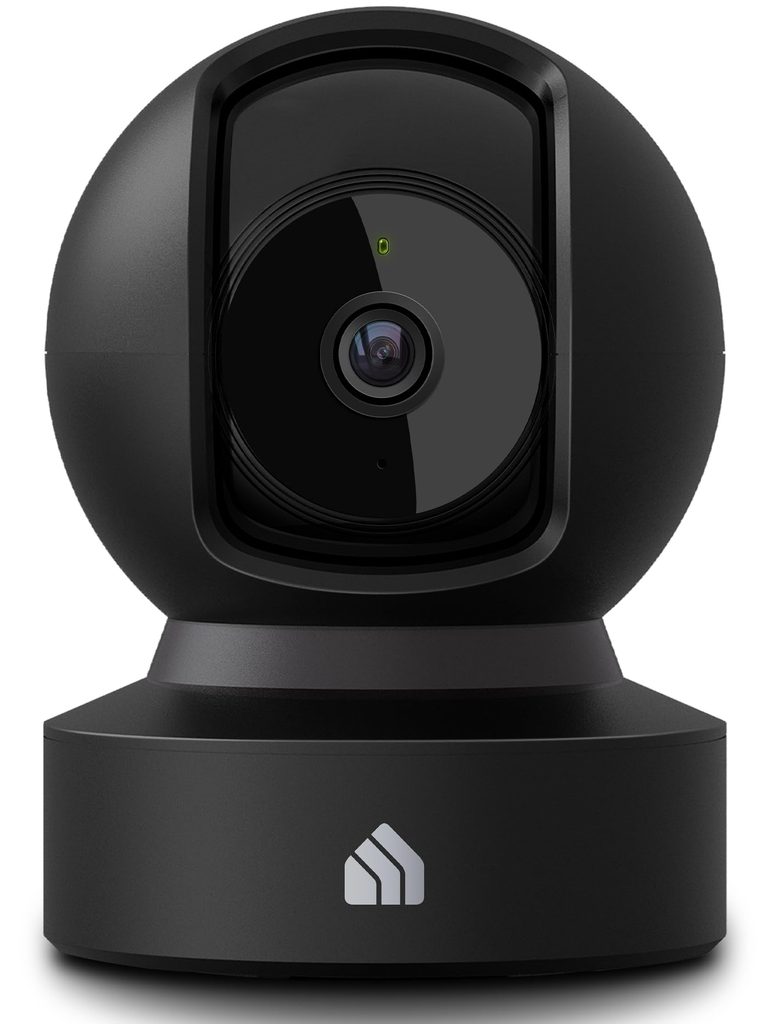
The Kasa EC71 is a straightforward option if you want an indoor security camera with local storage without paying for a monthly subscription. It records to a microSD card up to 256GB and also offers optional cloud storage, giving you flexibility in how you save your footage.
Its 360° horizontal and 113° vertical pan/tilt coverage helps keep a whole room in view, while motion tracking can automatically follow people or moving objects. You also get person detection, baby crying detection, two-way audio, and 30-foot night vision, making it useful as both a home security camera and a baby or pet monitor.
Who this is for
- Anyone looking for an affordable security camera with SD card storage
- Parents who want baby crying detection and two-way audio
- Pet owners who want to check in remotely
- Users who want optional cloud storage but don’t need it
Who should skip it
- Anyone specifically looking for 4K video
- Buyers who need a battery-powered or completely wireless camera
- Users who want outdoor weather protection
My take
The Kasa EC71 keeps things simple and affordable. Its 1080p video isn’t the sharpest option here, but the pan/tilt coverage, motion tracking, and subscription-free local recording make it a practical choice for everyday indoor monitoring.
2. Tapo C120 — Versatile Indoor Security Camera With Local Storage
2K QHD 4MP | Indoor/Outdoor | Color Night Vision | IP66 | Local Storage | Person/Pet/Vehicle Detection
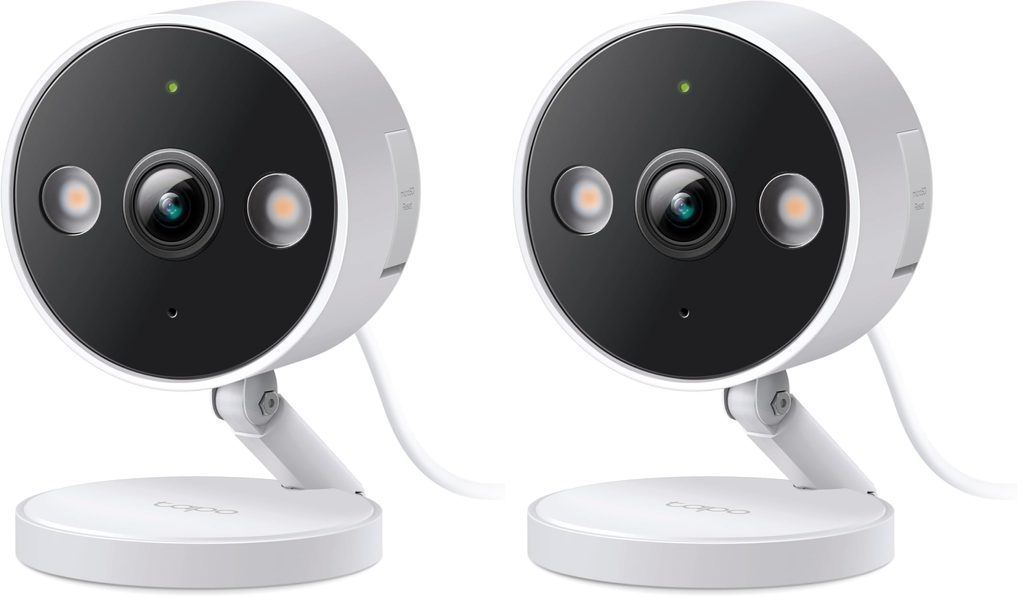
The Tapo C120 stands out if you want an indoor security camera with local storage that can also be used outdoors. Its 2K QHD resolution provides more detail than standard 1080p, while the Starlight sensor and built-in spotlights help produce color night vision in darker conditions.
Unlike many indoor-only cameras, the C120 has an IP66 weather-resistant design, so it can handle dust and rain. Its magnetic base also makes positioning easy on suitable metal surfaces. Local storage is available without requiring a subscription, while optional cloud storage gives you another backup option.
Who this is for
- Buyers wanting a 2K security camera with local storage
- Anyone who may use the camera indoors or outdoors
- Users who want color night vision
- People looking for flexible mounting options
Who should skip it
- Anyone who specifically wants a battery-powered camera
- Buyers who only need a basic 1080p indoor camera
- Anyone who needs a fully wireless setup
My take
The Tapo C120 is a flexible option because you’re not limited to using it inside the house. Its 2K resolution, color night vision, weather-resistant design, and local-storage option make it useful for more than basic room monitoring.
3. CINMOORE 3K — Feature-Packed Indoor Camera With 64GB Local Storage
3K Resolution | 64GB microSD Included | 360° Pan/Tilt | AI Human/Pet/Face Detection | Dual-Band Wi-Fi
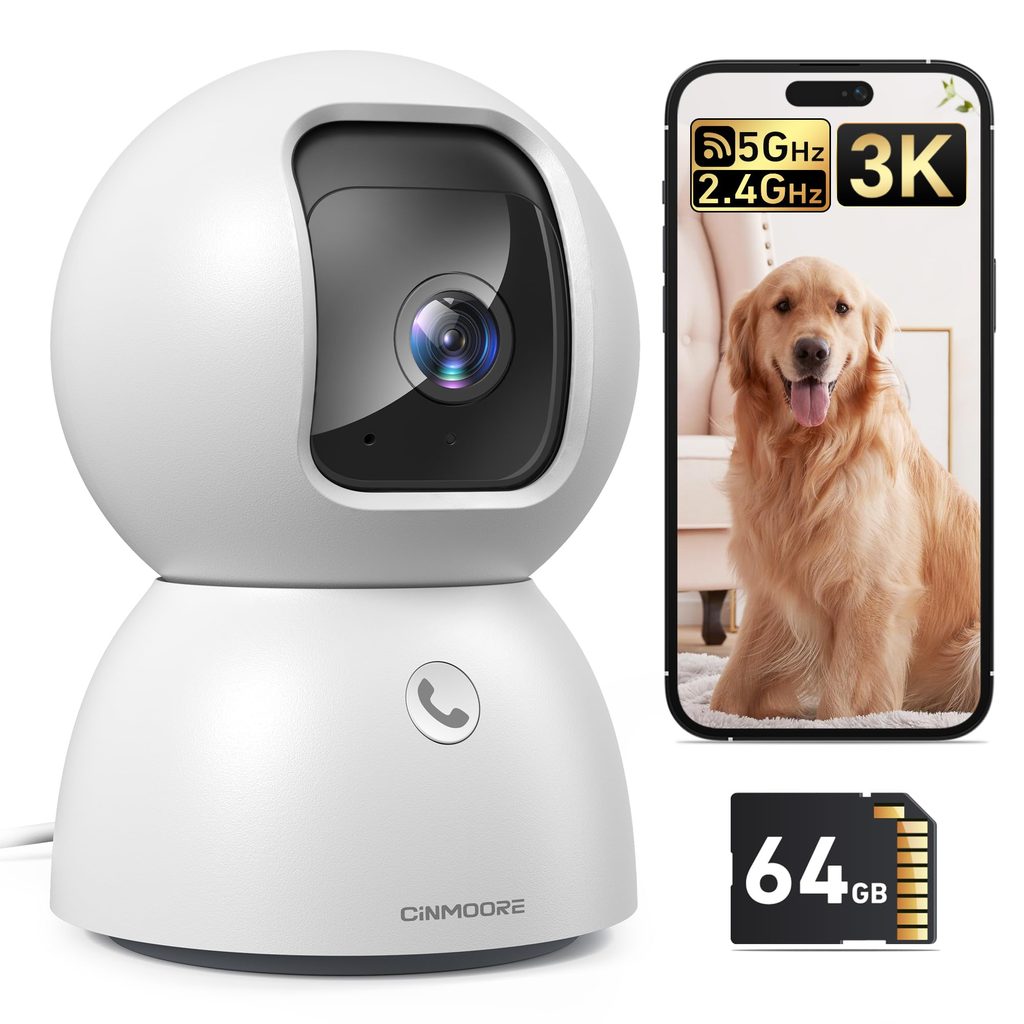
If you want a local storage security camera that works right out of the box, the CINMOORE 3K is worth considering. Unlike cameras that require you to purchase an SD card separately, this model includes a 64GB microSD card, so you can start recording without adding another storage expense.
The 3K resolution provides detailed video, while 360° horizontal and 110° vertical pan/tilt coverage helps reduce blind spots. It also supports AI detection for people, pets, faces, and motion, along with dual-band 2.4GHz and 5GHz Wi-Fi. A privacy mode physically points the lens away when you want more privacy.
Who this is for
- Buyers who want local storage without a monthly fee
- Anyone who appreciates an included 64GB SD card
- Families monitoring babies, children, or pets
- Users who want 3K video and dual-band Wi-Fi
Who should skip it
- Buyers who prefer established brands with a longer track record
- Anyone looking for a battery-powered camera
- Users who need outdoor weather resistance
My take
The included 64GB card is a nice advantage, especially for shoppers trying to avoid the extra cost of cloud subscriptions and storage accessories. Combined with 3K video and AI detection, the CINMOORE offers a lot of features in a relatively affordable indoor security camera with SD card storage.
4. eufy E30 — 4K Indoor Security Camera With Local Storage
4K UHD | 360° Pan/Tilt | AI Tracking | Color Night Vision | Local SD Storage | HomeKit Compatible
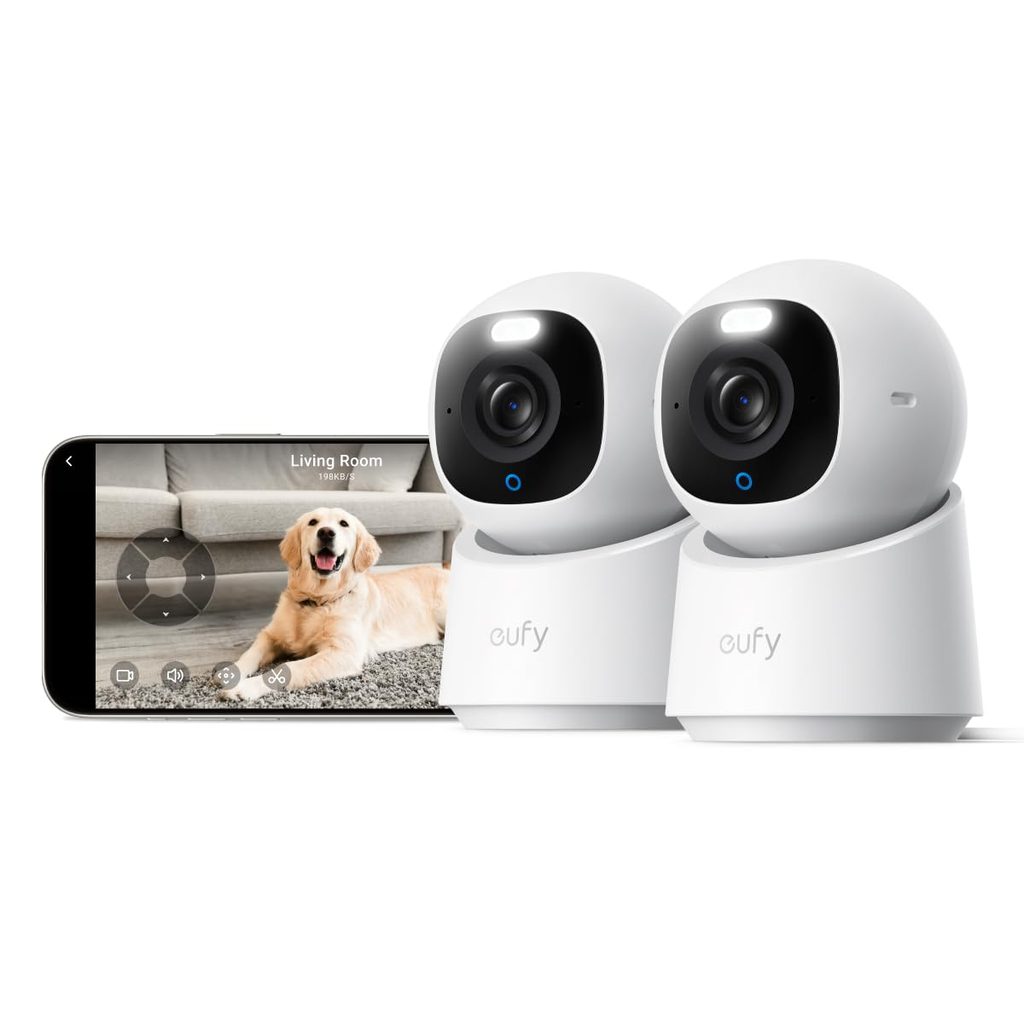
The eufy E30 is aimed at shoppers who want higher-resolution video and more advanced tracking. Its 4K recording can capture considerably more detail than 1080p models, while the 360° panoramic view and AI-powered tracking help keep people and pets in sight as they move around a room.
This indoor security camera with local storage doesn’t require a monthly subscription for its core functions. Footage can be saved to an SD card purchased separately, and the camera also supports optional cloud storage. It adds useful smart-home compatibility with Apple HomeKit, Alexa, and Google Assistant, although HomeKit viewing is limited to 1080p.
Who this is for
- Anyone wanting a 4K security camera with local storage
- Pet owners who want automatic tracking
- Parents monitoring babies or children
- Smart-home users who use HomeKit, Alexa, or Google Assistant
Who should skip it
- Buyers looking for the lowest-cost option
- Anyone who doesn’t need 4K video
- Shoppers who want a battery-powered camera
My take
The E30 makes the most sense when image detail and smart tracking are priorities. It’s more expensive than basic indoor cameras, but 4K recording, AI tracking, color night vision, and subscription-free local storage give it a more premium feature set.
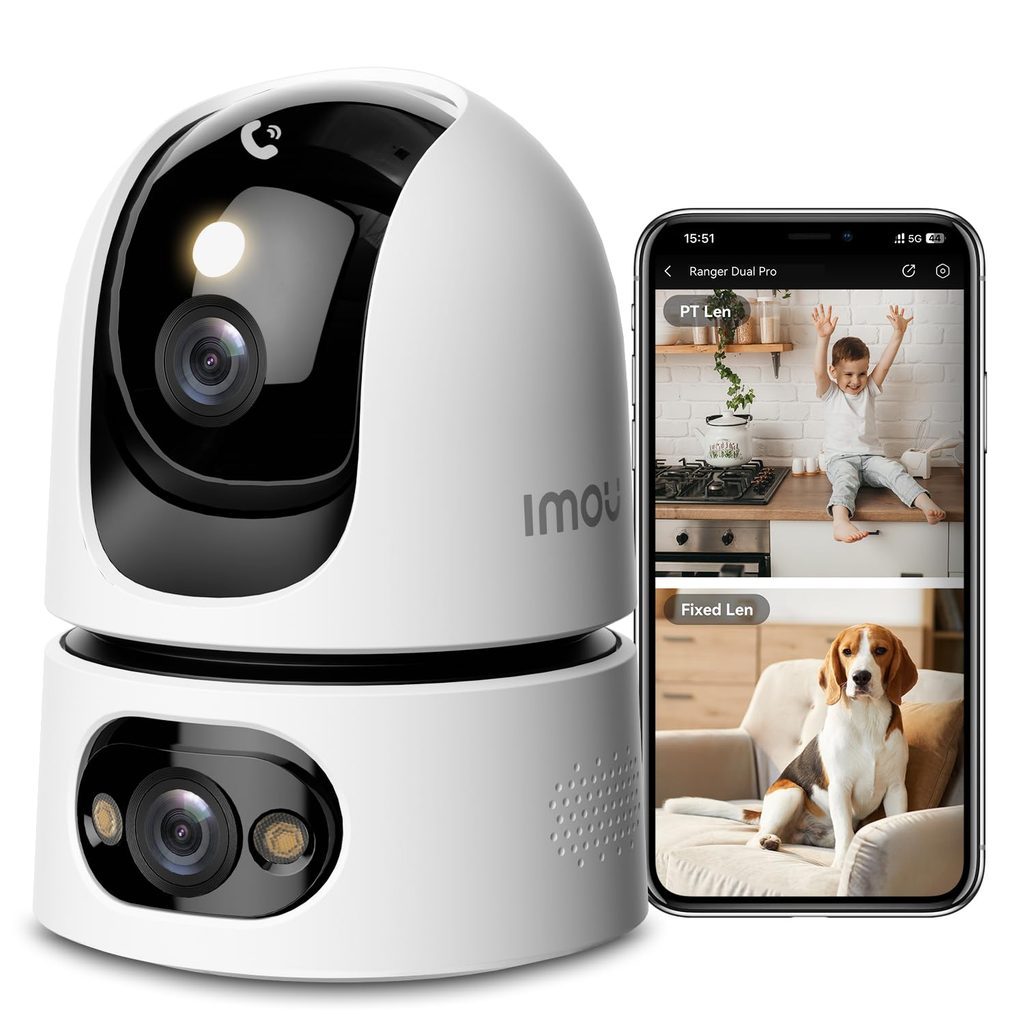
5. Imou Ranger Dual Pro — Dual-Lens Indoor Security Camera With Local Storage
6MP Dual-Lens | 360° Coverage | 8x Digital Zoom | Color Night Vision | Up to 512GB SD Card | Dual-Band Wi-Fi
The Imou Ranger Dual Pro takes a different approach to indoor monitoring by combining two lenses. One lens can monitor a fixed area while the second pan/tilt lens moves around the room, helping provide broader coverage than a conventional single-lens camera.
For anyone searching for an indoor security camera with local storage, its support for up to a 512GB SD card is particularly useful. The camera also includes AI human and pet detection, sound detection, motion tracking, 8x digital zoom, and color night vision up to 49 feet. Its dual-band Wi-Fi 6 connection can also help with connectivity in busy smart homes.
Who this is for
- Buyers wanting extensive room coverage
- Anyone needing security camera local storage with a large SD-card capacity
- Pet and baby monitoring
- Users who want dual-band Wi-Fi and advanced detection
Who should skip it
- Buyers who prefer a simple, basic security camera
- Anyone looking for a completely wire-free model
- Shoppers who don’t need dual-lens coverage
My take
The dual-lens design is the main reason to consider the Ranger Dual Pro. It offers broad monitoring while still giving you the option to save recordings locally, making it an interesting choice for larger rooms or areas where one camera angle isn’t enough.
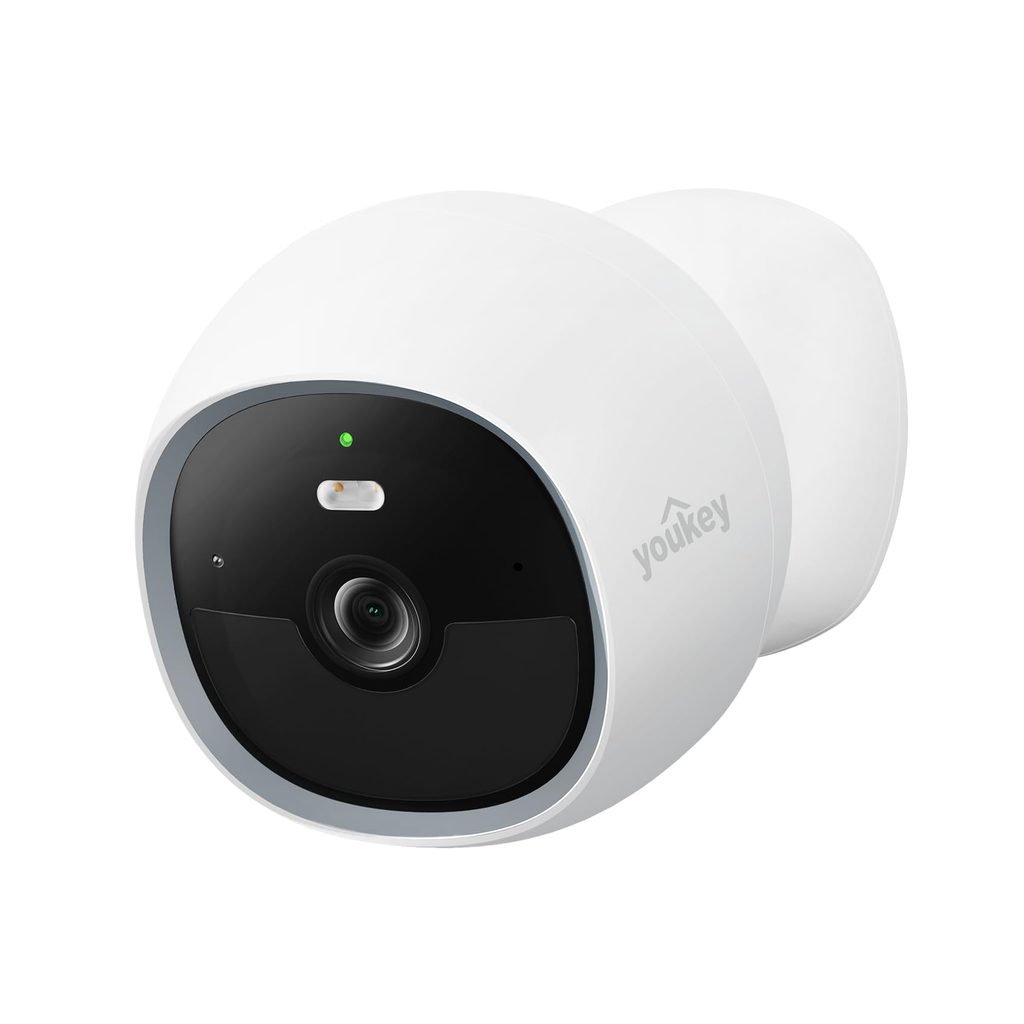
6. youkey S320 — Wire-Free Indoor Security Camera With Built-In Local Storage
2K Resolution | Built-In 8GB Storage | 6400mAh Battery | Magnetic Mount | AI Human/Pet Detection | Wi-Fi 6
The youkey S320 is a good fit for anyone who doesn’t want to deal with power cables or drilling holes. Its magnetic mounting system makes it particularly convenient for renters, while the built-in 8GB storage means you don’t need to purchase an SD card or subscribe to cloud storage to save footage.
This wireless indoor security camera with local storage uses a 6400mAh battery and PIR smart wake-up to reduce unnecessary recording and help extend battery life. It also offers 2K video, human and pet detection, two-way audio, color night vision, and 2.4GHz/5GHz Wi-Fi 6. With an IP65 rating, it can also be used in suitable outdoor locations such as covered patios and garages.
Who this is for
- Renters who don’t want to drill into walls
- Anyone wanting a wire-free security camera
- Buyers who want built-in local storage
- People monitoring pets, babies, entryways, or other areas
Who should skip it
- Anyone needing continuous wired recording
- Buyers who require large-capacity removable storage
- Users who don’t want to recharge a battery
My take
The S320 is the most convenient choice here if installation flexibility matters. Built-in 8GB storage, a rechargeable battery, magnetic mounting, and no required subscription make it particularly appealing for renters and anyone who wants a camera that can be moved easily.
Quick Comparison
| Camera | Resolution | Local Storage | Standout Feature |
|---|---|---|---|
| Kasa EC71 | 1080p | Up to 256GB microSD | Affordable pan/tilt monitoring |
| Tapo C120 | 2K | Local storage | Indoor/outdoor flexibility |
| CINMOORE 3K | 3K | 64GB included | Included SD card |
| eufy E30 | 4K | SD card | AI tracking + 4K video |
| Imou Ranger Dual Pro | 6MP | Up to 512GB SD | Dual-lens coverage |
| youkey S320 | 2K | Built-in 8GB | Wire-free magnetic design |
Overall, these cameras cover a wide range of needs, from an affordable indoor security camera with local storage to higher-resolution models with AI tracking, large SD-card capacity, or completely wire-free installation. The right option ultimately depends on whether you prioritize video quality, storage capacity, room coverage, or installation flexibility.
How to Choose the Best Indoor Security Camera With Local Storage
Choosing an indoor security camera with local storage is about more than just picking the camera with the highest resolution. Think about where you’ll use it, how you want to store recordings, and which smart features you’ll actually use. Here are the key things to consider before buying.
1. Check the Video Resolution
For basic indoor monitoring, 1080p Full HD is usually enough to see people, pets, and activity around a room. If you want sharper details, especially when digitally zooming into footage, consider a 2K, 3K, or 4K security camera.
Higher resolution can provide more detail, but it can also use more storage space. For most homes, 2K security cameras with local storage offer a useful balance between image quality and storage requirements.
2. Look at the Local Storage Options
Since this guide focuses on cameras with local storage, check exactly how recordings are saved. Many models use a microSD card, while some cameras have built-in storage.
Also check the maximum supported capacity. A camera supporting 256GB or 512GB can store significantly more footage than one with a smaller limit. Remember that some models include an SD card, while others require you to purchase one separately.
3. Decide If You Need Pan and Tilt
A fixed camera monitors one area, while a pan-and-tilt model can move horizontally and vertically to cover more of a room. This can be especially useful for larger rooms, pets, babies, or areas where people move around frequently.
Some cameras also offer automatic motion tracking, allowing the lens to follow a person or pet as they move.
4. Consider Night Vision
A good indoor security camera with night vision should still provide a reasonably clear image when the room is dark. Standard infrared night vision is useful for basic monitoring, while color night vision with a spotlight can provide additional detail in low-light conditions.
If nighttime monitoring is important to you, check the camera’s stated night-vision range and whether it supports color or infrared modes.
5. Check AI Detection Features
Motion alerts can become annoying if your camera sends notifications every time a pet walks past. AI detection can help by distinguishing between people, pets, and general movement.
Some cameras also offer features such as baby crying or abnormal sound detection. These can be useful if you’re buying the camera as a baby monitor or pet camera, rather than strictly for security.
6. Wired or Battery-Powered?
Wired cameras generally make sense when you want continuous monitoring without worrying about charging a battery. Battery-powered models, on the other hand, are easier to install and move around.
If you’re renting or don’t want to drill holes, a wireless indoor security camera with local storage and a magnetic mount can be much more convenient.
7. Don’t Overlook Wi-Fi Compatibility
Check whether the camera supports 2.4GHz Wi-Fi, 5GHz Wi-Fi, or both. Dual-band cameras can provide more flexibility, particularly in homes with many connected devices.
For a camera installed farther from your router, 2.4GHz can often provide better range, while 5GHz can offer faster connections at shorter distances.
8. Look for Two-Way Audio
Two-way audio lets you speak through the camera using your phone. It’s useful for checking on children, talking to family members, calming pets, or communicating with someone in another room.
If this feature matters to you, check that the camera has both a microphone and speaker and consider whether audio quality is important for your particular use.
9. Consider Privacy Features
Indoor cameras are placed in private areas, so privacy controls are worth considering. Some models offer a privacy mode that turns the lens away or disables monitoring through the app.
If you’re concerned about privacy, look for cameras that provide easy-to-access privacy controls rather than relying solely on cloud storage.
10. Decide Whether You Need Cloud Storage
One of the main advantages of security cameras without cloud storage is avoiding a recurring subscription for basic recording. Local storage lets you save footage directly to an SD card or built-in memory.
However, cloud storage can still be useful as an additional backup if your camera or SD card is damaged or stolen. Some cameras let you use local storage and optional cloud storage together, giving you more flexibility.
What Features Matter Most?
For most buyers, a good starting point is 2K video, local microSD storage, reliable night vision, motion/person detection, and two-way audio. From there, choose additional features based on how you’ll use the camera.
If you’re monitoring a baby or pet, pan/tilt, motion tracking, and sound detection may be more useful. For renters, battery power and magnetic mounting can make installation much easier. And if image detail is your priority, stepping up to 4K may be worthwhile.
The best indoor security camera with local storage is ultimately the one that gives you the right combination of video quality, storage, smart detection, privacy, and ease of installation without paying for features you don’t need.