
A growing number of Battlefield 6 players are reporting a major progression issue where the Battle Pass Ultimate won’t award the Level 100 Spiteful Mirage skin, even after hitting the XP requirement.
Players grind matches, earn XP, complete objectives — yet the final battle pass point refuses to register.
This Battlefield 6 battle pass XP bug has been affecting players for multiple days, preventing them from unlocking Level 100, stopping prestige progression, and blocking the Ultimate tier reward entirely.
Here’s what’s causing it and what you can do until EA fixes the issue.
Why the Battle Pass Level 100 XP Isn’t Counting
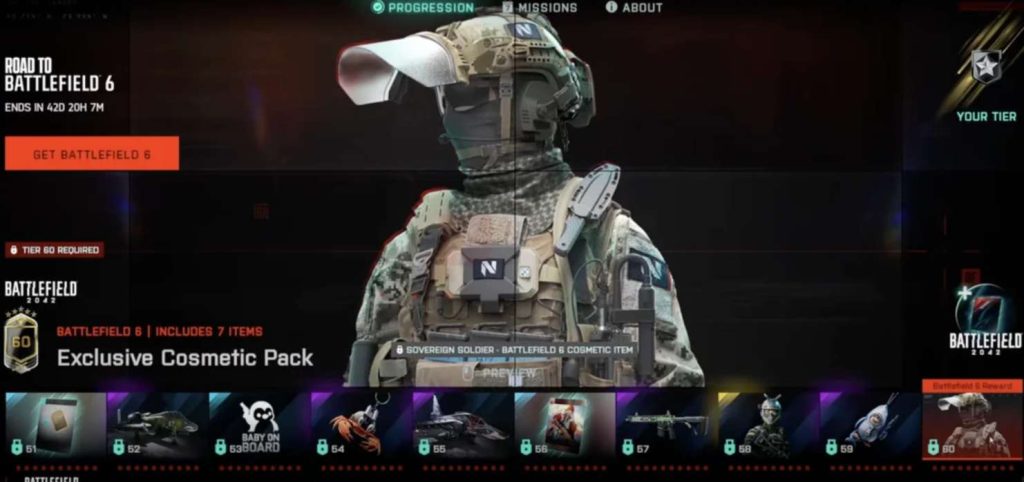
This problem is caused by a backend progression freeze on EA’s servers.
When the Battle Pass system reaches the final tier, the game tries to validate:
- Your total XP
- Unlock eligibility
- Ownership of the Ultimate pass
- Season progression state
- Reward entitlement
If the backend validation fails, your progress gets stuck at Level 99.9/100 and never moves forward.
This isn’t an XP cap issue — players with hours of earned XP report zero progress toward the final point, confirming it’s a server-side battle pass bug.
???? Quick Fix
Restart the game and complete one more match to force a progression sync.
If the final point still won’t register, contact EA Help to refresh your Battle Pass progression manually.
Fix #1: Play a Round of a Different Game Mode to Trigger Sync
Sometimes the Battle Pass only updates after playing a mode that refreshes backend state.
Switch modes:
- Breakthrough → Conquest
- RedSec → Multiplayer
- Solo Bots → Online Match
This forces a new progression handshake.
Fix #2: Restart Battlefield 6 After Each XP Gain Attempt
The progression tracker sometimes fails mid-session.
Restarting forces BF6 to send a fresh XP update request.
Players have reported Battle Pass progress appearing only after a restart.
Fix #3: Check for “Pending Reward” Banner in Your Menu
If a battle pass reward fails to grant properly, XP progression may be locked until it clears.
Check:
Battle Pass → Rewards → Pending or Failed Reward
Clear it manually if available.
Fix #4: Make Sure You Are Logged Into the Correct EA Account
If your EA account desyncs mid-session, XP is tracked locally but never authenticated.
Log out → log back in → restart the game → check BP level.
Fix #5: Turn Off Cross-Progression Sync Temporarily (If Enabled)
Some players using multiple platforms see XP freeze because of cross-sync conflicts.
Disable cross-progression → restart → play one match → check XP.
Fix #6: Verify Game Files on Steam or EA App
A corrupted progression or entitlement file can cause the Level 100 tier to fail to unlock.
Verifying files ensures your Battle Pass data loads correctly.
Fix #7: Complete Any Small Challenge to Force a Reward State Refresh
Daily tasks or small assignments often refresh the entire reward system.
Try completing:
- A daily XP mission
- A weapon challenge
- A specialist objective
This forces a backend sync and may unlock Level 100.
Fix #8: Change Servers or Regions (Progress Refresh Trigger)
Server clusters sometimes track BP XP differently.
Switching regions forces a new backend session.
Try switching to:
- US East
- EU West
- Asia
Many players report instant XP updates after region switching.
Fix #9: Avoid Leaving Matches Early
If the match ends before the XP packet is submitted, progression may freeze entirely.
Play full matches until EA patches the issue.
Fix #10: Contact EA Help — They Can Manually Grant Level 100
Since this bug is server-side, EA can manually:
- Refresh your BP tier
- Grant Level 100
- Unlock the Spiteful Mirage skin
- Restore missed XP
- Fix your prestige progression
Provide:
- Your EA ID
- Platform
- Screenshot of stuck progress
- Time frame when XP stopped counting
Players who contacted support have received manual fixes.
Fix #11: Play a Full Match Without Dying Early or Switching Classes
Battlefield 6 sometimes fails to send the full XP packet if you:
- Switch classes too often
- Die immediately after spawn
- Leave and rejoin mid-round
Play one full match from start to finish without switching roles.
This forces a complete XP submission at the end of the round and often updates the Level 100 battle pass point.
Fix #12: Disable Crossplay to Force a Clean XP Sync
Some players report XP tracking errors occur on crossplay servers.
Disable:
Settings → Gameplay → Crossplay → Off
Then join a region-specific server.
This has fixed final-tier BP sync issues for many players.
Fix #13: Switch Your Soldier Skin or Specialist Before the Next Match
Cosmetics sometimes block XP events due to broken validation states.
Changing your soldier skin before loading into your next game can trigger a backend refresh.
This small change forces the game to reload your profile state before submitting XP.
Fix #14: Complete a Weapon Mastery Milestone to Force Backend Updates
Weapon mastery medals and ribbons often trigger a full backend validation packet, which can fix stuck XP.
If you’re close to finishing a weapon tier, complete it — the achievement may refresh the battle pass.
Fix #15: Turn Off Double XP Boosters (They Sometimes Break Tracking)
Some XP boosts — battle pass boosters, event tokens, or time-limited XP modifiers — can break final-tier syncing.
Turn off any active boosters → restart → complete a match.
Players have reported that XP finally updates after the boost expires or resets.
Fix #16: Switch to a Smaller Player Count Mode
Large-scale modes sometimes overload XP servers.
Try:
- Team Deathmatch
- Squad Rush
- 16v16 modes
These modes generate lighter backend traffic, allowing the game to properly apply the Battle Pass Level 100 XP point.
Fix #17: Avoid Redeploying During the Match
Battlefield 6 occasionally loses XP tracking after redeploy spam.
Play one match without hitting Redeploy unless necessary.
This maintains a stable XP packet from start to finish.
Fix #18: Change Your Weapon Loadout Before the Match Starts
Changing your loadout forces the server to register a new “player state,” which can fix stuck progression.
Switch:
- Attachments
- Weapon skin
- Secondary weapon
This triggers a fresh profile sync before XP is tallied.
Fix #19: Reset Battle Pass Tab by Switching to Store → Then Back
Sometimes the UI cache gets stuck.
Go to:
Store → Featured → Back to Battle Pass
This reloads the Battle Pass entitlement validation and can unlock the Spiteful Mirage Level 100 reward automatically.
Fix #20: Wait for the Daily Backend Refresh (2–4 AM Server Time)
Battlefield 6’s servers perform automatic backend refreshes during off-hours.
Many players report that stuck XP updates automatically after this nightly maintenance window.
If XP suddenly jumps or the final point unlocks, it means the internal reset corrected your progression state.
Why isn’t my Battlefield 6 Battle Pass leveling past 99 or rewarding the final skin?
If your Battlefield 6 Battle Pass won’t level past 99 and refuses to award the final reward, it’s because the game’s backend progression system is failing to validate the last XP point.
This causes the Battle Pass to freeze at 99/100 even after multiple full matches, completed objectives, or large XP gains.
Battle Pass Level 100 is handled differently from other levels — it requires a final entitlement check to unlock the reward.
Common Reasons the Final Level Doesn’t Unlock
- Backend progression sync failure
- Reward entitlement freeze
- XP packets not being submitted to the server
- UI not updating despite earned XP
- Battle Pass Ultimate validation error
Players report the pass being stuck for hours or even days, meaning the issue is server-side.
Until EA updates the backend, progression may remain frozen unless manually refreshed by support.
Is the Spiteful Mirage skin bugged in Battlefield 6’s Ultimate Battle Pass?
Yes — the Spiteful Mirage Level 100 skin is currently bugged for many Battlefield 6 Ultimate Battle Pass owners.
The skin is locked behind the final Battle Pass point, which fails to register due to a broken progression validation check.
Even with enough XP, the game doesn’t fire the unlock script that awards Spiteful Mirage.
This leads to a level bar stuck at the final segment with no reward claim button.
How You Know You’re Affected
- XP bar stuck at 99
- No progress after multiple matches
- No “Reward Unlocked” banner
- Spiteful Mirage remains greyed out
- Prestige levels not moving
This is not caused by an XP cap — the bug is a locked entitlement issue, meaning the server doesn’t acknowledge your Level 100 state.
EA will need to patch the reward logic or grant it manually.
Why does my XP stop counting after reaching Level 100 in Battlefield 6?
Your XP stops counting because Battlefield 6 uses a separate progression pipeline for Battle Pass Level 100, and that pipeline is currently failing.
Once you reach the final tier, the server must verify entitlement before allowing XP to convert into the last point.
If the validation step fails, the XP meter appears full but doesn’t actually move.
Why XP Fails to Count
- Server delay in Battle Pass syncing
- Reward entitlement stuck in pending state
- XP packet not accepted by backend
- UI unable to refresh the final level
- Progression cache frozen for the season
Because the final tier requires a server acknowledgment, not just XP accumulation, even large XP drops won’t push the bar forward.
This is why players see zero movement despite finishing dozens of matches.
Did Battlefield 6 break the Battle Pass progression system?
Yes — the latest Battlefield 6 update appears to have broken the Battle Pass progression system, especially at the uppermost tiers.
Dozens of players report the same symptoms:
- Level 100 stuck
- XP not registering
- Spiteful Mirage skin not unlockable
- Prestige levels not progressing
- Daily challenges not syncing
This suggests the update disrupted the backend logic that tracks final-tier rewards.
What Likely Broke
- Entitlement validation
- BP tier checkpoint logic
- Ultimate Pass reward scripts
- Season-level XP handler
- Cross-platform XP syncing
Since this issue is account-wide and persists across matches and restarts, it’s clearly a server-side bug — not a device or installation problem.
EA will need to fix it through a backend patch.
Is there a fix for the Battlefield 6 Level 100 Battle Pass bug?
There is no permanent fix players can apply right now, but several workarounds can trigger a progression sync.
What You Can Try
- Play a different game mode (forces backend refresh)
- Restart the game after each XP gain
- Complete a small challenge or weapon mastery milestone
- Switch regions or servers
- Refresh the Battle Pass tab via Store → Back
These can sometimes force the Battle Pass to re-check your XP.
However, the only guaranteed fix is to contact EA Help.
Support can manually:
- Refresh your account’s battle pass state
- Grant the Level 100 point
- Unlock the Spiteful Mirage skin
- Restore missing XP
Since the problem is on EA’s servers, a developer-side correction is required for a full resolution.
How to Fix Battlefield 6 Battle Pass XP Not Counting to Level 100
If your Battlefield 6 Battle Pass XP isn’t counting toward Level 100, the issue is almost always a backend sync failure, not a problem with your gameplay or XP earning.
The final Battle Pass point requires a special entitlement check, and when the server fails to validate it, the progression bar freezes at 99/100.
Try refreshing your progression by switching to a different game mode, restarting the game between matches, or completing a small daily challenge.
These actions force Battlefield 6 to refresh your progression packet and sometimes unlock the final BP tier.
Another method is to switch regions (EU → US → Asia) and play a short match, which resets your BP sync handshake.
However, because the bug is server-side, player fixes are limited.
If XP still won’t count, EA Support must manually refresh your Battle Pass progression.
Will EA Restore XP and Rewards for the Battle Pass Ultimate Bug?
Yes — EA can and does restore missing XP and rewards for the Battlefield 6 Ultimate Battle Pass bug.
Players who report the issue with screenshots and their EA ID have already received:
- Manually applied XP
- Level 100 Battle Pass unlock
- Forced Spiteful Mirage skin entitlement
- Restored prestige progress
Because the Battle Pass Level 100 tier uses a special reward-validation system, it often becomes stuck when the backend fails to process the final XP packet.
When this validation breaks, no amount of gameplay will trigger the unlock — but EA can refresh your account’s entitlement data from their side.
Submitting a ticket through EA Help is the most reliable way to get the Level 100 reward restored.
Support agents can view your hidden XP logs and apply the missing progress instantly.
Does the Spiteful Mirage Skin Unlock Manually After a Patch?
Yes — once EA deploys a patch for the Battle Pass Ultimate progression bug, the Spiteful Mirage Level 100 skin should unlock automatically for players who already met the XP requirements.
EA’s entitlement system keeps a log of all XP earned, even if the Battle Pass UI fails to display it.
Once the backend is fixed, players who hit Level 100 will receive the reward without needing to grind additional XP.
However, if the progression freeze corrupted your final-tier state, the skin may need to be manually granted by EA Support.
This happens when the game fails to record the final Battle Pass checkpoint, even though XP was earned.
If the patch does not automatically unlock the skin for you, contact support with your EA ID to have the reward applied manually.
Can Reinstalling or Relogging Fix the Level 100 Battle Pass Issue?
Reinstalling Battlefield 6 or relogging your EA account cannot fix the Level 100 Battle Pass issue, because the problem has nothing to do with game files or local data.
The bug is fully server-side, meaning your device simply displays whatever progression state EA’s backend sends.
Relogging may temporarily refresh your UI, but it does not correct the underlying reward-validation failure blocking the final XP point.
Even after reinstalling, the Battle Pass will remain stuck at Level 99 if the server has not authenticated your completion.
That said, relogging after completing a challenge or playing a new game mode can sometimes trigger a progression re-check — but this only works when the server fails to update the UI, not when the XP pipeline itself is broken.
For true fixes, EA must refresh your battle pass profile manually or deploy a backend update.
When Will EA Fix the Battlefield 6 Battle Pass Ultimate Progression Bug?
EA has not provided an official timeline yet, but based on previous Battlefield issues, a fix for the Battle Pass Ultimate progression bug is likely coming through a backend patch, not a full client update.
These patches often roll out silently within 24–72 hours once the issue gains traction.
Because many players have reported:
- XP not counting
- Level 100 stuck
- Spiteful Mirage skin not unlocking
- Prestige progression paused
EA is actively investigating the Battle Pass sync systems.
When the backend fix goes live, all affected accounts should automatically update — or at least correct themselves after one match.
If your account remains stuck after a patch, you must contact EA Help so they can manually repair your Battle Pass tier and unlock Level 100.
Final Thoughts
The Battle Pass Ultimate Level 100 not rewarding problem is one of the most frustrating Battlefield 6 bugs, especially for players grinding for the Spiteful Mirage skin and prestige levels.
This is a backend progression bug, not user error — and EA will need to deploy a server-side fix.
Until then:
✔ Try progression sync triggers
✔ Report your stuck XP
✔ Request manual BP refreshing