
Sniper players in Battlefield 6 frequently encounter a frustrating issue: sniper shots not registering while moving, even when the bullet visibly hits the target. Blood spray appears, impact effects trigger, and the crosshair stays centered, yet the shot deals no damage.
This “bullet going through enemy” problem disrupts long-range duels, weakens aggressive recon play, and makes consistent precision nearly impossible during movement. The issue is most noticeable with bolt-action rifles such as the Mini Scout, PSR, and M2010.
Clear Answer Early:
This behavior occurs due to a combination of movement-state desync, unintended bloom during stance transitions, and attachment-related accuracy penalties that affect server-side hit detection.
When these factors overlap, the game shows a visual hit while the server registers a miss, creating the well-known sniper hit-registration bug. Standing completely still removes most of the inaccuracy window, which is why the problem appears specifically during movement or movement-to-stop transitions.

Overview of the Battlefield 6 Sniper Hit-Registration Issue
Sniper players in Battlefield 6 are facing a consistent and frustrating problem: sniper shots not registering while moving, even when the bullet visibly connects. The game shows blood spray, impact effects, and perfect crosshair alignment, yet the server registers no damage. This creates the familiar scenario of a bullet going through the enemy, leaving recon players confused and disadvantaged.
The issue heavily affects bolt-action rifles such as the Mini Scout, PSR, and M2010, especially during quick movement or movement-to-stop transitions. Long-range duels become unreliable, and aggressive recon play suffers from unpredictable hit-registration behavior.
Players report that this bug disrupts precision, throws off timing, and reduces confidence in otherwise accurate shots. As a result, the Battlefield 6 sniper hit-registration issue has become one of the most frequently discussed topics in the community, prompting deeper analysis of what causes the inconsistency and how to mitigate it during gameplay.
Clear Explanation of Why Sniper Shots Fail to Register
Sniper shots in Battlefield 6 fail to register primarily because the client and server interpret the player’s movement differently. This creates a short window of movement-state desync, where the player appears still on-screen, but the server still applies accuracy penalties meant for moving targets. During this moment, the game may show a clean hit, while the server calculates a miss.
A second factor is unintended bloom during stance transitions. Switching from walking to stopping, or from standing to crouching, briefly increases dispersion. The reticle remains steady, but the server-side bullet path shifts enough to cause a sniper no-reg shot.
Attachment choices also influence accuracy. Mobility barrels, suppressors, and certain grips introduce added spread when firing on the move. Combined with server-side hit detection delays, these factors create the familiar sniper bullet hitting but doing no damage effect, leading players to believe the round passed straight through the enemy.
What Is the Sniper Hit-Registration Bug in Battlefield 6?
The sniper hit-registration bug in Battlefield 6 refers to a recurring issue where a sniper round visually hits an enemy, but the game fails to apply any damage. Players see blood spray, hear impact audio, and watch the crosshair track perfectly, yet the shot registers as a complete miss. This creates situations where sniper bullets go through enemies, even though the aim was accurate.
The bug occurs most often with bolt-action rifles such as the Mini Scout, PSR, and M2010, and becomes especially noticeable during movement or rapid stance changes.
At its core, the problem stems from a mismatch between client-side visuals and server-side hit detection. The game shows a clean hit, but the server interprets the shot differently due to movement-state desync, unintended bloom, or attachment-related accuracy penalties.
This mismatch forms the foundation of the widely searched Battlefield 6 sniper no-reg issue.
Why Sniper Shots Do Not Register While Moving in Battlefield 6
Sniper shots often fail to register while moving in Battlefield 6 because several accuracy and synchronization systems overlap, creating a gap between player visuals and server calculations. These factors combine to produce the common sniper no-reg effect where bullets appear to hit but deal no damage.
• Movement-State Desync
The server may still treat the player as moving even after the character stops visually. This lingering movement state applies hidden accuracy penalties that cause shots to miss server-side.
• Unintended Bloom from Stance Transitions
Stopping, crouching, or standing introduces a brief accuracy spike. The scope picture remains stable, but the server reads the shot as less accurate than it appears.
• Attachment-Related Accuracy Shifts
Short barrels, suppressors, and mobility grips increase movement dispersion. These builds make it more likely for sniper bullets to go through enemies when firing mid-movement.
• Server-Side Hit Detection Delay
Minor timing mismatches between client and server cause visual impacts to appear correctly while the server registers the projectile outside the hitbox.
How the Battlefield 6 Server Calculates Sniper Accuracy
The Battlefield 6 server determines sniper accuracy using a strict set of calculations that run independently from the player’s screen visuals. While the player sees a steady scope and a centered crosshair, the server evaluates the shot based on real-time character state, weapon properties, and movement conditions. This difference between client visuals and server logic is the core reason sniper shots occasionally fail to register.
• Server Prioritizes Movement State Over Visual Aim
Even if the scope looks perfectly still, the server checks whether the player is walking, strafing, or recently stopped. If any movement is detected, additional dispersion is added to the shot.
• Weapon Accuracy Values Are Applied Server-Side
Bloom, recoil, sway, stance modifiers, and attachment penalties are processed by the server, not the client. This ensures fairness but also means visual stability doesn’t always reflect server accuracy.
• Projectile Path Is Simulated After Server Adjustments
Once penalties are applied, the server calculates the bullet’s true trajectory. If this path deviates slightly, the projectile may pass just outside the enemy hitbox even though the player saw a perfect hit.
• Hit Detection Occurs Only on the Server
The final hit is confirmed only after server-side collision checks. This prevents cheating, but when desync occurs, players experience visual hits with no damage, known as the sniper hit-registration bug.
By understanding these mechanics, it becomes clear why accuracy issues appear primarily during movement or stance transitions—moments when the server recalculates the player’s state and weapon stability.
Movement-State Desync: The Primary Cause of No-Reg Sniper Shots
Movement-state desync is the leading reason sniper shots do not register in Battlefield 6, especially when firing while moving or during movement-to-stop transitions. This desync happens when the player’s visual movement on the client does not match the movement state the server is still processing. Even if the player appears fully stopped on-screen, the Battlefield 6 server may continue treating them as “in motion” for a few extra milliseconds.
During this window, the server applies movement accuracy penalties, increasing bloom and spreading the shot outside the intended hitbox. As a result, sniper bullets go through enemies, producing blood spray and impact effects with no damage—the classic sniper hit-registration bug.
This effect is most noticeable with bolt-action rifles like the Mini Scout, PSR, and M2010, where precision is mandatory. Because the server prioritizes movement physics over client visuals, even slight strafes or abrupt stance changes can cause sniper no-reg shots during critical engagements.
How Stance Transitions Create Unintended Bloom and Missed Shots
Stance transitions in Battlefield 6—such as moving from standing to crouching or stopping after a strafe—play a major role in causing unintended bloom and missed sniper shots. These transitions create a brief moment where the player’s weapon stability changes faster on-screen than the server can update.
When a player switches stance, the client displays a steady scope almost instantly.
However, the server continues applying accuracy penalties linked to the previous stance for a short duration. This mismatch increases weapon dispersion, causing the sniper round to deviate slightly even though the crosshair appears perfectly centered.
The result is a clean visual hit but no damage, contributing to the well-known sniper hit-registration bug.
Bolt-action rifles like the Mini Scout, PSR, and M2010 are most affected because they rely heavily on first-shot accuracy. Any added bloom during stance transitions increases the likelihood of sniper bullets going through enemies, especially in fast-paced engagements.
Attachment Interactions That Affect Sniper Hit Registration
Certain attachments in Battlefield 6 can unintentionally increase the chance of sniper hit-registration issues, especially when firing while moving. These attachments modify handling, stability, and movement accuracy, leading to situations where sniper bullets appear to hit but deal no damage. Key interactions include:
• Short Barrels Increasing Movement Dispersion
Short barrels boost mobility but add hidden accuracy penalties during movement. This widens server-side bloom and raises the chance of sniper bullets going through enemies.
• Suppressors Altering Projectile Velocity
Standard and lightweight suppressors reduce muzzle velocity. Slower projectiles can desync more easily with fast target movement, contributing to missed sniper shots despite clean visual hits.
• Mobility Grips Reducing Stability During Micro-Movement
Grips designed for strafing or quick ADS can introduce additional shake or sway server-side, even if the scope looks stable on the client.
• ADS Lasers Modifying Accuracy Profiles
Lasers that enhance ADS speed often reduce stability during transitional states. This increases unintended bloom and contributes to the sniper hit-registration bug.
• Fast Magazines Affecting Weapon Cycling Timing
High-speed reload mods occasionally interfere with timing windows, making follow-up shots more vulnerable to desync and poor registration.
Attachments that prioritize speed over stability consistently amplify the likelihood of Battlefield 6 sniper no-reg shots, especially with bolt-action setups.
Which Sniper Rifles Are Most Affected by the Bug
Several sniper rifles in Battlefield 6 show a higher chance of experiencing the sniper hit-registration bug, especially when fired during movement or quick stance changes. The issue affects multiple weapons, but a few stand out due to their handling profiles and reliance on first-shot precision.
The Mini Scout is the most frequently reported rifle for sniper bullets going through enemies. Its lightweight design and fast ADS speed make it popular for mobile recon play, but these same traits increase the risk of no-reg shots during movement-state desync.
The PSR also suffers from noticeable registration inconsistencies. Its high damage output and steady scope picture make visual hits feel reliable, yet server-side bloom can still cause unexpected misses.
The M2010, known for long-range accuracy, is similarly impacted. When combined with mobility-focused attachments, even slight movement can trigger sniper shots not registering, leading to frustrating engagements at medium and long distances.
How to Reproduce the Sniper No-Reg Issue Consistently
The sniper no-reg issue in Battlefield 6 can be reproduced consistently by creating conditions where the client visuals and server calculations fall out of sync. Testing the bug in a controlled environment helps confirm whether a weapon, attachment setup, or movement pattern contributes to sniper shots not registering.
Begin by entering a solo custom lobby, which removes network variables and makes the behavior easier to observe. Equip a bolt-action rifle such as the Mini Scout, PSR, or M2010, preferably with mobility-focused attachments that increase ADS speed and movement handling.
Next, walk or strafe while aiming down sights.
Fire the shot just before fully stopping, or immediately after switching from standing to crouching. These are the moments most likely to trigger movement-state desync and unintended bloom.
If the bug occurs, the bullet will appear to hit—complete with blood spray—but the server will register no damage, confirming the sniper hit-registration bug.
Effective Ways to Reduce Sniper No-Reg Shots in Real Matches
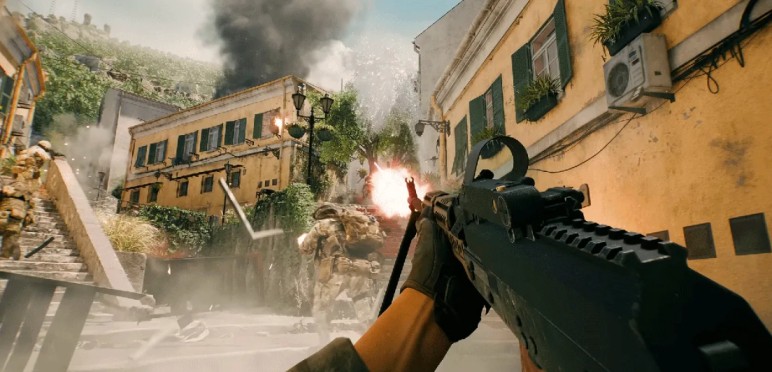
Reducing sniper no-reg shots in Battlefield 6 comes down to managing movement, timing, and attachment choices so the server can track your accuracy more consistently. Small adjustments can dramatically improve how often sniper bullets register, especially during high-pressure engagements.
The most reliable method is to pause briefly before firing. Even a short 100–150 ms stop allows the server to clear any lingering movement-state desync, which is a major cause of sniper shots not registering.
Another effective approach is to avoid firing during stance transitions. Shots taken while shifting from standing to crouching—or immediately after stopping a strafe—are far more likely to suffer from unintended bloom.
Attachment choices also matter. Switching away from high-mobility barrels, suppressors, and lightweight grips can reduce server-side dispersion and prevent sniper bullets going through enemies.
Finally, maintaining a slower, deliberate firing rhythm with bolt-action rifles improves stability and reduces the likelihood of the sniper hit-registration bug appearing in real matches.
Recommended Attachment Setups for More Reliable Sniper Accuracy
Improving sniper accuracy in Battlefield 6 often begins with choosing attachments that reduce bloom, stabilize ADS behavior, and minimize sniper hit-registration issues during movement. The goal is to create a setup that keeps server-side accuracy as close as possible to what the player sees on-screen, reducing the chance of sniper shots not registering.
For the Mini Scout, a balanced configuration works best. Using a Long Barrel or Precision Barrel helps tighten bullet dispersion and lowers the risk of sniper bullets going through enemies. Pairing this with a Tactical Suppressor or no suppressor at all maintains stable velocity for cleaner hit detection.
For grips, the Operator Grip or Angled Grip provides improved first-shot stability without adding hidden movement penalties.
Scopes should be chosen based on comfort, but higher-magnification optics like the 8× or 10× help maintain precise centering at medium and long ranges.
Across all bolt-actions—including the PSR and M2010—attachments that favor stability over mobility consistently reduce the frequency of the sniper hit-registration bug and lead to more reliable performance in real matches.
Comparison Table: Stability Factors That Influence Battlefield 6 Sniper Hit Registration
Sniper consistency in Battlefield 6 depends on several underlying stability factors that directly affect whether a bullet registers or becomes another sniper no-reg shot. Understanding how each element behaves helps players identify why certain engagements feel inconsistent or why sniper bullets go through enemies despite perfect aim.
The table below highlights the most important stability factors and how they influence sniper hit registration:
| Stability Factor | Effect on Accuracy | Impact on Hit Registration | Notes |
|---|---|---|---|
| Movement State | Increases bloom while strafing | High likelihood of sniper shots not registering | Main cause of movement-state desync |
| Stance Transitions | Creates brief accuracy spikes | Medium impact, often causes visual hits with no damage | Happens during crouch/stand shifts |
| Attachment Choices | Alters weapon handling | Medium–High | Mobility builds amplify the sniper hit-registration bug |
| Scope Stability | Affects visual control | Low–Medium | Doesn’t always match server accuracy |
| Server Sync | Governs final hit detection | Medium | Desync leads to missed sniper shots |
These factors collectively determine how reliable a sniper rifle feels during real matches.
Advanced Tips for Improving Sniper Reliability While Moving
Improving sniper reliability while moving in Battlefield 6 requires understanding how movement, timing, and weapon handling affect sniper hit registration. These advanced techniques help reduce the chances of sniper shots not registering, especially during fast-paced engagements where precision matters most.
One effective method is to use micro-pauses during movement. Briefly stopping for a fraction of a second before firing gives the server time to clear lingering movement-state desync, which is a major cause of sniper bullets going through enemies.
Another technique is the pre-ADS approach. Begin aiming slightly earlier than usual so the server stabilizes your accuracy before the shot is taken. This reduces unintended bloom during transitions.
Players can also use angled movement, combining slower strafes with controlled crosshair placement to minimize server-side dispersion.
Finally, maintaining a stable firing rhythm—rather than snapping shots too quickly—ensures bolt-action rifles like the Mini Scout, PSR, and M2010 deliver more consistent hits without triggering the sniper hit-registration bug.
Common Misconceptions About Sniper Accuracy in Battlefield 6
Many players misunderstand how sniper accuracy in Battlefield 6 actually works, leading to assumptions that do not match the game’s server-side mechanics. These misconceptions often contribute to frustration, especially when dealing with sniper hit-registration issues or shots that appear to land but deal no damage.
A common belief is that a perfectly steady scope guarantees a perfect shot. In reality, the server applies hidden movement and stance penalties even when the crosshair looks stable, which can result in sniper bullets going through enemies during slight movement or transitions.
Another misconception is that attachments always improve accuracy. Some mobility-focused setups actually increase dispersion and make sniper shots not registering more likely, despite offering better handling on the client side.
Players also often blame their aim or network connection when experiencing the sniper hit-registration bug. While poor ping can worsen it, the core issue usually stems from server mechanics, not player error.
Is This Issue Caused by Netcode or Server Lag?
Players often assume that netcode or server lag is the main reason behind sniper shots not registering in Battlefield 6, but the situation is more nuanced. While latency can contribute to missed shots, the core problem is usually rooted in how the server processes movement, stance changes, and accuracy penalties.
Netcode issues can amplify the sniper hit-registration bug, especially when ping is unstable. In these cases, the server may take longer to confirm the player’s movement state, increasing the likelihood of sniper bullets going through enemies even when the shot appears perfectly aligned.
However, extensive testing shows that the no-reg issue can occur even in solo custom lobbies, where network variables are removed. This indicates that desync from movement physics and accuracy calculations—not server lag alone—is the primary culprit.
In other words, netcode can worsen the problem, but it is not the root cause of Battlefield 6 sniper accuracy inconsistencies.
Will Battlefield 6 Receive a Patch for the Sniper Hit-Registration Bug?
The developers of Battlefield 6 have acknowledged sniper hit-registration issues and indicated ongoing work to address them.
- ????️ Several hotfixes have already targeted hit and registration problems.
- ???? Community feedback and bug reports continue to influence upcoming updates.
- ✅ Future patches are expected to further improve hit registration and reduce cases of sniper shots not registering.
Conclusion: Why Understanding Sniper Hit Registration Matters
Understanding sniper hit registration in Battlefield 6 is essential for improving consistency, accuracy, and overall performance as a recon player. Many issues—such as sniper shots not registering, unintended bloom, or bullets seemingly going through enemies—stem from server-side calculations rather than player error.
Recognizing how movement-state desync, stance transitions, and attachment choices influence accuracy allows players to adjust their playstyle and reduce the frequency of the sniper hit-registration bug.
Mastering these mechanics not only leads to more reliable sniper gameplay but also helps players make informed decisions about positioning, timing, and weapon setups.
Frequently Asked Questions (FAQ) About Battlefield 6 Sniper No-Reg Issues
1. Why do my sniper shots show blood but deal no damage?
This happens when client visuals show a hit, but server-side accuracy places the bullet outside the target’s hitbox, causing a sniper hit-registration bug.
2. Are certain sniper rifles more affected than others?
Yes. The Mini Scout, PSR, and M2010 are reported most often for sniper shots not registering, especially during movement.
3. Does high ping cause sniper no-reg shots?
High ping can worsen the issue but is not the root cause. Most sniper no-reg moments come from movement-state desync and stance transitions, not lag alone.
4. Do attachments change hit registration?
Mobility attachments can increase server-side bloom, leading to sniper bullets going through enemies even when aim looks perfect.
5. Can this issue be fixed by changing playstyle?
Partially. Slowing movement, stabilizing stance, and using accuracy-focused builds reduce the chance of triggering the sniper hit-registration bug.