
If you’ve ever nailed a perfect dodge in Where Winds Meet and immediately thought,
“Why did everything just slow down and mess up my rhythm?” — yeah, you’re definitely not alone.
That slow-mo moment looks stylish the first few times, and it does a great job of highlighting that you hit the timing perfectly. But for a lot of players, especially those who prefer fast, rhythmic combat, it can quickly become more frustrating than helpful. Instead of feeling rewarding, it can throw off muscle memory, delay your next input, and even cause missed deflects or mistimed follow-ups.
So if you’ve found yourself wondering whether this effect can be turned off — or at least toned down — you’re asking the exact same question many players are right now. Let’s get straight to it.
Can You Disable Perfect Dodge Slow Motion?
Short answer:
❌ No — you can’t turn it off right now.
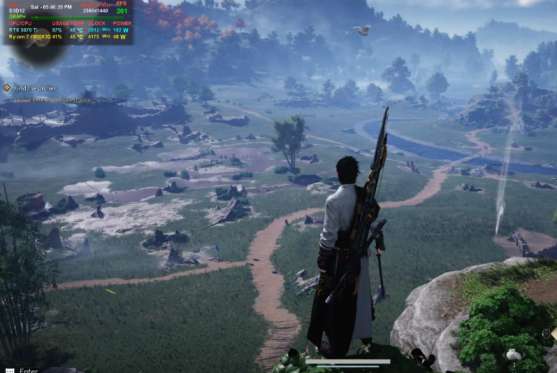
As of the current version of Where Winds Meet, there is no setting that disables the slow-motion effect triggered by a perfect dodge during solo play. The slowdown is fully baked into the combat system and treated as part of the mechanic itself, not a visual or accessibility option you can toggle.
If you’ve been digging through every menu, accessibility tab, or advanced setting hoping to find a hidden switch — you didn’t miss anything. There simply isn’t one. The game doesn’t currently offer a way to remove or reduce the slow-motion effect tied to perfect dodges.
So while it might feel like something that should be optional, especially for players who prefer faster, rhythm-based combat, for now it’s just part of how the system works.
Read also: Weapon Skin Isn’t Showing in Emotes in Where Winds Meet: Solution
Why Does the Game Do This?
The slow-motion effect isn’t just there for style — it serves a few deliberate gameplay purposes.
First, it highlights that you nailed a perfect dodge, giving clear feedback that your timing was spot-on. Second, it creates a brief counterattack window, letting you reposition, punish the enemy, or chain into your next move without instantly getting overwhelmed. And finally, it helps newer players read enemy recovery frames, making fast encounters easier to understand and react to.
In short, the game treats slow motion as a reward mechanic, not an accessibility feature. That’s why it’s baked directly into combat flow and can’t be toggled off — it’s meant to reinforce good timing rather than simply look cool.
What About Multiplayer or Co-op?
This is where things get a bit more interesting.
In some online or co-op scenarios, the slow-motion effect appears to be reduced or disabled entirely, likely to keep combat synchronized between multiple players. Since timing differences can cause desync issues, the game seems to tone it down in these modes.
That said, it’s not something you can manually toggle on or off. The behavior depends entirely on the mode you’re playing, not a setting you control. And if you’re playing solo PvE, the slowdown is still fully enforced.
So if you’ve seen clips where perfect dodges don’t trigger slow motion, you’re not imagining things — those moments are almost always coming from multiplayer or co-op gameplay.
Workarounds (If the Slow-Mo Messes With Your Flow)
You can’t remove the slow motion entirely, but you can play around it and reduce how often it interrupts your rhythm.
✅ Dodge Slightly Earlier
Perfect dodges only trigger at the very last possible moment. If you dodge just a fraction earlier, you’ll still avoid the attack without activating the slow-motion effect. It takes a bit of adjustment, but it’s the easiest way to keep combat feeling smooth.
✅ Lean Into Deflects
Deflects don’t trigger time slow at all, making them a great option if you prefer consistent pacing. Many players find deflect-focused playstyles feel more natural once they get the timing down.
✅ Turn Off Time-Stop UI Prompts
Head to Settings → Display and disable:
- Time-stop notifications
- Assist prompts
This won’t remove the slowdown itself, but it does reduce visual clutter and makes the moment feel less jarring when it happens.
Does Difficulty Change Anything?
Not really.
Some players report that higher difficulties feel different, but in practice, the slow-motion effect still triggers in solo content regardless of difficulty level. Whether you’re playing on an easier setting or cranking things up, perfect dodges continue to activate the same slowdown.
Difficulty mainly affects things like enemy aggression, damage output, and how punishing mistakes are — not how dodge mechanics behave. So while tougher modes may change the pace of combat overall, they don’t remove or reduce the slow-mo tied to perfect dodges.
In short, changing difficulty won’t fix the issue if the slowdown is what’s bothering you.
In Short
❌ You can’t disable perfect dodge slow motion in Where Winds Meet
⚔️ It’s baked into the core combat system
🌐 It may not appear in some multiplayer or co-op modes
🎮 Best workaround: dodge slightly earlier or rely more on deflects for smoother flow
Read more articles: