
So you jump into Where Winds Meet, head over to the draw menu, and everything feels normal… until you click Celestial Echo. Suddenly, the game starts to stutter, lag hard, or completely freeze, sometimes locking you out of the menu altogether — while Solemn Echo continues to work without any issues.
If that sounds frustratingly familiar, you’re definitely not the only one. A growing number of PS5 players are reporting the exact same problem, especially when previewing or attempting a Celestial Echo draw. It’s one of those bugs that shows up out of nowhere and makes you question whether your console is about to give up.
The bad news? There’s no official fix yet.
The good news? There are a few workarounds that actually help reduce or avoid the issue.
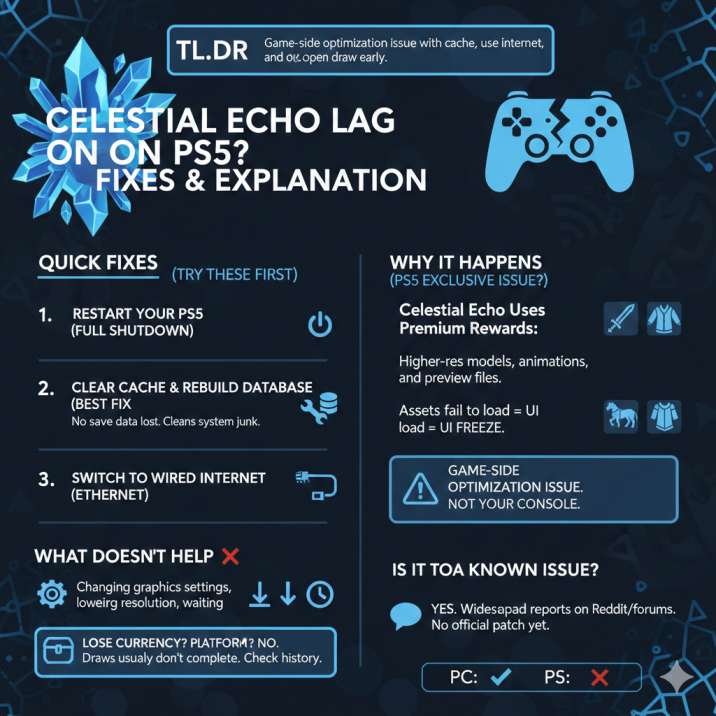
First: Try These Fixes (They Work for Most Players)
Before assuming your console’s dying or that something is seriously wrong with your system, it’s worth running through these quick fixes first. They don’t take long to try, they don’t risk your save data, and in a surprising number of cases, they actually solve the problem outright. Even if the issue feels serious, start here before moving on to more involved steps.
Read also:Where Winds Meet Gear Farming Guide
1. Restart Your PS5
Not Rest Mode — do a full shutdown.
Turn off the PS5 completely and wait a few seconds before powering it back on. This helps clear temporary system hiccups that can build up during longer play sessions.
Power it back on, launch the game, and go straight to Celestial Echo without opening other menus first. It sounds basic, but this alone fixes the freeze for some players, especially if the lag only started after playing for a while.
2. Clear PS5 Cache & Rebuild Database (Best Fix)
This is the most reliable workaround so far and the one that has helped the highest number of players dealing with freezes on the draw screen. If Celestial Echo consistently lags or locks up your game, this step is absolutely worth doing before anything more drastic. It might sound technical, but it’s a built-in PS5 maintenance option and is completely safe.
How to do it:
Turn off the PS5 completely — don’t use Rest Mode.
Hold the power button until you hear two beeps, which boots the console into Safe Mode.
Plug in your controller using a USB cable so you can navigate the menu.
Select Clear Cache and Rebuild Database and let the process finish.
No save data is deleted during this process. It simply cleans up system junk, reorganizes stored data, and fixes background issues that can cause UI freezes like the one happening with Celestial Echo.
3. Switch to a Wired Internet Connection
Celestial Echo seems more sensitive to network hiccups than other parts of the game, especially when loading previews or attempting a draw. Even if everything else feels smooth, a small spike in latency can be enough to make the draw screen stutter or freeze entirely.
If you’re currently playing on Wi-Fi, try switching to a wired Ethernet connection instead. A direct connection is more stable, reduces packet loss, and helps the game communicate with the servers more reliably during asset-heavy menus like Celestial Echo.
After switching to Ethernet, make sure to restart the game before testing the draw again. This helps the game establish a fresh connection. Even a stable Wi-Fi setup can occasionally cause the draw screen to hang, so this step is worth trying if the issue keeps happening.
4. Open the Draw Right After Launching the Game
Avoid bouncing around menus as much as possible if you’re running into freezing issues. The more screens you open and close, the more likely the UI is to hiccup, especially in areas that load a lot of assets in the background.
After launching the game, don’t wander through settings, inventory, or other menus first. Instead, go straight to the draw screen as soon as you’re in. Once there, open Celestial Echo first before interacting with any other banners or features.
This approach reduces the amount of data the game has to load at once and lowers the chances of something going wrong. Less menu hopping equals fewer chances for the UI to bug out, making this a simple but effective habit if the issue keeps coming back.
Read also:Bamboocut Build – Mystic Artes Explained (Where Winds Meet)
Why Celestial Echo Lags (But Other Draws Don’t)
Here’s the weird part: this issue almost always happens only with Celestial Echo. You can open other draws, browse menus, and even play the game normally, but the moment you click Celestial Echo, everything starts to fall apart.
That’s likely because Celestial Echo uses premium rewards. These include higher-resolution character models, cosmetics, mounts, and special animations that are heavier than what you’ll find in standard banners. On top of that, Celestial Echo loads much larger preview files so players can see exactly what they’re pulling for.
On PS5, those assets don’t always load smoothly. When they fail to load properly or time out, the UI can freeze or lag hard instead of recovering. Because other draws work fine, this points strongly toward a game-side optimization issue, not a problem with your console or hardware.

What Doesn’t Really Help
Just so you don’t waste time trying fixes that sound useful but rarely make a difference, there are a few things that generally don’t help with this specific issue. A lot of players try these out of habit, but they almost never stop the Celestial Echo freeze from happening.
Changing graphics settings doesn’t resolve the problem, since this isn’t tied to visual performance. Lowering your resolution also won’t help, as the issue isn’t related to frame rate or display output. Waiting on the frozen screen usually leads nowhere, because the UI doesn’t recover once it locks up. Opening Solemn Echo first doesn’t fix anything either — the problem still shows up as soon as you switch to Celestial Echo.
If Celestial Echo freezes, it usually won’t recover on its own, and restarting is the only way out.
Is This a Known Issue?
Yep. This isn’t an isolated case or a one-off glitch. Players across Reddit and other community forums have been reporting the same problem, often describing identical behavior on PS5. The most common complaints involve the game freezing or heavily lagging when previewing or attempting to draw from Celestial Echo, while everything else continues to function normally.
What makes this stand out is the consistency of the reports. Other banners work without any trouble, and regular gameplay isn’t affected, which makes Celestial Echo the clear outlier. The issue also seems to impact PS5 players the most, with fewer reports coming from other platforms.
As of now, no official patch notes mention the problem, and there’s been no dev-confirmed fix shared publicly, leaving players to rely on workarounds for the time being.
Read also: Gift of Gab in Where Winds Meet: Explained
Will You Lose Currency If It Freezes?
Good news: there are no confirmed reports of players losing currency because of this issue. Even though the freeze can be stressful, especially when it happens right as you’re about to draw, it doesn’t appear to actually consume your resources.
If the game freezes, the safest thing to do is restart the game once it becomes clear it’s not recovering. After logging back in, check your draw history to confirm what happened. In most cases, you’ll see that the draw never actually completed, which means your currency wasn’t spent.
While it’s always a good idea to double-check after a freeze, current reports suggest this bug is more of a UI lock-up than a failed or partially completed draw.
Does Celestial Echo Work on Other Platforms?
Based on player reports so far, Celestial Echo doesn’t seem to cause the same level of trouble on every platform. Most players say it works fine on PC, with no freezing or major lag when opening the draw or previewing rewards. That alone is a big clue that the issue isn’t universal.
On the other hand, PS5 is clearly the most affected platform. The majority of freeze and lag reports are coming from PS5 players, with very similar symptoms each time. Reports from other platforms are mixed, with some players experiencing minor issues and others none at all.
All of this pretty much confirms that the problem is PS5-specific, likely tied to how the game is optimized or how assets are loaded on that console.
The Best Workaround Right Now
Until a proper patch drops, this combination gives you the best odds of avoiding freezes when opening Celestial Echo. It’s not a guaranteed fix, but it has helped enough players to be worth sticking with if the issue keeps coming back.
Start by clearing the PS5 cache and rebuilding the database, as this addresses system-level hiccups that can cause the draw UI to lock up. Pair that with a wired internet connection to reduce the chance of network-related stalls when the game is loading premium assets. Finally, make it a habit to open Celestial Echo immediately after launching the game, before jumping into other menus.
It’s not perfect, and it’s definitely not ideal, but for now, it does help make the issue more manageable.
Bottom Line
If Celestial Echo is lagging or freezing on PS5, it’s not your fault — and your console isn’t broken. This isn’t a sign of failing hardware, corrupted saves, or something you did wrong in the settings. It’s a known and fairly widespread issue that’s frustrating a lot of players right now.
The problem appears to be tied to how Celestial Echo loads premium assets, which can cause the draw menu to stutter or lock up on PS5. Until the developers address it with a proper patch, the fixes and workarounds above are your safest bet for reducing how often it happens or avoiding it entirely.
If you want, I can shorten this into a Dexerto-style news post, rewrite it for Reddit formatting, or add a quick TL;DR box at the top. Just tell me where you’re posting it.