
Some players run into a frustrating issue in Where Winds Meet where their character looks exactly as customized during normal gameplay, but switches back to the default character model in certain cutscenes.
One moment everything looks right, and the next the cutscene starts with missing facial features, the wrong skin tone, or makeup and other customization details completely gone.
This character reverting to default in cutscenes happens most often on mobile, likely because of how the game loads character data during cinematics, but it’s not limited to mobile.
PC and other platform players have reported the same character appearance not loading issue, especially during story-heavy scenes. The important thing to know is that your character isn’t actually reset—the game just fails to apply your saved customization for that cutscene.
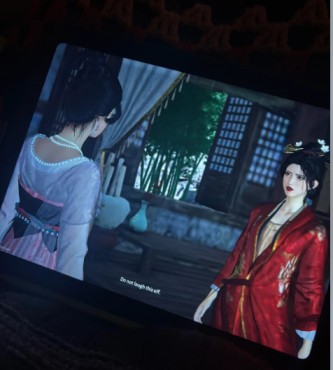
Quick Answer
It’s a known Where Winds Meet character appearance bug.
In some cutscenes, the game simply doesn’t load your saved character customization, so it falls back to the default character model for that scene.
Nothing is actually wrong with your character or your settings—this character reverting to default in cutscenes is just a loading issue during cinematics, and once the cutscene ends, your normal appearance comes back.
Read more: How to Fix Co-Op Boss Arena Lockout in Where Winds Meet (Dalang Boss Bug)
What Causes the Character to Default in Cutscenes
What’s happening behind the scenes is pretty simple. In Where Winds Meet, some cutscenes start playing before your character’s appearance data fully loads. The animation kicks in first, but your saved character customization—things like face details, skin tone, and makeup—doesn’t always sync in time.
When that happens, the game can’t find your custom data fast enough, so it falls back to the default character model. This usually happens when textures or shaders don’t load properly during the transition into a cutscene. That’s why your character looks fine while playing, but then suddenly reverts to default in cutscenes, causing that inconsistent look between gameplay and story scenes.
Platforms Affected
| Platform | Impact |
|---|---|
| Mobile | High – texture streaming and memory limits increase occurrence |
| PC | Moderate – reported during specific quests and story scenes |
| Console | Moderate – similar behavior reported in cinematic-heavy content |
Common Symptoms
Here’s how the Where Winds Meet character defaulting in cutscenes issue usually shows up during play. Everything looks normal while you’re running around in gameplay, but the moment a cutscene starts, things feel off.
- The character looks fully customized during normal gameplay
- Certain cutscenes switch to the default character model or only partially apply customization
- Skin tone, makeup, facial features, or other appearance details are missing
- The problem happens randomly, with some cutscenes showing the correct appearance and others not
This inconsistency is what makes the character appearance not loading in cutscenes bug so noticeable and frustrating.
How to Fix Character Reverting to Default
Re-Save Character Appearance (Recommended Fix)
This is the most reliable fix for the Where Winds Meet character reverting to default in cutscenes bug. Think of it as reminding the game what your character is supposed to look like.
Open the Appearance / Character Customization menu and make a tiny change—toggle makeup on and off, switch a hairstyle, or adjust any facial option. You don’t need to actually change how your character looks. Once you’ve done that, save the appearance and exit the menu.
What this does is force the game to reload your character customization data, including skin tone, facial features, and makeup. After saving, continue playing or replay the cutscene where the issue happened. In most cases, the cutscene will now show your correct character instead of the default character model.
This fix works especially well for players dealing with the character appearance not loading in cutscenes, and it’s quick, safe, and doesn’t affect your progress. If the problem comes back later, repeating this step usually fixes it again.
Change Outfit or Equipment
Another easy workaround for the Where Winds Meet character defaulting in cutscenes issue is simply changing what your character is wearing. Sometimes the game gets stuck using an old or incomplete character model, and swapping outfits helps refresh it.
Open your inventory and equip a different outfit or piece of gear, then back out of the menu so the change fully applies. After that, you can switch back to your original outfit if you want. This forces the game to reload the character model, which often pulls in the correct character customization data again.
Players dealing with the character appearance not loading in cutscenes bug have noticed that after doing this, upcoming cutscenes are more likely to show the correct skin tone, facial features, and makeup instead of the default character model. It’s a quick fix that doesn’t require restarting the game and works well if re-saving appearance didn’t fully solve the problem.
Restart from Title Screen
If the issue keeps popping up, backing out to the title screen can help. Returning to the title screen and then reloading your save forces the game to reset character asset loading, which can fix syncing problems tied to cutscenes.
This works because Where Winds Meet reloads your character data from scratch when you continue from the title screen. If your character customization didn’t load properly before, this reset gives the game another clean chance to apply your appearance instead of falling back to the default character model. Players dealing with the character reverting to default in cutscenes bug often find that cutscenes play correctly after doing this, especially during longer story sessions.
Clear Cache or Verify Game Files
If the character appearance not loading in cutscenes issue keeps happening, the problem can sometimes be tied to bad or incomplete files. Clearing them out gives the game a clean slate.
On mobile, clear the app cache and then restart the game. This removes temporary files that can interfere with loading character textures, shaders, and customization data during cutscenes. It’s a common fix for the Where Winds Meet mobile character bug, especially after updates.
On PC, use the game launcher to verify game files. This checks for missing or corrupted data and automatically replaces it. When texture or shader files don’t load correctly, the game may default to the base character model during cutscenes.
In both cases, this process helps ensure your character customization loads properly, reducing the chance of seeing the default character model in story scenes.

Check Account Linking (Cross-Progression)
If you play Where Winds Meet on more than one platform, account linking is worth checking. When cross-progression isn’t set up correctly, the game can struggle to pull the right character customization data, especially during cutscenes.
If the account isn’t fully linked, some appearance details may not sync properly, which can cause your character to revert to the default model in cutscenes even though everything looks fine in gameplay. This shows up more often for players who switch between mobile and PC or who created their character before linking accounts.
Make sure you’re logged into the same linked account on every platform and that cross-progression is fully active. Once the link is confirmed, the game has a much better chance of loading the correct character appearance instead of falling back to the default character model during story scenes.
Read more: Soaring Spin Bug in Where Winds Meet — Chest Gone, Scroll Missing, Skill Not Unlocking
Adjust Graphics Settings
On mobile, graphics settings can play a bigger role in the Where Winds Meet character defaulting in cutscenes issue than most players realize. Higher settings put more strain on memory and texture streaming, and during cutscenes that can cause the game to skip loading your full character customization.
Try lowering your graphics settings, especially options related to textures or visual quality. This makes it easier for the game to load your character’s skin tone, facial features, and makeup in time for cutscenes instead of falling back to the default character model.
Players dealing with the mobile character appearance not loading bug often notice fewer issues after lowering settings, especially on older devices or during long play sessions. It doesn’t change gameplay, but it can make cutscenes far more consistent.
Quick Tips
Here are a few quick things to keep in mind if you’re dealing with the Where Winds Meet character reverting to default in cutscenes issue:
- Re-save your character appearance if a cutscene shows the default model. This fixes the issue in most cases by forcing the game to reload customization data.
- Change outfits or equipment to refresh the character model before story scenes.
- Mobile players should clear the app cache regularly, especially after updates, to avoid texture loading problems.
- Complete account linking before creating characters, particularly if using cross-progression between mobile and PC.
- If the problem keeps happening, report it with the quest or cutscene name so support can identify exactly where the appearance loading fails.
These small steps help reduce how often the character appearance not loading in cutscenes bug shows up and make the issue easier to manage until a permanent fix is released.
Is This a Known Issue?
Yes, this is a known Where Winds Meet bug and it’s been widely reported by players. The character defaulting in cutscenes problem shows up often enough that it’s clearly not a one-off glitch. Community reports mention the same thing happening across mobile, PC, and other platforms, especially during story-heavy scenes.
Some updates have improved general visual and rendering issues, but a few cutscenes still trigger the character appearance not loading problem. When that happens, the game falls back to the default character model even though your customization is saved correctly. A full, permanent fix hasn’t been confirmed yet, but this kind of recurring appearance bug is something that typically gets addressed in future patches.
Summary
- Character reverting to default in cutscenes is a known issue in Where Winds Meet and has been reported by many players.
- The bug affects mobile, PC, and console platforms, with mobile players seeing it more often.
- It is not caused by user settings or mistakes during character creation.
- Several temporary workarounds—like re-saving appearance or changing outfits—can reduce or fix the issue.
- Player character customization remains intact and returns once the cutscene ends.