
So you boot up Code Vein 2, head into character customization… and your carefully saved appearance presets are just gone.
Yeah — you’re not imagining things. And no, it’s not just you.
There’s currently a real bug causing saved character presets to disappear, and it’s hitting players across both the demo and the full game. Here’s what we know so far, why it happens, and what you can do right now to reduce the damage.
If you’ve spent a serious amount of time tweaking sliders, colors, and accessories, losing a preset can feel brutal — especially in a game where character creation is such a big part of the experience.
What makes this worse is how inconsistent the issue is: some players lose presets after deleting the demo, others see them vanish without touching anything at all.
Because of that, it’s understandable to worry that your remaining presets might disappear too. The good news is that players have already identified a few patterns and temporary precautions that can help protect your characters until an official fix arrives.
Yes, This Is a Real Bug (You Didn’t Mess Up)
Multiple players have confirmed that saved appearance presets can randomly vanish, even if:
You saved them properly
You never deleted the demo
You’re playing on the full release
You didn’t touch your save files
In other words: this isn’t user error. It’s a backend issue with how the game handles appearance data.
Bandai Namco is aware of the problem and is reportedly working on it, but as of now, there’s no full fix live yet.
What makes this bug especially frustrating is how unpredictable it is. Some players lose presets after specific actions, while others report their saved appearances disappearing between sessions with no clear trigger.
That inconsistency makes it difficult to trust the system, even if everything seems to be working fine at first. Until an official patch fully resolves the issue, it’s best to assume that saved presets aren’t completely safe and to take precautions if you have a character design you don’t want to lose.
What Actually Triggers the Presets Disappearing?
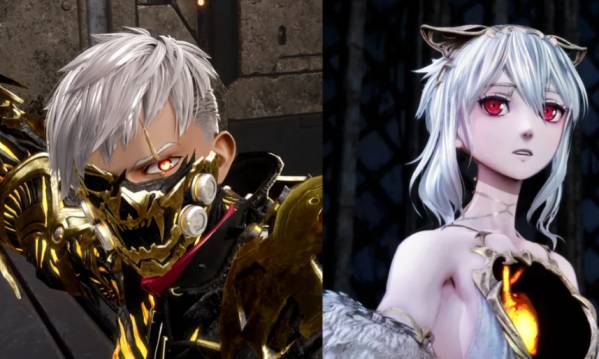
Based on player reports, testing, and community discussion, the bug seems to be triggered by specific menu and loading behavior.
The most common causes include:
Loading your save and not opening the character customization dresser first
Entering Photo Mode or System Settings before checking customization
Deleting or reinstalling the demo version
In some cases… doing absolutely nothing special at all 😐
Worse: some players have reported losing presets even if they never played the demo, which means the issue isn’t demo-exclusive.
That last point is what really complicates things. Because the bug doesn’t have a single, consistent trigger, it can feel completely random when it happens.
One session everything looks fine, and the next time you load in, your saved appearances are missing. This inconsistency suggests the issue is tied to how the game initializes or syncs appearance data when loading saves, rather than any one specific action by the player. Until that process is fixed, presets can be vulnerable even during normal play.
Can You Get Lost Presets Back?
Short answer: sometimes — but usually no
✅ If the preset existed in the demo
Reinstalling the demo and loading the save may restore it (this worked for some players)
❌ If it’s gone from both demo and full game
There’s currently no guaranteed way to recover it
That’s the frustrating reality right now.
The key thing to understand is that recovery depends entirely on whether the game can still find that appearance data somewhere. If the preset was created during the demo and the data hasn’t been fully wiped, reinstalling the demo can occasionally make it reappear.
Unfortunately, if the preset has vanished from both versions, the game currently offers no tools to restore it. Until the bug is fixed, losing a preset can be permanent, which is why backing up or documenting important character designs is strongly recommended.
How to Prevent Losing Presets (Important Workarounds)
Until the bug is patched, these steps won’t guarantee safety — but they do reduce the risk based on current evidence.
1. Always Visit the Dresser First After Loading
When you load your save:
Go straight to the Hot Spring / Dresser
Open Character Customization before Photo Mode or settings
This seems to “re-register” appearance data properly.
Several players have reported that doing this immediately after loading into the game helps the system correctly recognize saved appearance presets
Skipping this step and jumping straight into Photo Mode, menus, or other features appears to increase the chances of presets not loading correctly — or disappearing altogether.
While this workaround isn’t foolproof, it’s currently one of the most consistent methods players are using to protect their customization data. Until an official fix is released, treating the dresser as your first stop every session is a smart habit to get into.
2. Re-Save Important Presets Every Session
Yes, it’s annoying. Do it anyway.
If you have a character you care about:
- Open customization
- Re-save the preset
- Confirm it appears in the list
3. Back Up Manually (Seriously)
Until this is fixed:
Screenshot sliders
Record short clips scrolling through settings
Write down key values if you’re deep into customization
Old-school, but effective.
It might feel excessive, but manual backups are currently the most reliable way to protect your work. Character creation in Code Vein 2 can involve dozens of small adjustments, and recreating a lost preset from memory is rarely accurate. Screenshots and short videos give you a clear reference if you need to rebuild a character from scratch later.
Writing down specific values can also help if you’ve fine-tuned proportions or facial features. Until the bug is fully resolved, treating your presets like something that could disappear at any time is the safest approach.
4. Avoid Deleting the Demo (If You Still Have It)
If your presets were created in the demo:
Don’t uninstall it yet
Some users lost presets immediately after demo deletion
Several players have reported that uninstalling the demo caused presets created during that period to disappear from the full game as well. Even if you’ve already moved on to the full release, the demo can still act as a fallback source for appearance data in some cases.
Keeping it installed appears to reduce the risk of losing presets that originated there. It’s not an ideal solution, but until the bug is fully resolved, holding onto the demo gives you one extra layer of protection. Once Bandai Namco confirms the issue is fixed, you can safely remove it without worrying about your saved customizations.
Is This Fixed Yet?
As of now:
❌ Not fully fixed
⚠️ Patches have improved stability, but appearance saves are still at risk
✅ Bandai Namco has acknowledged the issue publicly
Translation: treat your presets as temporary for now.
While recent updates have helped with general performance and stability, they haven’t completely solved the problem with disappearing appearance presets.
Reports of missing saved characters are still coming in, which suggests the underlying issue hasn’t been fully addressed yet. Until a patch explicitly confirms a fix for appearance data, it’s safest to assume that presets can still be lost under certain conditions.
Keeping backups, re-saving frequently, and following the recommended workarounds remain important if you want to avoid losing hours of customization work.
Final Take
If your Code Vein 2 saved presets disappeared, you’re not alone — and you didn’t do anything wrong. This is a legit bug, it’s inconsistent, and it can hit both demo and full-game players.
Until a proper patch lands:
Save often
Visit the dresser first
Back up anything you care about
It’s not ideal, but it’s the safest way to protect your characters right now.
Losing customization work is frustrating, especially in a game where character creation is such a big part of the experience. Unfortunately, until the developers roll out a patch that directly addresses appearance data, caution is the best approach. Treat presets as something that needs protection rather than permanence, and assume that anything important should be backed up outside the game. It’s an extra step, but it can save you from having to recreate a character from scratch later.
Read also: