
Ever looked at your base in Arknights: Endfield and thought, “Uh… that building is definitely not going to survive much longer”? Yeah — you’re not alone. If your grenade towers or other structures are losing durability and you’re wondering how to repair buildings in Endfield, here’s the straight, no-nonsense answer players have been hunting for.
Base building in Endfield can feel smooth and intuitive right up until something starts breaking, and suddenly the game explains nothing. Durability ticks down, warning icons pop up, and you’re left wondering whether you missed a tutorial, a keybind, or an entire system.
To make it more confusing, the game does let you repair other players’ structures — just not in the way you’d expect for your own base. That disconnect is exactly why so many players hit this wall early on.
Let’s fix your base before it crumbles. 👇
How to Repair Your Own Buildings in Arknights: Endfield
Short answer: you repair your own buildings from the base/AIC build interface, not through the co-op repair system. This is where a lot of players get tripped up, because the game never clearly tells you that self-repairs and co-op repairs are handled differently.
Step-by-step: repairing buildings
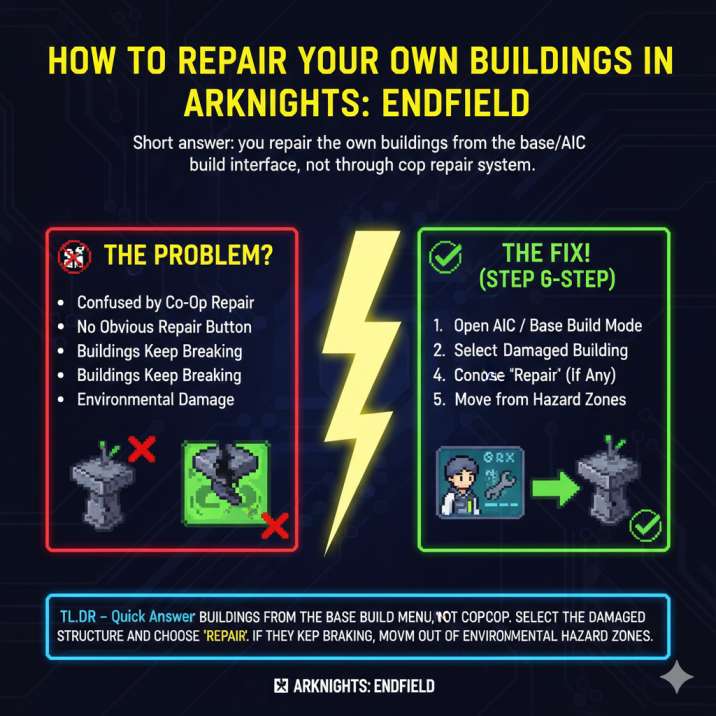
Open your AIC / Base Build Mode
This is the same interface you already use to place new buildings, move existing ones, or remove structures entirely. If you’re not in build mode, the repair option simply won’t appear, which makes it easy to miss.
Select the damaged building
Click directly on the structure with low durability — this includes grenade towers, generators, factories, and other base buildings that show wear over time.
Choose “Repair” from the context menu
If the building can be repaired, a Repair option will appear alongside options like Move or Dismantle. If you don’t see it, double-check that you’re in build mode and not dealing with a quest-locked structure.
Confirm the repair (and pay the cost if required)
Some buildings repair instantly, while others require materials or special parts depending on the building type or current quest state.
That’s it. No NPCs, no waiting timers, no hidden hotkeys — just a simple system the game doesn’t explain very well.
Why Your Buildings Are Losing Durability in Arknights: Endfield
If you’re repairing the same structure over and over and watching its durability drop again shortly after, something else is definitely going on behind the scenes. This isn’t a bug or bad luck — it’s usually tied to where and how the building is placed. Here are the most common reasons buildings keep breaking down, even after repairs.
⚠️ Environmental damage (the big one)
Buildings placed in corrosion zones or hazardous tiles will slowly lose durability over time. This damage is constant and unavoidable as long as the structure stays in that location. It affects defensive towers like grenade towers, power generators, and production buildings alike.
Repairing the building will restore durability temporarily, but it’s only a short-term fix. As long as the structure remains in a dangerous zone, the durability drain will continue.
Fix: Relocate the building to a safe tile using the Move option in build mode. This permanently stops the durability loss and saves you from endless repairs.
🔌 Power and connection issues
Another common reason buildings start falling apart is power and connection problems. If a structure is placed outside your power coverage or has broken, overloaded, or disconnected conveyor belts, it won’t function the way it’s supposed to.
This doesn’t always cause immediate durability loss, which makes it tricky to spot at first. Instead, the issue builds up over time — stalled production, inconsistent behavior, and eventually durability problems that force repeated repairs. Players often assume the building itself is faulty, when the real problem is the infrastructure around it.
Fix: After repairing a building, always double-check that it’s fully within power range and that all conveyor belts are properly connected and flowing. A quick infrastructure check can prevent long-term durability issues and save you a lot of wasted materials later on.
📜 Quest-specific damage
Not all building damage comes from bad placement or power issues. In Arknights: Endfield, some story missions and exploration objectives intentionally damage or disable certain buildings as part of their progression. When this happens, the structure may look repairable at first, but the standard Repair button either won’t work or won’t fully fix the problem.
These cases usually require specific repair components or quest items, rather than a simple durability restore. That’s why clicking Repair might seem to do nothing, or why the option doesn’t appear at all.
Fix: Open your quest log and check the objective tied to that area or structure. You can also hover over or select the building to read its tooltip, which typically lists the exact item or component needed to complete the repair and move the quest forward.
Can You Repair Other Players’ Buildings in Arknights: Endfield?
Yes — but it’s important to understand that this uses a completely different system from repairing your own base. The game doesn’t do a great job of explaining the distinction, which is why so many players assume something is broken.
You can repair other players’ structures during co-op or shared activities, usually through direct interaction prompts tied to those modes. This is meant to support teamwork and shared progression, not base management.
However, that system does not apply to your own buildings. You cannot walk up to your own base structures and repair them the same way.
Your own buildings must always be repaired through the AIC / build mode interface, using the Repair option from the building’s context menu. This mix-up is one of the most common reasons players think the repair system is bugged — when in reality, they’re just in the wrong mode.
When Repairing Isn’t Worth It in Arknights: Endfield
Sometimes, the smarter play isn’t repairing a building at all — it’s knowing when to stop sinking resources into it. If you find yourself repairing the same structure again and again, you’re probably fighting the system instead of working with it.
You should strongly consider moving or rebuilding a structure if the building is placed in a corrosion or hazardous zone, since durability will continue to drain no matter how many times you fix it. The same applies if you’re constantly paying repair costs, which adds up fast and slows overall progression. It’s also worth moving or rebuilding if your base layout has changed and the building no longer fits efficiently into your production or defense setup.
Pro tip: Moving a building keeps it intact and avoids repeated durability loss, making it the best option in most cases. Rebuilding is only worth it if you want a full reset or a cleaner layout.
Quick Troubleshooting Checklist
If repair isn’t working, check this:
- ✅ You’re in AIC / build mode
- ✅ The building isn’t locked by a quest objective
- ✅ You have the required materials
- ✅ The building isn’t sitting in a hazard tile
- ✅ Power coverage reaches the structure
If all of those are true, the Repair option should appear.
Final Verdict
You can absolutely repair your own buildings in Arknights: Endfield — the game just doesn’t spell it out very clearly, which is why so many players think the system is bugged or unfinished.
The key is knowing where to look and understanding that repairs are handled entirely through the base editor, not through co-op or world interactions.
Use the AIC / base build mode, select the damaged structure, and repair it directly from the building’s menu. If you notice durability continuing to drop after repairs, that’s your cue to check placement. Moving the structure out of corrosion or hazard zones is often the real solution, not repeated fixes.
Once your buildings are in safe tiles with proper power coverage, your grenade towers and factories will stop falling apart — and you can get back to optimizing your base instead of babysitting repairs.