
You log out after planting a full farm, come back the next day… and it’s just gone. No crops. No seeds. Nothing.
If this is happening to you in Hytale, don’t worry — you’re not missing some hidden mechanic or doing anything wrong.
Here’s the important part upfront: crops do not naturally disappear in Hytale. If your planted crops vanish overnight, something on the server side is causing it, not the game itself.
In most cases, this happens because of a server rollback, where the world is restored to an older backup and anything planted after that point is lost. Another common reason is the world not saving properly due to disk space issues, file permission errors, or failed autosaves. On private servers, mods or plugins can also unintentionally clear crops, reset chunks, or interfere with farming blocks.
If only your crops disappeared while others remain, griefing, admin cleanup, or lack of land protection may also be involved.
Let’s break it down and get you a real fix.
Why Your Crops Are Disappearing in Hytale ?
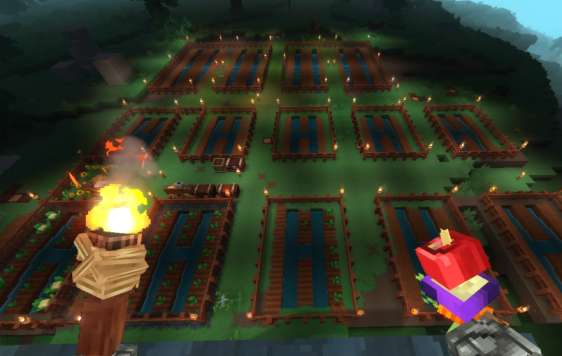
1. Server Rollbacks (Most Common)
This is the number one cause. If the server restores an older backup — manually or automatically — anything you planted after that backup simply never existed anymore.
If this has happened more than once, or other recent changes are also gone, a rollback is almost certainly the culprit.
Server rollbacks usually happen after crashes, world corruption, failed updates, or hosting issues. Many private servers also run automatic nightly backups, and if something goes wrong, the host may restore the most recent “stable” backup without realizing players built farms afterward. From the player’s perspective, it feels like crops disappeared overnight, but in reality the world was reverted to an earlier state.
This also explains why crops vanish while no one is online and why replanting sometimes leads to the same result the next day if rollbacks keep occurring.
2. World Saves Failing
Sometimes the server looks like it’s running fine, but it isn’t saving the world properly.
This usually happens when:
- The server runs out of disk space
- File permissions are broken
- Autosaves fail or get interrupted
When the server restarts, your crops disappear because they were never written to disk.
This issue is especially common on private or self-hosted servers where disk usage isn’t monitored closely. If the drive is full or the server process doesn’t have permission to write to the world folder, the game can continue running without obvious errors, even though nothing new is actually being saved. Players can plant crops, build structures, and interact normally, only to lose everything after a restart.
Checking server logs for save or write errors and making sure there’s enough free disk space is usually enough to confirm whether this is the cause.
3. Mods or Plugins Clearing Crops
On private or modded servers, certain plugins can:
- Reset chunks
- Clean “unused” blocks
- Bug out with crop states
Even if other players’ crops survive, yours might be in an affected area.
This is a common issue on private servers running custom mods or early-access plugins in Hytale. Some plugins are designed to optimize performance by clearing blocks they think are inactive, unused, or temporary, and planted crops can sometimes get caught in that logic by mistake. Others may reset chunks on a timer or when no players are nearby, which can silently wipe farms placed in those regions.
Because these systems often target specific chunks or zones, it’s entirely possible for other players’ crops to remain untouched while yours disappear repeatedly. Disabling mods one by one or checking plugin documentation and settings is usually the fastest way to identify whether a mod is responsible.
4. Griefing or Admin Cleanup
If only your crops are gone:
- Another player may have removed them
- An admin may have cleared the area
- Your farm might not be in a protected or claimed zone
This is especially common near spawn or shared land.
On private servers in Hytale, this tends to happen more often than players expect. Areas near spawn are frequently treated as shared or temporary zones, and admins may periodically clean them up to reduce clutter, lag, or abandoned builds. If your farm isn’t inside a claimed or protected region, it can be removed intentionally or accidentally without you being notified.
Griefing is another possibility, especially if build permissions are open or poorly configured. Since crops don’t leave obvious traces when removed, it can be hard to tell whether someone harvested them or cleared the area entirely. Checking protection settings and asking admins to review recent activity or permissions can usually confirm whether this is the cause.
5. Scheduled Maintenance or Scripts
Some servers run nightly jobs that reset regions or clean parts of the world. If your farm sits in one of those zones, it’ll vanish while no one’s online.
On private servers for Hytale, these automated tasks are often used to manage performance, control world size, or reset event areas. They can include scheduled region wipes, chunk refreshes, or cleanup scripts designed to remove blocks in predefined zones. Because these jobs usually run during low-activity hours, crops can disappear overnight without any player interaction.
If the same farm area is affected repeatedly, it’s a strong sign that a script or scheduled task is targeting that region. Checking the server’s maintenance schedule or configuration files, or asking the server owner directly, is the fastest way to confirm whether automated cleanup is responsible.
Read also: How to Make a Timelapse Using the Machinima Tool in Hytale?
What You Should Do Right Now
- Ask the server owner if any rollback or restore happened
- Confirm the world is actually saving
- Make sure your farm is in a protected area
- Replant a small test patch and log out briefly
- Ask what mods or plugins the server is running
Start by talking to the server owner or admin, because rollbacks and restores are often done automatically by hosts and not always announced. If a rollback occurred, that alone explains why your crops vanished overnight. Next, confirm that the world is saving correctly by asking whether there have been any recent save errors, disk space issues, or crashes on the server.
Make sure your farm is placed inside a protected or claimed area so other players, admins, or cleanup systems can’t modify it. Replanting a small test patch is also a useful way to see whether the issue happens again immediately or only after a restart. Finally, find out exactly which mods or plugins the server is running, as some can interfere with crops in Hytale without making it obvious.
How to Stop This From Happening Again
For players:
- Farm only in claimed/protected areas
- Keep valuable seeds stored safely
Placing your farm inside a claimed or protected area reduces the risk of griefing, admin cleanup, or automated scripts affecting your crops. Keeping extra or rare seeds stored in secure chests ensures you don’t lose everything if something goes wrong again. If the server has land-claim or protection mechanics, make sure they’re active and correctly set for your farm area.
For server owners:
- Enable frequent backups
- Monitor save errors
- Avoid aggressive cleanup scripts
- Test mods before using them live
Frequent backups make it easy to recover lost farms without major player frustration. Monitoring logs for save or write errors helps catch problems early before data loss becomes routine. Cleanup scripts and region resets should be carefully scoped so they don’t affect player farms. Finally, always test new mods or plugins on a staging server before deploying them to a live Hytale world, as even small misconfigurations can lead to crops disappearing unexpectedly.
Quick FAQ
Do crops despawn in Hytale?
No. This isn’t a normal game mechanic. Planted crops are meant to persist in the world and do not disappear on their own under normal gameplay conditions in Hytale.
Is this a known bug?
It’s usually a server configuration or hosting issue, not the game itself. Most cases are caused by rollbacks, save failures, mods, or automated cleanup rather than a core farming bug.
Can this happen while nobody is online?
Yes. Rollbacks, failed saves, and scripts often run overnight. Because these processes typically happen during low-activity hours, crops can vanish without any player interaction or warning.
Bottom Line
If your Hytale crops disappear overnight, it’s almost always a server issue, not something you did. Once the underlying cause is fixed, crops behave normally and stay put.
In other words, this isn’t a hidden farming mechanic, a mistake with planting, or an issue with specific seeds. The problem almost always comes down to how the server is configured, saved, or maintained. Rollbacks, failed saves, mods, plugins, or automated cleanup systems can all remove crops without any warning, especially on private servers.
Once the server is properly saving the world, backups are handled correctly, and cleanup systems are configured safely, farming in Hytale works exactly as expected. Fix the server-side cause, and your crops will stop disappearing for good.
Read also: