
So you finally load into your world, swing your axe at a tree… and boom — disconnected.
No crash screen. No warning. Just kicked out of your own single-player world like you did something illegal.
If your Hytale world disconnects when chopping trees, breaking bushes, or interacting with beds and chests, take a breath — this is a known issue, and in most cases, it’s fixable.
Let’s get you back to playing instead of role-playing the Lorax.
What’s important to understand here is that Hytale single player isn’t truly offline. Your world still runs on an internal server, and actions like breaking blocks or opening containers trigger server-side updates. When something goes wrong during that process — whether it’s a recent update bug, a config issue, or leftover mod data — the game doesn’t always crash properly. Instead, it just disconnects you.
That’s why this problem feels random, but usually isn’t. The good news is that most players fix it by testing a new world, re-logging after syncing system time, or verifying files in a clean vanilla setup. In short: your world probably isn’t doomed, and this issue is more common than it looks.
Why This Happens (Short Version)
Even in single player, Hytale runs your world on an internal server rather than fully offline. That means actions like chopping trees, breaking bushes, or interacting with containers and beds all trigger server-side updates behind the scenes.
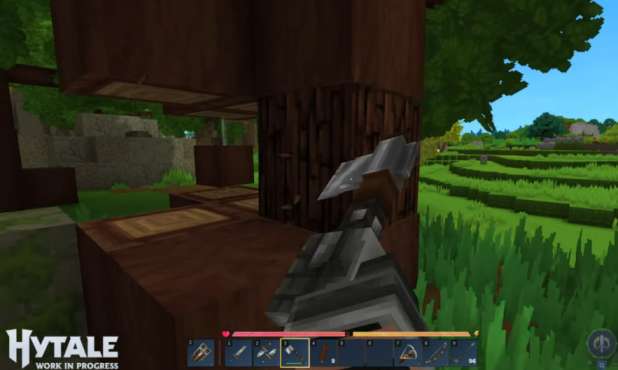
If something goes wrong during that update — a bad config file, an authentication hiccup, or a recent update bug — the internal server doesn’t always fail in a clean, obvious way. Instead of showing a crash screen, it simply drops the connection and kicks you back out of the world.
That’s why the disconnect can feel completely random, especially when it only happens during specific interactions. In reality, it’s tied to those server-side checks failing at the exact moment you break or use certain blocks, which makes the issue frustrating but not unpredictable once you know what’s happening.
First: The Fastest Fix (Works for a Lot of Players)
✅ Re-login + Sync Your System Clock
It sounds basic, but this one fixes a surprising number of Hytale single-player disconnect issues.
Do this exactly:
- Fully close Hytale and the launcher
- Open Windows Settings → Time & Language → Date & Time
- Turn on Set time automatically
- Click Sync now
- Reopen the launcher
- Sign out, then sign back in
- Load your world and try breaking a tree again
If it works, the issue was an auth or token desync, not your save file. This happens when the game’s internal server can’t properly validate your session, and resyncing your system time forces that check to refresh.
Read also: How to Get Voidhearts Easily in Hytale: Complete Guide
Quick Test That Tells You Everything
Before you panic about your world and assume your save is permanently broken, do this simple check first.
👉 Create a brand-new world in Hytale
- Chop a tree
- Break a bush
What this tells you:
- ❌ New world also disconnects → this points to a client-side issue, recent update bug, or corrupted config files
- ✅ Only your main world disconnects → this strongly suggests world or chunk corruption tied to that specific save
This quick test is important because it instantly narrows down the cause. It saves you from wasting time on world-recovery steps if the real problem is your install, and it tells you whether you should focus on fixing the game itself or protecting and troubleshooting your save.
Fix #2: Verify Files (Especially If You Ever Used Mods)
If you’ve ever used mods, CurseForge, or custom profiles, this step is extremely important. A lot of players run into this issue after removing mods and assume everything is fine, when the world itself still contains modded data.
A very common cause of Hytale crashing or disconnecting when breaking blocks is one of the following:
- Mods were removed or updated
- The world still contains modded blocks or containers
- Breaking or interacting with those blocks crashes the internal server
What to do safely:
- Back up your worlds first
- Launch the game in pure vanilla (no mods at all)
- Verify or repair game files using the launcher
- Test the issue again in a world
If everything works in vanilla, your problem is almost certainly mod-related — even if you’re “not using mods anymore.” Old mod data can linger in saves and only show up when you interact with specific blocks.
Fix #3: Firewall & Antivirus Check
Single player doesn’t mean fully offline. Even when you’re playing alone, Hytale still uses local networking to run its internal server, and security software can interfere with that connection.
If a firewall or antivirus blocks the game mid-action, the result is often an instant disconnect instead of a normal crash.
What to check:
- Allow Hytale and the launcher through Windows Firewall (both Private and Public)
- Temporarily disable your antivirus just to test
- Add proper exceptions if that fixes the issue
This step alone has resolved many cases where players report being “kicked from a single-player world” during normal actions like breaking blocks or opening containers.
Fix #4: Reset Corrupted Config Files (Without Deleting Saves)
Sometimes a new update doesn’t play nicely with older settings, and corrupted config files can cause Hytale to disconnect the moment it tries to update the world.
The good news is you can reset these files without deleting your saves.
Safe method:
- Back up your saves first
- Locate Hytale’s config or settings folder
- Rename it (for example:
config_old) - Relaunch the game
- Let Hytale regenerate fresh config files
If the disconnect stops after doing this, you’ve found the culprit. A broken or outdated setting was causing the internal server to fail whenever you interacted with certain blocks.
Read also; Hytale — “Failed to Connect to Server (Unexpected Error)” Fix Guide
If It Only Happens in One World
If only one specific world disconnects when you interact with blocks in Hytale, the cause is usually tied to that save rather than the game itself.
The most common reasons are:
- Corrupted chunk data
- A broken chest or bed state
- An entity update error that triggers on interaction
Things you can try:
- Load into the world and move far away from the problem area before interacting with anything
- Avoid the affected chunk entirely if possible
- Restore the world from your latest backup
If the world disconnects instantly no matter where you are or what you do, then the issue likely isn’t localized to one area — and you should go back to checking client-side fixes like config files, updates, or verification steps.
Is This a Known Bug?
Yes. This is a known and currently reported issue affecting Hytale right now. Multiple players are running into the same problem, including:
- Hytale disconnects when chopping trees
- Hytale crashes when breaking blocks
- Single-player worlds kicking players when interacting with objects
Because these reports are showing up across different systems and saves, it strongly points to an update-related or internal server issue, not something you personally did wrong. In most cases, it’s a temporary problem that can be worked around using the fixes above until a proper patch rolls out.
Final Verdict
If your Hytale world disconnects when breaking trees, bushes, beds, or chests, you’re not unlucky — and you definitely didn’t break your save on purpose. This issue is frustrating, but it’s also common and usually fixable.
Best fix order:
- Sync your system clock and re-log into the launcher
- Test the issue in a brand-new world
- Verify game files in a clean vanilla setup
- Check firewall and antivirus settings
- Reset corrupted config files
- Investigate possible world corruption as a last resort
Work through the list in order and you’ll usually find the culprit before step four. And yes — you will be able to chop trees again… just maybe not today, while you’re still role-playing as the Lorax.
Read more articles: