
The mount-stolen bug in Where Winds Meet happens when an NPC knocks you off and your horse despawns, making the game say you can’t summon it. This mount stolen issue usually comes from a broken mount state rather than the horse actually being deleted.
The good news: Clip-Clop is NOT gone. You can recover it using stable tools and zone resets.
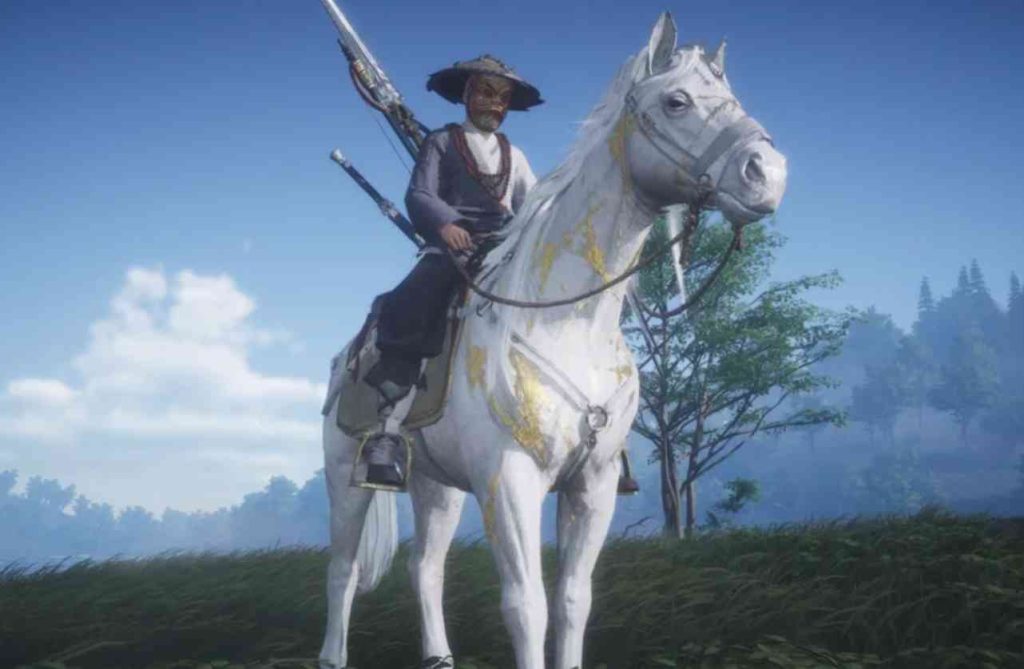
Quick Fix
Fast-travel to a shrine, reopen the mount menu, and recall Clip-Clop from a stable to reset the mount state.
Fix 1: Recall Your Mount at a Stable
The mount stolen bug often leaves the horse stuck in a glitched “unavailable” state. Visiting any stable forces the mount list to refresh and restores your stolen horse.
Interact with the stable, reopen the mount roster, and check if Clip-Clop is listed for recovery.
Steps:
- Go to any stable keeper in a major town.
- Select Mount Management.
- Look for your mount in the list.
- Press Recall / Recover Mount.
Testing Step:
Use the whistle after leaving the stable. The horse should respawn normally.
Root Cause:
NPC-forced dismount events mark the mount as “in combat” or “lost,” preventing summoning until refreshed.
Fix 2: Teleport to Reload Your Mount Instance
The mount stolen bug also occurs when the zone fails to reload the mount’s spawn data. Teleporting forces a clean load.
Teleporting resets the mount’s instance and usually fixes stolen or missing horses instantly.
Steps:
- Open your Map.
- Teleport to any nearby shrine or town.
- Wait 5–10 seconds.
- Use the mount whistle.
Testing Step:
Watch for the mount summon animation right after teleport.
Root Cause:
Mounts tied to a broken zone state do not respawn until the area reloads.
Fix 3: Log Out to Reset Mount State Server-Side
Sometimes the server never clears the stolen-mount flag. A relog forces the server to reevaluate your mount ownership.
This fix works well when the horse refuses to appear even after teleporting.
Steps:
- Log out completely.
- Close the client.
- Relaunch the game.
- Try summoning Clip-Clop again.
Testing Step:
If the mount whistle works after login, the server reset fixed the bug.
Root Cause:
Mount ownership flags get stuck after aggression or NPC interruptions.
Fix 4: Change Regions to Force a Mount Sync
Switching to another region resets environment and mount data. This often restores missing or stolen mounts.
This method helps when staying in the same region keeps the horse locked.
Steps:
- Enter a new region through a gate or fast travel.
- Wait for the area to fully load.
- Try summoning your mount.
Testing Step:
If the mount appears in the new region, return home to continue normally.
Root Cause:
Cross-region transitions reload personal entities like mounts.
Fix 5: Restore Previous Mount Preset
If your mount preset glitched during the stolen event, reloading the preset fixes missing mounts.
Preset corruption is common after force-dismount bugs.
Steps:
- Open Mount → Presets.
- Select a different preset.
- Switch back to your main mount preset.
- Save changes.
Testing Step:
Summon the mount immediately after switching.
Root Cause:
Preset files can lose the reference to your active mount after a forced despawn.
Fix 6: Recover Your Mount Through the Lost Item NPC
The mount stolen bug can sometimes place Clip-Clop into the game’s “lost items” system. Visiting the Lost Item NPC lets you reclaim companions or mounts flagged incorrectly. This method works especially if the mount vanished after a combat pull-off event.
The stolen mount may show up as a recoverable item even if it doesn’t appear in your mount menu.
Steps:
- Visit the Lost Item / Missing Belongings NPC in a main hub.
- Check the Recovered Mounts / Pets tab.
- Select your horse if it appears.
- Confirm the retrieval.
Testing Step:
Use the mount whistle immediately after retrieving it.
Root Cause:
The game sometimes misclassifies stolen mounts as “lost belongings,” sending them to the retrieval NPC.
Fix 7: Change Mount Skins to Refresh the Mount Link
The mount stolen bug can break the visual or identity link between your character and your horse. Changing the mount skin forces the mount data to reload properly.
Skin swapping realigns the mount’s model and data ID.
Steps:
- Go to Mount → Appearance.
- Equip any different mount skin.
- Confirm changes.
- Switch back to your normal skin.
Testing Step:
Whistle after switching skins—your mount should reappear.
Root Cause:
Attachment and appearance data sometimes disconnect the mount from the player after despawn events.
Fix 8: Add and Remove a Second Mount to Reset the Mount Roster
If you own multiple mounts, the stolen mount bug can cause your active mount slot to freeze. Cycling a second mount in and out usually unfreezes the slot.
This is one of the most reliable fixes for players with multiple mounts.
Steps:
- Open Mount → Management.
- Select a different mount as Active.
- Swap back to Clip-Clop.
- Save changes.
Testing Step:
Try summoning after swapping—Clip-Clop should respond again.
Root Cause:
The active mount slot gets corrupted when an NPC forcibly removes the rider.
Fix 9: Repair Game Files to Fix Broken Mount Scripts
The stolen mount bug can be caused by corrupted mount behavior scripts. Verifying or repairing the game files restores broken mount dependencies.
This is especially useful if you recently patched the game.
Steps:
- Open your platform launcher.
- Select Verify Integrity or Repair.
- Wait for the check to complete.
- Relaunch Where Winds Meet.
Testing Step:
Teleport and whistle—your mount should now spawn.
Root Cause:
Mount script corruption makes the game unable to load mount assets after NPC interruptions.
Fix 10: Reset Keybinds or Mount Hotkey
Sometimes the mount stolen bug isn’t the mount — it’s the hotkey. Input glitches can disable your mount summon command, making it look like the horse is gone.
Resetting the hotkey forces the mount-summon action to rebuild.
Steps:
- Go to Settings → Controls.
- Reset the Mount Summon keybind.
- Optionally assign a new key.
- Save and retry summoning.
Testing Step:
Press the new summon key—if Clip-Clop appears, the issue was input-related.
Root Cause:
Keybind corruption prevents the summon action from executing.
Fix 11: Disable Combat Mode to Summon Your Horse
After the mount stolen bug triggers, the game may incorrectly keep you in combat mode. Horses cannot be summoned while flagged in combat.
Clearing combat mode lets you re-summon your mount normally.
Steps:
- Stop moving and sheathe your weapon.
- Wait 10–15 seconds.
- Teleport to a peaceful area if needed.
- Try summoning the mount again.
Testing Step:
If the summon icon becomes available, combat mode cleared successfully.
Root Cause:
Forced dismounts sometimes trap you in combat state, blocking mount usage.
Fix 12: Enter and Exit a Safe Zone to Reset Mount Availability
Safe zones reset many world systems, including mount permissions. Entering one forces a clean re-sync of mount data.
This method works if your mount is marked as “in danger” after being stolen.
Steps:
- Walk into a Safe Zone (town, shrine, settlement).
- Wait for the Safe Zone indicator to appear.
- Exit the Safe Zone.
- Attempt to summon your horse.
Testing Step:
If the summon prompt reactivates, Clip-Clop has been restored.
Root Cause:
Safe Zone transitions clear mount restrictions caused by hostile NPC interactions.
Fix 13: Reset World Interaction Settings
The mount stolen bug can be caused by broken interaction layers, especially after fights near NPCs. Resetting interaction settings refreshes mount-related triggers.
This makes the game recheck whether your mount is attached to your character.
Steps:
- Go to Settings → Gameplay.
- Reset interaction and mount settings to default.
- Apply changes.
- Whistle for your mount.
Testing Step:
If the summoning animation restarts, the interaction layer was the issue.
Root Cause:
The interaction system loses your mount’s reference after aggressive NPC actions.
Fix 14: Change Server Channels to Respawn the Mount
Switching to a different server channel instantly reloads your character’s entities, including mounts. This is one of the fastest ways to fix stolen mounts.
A channel change forces a new mount instance.
Steps:
- Open the Server / Channel selector.
- Switch to a different channel.
- Load in and wait a few seconds.
- Try summoning the mount.
Testing Step:
If Clip-Clop appears on the new channel, you’re fixed.
Root Cause:
Your previous channel stored a broken mount state after the pull-off incident.
Fix 15: Trigger a Cutscene or Story Interaction
Cutscenes reset world objects and your relationship with mounts. Triggering one often restores missing or bugged horses.
This works especially well if a quest interrupted your mount summon.
Steps:
- Start any quick quest or world event.
- Watch the short cutscene.
- Exit the event.
- Whistle for your mount.
Testing Step:
If the cutscene respawned the mount post-event, you’re good.
Root Cause:
Cutscenes reinitialize actor states, forcing the mount to spawn correctly.
Does the game actually allow NPCs or players to permanently steal mounts, or is this a despawn bug?
Most games don’t allow permanent mount stealing, so when a mount disappears after an NPC pulls you off, it’s usually a despawn or reset bug.
Some NPC behaviors — like drunkards, patrol guards, or bandit ambushers — can forcefully dismount you, and the game may accidentally remove your horse instead of letting it wait nearby.
Common signs include:
- Mount vanishes instantly after the dismount animation
- No “stolen” notification appears
- Mount menu still shows your horse as owned but not summoned
When this happens, the mount isn’t stolen — the world just failed to respawn it.
It usually returns once the game reloads your mount state.
Does your horse return if you relog, change zones, or fast-travel to a main city?
Yes — disappearing mounts almost always reappear after you reload your character or move into a new zone.
These actions reset the mount’s spawn point and force the system to recheck your ownership data.
Try these quick resets:
- Relog once
- Teleport to a major city or shrine
- Enter a dungeon, then exit
- Change channels if your game supports it
If the mount reappears in your mount menu or near a stable, then the issue was a simple world-desync, not an intentional mechanic.
Most players recover their horse instantly after doing one of these resets.
Is there a stable NPC or mount keeper that can respawn lost mounts for free?
Many games add a stable master or mount keeper who can restore missing mounts for no cost.
If your horse despawned or glitched underground, these NPCs force a clean respawn.
Look for:
- Stable icons in major cities
- Mount-related NPCs near fast-travel points
- A “Retrieve Mount” or “Reclaim” button in their dialogue
Even if the mount doesn’t appear physically, the stable NPC often shows it as “owned” and can reset it instantly.
Checking stables is one of the fastest and most reliable fixes for missing mounts.
Are other players also losing mounts after being pulled off by drunkards or bandit NPCs?
Yes — many players report mounts disappearing specifically after being yanked off by aggressive NPCs like drunkards, thieves, or bandits.
These encounters sometimes force your mount into a despawn state because the game prioritizes the combat event over mount persistence.
Common patterns players report:
- Mount vanishes the moment the NPC grapples you
- Horse doesn’t wait nearby like normal
- Mount becomes unselectable for a short time
Since multiple players experience it, this strongly suggests a behavior-script bug, not a feature.
It tends to happen in the same NPC-heavy zones, especially dense roadside ambush areas.
Could this be tied to a specific quest area where mounts temporarily disable themselves?
Yes — some story zones automatically disable mounts to control pacing or prevent skips.
If you ride into these areas at the wrong angle, your mount may despawn instead of giving a warning message.
These areas often include:
- Quest arenas
- Restricted temples or sanctums
- Cutscene-trigger zones
- NPC confrontation paths
If your mount disappears only in certain parts of the map, it’s likely the game is flagging the region as mount-restricted.
Leaving the zone or finishing the quest usually restores normal mount behavior instantly.
Does the mount appear in your mount menu but simply fails to summon due to a bug?
Yes — many players find the mount still listed in the mount menu, but the summon command does nothing.
This usually happens when the mount is stuck in an active state the server can’t clear.
Common signs include:
- Summon button flashes but no mount appears
- Mount icon stays highlighted like it’s already active
- No error message, just no spawn
When this happens, the mount isn’t lost — the summon script failed.
A relog, zone change, or mount refresh usually forces the system to respawn it properly.
Is the horse still registered under your character, or did the game incorrectly mark it as “unowned”?
Sometimes the mount remains registered, but the server briefly flags it as unusable.
On rare occasions, ownership can desync, making the game think you don’t own the mount even though you do.
Watch for:
- Mount menu showing the horse but greyed out
- “Unavailable” or “restricted” messages
- Mount stats visible but summon blocked
This is nearly always a data-sync issue, not true loss of ownership.
Once the server refreshes your mount records — usually after a relog or reset — the horse becomes summonable again.
Does claiming a different mount and then re-equipping your main one force it to reappear?
Yes — swapping mounts is one of the most reliable fixes.
Equipping a different mount clears the bugged state from your main one.
Players often fix it by:
- Selecting any spare mount
- Summoning it once
- Switching back to the original mount
This forces the game to reload mount data and place your primary mount correctly.
It’s a quick manual reset when the summon script fails.
Are there reports of mounts respawning after server reset or daily reset?
Yes — many players say their missing mount reappears automatically after a daily or weekly server reset.
Resets clear stale mount states and reload all ownership data.
This works especially well when:
- The mount vanished due to NPC dismount attacks
- The summon system flagged the horse as already active
- Server lag prevented the mount from spawning
If nothing else works, waiting for the next server reset often restores your mount without doing anything special.
Could the mount have glitched under the map, making the summon system think it’s still active?
Yes — this is a very common cause.
If the mount falls through terrain or gets stuck below the world, the server still counts it as “spawned,” blocking new summons.
Symptoms include:
- Summon cooldown active, but no horse visible
- Mount footsteps or sounds but no model
- Mount location showing far away or unreachable
Because the game thinks the mount exists, it won’t spawn a new one.
Relogging, teleporting, or forcing a mount reset fixes this instantly.