
Need for Speed Unbound players are facing a frustrating issue with car customization — specifically, the rim customization bug that locks previously owned or unlocked wheels and prevents players from buying new ones.
One of the most commonly reported cases involves the Porsche 959, where players try to swap rims only to find their Rotiform wheels reverted to stock or marked as locked again. Attempting to select or purchase another rim often displays a “Could not buy” error message, even when players have sufficient funds and reputation.
For a game built around personal expression and tuning freedom, this bug completely undermines the customization experience. Let’s break down why this NFS Unbound rim customization bug happens — and how to fix it step-by-step.
???? Why the NFS Unbound Rim Customization Bug Happens
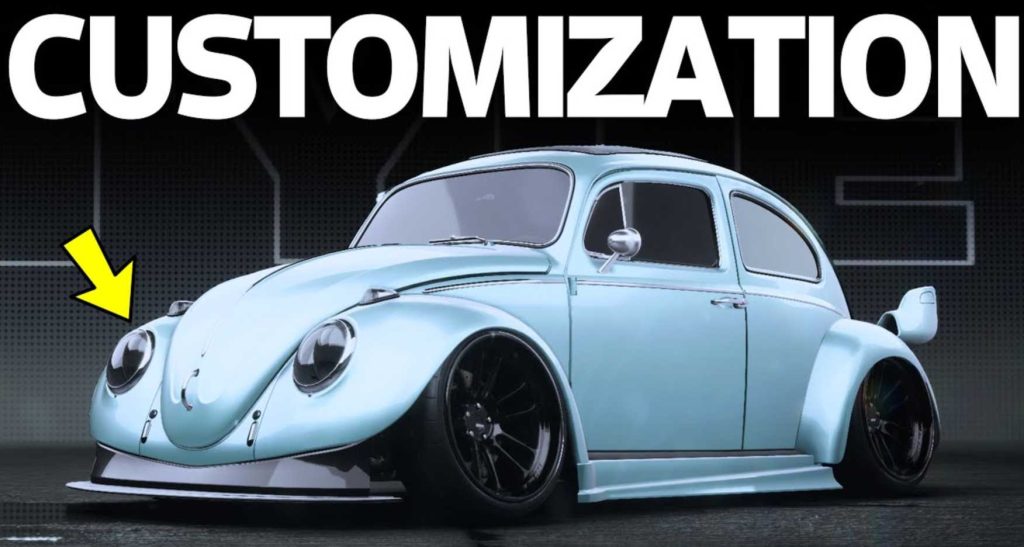
The bug appears to stem from how NFS Unbound manages vehicle customization data and server-side syncs after recent patches. Here are the most common triggers:
- Vehicle customization data becoming desynced from EA’s online servers.
- Rims purchased before an update being flagged incorrectly as “unavailable.”
- Corrupted garage or car slot data after multiple rim swaps.
- Changes to the live service item store (rotiform and branded parts) causing inventory mismatches.
If your game thinks your rim is locked — even though you’ve previously unlocked it — the item flag isn’t syncing between your local save and EA’s online item validation servers.
???? Fix 1: Restart the Game and Force Refresh Customization Data
Sometimes the simplest fix works first.
1️⃣ Fully close NFS Unbound.
2️⃣ On PC or console, disconnect from the internet for 30 seconds.
3️⃣ Reconnect and restart the game.
This triggers an item refresh between your local garage and EA’s online customization store, often restoring locked rims or previously saved setups.
???? Fix 2: Load a Different Car, Then Switch Back
Switching cars forces the garage to reload item data.
1️⃣ Enter your garage.
2️⃣ Select another vehicle with fully customized rims.
3️⃣ Save and exit, then reselect the car with the bug (e.g., Porsche 959).
If successful, your rim customization options should reappear unlocked.
???? Fix 3: Delete Temporary Custom Save Data
Corrupted temporary customization files can block purchases.
On PC:
Go to
Documents > Need for Speed Unbound > SaveData
Delete the file named temp_customization or similar (not your main save).
Restart the game and check again — rims should now purchase normally.
???? Fix 4: Re-Validate Game Files
If a recent patch introduced corrupted part data, validating your installation often fixes it.
Steam / EA App:
Right-click → Properties → Verify Integrity / Repair Game.
PlayStation / Xbox:
Delete local game cache (not saves) and reinstall updates.
This ensures your rims database syncs properly with the latest patch version.
???? Fix 5: Avoid Using Online Mode When Changing Rims
When NFS Unbound connects online, it tries to verify cosmetic unlocks with EA’s live item system. If your item is mismatched, it may appear locked.
Try switching to Offline Mode (Solo Play), then enter the garage.
You should be able to change or buy rims freely, since the game now relies on your local data rather than EA’s online validation.
Once the rim is equipped, go back online — it usually stays attached to your car.
???? Fix 6: Re-Equip Original Stock Rims, Then Reapply Custom Ones
A quick trick: revert to stock rims before trying again.
1️⃣ Go into Garage → Rims → Select “Stock.”
2️⃣ Apply and confirm.
3️⃣ Go back into the rim menu → Re-select your desired custom rims.
This resets the item dependency and helps the system correctly recognize the rim as unlocked and owned.
???? Fix 7: Check for EA Server Maintenance
Sometimes it’s not your game — it’s EA.
Check EA Help’s Server Status Page or @EAHelp on X (Twitter).
If EA’s customization or inventory servers are under maintenance, you’ll temporarily lose access to certain items, including paid or unlocked rims.
Wait for the maintenance window to end, then restart your game.
???? Fix 8: Disable Cross-Play Temporarily
Cross-play syncs cosmetic data differently between platforms. Players on PC (Steam/EA) report more issues when cross-play is enabled.
Go to Settings → Network → Cross-Play → OFF.
Then reload your garage and retry customizing your rims.
This uses your local inventory instead of syncing shared items with other platforms, which often fixes “Could Not Buy Rim” errors.
???? Fix 9: Re-Purchase the Car (Last Resort for Bugged Models)
If one specific car keeps resetting its rims (like the Porsche 959), try selling it and re-buying it.
You’ll lose previous customization, but the new instance of the car will rebuild cleanly.
This resets corrupted part dependencies and lets you apply new rim selections without the locked message.
???? Fix 10: Contact EA Help with Screenshots
If all else fails, contact EA Support via help.ea.com.
Provide:
- Platform (Steam/PS5/Xbox)
- Vehicle name (e.g., Porsche 959)
- Rim brand (Rotiform, BBS, etc.)
- Screenshot of the error (“Could not buy”)
EA support can manually reset your customization license or refresh your cosmetic item flags.
???? Fix 11: Clear Cache Data on PC or Console
Corrupted cache files often cause the NFS Unbound rim customization bug to persist even after restarts.
For PC (EA App or Steam):
1️⃣ Close the game.
2️⃣ Navigate to:
C:\Users\[Your Name]\AppData\Local\Need for Speed Unbound\Cache
3️⃣ Delete the contents (not your Save folder).
4️⃣ Restart the game.
For Consoles:
Hold power for 10 seconds to fully shut down. Then restart — this clears cached customization memory.
Many players reported that after clearing cache, previously “locked” rims became selectable again.
???? Fix 12: Re-Link EA and Platform Accounts
Sometimes the game fails to confirm ownership of purchased parts because your EA account connection is broken.
Visit myaccount.ea.com → Connections and unlink your platform (Steam, PSN, Xbox).
Then relink it, restart the game, and reload your garage.
This resyncs your EA cosmetic entitlements and restores access to your Rotiform or BBS rims that appeared locked.
???? Fix 13: Disable Cloud Sync Temporarily
NFS Unbound syncs customization data through EA’s cloud system. When cloud and local saves conflict, cosmetic items can revert or disappear.
How to fix:
- Disable Cloud Sync in your EA App or Steam settings.
- Relaunch the game offline.
- Change your rims in offline mode.
- Exit, re-enable Cloud Sync, and upload your updated save.
This forces EA’s cloud to adopt your correct local data and fixes the rim customization bug permanently.
???? Fix 14: Reinstall the Customization Pack (For DLC Owners)
If your rim came from a DLC or pre-order pack, reinstalling that content restores missing part licenses.
Steps:
1️⃣ Go to EA App / Console Library → Manage Game → Add-ons.
2️⃣ Uninstall the related customization pack (e.g., Rotiform Pack).
3️⃣ Reinstall it and relaunch.
After this, the locked rim issue often disappears, especially for special-edition rims tied to promotional packs.
???? Fix 15: Reset Visual Customization Presets
When customization presets get corrupted, applying them may break your rim configuration.
Go to Garage → Presets → Delete Old Customizations.
Create a new preset from scratch.
This refreshes the data pointers for all car mods, which removes rim locking errors linked to old builds.
???? Fix 16: Avoid Switching Cars While Saving Customizations
NFS Unbound sometimes crashes or mislabels part data when players swap cars too fast during garage saves.
After changing rims, wait 5–10 seconds before switching to another car.
This ensures your rim selection uploads fully to EA’s servers.
Avoiding rapid switching helps prevent rim revert bugs and “Could not buy” messages.
???? Fix 17: Verify You’re Using Correct Car Variant
Some NFS Unbound cars have multiple variants (e.g., stock vs. customized or event-specific).
If you customized the Porsche 959 in one mode (Campaign or Online) and try editing it in another, the game might show rims as locked.
Always check that you’re modifying the same variant that originally had the Rotiform rim equipped.
???? Fix 18: Rebuild Game Database on PlayStation
PlayStation players facing the rim customization not working bug can rebuild their database easily:
1️⃣ Turn off the console.
2️⃣ Hold the power button until you hear two beeps.
3️⃣ Connect your controller → Choose “Rebuild Database.”
This refreshes all game files and item links without deleting saves, resolving locked parts and missing rim data.
???? Fix 19: Reinstall NFS Unbound on a Different Drive (PC)
If your customization data continually fails to load, try reinstalling the game to a fresh location.
Move or reinstall NFS Unbound to a different SSD or HDD.
This eliminates corrupted part references stored in your original game directory.
Many PC users fixed “Could not buy rims” errors this way after standard repairs failed.
???? Fix 20: Use the EA App Instead of Steam for Launch
If you own the game on both platforms or through Steam linked to EA, try launching directly from the EA App instead of Steam.
Steam sometimes delays item license verification, leading to locked rims.
Launching through EA allows direct entitlement checks, which can instantly fix missing or locked customization parts.
???? Fix 21: Check for Server-Side Entitlement Sync
EA occasionally updates entitlements (ownership flags) for purchased or unlocked rims.
Wait for 24–48 hours after reporting the issue, then restart your game.
During this period, EA may refresh your account license, making locked rims accessible again.
Patience often resolves rim customization sync bugs automatically.
???? Fix 22: Manually Re-Equip Tires and Rims Separately
Instead of changing full wheel sets, equip tire and rim parts one at a time.
1️⃣ Go to Garage → Rims.
2️⃣ Select Rim only → Apply.
3️⃣ Then select Tires → Apply.
This separate installation sequence avoids data overlap that triggers the NFS Unbound rim locked error.
???? Fix 23: Use Default Color for Rim Application
Some rim skins conflict with locked colors from limited packs.
Switch the rim color to default silver or black before reapplying it.
Once the rim loads correctly, recolor it after saving.
This bypasses texture-locked customization bugs that cause “Could not apply rim.”
???? Fix 24: Avoid Custom Decal Layers on Wheels
Custom decals occasionally interfere with the visual attachment points of rims.
Remove any rim-based decals before trying to reapply new rims.
Re-add decals afterward if the customization loads correctly.
This prevents texture layering bugs from marking rims as “invalid or locked.”
???? Fix 25: Perform a Clean Boot on PC
Other background apps (like MSI Afterburner or NVIDIA Overlay) can conflict with EA’s customization sync process.
Perform a Clean Boot (disable all startup programs), then launch NFS Unbound directly.
This isolates any third-party interference causing your rim customization data to misload.
???? Fix 26: Rename Your Save Folder (Force a Sync Rebuild)
Go to Documents > Need for Speed Unbound.
Rename the save folder to NFSUnbound_backup.
Restart the game — it will create a fresh save folder.
Then copy your old save files (progression only) back in.
This rebuilds the customization registry without corrupting your progress.
???? Fix 27: Test Another Car from Same Brand
Try customizing rims on another Porsche (like 911 Carrera) or another brand car.
If rims work there, the issue is car-specific.
You can then copy the functioning rim configuration to your Porsche 959 by duplicating that preset inside the garage.
This workaround helps bypass the Porsche-specific rim locking bug.
???? Fix 28: Update Graphics Drivers
Outdated graphics drivers can cause item preview failures — making it look like rims are “locked” when they’re just not displaying.
Update your GPU drivers (NVIDIA, AMD, Intel).
Then restart the game and open the customization screen.
Rim options will now load with full textures and unlock indicators.
???? Fix 29: Avoid Changing Rims During Auto-Save
Wait for the auto-save icon to disappear before changing rims.
Interrupting the save process mid-customization often corrupts rim data and locks your selected part.
Make small changes, save manually, and exit the garage fully before re-entering.
This reduces the chance of the rim revert or “Could not buy” bug appearing again.
???? Fix 30: Report the Bug with Proof to EA Answers HQ
If your NFS Unbound rim customization bug persists after all fixes, document it for EA:
Include:
- Vehicle name (e.g., Porsche 959)
- Rim brand (Rotiform, BBS, etc.)
- Screenshot or clip showing the locked rim
- Platform and mode (Online or Solo)
Post your report on the EA NFS Unbound Technical Issues Forum.
EA community managers regularly merge similar reports to push hotfixes faster.
???? Final Summary
The NFS Unbound Rim Customization Bug is caused by data desyncs, corrupted presets, or misflagged ownership after patches. Most players fix it by:
✅ Re-equipping stock rims first.
✅ Launching offline to reset cosmetic data.
✅ Clearing cache or repairing game files.
✅ Relinking EA and platform accounts.
If you follow all 30 fixes, your Porsche 959 (or any affected vehicle) should regain access to all previously unlocked or purchased rims — without the dreaded “Could not buy” message.
Until EA issues a global patch, these player-tested solutions remain the most effective way to restore your garage customization freedom in Need for Speed™ Unbound.
Why Rim Customization Glitches Still Happen in NFS Unbound
Even after updates, Need for Speed Unbound continues to face sporadic customization bugs. These often occur due to temporary sync mismatches between the garage data and EA’s cloud storage. When rim data fails to sync properly, the game automatically defaults to the stock configuration — especially after an update or crash.
This issue can also stem from corrupted vehicle save data or mismatched ownership verification, which is why some rims show as “locked” even when you’ve already bought them.
How NFS Unbound’s Customization System Actually Works
The customization system in NFS Unbound runs on a layered structure where visual assets (rims, spoilers, decals) are stored separately from performance mods. When you re-enter the game, it loads these two databases simultaneously. If one fails — say, the cosmetic data — your build reverts visually but not mechanically.
This design helps reduce performance lag but also introduces rare conflicts like the rim bug, where visual data can’t load properly due to missing cache references.
The Psychological Impact of Bugs on Player Retention
Bugs like these might seem small, but they significantly impact player motivation. Customization is a core emotional hook in NFS games — it’s the reason players form attachment to their vehicles. When personalization features fail, the emotional payoff disappears.
This is why many players report frustration or switch to more stable titles like Forza Horizon 5 or Gran Turismo 7.
Comparing NFS Unbound to Forza and Gran Turismo
Unlike Forza or Gran Turismo, which rely on locally cached customization data, NFS Unbound ties most of its assets to EA’s live service structure. This cloud dependency increases online sync issues — especially after patches, new content drops, or EA server downtime.
In Forza, for example, all your visual mods are stored locally and then backed up online, which prevents these “locked item” errors from happening.
How to Prevent Future Customization Loss
If you’ve already fixed your issue, it’s smart to back up your save files manually or sync them before closing the game. Here’s what helps:
- Always exit the game through the main menu — don’t just alt-tab or force quit.
- Avoid changing rims or body parts during online matchmaking.
- Let the game sit for 10–15 seconds after customization before exiting.
These micro-habits reduce the chance of cache corruption.
The Future of NFS Customization Updates
EA and Criterion have hinted that a rework of the customization storage system might arrive in future updates to improve sync reliability and add more rim and decal variety.
If they move toward a hybrid system like Forza’s, players can expect fewer lockout bugs and faster visual asset loading.
Why You Should Still Give NFS Unbound Another Chance
Despite its bugs, NFS Unbound still delivers one of the most expressive car culture experiences available today. The art style, music integration, and drifting mechanics stand out from other racing titles. If customization gets polished, it could easily reclaim its place as the top arcade racer.