
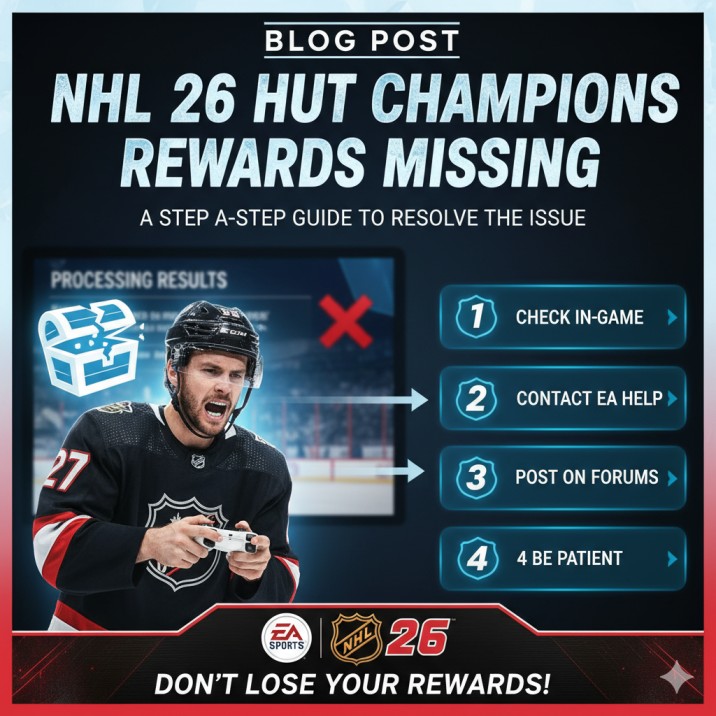
NHL 26 HUT Champions rewards missing has quickly become one of the most talked-about issues in the NHL gaming community.
Imagine spending your entire weekend grinding through matches, securing those hard-earned wins, and then waiting eagerly for the packs, coins, or player items you deserve—only to find that nothing shows up.
This frustrating scenario is something many players of NHL 26 are currently facing. Instead of celebrating their progress in HUT Champions, they are stuck refreshing menus, waiting for results to process, and wondering if their efforts will ever pay off.
The issue usually appears when the results screen is stuck on “processing” for days, or when the weekend event resets but no rewards are deposited.
For players who dedicate their time to competitive play, this can feel like wasted effort. While EA Sports has acknowledged problems like this in past NHL releases, solutions are not always straightforward.
In this article, we’ll cover multiple steps you can try to resolve the problem.
From checking your completed events tab to posting on EA Answers HQ and keeping proof of your wins, we’ll explore practical actions that might help you claim the rewards you worked so hard for.
NHL 26 HUT Champions Rewards Missing – Why Does It Happen?
NHL 26 HUT Champions rewards missing is a problem that many players are currently facing, and it can be very frustrating.
You play the whole weekend, win games, and wait for your packs or coins, but when you log in, the rewards are nowhere to be found. Understanding why this happens is the first step in fixing it.
One of the main reasons for missing rewards is server delay.
NHL 26 is an online game, and all results have to be processed through EA’s servers. Sometimes the system gets overloaded, especially during popular events like HUT Champions. This can cause rewards to take longer than expected, and in some cases, they don’t appear until days later.
Another common reason is processing errors.
After you finish your games, the game shows “processing results.” If this screen stays too long, it often means that the results are stuck. When this happens, the game might not register your placement correctly, which leads to rewards not being delivered.
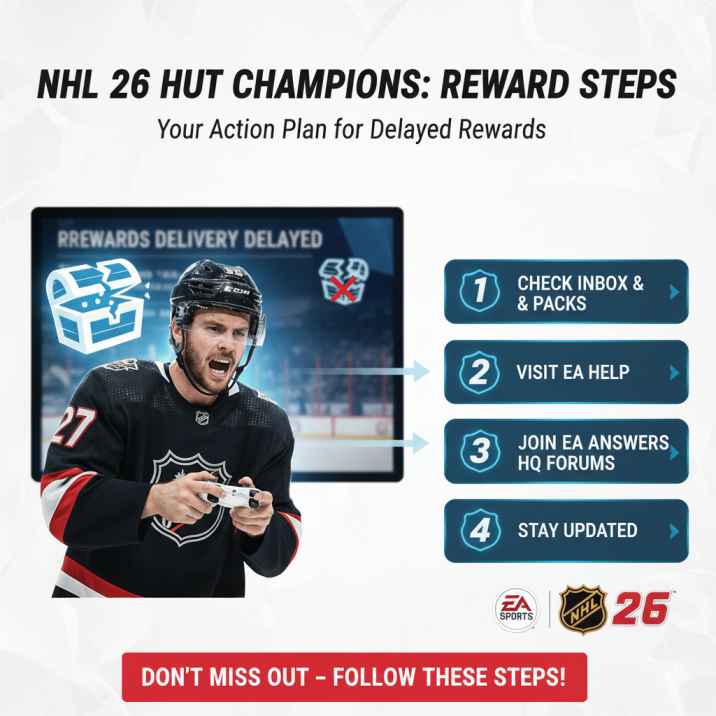
Account issues can also play a role.
If your EA account is not properly linked to your PlayStation, Xbox, or PC, the system may fail to send rewards to the correct account. Players who log in with multiple accounts sometimes face this problem more often.
There are also cases where rewards do get added, but they don’t show up as a pack opening screen. Instead, they end up in the Unassigned Items section of Ultimate Team. Many players miss this and assume their rewards are gone when they are actually waiting to be claimed.
Finally, sometimes the issue is not on your side at all. In past NHL games, EA has admitted to widespread reward distribution bugs, and in those cases, they usually announce fixes and send out compensation packs to all affected players.
In short, NHL 26 HUT Champions rewards missing can happen because of server delays, event result errors, account sync issues, or known bugs in the system. The good news is that in most cases, the rewards are not permanently lost — they are just delayed or need a little extra step to show up. By knowing the reasons, players can better understand what to do next and how to report the issue properly.
How Long Does It Take to Receive HUT Champions Rewards in NHL 26?
One of the most common questions players ask is: how long does it take to receive HUT Champions rewards in NHL 26? Normally, rewards are not given instantly after the event ends. Instead, EA processes all player results and then distributes rewards in stages.
On average, players can expect to see their HUT Champs rewards within a few hours after the event finishes. However, delays are very common. In some cases, it can take 24–72 hours for the rewards to appear in your account. During this time, the event screen may say “processing results,” which simply means the system is finalizing placements and preparing rewards.
For some unlucky players, the wait can be even longer. If EA’s servers are overloaded, or if there is a bug affecting reward distribution, it may take up to a week before rewards arrive. In past NHL games, EA has even had to issue compensation packs days later when large numbers of players were affected.
So while most players receive their HUT Champs rewards quickly, if yours are missing after three days, it’s best to start troubleshooting and reporting the issue.
Common Reasons for Missing HUT Champs Rewards
1. Server Delays
One of the most frequent reasons for NHL 26 HUT Champions rewards missing is simple server delay. When thousands of players finish their games at the same time, EA’s servers get overloaded. The system has to process every single player’s record, calculate placements, and then assign rewards accordingly. This takes time, and if servers are under stress, delays happen.
For many players, the results screen shows “processing results” for hours or even days. This doesn’t always mean your rewards are gone—it usually means they are queued up in the system. In most cases, the rewards arrive automatically once EA finishes the distribution process. However, the wait can be frustrating, especially if you’ve already seen other players receive their packs while yours are missing.
2. Event Processing Errors
Another major cause of missing HUT Champs rewards is event processing errors. After you complete your weekend run, NHL 26 needs to lock in your results and calculate your final placement. If this process fails, your progress may not get recorded properly, and your account won’t receive the rewards it should.
For example, if you finish your last game very close to the deadline, the system might not have enough time to finalize the results before the event closes. Similarly, if you experience a disconnect during a crucial game, your progress might not be fully saved. In these cases, the game will often show “processing results” for a long time, only to reset later without any rewards appearing.
3. Account Linking and Sync Issues
Sometimes, the problem of missing NHL 26 HUT Champs rewards has nothing to do with servers or events—it’s linked to your EA account. For rewards to be delivered correctly, your EA account must be properly connected to your PlayStation, Xbox, or PC profile. If there is a mismatch or sync problem, the system may not know where to send your rewards.
For example, some players have multiple EA accounts tied to different consoles. If you accidentally log in with the wrong account or switch profiles, your rewards could end up in the wrong place—or not appear at all. Similarly, if your EA account has been disconnected or needs re-verification, rewards may fail to transfer.
To prevent this, always double-check that your EA account is correctly linked in the game’s settings. Log into EA’s official website to confirm your account details, and make sure the right console ID is attached. If you recently changed your gamertag, PSN ID, or email, you should update it with EA. While this problem isn’t as widespread as server delays, it can be a hidden reason why some players don’t see their HUT Champs packs even after waiting days.
4. Rewards Hidden in Unassigned Items
A surprisingly common reason players think their HUT Champs rewards are missing is because they don’t realize the items are already in their account. In NHL 26 Ultimate Team, rewards don’t always show up in a flashy pack-opening animation. Instead, they may be sitting quietly in the Unassigned Items section.
This can easily be overlooked. Many players head straight to their unopened packs tab, expecting to see their HUT Champs rewards waiting there. When nothing shows, they assume the rewards are missing. But in reality, the coins, packs, or players might already be added, just not displayed in the way players expect.
To check this, always go into your Unassigned Items tab after an event. You might find your rewards waiting there. If your inventory was full when rewards were given, the game automatically pushes them into this section to avoid losing them. EA has confirmed in past NHL titles that this is a common situation and not actually a glitch.
While it may feel like a small detail, overlooking unassigned items is one of the simplest and most avoidable mistakes. Before reporting missing rewards, always double-check this section to make sure they aren’t sitting there unclaimed.
5. Known Bugs and EA Distribution Issues
Finally, one of the biggest reasons for NHL 26 HUT Champions rewards missing is simply game bugs or large-scale distribution issues on EA’s side. This has been a recurring problem in past NHL releases, where entire groups of players did not receive their rewards due to a system-wide failure.
When this happens, it’s usually not something a player can fix on their own. Instead, EA typically acknowledges the issue through official channels like Twitter/X or the NHL forums. In many cases, they run backend fixes to restore the missing rewards or issue compensation packs to everyone affected.
For example, in past years, EA has distributed “make-good” packs days after the event ended to apologize for missing or delayed rewards. These situations are frustrating because players can’t control them, but the good news is that EA usually takes action once the problem is widespread enough.
Step-by-Step Fixes for NHL 26 HUT Champions Rewards Missing
When players see their NHL 26 HUT Champions Rewards Missing, frustration is understandable. You spend hours competing in one of the toughest Hockey Ultimate Team events — only to log in and find nothing waiting for you.
But don’t panic yet. In most cases, rewards aren’t truly missing; they’re simply delayed, hidden, or stuck in the delivery process. Follow this clear, step-by-step guide to fix the problem or confirm exactly what’s happening with your account.
Step 1 — Restart the Game and Your Console or PC
Sometimes your NHL 26 HUT Champions Rewards Missing issue is caused by a sync glitch.
The rewards might already exist on EA’s servers, but your game client hasn’t refreshed.
Try this:
- Close NHL 26 completely.
- Restart your console or PC.
- Log back into Hockey Ultimate Team (HUT).
This quick restart often forces the game to update and display any pending reward packs.
Step 2 — Check “Unassigned Items” in Ultimate Team
Before assuming your NHL 26 HUT Champions Rewards Missing, always check the Unassigned Items section.
Here’s why: if your inventory was full when EA delivered your packs, they’ll automatically go to Unassigned. Many players overlook this step and think rewards are gone.
How to check:
- Open HUT.
- Navigate to the “Unassigned Items” tab.
- Look for unopened packs, coins, or players.
If they’re there, congratulations — your rewards were never missing at all.
Step 3 — Verify Event Completion
Sometimes rewards fail to deliver because your event data wasn’t recorded.
Do this:
- Go to HUT Champs → Completed Events.
- Check if your placement and wins are showing.
If the screen is blank or shows “no event data,” your results didn’t sync properly. This means EA hasn’t processed your rewards yet.
In this case, you’ll need to wait until the data appears or EA confirms the fix.
Step 4 — Wait for Reward Distribution Waves
EA rolls out HUT Champions rewards in waves — not all at once.
So if your NHL 26 HUT Champions Rewards Missing, don’t assume you’re left out.
Rewards are typically distributed within:
- 0–12 hours for top divisions,
- 24–72 hours for most players.
If your account says “Processing Results,” it’s a good sign. That means your rewards are being queued for delivery.
Step 5 — Check EA Server Status
When EA servers are down or unstable, reward distribution pauses for everyone.
What to check:
- Visit EA Help → Server Status page.
- Check @EASPORTSNHL on Twitter/X for live updates.
If there’s a known issue, wait until the servers are stable. Once back online, delayed rewards usually appear automatically.
Step 6 — Confirm EA Account Linking
Your NHL 26 HUT Champions Rewards Missing could also be due to a broken account link.
Verify this:
- Log into EA’s website.
- Check that your EA account is correctly linked to your PSN, Xbox, or Steam ID.
- If not, re-link the correct account and relaunch NHL 26.
Broken account links are one of the most common reasons for missing or delayed rewards in Ultimate Team.
Step 7 — Contact EA Help Directly
If 72 hours have passed and your rewards still haven’t arrived, it’s time to contact EA Help.
Provide these details for faster assistance:
- Your Gamertag / PSN ID.
- Platform (PS5, Xbox, PC).
- Event date and time.
- Screenshots or clips if available.
Visit help.ea.com → “Missing HUT Champs Rewards.”
Submitting a complete report helps EA locate your specific reward batch faster.
Step 8 — Report the Issue on EA Answers HQ
EA community managers actively monitor the EA Answers HQ NHL Forum for widespread problems.
Why this helps:
- Reports from multiple players push the issue higher on EA’s priority list.
- Community managers can confirm if your region or platform is affected.
- Sometimes they announce compensation or manual reward drops there first.
If your NHL 26 HUT Champions Rewards Missing, post your event details on EA Answers HQ — it increases visibility and resolution speed.
Step 9 — Track Community Updates and Compensation Packs
Check Reddit, Twitter/X, and EA’s forums daily after an event.
If other players report missing HUT Champions rewards, it’s likely a server-side delay or mass issue.
EA often compensates affected players with:
- Extra packs,
- Bonus coins, or
- Event-specific make-good rewards.
So keep an eye out for official announcements — your missing NHL 26 HUT Champions rewards may arrive as part of a global fix.
Step 10 — Be Patient and Keep Playing
While frustrating, these issues are almost always temporary.
Your rewards aren’t deleted — they’re simply delayed, held, or pending verification.
Continue playing, complete your daily challenges, and check your inbox periodically.
When EA finishes the distribution wave, your NHL 26 HUT Champions Rewards Missing issue will usually resolve itself automatically.
Step 11 — Reinstall NHL 26 to Refresh Cached Game Files
If your NHL 26 HUT Champions Rewards Missing issue persists after multiple restarts, your local cache might be corrupted.
Fix it this way:
- Uninstall NHL 26 completely.
- Reboot your console or PC.
- Reinstall the game from the official store.
- Log back into Ultimate Team.
A clean install forces the game to rebuild cache and sync correctly with EA servers — often fixing missing or invisible rewards.
Step 12 — Check Your In-Game Store for Unopened Packs
Sometimes, your NHL 26 HUT Champions rewards are silently delivered to your store rather than your inbox.
To check:
- Go to Ultimate Team → Store → Unopened Packs.
- Look for reward packs labeled HUT Champs or Champions Reward Pack.
Many players report finding their “missing” rewards here, especially when distribution delays cause a desync with the inbox.
Step 13 — Review Your Event Timing and Cutoff
If you finished your final HUT Champs game after the weekly event cutoff, your results may count toward the next week’s cycle.
Check the timing:
- Verify the event end time (usually Sunday night).
- Compare it with your last game’s completion timestamp.
If your results fell just past the cutoff, your NHL 26 HUT Champions Rewards Missing because they’ll be processed with next week’s event rewards.
Step 14 — Ensure You Didn’t Switch Platforms Mid-Event
If you played HUT Champs matches on one platform (e.g., PlayStation) and then logged in from another (e.g., PC), your rewards might not sync correctly.
Make sure:
- You finish the event on one platform.
- You claim your rewards on the same system.
Switching devices mid-event can confuse reward tracking, causing the NHL 26 HUT Champions Rewards Missing problem.
Step 15 — Double-Check for System Updates
Sometimes, your console’s firmware or EA app version affects connection stability.
To fix:
- Update your PlayStation, Xbox, or PC OS to the latest version.
- Update the EA App or Steam client if you’re on PC.
Outdated system software can block server communication, leading to your HUT Champions rewards appearing delayed or not at all.
Step 16 — Clear Saved Data Cache Without Deleting Progress
Don’t worry — this won’t erase your Ultimate Team.
It only resets local configuration files that might be interfering with updates.
Steps:
- Go to your console settings → Storage → Saved Data → NHL 26.
- Delete only “local cache” or “temporary files.”
- Restart the game and check your inbox.
Clearing old data often restores missing menu screens and solves the NHL 26 HUT Champions Rewards Missing glitch.
Step 17 — Wait for Manual Reward Correction or Compensation
If EA confirms a global reward issue, they typically process compensation manually.
What happens next:
- EA announces the bug on Twitter or EA Help.
- They distribute correction packs to all affected accounts.
- The rewards usually arrive in 24–48 hours after acknowledgment.
If this happens, your NHL 26 HUT Champions Rewards Missing will likely turn into bonus compensation once resolved.
Step 18 — Avoid Logging In During Server Maintenance
Logging into HUT during an active maintenance window can interrupt reward delivery.
Check before logging in:
- Go to EA Help → NHL 26 Server Maintenance Updates.
- Avoid entering Ultimate Team until maintenance is complete.
Logging in early can block delivery queues, making it look like your HUT Champions rewards are missing when they’re just delayed.
Step 19 — Check for Suspicious Login or Account Security Issues
If someone else accessed your account, they could have opened your rewards before you noticed.
Here’s how to confirm:
- Visit EA Account → Security → Login History.
- Check for unknown devices or IPs.
- Enable two-factor authentication (2FA).
Securing your account ensures your NHL 26 HUT Champions Rewards Missing issue isn’t caused by unauthorized access.
Step 20 — Stay Updated Through EA’s Official NHL 26 Tracker
EA maintains a public Live Service Tracker for all Ultimate Team-related issues.
Bookmark this: https://help.ea.com/en/ea-live-service-status/
It lists known bugs like reward delays, sync problems, and compensation schedules.
If your NHL 26 HUT Champions Rewards Missing, the tracker can confirm if it’s a widespread issue affecting multiple players.
Step 21 — Log Out of All Linked Devices and Log Back In
If you play NHL 26 on multiple systems or share accounts, a background session might block reward delivery.
Do this:
- Log out from every device connected to your EA account.
- Restart your main console or PC.
- Log back into NHL 26 and open Ultimate Team.
This refresh forces EA’s servers to revalidate your session and can trigger delayed rewards that appear stuck.
Step 22 — Verify You Played Enough Games to Qualify for Rewards
Sometimes players believe their NHL 26 HUT Champions Rewards Missing, but in reality, they didn’t meet the event’s minimum game requirement.
Check your stats:
- Visit HUT Champs → Event Progress.
- Confirm that your total games played meet the qualification threshold (usually 5 or 10).
If you didn’t hit the minimum, EA’s system will mark you as ineligible for rewards — explaining why your packs never appeared.
Step 23 — Avoid Early Exit During the Final Match
If your final match disconnected or you quit before the results were posted, the system might never register your placement.
What to do next time:
- Wait for the final screen to appear showing your score and points.
- Return to the main menu before exiting.
Exiting too quickly can cause the NHL 26 HUT Champions Rewards Missing bug by skipping backend sync.
Step 24 — Re-Sync Your EA Profile with Cloud Save
Cloud save errors sometimes cause HUT data to go out of sync.
Fix it easily:
- Close NHL 26.
- Delete local save data (not the cloud save).
- Relaunch the game and sync from EA’s servers.
This pulls the most accurate event data and often forces the missing rewards to appear automatically.
Step 25 — Turn Off Cross-Play Temporarily
Cross-play is great for matchmaking but can sometimes cause desyncs between server regions.
Try disabling it:
- Go to Settings → Gameplay → Cross-Play → Off.
- Restart the game and re-enter HUT.
Many players found that their NHL 26 HUT Champions Rewards Missing instantly appeared once they disabled cross-play and reloaded Ultimate Team.
Step 26 — Clear Local Save Cache (Without Losing Progress)
Clearing cache forces the game to rebuild temporary data.
On Console:
- Turn off NHL 26 completely.
- Power cycle the console (unplug for 30 seconds).
- Restart and reload HUT.
On PC:
- Delete temporary EA App files.
- Reboot your system.
This often clears hidden bugs causing your HUT Champions rewards to stay invisible or locked in processing.
Step 27 — Ensure You’re Logged into the Right Profile
It sounds simple, but many players have multiple profiles or family accounts on one console.
Check this carefully:
- Open NHL 26 → Settings → Profile Info.
- Confirm you’re signed into the EA account that participated in the HUT Champs event.
Rewards are tied to that exact profile — using another one will always show NHL 26 HUT Champions Rewards Missing.
Step 28 — Rebuild Database on Console (PS5 / Xbox Advanced Fix)
If your console database becomes fragmented, saved reward data may not load properly.
PlayStation:
- Power off console.
- Boot into Safe Mode → Select “Rebuild Database.”
Xbox:
- Hold the power button until a full shutdown.
- Clear persistent storage under Blu-ray settings.
After doing this, launch NHL 26 again. This deep-level refresh can fix the HUT Champions Rewards Missing glitch for good.
Step 29 — Check Email and EA Messages for Reward Notices
Sometimes EA distributes NHL 26 HUT Champions rewards via in-game or email notifications rather than automatically adding them.
Check:
- Your EA-linked email for “HUT Champs Rewards Delivered” messages.
- The in-game Notifications or Messages tab.
If your reward batch was delayed or compensated, you’ll often find the confirmation message here.
Step 30 — Stay Active in HUT Events After Reporting the Issue
If you’ve already opened a case with EA Help, keep playing other HUT modes like Rivals, Squad Battles, or Challenges.
Why? Staying active helps your account remain in regular sync cycles.
When EA processes your report, active accounts usually receive pending rewards faster because they sync more frequently with the servers.
Your missing rewards will appear automatically once your case is reviewed and processed.
Step 31 — Wait for EA’s Manual Reward Verification Window
EA often runs manual audits after major HUT Champs weekends.
If your NHL 26 HUT Champions Rewards Missing, there’s a good chance your account is in that verification queue.
What to know:
- Manual checks usually happen 24–72 hours post-event.
- You’ll see a notification once the batch review completes.
Be patient — manual verification waves often resolve missing reward cases automatically.
Step 32 — Join the Official NHL 26 Discord or Community Channel
EA staff and verified community moderators frequently post real-time updates about HUT Champs rewards delays.
Do this:
- Join the official NHL Discord or follow EA’s community hub.
- Monitor announcements for “Reward Drop Live” messages.
You’ll know instantly when EA restarts distribution for all accounts reporting HUT Champions Rewards Missing.
Step 33 — Avoid Resetting Your HUT Club During a Reward Delay
If you delete or reset your HUT team while rewards are processing, the system may unlink your reward claim.
Wait until your NHL 26 HUT Champions Rewards appear before rebuilding your team.
Resetting too soon is one of the most common irreversible mistakes.
Step 34 — Enable Cloud Save Sync on All Platforms
Cloud saves keep your progress connected with EA’s reward servers.
To enable:
- Go to System Settings → Storage → Cloud Save Sync → On.
- Restart NHL 26.
Without cloud sync, your event data might not upload — resulting in the HUT Champions Rewards Missing bug.
Step 35 — Check for “Content Delivery Failed” Notifications
Sometimes the reward delivery fails silently and logs an internal message.
Where to look:
- EA App → Notifications.
- Console notifications under the NHL 26 icon.
If you see a content delivery error, report it directly in your EA Help ticket — this confirms why your rewards are missing and helps support resolve it faster.
Step 36 — Re-Authenticate Your EA Account Token
Expired authentication tokens can block communication between your console and EA servers.
Fix:
- Log out of your EA account on all platforms.
- Log back in freshly through the EA App or console link.
This refreshes authorization and can instantly trigger any pending HUT Champions rewards to deliver.
Step 37 — Avoid Network Switching During Match Results
If you changed Wi-Fi networks or used a hotspot mid-match, EA’s servers might mark your results as incomplete.
Keep your internet stable and wired whenever possible.
Stable connections prevent data loss that leads to NHL 26 HUT Champions Rewards Missing after long events.
Step 38 — Submit Proof of Wins When Contacting Support
EA support can speed up your case dramatically if you attach screenshots or clips showing your final event rank or record.
Include in your ticket:
- Final leaderboard screenshot.
- Match summary page.
- Timestamp of completion.
The clearer your proof, the faster EA can manually grant your HUT Champions rewards.
Step 39 — Check for EA’s Compensation Pack Announcements
Whenever large-scale reward bugs occur, EA often releases compensation packs to all affected players.
Stay alert:
- Watch @EASPORTSNHL on X (Twitter).
- Look for “Global HUT Champs Compensation Rollout.”
These packs often exceed normal rewards, making your NHL 26 HUT Champions Rewards Missing situation worth the wait.
Step 40 — Keep Record of Future Events and Screenshots
To protect yourself in future HUT Champs events:
- Always capture your final leaderboard screen.
- Save match completion proof.
- Note the event end time.
These simple records ensure if the HUT Champions Rewards Missing issue happens again, EA can verify your claim instantly.
Look in the “Unassigned Items” Section in HUT
A surprisingly common reason players think their NHL 26 HUT Champions rewards are missing is simply because they don’t appear where players expect. Most users assume rewards will show up as a flashy pack-opening animation under the Unopened Packs tab, but that isn’t always the case. Often, rewards are delivered directly to the Unassigned Items section instead.
This section is designed as a backup in case your item binder or packs inventory is full. Instead of losing rewards, the game pushes them here until you manually claim them. Unfortunately, many players don’t realize this and assume their rewards were never given out.
To check, simply navigate to HUT → My Team → Unassigned Items. If your rewards were processed but not displayed, you should see your packs, coins, or players sitting there, waiting to be claimed. This step might sound basic, but countless NHL players overlook it every year.
So before spending time on support tickets or forum posts, always double-check your Unassigned Items. It could save you a lot of frustration and confirm that your rewards were in your account all along.
Restart NHL 26 and Refresh Your Console or PC
Sometimes, the issue with missing rewards isn’t as complicated as it seems. A simple restart of NHL 26 and your console or PC can fix the problem. This is because rewards are often delivered correctly, but the game doesn’t display them right away due to a temporary syncing issue. By fully closing the application and restarting your system, you force the game to reconnect to EA’s servers and refresh your Ultimate Team inventory.
To do this properly, make sure you don’t just back out to the home screen. Close NHL 26 completely, turn off your console (or restart your PC), wait a few seconds, and then relaunch the game. Once logged back in, head to your HUT menus to see if the rewards appear.
This method has helped many players who assumed their HUT Champs rewards were missing, only to find them show up after a fresh login. If you’re on console, clearing your cache (by fully powering off and unplugging for a minute) can also help re-sync data.
While this won’t solve deeper server-side issues, it’s a quick and easy step that often resolves minor display glitches without needing EA’s intervention.
Verify EA Servers and Connectivity Issues
Another reason why NHL 26 HUT Champions rewards might be missing is due to server instability. EA distributes rewards through their online servers, so if there’s any downtime or lag, the system may delay rewards or fail to show them altogether.
The best way to check is to visit the EA Help Server Status page or check the official EA Sports NHL Twitter/X account. These platforms often post updates about outages, maintenance, or ongoing technical issues. If servers are unstable during the reward distribution period, it’s likely that many players will be affected, not just you.
You should also check your own connection. A weak internet signal or frequent disconnections can cause the game to lose sync with EA’s servers. This could result in your results not being properly recorded, or rewards not being delivered in real time. Restarting your router, switching to a wired connection, or running a speed test can help confirm if the issue is on your end.
If servers are fine and your connection is stable, then the problem may be account-specific, and you’ll need to move on to the next troubleshooting steps.
Make Sure Your EA Account Is Properly Linked to PSN/Xbox
For your rewards to reach your account correctly, your EA account must be linked to your PlayStation or Xbox profile. If there’s any issue with this connection, rewards might not appear where they should.
This problem often happens when players have more than one EA account. If you’ve logged into NHL 26 with a different EA account than the one connected to your console, the rewards could be sent elsewhere or not show at all. Similarly, if you recently changed your PSN ID, Xbox Gamertag, or email address, your EA account might not have updated automatically.
To check, log in to EA’s website and visit your account settings. Under “Connections,” confirm that your PlayStation Network or Xbox account is correctly linked. If not, re-link your account and make sure you always log in with the correct profile.
It’s a simple but often overlooked fix. Many players panic when they see their NHL 26 HUT Champs rewards missing, only to realize later they were logging in under the wrong EA account the whole time. Double-checking this can save a lot of time and stress.
Contact EA Help Support – What to Include in Your Case
If your rewards are still missing after trying the basic steps, it’s time to reach out to EA Help Support. While live chat agents cannot directly grant HUT Champs rewards, they can open a case and escalate it to the development team. The more details you provide, the better chance your issue gets resolved.
When submitting a case, include:
- Your Gamertag/PSN ID/Xbox ID
- Platform (PS5, Xbox Series X, PC)
- Event details (HUT Champions, week number, how many wins)
- The date and time you finished your games
- Screenshots of your results screen (if available)
Make sure to be clear and polite in your message. Agents receive a high number of cases, so providing accurate details upfront helps them attach your case to the correct investigation.
While it can be frustrating to hear that they cannot fix it instantly, this step is essential. EA Help tickets are often grouped into larger reports, and missing rewards cases are usually resolved in bulk. Without reporting, your account may not be included in the fix.
Report the Issue on EA Answers HQ Forum
Besides contacting EA Help directly, posting on the EA Answers HQ Forum is another smart move. This is EA’s official community hub where players and community managers discuss ongoing problems. NHL 26 has a dedicated section for Ultimate Team, including reward issues.
When posting, include all the same details you would provide to EA Help: your Gamertag, platform, event week, number of wins, and whether you saw the “processing results” message. If you have screenshots, upload them.
The benefit of posting here is visibility. If many players report the same issue, community managers quickly escalate it to the NHL dev team. In fact, in past NHL games, large-scale reward problems were identified and fixed because of these community reports.
Another advantage is transparency—you can see if other players are experiencing the same issue, which helps confirm whether it’s a personal account problem or a widespread bug.
So don’t skip this step. A quick forum post could help you and many others get rewards restored faster.
Keep Proof of Your Wins and Event History for Verification
Whenever you play HUT Champs in NHL 26, it’s a good habit to take screenshots of your wins, standings, and event completion. This proof can be crucial if your rewards go missing.
Without evidence, it’s hard for EA to verify your claim. With screenshots, you can show exactly how many games you played and when you completed the event. This makes it easier for EA Help or community managers to escalate your case and confirm that you were eligible for rewards.
Screenshots of the “processing results” screen or your Completed Events tab can also help. These show that you participated and that your results were not recorded properly. Some players even record short clips on their console as extra evidence.
While keeping proof doesn’t guarantee instant rewards, it strengthens your case. EA has, in the past, restored or compensated players who could provide proper documentation of their missing rewards.
So, before logging out after completing your games, take a quick screenshot—it may save you from a lot of hassle later if your HUT Champs rewards are missing.
Community Updates – How to Track Widespread Reward Problems
If your rewards are missing, one of the first things to check is whether the problem is affecting only you or the entire NHL community. Community updates are a great way to track this.
The easiest places to look are:
- EA Sports NHL Twitter/X – official announcements and updates
- EA Answers HQ Forum – where players post issues in real-time
- Reddit NHL HUT communities – quick reports from other players
If you see dozens of players reporting the same issue, it’s likely a server-wide distribution problem. In such cases, EA usually investigates and eventually issues a mass fix or compensation packs.
Tracking community updates also gives you peace of mind. Instead of feeling like you’re alone in the problem, you’ll know that others are experiencing the same thing. This prevents wasted time troubleshooting steps that won’t fix a system-wide issue.
In short, staying connected to community channels helps you understand whether your missing rewards are an isolated problem or part of a larger EA issue that’s already being worked on.
When to Expect Compensation or Mass Reward Distribution
If EA confirms that NHL 26 HUT Champs rewards are missing for a large number of players, the usual solution is compensation. In previous NHL games, this has taken the form of bonus packs or delayed reward drops once the issue is resolved.
Compensation doesn’t always happen instantly. Sometimes, it takes days or even weeks for EA to identify all affected accounts and prepare the distribution. This can be frustrating, but the good news is that EA typically tries to make things right once a widespread problem is confirmed.
If you’re waiting for compensation, keep checking EA’s official communication channels. Updates are usually posted on Twitter/X and the NHL forums. If you submitted a support ticket, you may also receive an email notification when rewards are restored.
While it’s not ideal to wait, knowing that compensation is coming can ease the frustration. EA has a history of issuing “make-good” rewards after technical problems, so missing rewards are rarely permanent if the issue is recognized as a server-side fault.
Final Tips to Avoid NHL 26 HUT Champions Rewards Missing Issue Again
While you can’t control EA’s servers, there are steps you can take to reduce the chances of running into missing rewards in NHL 26.
- Finish games early: Avoid playing right at the event deadline, since last-minute results sometimes don’t register.
- Use a stable connection: Play on wired internet if possible to reduce disconnects that can corrupt results.
- Check your account link: Make sure your EA account is correctly tied to your PSN or Xbox before the event.
- Clear your inventory: Keep some space in your packs and items binder so rewards don’t overflow into Unassigned.
- Stay informed: Follow EA’s official updates to know about ongoing issues before they affect you.
While none of these tips guarantee you’ll never face the problem, they do lower the risk. Most importantly, always keep proof of your wins so that if rewards do go missing, you have evidence to support your claim.
By following these habits, you can protect your progress and reduce the frustration of seeing your NHL 26 HUT Champions rewards missing after a long weekend of competition.
Read More Blog Post on Antberry.com