
Many PS5 players report a Where Winds Meet character creation bug where makeup options like eyeliner, eyeshadow, foundation, and lipstick don’t update on the character model.
The customization menu appears to change values, but nothing visually updates, making the character look unfinished or completely different once the game loads. This issue affects players trying to preview makeup colors, facial shading, and cosmetic layers, leaving them with a broken or plain-looking face in-game.
This bug is likely tied to rendering issues, shader delays, or cosmetic layers not loading properly on PS5. Here’s every fix players can try for the Where Winds Meet PS5 makeup not showing problem.
Quick Fix
Restart the game and reload character creation with HDR turned OFF — this forces shaders to reload and helps makeup layers appear correctly for many PS5 players.
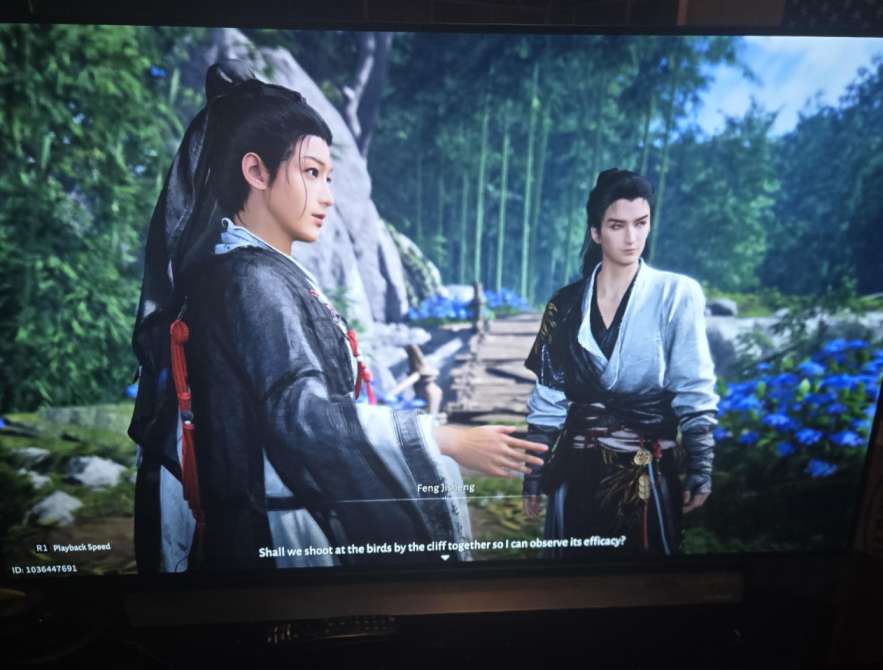
Fix 1 – Turn Off HDR on PS5
HDR can cause makeup layers and facial textures to appear washed out or invisible.
Try this:
- Settings → Screen & Video → Disable HDR
- Restart the game
- Go back into character creation
How it helps: Reloads lighting and shader layers so makeup becomes visible again.
Fix 2 – Switch to Performance Mode
Performance Mode sometimes renders cosmetic layers correctly, while Quality Mode bugs them.
- Go to Settings → Graphics
- Select Performance Mode
- Reload your save
How it helps: Uses a different rendering profile that properly displays cosmetic textures.
Fix 3 – Adjust Brightness and Gamma Settings
Incorrect brightness levels can hide makeup colors completely.
Steps:
- Lower gamma slightly
- Reduce brightness
- Reset visual calibration
How it helps: Reveals makeup shading that was previously blown out.
Fix 4 – Restart Character Creation From a Clean Preset
Some presets carry broken facial texture layers, especially around the eyes and lips.
Try:
- Load a fresh preset
- Apply makeup again
- Avoid presets with heavy shadows
How it helps: Ensures you’re not customizing a preset with corrupted cosmetic layers.
Fix 5 – Delete Temporary PS5 Cache Files
Cached graphical data may prevent makeup textures from updating.
To clean cache:
- Fully power off PS5
- Hold power button until second beep (Safe Mode)
- Select “Clear Cache”
How it helps: Refreshes the game’s cosmetic rendering system.
Fix 6 – Disable Film Grain, Motion Blur & Post-Processing
Visual filters often hide small cosmetic details.
Turn off:
- Film Grain
- Motion Blur
- Chromatic Aberration
How it helps: Enhances clarity and color accuracy for makeup textures.
Fix 7 – Reapply Makeup After Changing Lighting Type
Changing the lighting/environment preview sometimes forces visuals to refresh.
Steps:
- Switch to different lighting environment in CC
- Reapply eyeliner/lipstick
- Check if textures appear
How it helps: Reloads color layers stuck in invisible mode.
Fix 8 – Create a New Save Slot
Some users report CC bugs tied to a single corrupted save.
Try:
- Make a new save
- Enter character creator
- Test makeup
How it helps: Confirms whether the bug is file-specific or global.
Fix 9 – Reinstall the Game’s Graphics Pack (If Prompted)
Some PS5 downloads skip optional high-res texture components.
Do this:
- Check game add-ons
- Reinstall any texture packs
- Restart PS5
How it helps: Ensures all cosmetic layers and shaders are installed properly.
Fix 10 – Wait for Upcoming Patch (Known Issue)
Multiple players report identical Where Winds Meet makeup bugs on PS5, so this is likely a known shader glitch after launch.
Signs it’s a known bug:
- Makeup doesn’t show at all
- Colors stay default
- Character looks different in cutscenes
- Adjustments don’t change visuals
How it helps: Confirms you’re not alone — dev patches usually fix cosmetic rendering.
Fix 11 – Change Resolution Settings on PS5
Some players report that Where Winds Meet makeup textures only load correctly when resolution output changes.
Try this:
- PS5 Settings → Screen & Video
- Set Resolution to 1080p
- Restart the game
How it helps: Forces the game to re-render texture layers that were stuck at native 4K.
Fix 12 – Disable Variable Refresh Rate (VRR)
VRR can cause inconsistent loading of cosmetic shading on certain PS5 displays.
Steps:
- Settings → Screen & Video
- Turn off VRR
- Reboot the game
How it helps: Stabilizes texture refresh so makeup colors stop disappearing.
Fix 13 – Rebuild PS5 Database
If your cosmetic textures are failing to display, a corrupted PS5 database may be the cause.
Do this:
- Boot PS5 into Safe Mode
- Select Rebuild Database
- Launch character creation again
How it helps: Fixes deep-level file indexing issues affecting makeup rendering.
Fix 14 – Test Makeup on a Completely Different Face Type
Some face models have broken compatibility with certain makeup layers.
Try:
- Switching face shape
- Reapplying eyeliner/lipstick
- Testing on multiple presets
How it helps: Confirms whether the bug is linked to a specific face mesh.
Fix 15 – Reset All In-Game Visual Settings to Default
A mix of altered post-processing, depth-of-field, or sharpening settings may hide cosmetic colors.
Steps:
- Go to Settings → Video
- Select “Reset to Default”
- Restart character creation
How it helps: Restores default texture clarity for makeup elements.
Fix 16 – Disable Ray Tracing (If Present)
Ray tracing can break reflective cosmetic layers, making them appear flat or missing.
Try:
- Turn off Ray Tracing
- Reload your character
How it helps: Forces simpler lighting that displays makeup correctly.
Fix 17 – Move Your Camera Closer or Change Zoom Level
Some cosmetic layers only render when the camera is zoomed closer to the face.
Try:
- Zoom in fully
- Rotate lighting
- Reapply makeup
How it helps: Triggers high-detail facial shaders that were not loading.
Fix 18 – Try Editing Makeup After Entering the Game
The in-game customization menu sometimes loads textures correctly even when CC doesn’t.
Try:
- Finish character creation
- Enter the world
- Open appearance editor in-game
- Apply makeup again
How it helps: Uses a different shader environment that might correctly display cosmetics.
Fix 19 – Adjust Color Sliders Slowly to Force a Refresh
Dragging sliders too quickly may fail to update the model.
Do this:
- Move sliders slowly
- Pause 1 second at each change
- Watch for texture refresh
How it helps: Forces the game to load each cosmetic layer individually.
Fix 20 – Delete & Reinstall Only the Character Creation Module (If Supported)
Some versions of Where Winds Meet allow reinstalling specific components.
Steps:
- Manage Add-ons
- Remove CC module
- Reinstall
- Restart PS5
How it helps: Reinstalls the texture files tied to makeup, fixing missing layers.
Why isn’t makeup showing up in Where Winds Meet on PS5?
If makeup isn’t showing up in Where Winds Meet on PS5, it’s usually due to a rendering bug in the character creation engine.
The PS5 version sometimes loads the face model without activating the cosmetic shader layer, causing makeup textures like blush, eyeliner, or lipstick to appear invisible even when selected.
This often happens when:
- Lighting presets are incorrect
- The makeup layer fails to load after switching categories
- HDR color output distorts cosmetic visibility
- The game is using a lower-resolution face preview
Changing lighting, backing out of the menu, switching presets, or restarting the customization session typically restores the missing makeup layer.
Until the devs patch it, this is a common Where Winds Meet PS5 makeup display bug.
Is the character creation system bugged in Where Winds Meet?
Yes — the Where Winds Meet character creation system on PS5 has several known bugs, including missing makeup, delayed texture loading, and facial changes not applying immediately.
The most reported issue is the cosmetic layer not rendering, making makeup look invisible even when applied correctly.
Common symptoms include:
- Makeup disappearing when switching tabs
- Skin textures not updating
- Eye highlights or blush appearing washed out
- Sliders applying late or not at all
These issues are caused by how the PS5 version loads shaders and facial textures.
Switching between different lighting profiles or backing out of the character screen forces the face model to reload.
It’s not your console — it’s a Where Winds Meet PS5 creation system bug that requires a patch.
Why don’t eyeliner, lipstick, or foundation appear on my character?
If eyeliner, lipstick, or foundation don’t appear on your character in Where Winds Meet, the cosmetic shader responsible for makeup layering did not activate.
Makeup in this game relies on a separate rendering pass that sits on top of the base skin texture, and when this pass fails, the makeup becomes invisible.
This is triggered by:
- Switching makeup too quickly
- High HDR brightness washing out colors
- Face reflections overriding cosmetic layers
- PS5 loading a low-quality texture version
- Using specific lighting presets that hide shadows
Try these fixes:
- Change lighting to “Neutral”
- Re-enter the makeup tab
- Toggle the makeup option on/off
- Restart the creation screen
Most players see makeup reappear after forcing a redraw of the cosmetic layer.
Did Where Winds Meet remove certain makeup or skin tone options on PS5?
No — Where Winds Meet did not remove makeup or skin tone options on PS5.
All makeup options are still present, but several of them fail to display because the PS5 version has rendering inconsistencies with skin shaders and cosmetic layers.
Players often think makeup was removed because:
- Colors appear extremely faint under specific lighting
- HDR settings wash out cosmetic tones
- Certain presets make lipstick or eyeliner nearly invisible
- Texture fallback loads a base skin layer with no cosmetics
The options still exist; the issue lies in the character model not displaying them correctly.
Once patched, makeup visibility should return to normal on all PS5 presets.
For now, switching lighting and reloading the face model helps temporarily.
Is the character model not updating changes during creation in Where Winds Meet?
Yes — the character model sometimes fails to update changes during creation due to a preview rendering error.
This affects makeup most noticeably but can also affect skin tone, eye color, and face shape adjustments.
The PS5 preview model sometimes gets “stuck” using:
- Old textures
- Outdated shader layers
- Low-resolution placeholders
- Incorrect lighting profiles
This results in sliders having no visible effect, even though the settings are technically applied.
To fix the preview model:
- Change lighting presets
- Switch to a different customization category
- Back out of the editor and return
- Restart the game if it persists
This forces the character preview to refresh, making makeup and skin adjustments visible again.
Are other PS5 players experiencing missing makeup in Where Winds Meet?
Yes — many PS5 players are reporting missing makeup in Where Winds Meet, especially during character creation.
Across Reddit, Discord, PlayStation forums, and gameplay clips, players confirm that eyeliner, lipstick, blush, and other cosmetic layers often fail to appear on the character model.
Most reports describe:
- Makeup randomly disappearing after switching tabs
- Colors looking extremely faint or invisible
- Cosmetics only appearing under certain lighting
- Makeup showing in cutscenes but not in the editor
- Cosmetics disappearing when adjusting skin tone
This confirms it’s not user error or console hardware — it’s a Where Winds Meet PS5 cosmetic rendering bug affecting many players.
Until patched, the most reliable workaround is switching lighting, reloading the customization menu, or restarting the game.
Has the developer acknowledged the character creation visual bug?
Yes — the developers have indirectly acknowledged the Where Winds Meet character creation visual bug through community responses, update notes, and known issues lists.
While they haven’t issued a dedicated announcement specifically mentioning “missing makeup on PS5,” they have referenced “visual rendering inconsistencies” and “character creation display problems” on console versions.
Player feedback has made it clear that:
- Makeup layers fail to load
- Skin shaders behave differently across platforms
- Lighting presets can hide cosmetic layers
- PS5-specific rendering issues exist
Several community managers have stated that the issue is being “investigated,” meaning the team is aware of the PS5 cosmetic rendering bug and is preparing a patch.
Is this a known issue from early access or launch patches?
Yes — the missing makeup and inconsistent character rendering was first reported during early access and continued into the global launch patches.
Early access players on PC reported similar issues where:
- Makeup didn’t appear under certain lighting
- Skin tones looked washed out
- Shader layers didn’t load properly
- Texture previews failed to refresh
When the PS5 version released, many of the same visual bugs appeared, especially around cosmetic layering and facial shading.
This suggests the problem originates from the game’s shared customization engine, not just the PS5 port.
While some improvements were made, the issue is still present in the launch window, making it a known carryover bug from early builds.
Will a patch fix character visuals or allow appearance editing later?
Yes — it’s highly likely a future patch will fix Where Winds Meet character visuals, especially missing makeup and shader issues on PS5.
The developers have already stated that they plan to refine console rendering, improve character creation consistency, and expand post-creation appearance editing.
Expected improvements include:
- Proper makeup rendering regardless of lighting
- Stable cosmetic layering
- Correct skin/shader blending on PS5
- More accurate preview models
- Ability to edit appearance after starting the game
Most modern RPGs add appearance editing shortly after launch, and Where Winds Meet is expected to follow the same trend.
Once the patch lands, makeup visibility and cosmetic consistency should improve significantly.
What are players saying on Reddit about broken customization on PS5?
Reddit users are reporting widespread issues with Where Winds Meet PS5 customization, especially missing makeup, broken shading, and character previews not updating.
Popular complaints include:
- “Makeup doesn’t show at all unless I change lighting.”
- “Lipstick and blush are invisible on my PS5 character.”
- “My character looks totally different in cutscenes vs creation.”
- “Face textures turn blurry whenever I switch tabs.”
- “Why does the PC version look fine but PS5 is bugged?”
Many posts confirm that the makeup rendering bug is one of the most common PS5 issues right now, with users requesting urgent fixes.
Most players believe the problem stems from console shader rendering and expect a patch soon.
Final Thought
The Where Winds Meet character creation makeup not showing on PS5 bug affects many players who can’t see lipstick, eyeliner, foundation, or color changes despite adjusting settings. While this issue is likely tied to broken shaders or PS5 rendering conflicts, these fixes often force makeup layers to load properly again. Until an official patch arrives, adjusting HDR, clearing cache, restarting presets, and switching performance modes remain the best ways to fix PS5 customization issues. Stay tuned for updates as more players look for reliable fixes to this frustrating character creation problem.