
So you step through a Forgotten Temple portal, do your thing, head back out… and suddenly you’re floating in nothing. No terrain. No blocks. Just an empty void staring back at you. No matter which direction you move, nothing loads, and restarting the world doesn’t seem to help at all.
If this just happened to you in Hytale, take a breath — your save is almost certainly not dead. As scary as this looks, this isn’t permanent world corruption and it’s not something you caused by “playing wrong.” This is a real, known portal return bug, and it’s most commonly linked to exiting the Forgotten Temple through alternative or underground portals.
A lot of players panic at this point and assume their world is ruined. The good news is that in most cases, it isn’t. Your terrain, progress, and items usually still exist — the game has just placed your character in a broken or unloaded location. With the right steps, you can usually escape the void, reload into a valid area, and keep playing without starting over.
Let’s fix it.
Quick Fix (Try This First — It Works for Most Players)
Before diving into anything complicated or messing with save files, start with the simplest fix. It sounds basic, but it genuinely works for a large number of players who get stuck in the void after leaving the Forgotten Temple.
First, Save & Quit to the main menu.
Don’t just reload the world — actually close out properly.
After that, fully close the game, not just minimize it.
This forces the game to reset world streaming and chunk loading instead of reusing broken data.
Once the game is completely closed, relaunch Hytale and reload the world normally.
If you load back in and can move but the world is still invisible or empty, the next step is to force a respawn. If you can fall, do so. If you have access to console or admin commands, using /die is usually faster and more reliable. This forces the game to place your character at the last valid spawn point instead of the broken portal return location.
For many players, this alone snaps everything back to normal.
Still stuck? Keep reading.
Read also: Iron Duplication Bug in Hytale (Iron Hoe + Salvager’s Workbench)
Why You’re Stuck in the Void (What’s Actually Going On)
This problem is almost always tied to alternative Forgotten Temple portals, not the standard portal you usually encounter near spawn. On the surface it looks like your entire world failed to load, but what’s actually happening is much more specific — and much less catastrophic than it feels.
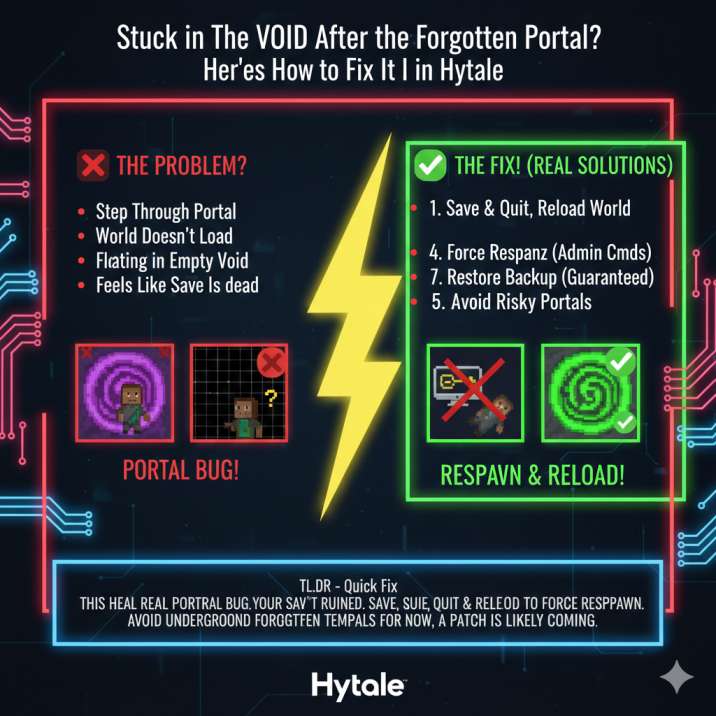
When you exit certain Forgotten Temple instances, especially ones accessed through underground or non-standard portals, the game attempts to place your character back at a return point that isn’t fully ready yet. That return location may be underground, partially unloaded, or missing proper chunk data. As a result, world chunks fail to stream in correctly, collision data doesn’t load, and your character spawns at invalid or empty coordinates.
That’s why you see invisible blocks, an empty world, or an endless void instead of normal terrain. Importantly, this does not mean your world is corrupted. Your terrain, structures, and progress still exist — the game just doesn’t know where to safely place you.
In Hytale, this is classified as a portal return bug, not a save-breaking issue — and it’s absolutely not your fault.
When This Bug Usually Happens
Across player reports, this issue shows up under almost the exact same circumstances, which makes it much easier to pinpoint. If you’re stuck in the void, there’s a very good chance your situation matches the setup below.
In most cases, players entered the Forgotten Temple through a non-standard portal rather than the main one near spawn. That portal is usually underground, not out in the open, and it’s often guarded by a red golem instead of the familiar green golem found at the starting area. These portals are most commonly discovered while exploring Lava Lands (Zone 4).
The bug is triggered when you exit the temple through that same portal. Instead of returning you to a fully loaded, safe location, the game attempts to place you back into an area that hasn’t streamed in correctly. That’s when the loading screen hangs and you spawn into an empty or invisible world.
If this sounds familiar, you’ve hit the exact trigger — and it explains why restarting alone doesn’t always fix it.
How to Escape the Void (All Working Solutions)
Option 1: Force a Respawn (Safest)
If you’re able to access the console or have admin commands enabled, forcing a respawn is usually the safest and fastest way out of the void.
Use the /die command to trigger a respawn. This forces the game to abandon the broken portal return location and place your character at the last valid spawn point instead. In many cases, you’ll immediately load back into a normal area with terrain, collision, and visuals working correctly again.
Keep in mind that item loss depends on your world rules. In worlds where items drop on death, you may lose what you were carrying, so consider this before using the command. If item loss is enabled, this option is best used when you’ve already secured your important gear or are willing to risk it to recover the save.
For most players, though, this single step is enough to escape the void and continue playing normally.
Option 2: Teleport to a Safe Location
If you have admin access or cheats enabled, teleporting is one of the most reliable ways to escape the void without risking item loss. Instead of trying to fix the broken return point, you simply move your character somewhere the game already knows is safe.
Teleport yourself to world spawn if you don’t have exact coordinates handy. Alternatively, teleport directly to a known safe location, such as your base or any area you’ve spent time in before. These locations already have properly loaded chunks, which prevents the void issue from reoccurring.
By doing this, you completely bypass the faulty portal return point that caused the problem in the first place. Once you’re back in a normal area, the world should behave exactly as expected, with terrain, collision, and visuals loading correctly again.
Option 3: Reset Player Spawn (Advanced)
If the game always loads you straight into the void and none of the in-game fixes work, this is the next step. It’s more hands-on, but it’s also very effective when the player position itself is broken.
First, exit the game completely. Before changing anything, back up your world save so you can restore it if needed. Once that’s done, open the world’s save folder and locate the file or data that stores your player position or spawn information. The exact file name can vary, but it’s usually easy to spot inside the save directory.
Temporarily rename or remove that file, then relaunch Hytale and load the world again. With the old spawn data missing, the game is forced to generate a fresh, valid spawn position instead of reusing the broken portal return point.
In many cases, this immediately places you back into the world with everything loading normally.
Option 4: Restore a Backup (Guaranteed)
If none of the earlier fixes work and the game keeps loading you into the void no matter what you try, restoring a backup is the most reliable solution.
Load a previous manual save or an automatic backup from before you entered the Forgotten Temple. Because this bug affects your player position rather than the entire world, rolling back to an earlier save almost always resolves the issue immediately.
This option is the safest fallback when the player spawn data is fully broken and can’t be recovered through respawning or teleporting. You may lose a small amount of recent progress, but it’s far better than abandoning the world entirely — and it guarantees you’ll be able to keep playing without the void issue returning.
Read also: How to Get Deadwood Planks in Hytale ?
Is Your World Broken Forever?
Short answer: No.
This bug only affects player position and chunk loading. That’s why everything around you looks empty or invisible, even though the game itself is still running normally.
What it does affect:
- Player position data
- World chunk streaming
What it does not affect:
- Terrain data
- World generation
- Progression systems
Your structures, resources, and progress are still there — the game just doesn’t know where to safely place your character after exiting the portal. Once you’re moved to a valid location using a respawn, teleport, or backup, the world loads correctly and behaves exactly as it did before.
In other words, this looks terrifying, but it isn’t permanent damage.
Should You Avoid These Portals for Now?
Honestly? Yes — at least if you’re playing on an important survival world you care about.
Until this bug is patched, it’s best to be cautious with underground or alternate Forgotten Temple portals, especially the ones found while exploring later zones. These are the portals most commonly linked to the void issue, and there’s no reliable way to know which ones are safe yet.
Before entering any instanced zone, make a quick backup of your save. It takes a minute and can save you hours of frustration if something goes wrong. If you’re curious and want to experiment, test these risky portals in a copy of your world first instead of your main save.
It’s not about avoiding content forever — just playing it safe until the issue is fully resolved.
Final Verdict (No Panic, Just Facts)
If you ended up here after searching things like “Hytale stuck in the void,” “Forgotten Temple portal bug,” “Hytale invisible blocks,” or “Hytale empty world glitch,” here’s the straight, no-nonsense answer.
Yes — this is a real and known bug in Hytale, and no, it does not mean your world is permanently broken. As bad as the void looks, the issue is almost always limited to player position and chunk loading, not your actual save data.
In most cases, a forced respawn or a simple teleport to a safe location is enough to fix everything. Once you’re back in a valid area, the world loads normally and you can keep playing like nothing happened. For stubborn cases, restoring a backup guarantees recovery.
Is it annoying? Absolutely.
Is it scary the first time it happens? Definitely.
Is it permanent? Almost never.
A patch is very likely coming — and until then, you’ve got solid ways to recover without losing your world.
Read also: How to Locate Players on a Hytale Server (Commands, Teleports & Easy Fixes)