
So you boot up Anno 117, head into the menu… and suddenly you’re staring at what looks like a cursed VHS tape from hell. Neon static. Glitchy shapes. Something that definitely doesn’t belong in a city builder.
Relax — your game isn’t haunted, and Ubisoft isn’t secretly summoning demons.
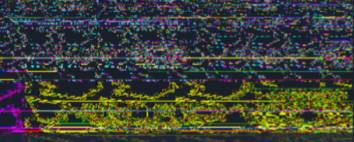
This is a known visual glitch, and it’s way less scary than it looks.
What you’re actually seeing is a broken UI texture, usually tied to the game’s live menu content failing to load correctly. Anno 117 pulls certain images dynamically (like promo banners or news panels), and when that process hiccups, the game ends up displaying corrupted visual data instead. Your brain fills in the chaos and suddenly it looks like something out of a horror game.
It’s not intentional, it’s not lore, and it’s not dangerous.
This kind of glitch usually comes from cached files, a temporary connection issue, or a minor GPU rendering hiccup. A quick restart or file verification almost always clears it up, and your save is completely safe.
What That Creepy Image Actually Is
That “demonic” screen you’re seeing is just a broken menu image, most commonly the “Check out the Anno Union!” banner failing to load the way it’s supposed to. Instead of showing the proper promo graphic, the game ends up displaying corrupted texture data — basically random visual noise your GPU can’t correctly interpret.
When that happens, your brain tries to make sense of the chaos, and suddenly it looks like twisted faces, symbols, or something straight out of a horror game. Totally understandable reaction, but nothing spooky is actually happening behind the scenes.
This usually happens when a texture doesn’t fully download, the cache gets corrupted, or a live content request times out. The game still tries to display something, and this is the result.
It’s not intentional.
It’s not hidden lore.
It’s not an ARG.
It’s just a busted texture doing its best — and failing spectacularly.
Why This Happens in Anno 117
There are a few common reasons this creepy-looking menu glitch shows up, and thankfully none of them are serious. Most of the time, it comes down to how the game loads and displays its UI assets.
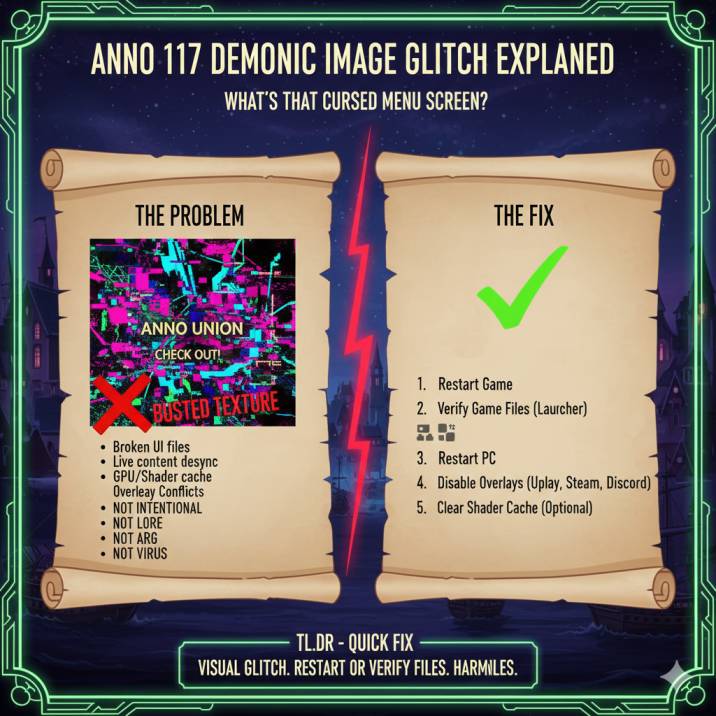
1. Corrupted or partially downloaded UI files
Sometimes the game doesn’t fully load a menu image — especially the Anno Union banner. When that happens, instead of a clean graphic, you get scrambled texture data that shows up as visual noise or glitch art.
2. Live content desync
Anno 117 pulls certain menu elements dynamically, like news panels or promotional tiles. If your internet connection stutters or the cached data breaks, the game can’t render the asset properly and defaults to… chaos.
3. GPU or shader cache issues
This often happens after alt-tabbing frequently, waking your PC from sleep, or updating GPU drivers. The shader cache can desync, causing textures to render incorrectly.
4. Overlay conflicts
Overlays from Ubisoft Connect, Steam, or Discord can sometimes interfere with UI rendering, especially during menu load-in, leading to visual corruption like this.
It looks dramatic, but it’s really just a technical hiccup — not a deeper problem.
How to Fix the Anno 117 Menu Glitch
Here’s the quick fix list — top to bottom, most effective first:
✅ 1. Restart the game
Seriously. This fixes it for a lot of people. Sometimes the issue is nothing more than a temporary UI hiccup or a cached visual bug that appeared during loading. Closing the game completely and reopening it forces Anno 117 to reload its menu assets from scratch, which often clears the corrupted texture instantly.
Make sure you fully exit the game rather than just backing out to the main menu. If you’re on PC, close it from the taskbar or task manager to be safe. This simple step alone resolves the issue for a surprising number of players, especially if the glitch appeared after alt-tabbing, resuming from sleep, or launching the game after a long session.
✅ 2. Verify game files (recommended)
This is the real fix most of the time, especially if the glitch keeps coming back after restarting the game. Verifying your game files forces Ubisoft Connect to scan Anno 117 for missing, corrupted, or partially downloaded data — which is usually what causes the menu image to break in the first place.
To do this, open Ubisoft Connect, go to Anno 117, click Properties, and select Verify Files. The launcher will automatically check everything and re-download any damaged UI assets or textures.
This process doesn’t delete your save files, and it usually fixes the issue permanently. If the menu glitch keeps returning, this step almost always solves it.
✅ 3. Restart your PC
This step might sound basic, but it’s surprisingly effective. Restarting your PC clears out GPU memory, resets cached textures, and forces your system to rebuild anything that might have become corrupted during gameplay. If Anno 117 was running for a long time, or if your PC went to sleep while the game was open, visual data can get stuck in memory and cause glitches like the broken menu image.
A full system restart also refreshes your graphics driver state, which helps if the issue was triggered after a driver update or heavy multitasking. Once your PC boots back up, launch the game fresh and check the menu again. For many players, this alone completely fixes the issue and prevents it from coming back.
✅ 4. Disable overlays
Try turning off:
- Ubisoft Connect overlay
- Steam overlay
- Discord overlay
Then relaunch the game.
✅ 5. Clear shader cache (optional)
Only if it keeps happening.
NVIDIA:%LOCALAPPDATA%\NVIDIA\DXCache
AMD:%LOCALAPPDATA%\AMD\DxCache
Delete the contents, not the folder.
Is This Dangerous or a Virus?
Nope.
This is not malware, not corruption of your system, and not a failing GPU.
It’s just a visual glitch — annoying, but harmless.
Will It Come Back?
Maybe.
It depends on updates, cache behavior, and how often the game reloads live content. But once you fix it, most players don’t see it again.
Wrapping up
- The “demonic” image is a broken menu texture
- Caused by cache issues or live content failing to load
- Not intentional, not dangerous
- Verifying files fixes it almost every time