
If you’re planning a multi-screen setup, the monitor you choose matters more than anything else. Thick bezels can break the flow between screens, making your setup feel disconnected. That’s why frameless or ultra-thin bezel monitors are the go-to choice—they create a cleaner, almost seamless viewing experience across multiple displays.
Brands like Dell, ASUS, and LG have been focusing on slim-bezel designs that not only look modern but also improve productivity when you’re working across two or three screens.
But here’s the thing—not every “frameless” monitor is truly frameless. Some still have noticeable borders that ruin the seamless effect when placed side by side.
In this guide, we’ve picked the best frameless monitors for multi-screen setups that actually deliver on both design and performance—so your setup looks clean, aligned, and easy to work on.
Let’s find the right one for your setup.
1. Z-Edge 32″ Curved 240Hz – Big Frameless Gaming Setup
32″ | Full HD (1080p) | 240Hz | 1ms | Curved (1500R) | FreeSync
If you’re building a multi-screen setup and want something immersive, the Z-Edge 32-inch Curved 240Hz Gaming Monitor UG32P is a strong starting point.
It comes with a three-sided frameless design, which is exactly what you want for a dual or triple monitor setup. When placed side by side, the bezels are thin enough that the screens feel more connected.
The 32″ curved panel adds another layer of immersion. In a multi-monitor setup, curves can actually help the screens wrap around your view a bit, making the whole setup feel more natural.

On top of that, you get 240Hz + 1ms, so it’s not just about looks—this is great for fast-paced gaming too.
That said, it’s 1080p at 32″, so sharpness isn’t its strongest point. This monitor is more about size + smoothness + immersion rather than pixel density.
Who this is for
- You want one of the best frameless monitors for multi-screen setup with large displays
- You like a curved, immersive setup
- You want high refresh rate (240Hz)
Who should skip it
- If you want sharp resolution (1440p or 4K)
- If you prefer a compact multi-monitor setup
My take
This is the “go big with multi-screen” option.
If you want a wide, immersive setup and smooth gameplay, this is a solid pick.
2. ViewSonic VX2718-2KPC-MHD – Sweet Spot for Multi-Screen Setup
27″ | QHD (1440p) | 180Hz | 1ms | Curved (1500R) | FreeSync
If you want a balanced multi-monitor setup, the ViewSonic VX2718-2KPC-MHD 27-inch Curved Gaming Monitor hits a really nice middle ground.
It has thin bezels, so when you place two or three side by side, the gap between screens stays minimal—which is exactly what you want for a clean, seamless look.
The 27″ size + 1440p resolution is where this really shines. It’s sharper than 1080p but still manageable for dual or triple setups without overwhelming your desk space.

You also get 180Hz + 1ms, so it’s not just for work—gaming feels smooth too. And the 1500R curve helps the screens flow together better in a multi-monitor layout.
Compared to the Z-Edge 32″, this is more practical and sharper, especially if you’re running multiple displays.
Who this is for
- You want one of the best frameless monitors for multi-screen setup (balanced choice)
- You prefer 1440p clarity + smooth performance
- You’re building a dual or triple monitor setup
Who should skip it
- If you want a huge single-screen setup (32″+)
- If you need 4K resolution
My take
This is the “sweet spot” monitor for multi-screen setups.
Not too big, not too small—just the right mix of sharpness, performance, and clean design.
3. AOC Q27G41ZE – Frameless + Esports Performance Combo
27″ | QHD (1440p) | 240Hz (260Hz OC) | 0.3ms | IPS | G-Sync Compatible
If you’re looking for one of the Best Frameless Monitors for Multi-Screen Setup that also delivers serious performance, the AOC Q27G41ZE 27-inch QHD 240Hz Gaming Monitor is an easy recommendation.
It comes with a three-sided frameless design, which is exactly what you want when placing multiple monitors side by side. The bezels stay minimal, so your setup feels more seamless and less distracting.

What really makes it stand out, though, is the performance. You’re getting 240Hz (up to 260Hz overclock) and 0.3ms response time, which is perfect if you game on one screen while using others for multitasking.
The IPS panel + 1440p resolution also helps a lot in multi-monitor setups, since colors stay consistent and text looks sharp across screens.
Compared to the ViewSonic option, this one leans more toward competitive performance, while still fitting perfectly into a clean frameless setup.
Who this is for
- You want one of the Best Frameless Monitors for Multi-Screen Setup with high performance
- You play competitive or fast-paced games
- You want sharp 1440p + IPS clarity
Who should skip it
- If you prefer a curved multi-monitor setup
- If you don’t need 240Hz performance
My take
This is the “clean + fast” pick.
If you want a seamless multi-screen setup that also performs at a high level, this one fits perfectly.
4. Acer Nitro KG271U – Clean Frameless All-Rounder
27″ | QHD (1440p) | 180Hz | 0.5ms | IPS | FreeSync
If you want something that fits perfectly into a clean dual or triple monitor setup, the Acer Nitro KG271U 27-inch QHD 180Hz Gaming Monitor is a really solid option.
It comes with a zero-frame design, which basically means ultra-thin bezels—exactly what you need when building one of the Best Frameless Monitors for Multi-Screen Setup. When you line up two or three of these, the gap between screens stays minimal and distraction-free.
You’re also getting a great balance of specs. The 1440p resolution keeps everything sharp across multiple displays, while 180Hz + 0.5ms ensures smooth performance whether you’re gaming or just multitasking.
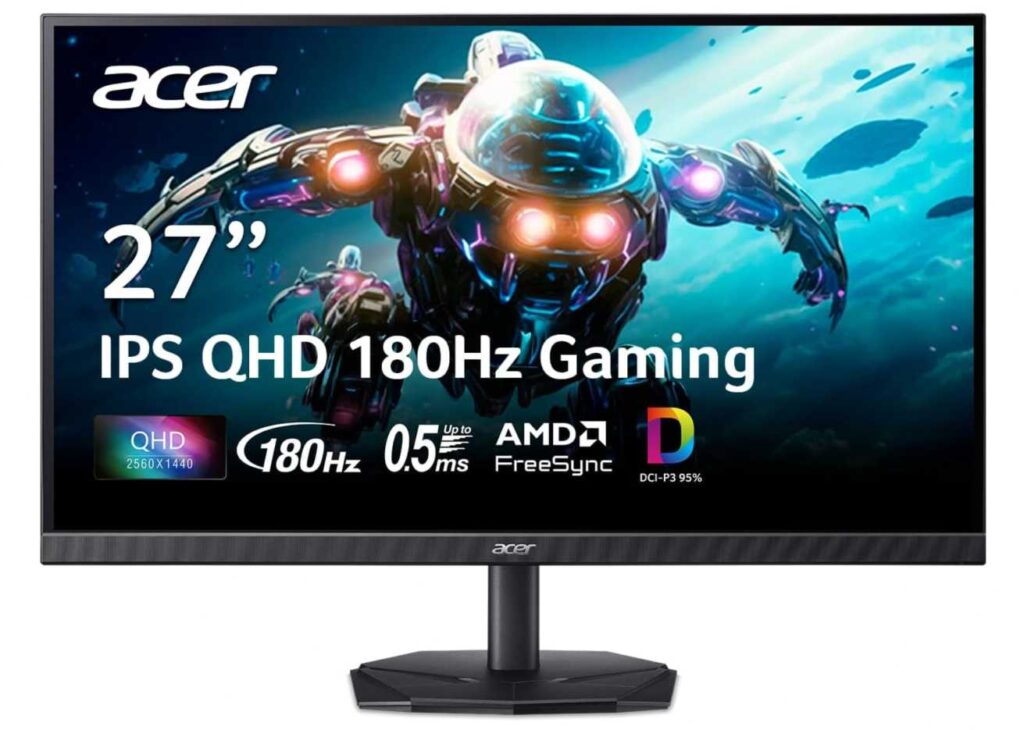
The IPS panel with 95% DCI-P3 is another plus. Colors look accurate and consistent across angles, which matters a lot when you’re constantly shifting your focus between screens.
Compared to the AOC 240Hz model, this one feels more like a balanced everyday + gaming option, rather than a pure esports display.
Who this is for
- You want one of the Best Frameless Monitors for Multi-Screen Setup with balanced performance
- You need 1440p clarity for work + gaming
- You prefer a clean, minimal dual/triple monitor look
Who should skip it
- If you want 240Hz+ competitive performance
- If you prefer curved monitors for immersion
My take
This is the “safe, all-rounder pick”.
Clean design, solid performance, and perfect for a seamless multi-screen setup.
5. ZZA 24.5″ Curved 120Hz – Compact Frameless Setup
24.5″ | Full HD (1080p) | 120Hz | 1ms | Curved (3000R) | FreeSync
If you’re building a tight dual-monitor setup or working with limited desk space, the ZZA 24.5-inch Curved 120Hz Gaming Monitor is a nice compact option to consider.
It features a three-sided ultra-thin bezel, which is exactly what you need when looking at the Best Frameless Monitors for Multi-Screen Setup. When placed side by side, the screens feel more connected instead of separated by thick borders.
The 24.5″ size makes it easier to fit two or even three monitors without overcrowding your desk. That’s a big advantage if you’re going for a clean and practical setup.

You still get 120Hz + 1ms, which is smooth enough for everyday gaming and work. The 3000R curve is more subtle compared to aggressive curves, so it works fine in multi-monitor layouts without feeling awkward.
Compared to 27″ or 32″ options, this is more about space efficiency and simplicity rather than immersion.
Who this is for
- You want one of the Best Frameless Monitors for Multi-Screen Setup in a compact space
- You’re building a dual or triple monitor setup on a smaller desk
- You need smooth performance for casual gaming + work
Who should skip it
- If you want 1440p or higher resolution
- If you prefer a large immersive display
My take
This is the “compact multi-screen” pick.
Simple, space-saving, and clean—it’s great if you want a neat frameless setup without going too big.
6. CRUA 27″ Curved White – Clean Frameless Aesthetic Setup
27″ | Full HD (1080p) | 100Hz | Curved (1800R) | VA | Frameless
If your goal is a clean-looking multi-screen setup, the CRUA 27-inch Curved White Frameless Monitor fits perfectly—especially if you like that minimal white desk aesthetic.
It comes with a three-sided frameless design, which makes it a great addition to the Best Frameless Monitors for Multi-Screen Setup category. When you place two or three of these together, the bezels stay subtle and the setup looks much more seamless.
The white design is what really makes it stand out. Most monitors are black, but this one blends beautifully into clean or minimal desk setups, especially if you’re going for a bright workspace look.
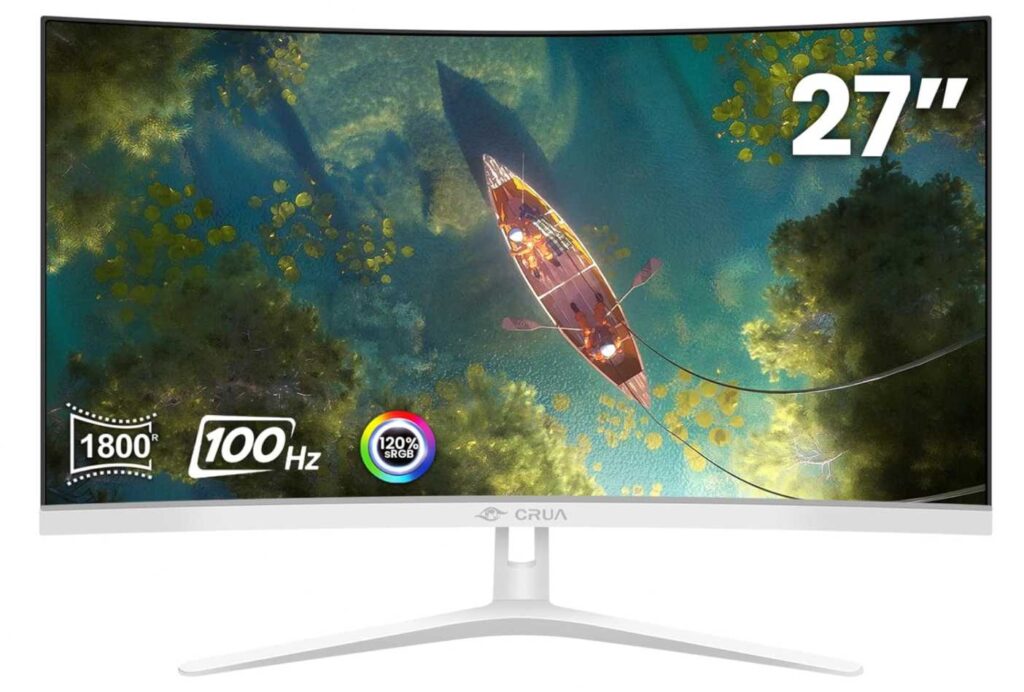
Performance-wise, it’s more on the casual side. You get 100Hz refresh rate, which is smoother than standard 60Hz, but not meant for hardcore competitive gaming. The 1800R curve adds a bit of immersion without being too aggressive for multi-monitor alignment.
Compared to higher-end options, this one focuses more on aesthetics and simplicity rather than raw performance.
Who this is for
- You want one of the Best Frameless Monitors for Multi-Screen Setup with a clean aesthetic
- You’re building a white or minimal desk setup
- You need a balanced monitor for work + light gaming
Who should skip it
- If you want high refresh rates (165Hz+) for gaming
- If you need 1440p or 4K resolution
My take
This is the “clean aesthetic” pick.
If you care more about how your setup looks and want a seamless frameless design, this one does the job really well.
Final Thoughts – Best Frameless Monitors for Multi-Screen Setup
Let’s keep it simple 👇
If you’re building a multi-monitor setup, the biggest thing that matters is bezel size. The thinner the bezels, the more seamless your setup feels. That’s why choosing from the Best Frameless Monitors for Multi-Screen Setup makes such a big difference.
Quick picks
- Want high performance + clean look? → AOC Q27G41ZE 27-inch QHD 240Hz Gaming Monitor
- Want balanced 1440p setup? → Acer Nitro KG271U 27-inch QHD 180Hz Gaming Monitor
- Want budget compact setup? → ZZA 24.5-inch Curved 120Hz Gaming Monitor
- Want clean white aesthetic? → CRUA 27-inch Curved White Frameless Monitor
Simple advice
- For dual/triple monitors → 27″ is the sweet spot
- For productivity → 1440p is much better than 1080p
- For seamless look → always go 3-sided frameless design
Final take
You don’t need the most expensive monitor to build a great setup.
👉 A couple of well-matched frameless monitors will always look better than one expensive screen with thick bezels.
Pick smart, keep it consistent, and your multi-screen setup will look clean and feel effortless to use.