
Finding the best USB-C monitor under $300 isn’t as difficult as it used to be. Whether you need a second screen for work, a monitor for your MacBook or Windows laptop, or a display for gaming and entertainment, there are plenty of affordable USB-C monitors that deliver excellent value. With a single USB-C cable, you can transfer video, data, and even charge compatible laptops, making your desk cleaner and more convenient.
In this guide, we’ve rounded up the best USB-C monitors under $300 based on display quality, connectivity, color accuracy, refresh rate, and overall performance. Whether you’re a student, remote worker, programmer, content creator, or casual gamer, these picks offer the best balance of features and price. Read on to find the right USB-C monitor that fits your needs and budget.
1. Dell 27 Plus QHD USB-C Monitor (S2725DC) – Best 27-Inch USB-C Monitor Under $300
27-inch | QHD (2560×1440) | IPS | 144Hz | USB-C 65W | AMD FreeSync | Built-in Speakers
If you want a USB-C monitor under $300 that can handle work, entertainment, and casual gaming, the Dell S2725DC is an easy recommendation. It combines a 27-inch QHD IPS display, 144Hz refresh rate, and USB-C with 65W Power Delivery, giving you a premium experience without stretching your budget.
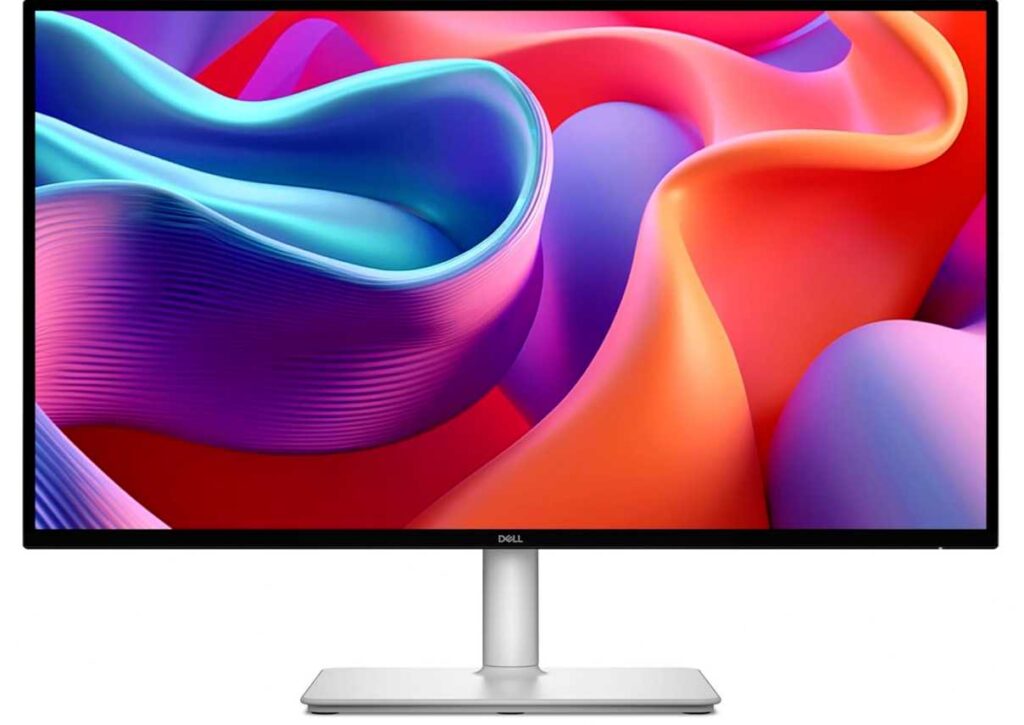
The QHD resolution delivers sharper text and more workspace than a Full HD monitor, making multitasking much easier. The 144Hz refresh rate also makes scrolling, everyday use, and light gaming feel noticeably smoother, while AMD FreeSync helps reduce screen tearing.
One of its biggest advantages is the single USB-C cable connection. You can transfer video, data, and charge your compatible laptop at the same time, helping keep your desk clean and clutter-free. Dell also includes dual built-in speakers, a fully adjustable stand, and TÜV-certified eye comfort features for long working sessions.
Who this is for
- Anyone looking for the best 27-inch USB-C monitor under $300
- MacBook and Windows laptop users
- Remote workers, students, and multitaskers
- Casual gamers who want a smooth 144Hz display
Who should skip it
- Users who specifically need a 4K monitor
- Those requiring more than 65W USB-C charging
My Take
The Dell S2725DC offers one of the best combinations of QHD resolution, 144Hz performance, USB-C connectivity, and ergonomic features in this price range. If you’re looking for an all-around USB-C monitor under $300, it’s hard to go wrong with this one.
2. BenQ GW2790TC – Best Budget USB-C Monitor Under $300
27-inch | Full HD (1080p) | IPS | 144Hz | USB-C | FreeSync | Height Adjustable
If you’re shopping on a tighter budget, the BenQ GW2790TC is one of the best USB-C monitors under $300. It focuses on what most people need for everyday use—a comfortable display, smooth performance, and simple USB-C connectivity without spending extra on features you may never use.
The 27-inch IPS panel offers wide viewing angles and vibrant colors, while the 144Hz refresh rate makes scrolling, multitasking, and even casual gaming feel much smoother than a standard 60Hz monitor. Although it’s a Full HD (1080p) display instead of QHD, it’s still a solid choice for web browsing, office work, online classes, and streaming.
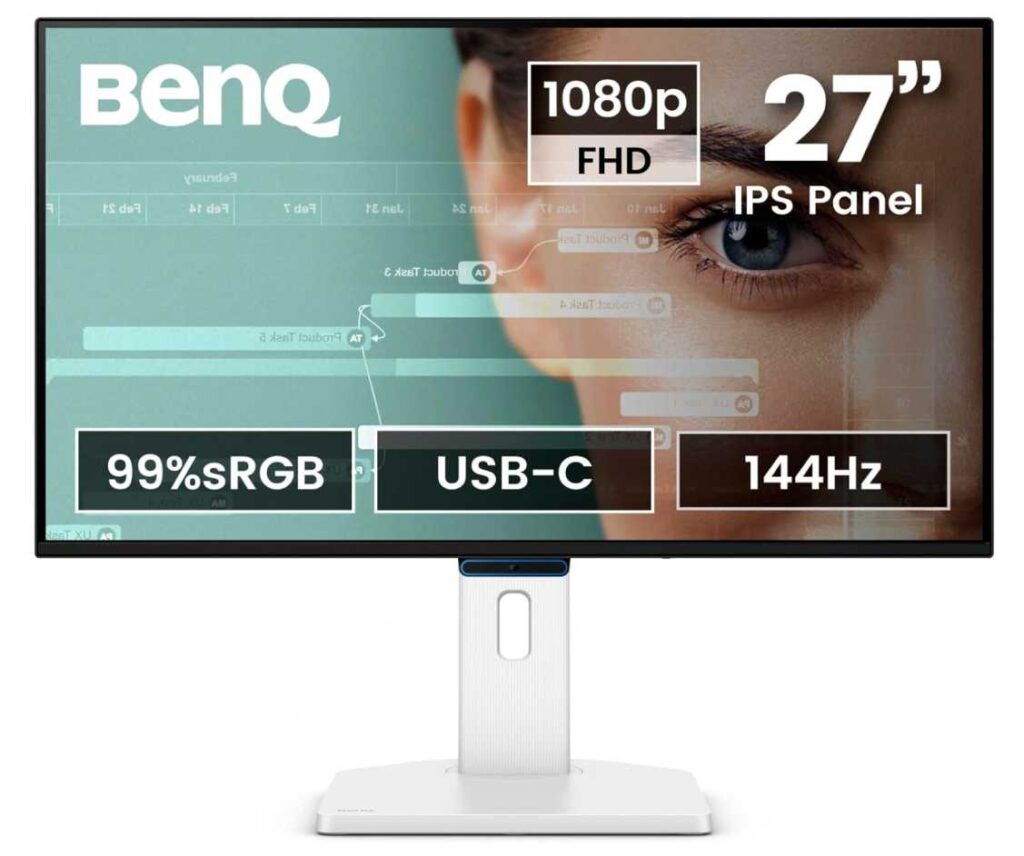
One of its biggest highlights is the single USB-C connection, letting you connect compatible laptops with less cable clutter. BenQ also includes its well-known Eye-Care technologies, including Flicker-Free and Low Blue Light, making it a great option if you spend long hours in front of the screen. The height and tilt adjustable stand adds extra comfort during extended work sessions.
Who this is for
- Anyone looking for an affordable USB-C monitor
- Students, remote workers, and home office users
- MacBook and Windows laptop users
- People who prioritize eye comfort for long work sessions
Who should skip it
- Users who want QHD or 4K resolution
- Content creators who need higher pixel density for detailed editing
My Take
The BenQ GW2790TC isn’t packed with premium features, but it gets the basics right. With USB-C connectivity, a 144Hz refresh rate, excellent eye-care features, and an ergonomic stand, it’s one of the best value budget USB-C monitors for everyday productivity.
3. ASUS ProArt Display PA247CV – Best USB-C Monitor for Content Creators Under $300
24-inch | Full HD (1080p) | IPS | 100% sRGB | USB-C 65W | Calman Verified | Factory Calibrated
If accurate colors matter more than a high refresh rate, the ASUS ProArt PA247CV is one of the best USB-C monitors under $300. It’s designed for photographers, graphic designers, video editors, and anyone who wants a display that shows colors as accurately as possible without spending a fortune.
The 24-inch IPS display covers 100% sRGB and 100% Rec.709, and it’s Calman Verified with Delta E < 2 color accuracy. That means colors look consistent right out of the box, making it a great choice for photo editing, graphic design, and creative work. While it’s a Full HD monitor, the excellent color performance is what truly sets it apart.
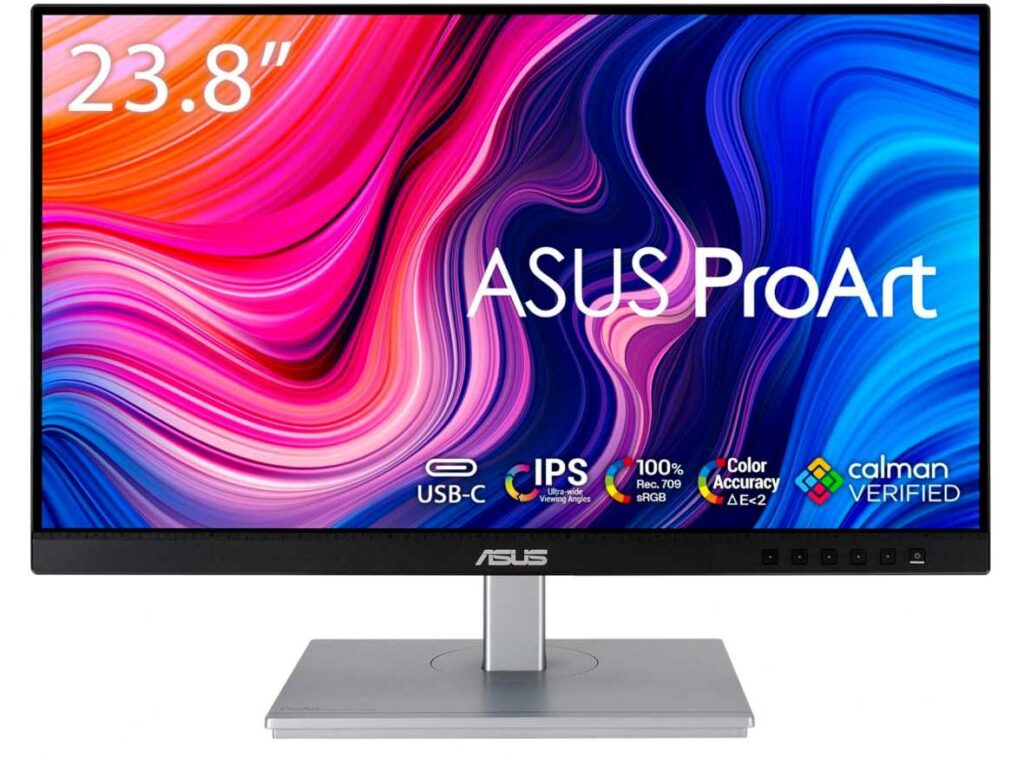
It also includes USB-C with 65W Power Delivery, allowing you to connect and charge a compatible laptop using a single cable. Along with HDMI, DisplayPort, and a built-in USB hub, you get plenty of connectivity for a clean and efficient workspace. The ergonomic stand and flicker-free, anti-glare display also make it comfortable for long editing sessions.
Who this is for
- Photographers, designers, and content creators
- MacBook and Windows laptop users
- Anyone who values accurate colors over gaming performance
Who should skip it
- Gamers looking for a high refresh rate monitor
- Users who prefer a larger 27-inch display
My Take
The ASUS ProArt PA247CV is one of the best budget USB-C monitors for creative professionals. With factory-calibrated colors, 100% sRGB coverage, and 65W USB-C charging, it delivers excellent value for anyone who needs reliable color accuracy without exceeding a $300 budget.
4. SANSUI 27-Inch Curved USB-C Monitor – Best Budget Curved USB-C Monitor Under $300
27-inch | Full HD (1080p) | 1500R Curved | 120Hz | USB-C | HDR | Built-in Speakers
If you’re looking for an affordable curved USB-C monitor, the SANSUI 27-inch Curved Monitor offers impressive features for the price. For around $300, you get a 27-inch curved display, 120Hz refresh rate, USB Type-C connectivity, and built-in speakers, making it one of the best budget options for work and casual gaming.
The 1500R curved screen creates a more immersive viewing experience, while the 120Hz refresh rate and 1ms response time make scrolling, movies, and light gaming feel much smoother than a standard 60Hz monitor. It also covers 110% sRGB and supports HDR, giving you richer colors for everyday use.
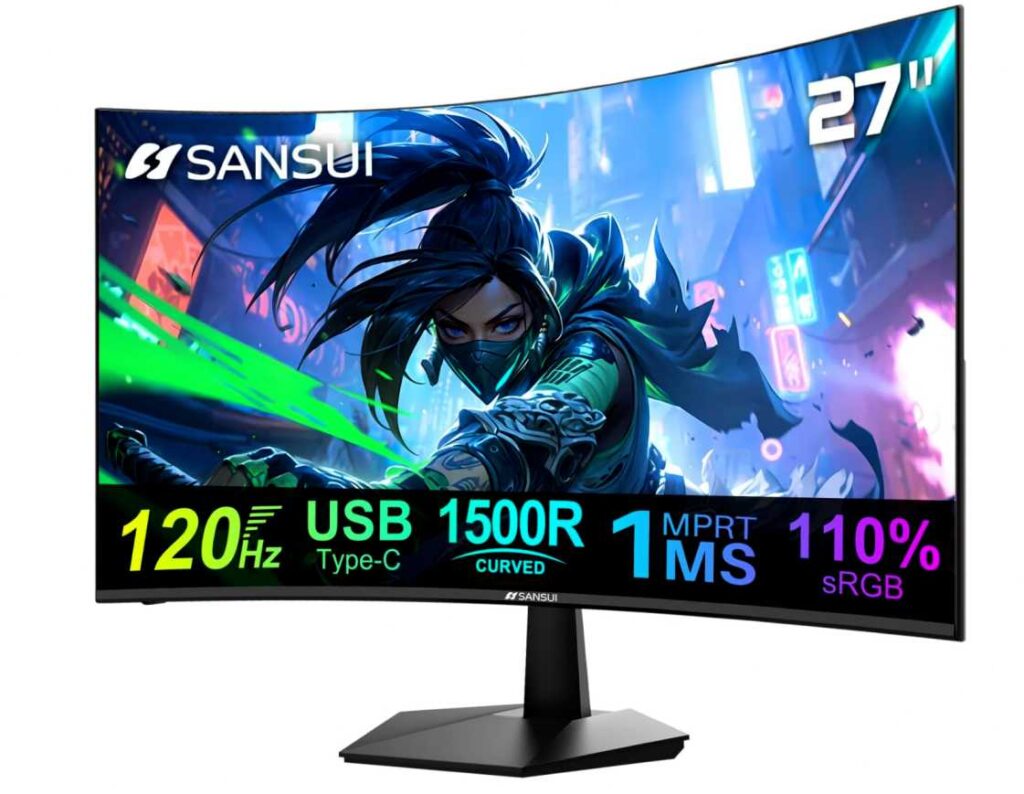
You’ll also appreciate the USB-C connection, which makes it easy to connect compatible laptops with fewer cables. Features like anti-flicker, low blue light, built-in speakers, and VESA mount support add even more value, especially at this price.
Who this is for
- Anyone looking for a budget USB-C monitor under $300
- Users who prefer a curved display
- Students, home office users, and casual gamers
- Laptop users wanting simple USB-C connectivity
Who should skip it
- Professionals who need QHD or 4K resolution
- Content creators requiring highly accurate colors
My Take
The SANSUI 27-inch Curved Monitor delivers excellent value for the money. It doesn’t have the premium resolution or color accuracy of more expensive models, but for everyday work, streaming, and casual gaming, it’s one of the best affordable curved USB-C monitors you can buy.
5. Sceptre 27-Inch IPS USB-C Gaming Monitor – Best Budget USB-C Monitor Under $300
27-inch | Full HD (1080p) | IPS | 100Hz | USB Type-C | FreeSync | Built-in Speakers
If you’re searching for the best USB-C monitor under $100, the Sceptre E275W-FP100T is one of the best values you’ll find. Despite its low price, it offers a 27-inch IPS display, 100Hz refresh rate, USB Type-C connectivity, and built-in speakers, making it a great choice for everyday work and casual gaming.
The IPS panel delivers vibrant colors with 100% sRGB coverage, while the 100Hz refresh rate and 1ms blur reduction provide smoother scrolling and a better gaming experience than a standard 60Hz monitor. It’s a noticeable upgrade if you’re moving from an older office display.
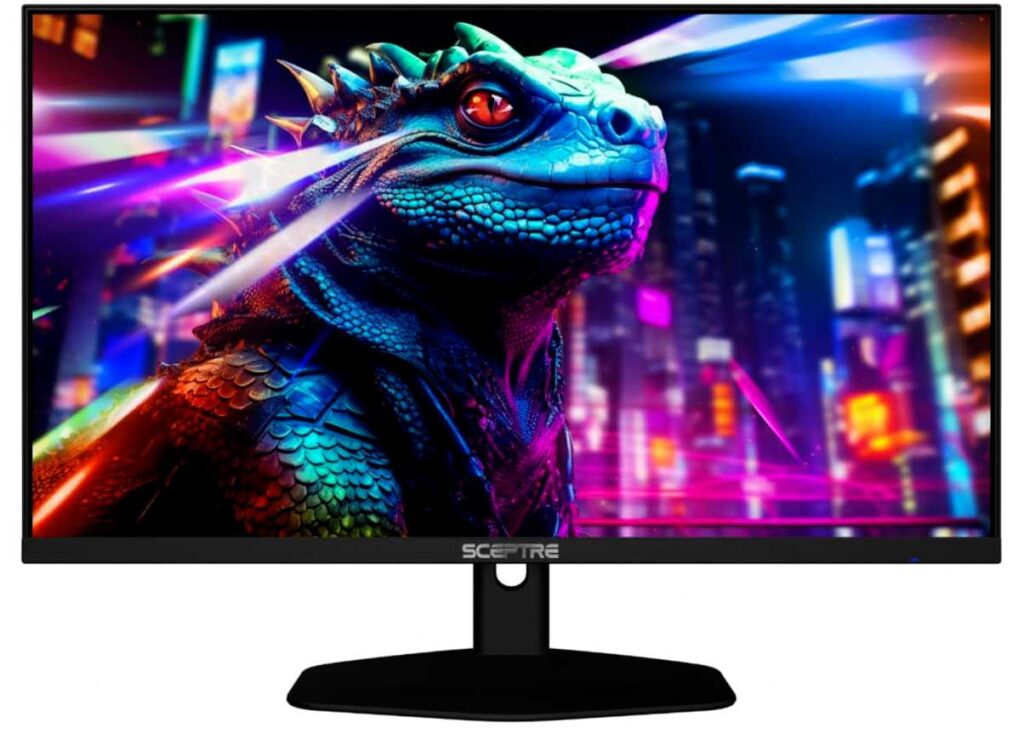
You’ll also get USB Type-C, HDMI, and DisplayPort, giving you flexible connectivity for laptops, desktops, and gaming consoles. Features like Blue-Light Shift eye care and built-in speakers make it even more practical for daily use.
Who this is for
- Anyone looking for a budget USB-C monitor under $300
- Students and home office users
- Casual gamers who want a smoother 100Hz display
- Laptop users needing simple USB-C connectivity
Who should skip it
- Professionals who need QHD or 4K resolution
- Content creators requiring professional color accuracy
My Take
For the price, the Sceptre E275W-FP100T is surprisingly well-equipped. You get a 27-inch IPS screen, 100Hz refresh rate, and USB-C connectivity for less than many basic office monitors. If you’re on a tight budget, it’s one of the best affordable USB-C monitors available.
6. LG 32U631A-B – Best 32-Inch USB-C Monitor Under $300
32-inch | QHD (2560×1440) | IPS | 100Hz | HDR10 | USB-C | FreeSync
If you want a large USB-C monitor without spending a fortune, the LG 32U631A-B is an excellent choice. Its 32-inch QHD IPS display gives you plenty of screen space for multitasking, spreadsheets, coding, and entertainment, making it one of the best 32-inch USB-C monitors under $300.
The QHD (2560×1440) resolution delivers much sharper visuals than Full HD, while the 100Hz refresh rate makes scrolling, multitasking, and casual gaming feel smoother. It also supports HDR10 and 99% sRGB, so colors look vibrant whether you’re working, watching movies, or editing photos.
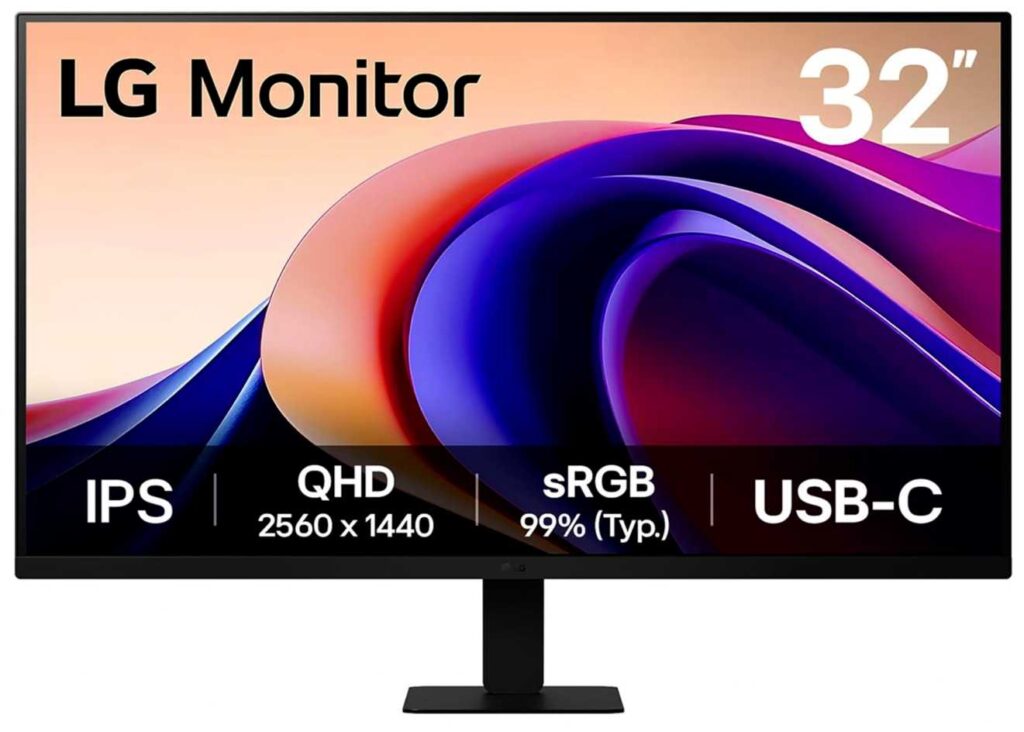
The monitor includes a USB Type-C port, allowing you to connect compatible laptops with a single cable, along with HDMI for additional devices. LG also adds useful features like Reader Mode, Flicker Safe technology, and FreeSync, making it comfortable for long work sessions and light gaming.
Who this is for
- Anyone wanting a large 32-inch USB-C monitor
- Professionals and students who multitask
- Home office users and casual gamers
- MacBook and Windows laptop users
Who should skip it
- Users who need more than 15W USB-C charging
- Competitive gamers looking for higher refresh rates
My Take
The LG 32U631A-B offers an impressive combination of a 32-inch QHD display, 100Hz refresh rate, and USB-C connectivity at a very reasonable price. If your priority is a big, sharp display for productivity and entertainment, it’s one of the best values in this price range.
Wrapping Up
Finding the best USB-C monitor under $300 comes down to how you plan to use it. If you want the best overall balance of performance and features, the Dell S2725DC is a fantastic choice. Creative professionals will appreciate the color accuracy of the ASUS ProArt PA247CV, while budget shoppers can get excellent value from the BenQ GW2790TC, SANSUI, or Sceptre models. If a larger display is your priority, the LG 32U631A-B offers plenty of screen space at a very competitive price.
The good news is that you no longer have to spend a premium to get USB-C connectivity, a quality display, and useful features like high refresh rates or ergonomic stands. Every monitor on this list offers great value for its price, so the right choice simply depends on your budget, workspace, and daily needs.
Hopefully, this guide has helped you find the best USB-C monitor for your setup. No matter which one you choose, you’ll enjoy a cleaner desk, easier laptop connectivity, and a more productive workspace.