
When choosing the Best External Monitors for MacBook Neo, you’re not just picking a bigger screen—you’re upgrading your entire workflow. The right monitor can improve productivity, color accuracy, and multitasking, while also reducing eye strain during long sessions.
For MacBook Neo users, a few things matter more than anything else:
- USB-C connectivity (for single-cable setup + charging)
- Resolution (4K vs 1440p) for sharp text and visuals
- Panel quality (IPS/OLED) for better colors
- Refresh rate & size depending on work vs entertainment
Modern USB-C monitors can even act as hubs—letting you connect your MacBook, charge it, and plug in accessories through one cable. High-end options also support features like Thunderbolt, HDR, and multi-monitor setups.
In this guide, we’ll break down the Best External Monitors for MacBook Neo, from budget-friendly displays to premium 4K and ultrawide setups—so you can find the perfect screen for your workspace.
But before that,
Best 7 External Monitors for MacBook Neo : New
1. Dell 27 Plus 4K USB-C Monitor (S2725QC)
If you’re aiming for a clean, high-resolution setup, the Dell S2725QC is a strong contender in the Best External Monitors for MacBook Neo category. It delivers a well-rounded experience that balances performance, design, and everyday usability.
The standout feature is its 27-inch 4K display, which is ideal for macOS scaling. You get sharp text, detailed visuals, and a more comfortable workspace for multitasking—making it a great 4K monitor for MacBook Neo for productivity, coding, and content consumption.
What sets this monitor apart from typical options is the 120Hz refresh rate. While most 4K monitors stick to 60Hz, this adds smoother scrolling and a more fluid user experience. If you value responsiveness, this works well as a high refresh rate monitor for MacBook Neo.
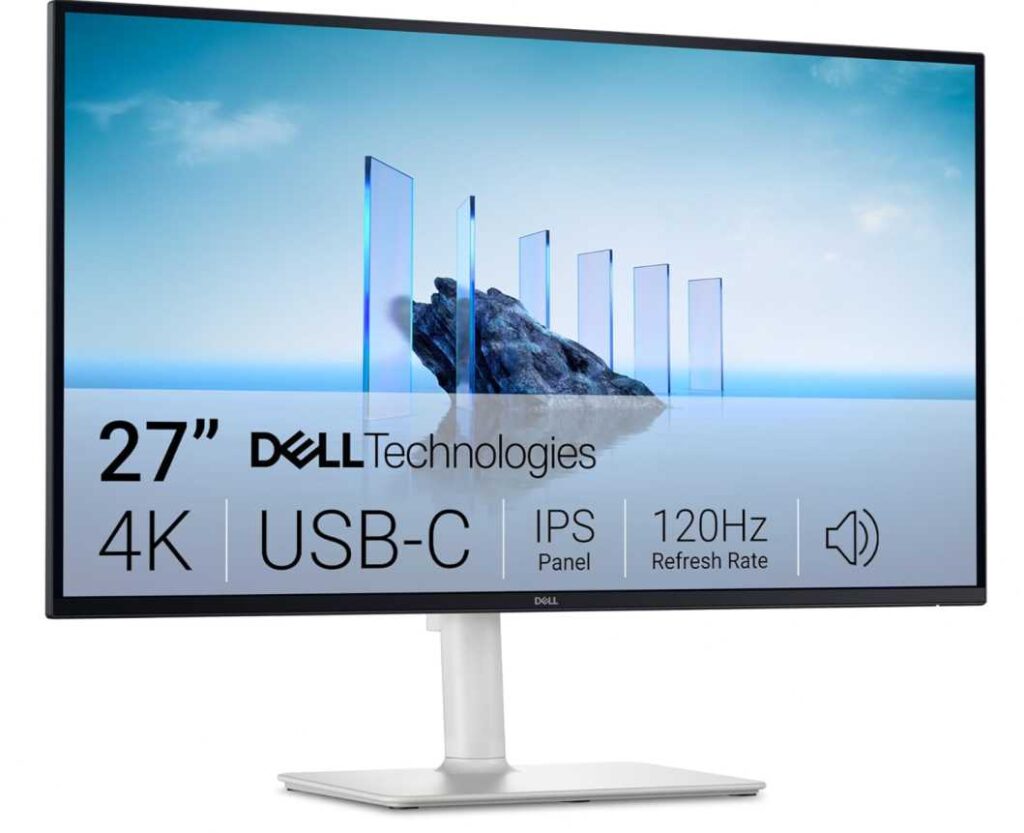
Connectivity is another highlight. With USB-C support and 65W Power Delivery, you can run a full single-cable setup for MacBook Neo—handling display, charging, and basic connectivity all at once.
On the display side, it offers 99% sRGB coverage, making it suitable for general creative work, media consumption, and daily tasks. It’s not a pro-grade color monitor, but it’s more than capable for most users.
Key Features:
- 27-inch 4K UHD (3840×2160) resolution
- 120Hz refresh rate for smoother visuals
- USB-C with 65W charging
- 99% sRGB color coverage
- Built-in speakers and slim design
Pros:
- Excellent clarity for macOS workflows
- Smooth performance with 120Hz
- Clean USB-C monitor setup for MacBook Neo
- Great value for a 4K display
Cons:
- Not ideal for professional color grading
- 65W charging may be limited for heavy workloads
Best For: Users looking for a 4K USB-C monitor for MacBook Neo with smooth performance, sharp visuals, and a minimalist desk setup.
2. LG 27US500-W UltraFine 4K Monitor
If you’re trying to build a budget-friendly 4K setup, the LG 27US500-W is one of the most practical picks in the Best External Monitors for MacBook Neo lineup. It focuses on display quality over extras, making it ideal for users who just want a sharp, reliable screen.
At its core, you get a 27-inch 4K UHD panel, which works perfectly with macOS scaling. Text looks crisp, images are detailed, and multitasking feels much more comfortable—exactly what you’d expect from a 4K monitor for MacBook Neo.
The panel uses IPS technology, so viewing angles are wide and colors remain consistent. It also supports HDR10 and up to 90% DCI-P3 color gamut, giving you richer colors compared to basic displays. This makes it a solid color-accurate monitor for MacBook Neo for casual editing, media, and everyday creative work.
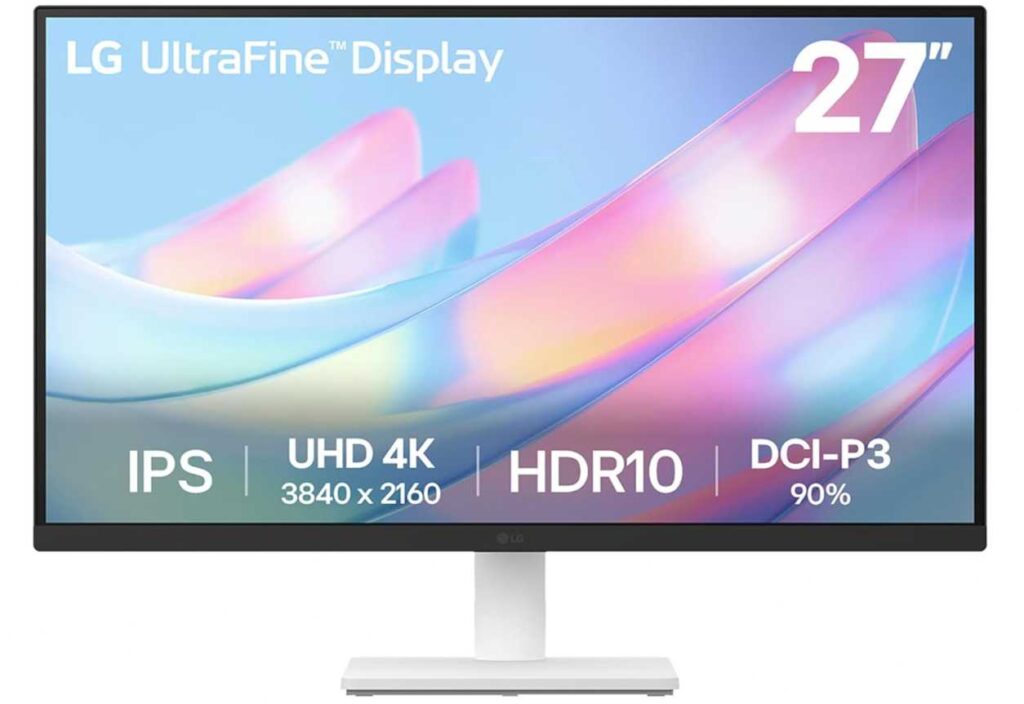
LG also includes features like Reader Mode and Flicker Safe, which help reduce eye strain during long sessions—useful if you spend hours coding, writing, or browsing.
That said, this monitor keeps things simple. It lacks USB-C, so you’ll need an adapter or hub for connectivity, making it less convenient as a single-cable monitor setup for MacBook Neo.
Key Features:
- 27-inch 4K UHD (3840×2160) resolution
- IPS panel with wide viewing angles
- HDR10 support + ~90% DCI-P3 color
- Reader Mode & Flicker Safe for eye comfort
- Slim, borderless design
Pros:
- Excellent value for a 4K display
- Sharp visuals for productivity and media
- Good color performance for the price
- Eye-care features for long usage
Cons:
- No USB-C connectivity
- Limited adjustability and features
Best For: Users who want a budget 4K monitor for MacBook Neo with solid colors and sharp visuals, and don’t mind using a hub or adapter for connectivity.
3. Mobile Pixels Duex Plus DS Portable Monitor (13.3″)
If your setup isn’t tied to a desk, this one changes the game.
The Mobile Pixels Duex Plus DS isn’t a traditional monitor—it’s a portable screen extender for MacBook Neo that literally attaches to your laptop. Slide it out, and you instantly have a dual-screen setup anywhere.
This makes it one of the most unique entries in the Best External Monitors for MacBook Neo—built for mobility, not just performance.
You get a 13.3-inch Full HD IPS display, which is sharp enough for everyday work like emails, coding, documents, and browsing. It’s not 4K, but that’s a fair trade-off for something this compact and travel-friendly.
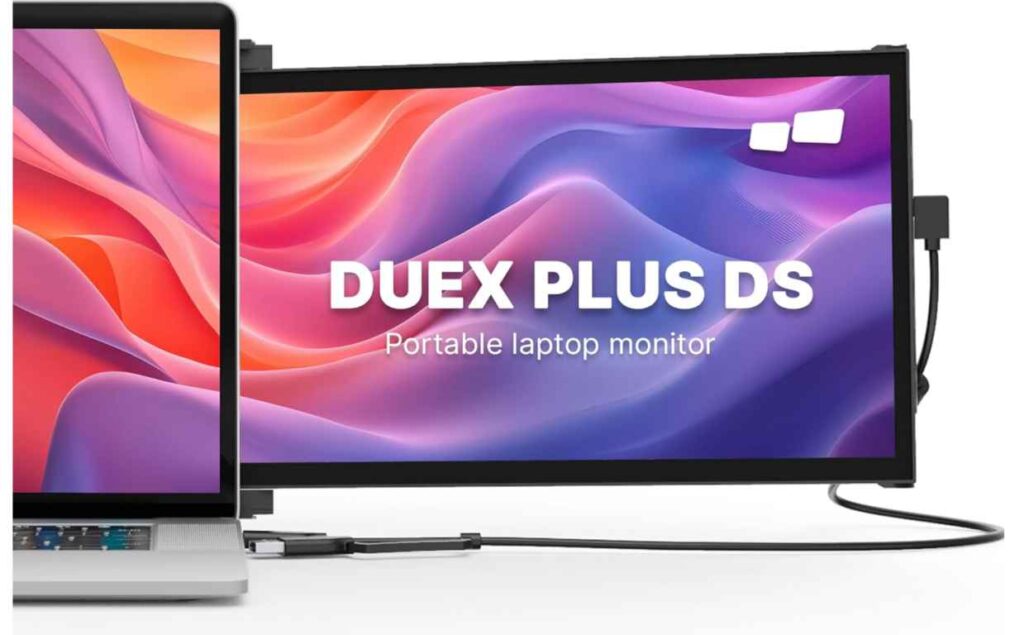
The real advantage is flexibility. You can use it in:
- Dual-screen mode (extend your workspace)
- Presentation mode (share your screen easily)
- Portrait or landscape orientation
It connects via USB-C or HDMI, making it a true plug-and-play portable monitor for MacBook Neo—no complicated setup required.
Where It Shines:
- Turns your laptop into a dual-screen workstation anywhere
- Lightweight and ultra-portable design
- Multiple viewing modes for different use cases
Limitations:
- Full HD (not as sharp as 4K monitors)
- Smaller screen size for primary work
Bottom line: If you need a portable external monitor for MacBook Neo that boosts productivity on the go—whether you’re traveling, studying, or working remotely—this is a seriously practical upgrade.
4. cocopar 15.6″ Portable Monitor (FHD)
If you like the idea of a portable monitor but want more screen space than a 13-inch display, this cocopar 15.6″ model hits a really practical middle ground. It’s a strong pick in the Best External Monitors for MacBook Neo list for users who need mobility without sacrificing usability.
The bigger 15.6-inch Full HD display gives you noticeably more room for multitasking compared to smaller portable screens. Whether you’re working on documents, spreadsheets, or keeping multiple windows open, it feels much closer to a real desktop experience—making it a great portable second screen for MacBook Neo.
It uses an IPS panel with 85% sRGB, so colors look decent for everyday work, streaming, and casual creative tasks. It’s not meant for pro-level editing, but it’s more than enough for general use.
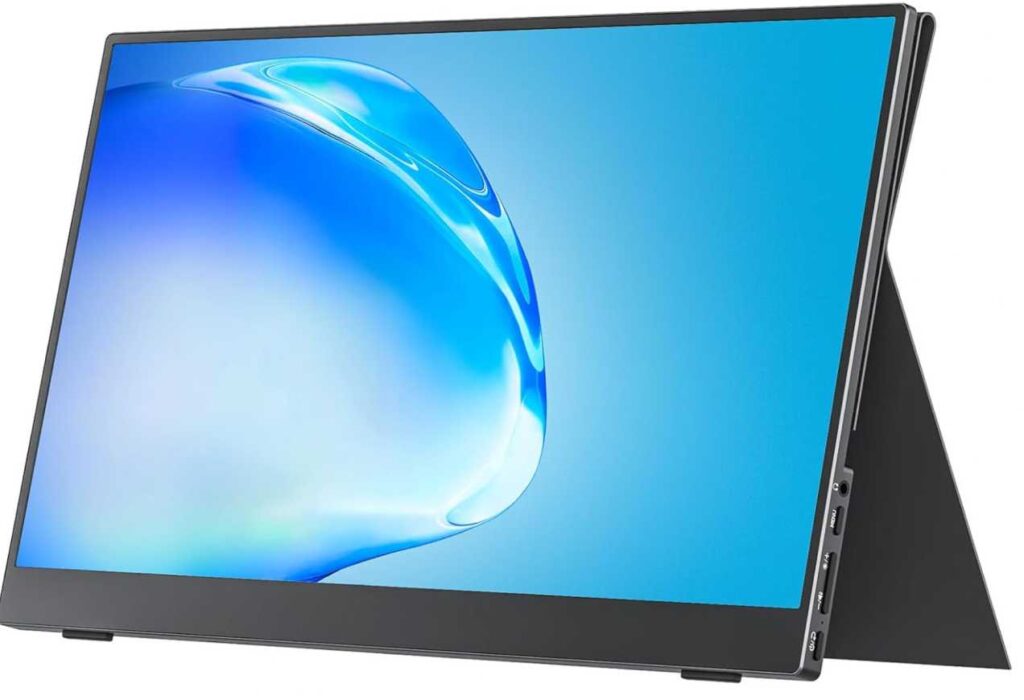
One of the biggest advantages is connectivity. With dual USB-C ports and mini HDMI, it works as a true plug-and-play USB-C monitor for MacBook Neo. In many cases, a single cable can handle both power and display, keeping things simple.
It also includes a built-in stand cover and VESA mount support, which adds flexibility—you can use it on the go or integrate it into a more permanent desk setup.
What Makes It Useful:
- Larger 15.6-inch portable display for better multitasking
- USB-C + HDMI support for easy compatibility
- Lightweight and travel-friendly design
- Can double as a semi-permanent desk screen
Downsides:
- Full HD (less sharp than 4K monitors)
- Average color accuracy for creative professionals
Bottom line: If you want a bigger portable monitor for MacBook Neo that’s still easy to carry but far more comfortable to work on, this is one of the most practical options.
5. ASUS ZenScreen 16” Portable Monitor (MB169CK)
This one is all about practical portability done right.
The ASUS ZenScreen doesn’t try to be flashy—it focuses on giving you a reliable second screen for MacBook Neo that works anywhere, anytime. And at this price, it’s easily one of the most accessible options in the Best External Monitors for MacBook Neo category.
You’re getting a 16-inch Full HD IPS display, which is slightly larger than typical portable monitors. That extra inch actually makes a difference—it feels more comfortable for multitasking, reading, and side-by-side apps, making it a solid portable monitor for MacBook Neo productivity.
What really stands out is usability. The 360° kickstand lets you position the screen however you want—landscape, portrait, angled, flat—you name it. It’s one of the most flexible travel monitors for MacBook Neo in terms of setup.
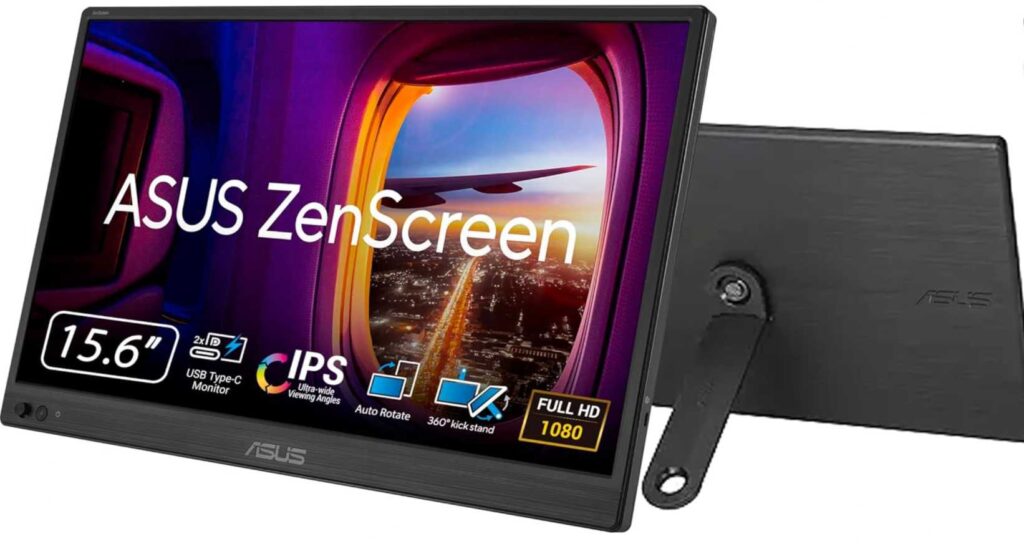
Connectivity is simple too. With dual USB-C and mini HDMI, it works as a true plug-and-play external display for MacBook Neo, whether you’re using a single cable or switching between devices.
On top of that, ASUS includes Eye Care features (low blue light + flicker-free) and an anti-glare surface, which makes it comfortable for long sessions—especially useful if you’re working remotely or traveling.
What You’ll Appreciate:
- Slightly larger 16-inch portable display
- Flexible 360° kickstand design
- Easy USB-C connectivity for MacBook Neo
- Eye-care features for long usage
Where It Compromises:
- Full HD resolution (not as sharp as 4K)
- Not meant for color-critical work
Bottom line: If you want a budget-friendly portable monitor for MacBook Neo that’s flexible, easy to use, and great for everyday productivity, this is a very easy recommendation.
6. Yodoit 15.6″ Portable Monitor (FHD)
This is the “lowest-cost entry into dual-screen life”.
The Yodoit 15.6″ monitor is easily one of the most affordable picks in the Best External Monitors for MacBook Neo list—and surprisingly, it still covers the basics really well. If your goal is simple—more screen space without spending much—this delivers.
You’re getting a 15.6-inch Full HD IPS display, which is big enough to comfortably run a second app, browser window, or document alongside your main screen. It’s a practical budget portable monitor for MacBook Neo for students, remote workers, or casual users.
Setup is straightforward. With USB-C or HDMI connectivity, it works as a plug-and-play second screen for MacBook Neo—though you may need to use the included cables (not always your MacBook cable) for proper video output.
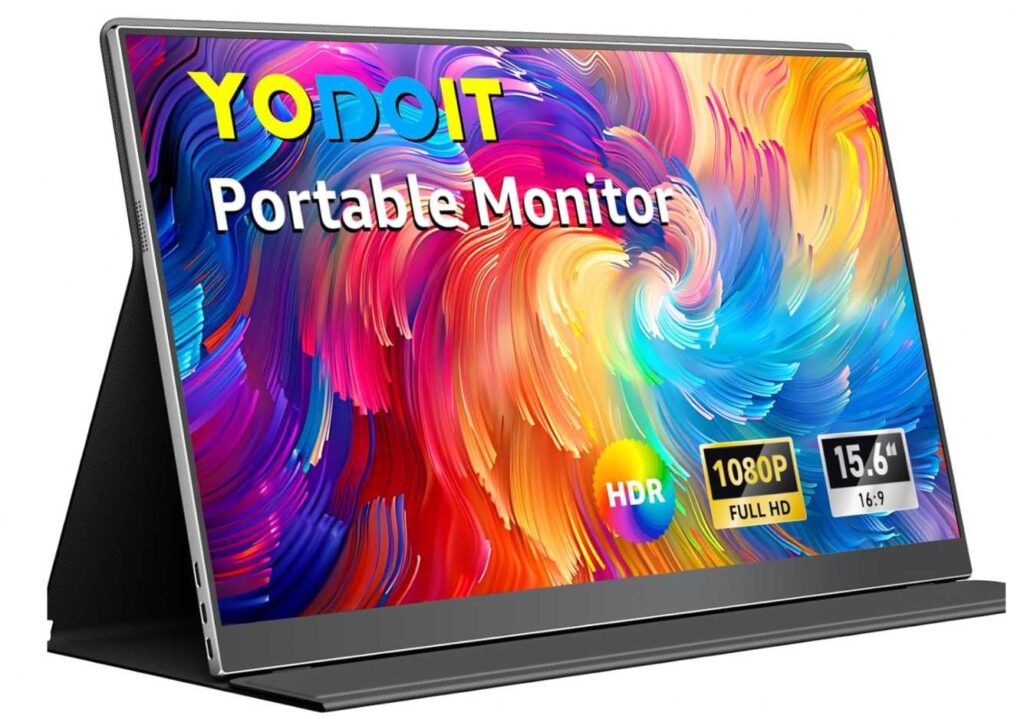
The design keeps things simple: lightweight plastic build, smart cover that doubles as a stand, and built-in speakers. It’s not premium, but it’s functional—and that’s the point.
Why It’s Worth Considering:
- Very affordable portable monitor for MacBook Neo
- Large 15.6-inch screen for multitasking
- Dual USB-C + HDMI support
- Easy to carry and set up
Where It Shows Its Price:
- Basic build quality
- Average color and brightness
- Full HD only (not ultra-sharp)
Bottom line: If you just want a cheap second screen for MacBook Neo that gets the job done without overthinking it, this is one of the easiest ways to upgrade your workspace.
7. Acer PM161Q 15.6″ Portable Monitor
This one sits right in the middle ground—not the cheapest, not the most premium, but a balanced, reliable option in the Best External Monitors for MacBook Neo list.
The Acer PM161Q is built like a no-nonsense portable work monitor. You get a 15.6-inch Full HD IPS display, which is ideal for extending your workspace without overcomplicating things. It’s a solid portable external monitor for MacBook Neo for everyday productivity—documents, browsing, coding, or even light media use.
Where it quietly stands out is build consistency and usability. Acer keeps things clean with:
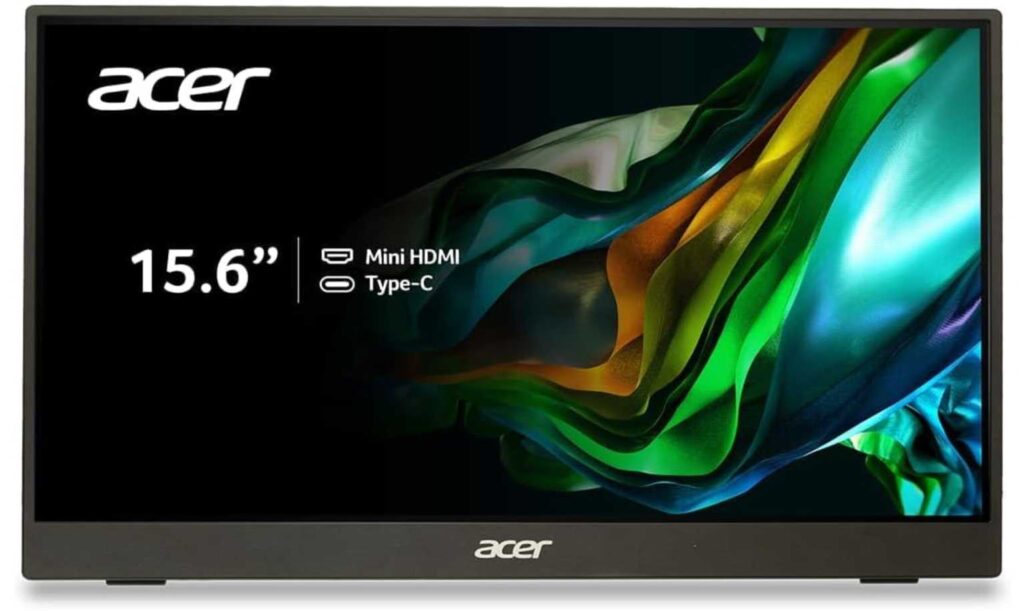
- Dual USB-C ports + mini HDMI → flexible connectivity
- Slim, lightweight design → easy to carry
- VESA mount support → can double as a desk monitor
It also includes AMD FreeSync, which is a bonus if you occasionally use it for media or light gaming—though it’s not the main focus.
The built-in speakers are basic, but functional. And the adjustable tilt gives you just enough flexibility for comfortable viewing.
Why It’s a Solid Pick:
- Reliable IPS panel with good viewing angles
- Flexible USB-C monitor for MacBook Neo setup
- Can work as both portable and semi-permanent display
- Balanced price-to-performance
Where It’s Basic:
- Full HD only (not ultra-sharp)
- Average brightness and speakers
Bottom line: If you want a dependable portable monitor for MacBook Neo that’s well-built, easy to use, and versatile enough for both travel and desk setups, this is a safe and balanced choice.
Final Thoughts
Choosing the Best External Monitors for MacBook Neo really comes down to one simple question:
👉 Where and how do you work?
If you’re building a desk setup, a 4K USB-C monitor for MacBook Neo is the best upgrade you can make. You get sharper visuals, more screen space, and a clean single-cable setup that makes everything feel more professional and efficient.
If you’re always on the move, then a portable monitor for MacBook Neo makes far more sense. It gives you that extra screen exactly when you need it—whether you’re traveling, studying, or working remotely—without being tied to a desk.
There’s also a middle ground: users who want flexibility. For them, a secondary external display for MacBook Neo that can switch between desk use and travel is the smartest choice.
One thing is clear—once you start using a second screen, it’s hard to go back.
Your workflow becomes faster, your workspace feels bigger, and multitasking becomes effortless.
Bottom line:
- Go 4K + USB-C for a permanent setup
- Go portable + lightweight for mobility
- Choose based on your workflow—not just specs
Pick the right monitor, and your MacBook Neo instantly becomes a more powerful and comfortable workstation.