
If you spend a lot of time in front of your screen, you’ve probably felt it—eye strain, headaches, or just that tired feeling after long sessions. And most people try to fix it by lowering brightness or turning on night mode… but that’s not always enough.
That’s where monitor light bars come in.
Instead of lighting up the whole room or shining directly into your eyes, these lights sit on top of your screen and illuminate your desk area evenly, reducing contrast between your monitor and surroundings. The result? A much more comfortable viewing experience.
The best monitor light bars for eye comfort are designed to cut glare, reduce blue light exposure, and create a softer, more natural lighting setup—perfect for late-night work, studying, or even gaming.
Once you start using one, it’s one of those small upgrades that makes a surprisingly big difference. In this guide, we’ll look at some of the top screen light bars that can help you work longer without your eyes feeling completely drained.
1. Quntis Monitor Light Bar Pro – Clean Setup + Serious Eye Comfort
If you’re building a setup around the best monitor light bars for eye comfort, this is one of those options that just feels well thought out.
The biggest thing here is how it handles lighting. Instead of shining directly at your eyes or reflecting on the screen, it uses a glare-free design that lights up your desk area properly. That alone makes a big difference when you’re working late or sitting for long hours.
What I like is the auto-dimming feature. You don’t have to keep adjusting brightness—it automatically balances the light based on your surroundings. That’s super helpful if your lighting keeps changing during the day or night.
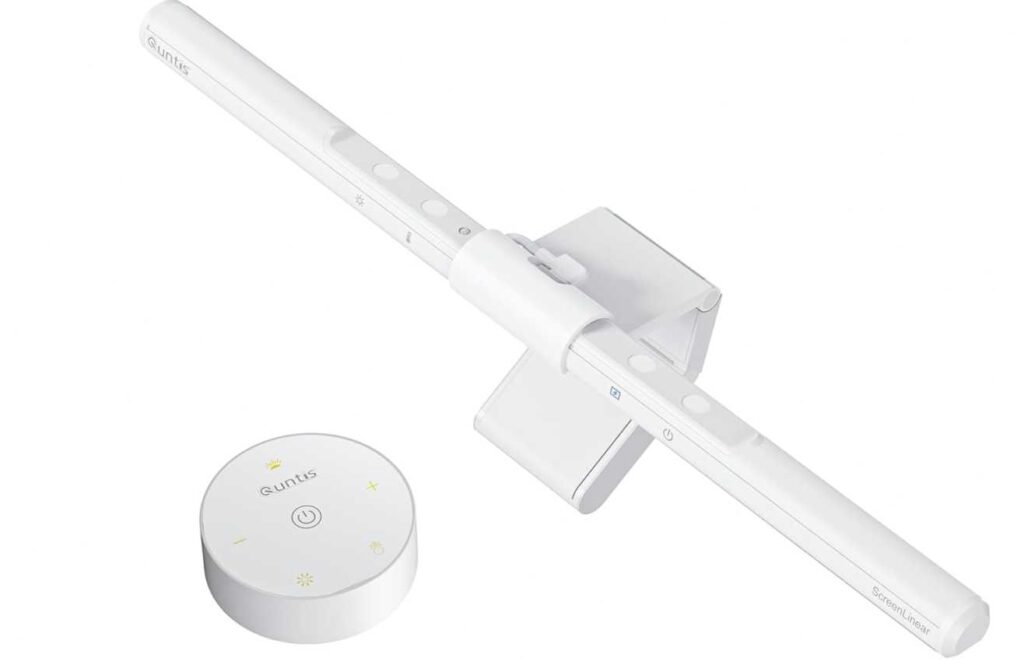
You also get dual control (touch + remote), so you can tweak brightness or color temperature without reaching up every time. Small thing, but once you use it, it’s really convenient.
The design is another plus—it’s minimal, clean, and space-saving, and it clips right on top of your monitor without messing up your setup.
Why this is great for eye comfort
- No glare or screen reflection
- Auto-dimming keeps lighting balanced
- Adjustable warm to cool tones (3000K–6500K)
- Reduces eye strain during long sessions
Just keep this in mind
- Slightly more premium than basic light bars
- Needs USB power
My take
If you want something that actually improves your desk lighting and eye comfort without overthinking it, this is a solid pick.
It’s one of those upgrades that feels small—but once you use it daily, you’ll notice the difference.
2. Uchoiceme 3-Bar Desk Lamp – If You Want More Light Than a Regular Light Bar
Okay, so this one’s a little different from something like the Quntis Monitor Light Bar Pro we talked about earlier.
That one sits on top of your screen and keeps things super clean. This one? It’s more like a powerful desk light that covers your whole setup.
If you’ve got a big desk, dual monitors, or you do extra stuff like writing or studying, this actually makes more sense.
The biggest difference is the lighting area.
With Quntis → focused light just on your desk area under the monitor
With this → wide light across your whole workspace
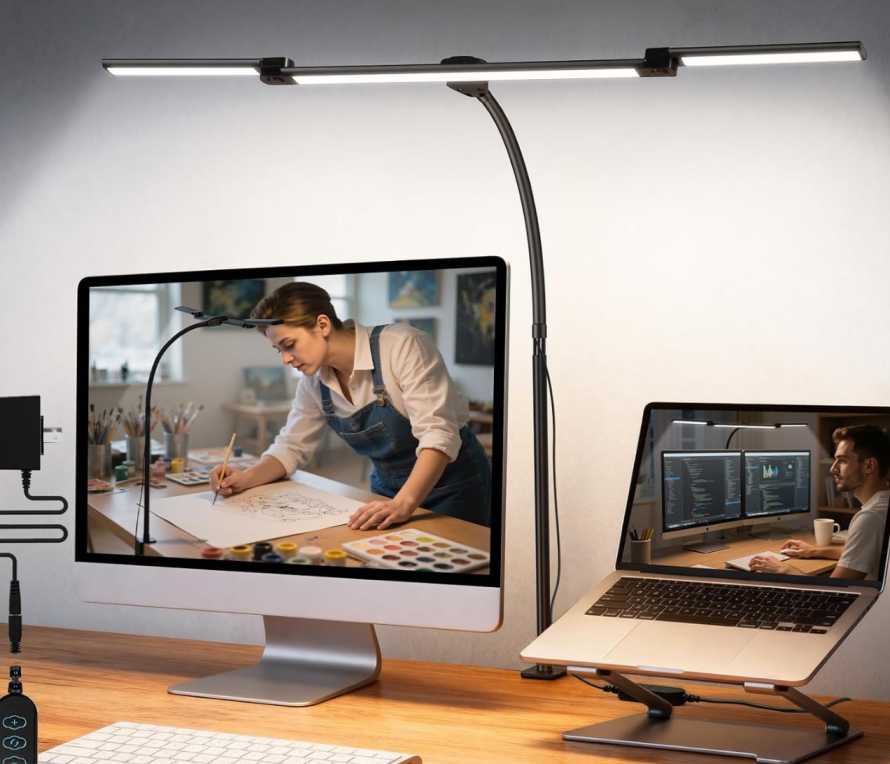
And honestly, that feels way better if your setup isn’t just screen-focused.
You also get a ton of control:
- You can move the arms around
- Bend the gooseneck anywhere
- Adjust brightness + color exactly how you like
So instead of fixed lighting, you’re basically customizing your setup however you want.
Where this is better than a monitor light bar
- Way wider lighting coverage
- More flexible positioning
- Better for multi-task setups (books, notes, etc.)
Where light bars like Quntis are better
- Cleaner, minimal setup
- No extra arm/clamp visible
- More focused lighting (less distraction)
My honest take
If you just want a clean setup and focused light → go with a monitor light bar
But if you want full desk lighting and more flexibility → this is actually the better choice
It really depends on how you use your desk.
3. YEELIGHT Monitor Light Bar – Budget-Friendly & Clean Setup Pick
Alright, if you’re comparing options in the best monitor light bars for eye comfort, this is one I’d suggest if you want something simple, affordable, and still effective.
Compared to something like the Quntis Monitor Light Bar Pro, this is more of a budget-friendly version—you don’t get fancy auto-dimming or remote control, but you still get the core things that actually matter.
First, the important part—it’s glare-free and flicker-free, so it won’t reflect on your screen or hit your eyes directly. That’s honestly the main reason to get a monitor light bar in the first place.
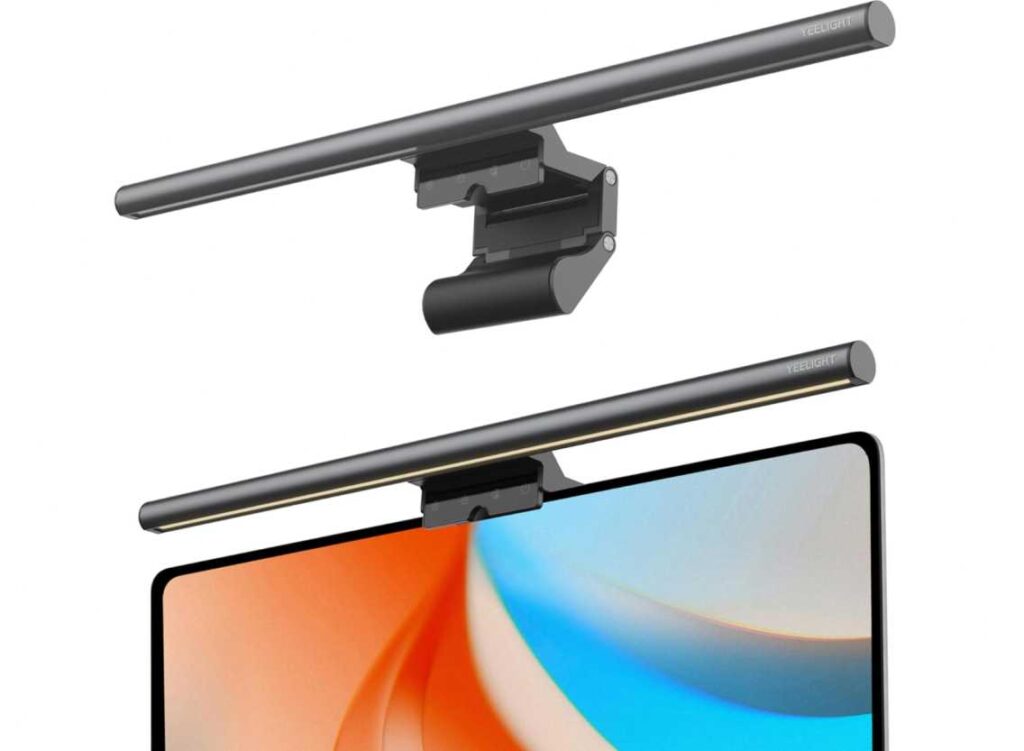
You can also adjust both brightness and color temperature (warm to cool) with stepless dimming, so you can tweak it depending on whether you’re working, reading, or just chilling.
What’s nice here is the high color accuracy (Ra95). That means the light looks more natural, which helps reduce that harsh “cheap LED” feel.
Design-wise, it’s clean—just clips on top of your monitor and doesn’t take up desk space. Works with both flat and curved monitors, which is a bonus.
👍 Where this is good
- Affordable but still does the job well
- No glare + eye-friendly lighting
- Adjustable brightness and color temp
- Clean, minimal setup
Compared to Quntis
- Quntis → more premium (auto-dimming, remote)
- YEELIGHT → simpler, cheaper, still effective
My take
If you just want a solid monitor light bar without spending too much, this is a great pick.
It’s one of those “no extra features, but does the main job right” products—and honestly, that’s enough for most people.
4. OOWOLF Monitor Light Bar – Best Value with Remote (Balanced Pick)
Alright, if you’re comparing options in the best monitor light bars for eye comfort, this one actually sits right in the middle—not too basic, not too expensive.
Think of it like this:
- YEELIGHT → cheapest, simple, gets the job done
- Quntis Pro → premium, auto-dimming, more features
- OOWOLF → sweet spot in between
You get one big advantage here that cheaper ones don’t have—a remote control. And trust me, once you start using it, you don’t want to keep reaching up to adjust the light every time.
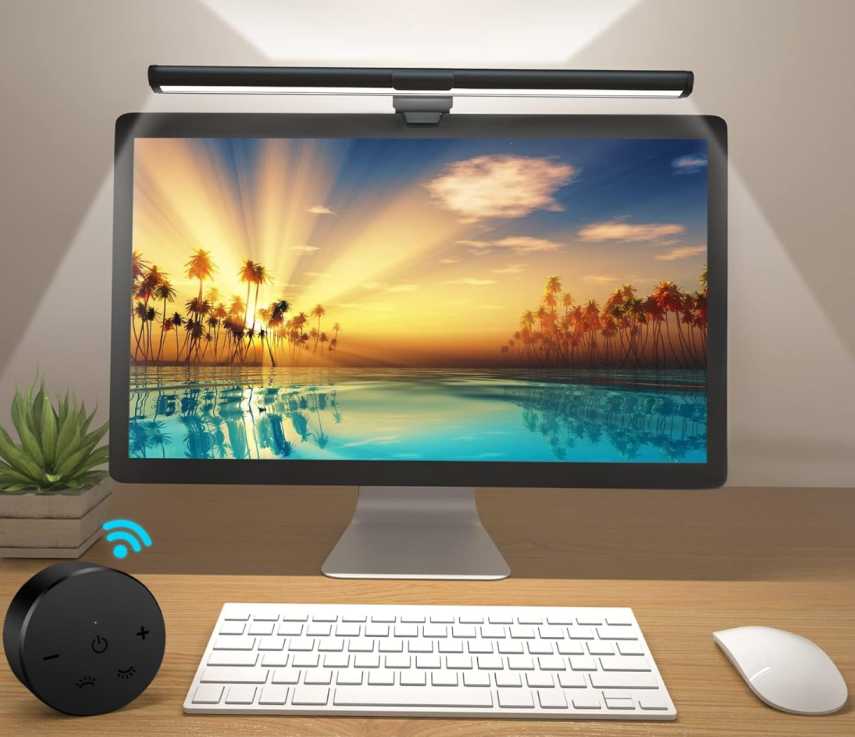
Lighting-wise, it covers all the essentials:
- No glare (so no reflection on your screen)
- Flicker-free + low blue light (better for long hours)
- High CRI (Ra95) → more natural-looking light
You can also adjust brightness and color temperature easily—from warm to cool—depending on whether you’re working, reading, or gaming.
Another small but useful thing—it remembers your last settings, so you don’t have to reset it every time.
👍 Where this stands out
- Remote control = super convenient
- Great balance of price and features
- Eye-friendly lighting for long sessions
- Clean, space-saving setup
Compared to others
- Better than YEELIGHT → more control (remote + memory)
- Slightly below Quntis Pro → no auto-dimming
My take
If you want something that feels premium enough without paying premium price, this is a really smart pick.
It’s basically the “value for money” option—you get most useful features without overpaying.
5. SAMPHON RGB Monitor Light Bar – Budget + Gaming Vibe Pick
Alright, this one is for a different kind of setup 😄
If you’re checking out the best monitor light bars for eye comfort, this is more like a budget + aesthetic combo rather than a pure “work-focused” option.
You basically get two lights in one:
- Front light → for your desk (actual work, reading, etc.)
- RGB backlight → for that gaming/ambient vibe
So compared to something like the OOWOLF or YEELIGHT, those are more serious, clean, work-focused lights.
This one adds that RGB glow behind your monitor, which honestly looks pretty cool if you like that setup.
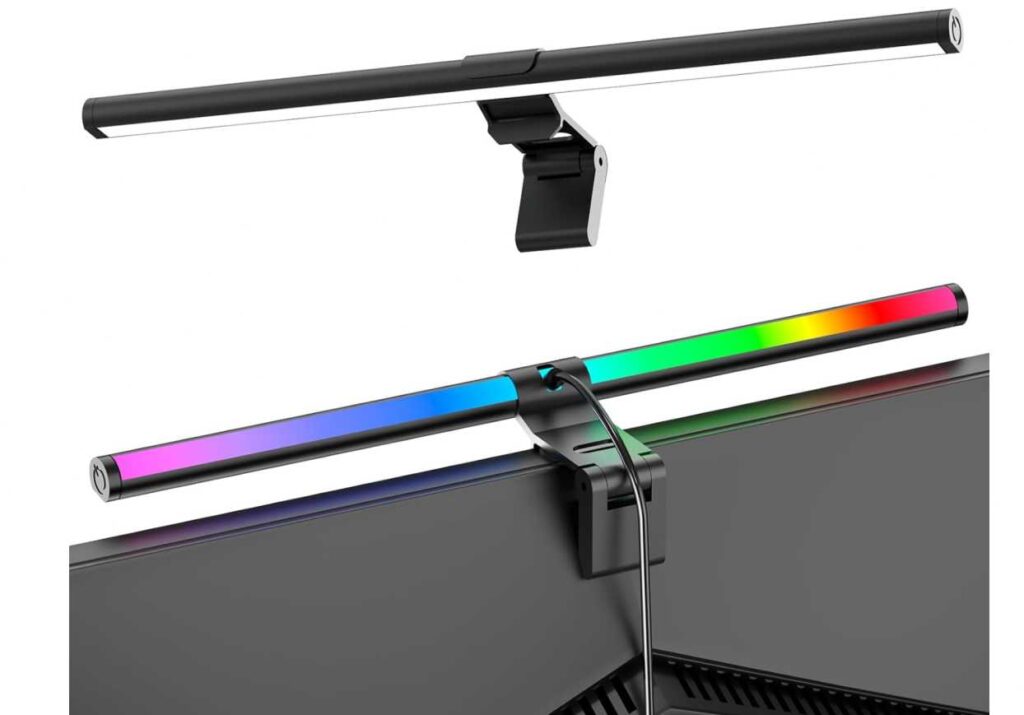
The front light still does the important job:
- No glare (45° angle)
- Adjustable brightness + color temp
- Helps reduce eye strain during long sessions
And then you’ve got 9 RGB modes for the back—completely optional, but nice if you game or want some mood lighting.
👍 Where this is good
- Very affordable
- Dual lighting (work + ambient)
- RGB modes for gaming setups
- Simple plug-and-play
Compared to others
- vs Quntis / OOWOLF → less premium, fewer smart features
- vs YEELIGHT → similar basic lighting, but adds RGB
My take
If your goal is pure eye comfort + clean setup, go with something like Quntis or OOWOLF.
But if you want a cheap light bar that also makes your setup look cool, this is actually a fun pick.
It’s not the most professional—but for the price, it’s a nice combo of function + vibe.
6. BlitzMax Monitor Light Bar – Simple, Reliable & Budget-Friendly
Okay, this is one of those picks I’d suggest if you just want a straightforward light bar that works well without spending much.
If we compare it quickly:
- YEELIGHT → cleaner build + slightly more premium feel
- OOWOLF → adds remote control
- BlitzMax (this one) → keeps it simple but gives you all the essentials
You still get everything that actually matters for eye comfort:
- No glare, no flicker → so it won’t reflect on your screen
- 5 color temperatures + adjustable brightness → easy to match your setup
- Memory function → remembers your last setting (small but useful)
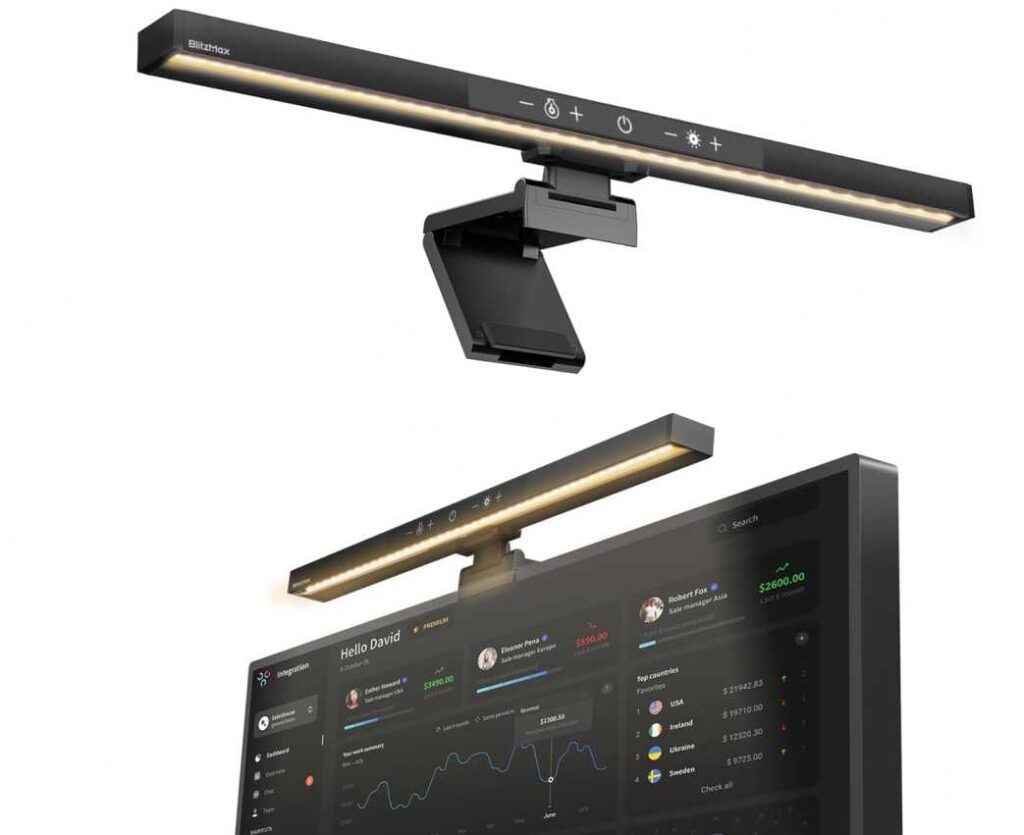
The touch control is simple—just tap or hold to adjust. No remote, no auto features, but honestly, most people don’t need those.
It also fits pretty much any monitor (flat or curved), and the space-saving clip design keeps your desk clean.
👍 Why this is a good pick
- Affordable but still reliable
- All core eye-care features included
- Easy to use (no complicated setup)
- Clean and minimal design
Compared to others
- Better than super cheap RGB ones → more focused on comfort
- Slightly below OOWOLF → no remote
- Slightly below Quntis → no auto-dimming
My take
If you want a no-nonsense monitor light bar that does the job properly, this is a great choice.
It’s one of those “set it once and forget it” products—simple, practical, and good enough for most setups.
7. Govee Smart LED Light Bars – Pure Setup Vibe (Not for Eye Lighting)
Okay, this one is a bit different from everything else we’ve talked about.
If you’re looking at the best monitor light bars for eye comfort, this is not really for that purpose. Instead, this is all about ambient lighting and setup aesthetics.
Think of it like this:
- Quntis / OOWOLF / BlitzMax → help your eyes (front lighting for work)
- Govee Light Bars → make your setup look 🔥 (backlighting)
These sit behind your monitor or on the desk, not on top of it. So instead of lighting your keyboard or desk, they create a color glow behind your screen, which can actually help reduce contrast in a dark room—but mainly, it’s for vibe.
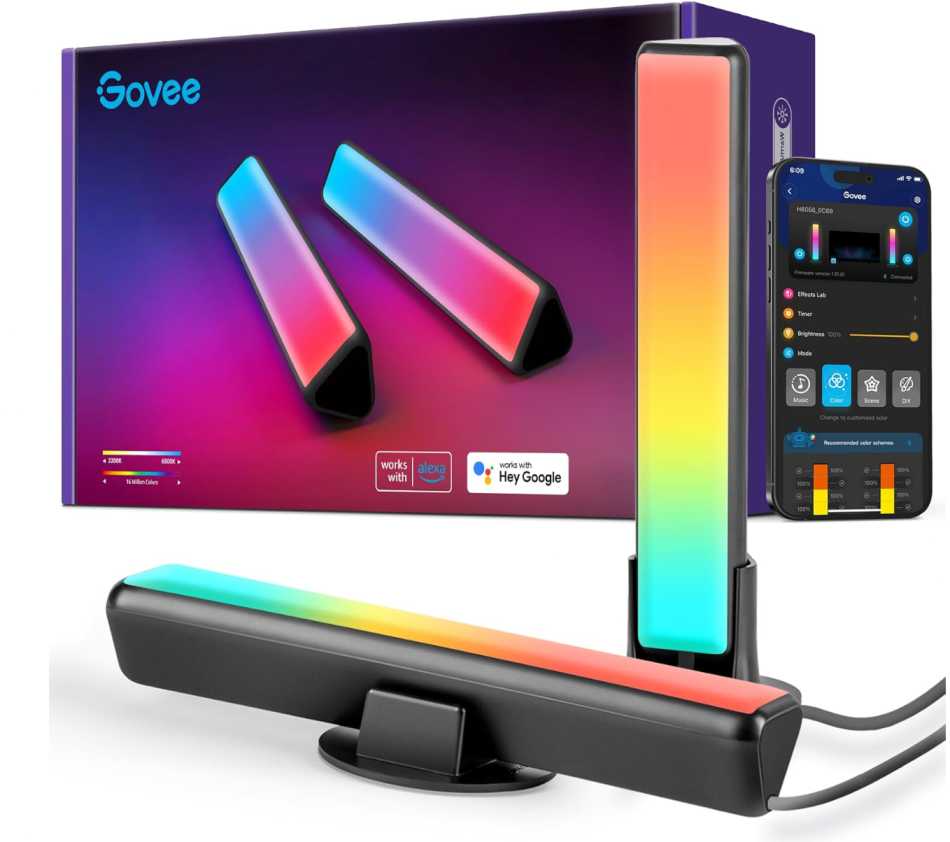
And honestly, where this shines is the smart features:
- Works with Alexa / Google Assistant
- Syncs with music (lights move with sound)
- App control with tons of effects
- RGBIC = multiple colors at once (not just one color strip)
👍 Where this is awesome
- Makes your setup look way more immersive
- Great for gaming, movies, streaming
- Smart control + voice + app
- Tons of customization
Compared to real monitor light bars
- ❌ Doesn’t light your desk (not for reading/work)
- ❌ Doesn’t replace a proper eye-care light
- ✅ Perfect addition to a light bar
My take
If your goal is eye comfort → get a proper monitor light bar (Quntis, OOWOLF, etc.)
If your goal is setup aesthetics + gaming vibe → this is one of the best options out there
Honestly, the best combo is:
👉 Light bar (front) + Govee (back)
That way you get both comfort + cool setup.
Wrapping Up
So yeah, when it comes to the best monitor light bars for eye comfort, it really depends on what you actually want from your setup.
If your main goal is reducing eye strain and working comfortably, go with something like Quntis, OOWOLF, or BlitzMax—these focus on proper front lighting, no glare, and long-hour usability.
If you’re on a budget, options like YEELIGHT or BlitzMax still do a great job without spending much.
And if you care about setup aesthetics or gaming vibe, something like Govee light bars is a great addition—but not a replacement for proper desk lighting.
At the end of the day, the biggest upgrade is simply having balanced lighting around your screen. Once you fix that, you’ll notice less eye strain, better focus, and a much more comfortable experience overall.
If you want the best setup:
Front light bar (for comfort) + ambient backlight (for vibe)
That combo just works.