
Setting up a dual-screen workspace with the MacBook Air M3 is finally worth it. With support for two external displays (in clamshell mode), you can turn a lightweight laptop into a powerful productivity setup—perfect for multitasking, coding, editing, or just getting more done with less tab-switching.
But here’s the catch: not every monitor works equally well with macOS. If you pick the wrong one, you might deal with blurry scaling, limited connectivity, or messy cable setups.
That’s why choosing the best monitors for MacBook Air M3 dual display setup comes down to a few key things:
- 4K resolution for sharp text and proper macOS scaling
- USB-C or Thunderbolt connectivity for a clean, single-cable setup
- Accurate colors (IPS panels) for work, design, and media
- Reliable dual-monitor compatibility without hacks
In this guide, we’ve picked monitors that actually make sense for a MacBook Air M3 dual monitor setup—whether you want a clean minimalist desk, a budget-friendly dual 4K setup, or a color-accurate workspace for creative work.
Let’s find the right setup for you.
1. VisionOwl Dual 15.6″ Portable Monitor – Dual Display Anywhere
Dual 15.6″ | Full HD (1080p) | IPS | 60Hz | USB-C + HDMI | Foldable Design
When people search for the best monitors for MacBook Air M3 dual display, they usually think of two separate screens on a desk. But what if you could carry that entire setup in your bag?
That’s exactly what the VisionOwl Dual 15.6-inch Portable Monitor Foldable offers. Instead of a single portable screen, you get a true dual-display experience in one foldable device, making it a unique option for a MacBook Air M3 dual monitor setup on the go.
Paired with the MacBook Air M3, this monitor lets you expand your workspace vertically with two stacked displays. It’s especially useful for multitasking—think coding on one screen and output on the other, or managing spreadsheets, documents, and communication apps at the same time.

Each 15.6″ IPS panel delivers good color (107% sRGB) and enough clarity for everyday work. While it’s still 1080p, the real advantage here isn’t resolution—it’s how much more you can do with two screens instead of one.
Setup is flexible with USB-C and HDMI, and thanks to DisplayLink support on macOS, you can actually unlock proper dual-display functionality—something that’s essential when building the best MacBook Air M3 dual display setup.
Compared to standard portable monitors, this gives you double the productivity without doubling your gear. And compared to carrying two monitors, it’s simply more practical for travel.
Who this is for
- You want the best monitors for MacBook Air M3 dual display while traveling
- You multitask heavily (coding, editing, spreadsheets)
- You want a compact but high-efficiency setup
Who should skip it
- If you want a simple single-screen portable monitor
- If you prefer larger 4K desktop displays
- If you don’t want to install DisplayLink drivers
My take
This is one of the most practical and innovative picks in the best monitors for MacBook Air M3 dual display category.
2. Ingnok 15.6″ Portable Monitor – Simple & Budget Travel Companion
15.6″ | Full HD (1080p) | IPS | 60Hz | USB-C | Adjustable Stand
When exploring the best monitors for MacBook Air M3 dual display, not everyone needs a complex or expensive setup. Sometimes, a simple, lightweight second screen is all you need to boost productivity.
That’s where the Ingnok 15.6-inch Portable Monitor USB-C makes a lot of sense. It’s designed for users who want an easy dual display setup with the MacBook Air M3—without dealing with extra accessories or complicated configurations.
Paired with the MacBook Air M3, this monitor works as a clean second screen for everyday tasks like meetings, documents, browsing, or light multitasking. The single USB-C cable handles both power and display, keeping your desk or travel setup neat and hassle-free.
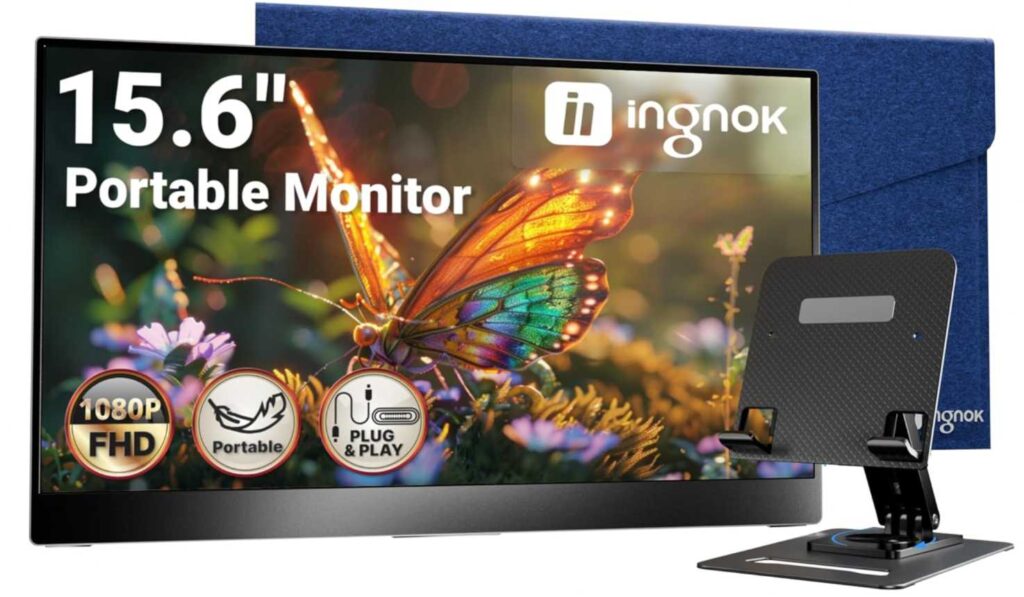
What really stands out is how portable it is. At just 1.44 lbs and ultra-thin, it’s easy to carry anywhere. And unlike many budget options, it includes an adjustable stand, which makes it more comfortable to use whether you’re at a desk, café, or hotel.
The 1080p IPS panel delivers solid clarity and decent colors for general use. It’s not aimed at professionals who need perfect color accuracy, but it fits well for anyone building a basic MacBook Air M3 dual display setup on a budget.
Compared to more advanced options in the best monitors for MacBook Air M3 dual display category, this one focuses on simplicity and value rather than extra features.
Who this is for
- You want an affordable option among the best monitors for MacBook Air M3 dual display
- You need a lightweight, travel-friendly second screen
- You prefer a simple plug-and-play experience
Who should skip it
- If you want dual-screen portable setups or advanced multitasking
- If you need 4K resolution or professional color accuracy
- If you prefer premium build quality and features
My take
This is the “simple and practical” pick in the best monitors for MacBook Air M3 dual display lineup.
If your goal is to add an extra screen without overthinking it or overspending, this monitor does exactly what you need—nothing more, nothing less.
3. ASUS 27″ Eye Care Monitor – Budget Desktop Dual Setup
27″ | Full HD (1080p) | IPS | 120Hz | Adaptive-Sync | Built-in Speakers
When building the best monitors for MacBook Air M3 dual display, not everyone wants portable screens. Some users just need a clean, affordable desk setup with two larger monitors—and that’s where the ASUS VA279QG 27-inch Eye Care Monitor fits in.
This is a straightforward 27-inch IPS monitor that gives you more screen space for multitasking. Paired with the MacBook Air M3, it works well as part of a dual monitor desk setup, especially if you’re running two identical displays.
The 27″ size makes a noticeable difference compared to smaller portable monitors. You get more room for documents, browser tabs, timelines, and side-by-side apps, which is exactly what most people want from a MacBook Air M3 dual display setup.

It also comes with a 120Hz refresh rate, which isn’t essential for productivity but does make scrolling and general usage feel smoother. Add in 99% sRGB coverage, and you get decent colors for everyday work, media, and light creative tasks.
Another practical advantage is the built-in speakers and multiple ports (HDMI, DisplayPort, VGA), making it easy to connect and keep your setup flexible.
Compared to 4K monitors in the best monitors for MacBook Air M3 dual display category, this one is more budget-friendly—but you trade off some sharpness due to the 1080p resolution on a 27″ screen.
Who this is for
- You want a budget-friendly desk setup for MacBook Air M3 dual display
- You prefer larger screens over portability
- You need a simple dual monitor setup for work or study
Who should skip it
- If you want 4K sharpness for macOS scaling
- If you need USB-C single-cable connectivity
- If you prefer premium build and features
My take
This is the “budget dual desk setup” option in the best monitors for MacBook Air M3 dual display list.
It’s not the sharpest or most advanced—but if you want two large screens at a reasonable price, it gets the job done and makes multitasking much easier.
4. InnoView 15.6″ Portable Monitor – Easy, No-Hassle Pick
15.6″ | Full HD (1080p) | IPS | USB-C + HDMI | Smart Cover
If you’re looking at the best monitors for MacBook Air M3 dual display and just want something simple, I’d honestly point you to the InnoView 15.6-inch Portable Monitor FHD USB-C.
It’s one of those monitors where you don’t have to think much. Just connect it to your MacBook Air M3 with USB-C and it works. No extra setup, no headache.
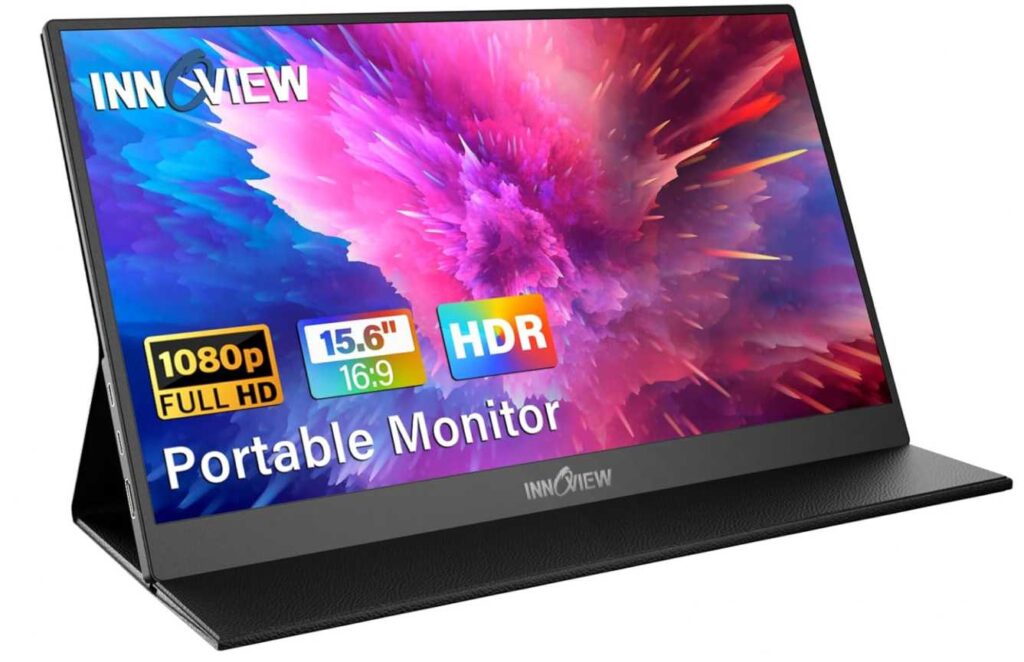
The screen itself is decent—nothing crazy, but good enough for work, browsing, meetings, all that. And since it’s lightweight with a cover stand, you can just toss it in your bag and use it anywhere.
Compared to other options in the best monitors for MacBook Air M3 dual display, this one is more about convenience than features.
Who this is for
- You want something cheap and super easy to use
- You need a portable second screen
Skip if
- You want 4K or premium quality
- You need more advanced features
My take
This is the “just works” option.
If you don’t want to overthink your setup, this is a safe pick.
5. SANSUI 15.6″ Portable Monitor – Balanced Budget Pick
15.6″ | Full HD (1080p) | IPS | USB-C + HDMI | Speakers | Cover Stand
If you’re browsing the best monitors for MacBook Air M3 dual display and want something affordable but a bit more well-rounded, the SANSUI 15.6-inch Portable Monitor FHD USB-C is a solid middle option.
It’s similar to other budget portable monitors, but feels a bit more complete—you get built-in speakers, decent display quality, and all the essential ports.
With the MacBook Air M3, setup is straightforward. Just plug in USB-C and you’ve got an instant second screen for work, meetings, or multitasking.

The screen quality is pretty standard—1080p IPS, good viewing angles, decent brightness. Nothing premium, but definitely usable for everyday tasks. The included PU leather cover stand also makes it easy to set up anywhere.
Compared to the InnoView, this feels slightly more complete feature-wise, but still keeps things simple and budget-friendly.
Who this is for
- You want a balanced option in the best monitors for MacBook Air M3 dual display
- You need a portable screen with speakers
- You want something affordable but not too basic
Skip if
- You want ultra-light or premium build quality
- You need 4K or high-end display quality
My take
This is the “safe budget choice.”
Not the cheapest, not the best—but a nice middle ground that just works.
6. KOORUI 27″ QHD Monitor – Budget 1440p Sweet Spot
27″ | QHD (2560×1440) | IPS | 120Hz | HDR | FreeSync
If you’re building a proper desk setup and looking at the best monitors for MacBook Air M3 dual display, this is where things start getting serious.
The KOORUI 27-inch QHD 120Hz IPS Monitor E2721H gives you that sweet combo of sharp 1440p + larger screen, which honestly feels way better than 1080p once you try it.
With the MacBook Air M3, this works great as part of a dual setup—especially if you get two of these. You’ll have plenty of space for multitasking, and text looks noticeably sharper compared to budget FHD monitors.
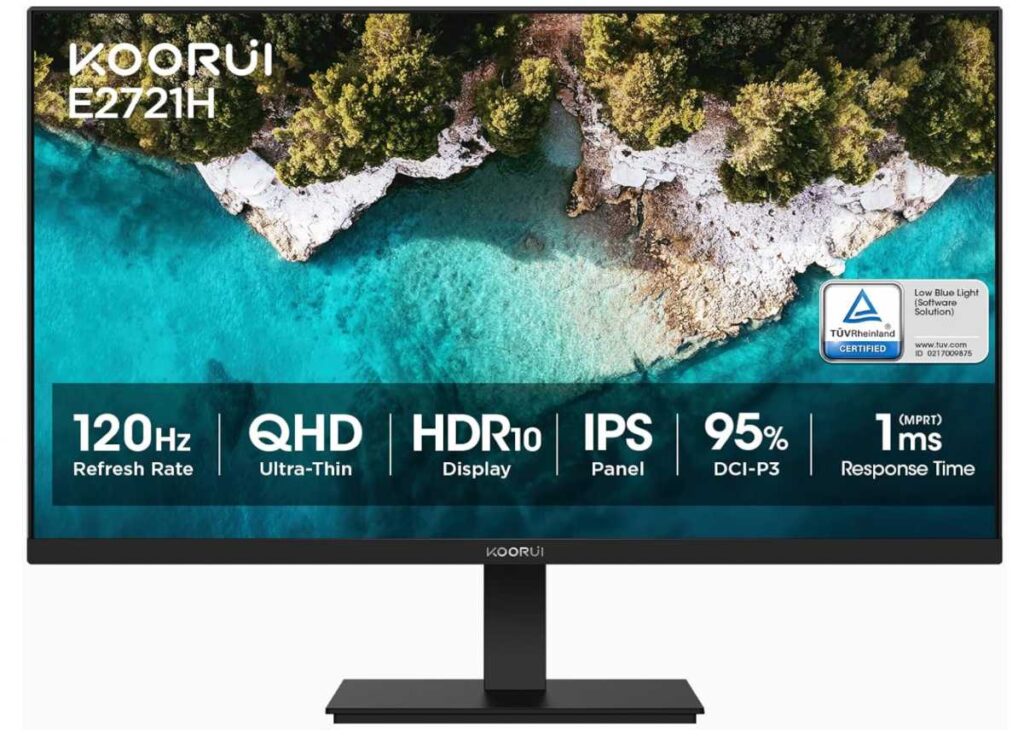
The 27″ size + QHD resolution hits a nice balance. It’s not as expensive as 4K, but still looks clean enough for coding, documents, and even light creative work.
You also get 120Hz, which makes everything feel smoother (scrolling, animations, etc.), plus decent color with 95% DCI-P3, so it’s not just for basic use.
One thing to note: it doesn’t have USB-C, so you’ll need a USB-C to HDMI adapter for your Mac. Not a dealbreaker, but worth knowing.
Compared to cheaper 1080p options in the best monitors for MacBook Air M3 dual display, this is a clear upgrade in clarity and overall experience.
Who this is for
- You want a better desk setup in the best monitors for MacBook Air M3 dual display
- You care about sharper resolution (1440p)
- You want a good balance of price + performance
Skip if
- You want USB-C single cable setup
- You prefer 4K or premium displays
My take
This is the “smart upgrade” pick.
If you don’t want to jump to 4K but still want a noticeably better experience than 1080p, this is a really solid choice.
Final Thoughts – Best Monitors for MacBook Air M3 Dual Display
Alright, let’s keep it real 👇
If you’re picking from the best monitors for MacBook Air M3 dual display, it really comes down to how you plan to use your setup.
Quick picks
- Want clean desk setup? → go for 2× 27″ QHD or 4K monitors like KOORUI 27-inch QHD 120Hz IPS Monitor E2721H
- Want portable setup? → something like InnoView 15.6-inch Portable Monitor FHD USB-C
- Want maximum productivity on the go? → dual screen like VisionOwl Dual 15.6-inch Portable Monitor Foldable
Simple advice
- For desk use → bigger screens + higher resolution (QHD/4K)
- For travel → lightweight USB-C portable monitors
- For best experience → try to use two similar monitors
And one important thing:
👉 The MacBook Air M3 supports dual displays only in clamshell mode (lid closed), so plan your setup accordingly.
Final take
You don’t need the most expensive setup to make this work.
Even a simple dual monitor setup will:
- boost your productivity
- reduce tab switching
- make your workflow feel way smoother
Pick based on your lifestyle—desk vs travel—and you’ll end up with a setup that actually improves how you work every day.