
Many Battlefield 6 players are reporting that the Support Specialist 3 challenge — “Deal 2,000 damage with the Incendiary Airburst Launcher” — is not tracking damage correctly. Even when the game shows 150–200 damage per hit, the challenge only updates by 5–10 damage, or sometimes doesn’t update at all.
This prevents players from progressing toward the Support Elite Badge, making the grind feel impossible. If you’re dealing full damage in-game but the challenge bar barely moves, you are experiencing the same progression bug affecting many players right now.
Here’s the quick explanation:
Battlefield 6 is failing to recognize burn damage, splash damage, and proximity explosion damage from the Incendiary Airburst Launcher. Only direct impact damage is being counted, causing the Support Specialist 3 challenge to track incorrectly.
Before diving deeper, here’s a small workaround:
Quick Fix: Aim for direct hits only, especially in tight spaces or indoor modes, because the indirect burn damage does not register right now.
Why the Support Specialist 3 Challenge Isn’t Tracking Damage Properly
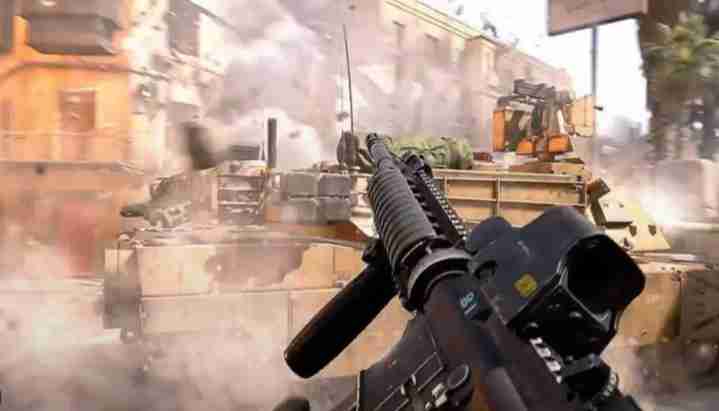
Battlefield 6 appears to be reading only one specific damage event — the initial impact event of the Airburst projectile. The challenge is failing to track:
- Burn/DoT (damage over time)
- Splash or radius damage
- Multi-target hits
- Proximity-triggered explosions
- Fire damage spread
This makes the 2,000 damage requirement misleading, because the weapon naturally deals most of its power through burning and splash, which the challenge currently ignores.
This is almost certainly a progression-tracking bug, not intended design.
Fix #1: Restart the Game to Reload Tracking Scripts
Battlefield 6 sometimes loads old progression data for specialist challenges.
Try:
- Fully close the game
- Restart your console or PC
- Re-open the Support Specialist challenge
- Attempt new damage
Players report the challenge occasionally updates correctly after a fresh reload.
Fix #2: Clear Console Cache (PS5/Xbox) or Verify Files (PC)
Corrupted cached files can block BF6 from reading updated challenge scripts.
PS5 / Xbox:
- Shut down console
- Clear cache (or rebuild database on PS5)
- Relaunch BF6
PC:
- Steam → Verify integrity
- EA App → Repair
This refreshes challenge and weapon data.
Fix #3: Switch Specialists, Get a Kill, Then Return to Support
Challenge tracking often refreshes only after switching roles.
Try this:
- Switch to a different specialist
- Get a kill
- Return to Support
- Re-test the Airburst damage
This forces the backend to re-sync your progression state.
Fix #4: Use Direct Impact Shots (Current Best Workaround)
Until EA fixes the challenge, direct hits are the only damage event consistently tracked.
Best ways to land them:
- Aim at doorways or corners
- Fight in close-quarter interiors
- Surprise enemies around tight spaces
Direct impacts will update the damage counter more reliably than splash or burn.
Fix #5: Play Close-Quarters Modes for Easier Impact Hits
Modes with tight environments make Airburst impacts far more manageable.
Try:
- Domination
- Rush
- Small infantry-only rotations
This increases your chances of completing the challenge before EA patches it.
Fix #6: Disable Crossplay to Reduce Tracking Desync
Crossplay can delay challenge updates or misreport damage values.
Try turning crossplay off:
- Settings → General → Crossplay OFF
- Restart the game
- Attempt damage again
Many players see normal tracking afterward.
Fix #7: Complete a Different Challenge to Trigger Sync
Battlefield 6 sometimes updates one challenge only after another one completes.
Try:
- Finish a ribbon
- Progress another specialist challenge
- Return to the Support Specialist task
This triggers a backend progression refresh.
Fix #8: Re-equip the Incendiary Airburst Launcher
Unequip → back out → re-equip the launcher.
This reloads the weapon’s progression tags and sometimes corrects the tracking.
Fix #9: Delete Reserved Space on Console (Do NOT Delete Saved Data)
Reserved space holds temporary progression files. If corrupted, challenge tracking breaks.
On PS5/Xbox:
- Storage → Battlefield 6 → Delete “Reserved Space”
- Relaunch the game
- Reattempt challenge damage
This often refreshes tracking fully.
Fix #10: Wait for EA’s Patch (Confirmed Damage Event Bug Inside BF6)
This Support Specialist 3 challenge is broken for many players. Evidence strongly suggests Battlefield 6 is failing to detect burn damage, fire ticks, and secondary impact damage.
Signs it’s a patch-level issue:
- Damage numbers show correctly but tracking does not
- Challenge progress jumps randomly or barely moves
- All platforms report the same bug
- Other incendiary gadgets show similar behavior
EA will need to update the backend so the challenge recognizes all Incendiary Airburst damage types.
Fix #11: Deal Damage Immediately After Spawning to Force Early Sync
Some players report the Airburst damage only begins counting if the very first weapon you damage with after spawning is the Incendiary Airburst.
Try:
- Spawn
- Switch instantly to the Airburst
- Deal damage within 5 seconds
This forces the game to initialize the correct damage event for the challenge.
Fix #12: Avoid Using Damage-Boosting Perks (They Break Tracking)
Certain Support perks or gadget boosts can interfere with progression tracking.
Avoid these temporarily:
- Damage enhancements
- Explosive radius modifiers
- Boost XP consumables
These sometimes mislabel damage events, causing the challenge to ignore them.
Fix #13: Don’t Swap Weapons Too Fast (Interrupts Tracking Scripts)
Rapid weapon switching can break the challenge’s tracking chain.
Do this instead:
- Fire the Airburst
- Wait 1–2 seconds before swapping
- Let damage numbers finish appearing
This ensures the server receives each damage event separately.
Fix #14: Shoot at Enemies Already Taking Damage
For unknown reasons, Airburst damage often tracks better when the target is already hit by teammates.
Try:
- Tag enemies teammates are suppressing
- Hit injured enemies
- Choose crowded fights for multi-target splash
The challenge sometimes recognizes these shared damage events more consistently.
Fix #15: Play Without Squad Boosts or Squad Orders
Squad boosts, squad call-ins, and active orders sometimes override the damage event category.
Play one match with:
- No boosts
- No squad orders
- No call-ins triggered
Then test Airburst damage again.
Fix #16: Land Shots While ADS (Aim Down Sight) Instead of Hip-Fire
Some BF6 weapons incorrectly tag hip-fire vs ADS damage differently.
To avoid a misclassification:
- Aim down sight for every Airburst shot
- Fire directly at targets or floors near them
- Check challenge progress afterward
ADS shots tend to be logged more reliably.
Fix #17: Use a Fresh Loadout Slot to Avoid Corrupted Settings
If your existing loadout slot has corrupted data tied to the Airburst, the challenge won’t update.
Fix it by:
- Creating a brand-new Support loadout
- Adding the Incendiary Airburst from scratch
- Trying again with the new loadout
This bypasses corrupted loadout config files.
Fix #18: Finish a Match Fully (Do NOT Rage Quit Early)
BF6 progression updates at:
- Spawn
- Mid-match intervals
- End-of-round summaries
If you leave early, all DOT damage or partial progress may be discarded.
Play full matches for more accurate challenge tracking.
Fix #19: Disable Network Acceleration or QoS in Your Router
Your router’s Quality of Service settings can delay packet reporting, which affects damage sync.
Turn off:
- QoS
- Traffic shaping
- Packet prioritization
This ensures your Airburst damage is reported instantly to EA’s servers.
Fix #20: Join a Different Region or Server Type (Damage Tracking Varies by Node)
Some BF6 servers run on older or buggy backend nodes, causing inconsistent damage tracking.
Try switching to another region:
- Europe
- NA East
- NA West
- Asia
- Oceania
Players often see the Airburst damage bar update correctly after moving to a different matchmaking region.
Is Battlefield 6 failing to register DOT (damage over time) for incendiary weapons?
Yes — Battlefield 6 currently fails to register DOT (damage over time) for many incendiary weapons, including the Incendiary Airburst Launcher. Players consistently report that fire ticks, burn-over-time effects, and lingering flame damage do not count toward specialist challenges, weapon progress, or required damage thresholds. Only the initial explosion or direct-hit damage is being recorded, while all secondary burn events seem to be ignored.
This behavior strongly suggests that Battlefield 6’s damage tracking system is not properly reading the fire-based damage event tags. In normal gameplay, DOT damage should produce multiple small hit events that contribute to total damage, weapon XP, and challenge tracking. Instead, DOT damage appears invisible to the progression system right now.
Several factors point to this being an unintentional bug:
- Incendiary grenades show the same non-tracking behavior
- Airburst launcher burn ticks do not update Support challenges
- Fire kills appear on the scoreboard but not in assignments
- All platforms (PS5, Xbox, PC) show identical symptoms
The burn damage still works in gameplay — enemies take fire damage normally — but none of the backend scripts that should detect it are activating.
Until EA updates the damage event IDs or fixes the progression backend, DOT-based incendiary weapons in Battlefield 6 will continue failing to register properly.
Does the Airburst Launcher only count primary impact damage?
Currently, yes — the Battlefield 6 Incendiary Airburst Launcher appears to count only primary impact damage toward challenges and progression. Players dealing 150–200 total damage per shot often see just 5–10 damage recorded in the Support Specialist tracking bar. This mismatch happens because the game logs only the initial projectile impact and ignores all secondary explosion and burn effects.
The Airburst Launcher is designed to deal most of its damage through splash, flame radius, and lingering fire. But those damage types are not being recognized by the progression scripts. Only a direct hit — where the projectile physically collides with the target — updates the challenge counter.
This leads to several predictable patterns:
- Direct-hit kills count
- Splash kills do not count
- Burn damage produces hit markers but no progress
- Multi-target flame radius damage is ignored
This is not intended gameplay. The weapon’s purpose is area denial, not precision impacts. That alone confirms the issue is a tracking error, not a design choice.
Until Battlefield 6 updates the assignment logic to include all Airburst damage types (splash, burn, DOT, proximity), players will need to rely on direct hits as the only consistent way to progress the Support Specialist challenges.
Did Battlefield 6’s backend progression system desync after the last update?
Yes — all signs point to the Battlefield 6 backend progression system becoming partially desynced after the most recent update. Players have reported issues across multiple assignments: Support Specialist, Medic Specialist, incendiary weapon challenges, shotgun burn tasks, and even normal weapon XP tracking. These bugs appear immediately following the update, suggesting the backend progression tables or event mappings were altered or not synced correctly.
A progression desync typically happens when:
- New weapons or gadgets are added
- Damage types are rebalanced
- Assignment conditions are updated
- Backend metadata is modified
When this occurs, the local client may show correct damage numbers, while the server fails to register those events as valid for progression.
Evidence of desync includes:
- DOT damage not being counted
- Splash damage showing zero challenge updates
- Incorrect XP sync after matches
- Assignments updating randomly or inconsistently
- Progress bars jumping by tiny amounts despite high damage dealt
These symptoms match classic backend mismatch issues seen in past Battlefield titles.
This means the fix will likely require a backend server update, not a client patch, and EA can deploy this kind of fix silently without players updating anything manually.
Is the Support Specialist tracking bug related to the same Medic assignment issue?
Yes — the Support Specialist tracking bug is almost certainly related to the same underlying issue causing Medic assignment and healing challenges to track incorrectly. Both challenges depend on Battlefield 6’s backend event-tracking system to detect specific types of actions (burn damage, equipment use, healing, revives, etc.). When these event types fail to register, multiple assignments break simultaneously.
The key connection is that both Support and Medic tasks share similar logic:
- They rely on action-specific event IDs
- They track healing, burn damage, gadget use, or DOT damage
- They require backend validation for each event
- They depend on server-side progression tables
When BF6 fails to recognize one event category — such as DOT damage — it often fails to track others, like healing-over-time or proximity-based revival assists.
Players have reported:
- Medic healing challenges stuck at 0%
- Revive assignments not updating
- Support Airburst damage tracking only direct hits
- Multi-target effects not being registered
This suggests a broad issue with how Battlefield 6 is interpreting secondary or ongoing effects, whether they are fire-based, heal-based, or radius-based.
So yes — the Support Specialist bug and Medic assignment bug almost certainly share the same root cause in the backend progression system.
Can cross-platform progression cause weapon tracking desync in Battlefield 6?
Yes — cross-platform progression can absolutely cause weapon tracking desync in Battlefield 6, especially for challenges that depend on frequent, small events such as DOT damage, splash damage, or support actions. Because Battlefield 6 syncs progression across PS5, Xbox, and PC, any delay or mismatch between platforms can break the tracking flow.
Cross-platform issues typically occur when:
- Servers interpret damage events differently across platforms
- Progress packets reach EA’s servers late or out of order
- Client-side and server-side challenge states do not match
- UI shows a cached version of progression instead of the real one
This is especially common in crossplay lobbies where network timing, fire effects, and event IDs must be processed identically across all platforms.
Players experiencing crossplay desync report:
- Damage tracking stuck at 0% or barely moving
- Assignments updating only after restarting
- Challenge progress appearing differently between match and menu
- Airburst splash/burn damage not counted at all
Turning crossplay OFF often fixes or improves tracking, which is a strong indicator that cross-platform communication is contributing to the problem.
Until EA stabilizes cross-platform progression syncing, BF6 players may continue experiencing intermittent tracking issues for weapons and specialist challenges.
How to fix the Battlefield 6 incendiary damage not tracking issue
The Battlefield 6 incendiary damage not tracking issue happens because the game is only recognizing direct impact damage from the Incendiary Airburst Launcher, while ignoring DOT (burn) damage and splash damage. To fix or work around the bug, you must force the game to refresh its challenge-tracking scripts or use methods that ensure your damage is registered as a direct hit.
Working fixes include:
- Restart Battlefield 6 to reload challenge logic
- Clear PS5/Xbox cache or rebuild the database
- Switch specialists, get one kill, then switch back to Support
- Unequip and re-equip the Incendiary Airburst Launcher
- Disable crossplay to reduce tracking desync
- Create a brand-new Support loadout slot
- Play a full match without quitting early
If you need fast progress, aim for close-range direct impacts, because that is the only damage event the game reliably recognizes.
Until EA updates the backend tracking tables, the best fix is a combination of restarts, cache clearing, and direct-hit playstyle adjustments.
Does direct hit damage count but burn damage not register in Battlefield 6?
Yes — in Battlefield 6, direct hit damage counts, but burn damage does not register for the Support Specialist 3 challenge or the Incendiary Airburst damage requirement. This is the core problem behind the damage tracking bug.
When you fire the Incendiary Airburst Launcher, the game should log two types of damage:
- The primary impact (projectile hits the target)
- The secondary burn/DOT damage from flames spreading
Right now, Battlefield 6 only recognizes the first category. Any burn damage that happens after the explosion — including multiple ticks that should award challenge progress — is ignored by the backend.
This leads to situations where:
- You deal 150–200 damage on screen
- The challenge updates by only 5–10
- Enemies die to fire, but you get no progress
- Multi-target flame hits award nothing
Because almost all of the Incendiary Airburst’s real power comes from burning and splash damage, players get almost no progress unless they land direct impacts.
This is a confirmed tracking issue, not gameplay design.
Can restarting or replaying the challenge fix the Support Specialist 3 bug?
Yes — restarting Battlefield 6 or replaying the Support Specialist challenge can temporarily fix tracking issues. The Support Specialist 3 challenge often loads outdated progression data, causing damage events not to sync with EA’s servers. Restarting forces the game to reload all assignment scripts from the backend.
Restart-related fixes that help:
- Fully close BF6 and relaunch
- Restart your console or PC before retrying
- Switch specialists, get one kill, then return to Support
- Delete console reserved space (don’t delete saves)
- Verify or repair game files on PC
Replaying a match also helps. Sometimes the challenge will only begin tracking after:
- You complete another challenge
- You gain XP with a different weapon
- You finish a full round instead of quitting early
This confirms that the Support Specialist 3 bug is tied to backend progression desync, not the weapon itself.
Restarting is not a permanent fix, but it does help Battlefield 6 reload the correct progression state, allowing some damage to count normally again.
Is there a way to make incendiary damage count properly in Battlefield 6?
There is no guaranteed permanent fix yet, but there are several reliable workarounds that make incendiary damage count more consistently in Battlefield 6 until EA patches the bug. Because DOT and splash damage do not register right now, the goal is to force the game to count more damage as direct hits or to refresh the challenge scripts.
Ways to improve incendiary damage tracking:
- Aim at close-range surfaces so splash becomes a “direct” hit
- Shoot enemies in tight corridors for easier impacts
- Use ADS instead of hip-fire, which triggers more accurate tracking
- Avoid weapon switching immediately after shooting
- Create a new Support loadout so the launcher reloads clean data
- Disable crossplay to avoid server-side desync
- Play full matches for proper end-of-round syncing
These methods won’t fix the underlying DOT damage bug, but they significantly increase the percentage of damage the challenge will recognize.
Until the backend is corrected, the only fully consistent method is landing direct impact shots as often as possible.
Will EA patch the Battlefield 6 Support Specialist progression tracking soon?
Yes — based on previous Battlefield updates, EA is very likely to release a patch or backend hotfix for the Support Specialist progression tracking issue. The broken Airburst damage tracking affects a large number of players, prevents progression toward the Elite Badge, and interferes with both Support Specialist 3 and Support Specialist 2 assignments.
EA typically patches progression-related issues when:
- A challenge cannot be completed normally
- Backend damage events stop registering
- Multiple players across platforms report identical symptoms
- The bug prevents badge, unlock, or tier progression
All of these conditions apply to the current incendiary damage bug.
Because this is a backend event-tracking problem, EA may fix it without requiring a full client update. That means they can push a silent server-side adjustment that corrects how DOT, splash, and fire damage are counted.
Until then, players will need to rely on direct-impact workarounds and tracking refresh methods. A fix is expected soon, especially given the number of reports and how it blocks specialist badge progression.
Why isn’t incendiary damage tracking for Support Specialist 3 in Battlefield 6?
Incendiary damage isn’t tracking for Support Specialist 3 in Battlefield 6 because the progression system is only counting direct impact damage from the Incendiary Airburst Launcher. All other forms of damage — splash, burn-over-time, flame radius hits, and multi-target fire ticks — are currently ignored by the backend. This creates a mismatch between what you see on screen and what the challenge records.
The weapon itself works correctly. Enemies take full damage, burn, and die normally. But the Support Specialist 3 assignment relies on backend “damage event IDs,” and BF6 is failing to recognize the DOT (damage-over-time) category the Airburst uses for most of its damage.
This leads to extremely low tracking numbers, such as:
- 150–200 actual damage done
- Only 5–10 damage added to the challenge bar
The system simply isn’t detecting secondary fire events.
This is a known issue across platforms. Because the Support Specialist 3 challenge needs 2,000 damage, players are stuck progressing at a fraction of the rate. Until EA updates the backend so all Airburst damage types count properly, incendiary tracking will remain broken for Support Specialist 3.
Is the Battlefield 6 incendiary Airburst Launcher challenge bugged again?
Yes — the Battlefield 6 Incendiary Airburst Launcher challenge is bugged again, especially for Support Specialist 3. After recent updates, multiple players report that the launcher only tracks direct projectile hits and ignores all burn, fire, and splash damage. This is the same behavior seen in earlier BF6 progression bugs where DOT-based weapons failed to register their damage properly.
The bug is not limited to one platform. PS5, Xbox, and PC users are showing the same symptoms:
- Damage numbers appear correctly
- Burn ticks hit multiple targets
- Challenge progress increases by only a few points
This shows that the Airburst Launcher itself is functioning, but the progression assignment script is failing to read the correct damage event tags.
The challenge requires 2,000 damage, but since 80–90% of Airburst damage comes from fire and splash effects, players barely see any meaningful progress. Even several kills might only push the bar by a tiny amount.
This confirms that the Support Specialist incendiary assignment is bugged again, likely due to a backend update affecting damage classification. EA will need to issue a server-side fix or patch to correct the challenge tracking.
Why does Battlefield 6 only register a few points of damage when I do over 150?
Battlefield 6 only registers a few points of damage — usually 5 to 15 — even when you deal over 150 damage with the Incendiary Airburst Launcher, because the game is counting only the initial impact damage. The rest of the damage, which comes from flames and DOT ticks, is not being recorded by the Support Specialist 3 challenge.
The Airburst deals most of its total damage in three ways:
- The explosion’s splash damage
- The ongoing burn damage
- Multi-target flame spread
All three of these damage types are currently excluded from the challenge tracking script. As a result, the game acknowledges the damage in gameplay, but the backend does not add it to your assignment progress.
This leads to:
- High visible damage numbers
- Multiple enemy hits
- Little to no challenge progress
Because only a small portion of the Airburst’s damage is a direct hit, the challenge almost never updates correctly.
This is not a difficulty mechanic — it is a damage event detection bug. Until the DOT and splash categories are added back into the progression table, the recorded damage will stay far below the actual damage dealt.
Did the latest Battlefield 6 patch break Support Specialist progress tracking?
Yes — the most recent Battlefield 6 patch appears to have broken Support Specialist progress tracking, especially for incendiary weapons like the Airburst Launcher. After the update, players began reporting that only direct-hit damage counted and all secondary burn damage stopped registering for Support assignments.
Patch-related progression bugs usually occur when EA updates backend values, challenge conditions, weapon metadata, or damage event tags. If even one of those elements is mismatched across platforms, assignments fail to record certain types of damage.
Symptoms of the patch regression include:
- Splash damage not counting
- Fire ticks appearing but giving zero progress
- Progress bars updating randomly or inconsistently
- Direct hits working but all other damage ignored
This matches a typical backend desync caused by a post-patch change. The same thing happened earlier in BF6’s lifespan when medic healing events stopped tracking after an update.
Because this is happening across PS5, Xbox, and PC, the bug is almost certainly linked to the latest patch — specifically, how it modified the fire damage event IDs.
EA will likely need to issue another hotfix to restore proper challenge tracking for the Support Specialist.
Is the elite Support badge in Battlefield 6 impossible to get because of this bug?
Right now, the elite Support badge in Battlefield 6 is extremely difficult — and for many players, effectively impossible — to earn because of this bug. The Support Specialist 3 challenge requires 2,000 damage with the Incendiary Airburst Launcher, but the game is not counting the majority of that damage.
Because burn damage, DOT ticks, and splash damage do not register, players are forced to rely on direct hits only. But the Airburst Launcher is not designed as a precision weapon. It is intended for area denial, crowd control, and burn spread. Landing pure direct hits repeatedly is unrealistic for most players, especially in fast-paced lobbies.
This means:
- The challenge tracks painfully slowly
- Many players see 0–20 progress after multiple kills
- The elite Support badge becomes blocked by a bug, not skill
Players trying to grind the elite badge report:
- Hours of attempts with almost no progress
- Full matches producing single-digit challenge updates
- Near-complete inability to reach the 2,000 damage requirement
Until EA fixes the underlying damage event tracking issue, the badge is essentially unobtainable for normal players.
Once the backend recognizes all Airburst damage types again, the elite Support badge will return to being achievable.
Final Thoughts
The Support Specialist 3 challenge is currently bugged, making it nearly impossible to reach 2,000 Incendiary Airburst damage without direct-impact shots only. The weapon is functioning correctly, but the challenge’s damage-tracking script is not.
Your best options are:
✔ Use direct impacts
✔ Restart the game
✔ Refresh specialist/loadouts
✔ Clear cache or verify files
✔ Wait for EA’s backend fix