
Many players are noticing that the Battlefield 6 idle timer is far too short, kicking users out of matches after barely a minute or two of inactivity. Previous Battlefield titles allowed for 3–5 minutes before triggering an AFK kick, but BF6 seems much more aggressive. This makes it difficult to take quick breaks during long matches, especially if you need to use the bathroom or step away briefly.
Here’s the quick explanation:
Battlefield 6’s idle timer appears to be tuned more aggressively than previous games, likely due to anti-bot measures, XP farm prevention, or a backend misconfiguration introduced after launch.
Before diving deeper, here’s a simple workaround that some players use:
Quick Fix: Move your character slightly or rotate your camera before stepping away — even small input resets the idle timer.
Why the Battlefield 6 Idle Timer Feels So Short
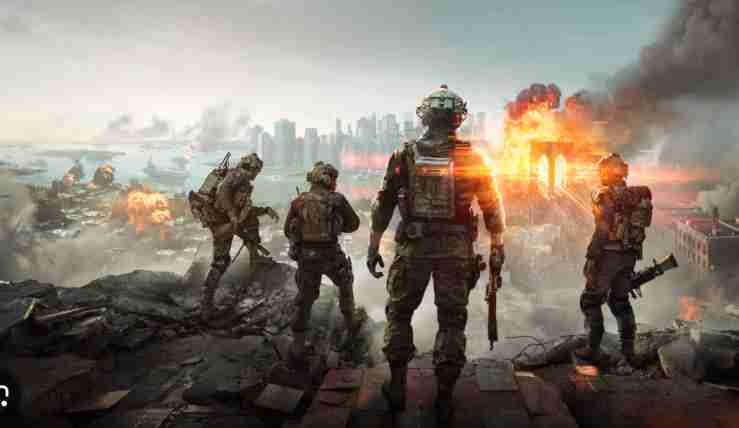
The BF6 AFK system monitors player movement, camera input, and combat activity. When none of these actions register, the game flags the player as idle.
Right now, BF6 seems to trigger AFK removal much faster because:
- The idle detection threshold is much shorter than past titles
- Anti-XP farming rules are more aggressive
- Backend settings may be misconfigured
- Symmetric matchmaking systems remove inactive players quickly
- Some modes use stricter inactivity checks to prevent slot-hogging
This makes the game far less forgiving than Battlefield 5 or Battlefield 4, where players could step away for several minutes without being removed.
Fix #1: Move or Rotate Your Character Before Stepping Away
Even slight movements prevent an AFK kick.
Try:
- Move your analog stick
- Rotate camera in circles
- Tap a movement key on keyboard
This resets the inactivity timer temporarily.
Fix #2: Customize a Keybind to Trigger Micro-Movement
On PC, using accessibility tools or a secondary keybind can create automatic micro-movement.
You can:
- Bind a movement key to mouse side button
- Tap it once before leaving
- Use in-game controller stick drift (mild) to keep activity going
This won’t solve the core issue but extends how long you can stay idle.
Fix #3: Switch to Spawn Screen or Loadout Menu Before AFK
Players report that being on the spawn/map screen reduces AFK enforcement.
Before walking away:
- Open the deploy screen
- Switch to loadout selection
- Zoom into the tactical map
This often delays the AFK timer.
Fix #4: Join a Private Server or Solo Mode When Taking Breaks
If you need a break during active gameplay sessions:
- Join a solo/co-op mode
- Hop into the tutorial or weapon testing range
These modes have no AFK removal and allow safe, longer breaks.
Fix #5: Reconnect Quickly After an AFK Kick
If kicked, you can usually rejoin the match:
- Click “Rejoin Match” if the server allows it
- Join through a friend’s session
- Quickly reconnect before the slot fills
This minimizes downtime.
Fix #6: Avoid AFK in High-Traffic Modes
Some modes (like high-population Conquest or 128-player matches) kick faster due to server load balancing.
Play less intense modes when you expect interruptions.
Fix #7: Disable Controller Auto-Sleep or Input Timeouts
On consoles, controllers entering sleep mode trigger AFK removal.
Make sure:
- Your controller doesn’t auto-sleep too fast
- Vibration or activity settings keep the device active
This helps maintain “input presence.”
Fix #8: Lower Your Graphics Load Before Alt-Tabbing (PC)
If you alt-tab and the game lags, BF6 may incorrectly identify you as idle.
Lowering load reduces this risk:
- Lower fullscreen settings
- Disable overlays
- Keep BF6 active on your main monitor
This prevents idle misclassification.
Fix #9: Reset Your Network Session (Fixes False AFK Detection)
Sometimes BF6 misreads inactivity when your connection hiccups.
Try:
- Restarting your router
- Switching from WiFi to wired
- Closing background apps
This stabilizes activity detection.
Fix #10: Wait for EA to Adjust the AFK Threshold (Likely Incoming)
The idle timer being this short is a common complaint. EA typically adjusts AFK thresholds in early patches once they collect enough data.
Why a patch is likely:
- Players consistently report unfair AFK kicks
- Previous games had 2–5 minute timers, not ~1 minute
- Anti-farm systems may be tuned too strictly
- Server-side adjustments are easy to implement
Expect them to increase the AFK timeout once feedback stacks up.
Fix #11: Stay in the Scoreboard or Social Menu Instead of Standing Idle
Players report that Battlefield 6 measures inactivity differently depending on which menu you’re in.
Try this:
- Open scoreboard
- Open social/friends list
- Open squad management
Being inside these menus sometimes delays the AFK kick because BF6 interprets menu navigation as “active UI interaction.”
Fix #12: Enter a Vehicle Before Going AFK
Vehicles often have longer AFK windows than infantry.
Workaround:
- Enter a tank, jeep, or transport
- Swap to passenger seat
- Step away
Vehicles usually don’t trigger AFK kicks as quickly as infantry does.
Fix #13: Redeploy Before Walking Away (Resets the Idle Clock)
If you redeploy just before going AFK, Battlefield 6 restarts your inactivity timer.
Do this:
- Suicide/redeploy
- Spawn again
- Leave for your break
This gives you the longest possible time before the auto-kick triggers.
Fix #14: Disable “Auto-Sprint” or Movement-Assisted Features
Auto-sprint can bug out and cause BF6 to treat you as idle, even when the setting technically moves your character.
Disable:
- Auto-sprint
- Auto-mantle
- Movement assist functions
Manual inputs reset the idle timer more reliably.
Fix #15: Use Controller Stick Drift to Stay Active (Console Trick)
A very light, controlled stick drift can keep the game reading movement input.
You can adjust:
- Dead zone settings
- Stick sensitivity
- Trigger thresholds
Many console players use this to prevent short idle kicks.
Fix #16: Avoid Going Idle During Round Transition Screens
Some transitions — post-round screens, map voting, squad review — have stricter AFK checks.
If you go inactive there, the game may:
- Misclassify you as idle
- Kick you before the next round loads
Always wait until the match fully loads before stepping away.
Fix #17: Turn Off Bluetooth Interference (Controller Disconnect Risk)
On consoles, even a brief controller disconnect will trigger instant AFK removal.
Fix interference by:
- Moving wireless devices away
- Keeping controller close to console
- Using USB mode instead of Bluetooth
This prevents false inactivity kicks.
Fix #18: Reduce Background CPU Load (PC Only)
If your PC spikes to 100% usage, BF6 may freeze your inputs and detect no activity.
Try disabling:
- Browser tabs
- Discord overlays
- CPU-heavy apps
- Background game recorders
Stable CPU activity means BF6 can correctly read input and delay idle kicks.
Fix #19: Join a Long-Conquest or Breakthrough Server With Lower AFK Sensitivity
Some server types or regions seem to enforce different idle thresholds.
Players report fewer AFK removals on:
- 128-player Conquest
- Region-specific servers
- Community/rotational servers with slower pacing
Try switching server regions for longer idle windows.
Fix #20: Report the Issue in EA’s Tracker (Helps Force a Hotfix Faster)
The more reports EA receives, the faster they adjust the AFK timer server-side.
Reporting helps because:
- AFK timers are controlled through backend variables
- EA can raise the timeout without a client update
- Player complaints influence early balance patches
Submitting a short report makes the fix more likely to arrive soon.
How long is Battlefield 6’s idle timer on average per server type?
Battlefield 6’s idle timer varies by server type, but on average players report being kicked for inactivity after 45–75 seconds on most official servers. This is significantly shorter than previous Battlefield games that offered 2–5 minutes before an AFK removal. The shorter timer seems intentional for matchmaking efficiency, but it feels overly aggressive for players who need quick breaks.
Across different modes, the average idle timer looks like this:
- Conquest (128-player): ~1 minute before removal
- Breakthrough: ~45–60 seconds
- Rush & smaller Infantry playlists: 40–50 seconds
- Co-op/Solo modes: No AFK kick
- Portal/Private servers: Depends on the host configuration
The idle timer begins the moment Battlefield 6 detects no camera movement, no WASD input, and no controller stick movement. Even if your soldier is alive on the battlefield, the game will enforce removal once the AFK threshold is reached.
The short idle timer helps reduce slot-hogging and AFK farming, but it makes the game less forgiving for legitimate breaks. Until EA updates the backend timeout values, players should expect around a minute of inactivity before being kicked from most modes.
Does Battlefield 6 track idle time differently in Conquest vs. Breakthrough?
Yes — Battlefield 6 appears to track idle time differently between Conquest and Breakthrough. Conquest servers typically offer a slightly longer inactivity window because the mode is more open-world, slower-paced, and designed for longer engagements. Breakthrough, however, is more structured, objective-intensive, and heavily team-reliant, so its idle timer seems noticeably stricter.
Player feedback suggests the following:
- Breakthrough AFK kick: Faster, usually around 45–60 seconds
- Conquest AFK kick: Slightly longer, around 60–75 seconds
- Infantry/close-quarters playlists: Very strict idle checks
- Large-scale Conquest: More forgiveness and slower AFK detection
Battlefield 6 likely uses different internal AFK detection curves per mode. Breakthrough prioritizes active player participation because one inactive soldier can affect frontline pushes and objective pressure. Conquest, being more spread out, can afford a slightly longer idle grace period.
Some players also report that if you leave your soldier in a high-activity area (combat zones or capture points), the AFK timer seems even faster. Meanwhile, players who stay in their deploy menu or squad screen in Conquest often get a longer grace period.
This behavior suggests Battlefield 6 uses mode-specific logic rather than a single universal AFK timer.
Can controller or keyboard movement reset the AFK timer in Battlefield 6?
Yes — any form of controller or keyboard movement resets the Battlefield 6 AFK timer, even very small input. The idle detection system looks for signs of player interaction, meaning any of the following actions will restart the inactivity clock:
- Moving the left or right analog stick
- Slightly rotating the camera
- Pressing WASD keys
- Changing stance or tapping jump/crouch
- Opening menus or scoreboard
- Navigating loadouts, squad screens, or social menus
Even small, single inputs can extend your idle time by another minute. On console, players often adjust controller dead zone settings so light stick drift registers constant micro-movement. On PC, moving the mouse slightly is enough to keep you active.
Battlefield 6 also recognizes UI input as activity. So if you open your scoreboard, map, or menus before stepping away, it often delays the AFK removal. However, character movement is still the most reliable way to reset the timer.
This makes minor micro-movements the main workaround until EA increases the idle window. The game does not require full movement — just any detectable input to reinitialize the timer.
Is the Battlefield 6 idle timer tied to server performance or player count?
Partially, yes. Battlefield 6’s idle timer appears influenced by server performance, population load, and match state. When servers are under heavy load — such as during peak hours or in high-population modes — the AFK threshold tends to feel shorter. This is likely a backend optimization to free spots for active players.
Factors that may shorten the idle timer:
- Very high player count (128-player Conquest)
- High server CPU or tick-rate load
- Matchmaking demand increasing
- Players joining/queueing for full servers
- Server region congestion
In these cases, Battlefield 6 seems to enforce a more aggressive AFK policy to maintain stability and keep active participants in the match.
Conversely, when the server is less busy — such as during off-peak hours or in low-population regions — some players notice that inactivity kick times last slightly longer. This implies that Battlefield 6 uses dynamic backend conditions instead of a single static timer.
The idle timer isn’t purely dependent on performance, but server load appears to influence how quickly inactive players are removed. This behavior is consistent with EA titles that balance active player slots dynamically.
Do private or Portal servers have a longer idle grace period in Battlefield 6?
Yes — private servers and Portal servers generally have much longer idle grace periods, and in many cases, the AFK kick can be disabled entirely depending on the host’s rules. Unlike official matchmaking servers, private/Portal hosts can modify or bypass the built-in inactivity timer through server settings or custom game logic.
Players report that:
- Private servers typically allow several minutes of inactivity
- Some Portal servers do not enforce AFK kicks at all
- Custom rule sets allow fine-tuning of idle behavior
- Host admins can choose whether to auto-kick idle players
This makes Portal the best option for players who want longer breaks, want to practice weapon challenges, or simply prefer relaxed sessions without worrying about inactivity removal.
Because official BF6 servers enforce strict anti-AFK measures to prevent XP farming and ensure competitive integrity, they cannot be adjusted. However, Portal servers operate independently of the matchmaking system and therefore offer far more flexibility.
For players frustrated by the short idle timers in official modes, joining a Portal lobby or private server is currently the only reliable way to avoid fast AFK kicks in Battlefield 6.
How to avoid being kicked for idling in Battlefield 6
Avoiding AFK kicks in Battlefield 6 requires keeping the game registered as “active,” since the idle timer is extremely short on official servers. The easiest method is to give the game any form of player input before stepping away. Even the smallest action — camera movement, a single key tap, or rotating your soldier — resets the inactivity clock.
What reliably prevents AFK kicks:
- Slightly moving the analog stick
- Rotating the camera left/right
- Tapping WASD keys on PC
- Opening the scoreboard or map
- Switching to the loadout or deploy screen
- Entering a vehicle before going idle
- Using light stick drift on console
Players also report that being in menus such as scoreboard, squad management, or social menus delays the AFK trigger more effectively than staying in the field.
If you need longer AFK time, join Portal servers, solo/co-op, or private lobbies, as these modes do not enforce strict inactivity rules.
Until EA increases the idle timer, the best way to avoid AFK kicks is to reset the timer right before stepping away and avoid long breaks during official matches.
Can the idle timer be adjusted in Battlefield 6 server settings?
On official Battlefield 6 servers, no — the idle timer cannot be changed. The AFK threshold is controlled by EA’s backend and is the same across all matchmaking servers. Players cannot modify it, and server hosts have no control over AFK rules in standard Conquest, Breakthrough, Rush, or infantry playlists.
However, in Portal mode and private lobbies, the idle timer can behave differently. Custom server owners can:
- Add longer AFK grace periods
- Disable auto-kick entirely
- Use scripts to define inactivity rules
- Allow players to stay idle without removal
This makes Portal the best option for players who want a more relaxed or AFK-friendly environment.
The strict AFK timer in official servers is likely intended to:
- Prevent XP farming
- Reduce inactive player slots
- Improve match balance
- Keep server performance stable
Although the idle timer in BF6 feels too aggressive, only EA/DICE can change it. Players cannot adjust it in public matchmaking.
Is Battlefield 6’s AFK timer shorter in official servers than custom ones?
Yes — Battlefield 6’s AFK timer is significantly shorter on official servers compared to custom Portal servers. Official matchmaking tends to auto-kick players after roughly 45–75 seconds of inactivity. EA uses this strict timer to ensure active player slots, prevent AFK boosters, and maintain match quality.
Custom servers, however, operate differently. In Portal mode:
- Hosts can disable AFK kicking
- The idle timer can be much longer
- Many custom servers allow several minutes of inactivity
- Some scripted servers don’t enforce AFK limits at all
This creates a big difference between public and custom environments. Official servers prioritize active gameplay, while Portal servers prioritize flexibility and player-designed rules.
If you want to complete challenges, test weapons, or take longer breaks without being kicked, Portal servers are currently the only reliable option.
Because Battlefield 6’s official idle timer is intentionally strict, expect to be removed quickly if you stay still there — custom servers remain the safest place for AFK-safe gameplay.
Does Battlefield 6 count menu navigation as idle time?
Not always — Battlefield 6 treats menu navigation differently depending on which menu you open. Certain UI screens count as activity, while others still trigger the AFK timer.
Menus that usually reset or delay AFK timer:
- Scoreboard
- Squad management
- Social/friends list
- Loadout creation
- Map/deploy screen
These screens involve small UI interactions that the game reads as “player input,” delaying the AFK removal.
However, some menus still count as idle time:
- Pause menu
- Settings screen
- Match summary screens
- End-of-round transitions
If you open one of these and step away, you’ll likely get kicked much faster.
Players have also reported that the spawn screen gives slightly more idle time than standing still in the world. So if you must go AFK briefly, switching to the deploy or squad menu is usually the safest temporary method.
Still, Battlefield 6’s idle timer is strict enough that even menu navigation won’t save you for long — it just buys a little extra time.
Will EA or DICE increase the idle timer in a future update?
It is very likely that EA or DICE will increase the Battlefield 6 idle timer in a future update. The community has been consistently reporting that the AFK timer is too short — many players say they get kicked after less than a minute of inactivity. This is far more aggressive than earlier BF titles, which typically offered 2–5 minutes before removal.
Historically, DICE has updated idle timers in previous Battlefield games when player feedback indicated the system was too strict. Since the AFK timeout is controlled server-side, EA can update it through a backend change, meaning they don’t need a full client patch to adjust it.
Reasons a change is likely:
- Widespread complaints from PS5, Xbox, and PC players
- Timer feels unreasonable for long matches
- Frequent accidental kicks hurt gameplay experience
- Anti-XP-farm rules may be overtuned
While EA hasn’t officially confirmed an increase yet, the volume of feedback suggests that an adjustment — even a moderate one — is probable in an upcoming patch or backend update.
Until then, players will continue to encounter short idle windows on official servers.
Final Thoughts
The Battlefield 6 idle timer is unusually aggressive, kicking players far faster than past Battlefield titles. While this helps prevent XP farming and inactive players hogging slots, it’s hurting normal gameplay — especially during long sessions.
Your best options are:
✔ Move your character before stepping away
✔ Switch to the deploy/loadout menu
✔ Use private or solo modes for longer breaks
✔ Rejoin matches quickly after being kicked