
Many PC players are reporting a frustrating Battlefield 6 bug where the weapon’s fire mode changes automatically while ADS, switching to burst, single fire, or full-auto without pressing the toggle key. Players say the gun flips modes the moment they aim down sights, causing lost gunfights, broken accuracy, and constant confusion mid-combat.
The issue happens even after reinstalling the game or resetting infantry settings, meaning this is more than a simple keybind mistake — it’s a deeper Battlefield 6 firing mode bug affecting multiple weapons.
Here’s the full explanation, plus all known fixes.
Why Battlefield 6 Automatically Switches Fire Mode While ADS
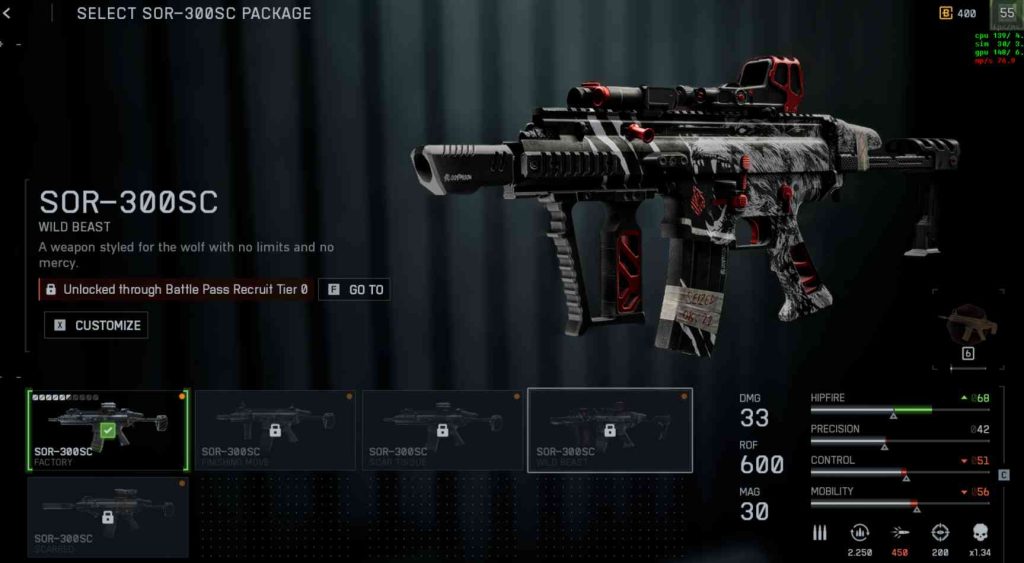
This issue is caused by Battlefield 6 incorrectly detecting input or misreading your keybinds as fire-mode changes. When you ADS, the game forces a temporary input refresh, and if BF6 mistakenly registers a duplicated key press, scroll input, or conflicting action, it flips the fire selector.
Most common causes include:
- Scroll wheel being detected as fire-mode change
- Multiple fire-mode actions bound to the same key
- Interference from keybind overlays
- Input polling spikes when ADS animation plays
- Mouse software sending unintentional micro-inputs
- BF6’s weapon-state desync after updates
- Corrupted user config file
Because aiming down sights triggers a different animation state, any input conflict during that transition makes BF6 think you pressed the fire-mode toggle.
Fix #1: Unbind Mouse Scroll Wheel From Fire Mode Switching
Many PC players accidentally change firing mode because scroll wheel is mapped to:
- Fire mode
- Next gadget
- Weapon swap
To fix it:
- Go to Settings → Keybinds → On Foot
- Set Toggle Fire Mode to a dedicated key (e.g., B)
- Remove all scroll wheel bindings
This stops accidental mode switching entirely.
Fix #2: Reset Mouse Software (Logitech G Hub, Razer Synapse, Corsair iCue)
Mouse software can send hidden inputs during ADS.
Try:
- Disabling macros
- Turning off “scroll acceleration”
- Removing extra button bindings
- Setting wheel to “standard” scroll mode
BF6 often misreads these as “fire mode change” commands.
Fix #3: Delete or Regenerate the BF6 Settings Folder (Fixes Corrupted Bind Files)

Corrupted config files cause duplicated inputs.
Steps:
- Close BF6
- Go to:
Documents → Battlefield 6 → Settings - Delete the folder (BF6 will generate a new one)
- Restart the game
Many players report this instantly stops the ADS burst-mode bug.
Fix #4: Disable Weapon Swap on Scroll Wheel Entirely
If scroll wheel is bound to weapon switching, BF6 may interpret rapid scrolls as fire-mode toggles.
Set weapon switching to:
- 1/2 keys
- Mouse button side keys
- Number keys only
This removes another scroll-related conflict.
Fix #5: Turn Off “Use System Input” in Settings (PC)
Some systems send duplicate key events with this setting enabled.
Try:
Settings → Advanced → “Use Raw Input Only” = ON
“Use System Input” = OFF
This prevents BF6 from misreading inputs when ADSing.
Fix #6: Lower ADS Input Sensitivity & Disable ADS Toggle Mode
High sensitivity can create micro scroll or movement spikes.
Change:
- ADS Sensitivity → Slightly lower
- Turn OFF “ADS Toggle”
- Use “ADS Hold” instead
This reduces ADS-state input conflicts.
Fix #7: Verify Game Files or Repair the Installation
If the firing-mode logic script is corrupted, BF6 may mix weapon states.
Steam → Properties → Verify Integrity
EA App → Repair Game
This fixes missing and damaged ADS state files.
Fix #8: Disable Third-Party Input Tools (AutoHotkey, ReWASD, etc.)
Any macro tool or input remapper can cause BF6 to flip fire modes unintentionally.
Disable:
- AutoHotkey
- ReWASD
- Input overlays
- Keyboard macro software
Restart and test.
Fix #9: Rebind Fire Mode Toggle to a Key You Never Touch
If you rarely use fire-mode switching, move it to a safe key.
Good options:
- O
- P
- Semicolon
- Mouse button you never press
This ensures zero accidental toggles.
Fix #10: Disable In-Game Overlay Conflicts (Discord, GeForce, Steam)
Overlays can “inject” input during ADS transitions.
Turn off:
- Discord Overlay
- Steam Overlay
- GeForce Experience Overlay
- Xbox Game Bar
Restart BF6 and test again.
Fix #11: Change the “Fire Mode Toggle” Input to a Modifier Key Combination
The Battlefield 6 burst mode bug often triggers because the default fire-mode button is too easy to press.
A reliable solution is to bind it to a modifier combo so BF6 never misinterprets it during ADS.
For example:
- Ctrl + B
- Alt + Mouse Button 4
- Shift + P
Because the BF6 ADS fire glitch triggers from micro-inputs, forcing the toggle to require two keys eliminates accidental fire mode switching entirely.
Fix #12: Disable Double-Input Detection in Mouse Firmware
Some gaming mice produce “double clicks” or “double scrolls,” which BF6 may interpret as a fire-mode command.
Fix it by disabling:
- Double-scroll assist
- Rapid wheel emulation
- Multi-action clicks
- Firmware-based button macros
On Logitech, Corsair, SteelSeries, and Razer software, turn off all enhanced scroll features.
This reduces random firing mode changes when ADSing.
Fix #13: Reduce Polling Rate From 1000 Hz to 500 Hz
The BF6 fire-selector glitch is sometimes caused by high-polling-rate devices sending too many micro-inputs during ADS transitions.
Try lowering:
- 1000 Hz → 500 Hz
- Or 500 Hz → 250 Hz
A lower polling rate stabilizes BF6’s input interpretation and stops the burst-to-semi or semi-to-full-auto switching bug.
Fix #14: Remove Any Keybind Overlap Between ADS and Fire Mode
If ADS shares any keybinding overlap with fire-mode toggle, BF6 may execute both at once.
Check for overlap with:
- Mouse buttons
- Scroll wheel
- Keyboard binds
- Specialist abilities
Make sure ADS = Right Mouse Button ONLY, and Fire Mode = single isolated key.
This prevents ADS from triggering unintended Battlefield 6 weapon mode changes.
Fix #15: Turn Off “Weapon Sprint Interruption” in Gameplay Settings
When sprint stop + ADS happens quickly, BF6 sometimes triggers a bug where the fire-selector resets when transitioning out of sprint.
Disable:
Gameplay → Sprint Behavior → Weapon Sprint Interruption = OFF
This reduces animation conflicts that cause automatic fire-mode switching.
Fix #16: Limit Background USB Devices (Keyboards, Pedals, Macros)
Multiple USB inputs can confuse BF6, especially if you use:
- Flight sticks
- Extra keyboards
- Stream decks
- Racing pedals
- Macro keypads
Disconnect anything unnecessary.
BF6 may detect stray input from secondary devices and switch fire modes randomly during ADS.
Fix #17: Toggle Off “Scroll Wheel Weapon Cycling” Entirely
Even if scroll wheel isn’t directly bound to fire mode, BF6 may still read scroll wheel movement as a mode-change action because weapon cycling triggers a weapon-state refresh.
Disable entirely:
Settings → Keybinds → Weapon Cycling → OFF (Scroll Wheel)
This removes one of the biggest causes of ADS fire-mode switching bugs on PC.
Fix #18: Increase the Dead Zone for Scroll Wheel or Side Buttons
If the scroll wheel or mouse side buttons are too sensitive, BF6 detects phantom input during ADS animation.
Increase dead zones in your mouse software:
- Scroll dead zone
- Button debounce time
- Wheel step threshold
This stabilizes input and stops the Battlefield 6 burst mode switching glitch.
Fix #19: Force Battlefield 6 to Run in Exclusive Fullscreen Mode
Borderless or windowed fullscreen can create input lag or duplicated input frames.
Switch to:
Settings → Video → Display Mode → Fullscreen Exclusive
Exclusive fullscreen greatly reduces UI/input desync and prevents BF6 from interpreting small movements or scroll bumps as fire-mode toggles during ADS.
Fix #20: Manually Reset the Battlefield 6 UserProfile Config File
Advanced players can fully reset BF6’s firing mode logic by regenerating the UserProfile config.
Steps:
- Close BF6
- Go to:
Documents → Battlefield 6 → Settings - Delete:
PROFSAVE_profile (this stores corrupted keybind logic) - Launch BF6 — it creates a clean profile
This fix resolves deep-level configuration corruption responsible for auto-switching firing modes during ADS.
Is the Battlefield 6 burst mode bug caused by input conflict or keybind overlap?
Yes — the Battlefield 6 burst mode bug is most commonly caused by an input conflict or keybind overlap that triggers the fire-mode switch command without the player intending to. BF6 uses layered input states, meaning the game checks multiple actions at once whenever you ADS, fire, swap weapons, or sprint. If two actions share the same physical input — such as scroll wheel, mouse side buttons, or overlapping keyboard binds — Battlefield 6 can mistakenly interpret normal input as a request to change firing mode.
For example, if your scroll wheel is bound to weapon cycling, but the same wheel is used during ADS micro-movements, BF6 may flip your weapon to burst or single fire. Likewise, if B, V, or mouse button 4 is bound to both fire mode and another function, the system can double-trigger the command when aiming down sights.
This is why players see their rifles switch modes mid-gunfight even though they never touched the fire-selector key. The BF6 firing-mode glitch is not usually a weapon bug — it’s the game misreading input due to conflicting binds. Cleaning up your keybind list and isolating the fire-mode toggle onto a safe, unused key dramatically reduces the Battlefield 6 burst-switch bug.
Does Battlefield 6 bug out if multiple inputs are pressed while aiming down sights?
Yes — pressing multiple inputs at the same time while aiming down sights can cause Battlefield 6 to bug out and flip firing modes. The ADS animation triggers a state change in the engine, and during this transition BF6 re-evaluates your movement keys, scroll inputs, mouse buttons, and weapon logic. If several inputs arrive simultaneously, the system may misread the combination and assume you pressed the toggle for burst, semi, or full-auto.
This is especially common when players:
- ADS while sprinting
- ADS while switching gadgets
- ADS while scrolling
- ADS while switching weapons
- ADS while adjusting DPI buttons
- ADS while using side-button macros
Because ADS shifts the player into a different weapon state, any additional input during that transition can cause the Battlefield 6 ADS firing bug. BF6 is very sensitive to timing overlaps, and even tiny micro-scrolls or button taps can be registered as “change fire mode.”
The problem is more noticeable on PC because keyboard and mouse setups generate many simultaneous inputs. The more overlapping actions you perform during ADS, the higher the chance the Battlefield 6 fire-mode switching glitch triggers. Simplifying your input flow eliminates most of these false mode changes.
Can controller drift or stuck keyboard inputs trigger fire mode switching?
Yes — both controller drift and sticky keyboard inputs can absolutely trigger the Battlefield 6 fire-mode switching bug, even if you never intentionally change firing mode. On controllers, especially aging sticks, minor drift can be misread as wheel-style or multi-directional input. When paired with ADS transitions, BF6 can interpret drift as a fire-selector command.
Similarly, “ghost inputs” from keyboard switches can fire off secondary actions when the key is half-pressed or when the switch debounce is poor. If your B, V, scroll wheel, or side buttons are mapped to fire-mode toggling, even tiny accidental movements can cause your weapon to switch from full-auto to single fire or burst without warning.
Some mechanical keyboards also send micro-inputs when keys are partially resting, especially cheap red or brown switches with low actuation force. In games like BF6 where input polling is high, these micro-inputs may appear as mode changes.
Controller drift is even more dangerous because BF6 treats directional drift as a scroll-like input in certain menus. When ADS intensifies input polling, the engine mistakes this drift as a fire-mode change.
Fixing drift, cleaning switches, or rebinding the fire-mode toggle to a safe, unused key nearly eliminates the Battlefield 6 firing-mode glitch.
Is the Battlefield 6 ADS bug linked to sensitivity or raw input settings?
Yes — sensitivity settings and raw input configurations can influence the Battlefield 6 ADS fire-mode bug, especially on PC. When ADS sensitivity is extremely high or extremely low, BF6 sometimes detects micro-movements or scroll gestures at the wrong moment. These can overlap with the fire-mode toggle logic, causing the gun to flip from full auto to burst or single fire during ADS.
Using “Raw Input OFF” can also cause BF6 to interpret OS-level inputs twice, creating duplicate input events that toggle firing mode. For this reason, many players fix the bug by enabling Raw Input Only and disabling any system-level input filtering.
High ADS sensitivity can cause accidental wheel bumps or unintentional side-button presses during aim transitions. Low ADS sensitivity can cause BF6 to misread small corrections as mode-change attempts due to timing conflicts in animation states.
In short, if your sensitivity or raw input settings create unstable or inconsistent input data, the Battlefield 6 ADS firing glitch becomes much more likely. Adjusting sensitivity to stable mid-range values and enabling raw input often eliminates the problem completely.
Does the burst-fire glitch affect specific guns or all automatic weapons?
The Battlefield 6 burst-fire glitch can affect nearly all automatic weapons, but it appears more frequently on guns that support multiple firing modes. Rifles that can switch between full auto, burst, and semi-auto are the most vulnerable because BF6 already checks their fire-selector state during ADS transitions.
Examples of guns more prone to the glitch include:
- Assault rifles with three fire modes
- Marksman rifles with toggleable semi/burst
- SMGs with optional burst mode
- LMGs with alternate firing profiles
Weapons that have only one firing mode (full-auto only) rarely trigger the bug because BF6 cannot change their mode.
However, the glitch is not tied to a specific weapon class — it’s tied to how the game misreads input. Any gun that allows switching between modes is susceptible to the Battlefield 6 firing-mode switching bug if the player has overlapping binds, scroll-wheel conflicts, drift, or corrupted settings.
Because the root cause is input interpretation rather than weapon design, all multi-fire-mode guns can experience random switching during ADS. Stabilizing input settings typically fixes the issue across all affected weapons.
How to fix the Battlefield 6 gun switching fire modes while aiming bug
To fix the Battlefield 6 gun switching fire modes while aiming bug, you must eliminate any input conflicts BF6 may be misreading during ADS. The most effective solution is to unbind the scroll wheel from anything related to weapon cycling or fire-mode toggling. Many players trigger the bug because BF6 detects micro-scrolling during ADS as a command to switch modes.
Next, bind Toggle Fire Mode to a single, unused key (like P or O) so the game never interprets overlapping actions as mode changes. Resetting mouse software macros, disabling overlays, and lowering polling rate to 500 Hz also stop the ADS fire mode glitch.
If the issue persists, delete the BF6 Settings/PROFSAVE_profile file so the game regenerates a clean, non-corrupted input config.
Together, these fixes stop BF6 from randomly switching between burst, single, and full-auto while aiming down sights.
Does resetting infantry settings fix the burst mode glitch in Battlefield 6?
Resetting infantry settings can sometimes reduce the Battlefield 6 burst mode glitch, but it is not a guaranteed fix. The reset removes custom sensitivity curves, legacy binds, and leftover controller inputs that may conflict with fire-mode toggling during ADS. If the glitch is caused by settings corruption, input overlap, or old keybinds, then resetting infantry settings can help.
However, the ADS firing bug usually comes from scroll wheel conflicts, mouse button macros, or duplicated fire-mode binds, which resetting infantry settings does NOT remove. That means players often reset settings and still experience their weapon switching from full-auto to burst or semi-auto without touching the toggle button.
Resetting is still worth trying, but it should be combined with:
- Removing scroll wheel bindings
- Rebinding fire mode
- Enabling raw input
- Disabling overlays
This gives the highest chance of eliminating the BF6 firing-mode switching bug.
Can verifying or reinstalling Battlefield 6 fix the ADS fire mode issue?
Yes — verifying or reinstalling Battlefield 6 can fix the ADS fire-mode switching issue, especially if the problem is caused by corrupted keybind files or broken configuration data. When you verify files on Steam or the EA App, the launcher replaces damaged input scripts that may be causing BF6 to misread your ADS transitions.
A fresh reinstall also resets internal weapon-state scripts that affect how the game handles burst, semi, and full-auto modes. However, this does NOT fix input conflicts caused by scroll wheel bindings, macros, or hardware drift — the most common causes of the Battlefield 6 burst mode bug.
Verifying or reinstalling is most effective when paired with:
- Deleting the PROFSAVE_profile file
- Resetting keybinds
- Cleaning mouse software settings
This combination eliminates both file corruption and input errors, giving the best chance of fixing the Battlefield 6 gun switching modes while aiming problem.
Is Battlefield 6 misreading mouse or keyboard inputs during ADS?
Yes — Battlefield 6 frequently misreads mouse or keyboard inputs during ADS, which is the primary reason weapons switch firing modes automatically. The ADS animation creates a brief input-transition state, and if BF6 receives micro-scrolls, side-button bumps, or overlapping key presses in that moment, it often interprets them as a fire-mode toggle command.
This behavior is especially common when:
- Scroll wheel is bound to weapon switching
- Mouse firmware sends rapid or duplicated inputs
- Side buttons are mapped to multiple actions
- Raw input is off, causing doubled OS input
- Keyboard switches generate ghost presses
Because BF6 polls input very aggressively during ADS, even tiny motions can cause the fire mode to jump between burst, single, and auto.
Cleaning up keybinds and enabling raw input are the most effective fixes.
Will EA patch the Battlefield 6 burst/single fire switching bug soon?
It is very likely EA will patch the Battlefield 6 burst/single fire switching bug in an upcoming update. The issue is widespread, consistently reported across PC threads, and affects core gunplay — something DICE typically prioritizes in early patches. Since the bug appears to stem from input misinterpretation and UI state conflicts, EA can fix it through a backend or client-side configuration update.
Past Battlefield titles had similar input bugs, and DICE resolved them quickly once enough reports accumulated. Given the volume of complaints about guns switching to burst mode or single fire during ADS, this problem is almost certain to be addressed soon.
Until then, players can stabilize gameplay by removing scroll wheel binds, rebinding fire mode, enabling raw input, and deleting corrupted config files.
These workarounds remain the best method to control the BF6 firing-mode switching glitch until EA releases an official fix.
Final Thoughts
The Battlefield 6 burst mode switching bug is one of the most disruptive PC input issues right now. When ADS causes your weapon to flip between burst, semi, and full-auto, combat becomes unpredictable and frustrating.
Your best solutions:
✔ Remove scroll wheel bindings
✔ Reset mouse software
✔ Regenerate BF6 settings folder
✔ Rebind fire mode to a safe key
✔ Disable overlays interfering with input
✔ Verify game files