
If your character keeps putting their weapon away when you really don’t want them to, yeah — you’re not imagining it.
Weapon auto sheathing in Where Winds Meet can feel awkward, immersion-breaking, and straight-up annoying, especially when you’re setting up a fight, exploring dangerous areas, or just trying to stay in character.
So let’s cut straight to it.
Right now, there is no setting that fully disables weapon auto sheathing. The game automatically sheaths your weapon when it thinks you’re out of combat — like after walking for a bit, interacting with NPCs, or opening certain menus. It’s intentional design, not a bug, even if it feels overly aggressive.
The good news? While you can’t turn it off completely, there are a few simple ways to reduce how often it happens and make it far less frustrating to deal with.
The Short Answer : Can You Disable Weapon Auto Sheathing
You cannot fully disable weapon auto sheathing in Where Winds Meet right now.
There’s no settings toggle, no hidden menu option, and no permanent workaround that completely turns the system off. The game is designed to automatically sheath your weapon when it considers you out of combat, even though this behavior is never clearly explained in-game. That’s why it often feels sudden or unintended, especially during exploration or right after a fight ends.
But before you sigh and move on, here’s the good news: while you can’t disable it entirely, you can control it better and reduce how often it gets in your way. With a few smart adjustments to controls and appearance settings, most of the frustration can be minimized and made far more manageable.
Why Your Weapon Keeps Sheathing
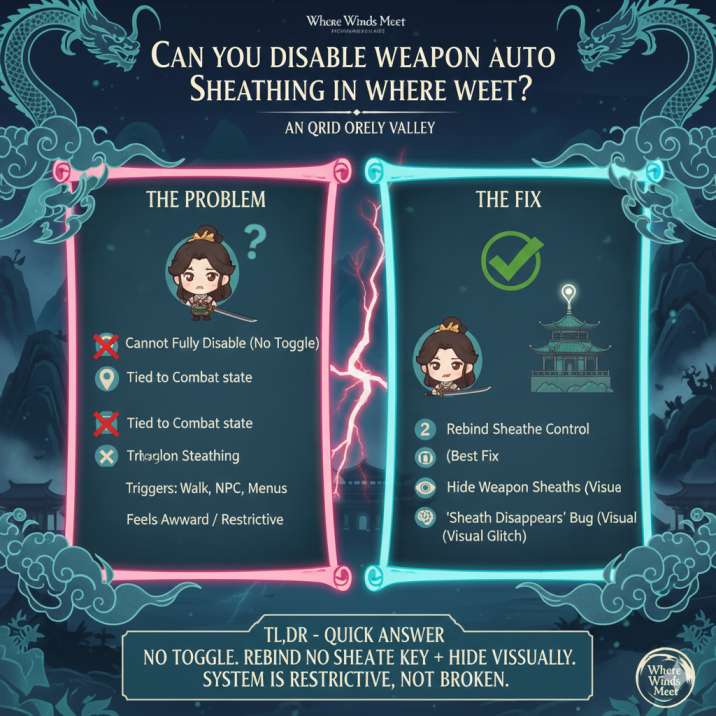
Weapon auto sheathing in Where Winds Meet kicks in whenever the game decides you’re “out of combat.” Instead of letting players manually control this with a simple toggle, the system relies on internal combat-state checks and animation logic.
Common triggers include:
- Walking for a short time without engaging an enemy
- Talking to NPCs or interacting with objects
- Opening certain menus or interfaces
- Transitioning between areas or loading zones
Because this behavior is tied to behind-the-scenes combat and animation rules — not a player-facing on/off option — it often feels like your weapon sheaths on its own, even when you’re still preparing for a fight or staying alert.
How to Stop Weapon Auto Sheathing (As Much As Possible)
You can’t kill it entirely in Where Winds Meet, but these fixes make a real difference in day-to-day play.
The goal here isn’t to fight the system head-on — it’s to work around it smartly.
By adjusting your controls and visuals, you can take back enough control that auto sheathing stops being a constant annoyance and starts feeling manageable. None of these methods are perfect on their own, but together they noticeably reduce how often your weapon disappears when you don’t want it to, especially during exploration, combat prep, and quick engagements.
1. Rebind the Sheathe Weapon Control (Best Fix)
This is easily the most effective option available right now in Where Winds Meet.
Head to:
Settings → Controls
Look for an option labeled something like:
Switch Weapon / Sheathe Weapon (Hold)
Rebind this action to a key or controller button that’s quick and comfortable to reach. Once it’s set up, you can instantly unsheathe your weapon whenever the game auto-sheathes it, instead of scrambling or waiting through animations.
Why it helps:
You take back manual control. Rather than letting the game decide when your weapon should be put away, you can react immediately and keep your flow intact during exploration or right before combat starts.
2. Hide Weapon Sheaths (Visual Fix)
If your main issue is immersion rather than gameplay mechanics, this option helps a lot in Where Winds Meet.
Open the Appearance menu, then head to Appearance Visibility. From there, toggle weapon or sheath visibility off.
Your weapon may still sheath mechanically in the background, but it won’t appear on your character’s back, which makes exploration, cutscenes, and screenshots feel much cleaner and more natural.
Important note:
This change is purely cosmetic. It won’t affect combat, damage, or how the auto-sheathing system actually works — it just removes the visual distraction.
3. Know What Triggers Auto Sheathing
You’ll see fewer unwanted sheaths if you avoid:
- Frequent NPC interactions mid-movement
- Long menu pauses right after combat
- Extended travel without re-entering combat
It’s not a fix, but understanding the triggers makes the system less frustrating.
In Where Winds Meet, auto sheathing is closely tied to how the game reads your combat state, so anything that signals “downtime” can cause your weapon to be put away automatically. Once you’re aware of these triggers, the behavior starts to feel more predictable instead of random.
That awareness alone can help you plan movement, interactions, and menu usage more deliberately, reducing how often your weapon sheaths at awkward or immersion-breaking moments.
4. About the “Sheath Disappears” Bug
Some players report that toggling weapon visibility can temporarily remove the sheath model in Where Winds Meet. While this can make it look like auto sheathing has been disabled, it’s not a reliable or intentional feature.
This behavior is:
- Inconsistent
- Temporary
- Reset by weapon swaps or loading screens
In most cases, the sheath will reappear as soon as you change equipment, reload an area, or interact with certain menus. Because of that, it’s best to treat this as a visual glitch, not a real workaround or long-term solution. It can be useful for quick screenshots or testing, but it won’t actually fix the underlying auto-sheathing system.
Is This a Bug or Bad Design?
In Where Winds Meet, weapon auto sheathing is working as intended — it’s just badly communicated. The game never clearly explains why your weapon keeps being put away or what triggers it, which makes the system feel broken even when it isn’t.
At the moment, there’s no confirmation that a proper auto-sheath toggle is coming in a future update. That said, it’s one of the most common quality-of-life requests from players. If the developers do decide to add a dedicated option later on, it will almost certainly be in response to continued community feedback rather than a sudden design change.
Final Takeaway
❌ You can’t fully disable weapon auto sheathing in Where Winds Meet
✅ You can reduce the annoyance with better keybinds and faster manual unsheathing
✅ You can hide the visual sheath if immersion is the main issue
🟡 The system isn’t broken — it’s just restrictive and poorly explained
Until a real auto-sheath toggle exists, these workarounds are the best way to keep control, maintain immersion, and stay sane while playing.