
Choosing the Best Gaming Mouse for Razer Blade 16 is not just about looks or brand—it directly affects how you aim, react, and play. The Blade 16 is a high-performance machine, so pairing it with the right mouse helps you actually take advantage of that power.
A good gaming mouse comes down to a few key things: sensor accuracy, weight, responsiveness, and comfort. For fast-paced FPS games, lightweight mice with ultra-low latency perform best. For longer sessions or different game styles, ergonomics and extra buttons start to matter more.
Modern gaming mice are also more advanced than ever. High-end options now offer ultra-fast polling rates (up to 8000Hz), extremely precise sensors, and wireless performance that rivals wired connections.
In this guide, we’ve picked the Best Gaming Mouse for Razer Blade 16 based on real-world performance—whether you’re into competitive FPS, casual gaming, or need an all-rounder that just feels right in hand.
Read also:
Best 7 Gaming Mouse for Razer Blade 16 (FPS & MMO tested)
Razer Basilisk V3 Gaming Mouse
Best for: Feature-packed gaming with comfort and control
If you want a mouse that feels comfortable, responsive, and highly customizable, the Razer Basilisk V3 is one of the easiest picks in the Best Gaming Mouse for Razer Blade 16 list. It’s not just about specs—it’s about how it actually feels in long gaming sessions.
The first thing you’ll notice is the ergonomic shape with a thumb rest. It naturally supports your hand, which makes a big difference during extended gameplay. This isn’t a lightweight competitive mouse—it’s built more for comfort and control.
Performance-wise, it’s powered by a 26K DPI optical sensor, which delivers accurate tracking and smooth movement. Whether you’re playing FPS or RPGs, it feels precise without any weird acceleration.
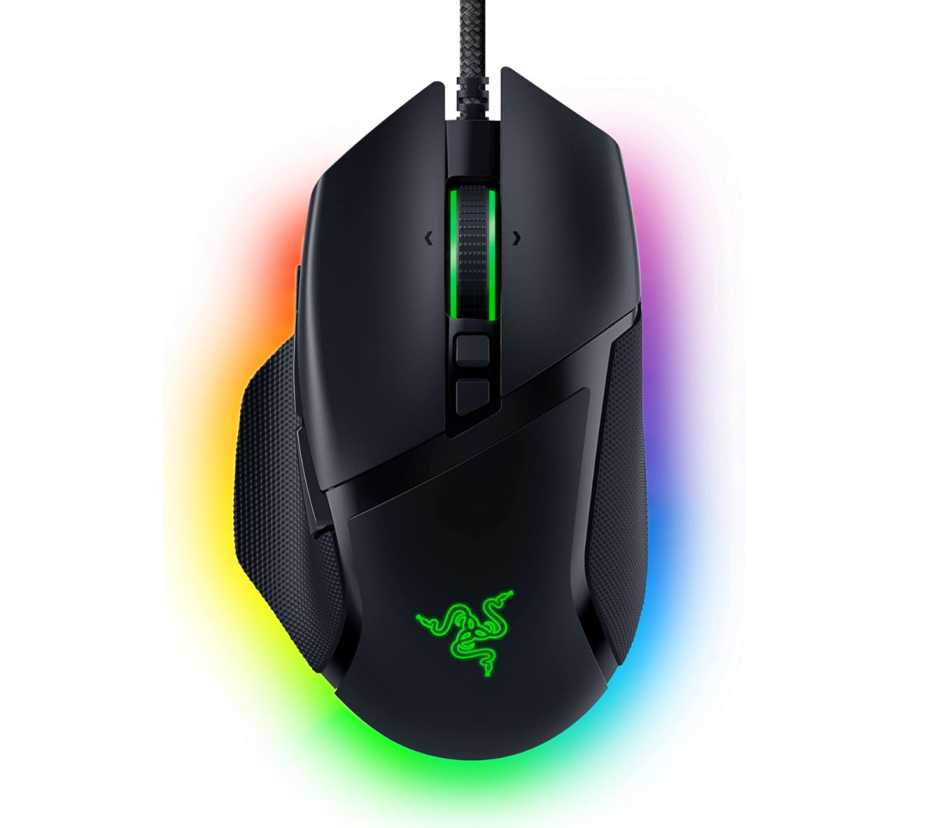
What really sets it apart is the 11 programmable buttons. You can assign macros, shortcuts, or game-specific actions, which is especially useful if you play games that need more controls (MMOs, RPGs, or even productivity tasks).
The HyperScroll tilt wheel is another standout feature. You can switch between free-spin mode for fast scrolling and tactile mode for precise control. It’s one of those small features that you end up using more than expected.
You also get Razer Optical Switches (Gen 2), which are fast and reliable with a crisp click feel. And of course, there’s Chroma RGB lighting if you want to match your setup.
What works well
- Very comfortable ergonomic design with thumb rest
- Accurate 26K DPI sensor for smooth tracking
- 11 programmable buttons for customization
- HyperScroll wheel adds real usability
- Great for long gaming sessions and multi-use
What to consider
- Not ideal for ultra-light competitive gaming
- Wired connection only
- Slightly bulky for smaller hands
If you want a mouse that’s comfortable, versatile, and packed with features, this is a strong choice in the Best Gaming Mouse for Razer Blade 16. It’s built for control and usability rather than just being lightweight and fast.
Razer Naga V2 HyperSpeed Wireless
Best for: MMO players and users who need maximum controls
If you play games where shortcuts, abilities, and macros matter, the Razer Naga V2 HyperSpeed is in a completely different league. This isn’t a typical gaming mouse—it’s built for control-heavy gameplay, which makes it a unique pick in the Best Gaming Mouse for Razer Blade 16.
The biggest highlight is the 19 programmable buttons. Everything is positioned within reach, especially the side button grid, so you can map abilities, macros, or shortcuts without touching your keyboard. For MMO, RPG, or even productivity workflows, this can completely change how you play or work.
Performance is also top-tier. It comes with the Focus Pro 30K optical sensor, which delivers precise tracking across different surfaces, even glass. Combined with Razer HyperSpeed Wireless, you get low-latency performance that feels very close to wired.
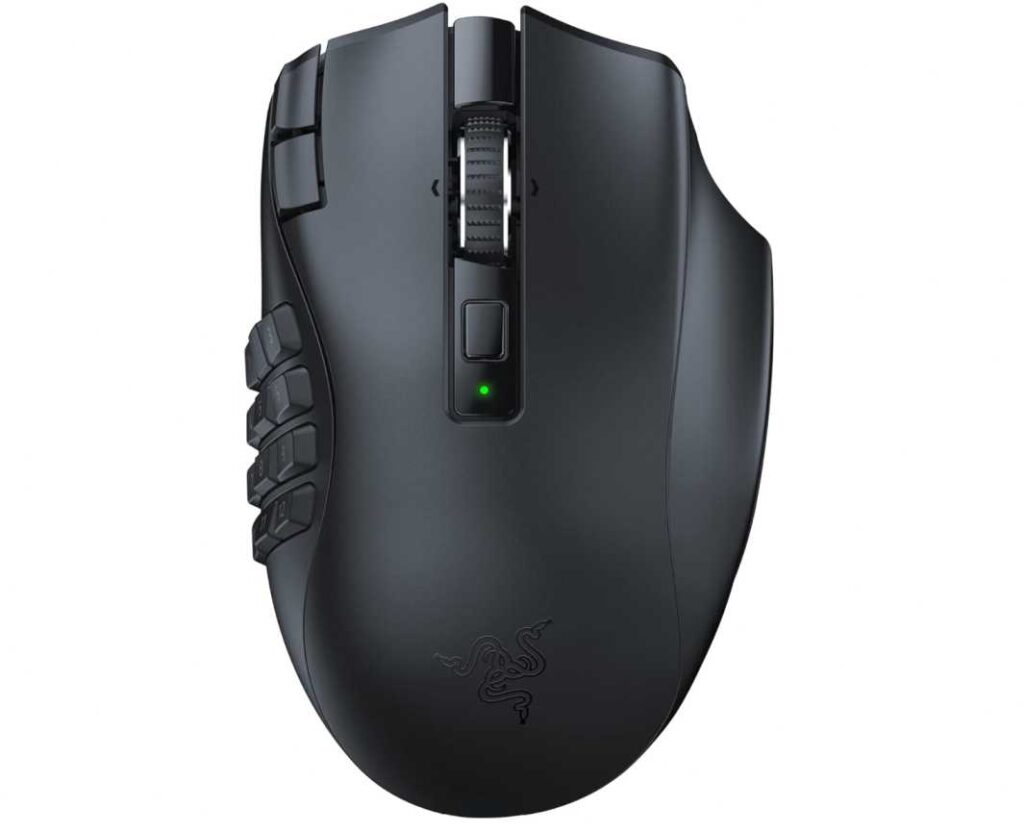
Battery life is another strong point. You get up to 400 hours on Bluetooth or around 250 hours on HyperSpeed wireless, which means you won’t be constantly worrying about charging.
The HyperScroll wheel is also here, letting you switch between free-spin for fast scrolling and tactile mode for precise control—useful both in games and daily use.
That said, this mouse is clearly built for a specific type of user. With so many buttons, it can feel overwhelming if you don’t actually need them.
What works well
- 19 programmable buttons for maximum control
- 30K DPI sensor for precise tracking
- HyperSpeed wireless + Bluetooth flexibility
- Extremely long battery life
- Great for MMO, RPG, and productivity use
What to consider
- Not ideal for FPS or lightweight gaming
- Can feel bulky due to button layout
- Takes time to get used to
If you want a mouse that gives you full control and customization, this is one of the most powerful options in the Best Gaming Mouse for Razer Blade 16. It’s not for everyone—but for the right user, it’s hard to beat.
Logitech G502 X Plus Wireless Gaming Mouse
Best for: Premium wireless performance with versatility and control
If you want a mouse that can handle gaming, productivity, and everything in between, the Logitech G502 X Plus is one of the most complete options in the Best Gaming Mouse for Razer Blade 16 lineup.
This is a modern upgrade of a very popular design, and it shows. You get a comfortable, slightly aggressive ergonomic shape that works well for long sessions, whether you’re gaming or working.
Performance is where it really delivers. The HERO 25K sensor offers extremely precise tracking, and combined with LIGHTSPEED wireless, the response feels fast and reliable—close to wired performance. You don’t feel any noticeable delay, even in fast-paced games.
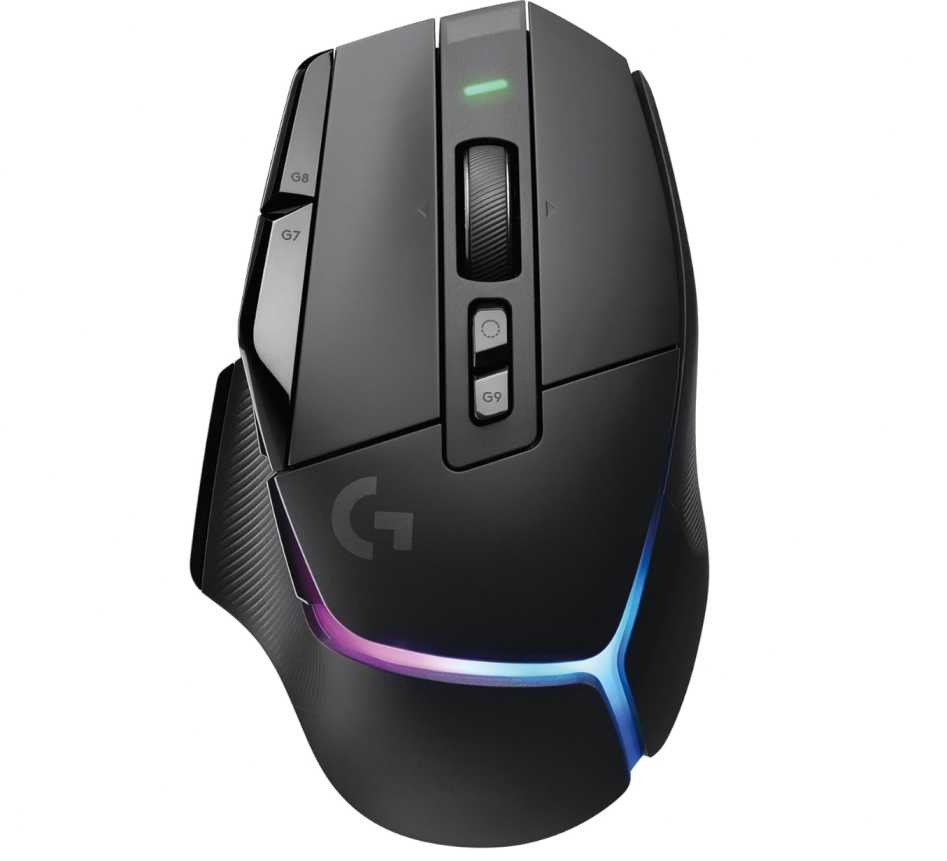
The new LIGHTFORCE hybrid switches are also a big improvement. They combine the speed of optical switches with the tactile feel of mechanical ones, so clicks feel fast but still satisfying.
You also get 13 programmable buttons, which gives you flexibility without going overboard like MMO mice. It’s a good balance—enough controls for customization, but still easy to use.
The dual-mode scroll wheel is another standout feature. You can switch between free-spin for fast scrolling and precise stepped mode, plus tilt controls for extra inputs. It’s great for both gaming and productivity.
Battery life is solid too, with up to 130 hours, and it supports USB-C charging. If you use Logitech’s PowerPlay system, you can even charge it wirelessly while using it.
What works well
- Accurate HERO 25K sensor for high precision
- Fast and reliable wireless performance
- 13 programmable buttons for flexibility
- Dual-mode scroll wheel adds real usability
- Premium build and design
What to consider
- Expensive compared to many options
- Slightly heavier than lightweight gaming mice
- RGB lighting may not matter to everyone
If you want a premium, all-round gaming mouse that works just as well for daily tasks, this is one of the strongest choices in the Best Gaming Mouse for Razer Blade 16. It’s not focused on just one thing—it does everything well.
ASUS ROG Spatha X Wireless Gaming Mouse
Best for: Heavy-duty gaming with MMO controls and premium build
If you want a mouse that feels big, powerful, and built for serious gaming, the ASUS ROG Spatha X stands out in the Best Gaming Mouse for Razer Blade 16—especially for MMO and MOBA players.
This isn’t a lightweight mouse. At 168g, it’s clearly designed for users who prefer a solid grip and full-hand control. The shape is large and ergonomic, making it comfortable for long sessions, but it’s best suited for medium to large hands.
The highlight here is the 12 programmable buttons, including a well-placed side button layout. It gives you enough control for MMO abilities, macros, or complex commands, without feeling as overwhelming as ultra-button-heavy mice.
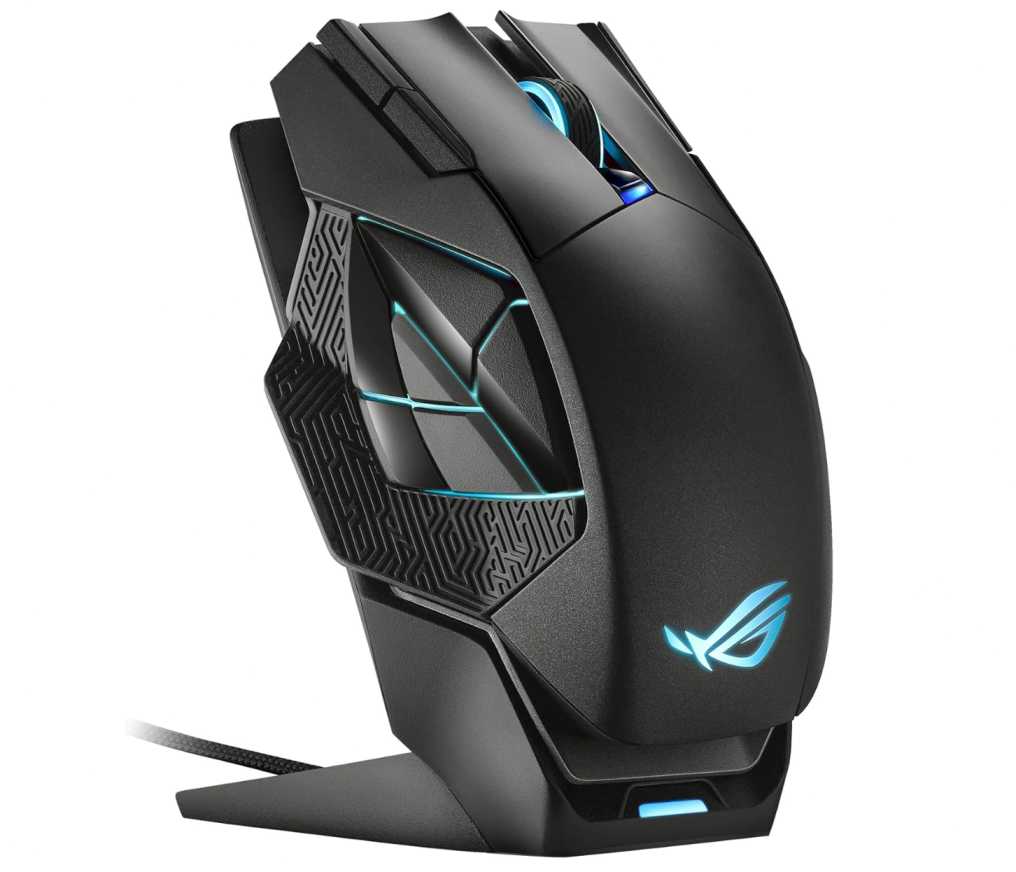
Performance is strong with a 19K DPI sensor and dual-mode connectivity. You can use it in 2.4GHz wireless mode for low latency or switch to USB-C wired mode when needed. The tracking feels accurate and consistent across different games.
One feature that makes it stand out is the magnetic charging dock. Instead of plugging in cables every time, you can just place the mouse on the dock, which feels much more premium in daily use.
You also get hot-swappable switches, which means you can replace or customize them over time—something very few mice offer.
What works well
- 12 programmable buttons for gaming and macros
- Dual-mode (wireless + wired) flexibility
- Magnetic charging dock adds convenience
- Premium build quality and solid feel
- Hot-swappable switches for customization
What to consider
- Heavy (168g) not ideal for FPS gaming
- Large size may not suit small hands
- Battery life is good but not class-leading
If you prefer a heavier, feature-rich mouse with strong build quality, this is a great option in the Best Gaming Mouse for Razer Blade 16. It’s not built for speed-focused players—but for control and durability, it stands out.
Redragon M908 Impact Gaming Mouse
Best for: Budget MMO gaming with maximum buttons
If you want maximum features at the lowest price, the Redragon M908 is one of the easiest picks in the Best Gaming Mouse for Razer Blade 16—especially for MMO players on a budget.
This mouse is clearly built around control and customization. You get 12 side buttons + 18 programmable inputs, which gives you a lot of flexibility for macros, abilities, and shortcuts. For MMO or RPG games, this can completely change how you play.
In terms of performance, it offers up to 12,400 DPI with adjustable levels. It’s not on the same level as premium sensors, but for most users, it still feels accurate and responsive enough for everyday gaming.
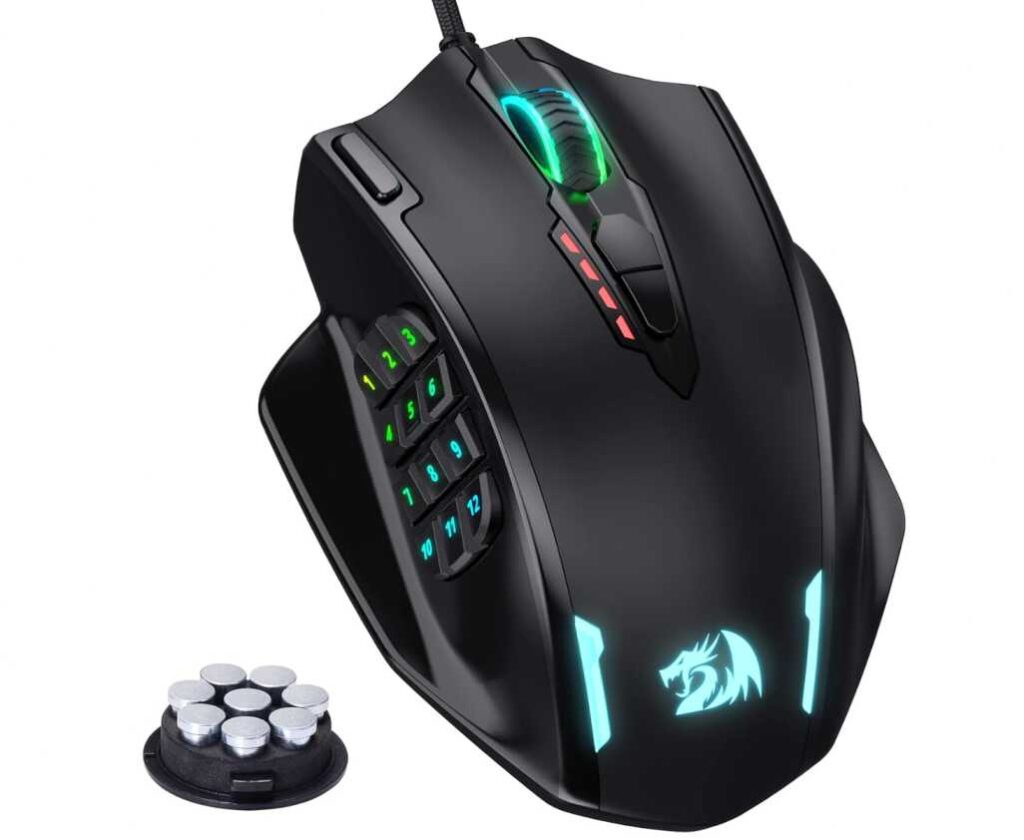
One interesting addition is the weight tuning system. You can adjust how heavy or light the mouse feels, which is something you usually don’t see at this price.
The design is ergonomic and slightly aggressive, built for long sessions. It’s not premium, but it’s comfortable enough for extended use.
Of course, being a budget option, there are trade-offs. It’s a wired mouse, and the overall build quality is decent but not high-end.
What works well
- Very affordable price for what you get
- 12 side buttons + 18 programmable controls
- Adjustable DPI up to 12,400
- Customizable weight system
- Good for MMO and macro-heavy use
What to consider
- Sensor is good, but not flagship-level
- Wired only (no wireless option in this version)
- Build quality is average
If you’re looking for a budget-friendly mouse with lots of buttons, this is a strong option in the Best Gaming Mouse for Razer Blade 16. It’s not premium—but for the price, it delivers more than expected.
ASUS ROG Spatha X Wireless Gaming Mouse
Best for: Premium MMO control with solid build and unique features
If you like a mouse that feels substantial, durable, and built for serious gaming, the ASUS ROG Spatha X fits that role well. In the Best Gaming Mouse for Razer Blade 16, this one stands out for users who prefer control, customization, and a heavier feel.
Right away, you notice the size and weight. At 168g, it’s not made for fast flicks—it’s made for steady, controlled movements. The shape is large and ergonomic, which works well if you use a palm grip or have bigger hands.
The 12 programmable buttons are well thought out. Instead of overcrowding, the layout keeps things usable, especially for MMO and MOBA games where extra controls actually matter. You can map abilities, macros, or shortcuts without constantly reaching for the keyboard.
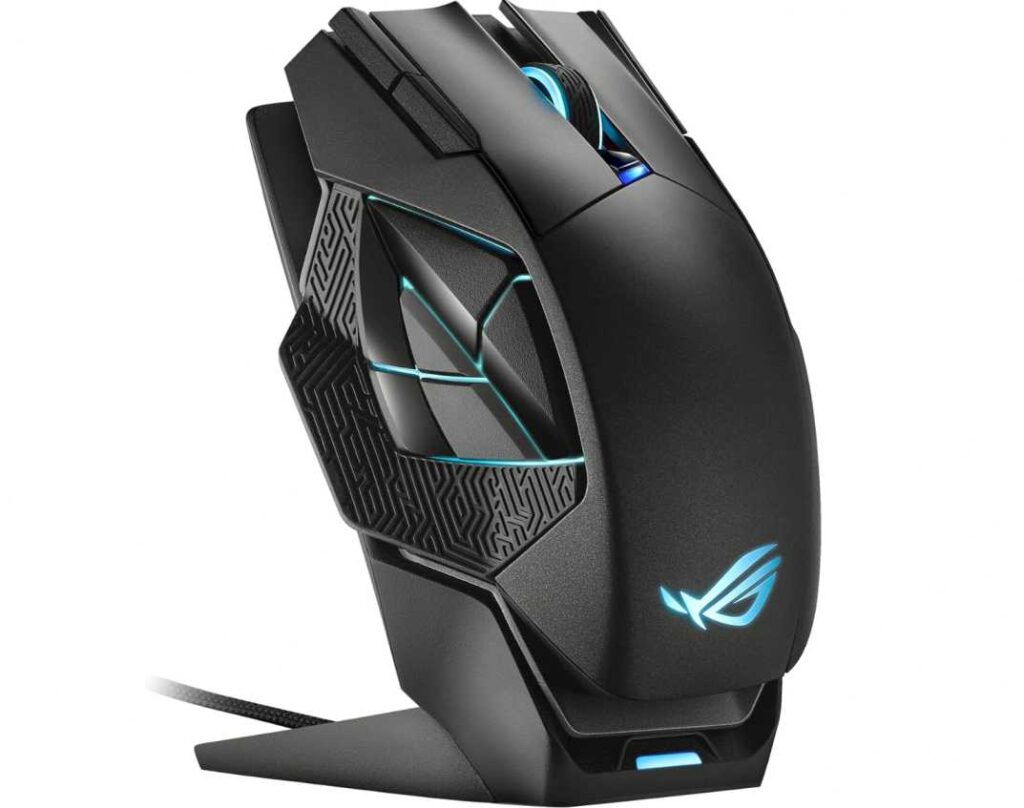
Performance is solid with a 19K DPI sensor and dual-mode connectivity. You can switch between low-latency wireless (2.4GHz) and wired USB-C, depending on how you want to use it. Tracking feels stable and consistent across different games.
One feature that really adds to the experience is the magnetic charging dock. Instead of plugging in cables, you just drop the mouse on the dock—simple and clean. It’s one of those things that feels small but improves daily use.
Another standout is the hot-swappable switches. If you ever want to change the click feel or replace worn switches, you can do it yourself, which adds long-term value.
What works well
- 12 programmable buttons for better control
- Dual-mode (wireless + wired) flexibility
- Magnetic charging dock is convenient
- Hot-swappable switches for customization
- Strong build quality and premium feel
What to consider
- Heavy (168g) not ideal for FPS gaming
- Large size may not suit smaller hands
- More focused on control than speed
If you prefer a solid, feature-rich mouse with a premium feel, this is a great fit in the Best Gaming Mouse for Razer Blade 16. It’s not built for lightweight performance—but for control, durability, and long sessions, it does the job really well.
Razer DeathAdder Essential
Best for: Simple, reliable gaming on a tight budget
Not everyone needs a mouse packed with features. If you just want something that’s comfortable, accurate, and affordable, the Razer DeathAdder Essential is one of the easiest picks in the Best Gaming Mouse for Razer Blade 16.
This mouse focuses on the basics—and does them well. The ergonomic shape is the highlight. It fits naturally in the hand, especially for right-handed users, and stays comfortable even during longer sessions. The rubber side grips add extra control, which helps during gameplay.
Performance is straightforward. The 6400 DPI optical sensor is not high-end, but it’s consistent and responsive enough for most games, especially casual and mid-level competitive play. You’re not getting ultra-fast specs, but you’re also not dealing with lag or inconsistency.
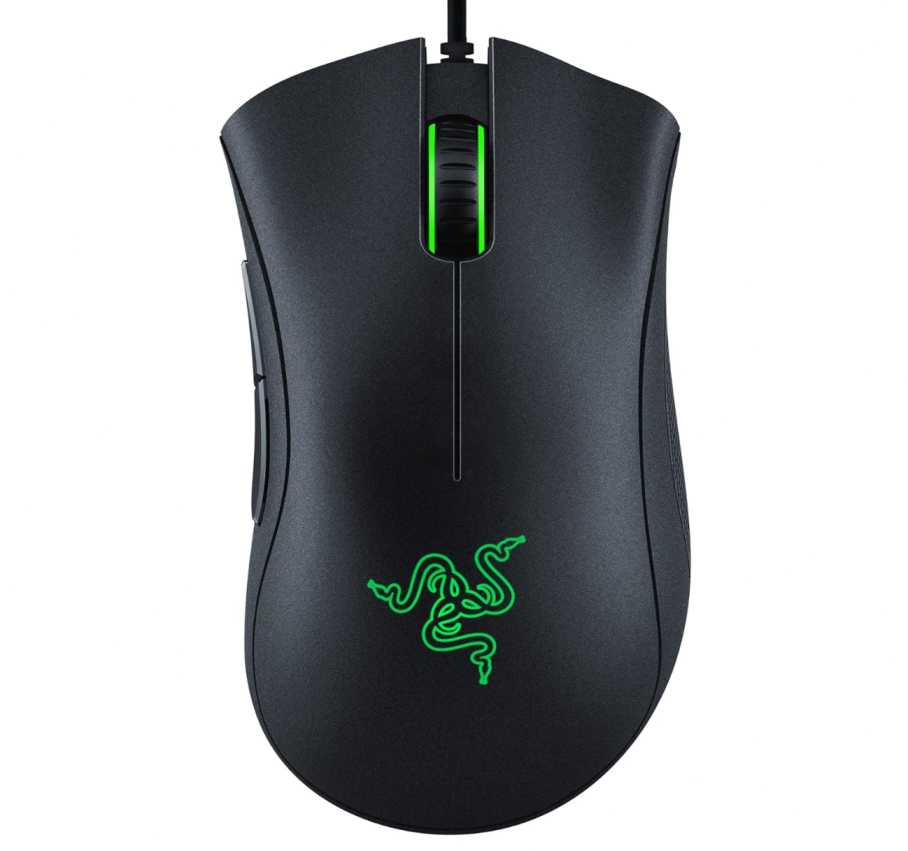
You also get 5 programmable buttons, which is enough for essential controls without making things complicated. It keeps the experience simple and easy to use.
Being a budget option, it’s a wired mouse, and the build is basic—but still reliable for the price.
What works well
- Very affordable pricing
- Comfortable ergonomic design
- Reliable performance for everyday gaming
- Simple and easy to use
- Lightweight and practical
What to consider
- Lower DPI compared to premium mice
- Limited buttons and customization
- Wired only
If you’re looking for a no-nonsense gaming mouse that just works, this is a great budget option in the Best Gaming Mouse for Razer Blade 16. It’s not built for advanced users—but for the price, it delivers exactly what most people need.
Final Thoughts
Choosing the Best Gaming Mouse for Razer Blade 16 really comes down to your playstyle and what you expect from a mouse.
If you play competitive FPS games, you’ll benefit more from mice that focus on precision, speed, and lighter weight. But if you’re into MMO or RPG games, having extra buttons and customization can make a much bigger difference.
For users who want a balance, there are great all-rounder options that offer good performance, comfort, and flexibility without going too extreme in any one area.
Budget also plays a big role. The good news is—you don’t need to spend a lot to get a good experience. Even affordable options can deliver reliable performance for everyday gaming, while premium mice add extra features, better sensors, and wireless convenience.
At the end, the right choice is simple: pick a mouse that matches how you actually play. Whether it’s comfort, control, speed, or customization, the best mouse is the one that feels right in your hand and keeps up with your Razer Blade 16.