
Best Cooling Pads for RTX 50 Laptops: If you’re using a powerful RTX 50 series laptop, you’ve probably already noticed one thing—it runs hot. Whether you’re gaming, editing videos, or pushing high-end workloads, these machines generate serious heat, and that can directly affect performance.
That’s where a cooling pad for RTX 50 laptops becomes more than just an accessory—it’s a necessity. A good cooling pad improves airflow, reduces internal temperatures, and helps prevent thermal throttling, so your laptop can maintain consistent performance during long sessions. In fact, the right cooling pad can drop temperatures by several degrees, leading to smoother gameplay and better overall stability.
But here’s the catch—not all cooling pads are worth buying. Some barely make a difference, while others can significantly improve cooling and even extend your laptop’s lifespan.
When choosing the best laptop cooling pad for RTX 50 GPUs, you need to focus on a few key things:
- High airflow (RPM + fan size) for effective cooling
- Multi-fan or turbo fan design for gaming laptops
- Build quality and metal mesh for better heat dissipation
- Adjustable height for both cooling and comfort
In this guide, I’ll help you find the best cooling pads for RTX 50 gaming laptops, whether you want maximum cooling performance, a budget option, or something portable for everyday use.
Best 6 Cooling Pads for RTX 50 Laptops: New
Razer Laptop Cooling Pad: Adaptive Smart
If you’re using a high-performance machine, this is easily one of the best cooling pads for RTX 50 laptops that focuses on serious thermal control rather than just basic airflow.
What makes this stand out as a high-performance cooling pad for gaming laptops is its intelligent fan system. Instead of running at a constant speed, the fan automatically adjusts based on your laptop’s temperature. So whether you’re browsing or gaming, it delivers cooling only when needed—balancing performance and noise.
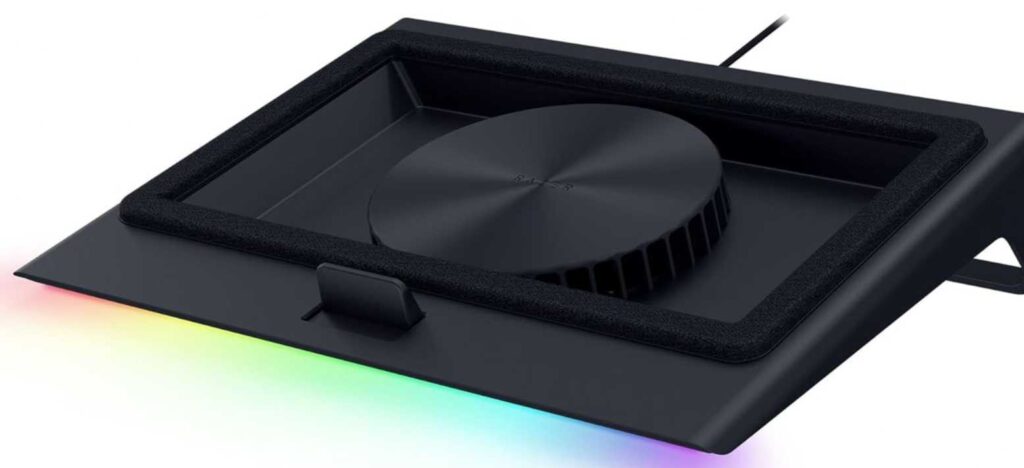
The biggest advantage here is the airtight pressure chamber design. Unlike regular cooling pads that simply push air upward, this one creates a sealed environment using foam frames. This ensures cool air is directed exactly where your laptop needs it, making it highly effective for RTX 50 series laptops that generate heavy heat under load.
You also get deep customization through software, allowing you to set fan curves depending on your usage. If you want maximum cooling during gaming or quieter performance during normal tasks, you can fine-tune everything.
On top of that, it doubles as a USB hub and includes RGB lighting, which adds both functionality and aesthetics to your setup. While it’s clearly a premium option, it’s built for users who want the best cooling performance for RTX 50 gaming laptops without compromise.
What We Like
- Smart fan control that adjusts automatically
- Airtight cooling design for better efficiency
- Custom fan curves for performance or silence
- Works with large 14”–18” laptops
- Extra USB ports and RGB lighting
What We Don’t Like
- Expensive compared to standard cooling pads
- Slightly bulky for travel
- Requires software for full customization
llano Gaming Laptop Cooler V12 (5.5-inch Turbo Fan)
If your priority is raw cooling performance, this llano cooler is easily one of the best high-performance cooling pads for RTX 50 laptops. It’s built specifically for users who push their machines hard—whether that’s gaming, 3D work, or heavy multitasking.
The standout feature here is the large 5.5-inch turbo fan. Unlike typical multi-fan cooling pads, this design focuses on concentrated airflow, which makes a noticeable difference for RTX 50 gaming laptops that struggle with heat under load. It pushes a strong stream of air directly into the laptop’s intake, helping reduce temperatures quickly during intense sessions.
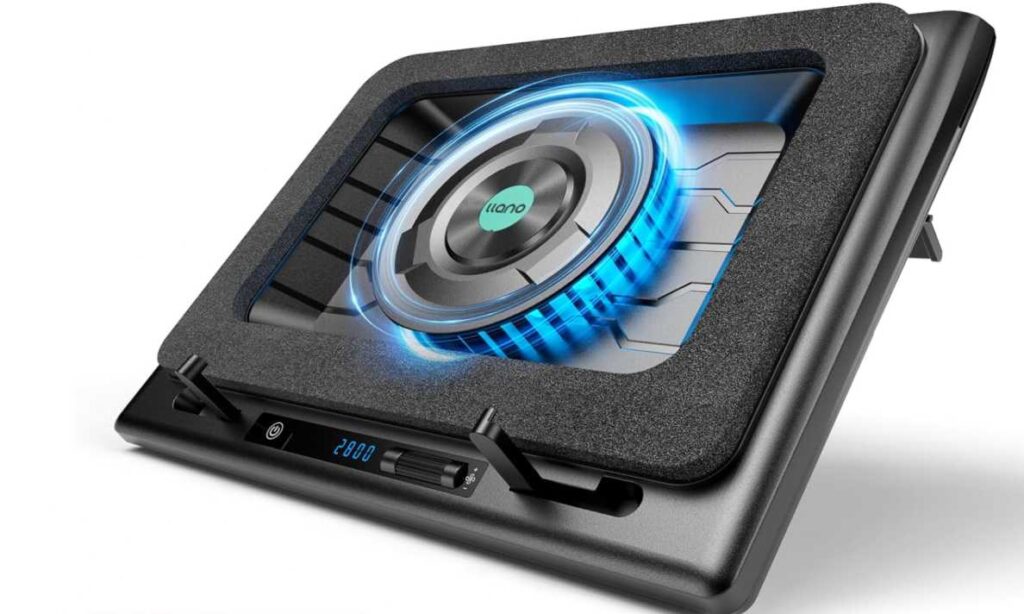
Another reason this works well as a cooling pad for heavy gaming laptops is the sealed cooling approach combined with a dust filter. Not only does it cool effectively, but it also helps prevent dust buildup over time—something that can quietly affect long-term performance.
You also get a modern control system with a touch interface and LED display. This makes it easy to adjust fan speed depending on whether you want maximum cooling or lower noise. Plus, the adjustable height adds comfort, which is important during long gaming or work sessions.
Overall, if you want aggressive cooling rather than just basic airflow, this is a great cooling solution for RTX 50 series laptops.
What We Like
- Powerful turbo fan for rapid cooling
- Effective for high-end RTX 50 laptops
- Dust filter helps maintain long-term performance
- Touch controls with real-time display
- Adjustable height for better ergonomics
What We Don’t Like
- Bulky and not travel-friendly
- Can get noisy at higher fan speeds
- Requires external power adapter
ChillCore Laptop Cooling Pad (9-Fan RGB Cooler)
If you’re looking for something affordable yet effective, this ChillCore model is a great budget cooling pad for RTX 50 laptops that still delivers solid performance. It’s especially suitable if you want better cooling without spending too much.
What makes this a good value cooling pad for gaming laptops is the 9-fan setup. Instead of relying on a single powerful fan, it spreads airflow across the entire base of your laptop. This helps cool multiple hotspots, which is useful for RTX 50 laptops that heat up across both CPU and GPU areas.
You also get plenty of flexibility with 8 adjustable height levels. This isn’t just about comfort—it actually improves airflow underneath the laptop, making cooling more effective during long gaming sessions.
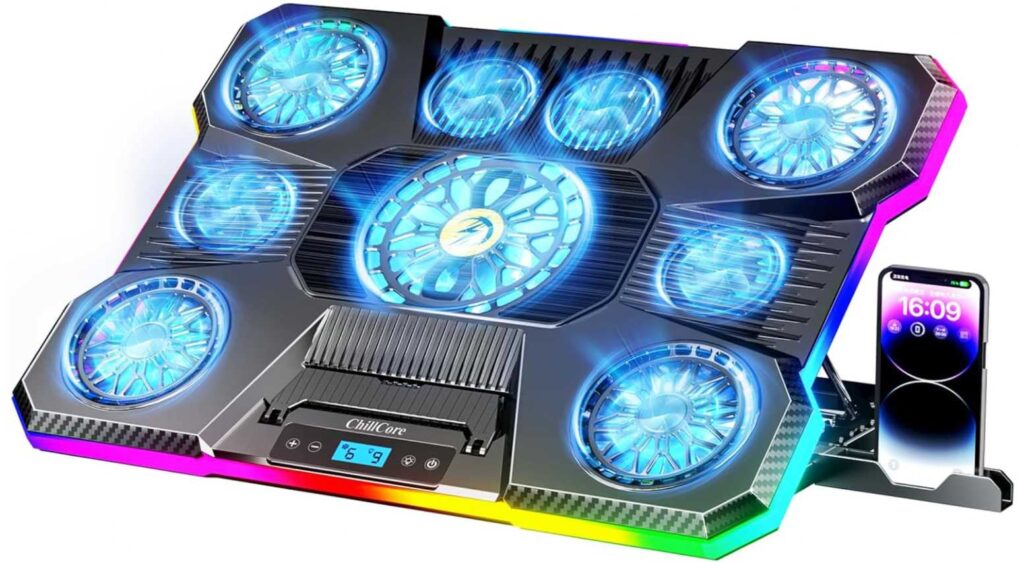
Despite having multiple fans, the noise levels are surprisingly controlled. It’s a good pick if you want a quiet cooling pad for RTX gaming laptops that won’t distract you while working or gaming. The LCD display and touch controls make it easy to tweak fan speed and lighting without hassle.
The RGB lighting is more of a bonus, but it does add a nice touch if you’re building a gaming setup.
What We Like
- 9 fans for wide and balanced airflow
- Budget-friendly option for RTX 50 laptops
- Quiet operation even with multiple fans
- Adjustable height for comfort and cooling
- RGB lighting with multiple modes
What We Don’t Like
- Cooling is good but not as powerful as turbo fan models
- Build quality is average
- RGB may not appeal to everyone
KLIM Everest Laptop Cooling Pad (4300 RPM Turbo Fan)
If you’re trying to decide between multiple options for your RTX 50 laptop, here’s the simple truth—this one is built for raw cooling performance, not aesthetics or portability.
Compared to something like the ChillCore 9-fan cooling pad, which spreads airflow across the base, the KLIM Everest takes a completely different approach. It uses high-pressure turbo fans to push air directly into your laptop’s vents. For RTX 50 laptops that get extremely hot during gaming, this focused cooling is usually more effective.
You get dual turbo fans running up to 4300 RPM, which is significantly more aggressive than standard cooling pads. In real-world use, this makes a noticeable difference during heavy gaming or rendering, where thermal throttling is a real issue.
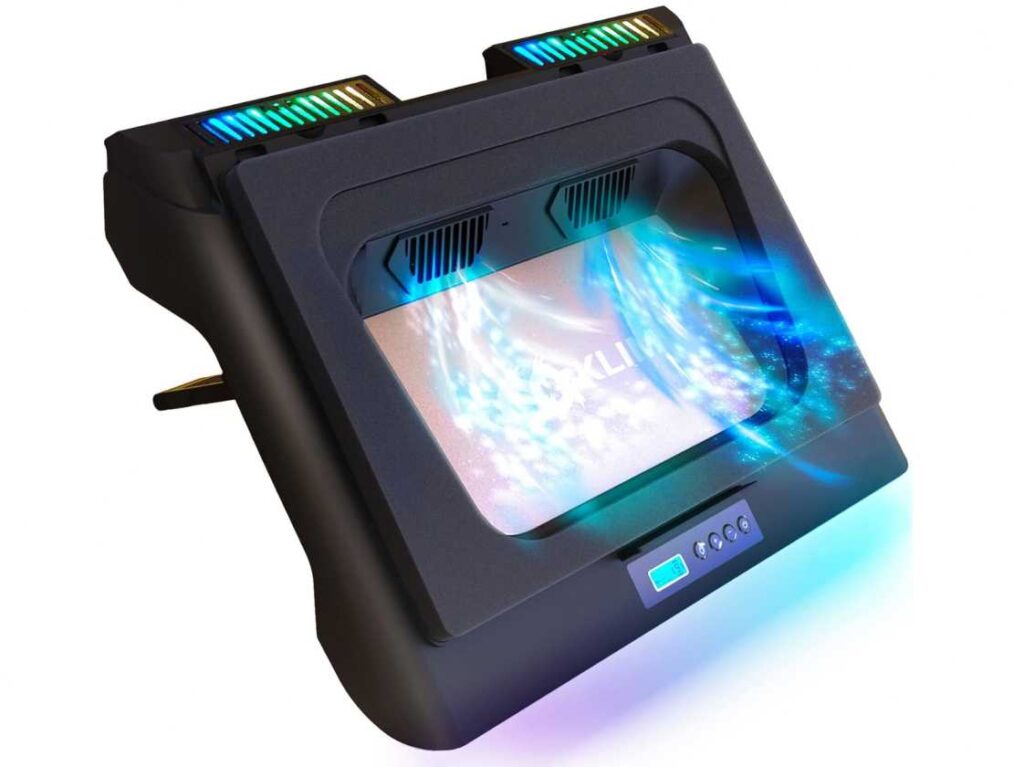
It’s also similar in concept to the llano cooler, which also uses a turbo-style design. However, the KLIM Everest sits in a more balanced position—it delivers strong cooling like llano but comes at a more reasonable price point, making it a great value cooling pad for RTX 50 laptops.
The sealed foam system is another key advantage. It creates a tight airflow channel so that cool air actually enters your laptop instead of escaping from the sides. This is something basic cooling pads simply can’t match.
That said, this power comes with trade-offs. It can get noisy at higher speeds, and it’s not the most travel-friendly option. Also, if your laptop doesn’t have proper bottom vents, this type of cooler won’t work effectively.
So who should buy this?
If you want a serious cooling solution for RTX 50 gaming laptops and don’t mind a bit of noise, this is a strong choice. But if you prefer something quieter or more portable, a multi-fan option like ChillCore might suit you better.
What We Like
- Extremely strong cooling with turbo fans
- More effective than standard multi-fan pads
- Great value compared to premium coolers
- Helps reduce thermal throttling during gaming
What We Don’t Like
- Noticeable noise at high speeds
- Not ideal for travel setups
- Requires proper bottom ventilation to work well
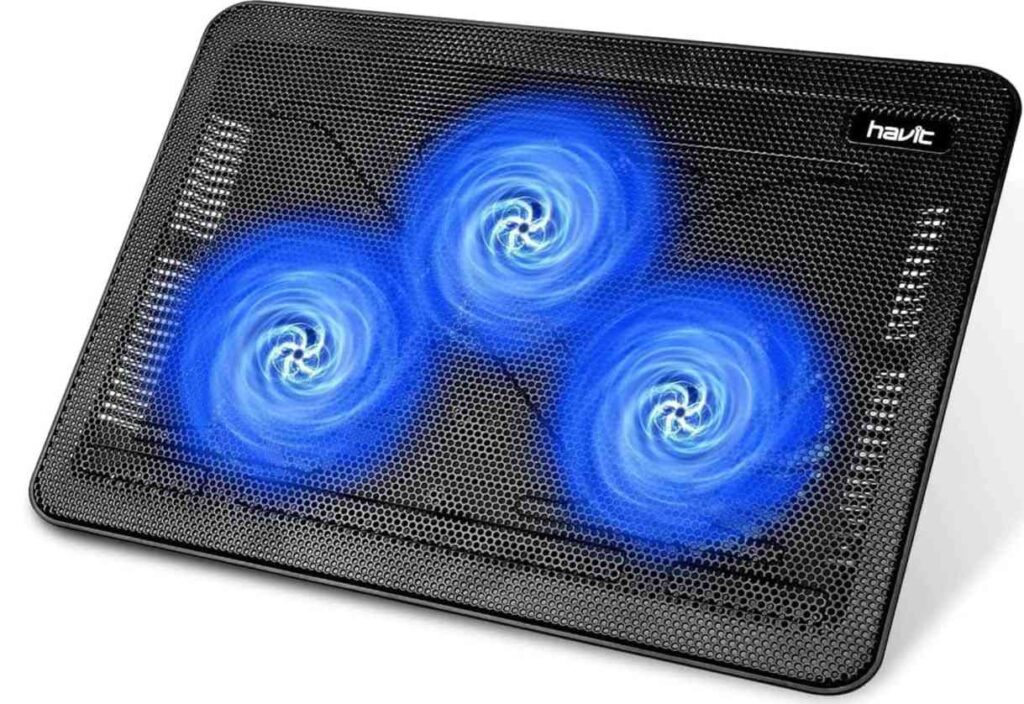
havit HV-F2056 Laptop Cooling Pad (Slim 3-Fan Design)
If you’re confused between all these powerful cooling pads, let’s simplify it—this one is for portability and everyday use, not for extreme cooling.
Compared to heavy-duty options like the KLIM Everest or the llano turbo cooler, the havit HV-F2056 takes a much simpler approach. Instead of aggressive airflow or sealed cooling, it uses three quiet fans to provide gentle, consistent cooling.
So if you’re expecting a high-performance cooling pad for RTX 50 laptops, this isn’t it. RTX 50 machines generate serious heat, and this pad won’t be enough during intense gaming or heavy workloads.
However, that doesn’t make it a bad choice—it just serves a different purpose.
Where this really shines is portability. It’s slim, lightweight, and easy to carry, making it a great portable cooling pad for laptops if you’re moving between workspaces or traveling. It also runs very quietly, which is something you won’t get with turbo fan models like KLIM or llano.
Compared to the ChillCore 9-fan cooling pad, the havit model is less powerful but also much simpler and less bulky. So if you don’t need aggressive cooling and just want something reliable for daily use, it makes more sense.
In short, this is a good budget cooling pad for light use, but not the best fit if you’re trying to push an RTX 50 gaming laptop to its limits.
What We Like
- Slim, lightweight, and easy to carry
- Very quiet operation
- Affordable and widely trusted
- Simple plug-and-play usage
What We Don’t Like
- Not powerful enough for RTX 50 gaming laptops
- Basic cooling compared to turbo or multi-fan models
- Limited adjustability
Who should buy this?
Go for this if you want a portable and quiet cooling pad for everyday tasks.
Skip it if your goal is maximum cooling for RTX 50 laptops—you’ll be better off with KLIM or llano.
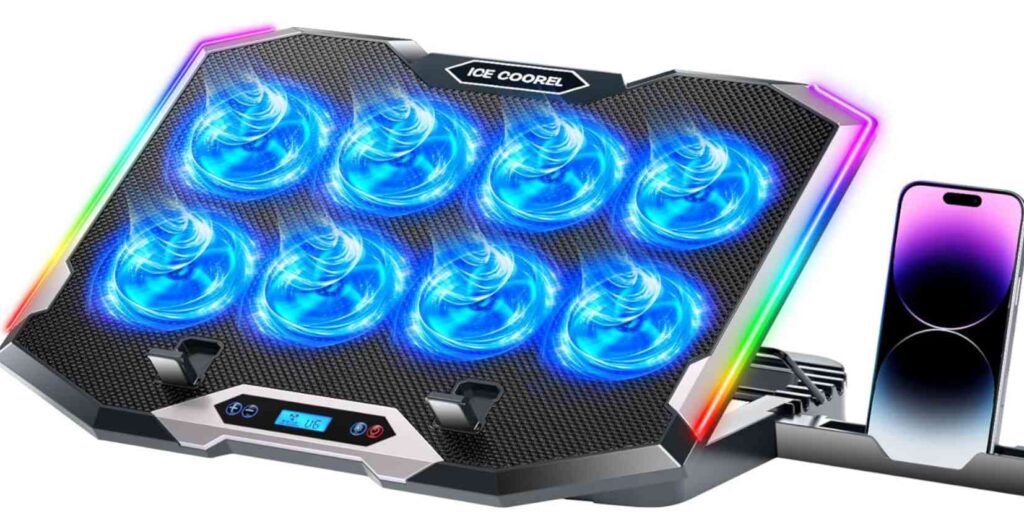
ICE COOREL Gaming Laptop Cooling Pad (8-Fan RGB)
If you’re trying to balance cooling performance and budget, this ICE COOREL cooling pad sits right in the middle. It’s not as aggressive as turbo fan models, but it offers more cooling coverage than basic pads—making it a solid mid-range cooling pad for RTX 50 laptops.
With 8 fans working together, this pad spreads airflow evenly across the entire base of your laptop. Compared to something like the havit HV-F2056, which only uses 3 fans, you’ll notice better overall heat distribution—especially during longer gaming sessions.
However, it’s important to understand how it compares to more powerful options. Against turbo-style coolers like the KLIM Everest or the llano V12, this won’t deliver the same level of targeted, high-pressure cooling. Those are built for extreme heat, while this one is better suited for moderate gaming and daily workloads.
Where this cooler really shines is usability. You get multiple height adjustments for better ergonomics, a quiet operation despite having multiple fans, and simple touch controls with an LCD display. The added phone stand and USB ports also make it a practical all-in-one cooling pad setup.
So if you’re looking for something more powerful than entry-level pads but don’t want the noise or bulk of turbo coolers, this is a good value cooling pad for RTX 50 gaming laptops.
What We Like
- 8 fans for balanced and wide cooling
- Better performance than basic 2–3 fan pads
- Quiet operation for daily use
- Adjustable height for comfort
- Useful extras like phone stand and USB ports
What We Don’t Like
- Not as powerful as turbo fan cooling pads
- RGB design may not suit everyone
- Build quality is decent, not premium
Who should buy this?
Go for this if you want a balanced cooling pad for RTX 50 laptops—good performance without too much noise or cost.
Skip it if you want maximum cooling power—in that case, KLIM or llano are better choices.
Final Thoughts: Which Cooling Pad Should You Choose for RTX 50 Laptops?
By now, it should be clear—there’s no single “best” cooling pad for every RTX 50 laptop user. It really depends on how hard you push your machine and what you value more: maximum cooling, portability, or budget.
If your laptop heats up heavily during gaming or demanding tasks, it’s worth going for a high-performance cooling pad with turbo fans or sealed airflow design. These options are built to reduce thermal throttling and keep your RTX 50 laptop running at its full potential.
On the other hand, if you want something more balanced, multi-fan cooling pads offer a good mix of performance, comfort, and quieter operation. They’re ideal for everyday gaming, work, and long sessions without too much noise.
And if you just need a simple solution for light usage or travel, a slim and portable cooling pad will still help with airflow—just don’t expect dramatic temperature drops.
To make it simple:
- Go for a turbo cooling pad if you want maximum cooling performance
- Choose a multi-fan pad for balanced cooling and quieter operation
- Pick a slim portable pad for casual use and mobility
At the end of the day, a good cooling pad isn’t just about lowering temperatures—it helps maintain performance, protects your hardware, and makes your RTX 50 laptop more reliable in the long run.
Read also: