
Best Gaming Mouse for RTX 50 laptop user: When you’re using a powerful RTX 50 laptop, your gaming experience isn’t just about the GPU—it’s also about how precisely you can control it. And that’s where choosing the best gaming mouse for RTX 50 laptop users makes a real difference.
A good gaming mouse helps you translate that raw GPU performance into actual in-game advantage—whether it’s faster flick shots, smoother tracking, or better control in long sessions. Modern gaming mice are now lighter, faster, and more accurate than ever, with advanced sensors, ultra-low latency, and high polling rates designed for competitive play.
But here’s the thing—not every gaming mouse is worth pairing with a high-end setup.
Some are built for competitive FPS gaming (ultra-lightweight, high polling rate), while others focus on comfort and versatility (ergonomic design, extra buttons). And if you’re on a budget, there are still solid options—but you’ll need to compromise on features like wireless performance or sensor quality.
When choosing the right gaming mouse for RTX 50 laptops, here’s what actually matters:
- Sensor accuracy & DPI → for precise tracking and aiming
- Weight (lightweight design) → better control and faster movements
- Polling rate (1000Hz–8000Hz) → lower input lag
- Grip style (palm, claw, fingertip) → comfort during long sessions
- Wired vs wireless latency → important for competitive gaming
In this guide, I’ll help you find the best gaming mouse for RTX 50 laptops, whether you want esports-level performance, a comfortable all-rounder, or a budget-friendly option that still performs well.
But Before that, also read:
Best 7 Gaming Mouse for RTX 50 laptop users
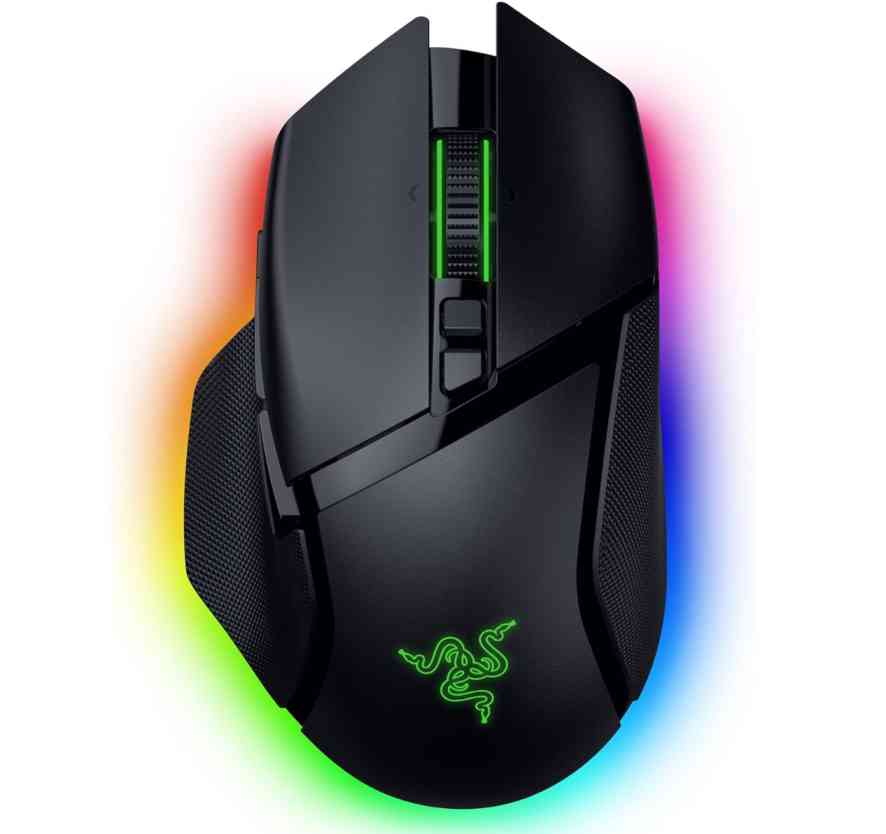
Razer Basilisk V3 Pro 35K Wireless Gaming Mouse
If you want a premium gaming mouse for RTX 50 laptops, the Basilisk V3 Pro is a strong all-rounder. It combines a highly accurate 35K DPI sensor with smooth wireless performance, making it reliable for both gaming and everyday use.
Unlike lightweight esports mice, this one focuses on features. You get 13 programmable buttons and a smart scroll wheel, which makes it great not just for FPS games but also for RPGs and productivity tasks.
Battery life is solid, and wireless latency is low enough that most users won’t notice any delay.
What We Like
- Extremely precise sensor
- Feature-rich with customizable controls
- Reliable wireless performance
- Great for gaming + productivity
What We Don’t Like
- Slightly heavy for competitive FPS
- Expensive
Who should buy this?
Best for users who want a feature-packed wireless gaming mouse rather than a lightweight competitive option.
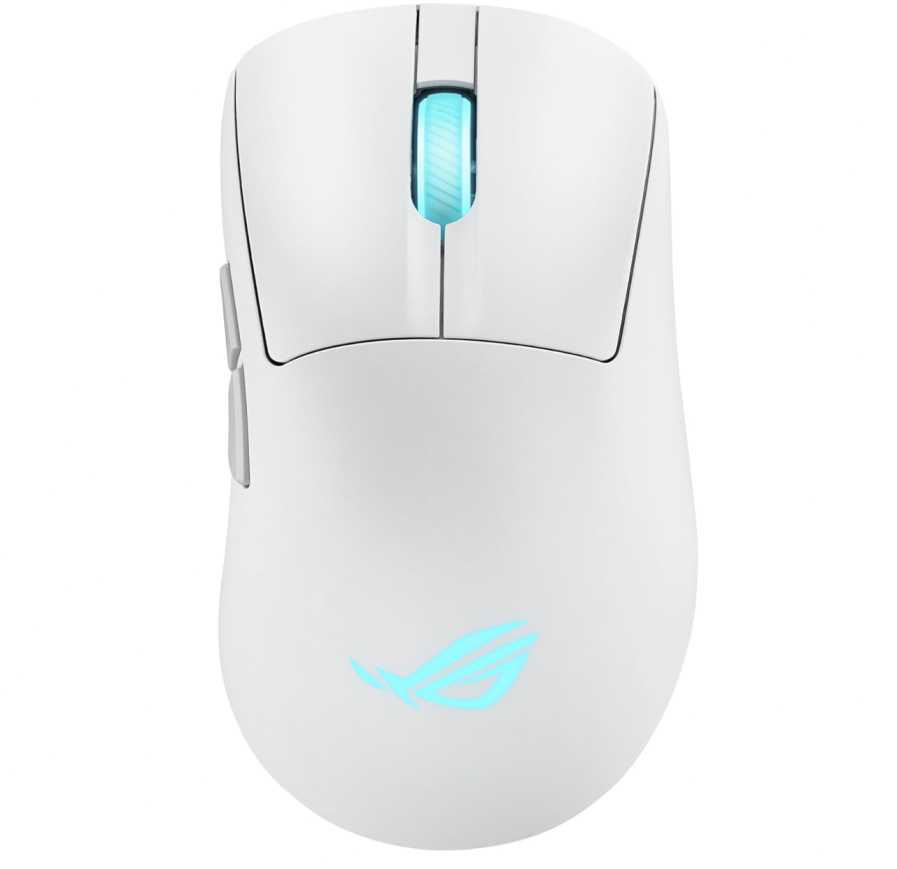
ASUS ROG Keris II Origin Wireless Gaming Mouse
If you prefer speed and precision over extra features, this is a great lightweight gaming mouse for RTX 50 laptops. At just 65g, it’s built for fast movements, making it ideal for FPS and competitive gaming.
Compared to the Razer Basilisk V3 Pro, this mouse is much lighter and more focused on performance rather than customization. You get a powerful 42K DPI sensor, tri-mode connectivity, and very low latency—perfect for responsive gameplay.
It doesn’t have tons of buttons or features, but that’s actually the point. It’s designed to feel quick, clean, and precise in hand.
What We Like
- Lightweight (65g) for fast gameplay
- Accurate 42K DPI sensor
- Tri-mode connectivity (wireless + wired + Bluetooth)
- Great for FPS and competitive gaming
What We Don’t Like
- Fewer buttons than feature-heavy mice
- Premium price
Who should buy this?
Best for users who want a lightweight, performance-focused gaming mouse for competitive play.
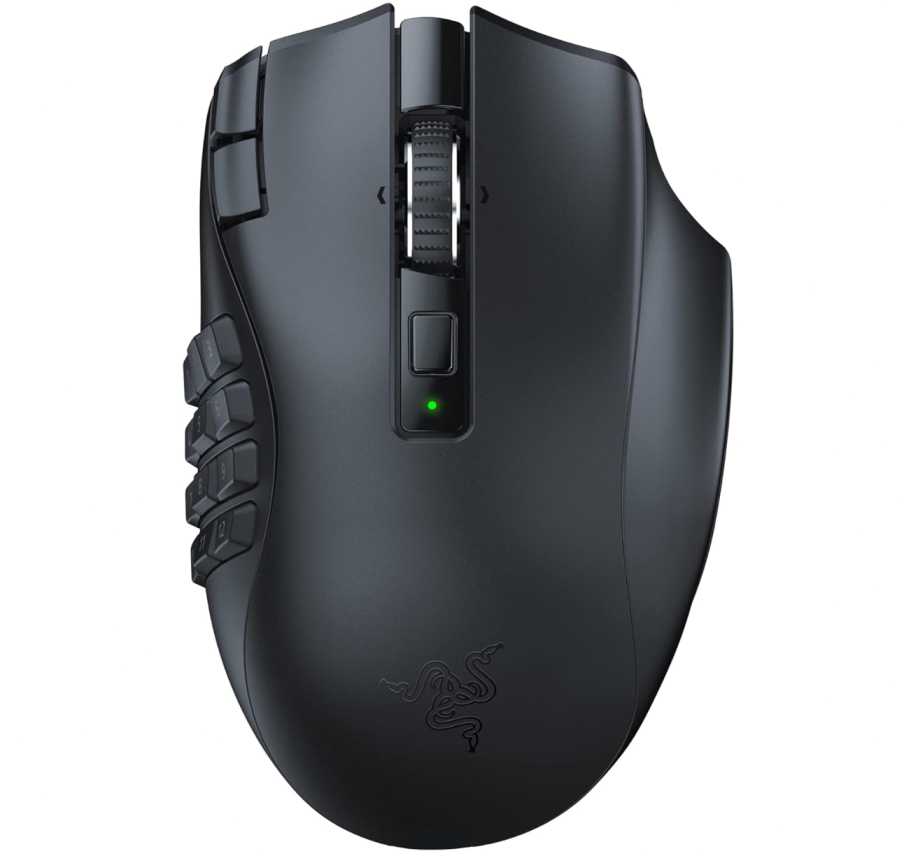
Razer Naga V2 HyperSpeed Wireless Gaming Mouse
If you play MMOs or games that need lots of controls, this is one of the best multi-button gaming mice for RTX 50 laptops.
With 19 programmable buttons, it’s built for players who rely on macros, shortcuts, and quick access commands. Compared to the Razer Basilisk V3 Pro, which is more of an all-rounder, the Naga V2 is clearly focused on MMO and productivity-heavy use.
You still get strong performance with a 30K DPI sensor and low-latency wireless, so it’s not just about buttons—it’s accurate and responsive too. Battery life is another big win, lasting significantly longer than most wireless gaming mice.
That said, it’s not ideal for fast FPS gaming due to its heavier design and button-heavy layout.
What We Like
- 19 programmable buttons for maximum control
- Great for MMO, RPG, and productivity use
- Long battery life
- Reliable wireless performance
What We Don’t Like
- Not suited for competitive FPS gaming
- Heavier and bulkier design
Who should buy this?
Best for users who want a feature-heavy MMO gaming mouse with lots of customization.
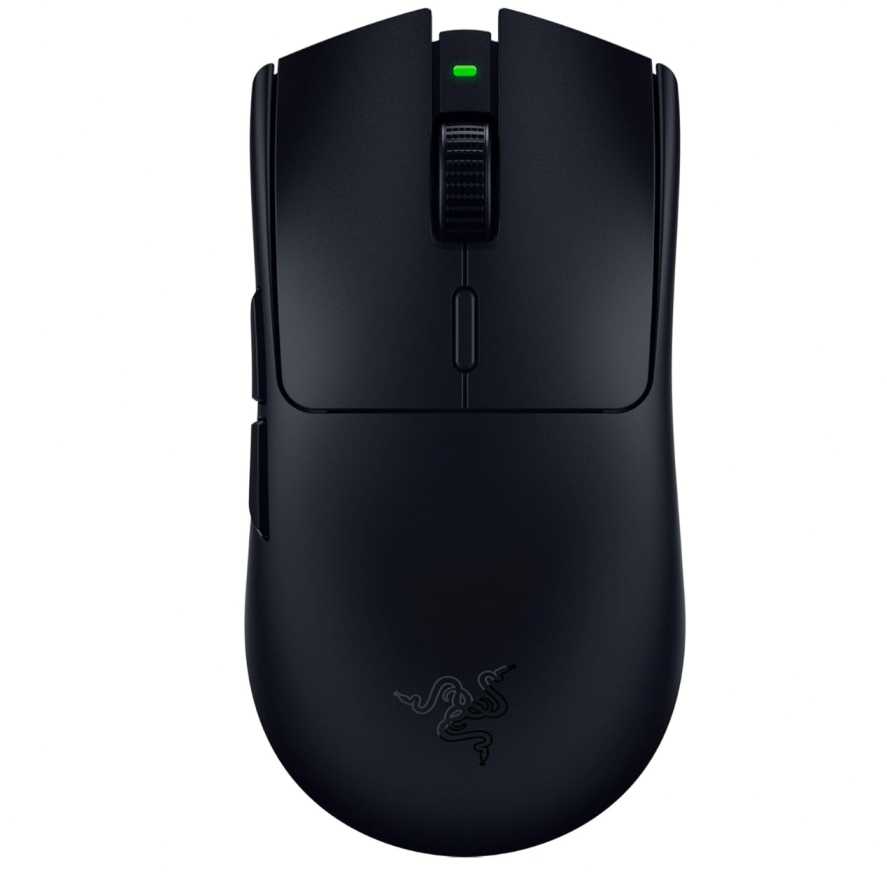
Razer Viper V3 HyperSpeed Wireless Gaming Mouse
If you’re into competitive FPS games, this is one of the best lightweight gaming mice for RTX 50 laptops.
At 82g, it’s designed for speed and precision. Compared to the Razer Basilisk V3 Pro, this is much lighter and simpler—no extra features, just pure performance. That makes it ideal for fast flicks and accurate tracking.
The 30K DPI sensor and low-latency wireless ensure smooth, responsive gameplay, while the long battery life means you won’t be charging it often.
It’s not built for heavy customization like the Razer Naga V2, but that’s exactly why competitive players prefer it.
What We Like
- Lightweight and fast for FPS gaming
- Accurate 30K DPI sensor
- Reliable wireless performance
- Excellent battery life
What We Don’t Like
- Fewer buttons and features
- Not ideal for MMO or productivity use
Who should buy this?
Best for users who want a fast, no-nonsense esports gaming mouse for maximum performance.
Logitech G G502 X Wired Gaming Mouse
If you want a reliable wired gaming mouse for RTX 50 laptops, the G502 X is one of the safest picks. It combines precision, durability, and features without the hassle of battery or wireless charging.
Compared to the Razer Basilisk V3 Pro, this offers a similar feature-rich experience but in a wired form—so you get zero latency and consistent performance at a lower price.
It uses Logitech’s HERO 25K sensor, which is highly accurate and great for both gaming and productivity. You also get customizable buttons and a smart scroll wheel, making it a solid all-round gaming mouse for RTX 50 laptops.
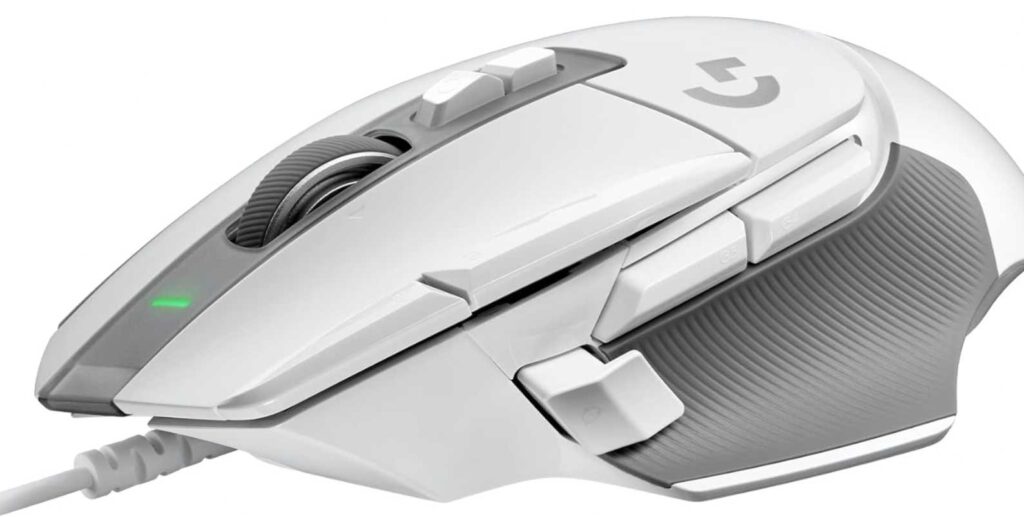
However, it’s heavier than lightweight options like the Razer Viper V3, so it’s not the best choice for competitive FPS players.
What We Like
- Extremely reliable wired performance
- Accurate HERO 25K sensor
- Feature-rich design with extra controls
- No need to worry about battery
What We Don’t Like
- Heavier than esports-focused mice
- Wired setup limits portability
Who should buy this?
Best for users who want a dependable, feature-packed wired gaming mouse without dealing with charging.
Logitech G G502 Lightspeed Wireless Gaming Mouse
If you like the G502 design but want the freedom of wireless, this is one of the best wireless gaming mice for RTX 50 laptops.
It offers the same feature-rich experience as the wired G502 X—accurate HERO 25K sensor, multiple programmable buttons, and a versatile scroll wheel—but with low-latency LIGHTSPEED wireless performance.
Compared to the Razer Basilisk V3 Pro, this is slightly more affordable while still delivering premium performance. However, it’s heavier than lightweight options like the Razer Viper V3, so it’s not ideal for competitive FPS players.
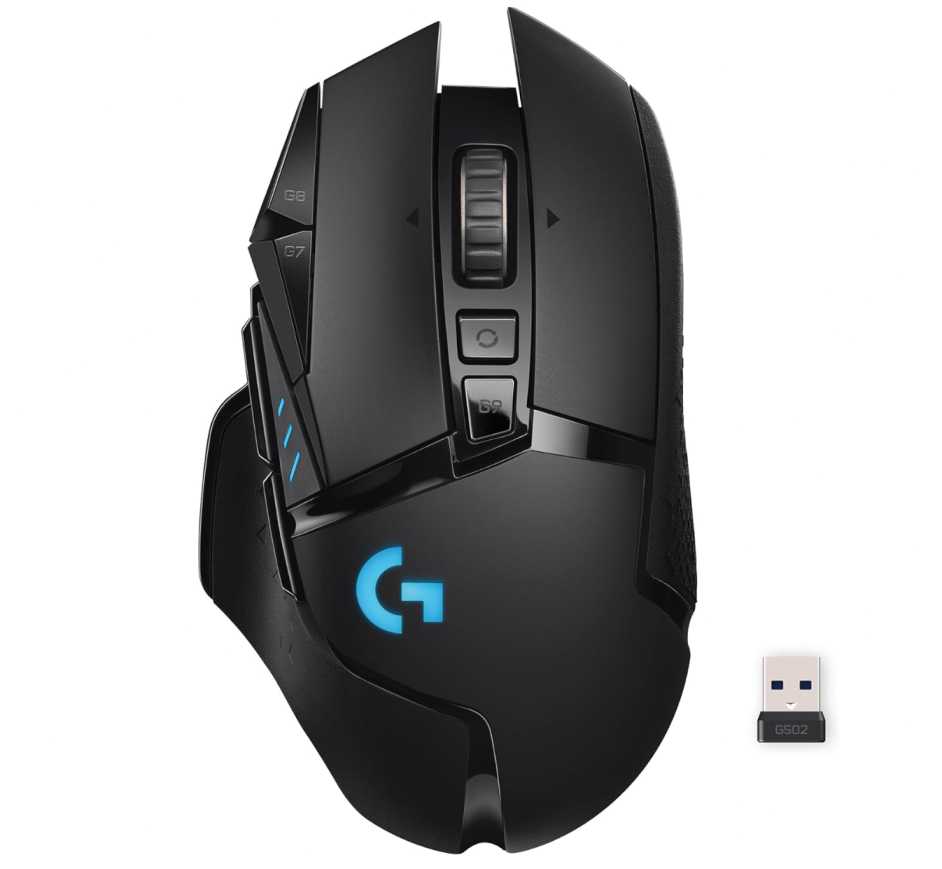
One big advantage is PowerPlay support, which lets you charge the mouse while using it (with a compatible mousepad).
What We Like
- Reliable low-latency wireless performance
- Accurate HERO 25K sensor
- Feature-rich with customizable buttons
- PowerPlay charging support
What We Don’t Like
- Heavier than esports mice
- Extra cost for PowerPlay system
Who should buy this?
Best for users who want a premium wireless all-round gaming mouse with strong features and performance.
Corsair M65 RGB Ultra Gaming Mouse
If you want a precision-focused FPS gaming mouse for RTX 50 laptops, the Corsair M65 RGB Ultra is built exactly for that.
It features a 26K DPI sensor and extremely fast response thanks to 8000Hz polling, making it ideal for players who want accurate tracking and minimal input lag. Compared to the Razer Viper V3, this one feels more solid and controlled rather than ultra-light.
One unique advantage is the tunable weight system. Unlike most FPS mice, you can adjust the weight to match your playstyle—something you don’t get with lightweight-focused models.
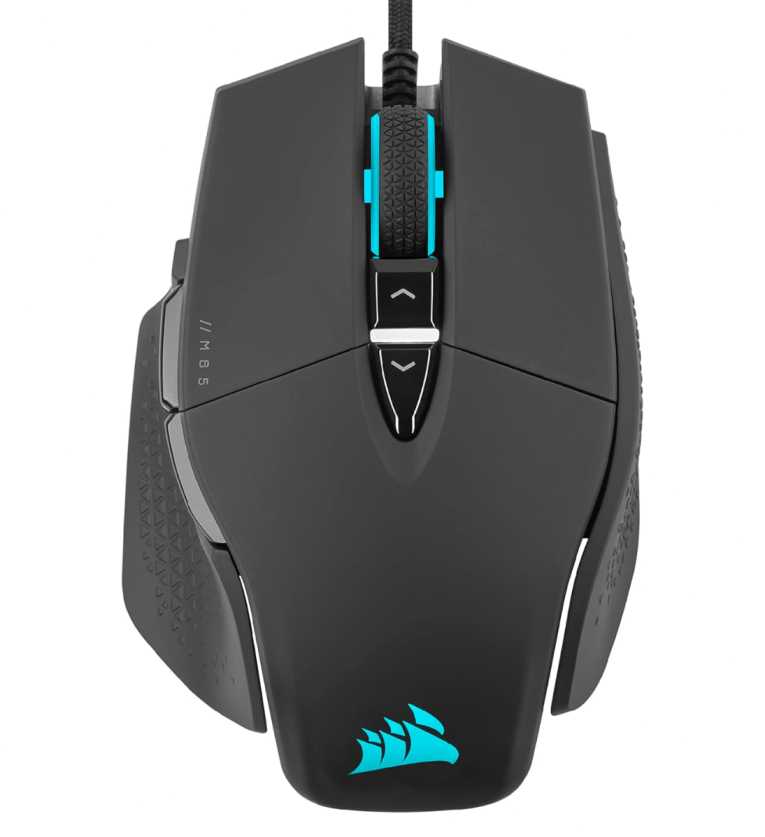
However, since it’s a wired mouse, it lacks the flexibility of wireless options like the Logitech G G502 Lightspeed.
What We Like
- Very precise sensor with fast response
- Adjustable weight system
- Durable aluminum build
- Great for FPS control and accuracy
What We Don’t Like
- Wired only
- Heavier than lightweight esports mice
Who should buy this?
Best for users who want a precision-focused FPS mouse with customizable weight and strong build quality.
Final Thoughts: Which Gaming Mouse Should You Choose for RTX 50 Laptops?
Choosing the best gaming mouse for RTX 50 laptops isn’t about picking the most expensive option—it’s about matching the mouse to your gaming style.
If you play competitive FPS games, go for a lightweight, high-precision mouse. These give you faster movements and better control, which actually impacts performance in fast-paced games.
If you want something more versatile, a feature-rich mouse with extra buttons is a better fit. These work well for RPGs, MMOs, and even productivity tasks alongside gaming.
For users who prefer reliability and zero latency, a wired gaming mouse is still a great choice—especially if you don’t want to worry about battery life.
And if you value convenience, a wireless gaming mouse today is just as responsive as wired, while giving you a cleaner setup.
To keep it simple:
- Go for lightweight mouse → best for FPS & esports
- Choose multi-button mouse → best for MMO & productivity
- Pick wireless mouse → best for clean setup & flexibility
- Get wired mouse → best for reliability & value
At the end of the day, your RTX 50 laptop delivers the performance—but the right mouse is what lets you control it with precision.