
When you’re building a clean, distraction-free workspace, the monitor you choose actually makes a huge difference. The right display can either elevate your setup… or completely ruin that minimalist vibe.
A minimalist desk setup is all about clean lines, less clutter, and visual simplicity—and your monitor plays the center role in that. That’s why choosing from the best monitors for minimalist desk setups isn’t just about specs, it’s about design too.
Think thin bezels, slim profile, neutral colors, and minimal branding. Monitors with ultra-thin borders not only look modern but also maximize screen space without adding bulk to your desk . Add in features like built-in cable management or a sleek stand, and your entire setup instantly feels more organized.
You’ll also want to consider:
- Screen size (24–27 inch sweet spot) → clean look without overwhelming your desk
- Resolution (FHD or QHD) → sharp but not overkill
- Minimal stand design or VESA support → keeps things visually light
To give you an idea, here are some great minimalist-style monitors you can consider.
Read also: 9 Best Monitor Risers for Better Posture (2026)
1. Acer KB272 27″ Monitor – Clean, Simple & Minimal Setup Friendly
If you’re building a minimalist desk setup on a budget, this is one of those monitors that just fits in naturally.
It doesn’t try to be flashy—it’s more about a clean, no-nonsense look. Thin bezels, simple stand, and a neutral design make it easy to blend into any setup without drawing too much attention.
At 27 inches, it gives you a nice big screen without making your desk feel crowded. And since it’s Full HD with an IPS panel, you still get good colors and viewing angles for everyday work, browsing, or even light content work.
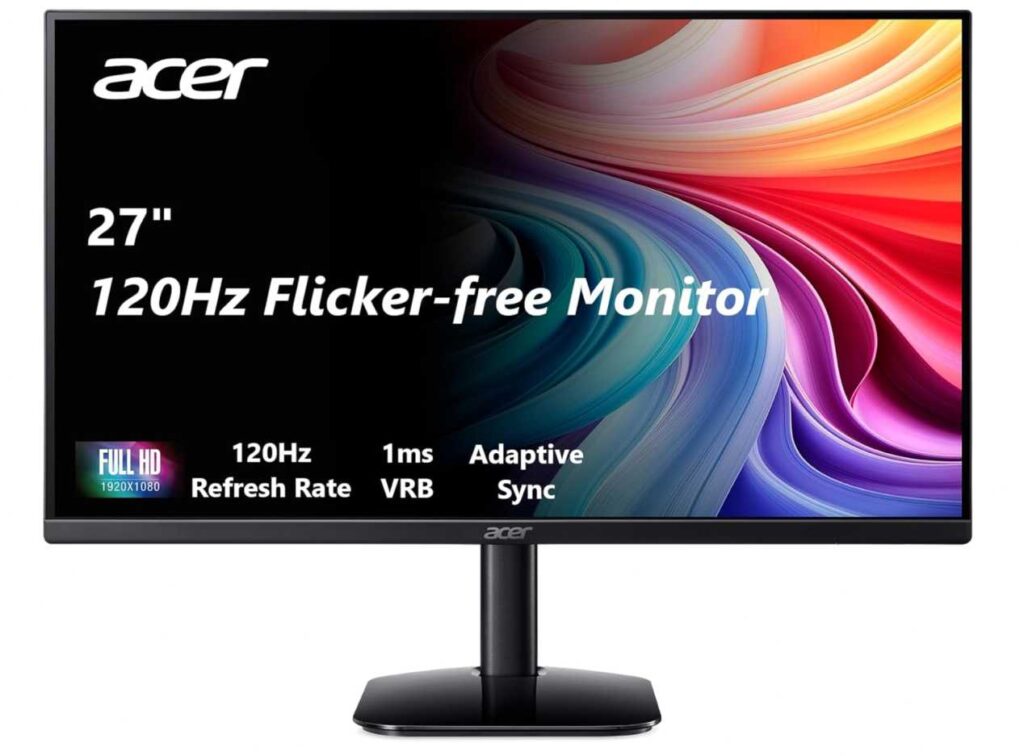
Performance-wise, it’s actually better than you’d expect for a minimalist monitor:
- Up to 120Hz refresh rate → smoother scrolling and general use
- 1ms response time → handles fast motion pretty well
- FreeSync support → helps keep things smooth if you game occasionally
So it’s not just about looks—you’re getting a smooth, usable experience too.
✔️ Why it works for a minimalist setup
- Thin bezels = cleaner, modern look
- Simple stand design (no bulky elements)
- Lightweight and uncluttered appearance
- Doesn’t overpower your desk visually
My honest take
If you want a monitor that looks clean, performs well, and doesn’t cost much, this is a really easy recommendation.
It’s perfect for a minimalist setup where you want things to feel simple, tidy, and distraction-free 👍
2. Samsung Essential S30GD 24″ Monitor – Clean Look, Easy Setup
If you’re going for a minimalist desk setup, this one fits the vibe really well.
The first thing you notice is the super clean design. Thin bezels, slim profile, and a simple stand—it doesn’t try too hard, which is exactly what you want for a clutter-free workspace.
At 24 inches, it hits that sweet spot where your desk still feels open and not overcrowded. Perfect if you like a balanced, minimal look instead of a huge screen dominating everything.
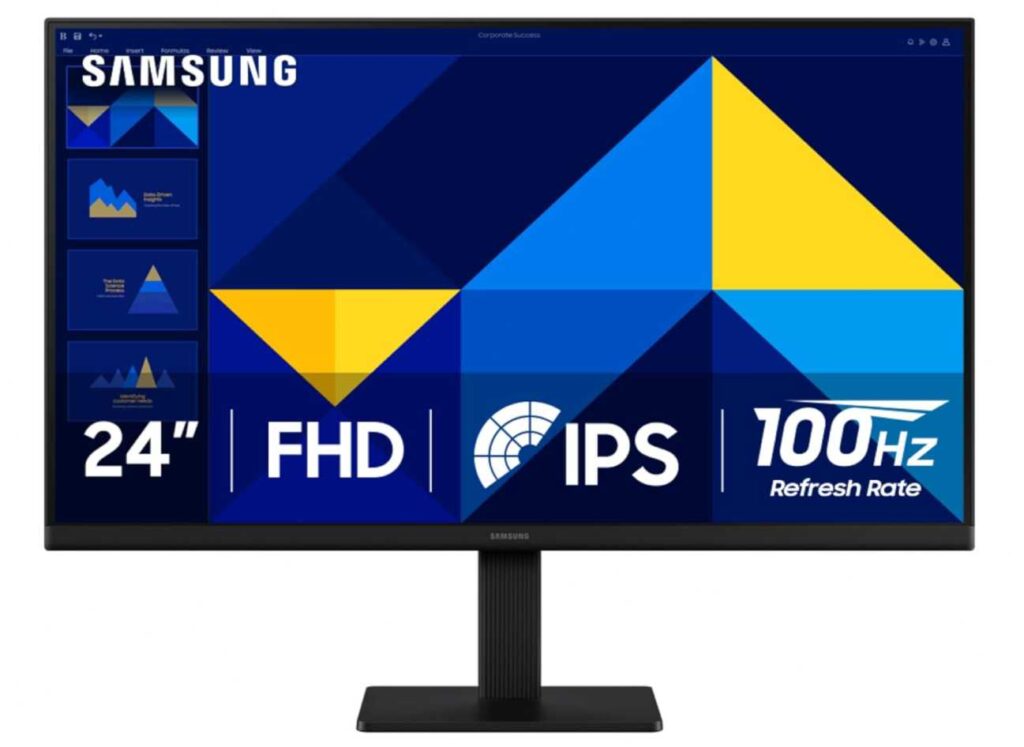
Performance-wise, it’s solid for everyday use:
- IPS panel → nice colors and wide viewing angles
- 100Hz refresh rate → smoother than standard 60Hz
- Eye care features → less strain during long work sessions
It also has a Game Mode, so if you casually game, it can handle that too without any issues.
✔️ Why it works for a minimalist setup
- Ultra-thin bezels = clean, modern aesthetic
- Compact 24″ size keeps desk looking spacious
- Lightweight and simple stand design
- No flashy elements—just clean and functional
My honest take
If you want a monitor that looks modern, feels light on your desk, and just works for daily tasks, this is a great pick.
It’s simple, clean, and fits perfectly into a minimalist setup 👍
3. Ingnok 15.6″ Portable Monitor – Clean Setup, Zero Clutter
If you’re someone who likes a clean desk but still needs extra screen space sometimes, this one just makes sense.
Think of it like this—you don’t keep a second monitor all the time. You just pull this out when you need it, and put it away when you don’t. That’s what keeps your setup minimal.
Design is exactly what you’d want:
- Super slim and lightweight (easy to carry anywhere)
- Doesn’t take permanent space on your desk
- Simple adjustable stand—nothing complicated
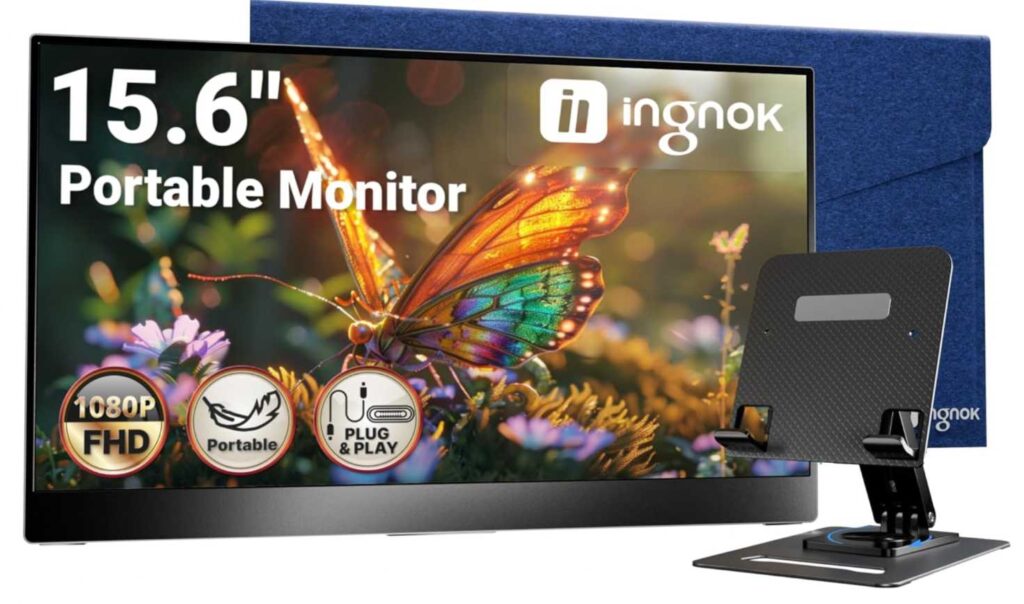
It just blends in without messing up your setup.
On the usage side, it’s pretty practical:
- 15.6″ FHD IPS display → good enough for work, browsing, multitasking
- Single USB-C cable → less cable mess (huge win for minimal setups)
- Works with laptops, consoles, even phones
So yeah, it’s not just about looks—it actually helps when you need that extra workspace on demand.
Quick comparison (real talk)
- Compared to a regular 24” or 27” monitor →
Those are better as a main screen, but they stay on your desk and take space. - Compared to other portable monitors →
Some give slightly better colors or build, but cost more.
👉 This one sits in that sweet spot: simple, affordable, and flexible.
✔️ Why it works for a minimalist setup
- No permanent desk space needed
- Clean, slim design
- Minimal cables with USB-C
- Easy to carry and store
One con
- Screen size is small if you want to use it as your main monitor
My honest take
If your goal is a minimal desk that stays clean most of the time, this is a really smart addition.
You get extra screen space only when you need it—and that’s exactly what a minimalist setup is all about.
4. Philips 221V8LB 22″ – Best Budget Pick for Everyday Use
22″ | Full HD | VA | 100Hz | Adaptive Sync
If you just want something simple and reliable, this fits perfectly in the budget monitor category without overcomplicating things. The Philips 221V8LB 22-inch Full HD Monitor is all about giving you the essentials with a small upgrade in smoothness.
The main highlight here is the 100Hz refresh rate. It’s not high-end gaming level, but compared to basic 60Hz screens, everything feels noticeably smoother—especially scrolling and casual gaming.
You also get a Full HD display, which is sharp enough for daily tasks like work, watching videos, or browsing. Nothing extraordinary, but it gets the job done without any issues.
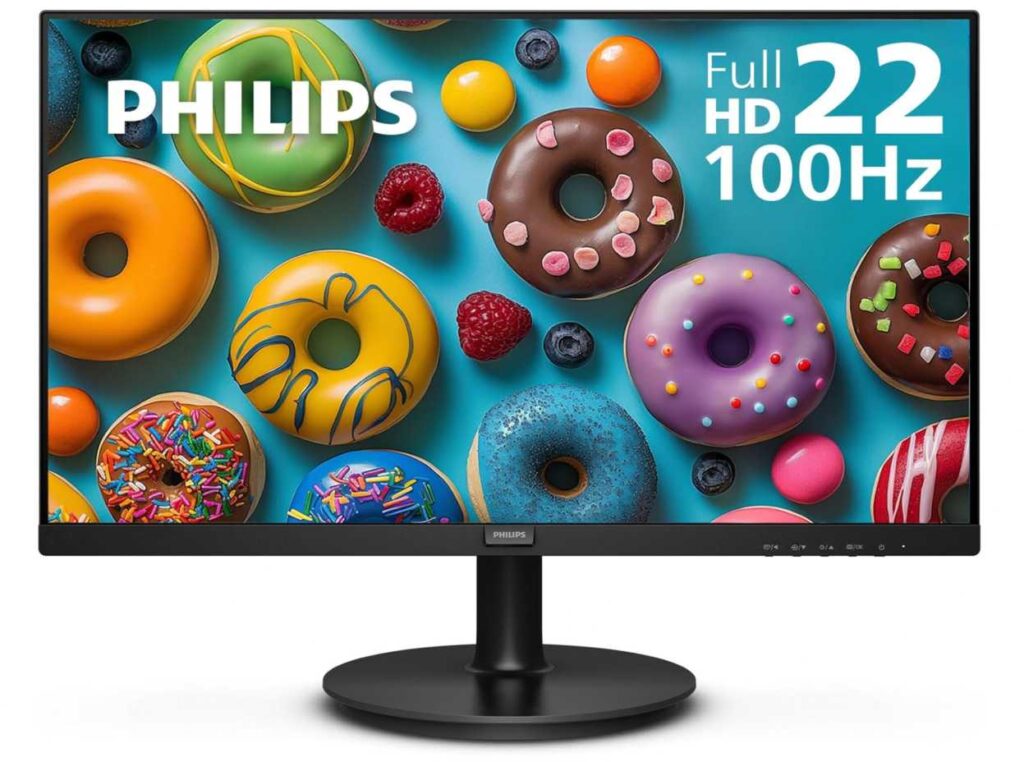
The VA panel is another plus. It gives you deeper blacks and better contrast, so content looks more enjoyable compared to typical low-end displays.
It also comes with Adaptive Sync, which helps reduce screen tearing, and LowBlue Mode, which is useful if you spend long hours in front of the screen.
Overall, it’s designed for people who want a simple, no-fuss setup that works reliably every day.
Why it’s a strong pick
- Affordable and reliable for daily use
- 100Hz refresh rate feels smoother than 60Hz
- Good contrast with VA panel
- Eye-care features for long usage
- Simple and clean design
Things to keep in mind
- 21.5″ screen can feel small for multitasking
- Color accuracy isn’t great for creative work
- Basic build quality (not premium)
My take
If you just need a budget monitor for work, study, or casual use, this is an easy recommendation. It’s simple, smooth enough, and does everything you need without costing much.
But if you want a bigger screen, better colors, or more serious performance, you’ll probably want to look at higher-end options.
5. Sceptre 24″ Gaming Monitor – Best Budget Gaming Monitor with Bigger Screen
24″ | Full HD | 100Hz | 1ms BR | FreeSync | HDMI + DP
If you want something slightly bigger and more gaming-focused without spending much, the Sceptre 24-inch Gaming Monitor E248W-FW100T is a solid option in the budget category.
The biggest advantage here is the 24-inch screen, which already feels more comfortable than smaller 21–22″ monitors. You get more space for gaming, multitasking, and general use.
Performance-wise, it comes with a 100Hz refresh rate and 1ms blur reduction, so gameplay feels smooth and responsive. It’s not esports-level, but for casual gaming, it’s more than enough.
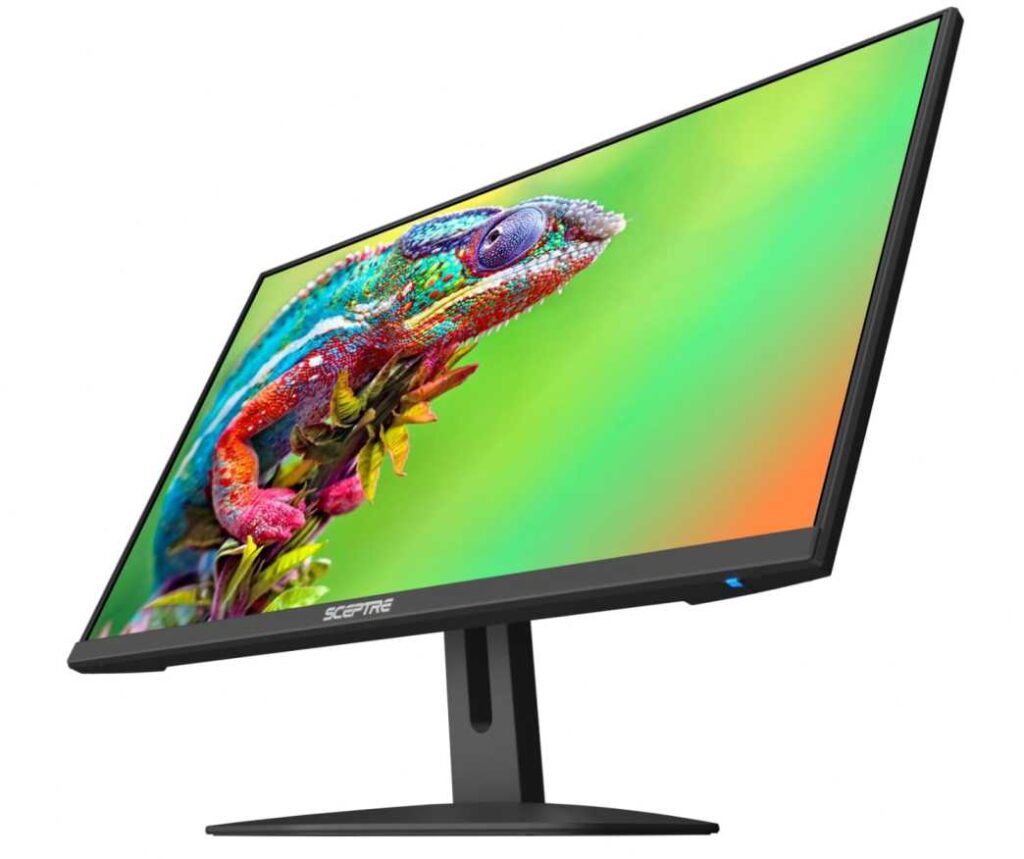
You also get FreeSync support, which helps reduce screen tearing and makes the overall experience feel cleaner while gaming.
One underrated feature is the built-in speakers. They’re not amazing, but they’re useful if you want a clean desk setup without extra speakers.
The edgeless design is another nice touch—it looks modern and works well if you plan to use a dual monitor setup.
Plus, features like Blue Light Shift help reduce eye strain during long sessions.
Why it’s a strong pick
- Bigger 24″ screen for better comfort
- 100Hz + 1ms makes gaming smoother
- FreeSync reduces screen tearing
- Built-in speakers for a clean setup
- Modern bezel-less design
Things to keep in mind
- Speakers are basic (not for high-quality audio)
- Color accuracy is average
- Build quality is decent, not premium
My take
If you want a budget gaming monitor with a slightly bigger screen, this is a great pick. It balances price, performance, and simplicity really well.
6. Dell 27″ 4K Monitor (S2725QS) – Best Premium Pick for Work + Entertainment
27″ | 4K UHD | IPS | 120Hz | FreeSync Premium | 99% sRGB
If you’re ready to step up from basic monitors and want something that feels premium in both visuals and design, the Dell S2725QS 27-inch 4K Monitor is a strong contender.
The biggest upgrade here is the 4K resolution on a 27-inch screen. Everything looks super sharp and detailed, whether you’re working, editing, or watching content.
It also comes with a 120Hz refresh rate, which makes things feel smooth and responsive—great for both productivity and casual gaming.
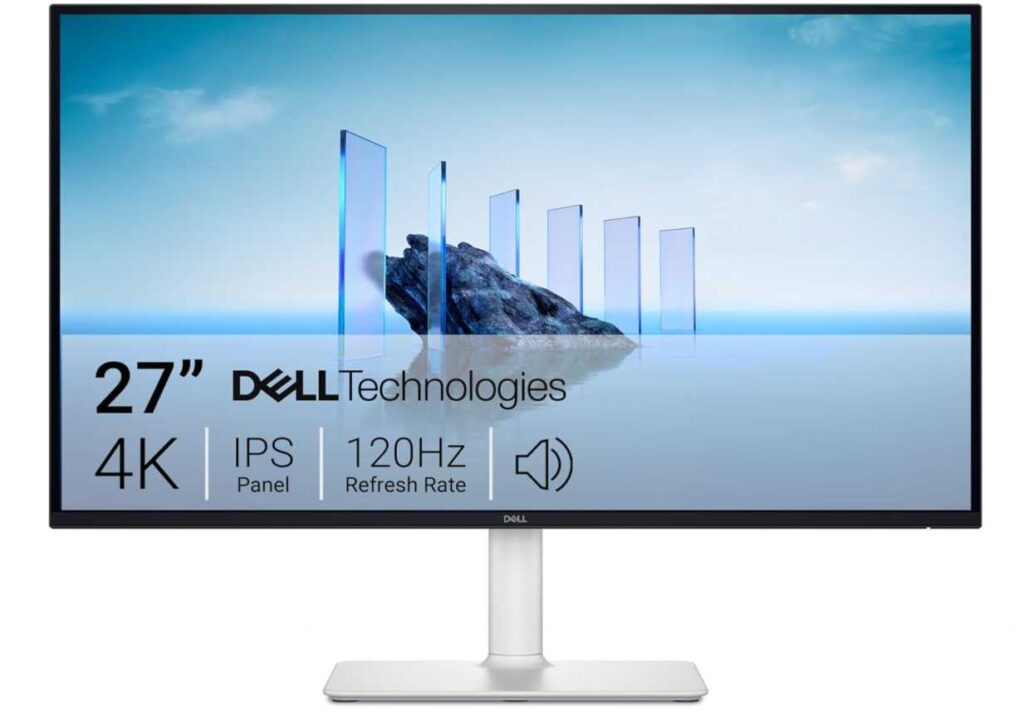
The IPS panel with 99% sRGB gives you accurate and vibrant colors, making it a good choice for creators too.
You also get FreeSync, better built-in speakers, and a clean, minimal design that fits perfectly in modern setups.
Why it’s a strong pick
- Crisp 4K resolution with more workspace
- 120Hz refresh rate for smooth experience
- Accurate colors (IPS + 99% sRGB)
- Premium, minimalist design
- Decent built-in speakers
Things to keep in mind
- More expensive than budget monitors
- 4K may need scaling for small text
- Not ideal for competitive gaming
My take
If you want a monitor that feels like a big upgrade in quality and experience, this is a great choice. It’s perfect for work, content creation, and entertainment in one clean setup.
7. LG 24″ Monitor (24U411A-B) – Best for Smooth Everyday Use + Clean Setup
24″ | Full HD | IPS | 120Hz | HDR10 | 99% sRGB
If you want something that feels more refined than typical budget monitors, the LG 24U411A-B 24-inch Full HD Monitor is a really balanced option. It’s great for both work and casual gaming, without getting too expensive.
The first thing you’ll notice is the 120Hz refresh rate, which makes everything feel super smooth—whether you’re scrolling, working, or gaming. It’s a noticeable upgrade over standard 60Hz screens.
You also get an IPS panel, so colors look accurate and consistent from different angles. This makes it better than VA panels if you care about color quality for general use or light creative work.
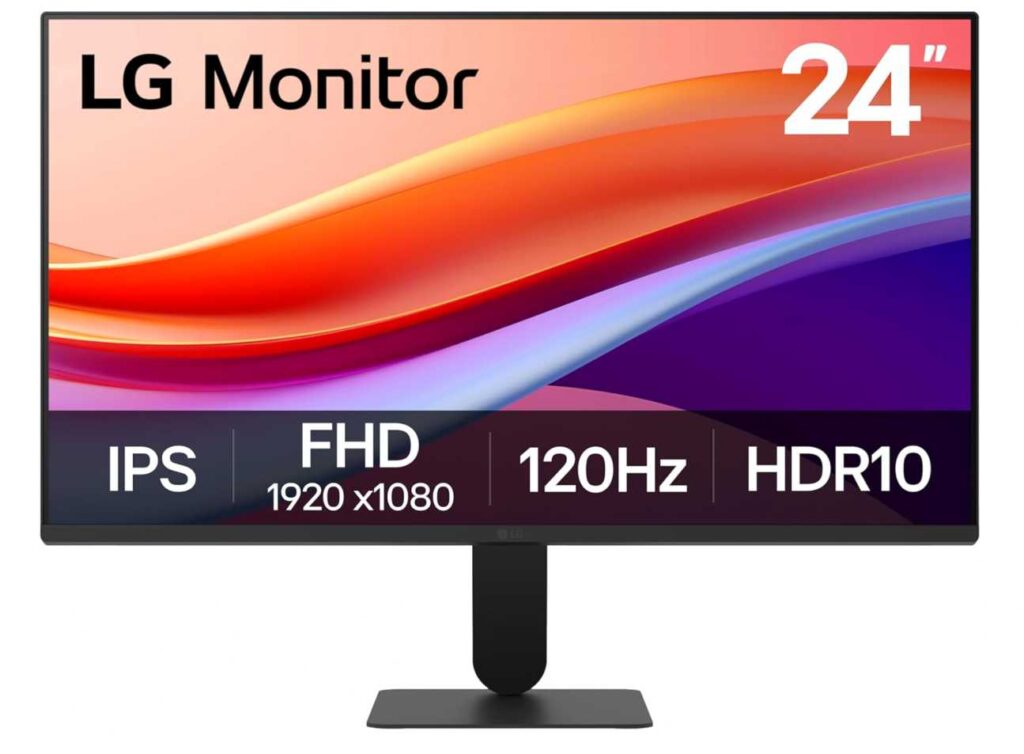
It supports HDR10 and up to 99% sRGB, which means colors look more vibrant and lively, especially while watching content or doing creative tasks.
Design-wise, it’s perfect for a clean setup. The 3-side borderless design and slim stand give it a minimalist, modern look, especially if you’re planning a dual monitor setup.
It also includes useful features like Reader Mode, Flicker Safe, and tilt adjustment, which help make long working hours more comfortable.
Why it’s a strong pick
- 120Hz refresh rate for smooth everyday use
- IPS panel with accurate colors
- HDR10 + 99% sRGB for better visuals
- Slim, borderless design (great for clean setups)
- Eye-care features for long sessions
Things to keep in mind
- Still only Full HD (not as sharp as 4K)
- HDR is basic (not true high-end HDR)
- No built-in speakers in some variants
My take
If you want a monitor that balances smooth performance, good colors, and a clean design, this is a really smart pick. It works great for daily work, content watching, and light gaming.
It’s not the most powerful or highest resolution option, but for the price, it delivers a very well-rounded experience.
Final Thoughts
If you’re building a minimalist desk setup, the goal isn’t just performance—it’s about finding a monitor that feels clean, simple, and clutter-free while still doing its job well.
Across all these options, it really comes down to what you need most 👇
- If you’re on a tight budget and want something basic, the Philips 221V8LB 22-inch Full HD Monitor keeps things simple and reliable.
- If you want a slightly bigger screen with better gaming feel, the Sceptre 24-inch Gaming Monitor E248W-FW100T is a solid upgrade.
- If you care about premium quality, sharp visuals, and workspace, the Dell S2725QS 27-inch 4K Monitor is easily the most complete option.
- And if you want a balanced mix of smoothness, color, and clean design, the LG 24U411A-B 24-inch Full HD Monitor hits a sweet spot.
At the end of the day, a good minimalist setup is about choosing what you actually need—not just what looks good on paper. Pick the monitor that fits your workflow, and your desk will naturally feel cleaner and more functional.