
If you’re searching for the best monitors for dual setup under $600, the good news is you don’t need a huge budget to build a clean and productive workspace. With the right picks, you can get two high-quality monitors that work perfectly together without overspending.
The key is choosing monitors that are thin, matching, and easy to align, so your setup looks clean and distraction-free. Features like slim bezels, VESA support, and consistent colors matter even more when you’re placing two screens side by side.
In this guide, I’ve selected the best monitors for dual setup under $600 that offer the right balance of performance, design, and value. Whether you’re working, coding, trading, or multitasking, these monitors will help you create a smooth and efficient dual screen setup.
Let’s get into it 👇
Read also: 6 Best Screen Privacy Filters for Laptop and Monitor Office Work
1. 2-Pack 27″ Curved Monitors – Best Ready-Made Dual Setup Under Budget
27″ (x2) | Full HD | 100Hz | Curved (1500R) | 1ms | 99% sRGB
If you want a dual monitor setup without the hassle of matching two separate screens, the 2-Pack 27-inch Curved FHD 100Hz Monitors is one of the easiest ways to get started. You’re basically getting two identical monitors out of the box, which is perfect for a clean and balanced setup.
The biggest advantage here is convenience—you don’t have to worry about different sizes, colors, or bezels not lining up. Everything matches perfectly, which makes your desk look more organized and professional.
Each monitor is 27 inches, giving you a lot of screen space. When combined, it creates a wide and immersive workspace that’s great for multitasking, editing, or even gaming.
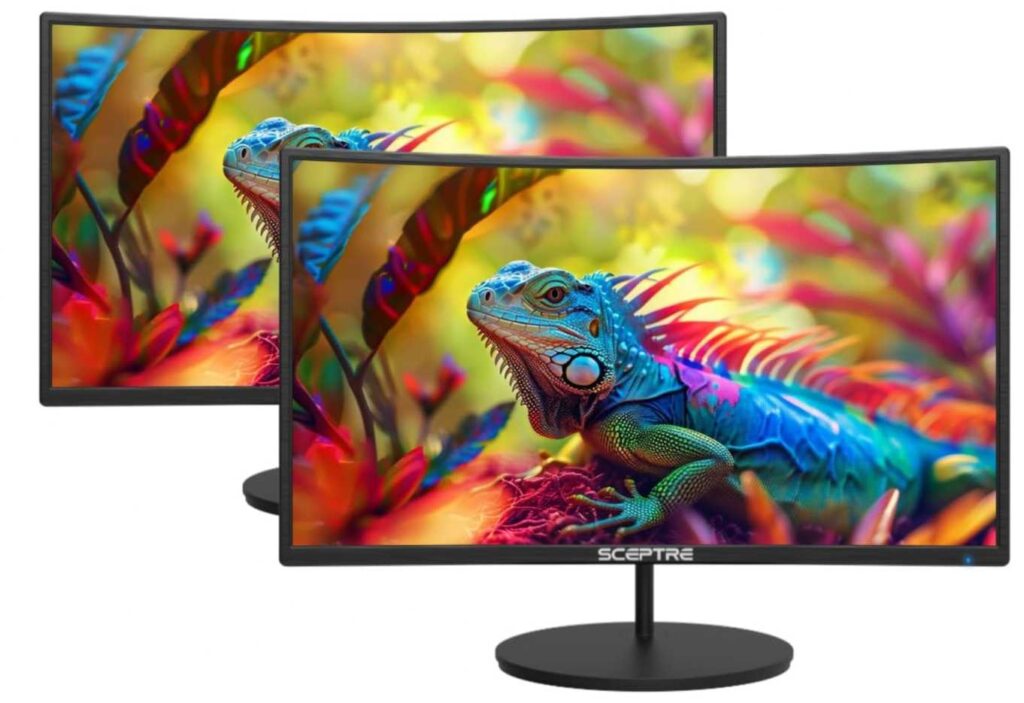
The 1500R curved design adds to that experience by slightly wrapping the screens toward you, making it feel more engaging and comfortable, especially during long sessions.
Performance-wise, you get a 100Hz refresh rate and 1ms response time, so everything feels smooth and responsive across both screens.
It also includes built-in speakers, which helps keep your setup clean without needing extra accessories.
Why it’s a strong pick
- Comes as a complete dual monitor setup (no matching issues)
- Large 27″ screens for better multitasking
- Curved design for immersive experience
- 100Hz + 1ms for smooth performance
- Built-in speakers for cleaner desk setup
Things to keep in mind
- Full HD resolution may feel less sharp on 27″
My take
If you want a simple, ready-to-go dual monitor setup under budget, this is a fantastic option. It saves time, looks clean, and gives you a lot of screen space without overthinking the setup.
Perfect for work, multitasking, and casual gaming with a clean dual-screen setup.
2. Kado 27″ Dual Monitor Setup – Best Dual Gaming Setup Under $600
27″ (x2) | Full HD | Curved (1500R) | 240Hz | 1ms | FreeSync Premium
If you want a serious dual monitor setup for gaming, the Kado 27-inch Dual Curved 240Hz Monitor Setup is on another level compared to typical budget options. It’s built for people who want speed, immersion, and a clean dual setup in one package.
The biggest highlight here is the 240Hz refresh rate on both monitors. That’s a huge jump from standard 100Hz screens, giving you ultra-smooth gameplay and super responsive visuals—perfect for fast-paced games.
You also get two 27-inch curved displays, which create a wide, immersive panoramic setup. The 1500R curve makes everything feel more natural and engaging, especially when both screens are placed side by side.
Performance is further boosted with 1ms response time and AMD FreeSync Premium, so you get minimal blur and no screen tearing, even during intense gaming sessions.
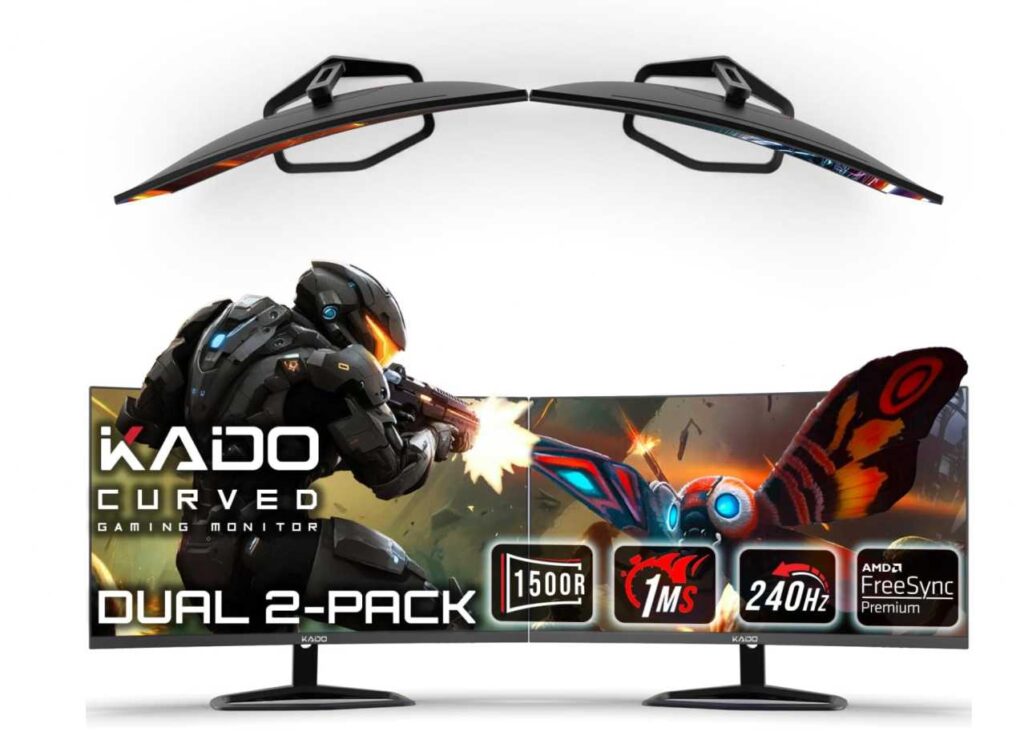
It also includes HDMI and DisplayPort connectivity, giving you more flexibility compared to basic monitors, plus VESA mount support for a cleaner desk setup.
And since both monitors are identical, your setup will look perfectly aligned and professional right out of the box.
Why it’s a strong pick
- Dual 240Hz monitors for ultra-smooth gaming
- Curved 27″ screens for immersive experience
- FreeSync Premium + 1ms response time
- Comes as a complete dual setup (no mismatch issues)
- DisplayPort + HDMI for better connectivity
Things to keep in mind
- Full HD resolution on 27″ (not as sharp as 1440p/4K)
My take
If you want a high-performance dual monitor setup under $600, this is easily one of the best options. You’re getting speed, immersion, and convenience all in one package.
Perfect for competitive gaming, streaming, or anyone who wants a powerful dual-screen setup without the hassle of buying separately.
3. Gigastone 27″ IPS Monitors (2-Pack) – Best Dual Setup with USB-C Connectivity
27″ (x2) | Full HD | IPS | 100Hz | USB-C | HDMI + DisplayPort
If you want a clean dual monitor setup with modern connectivity, the Gigastone 27-inch IPS Monitor 2-Pack is a really strong option—especially if you use a laptop.
The biggest advantage here is the USB-C support, which makes your setup way cleaner and easier to manage. You can connect compatible devices with fewer cables, and even get charging support, which is a big win for productivity setups.
You’re getting two 27-inch IPS displays, which means accurate colors and wide viewing angles. This is great if you’re working across both screens or sharing your display with someone.
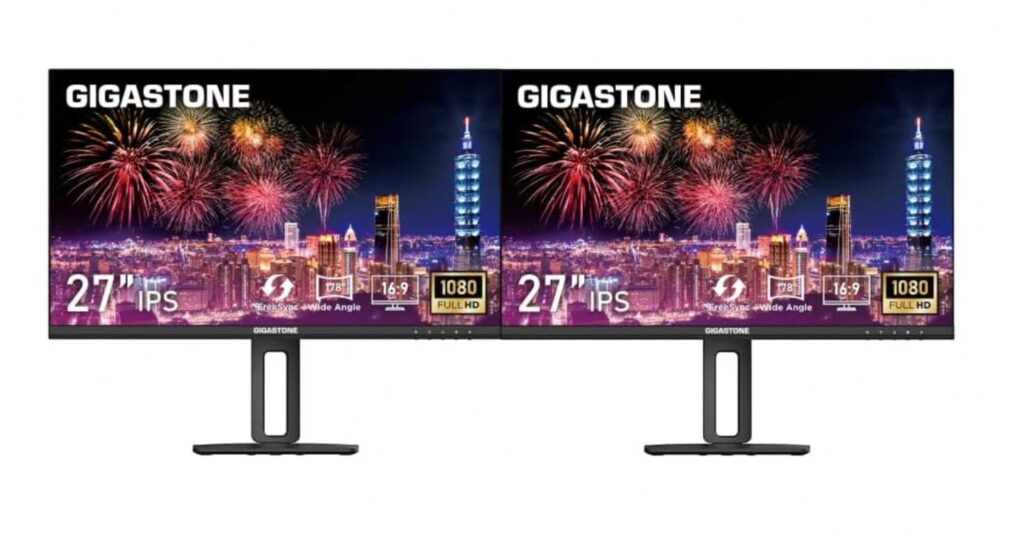
The 100Hz refresh rate keeps things smooth and responsive, whether you’re working, browsing, or doing light gaming.
Another standout feature is the fully adjustable stand—you can adjust height, tilt, pivot, and swivel. That’s a huge plus for dual setups because it helps you align both monitors perfectly for a comfortable viewing angle.
It also includes built-in speakers and eye-care features, keeping your desk setup simple and comfortable for long hours.
Why it’s a strong pick
- USB-C connectivity for cleaner setup
- IPS panels with good color accuracy
- Adjustable stands for perfect alignment
- 100Hz for smooth performance
- Great for productivity and work setups
Things to keep in mind
- Full HD resolution on 27″ (not the sharpest)
My take
If you want a modern, clean, and flexible dual monitor setup, this is one of the best picks. The USB-C and adjustable stands make a big difference in daily use.
Perfect for work, multitasking, and laptop users who want a clutter-free dual screen setup.
4. Kado 27″ Dual Monitor Setup (C27X Series) – Affordable Dual Curved Setup That Just Works
27″ (x2) | Full HD | Curved (1500R) | 75Hz | 100% sRGB | HDMI
If your goal is simple—get a dual monitor setup without overthinking it—the Kado 27-inch Dual Curved Monitor C27X Series makes things easy. No mixing models, no alignment issues—just plug in and you’re set.
What you’re really paying for here is convenience and balance. You get two identical 27-inch curved screens, so your setup looks clean right away. The 1500R curve isn’t aggressive, but it does make long hours feel a bit more natural on your eyes, especially when both screens are side by side.
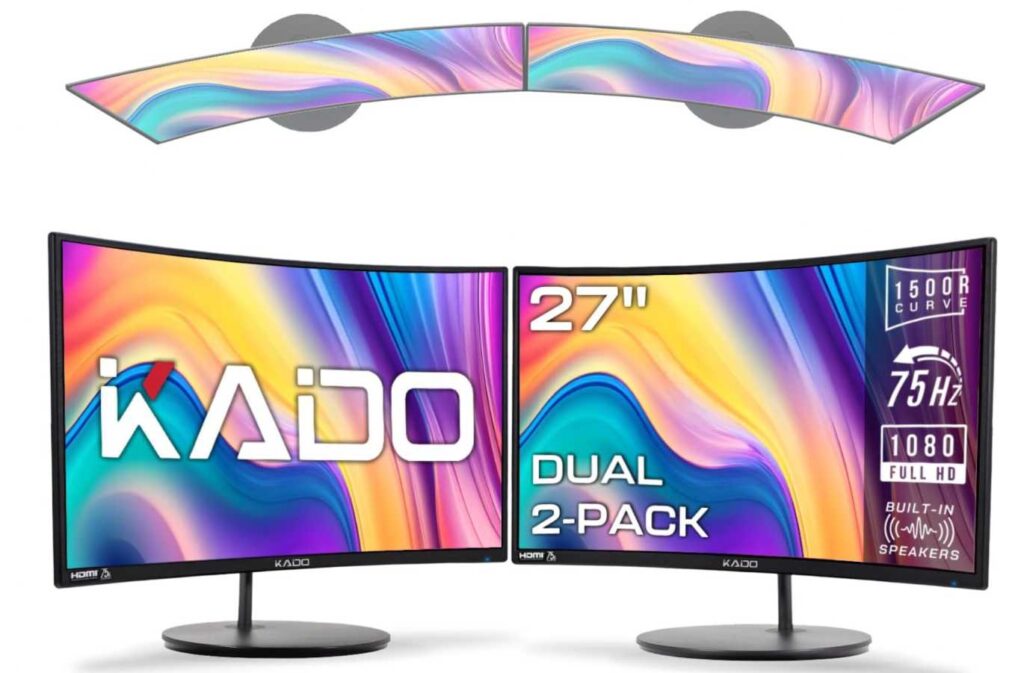
This isn’t trying to be a high-performance gaming setup—and that’s fine. The 75Hz refresh rate is enough to keep things feeling smoother than basic monitors, and for work or casual use, it does the job without any complaints.
Color-wise, it holds up nicely with 100% sRGB, so whether you’re watching content or working, things look pleasant and consistent across both displays.
And small things matter here—you’ve got built-in speakers to avoid extra clutter, plus VESA support if you want to mount them and free up desk space.
Why it’s a strong pick
- Comes as a ready-to-use dual setup (no guesswork)
- Matching curved screens for a clean look
- Comfortable for long sessions
- Solid colors for everyday use
- Keeps your desk simple with fewer accessories
Things to keep in mind
- Not built for high-speed or competitive gaming
My take
This is one of those setups that doesn’t try to impress on paper—but in real use, it just makes your workspace better without any hassle.
If you want something that’s easy, clean, and gets the job done, this is a smart pick.
5. ZZA 49″ Curved Monitor – Dual Setup Replacement in One Screen
49″ | DQHD (5120×1440) | VA | 165Hz | 1500R | FreeSync Premium
If you don’t want two monitors at all, the ZZA 49-inch Curved 5K UHD Monitor basically replaces a dual setup with one massive screen. It’s like having two 27-inch monitors merged together—without the gap in the middle.
The biggest thing here is the super ultrawide 32:9 aspect ratio. You get a huge horizontal workspace, which is perfect for multitasking—multiple windows, timelines, charts, everything side by side.
The 1500R curve helps keep that large screen comfortable to use. Instead of turning your head too much, the display wraps slightly around you, making long sessions feel more natural.

On top of that, the 165Hz refresh rate + FreeSync Premium means it’s not just for work—it’s also smooth enough for gaming and content consumption.
The 5120×1440 resolution keeps things sharp across that big screen, and with 120% sRGB, colors look vibrant and detailed.
It also comes with multiple HDMI and DisplayPort options, so connecting different devices is easy, whether it’s a PC, console, or laptop.
Why it’s a strong pick
- Replaces a full dual monitor setup with one screen
- No bezels or gaps in the middle
- Massive workspace for multitasking
- 165Hz + FreeSync for smooth performance
- Great for both work and entertainment
Things to keep in mind
- Takes up a lot of desk space (not for small desks)
My take
This is for someone who wants a clean, powerful setup without managing two monitors. It simplifies everything while still giving you tons of screen space.
If you like the idea of a seamless, distraction-free workspace, this is a really impressive option.
Final Thoughts
A good dual monitor setup isn’t just about adding more screens—it’s about making your workflow faster, cleaner, and less frustrating. And the best part? You can build a really solid setup under $600 if you choose smartly.
Here’s how to think about it 👇
- If you want zero hassle, go for a ready-made combo like the 2-Pack 27-inch Curved FHD 100Hz Monitors—simple and clean.
- If gaming is your priority, the Kado 27-inch Dual Curved 240Hz Monitor Setup gives you serious performance.
- If you care about connectivity and flexibility, the Gigastone 27-inch IPS Monitor 2-Pack makes everyday use easier.
- If you just want something affordable and balanced, the Kado 27-inch Dual Curved Monitor C27X Series gets the job done.
- And if you prefer a single clean screen instead of two, the ZZA 49-inch Curved 5K UHD Monitor is a powerful alternative.
At the end of the day, the “best” setup depends on how you work. Some people want maximum screen space, others want simplicity and fewer cables.
Pick the option that fits your workflow—and once you go dual (or ultrawide), it’s really hard to go back.