
Finding the best gaming monitor under $300 for PS5 can feel overwhelming, especially with so many options promising high refresh rates, fast response times, HDR, and 4K support. The good news is that you don’t need to spend a fortune to get a great gaming experience on your PlayStation 5.
Today, there are plenty of affordable gaming monitors that offer features PS5 players actually need, including 1440p resolution, 120Hz gameplay support, low input lag, fast response times, and VRR compatibility. While not every monitor under $300 can deliver full 4K at 120Hz, many provide an excellent balance of smooth performance, sharp visuals, and responsive gameplay for popular games like Call of Duty, Fortnite, EA Sports FC, Spider-Man, and more.
In this guide, I’ve rounded up the best PS5 gaming monitors under $300 based on important factors such as display quality, refresh rate, resolution, HDMI connectivity, gaming performance, and overall value for money. Whether you’re looking for a competitive 120Hz gaming monitor or a larger 1440p display with better image quality, you’ll find an option here that fits your budget.
Let’s take a closer look at the best gaming monitors for PS5 under $300 and find the right one for your gaming setup.
1. Samsung 27″ Odyssey G5 (G51F) – Best Value 1440p Monitor for PS5
27″ | QHD (1440p) | 180Hz | 1ms | FreeSync | HDR10 | Height Adjustable Stand
If you’re looking for a gaming monitor for PS5 under $300, the Samsung Odyssey G5 (G51F) offers a lot for the price. The combination of a 27-inch screen and 1440p resolution gives you a nice upgrade over a standard 1080p monitor, with sharper details and more screen space for immersive gaming.
The 180Hz refresh rate and 1ms response time make this a strong choice for fast-paced games. The PS5 supports up to 120Hz in compatible games, so you won’t use the full 180Hz with the console, but the extra refresh rate is useful if you ever connect a gaming PC.
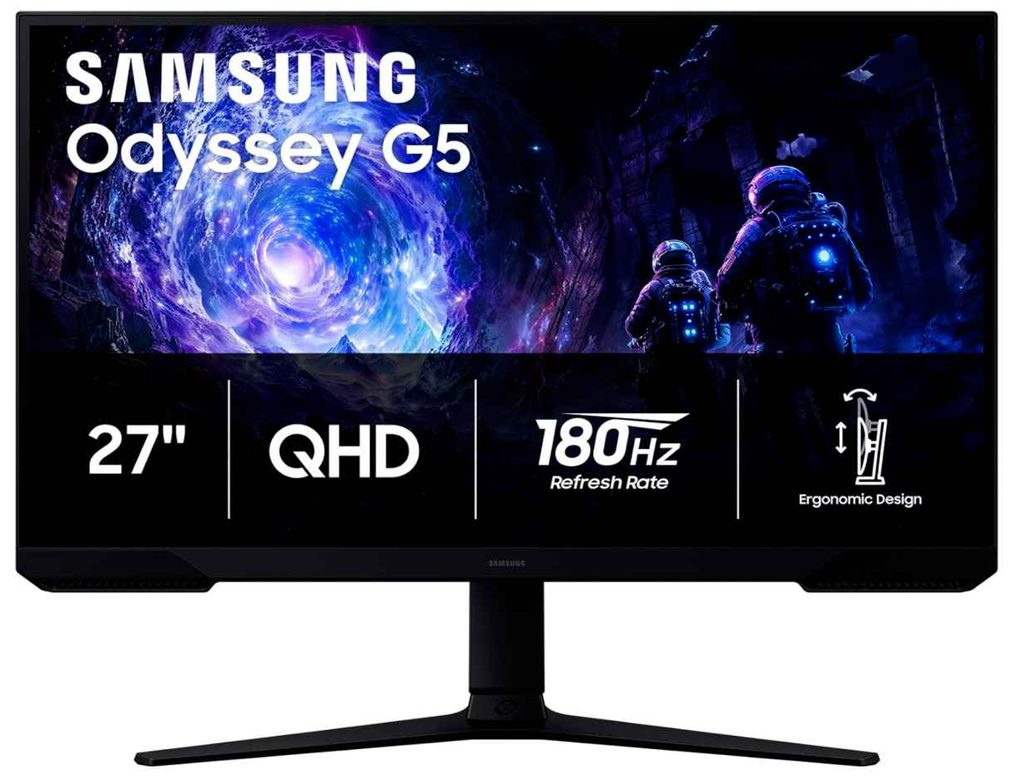
Features like Black Equalizer can also help make darker areas easier to see, while HDR10 adds more depth to supported games.
The height-adjustable stand is another feature I really like. You can adjust the screen to a more comfortable position instead of being stuck with a basic fixed stand, which is especially useful during longer gaming sessions.
Who This Is For
- You want a sharp 1440p monitor for PS5
- You prefer a larger 27-inch screen
- You play competitive or fast-paced games
- You may also use the monitor with a gaming PC
Who Should Skip It
- If you specifically want a 4K gaming monitor
- If you want a smaller monitor for a compact setup
My Take
The Samsung Odyssey G5 is a great value option for PS5 players who want to upgrade from 1080p. The 27-inch QHD screen, fast response time, and adjustable stand make it a well-rounded choice.
If you’re searching for one of the best gaming monitors under $300 for PS5, this is a solid pick for anyone who wants sharp visuals and smooth gameplay without spending too much.
2. Acer Nitro KG271U – Sharp IPS Gaming for PS5
27″ | QHD (1440p) | IPS | 180Hz | 0.5ms | AMD FreeSync | Built-in Speakers
If you want a 27-inch 1440p gaming monitor for PS5 with better colors, the Acer Nitro KG271U is a solid option. You get a sharp QHD display, a fast IPS panel, and smooth gaming performance without getting close to the $300 budget.
The IPS panel is one of the main reasons to choose this monitor. It gives you better colors and viewing angles than many budget alternatives, which makes games look more vibrant and detailed. The DCI-P3 95% color coverage is especially nice for story-driven and open-world games.
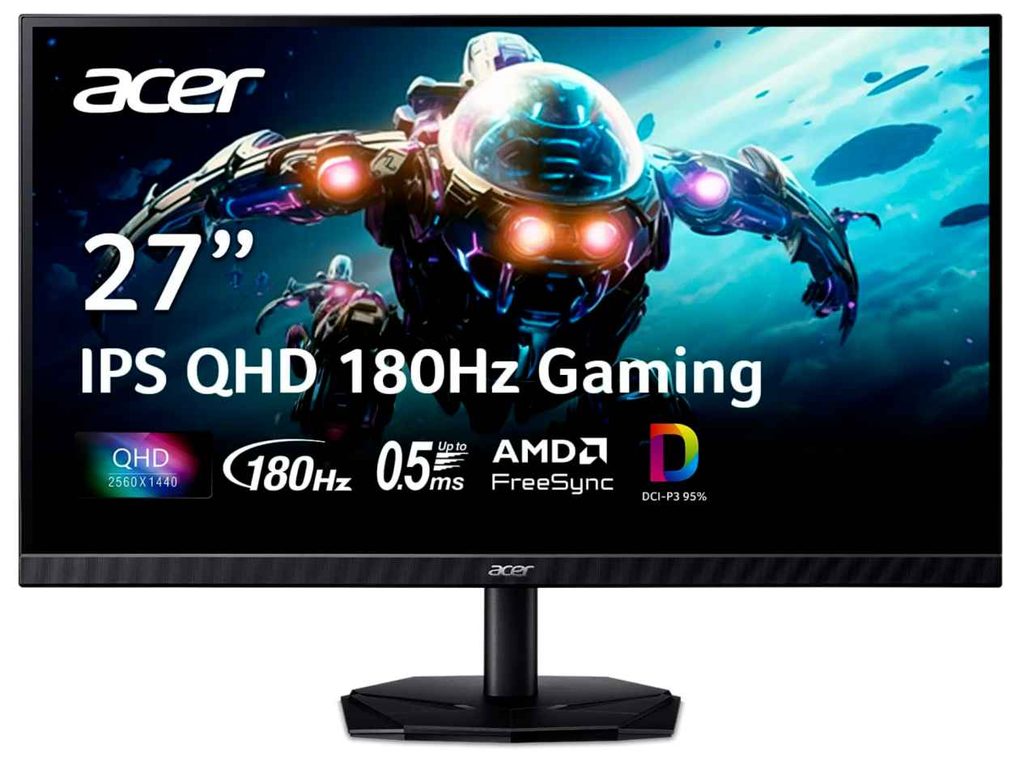
You also get a 180Hz refresh rate and up to 0.5ms response time. The PS5 supports up to 120Hz in compatible games, but the higher refresh rate is still useful if you ever connect a gaming PC.
Who This Is For
- You want a 1440p IPS monitor for PS5
- You care about better colors and image quality
- You play competitive and story-driven games
Who Should Skip It
- If you specifically want a 4K monitor
- If you need a fully adjustable stand
My Take
This is a great all-around gaming monitor under $300 for PS5. The 27-inch QHD screen gives you sharp visuals, while the IPS panel and fast response time make it a good fit for both immersive and competitive gaming.
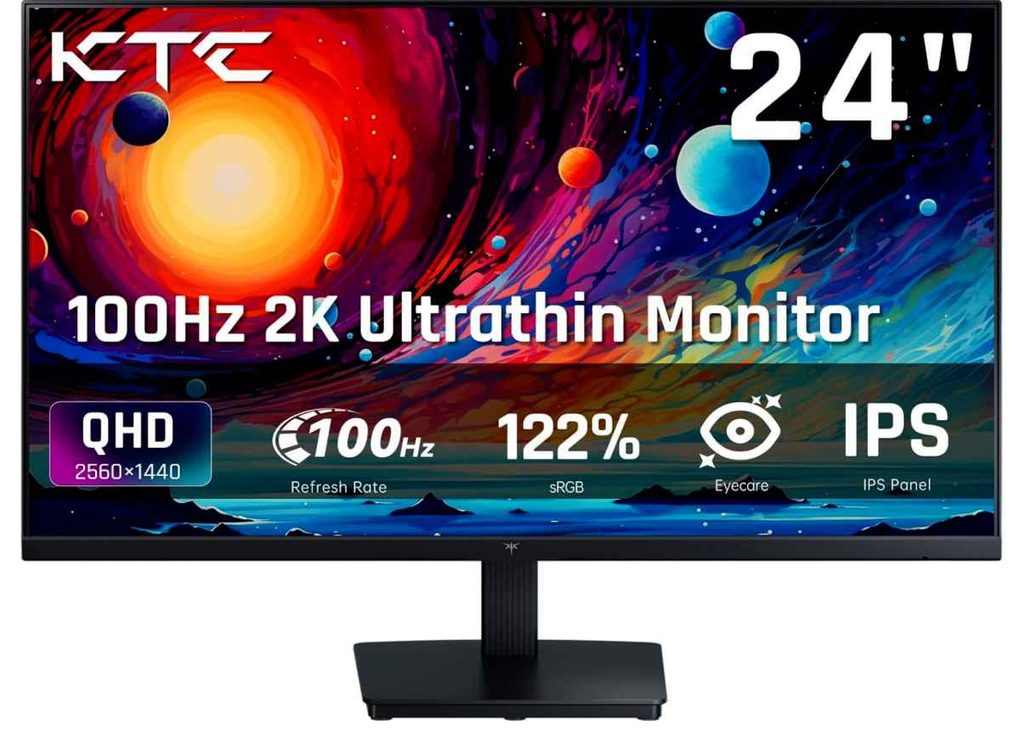
3. KTC 24″ QHD Monitor – Affordable Pick for PS5 Gaming
24″ | QHD (1440p) | IPS | 100Hz | Adaptive Sync | 122% sRGB | HDMI & DisplayPort
If you’re searching for the best gaming monitor under $300 for PS5 but don’t necessarily need a large screen or an ultra-high refresh rate, the KTC H24T27 is a good budget-friendly option. It focuses more on sharp image quality and good colors than competitive gaming speed.
The 24-inch QHD display is what makes this monitor interesting. Because 1440p resolution is packed into a smaller screen, games can look sharp and detailed. The IPS panel also delivers vibrant colors and wide viewing angles, making it a nice choice for both gaming and everyday use.
A Good Budget 1440p Monitor for PS5
With a 100Hz refresh rate, this isn’t the best choice if your main goal is 120Hz PS5 gaming. However, if you mostly play story-driven, racing, sports, or casual games, the smooth QHD image can still make your gaming experience more enjoyable.
You also get useful features like HDMI connectivity, Adaptive Sync, VESA mount support, and an anti-blue light screen. For the price, it covers the basics well without adding features most PS5 players probably won’t use.
Who This Is For
- You want one of the best budget gaming monitors for PS5
- You prefer a compact 24-inch monitor
- You care more about sharp 1440p visuals and colors
Who Should Skip It
- If you specifically want a 120Hz monitor for PS5
- If you want a larger and more immersive gaming screen
My Take
This is the budget-focused option for anyone looking for the best gaming monitor under $300 for PS5. It doesn’t offer the highest refresh rate on the list, but the combination of a sharp 1440p IPS display, good color quality, and compact size makes it a solid choice for casual PS5 gaming.
4. Gawfolk 27″ 4K Gaming Monitor – Best Dual-Mode Option for PS5
27″ | 4K UHD | IPS | 160Hz | FHD 320Hz | HDMI 2.1 | Built-in Speakers
If you’re looking for the best gaming monitor under $300 for PS5 and want something a little different from the usual 1440p options, this Gawfolk monitor is worth checking out. Its biggest selling point is the dual-mode display, giving you 4K resolution for sharper visuals or 1080p at a much higher refresh rate for fast gaming.
For PS5 players, the 4K resolution and HDMI 2.1 ports are the features that matter most. This gives you a more flexible setup for enjoying detailed single-player games as well as smooth gameplay in supported titles.
Two Gaming Modes in One Monitor
What makes this monitor interesting is that you can switch between 4K 160Hz and 1080p 320Hz. The PS5 won’t use those maximum refresh rates, but having HDMI 2.1 and a 4K panel makes this monitor a strong option if you also plan to connect a gaming PC.
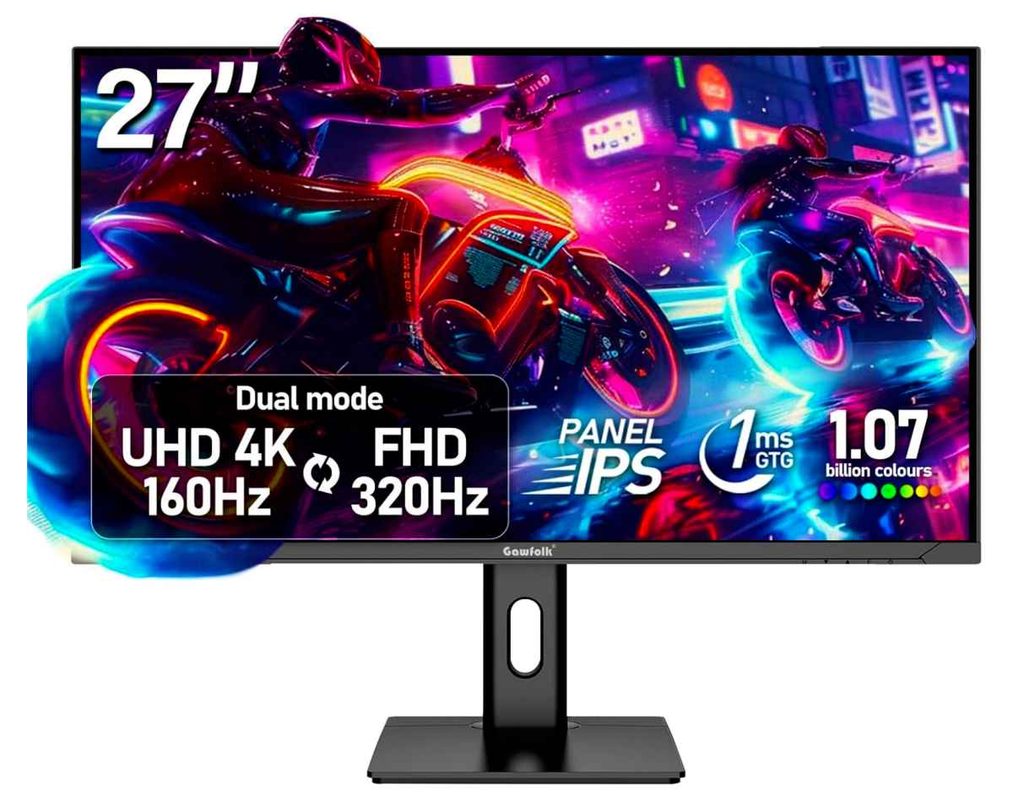
The 27-inch IPS screen should also appeal to players who want sharp visuals and good viewing angles. You get built-in speakers and multiple ports as well, making it easy to connect your PS5 and other devices.
Who This Is For
- You want a 4K gaming monitor for PS5 under $300
- You want HDMI 2.1 connectivity
- You also plan to use a gaming PC
- You want sharp visuals and a versatile setup
Who Should Skip It
- If you only need a simple budget 1440p monitor
- If you prefer buying from a more established monitor brand
My Take
This is one of the more interesting choices for anyone searching for the best gaming monitor under $300 for PS5. The 4K resolution, HDMI 2.1 ports, and dual-mode design give you more flexibility than a typical budget monitor.
If you want sharp 4K gaming on PS5 but also like the idea of switching to a high-refresh mode for PC gaming, this is definitely worth considering.
5. Amzfast 27″ 4K Gaming Monitor – Premium 4K Pick for PS5 Under $300
27″ | 4K UHD | Fast IPS | 160Hz | FHD 320Hz | 1ms | HDR400 | HDMI 2.1
If you’re looking for the best gaming monitor under $300 for PS5 and want to get as close to a premium setup as possible, the Amzfast 27-inch is one of the more feature-packed options here. The big attraction is its dual-mode design, giving you sharp 4K visuals or a super-fast 1080p mode.
For PS5 gaming, the 4K resolution and HDMI 2.1 ports are the features that really matter. You get a sharp, detailed image for story-driven games, while HDMI 2.1 gives you better flexibility for high-refresh gaming on compatible hardware.
Sharp 4K Visuals and a Fast IPS Panel
The Fast IPS panel, HDR400, and wide color coverage make this a good option if image quality is important to you. Open-world and visually detailed games should benefit the most from the sharp 4K screen and richer colors.
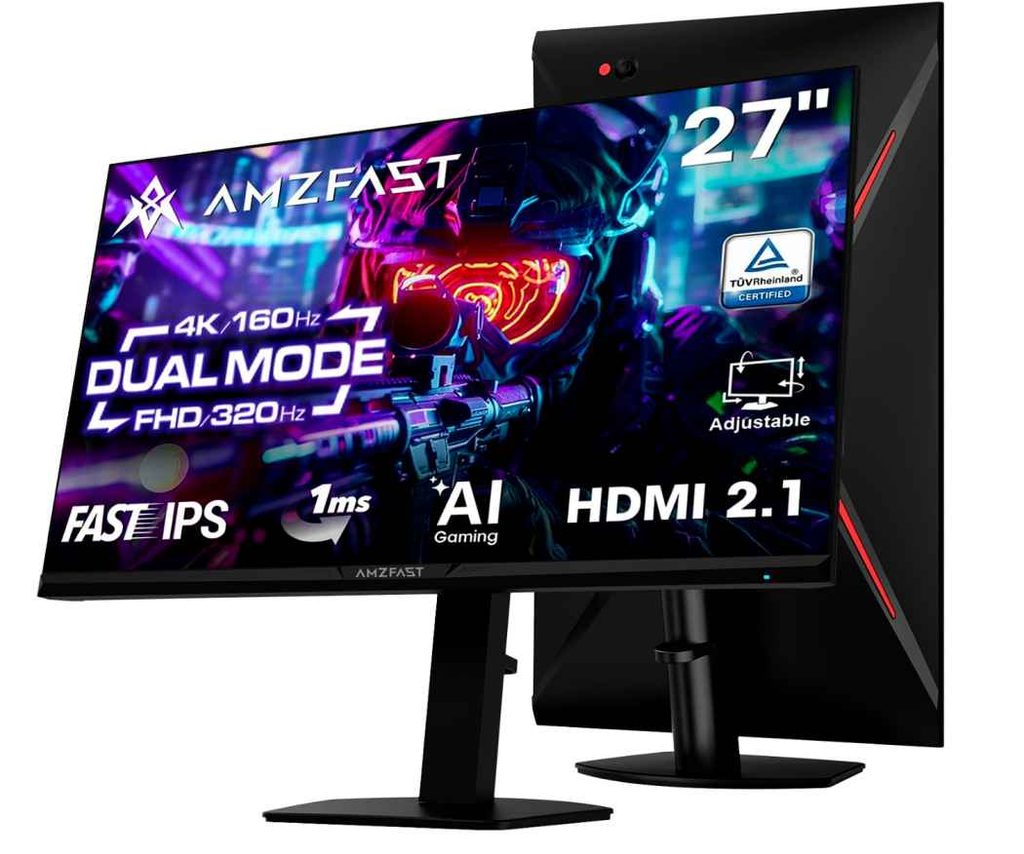
The monitor can also switch to 1080p at 320Hz, although the PS5 won’t use the full 320Hz. That mode is more useful if you also have a gaming PC.
Who This Is For
- You want a 4K gaming monitor for PS5 under $300
- You care about sharp visuals and better colors
- You also plan to connect a gaming PC
- You want HDMI 2.1 connectivity
Who Should Skip It
- If you want the cheapest gaming monitor possible
- If you only need a simple 1440p monitor
My Take
This is one of the more premium options for anyone searching for the best gaming monitor under $300 for PS5. The 4K Fast IPS panel, HDMI 2.1 connectivity, and HDR400 give you features that PS5 players actually care about.
If your budget is close to $300 and you want sharp 4K visuals with extra flexibility for PC gaming, this is a strong option to consider.
6. AOC 27″ QHD Gaming Monitor – A Strong Budget Pick for PS5
27″ | QHD (1440p) | 180Hz | 1ms | Adaptive Sync | Height Adjustable
If you’re looking for the best gaming monitor under $300 for PS5, the AOC Q27G4XN is a strong option because it gives you the features most gamers actually care about without pushing your budget.
The 27-inch QHD 1440p display delivers a sharper image than standard 1080p, while the 180Hz refresh rate and 1ms response time make fast-paced games feel smooth and responsive. Adaptive Sync also helps reduce screen tearing for cleaner gameplay.
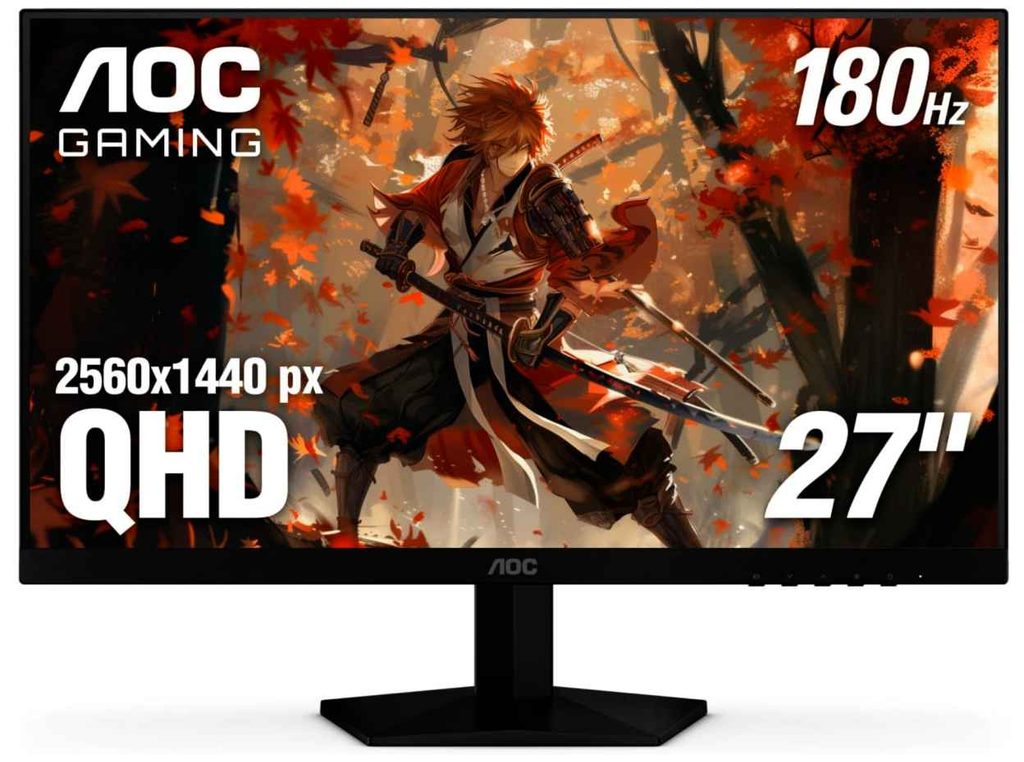
The height-adjustable stand is another nice bonus, especially if you spend long hours gaming. You also get a slim, three-sided frameless design that looks great in a PS5 gaming setup.
Who this is for
- You want a sharp 1440p gaming monitor for PS5
- You enjoy fast-paced games and want smooth motion
- You want strong gaming performance without spending $300
Who should skip it
- If you specifically want a 4K gaming monitor for PS5
- If HDMI 2.1 features are your top priority
My take
For the price, this is one of the more balanced choices in the best gaming monitor under $300 for PS5 category. You get a large 27-inch QHD screen, fast refresh rate, and useful ergonomic adjustments—without paying extra for features you may not need.
Buying Guide: Best Gaming Monitor Under $300 for PS5
Finding the best gaming monitor under $300 for PS5 can be a little confusing because many monitors advertise 180Hz, 240Hz, or even 320Hz refresh rates. The important thing to remember is that the PS5 itself supports gameplay up to 120Hz, so you should focus more on PS5 compatibility, resolution, response time, and useful gaming features rather than simply chasing the highest refresh-rate number.
Resolution: 1440p Is the Sweet Spot
For most people shopping for a PS5 gaming monitor under $300, QHD or 1440p offers the best balance between image quality and price.
A 1440p monitor looks noticeably sharper than 1080p while still being much more affordable than a good 4K gaming monitor. The PS5 also supports 1440p output, including compatible 120Hz, HDR, and VRR modes depending on the display.
If you can find a 4K monitor under $300 with HDMI 2.1, that can be a great option too—but don’t sacrifice overall performance just to get the 4K label.
Look for 120Hz Support on PS5
A monitor may advertise 180Hz or 320Hz, but the PS5 will not use those maximum refresh rates. For PS5 gaming, what really matters is whether the monitor properly supports 120Hz through HDMI.
This is especially important for games that offer 120fps performance modes. Always check the monitor’s console compatibility instead of assuming that its maximum PC refresh rate automatically works with the PS5.
HDMI 2.1 Is a Nice Bonus
If you want the best possible console compatibility, HDMI 2.1 is worth looking for. It can support features such as 4K at 120Hz and HDMI Forum VRR on compatible monitors.
That said, for a budget-focused gaming monitor under $300 for PS5, HDMI 2.1 isn’t always essential. A good 1440p monitor with proper 120Hz support can still deliver an excellent PS5 gaming experience.
VRR and Adaptive Sync Matter
Variable Refresh Rate (VRR) helps reduce screen tearing and makes gameplay look smoother when frame rates change.
Don’t assume that a monitor supporting only FreeSync automatically gives you the best PS5 VRR experience. If VRR is important to you, check specifically whether the monitor supports VRR with PS5.
Choose the Right Screen Size
For most PS5 players, 27 inches is the sweet spot. It gives you a large, immersive image without requiring you to sit too far away.
A 24-inch monitor is great for competitive gaming and smaller desks, while 32 inches can feel more immersive if you have enough space.
Also, stick with a standard 16:9 monitor for PS5 gaming, since the console doesn’t support ultrawide gaming properly.
Don’t Ignore Response Time and Input Lag
A fast response time helps reduce motion blur and ghosting during fast-paced games like Call of Duty, Fortnite, racing games, and fighting games.
Look for a monitor with a fast response time and low input lag. These features often make a bigger difference to how responsive a game feels than an extremely high refresh rate that the PS5 cannot fully use.
HDR: Look Beyond the Label
Many affordable gaming monitors support HDR10, but HDR performance can vary a lot.
A monitor with better brightness, contrast, and color performance will usually deliver a more noticeable HDR experience. So, don’t choose a monitor simply because HDR is written on the box.
My Recommendation
For most buyers, the best combination is a 27-inch 1440p gaming monitor with 120Hz PS5 support, low input lag, fast response time, and VRR compatibility.
That setup gives you the best balance of sharp visuals, smooth gameplay, and value, making it ideal when searching for the best gaming monitor under $300 for PS5.