
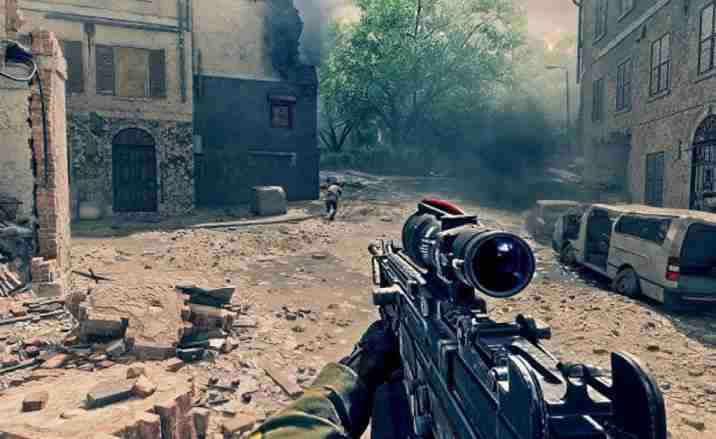
Battlefield 6 players on Xbox Series X and S are reporting major performance drops, lag spikes, and unfair matchups due to the ongoing Battlefield 6 crossplay issue.
Battlefield 6 Xbox Players Frustrated by Lag and Unbalanced Crossplay
Many console players say that matches involving PC users result in unstable frame rates, delayed hit registration, and unresponsive controls — making the game nearly unplayable during key moments.
This imbalance appears to stem from a crossplay matchmaking bug that pairs Xbox players with PC users who benefit from higher FPS, faster connections, and superior input response.
Even when disabling crossplay, some Xbox users claim the setting doesn’t apply, forcing them back into laggy lobbies.
The Battlefield 6 performance problem on Xbox has now become one of the most discussed technical topics on community threads, as fans demand EA to release a crossplay optimization patch that ensures fair gameplay across all platforms.

Why Battlefield 6 Crossplay Feels Broken for Console Players
For many console players, Battlefield 6’s crossplay system feels completely unbalanced.
Xbox users face network lag, inconsistent hit detection, and severe latency spikes when facing PC players who enjoy faster servers and hardware advantages.
This creates a major skill and technical gap, leaving console players at a noticeable disadvantage.
Reports indicate that Battlefield 6 crossplay matchmaking imbalance often pairs underpowered Xbox players against high-sensitivity PC users, resulting in frustrating defeats and poor player retention.
Even with crossplay settings for console-only enabled, some players still find themselves in mixed-platform matches — suggesting a deeper crossplay performance bug within the system.
Many are calling for a toggle fix, improved network latency adjustments, or even separate servers to restore fairness.
Until then, the Battlefield 6 Xbox multiplayer lag continues to be a major pain point for the community.
How to Fix Battlefield 6 Lag on Xbox and Manage Crossplay Settings
If you’ve been struggling with Battlefield 6 lag on Xbox or unfair matchups due to crossplay with PC, you’re not alone. Many players report frequent network stutters, frame drops, and input delay—especially when facing PC users in crossplay lobbies. Here’s a complete step-by-step guide with 10 effective fixes to improve performance and manage crossplay settings for a smoother multiplayer experience.
1. Disable Crossplay Temporarily to Test Performance
Go to your Battlefield 6 network or online settings and turn off crossplay. Disabling crossplay can often reduce lag on Xbox Series X and Series S by keeping you in console-only lobbies. This also helps rule out cross-platform latency issues or performance imbalance when playing with PC users.

2. Switch to a Wired Ethernet Connection
If you’re using Wi-Fi, consider plugging directly into your router using an Ethernet cable. Wired connections drastically reduce packet loss and ping spikes that cause Battlefield 6 crossplay lag. Players who switched report smoother gameplay and fewer rubberbanding incidents in multiplayer matches.
3. Clear Xbox Cache and Restart the Game
Temporary cache data on your Xbox console can sometimes interfere with Battlefield’s online connection. Turn off your Xbox, unplug it for 2 minutes, then restart. This clears background data and helps fix Battlefield 6 Xbox Series X lag caused by stored system clutter or memory leaks.
4. Update Battlefield 6 and Xbox Firmware
Outdated versions of Battlefield 6 or Xbox firmware may introduce crossplay bugs and network desync issues. Go to “My Games & Apps” > “Manage Updates” and ensure both your system and game are fully up to date. Patches often include performance fixes for lag and matchmaking balance.
5. Change the DNS Settings on Your Xbox
Switching to a faster, public DNS server can lower latency. Go to Network Settings → Advanced → DNS Settings, and set manual DNS entries to Google’s (8.8.8.8 and 8.8.4.4) or Cloudflare’s (1.1.1.1 and 1.0.0.1). This small tweak can help fix Battlefield 6 crossplay connection problems and improve ping stability.
6. Adjust In-Game Graphics and Network Options
Although console optimization is mostly automatic, reducing certain in-game settings like motion blur or high frame rate mode may improve stability if you’re experiencing frame drops during crossplay matches. Also, check that your network smoothing factor isn’t set too high—it can increase delay when syncing with PC players.
7. Check Battlefield 6 Server Region and Ping
Sometimes the matchmaking system places you in distant servers, especially in crossplay lobbies. Go to the in-game network options and manually select a nearby data center with the lowest ping. This ensures you’re connected to the closest servers for lower latency and fewer lag spikes.
8. Rebuild Xbox Database (For Series X/S Performance Fix)
If the game still lags after updates, try rebuilding your Xbox system database. Enter Safe Mode → Clear Persistent Storage, then restart. This can fix Battlefield 6 performance issues by cleaning old cache data and optimizing the console’s internal drive for faster loading and stable FPS.
9. Reinstall Battlefield 6 (If Crossplay Issues Persist)
Corrupted files may cause crossplay matchmaking errors or network desyncs. Fully uninstall Battlefield 6, restart your Xbox, and reinstall the game. Reinstallation refreshes all network and gameplay files, resolving lagging, stuttering, or crossplay configuration bugs that updates may have missed.
10. Report Lag or Crossplay Bugs to EA Support
If none of the above fixes work, head to the official EA Support portal or Battlefield 6 forums. Submitting a detailed bug report (including your region, ping, and console model) helps EA identify and address Battlefield 6 crossplay issues faster in future patches.

Bonus Fixes and Optimization Tips
If you’ve already applied the above solutions but Battlefield 6 still lags on Xbox, try these additional tweaks:
- Prioritize game traffic on your router’s QoS settings to minimize interference from background devices.
- Avoid crossplay with PC when major updates or new maps are released—servers can get overloaded.
- Check for ISP throttling during peak hours; a VPN may help maintain consistent speeds.
- Use Performance Mode on Xbox for more stable FPS instead of Quality Mode.
- Turn off unnecessary background apps, especially Twitch or YouTube, when playing online.
By combining these adjustments, most players have been able to fix or reduce Battlefield 6 lag on Xbox while improving matchmaking stability in crossplay sessions.
This guide ensures you won’t feel disadvantaged when facing PC players and helps you fully enjoy Battlefield 6’s multiplayer experience with smooth gameplay, better ping, and balanced performance across all platforms.
11. Reset Your Router and Enable UPnP for Battlefield 6
Sometimes, Battlefield 6 multiplayer lag is caused by strict NAT settings that block essential game ports. Restart your router and enable UPnP (Universal Plug and Play) in your router menu.
This allows Battlefield 6 to automatically open the required network ports for smoother crossplay connections and faster matchmaking between Xbox and PC users.
12. Port Forward Battlefield 6 Manually for Xbox
If UPnP doesn’t help, manually port forward Battlefield 6 to ensure stable connectivity. Open these ports in your router:
- TCP: 80, 443, 9988, 17502, 20000–20100
- UDP: 3659, 14000–14016, 22990–23006
After applying, restart your router and console. Many players report reduced stutter and disconnections after forwarding these ports.
13. Avoid Party Chat or Streaming During Matches
Running Xbox Party Chat, Twitch, or background apps can overload bandwidth and cause Battlefield 6 Xbox Series X lag spikes.
Close all other active apps and limit network-heavy activities on the same Wi-Fi. This simple step improves in-game stability, especially during intense crossplay matches with PC players.
14. Monitor Server Status for Battlefield 6
Before troubleshooting your Xbox, check the EA Battlefield Server Status page or the official Battlefield Twitter/X account.
If servers are under maintenance or facing load spikes, the lag isn’t on your end. Waiting it out prevents unnecessary system resets when server instability is the real cause of Battlefield 6 multiplayer lag.
15. Adjust Xbox Power Mode to “Performance”
Go to Settings → General → Power Options and choose Performance Mode instead of Energy Saving.
This ensures your console runs at full potential, giving more stable frame rates and faster background data handling—helping reduce Battlefield 6 crossplay latency and micro-freezes.
16. Re-Sync Battlefield 6 Data With the EA Account
Crossplay issues can arise from a desync between your Xbox profile and EA account. Log out of the EA app, restart your Xbox, then log back in to re-sync.
This can fix matchmaking bugs, network lag, and cases where Battlefield 6 crossplay performance behaves differently between accounts.
17. Lower Controller Input Delay With Wired Controller
Wireless controllers sometimes add extra input lag during network congestion or heavy data syncs. Connect your controller directly with a USB cable for the lowest possible latency.
Many Xbox users found this improved reaction time during Battlefield 6 crossplay matches, especially in high-action firefights.
18. Use Xbox’s Network Troubleshooter Tool
Open Settings → General → Network Settings → Test Network Speed & Statistics.
If packet loss exceeds 1% or latency is above 100ms, your connection is unstable. Run the built-in Xbox Network Troubleshooter to reset configurations automatically. This can clear hidden NAT conflicts and lag spikes during Battlefield 6 online play.
19. Reconfigure Crossplay Matchmaking Preferences
In Battlefield 6’s Gameplay Settings, look for crossplay options. Some players prefer limiting matchmaking to same-platform lobbies to avoid crossplay imbalance and lag when facing high-FPS PC players.
Reconfiguring this can immediately fix match desyncs and ping disparity issues between Xbox and PC connections.
20. Wait for the Next EA Performance Patch
If none of the technical fixes resolve the issue, the problem might lie within Battlefield 6’s netcode or crossplay optimization.
EA typically releases hotfix updates to resolve widespread lag and matchmaking problems after community reports. Keep auto-updates enabled so you’re among the first to receive crossplay stability patches and Xbox lag fixes.
Final Optimization Tips for Battlefield 6 Xbox Players
If your Battlefield 6 crossplay lag continues even after trying all 20 fixes, combine these ongoing optimizations:
- Schedule gaming sessions during off-peak hours for less congestion.
- Keep Xbox’s background downloads paused while playing.
- Use a mesh Wi-Fi system or gaming router for consistent coverage.
- Regularly restart Battlefield 6 after long sessions to clear temporary cache.
- Follow EA forums for server updates, lag reports, and patch notes.
By applying these advanced fixes, you can significantly reduce Battlefield 6 lag on Xbox, stabilize your multiplayer sessions, and control crossplay matchmaking for fairer gameplay.
These steps not only improve network performance but also give console players a more balanced and competitive edge against PC opponents in Battlefield 6 cross-platform lobbies.
Battlefield 6 Technical Issue: PC Players Flooding Console Servers
Battlefield 6 crossplay was meant to unite the community, but Xbox and PlayStation users are now facing a different kind of battle. Many console players report that PC players are flooding console servers, creating severe Battlefield 6 performance problems and unstable matchmaking.
Instead of balanced lobbies, console players are often placed against mouse-and-keyboard opponents who benefit from higher frame rates and smoother aim precision. This crossplay issue has sparked frustration across Reddit and EA community threads.
The result is frequent lag spikes, late hit registration, and clear advantages for PC users. Players on Xbox Series X and PlayStation 5 say the experience feels unfair, especially when combined with Battlefield 6 multiplayer lag and stuttering during high-intensity combat. Until EA improves server separation or implements better matchmaking filters, console communities are stuck in a crossplay imbalance that’s draining the fun from competitive matches.
The Growing Problem of Cheaters and Lag in Battlefield 6 Crossplay
A major concern among Xbox Series X players is that Battlefield 6 crossplay with PC exposes them to cheaters and lag-filled matches. Many users claim that aim-assist feels broken when facing PC opponents using third-party software or modified controllers.
This crossplay bug doesn’t just affect skill balance—it directly impacts server performance. When cheaters overload lobbies or use exploit tools, Battlefield 6 network latency increases, resulting in visible rubber-banding and delayed hit registration.
Players have begun disabling crossplay entirely to escape these problems, but that limits matchmaking and increases queue times. Some even report Battlefield 6 lag on Xbox worsening when crossplay is forced on.
EA’s anti-cheat systems have improved since launch, but the growing overlap of PC and console players keeps creating unpredictable lag conditions. Until stronger anti-cheat protocols and separate crossplay filters are added, Battlefield 6 multiplayer will continue to feel unbalanced for console gamers.
Why Battlefield 6 Isn’t Prioritizing Console Players as Promised
When Battlefield 6 launched, developers assured fans that crossplay would remain fair and optimized for all platforms. However, many console users now believe Battlefield 6 isn’t prioritizing console players as originally promised.
The game’s matchmaking system often pairs Xbox players against high-performance PC users, causing input lag, frame-rate disparities, and latency mismatches. Despite promises of adaptive balancing, Battlefield 6 crossplay settings don’t appear to give consoles any advantage or preference in mixed-lobby scenarios.
This imbalance becomes more noticeable during large-scale modes like Conquest or Breakthrough, where Battlefield 6 Xbox multiplayer lag spikes under server pressure. Players report that even high-speed internet connections can’t prevent stuttering or desync when cross-platform matches are forced.
EA needs to revisit its matchmaking logic to ensure console platforms receive fairer, latency-based pairing. Many suggest an optional console-only crossplay mode that preserves population size without overwhelming servers with PC dominance.
Xbox Users Report Poor Performance and Delayed Kills in Battlefield 6
Across forums and social channels, Xbox players are voicing anger over delayed kills, frame drops, and server lag in Battlefield 6. The issue seems tied to both crossplay lag and inconsistent tick-rate synchronization between platforms.
Players describe shooting enemies first but dying moments later, suggesting Battlefield 6 crossplay performance issues and hit-registration desyncs. These problems worsen in matches with many PC players, where network packets are handled differently across systems.
Even those on high-speed fiber connections and the Xbox Series X face gameplay interruptions, particularly during explosions or dynamic map sequences. This indicates the root cause may lie in Battlefield 6’s netcode and cross-server data handling, not just player connections.
Until EA releases a performance patch focused on latency correction and crossplay balancing, Xbox gamers are likely to keep struggling with unpredictable lag, unfair firefights, and an overall degraded multiplayer experience in Battlefield 6.
EA Silent on Battlefield 6 Lag and Crossplay Complaints
The Battlefield 6 community is growing increasingly frustrated as EA remains silent about ongoing lag and crossplay complaints from Xbox and PlayStation players. Dozens of threads on the official forums report multiplayer lag, matchmaking imbalance, and severe desync during mixed-platform matches.
Despite these widespread reports, EA has yet to issue a detailed response or timeline for fixes. Console players feel ignored, especially as Battlefield 6 crossplay bugs continue to affect performance and fair competition. The silence has led to speculation that EA is prioritizing PC-based updates instead of addressing Xbox Series X lag and server instability.
Many believe the company needs to communicate more openly about known issues, including Battlefield 6 network latency and cheater overflow from PC servers. Until an official statement is released, the console player base continues to feel sidelined, hoping for transparency and meaningful improvements to restore confidence in crossplay matchmaking.
Will the Next Battlefield 6 Patch Balance Crossplay for Consoles?
Players are now asking one major question: Will the next Battlefield 6 patch finally balance crossplay for consoles? After months of lag, hit registration errors, and unfair matchmaking, Xbox and PlayStation users are eager for reassurance.
Insiders suggest that EA DICE is testing crossplay optimization updates designed to stabilize ping differences between platforms. However, no official changelog has confirmed whether Battlefield 6 performance problems on Xbox are being directly targeted.
Many fans are calling for console-prioritized matchmaking or an option to limit crossplay entirely to other consoles. This would prevent PC players—often running at higher frame rates—from dominating mixed servers and worsening Battlefield 6 multiplayer lag.
If the upcoming patch includes adjustments to latency balancing, anti-cheat measures, and hitbox synchronization, it could mark a turning point for the console community. Until then, players are holding off on major play sessions, waiting to see if EA finally delivers the promised crossplay fix.
What Players Want From Battlefield 6’s Future Crossplay and Server Fixes
After months of frustration, the Battlefield 6 player community has made it clear what they want from future updates. Console players are asking for server stability, balanced matchmaking, and reduced lag during crossplay with PC users.
Many are urging EA to introduce a console-only crossplay setting that keeps matchmaking active but avoids the imbalance caused by PC dominance. Others want Battlefield 6 lag fixes that target packet loss, hit delay, and the infamous stuttering that occurs during large-scale battles.
Another high-demand feature is a crossplay performance mode, where players can choose between better visuals or smoother latency, depending on their preference. Improved anti-cheat integration and regular transparency reports are also among the top community requests.
If EA listens and implements these solutions, Battlefield 6 crossplay could finally achieve the balance it promised at launch. Until then, players continue to document every network performance issue, hoping their feedback will drive meaningful change in upcoming updates.