
The running animation issue in Where Winds Meet affects players who choose a body type for aesthetics or voice but dislike the gender-coded movement style. Many players using the female body type feel the run looks awkward, exaggerated, or unfitting for androgynous characters. This leads to the common question of whether the running animation can be changed.
Right now, the game does not officially support switching to another body type’s run animation once the character is created.
Quick Fix
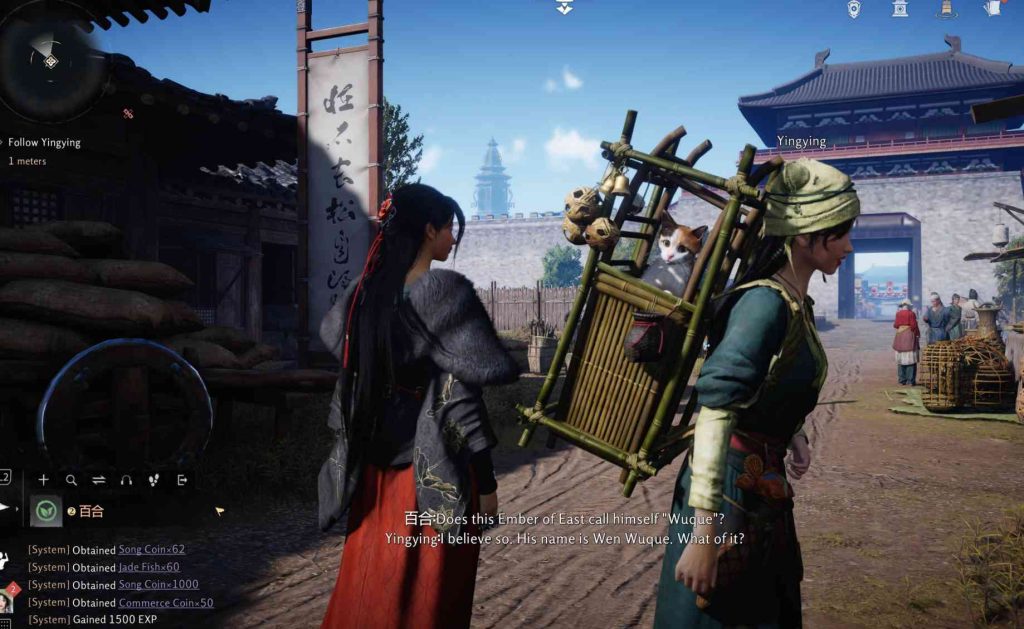
You cannot directly change the running animation, but you can adjust certain movement settings, posture options, and cosmetics to reduce how noticeable the female run animation looks.
Fix 1: Change Your Character Posture in the Settings Menu
The running animation is heavily influenced by posture. The game recently added posture options after feedback from CN players, which tones down the exaggerated feminine stance.
Switching to a neutral or combat-ready posture makes the run look more grounded.
Steps:
- Go to Settings → Character Posture.
- Change from Feminine to Neutral / Balanced.
- Save the setting and move around.
- Test the new running posture.
Testing Step:
Run in a straight line—if the body lean and leg movement feel less feminine, this helped.
Root Cause:
The default posture exaggerates certain run animations, making them appear overly stylized.
Fix 2: Turn On “Combat Movement Override”
When combat stance is active, the game uses a more neutral, grounded running animation that looks less feminine. This is the closest option to changing the gendered run.
This fix works especially well for androgynous character style.
Steps:
- Open Settings → Gameplay.
- Enable Combat Stance Always Active (or similar toggle).
- Save changes.
- Move around and observe the new run.
Testing Step:
Sprint while your weapon is out—the stride should look more neutral.
Root Cause:
Combat movement animations replace the default traversal animations.
Fix 3: Use Equipment That Modifies Weight Distribution
Certain outfits, armor sets, or accessories reduce exaggerated leg sway and modify upper-body animation blending. These changes can make your female run look more balanced.
Choosing heavier or combat-oriented outfits helps.
Steps:
- Open Wardrobe.
- Select outfits with armor, coats, or padded tops.
- Equip matching pants/boots to stabilize the silhouette.
- Test movement.
Testing Step:
Sprint in lightweight vs. heavy outfits to compare animation appearance.
Root Cause:
Some animations blend differently depending on outfit category.
Fix 4: Switch to a Mount or Movement Skill for Long Travel
If the running animation bothers you only during long open-world travel, relying more on mounts and mobility skills like Shadowstride reduces how often you see it.
This minimizes exposure to the animation without needing to change your character.
Steps:
- Use Shadowstride / Thousand Mile Flight for travel.
- Summon your mount for road traversal.
- Only run short distances on foot.
Testing Step:
Try navigating towns—if you rarely see the run, this workaround is effective.
Root Cause:
The base run animation is only visible during normal ground movement.
Fix 5: Wait for Upcoming Animation Options (Developers Are Aware)
Player feedback—especially from CN communities—has already influenced posture updates. There is a strong chance running animation options will arrive later.
The devs responded previously to concerns about feminine body posture, meaning animations are not “locked forever.”
Steps:
- Follow patch notes on Steam, Discord, or official Weibo.
- Watch for announcements mentioning animation sliders.
- Keep your character as is until more options are added.
Testing Step:
Check each patch—new posture or animation toggles might appear.
Root Cause:
The game is mid-development and still adjusting gender animation stereotypes.
Fix 6: Enable or Disable Motion Blend Settings
Animation blending reacts differently depending on whether motion blending is turned on. Disabling this can reduce exaggerated hip or arm movements.
This creates a sharper, more neutral running cycle.
Steps:
- Go to Settings → Graphics / Animation.
- Toggle Motion Blending OFF.
- Save and test your run.
- Turn ON again if you want the opposite effect.
Testing Step:
Observe changes in hip sway and arm movements.
Root Cause:
Motion blending exaggerates stylistic differences in character movement.
Fix 7: Adjust Camera Field of View for Less Exaggeration
A wide FOV makes running animations look more extreme. Narrowing the FOV reduces the perceived sway and bounce.
This helps the female run appear more neutral.
Steps:
- Open Settings → Camera.
- Lower FOV slightly (90 → 75).
- Apply the change.
- Sprint and compare.
Testing Step:
If animation distortions look reduced, FOV was amplifying movement.
Root Cause:
High FOV stretches peripheral movement, exaggerating the stride.
Fix 8: Use Shoes/Boots That Match Neutral Stance Animations
Some boots alter the way the legs align, affecting how feminine the stride looks. Switching footwear can visually tone down the running animation.
Combat boots or heavier footwear blend best with neutral run cycles.
Steps:
- Open Wardrobe → Footwear.
- Switch to heavier or more unisex boots.
- Save and run.
Testing Step:
Look closely at ankles—neutral boots reduce inward-toe or high-step animations.
Root Cause:
Footwear influences foot roll and gait animation curves.
Fix 9: Use Emotes or Idle Resets to Fix Animation Bugs
Occasionally the female run animation becomes exaggerated due to animation bugs. Resetting idle animations fixes weird posture glitches.
This works if the running looks worse than normal.
Steps:
- Open the Emote Wheel.
- Use a standing or reset emote.
- Let your character return to idle.
- Try sprinting again.
Testing Step:
If your stride looks normal afterward, the animation was bugged.
Root Cause:
Idle-to-run transitions sometimes glitch into incorrect animation sets.
Fix 10: Create a Feedback Ticket to Push for Neutral Animations
Because CN players already influenced character posture changes, more feedback increases the chance of neutral or shared run animations being added.
Developers have shown they listen.
Steps:
- Submit feedback via Support, Steam Discussions, or Discord.
- Mention you prefer neutral or androgynous animations.
- Upvote posts requesting animation options.
Testing Step:
Watch patch notes—animation customization may roll out later.
Root Cause:
The devs currently lock animations to body type, but player pressure has already changed similar systems.
Should running animations be customizable like outfits?
Honestly, it would make a huge difference.
Right now, everyone looks the same once they start sprinting, and it breaks the whole idea of personalizing your character.
In other MMOs I’ve played, swapping between different running animations felt almost as impactful as changing outfits.
Some players prefer a calm jog, others want a sharper assassin-style dash, and some want a playful, relaxed stride.
Custom animations let you express personality without touching stats — and that’s something a lot of players actually care about.
It’s one of those features you don’t realize you want until you see someone else using one and think, “Damn… that fits their character perfectly.”
Would an androgynous running style help more players fit their character fantasy?
Absolutely — a neutral or androgynous animation would help tons of players feel more comfortable with their character.
Not everyone fits neatly into the very masculine or very feminine animations games usually force by default.
I’ve seen players make characters that look elegant, mysterious, or completely unique, only for the forced run cycle to ruin the vibe.
A gender-neutral running style would solve that instantly and give more freedom to anyone who wants a softer or more balanced motion.
It’s a small detail, but it can make your character feel right instead of fighting the animation every time you move.
Do weapons or stances slightly change how your character moves?
Yeah — in most action games, weapons subtly change posture or stride, but in some titles it’s barely noticeable.
If the stance actually affects movement, it can feel way more immersive.
Players often say switching from a heavy spear to dual blades should naturally change how your character carries themselves.
Even a tiny tweak — leaning forward, lowering the center of gravity, or relaxing the shoulders — makes combat feel more connected to the animation.
When it’s done well, your movement becomes part of your identity, not just a way to get from point A to point B.
Should the devs add neutral animation packs in future updates?
They really should — players have been asking for more expressive customization since launch.
Animation packs would give everyone more room to experiment with personality without touching gameplay balance.
Imagine picking from:
- A calm ranger run
- A light-footed assassin sprint
- A balanced neutral stride
- A confident warrior march
These kinds of choices help the community feel more diverse and let each player shape their fantasy their own way.
It’s the kind of update people appreciate immediately.
Are more players unhappy with gender-locked movement than it seems?
Definitely — it’s one of those complaints that doesn’t dominate the forums but pops up constantly in small discussions.
A lot of players just accept it because they think it won’t change, not because they like it.
When someone posts about gender-locked animations, the replies usually say, “I thought I was the only one bothered by this.”
So the frustration is there — it’s just quiet.
Most players just want their character to move in a way that matches their style, not a forced preset.
If the devs opened this up, you’d see way more happy (and creative) characters running around.