
A lot of Battlefield 6 players start searching for the Community Revive Award for the same reason: they’ve already played dozens of multiplayer matches, revived plenty of teammates, and still see no progress bar, no counter, and no confirmation that anything is actually counting.
From the player’s perspective, it feels like the Community Revive Award in Battlefield 6 is either hidden, not tracking properly, or completely bugged.
What’s actually happening is much simpler, and also more frustrating.
The Community Revive Award BF6 does not show progress anywhere in the UI.
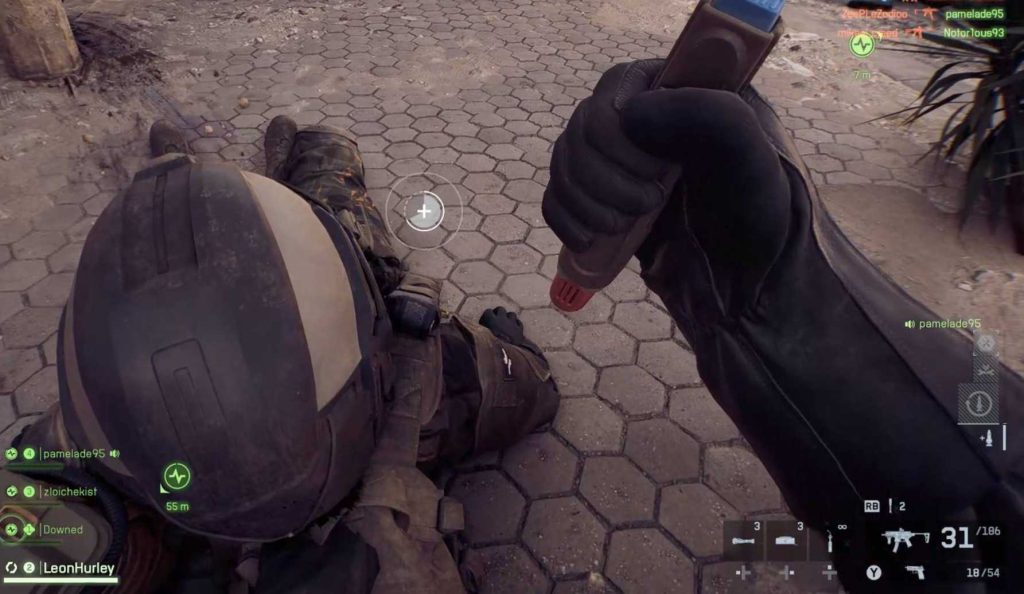
There’s no tracker in the profile menu, no post-match update, and no small pop-up telling you that your revives were added. So even though revives are being counted in the background, the game gives you zero feedback, which makes it seem like nothing is working.
Because this is a long-term revive award with a very high requirement, most players won’t unlock it early or by accident.
You can play normally for a long time, revive teammates regularly, and still be nowhere near the unlock point — with no way to tell how close you are. That’s why so many searches for “Community Revive Award not unlocking Battlefield 6” keep popping up. The award is tracking, but the game never shows you the progress until it suddenly unlocks.
So the real problem isn’t broken tracking. The problem is that Battlefield 6 never explains how the Community Revive Award works, never shows progress, and never reassures the player that their revives count. From the couch, it feels like the game is ignoring your effort — when in reality, it’s just silently counting everything in the background.
Read also: BF6 Battle Royale Specialist Challenge 4 Not Tracking: Solved
Clear Answer: How the Community Revive Award Works
The Community Revive Award in Battlefield 6 is unlocked simply by reviving teammates a lot in multiplayer.
Not in one match, not in a specific mode, and not tied to a challenge you can track on screen. Every successful revive you do in multiplayer adds to a hidden total.
That total carries across all matches. It doesn’t reset, and it doesn’t care which day or playlist you’re playing. The confusing part is that Battlefield 6 never shows you that number. There’s no progress bar, no percentage, and no post-match update saying “revives added.”
Once you finally hit the required number of revives, the Community Revive Award just unlocks on its own. No warning, no buildup — it simply appears when the game decides you’ve reached the threshold.
That’s why this award feels broken to so many players. It’s not a match-based task or a mission you actively complete. It’s a long-term progression award that unlocks quietly over time, even though the game gives you absolutely no feedback while you’re working toward it.
What Counts Toward the Community Revive Award
For the Community Revive Award in Battlefield 6, only proper multiplayer revives are counted. This is where a lot of confusion comes from, because not every revive-looking action actually adds to the total.
Revives that count are very straightforward:
- The revive must happen in a multiplayer match
- The downed player must be a real human teammate
- The revive must be fully completed, meaning the teammate stands back up
- All valid revives are saved across sessions and add to the same hidden total
If all of those conditions are met, the revive contributes toward unlocking the Community Revive Award BF6, even though the game does not show it.
Revives that do not count are just as important to understand:
- Revives performed in single-player content
- Revives in bot-only or private AI lobbies
- Revives that are interrupted, cancelled, or fail before completion
- Revives done in tutorials or practice modes
From a player perspective, the key takeaway is simple: if the revive happens in a real multiplayer match against other players and fully completes, it counts. Anything outside of that — no matter how many times it’s done — will never move the Community Revive Award progress.
Read also: BF6 Battle Royale Initiation Challenge Level 5 Bugged Max Training Level Not Tracking
Best Way to Unlock the Community Revive Award
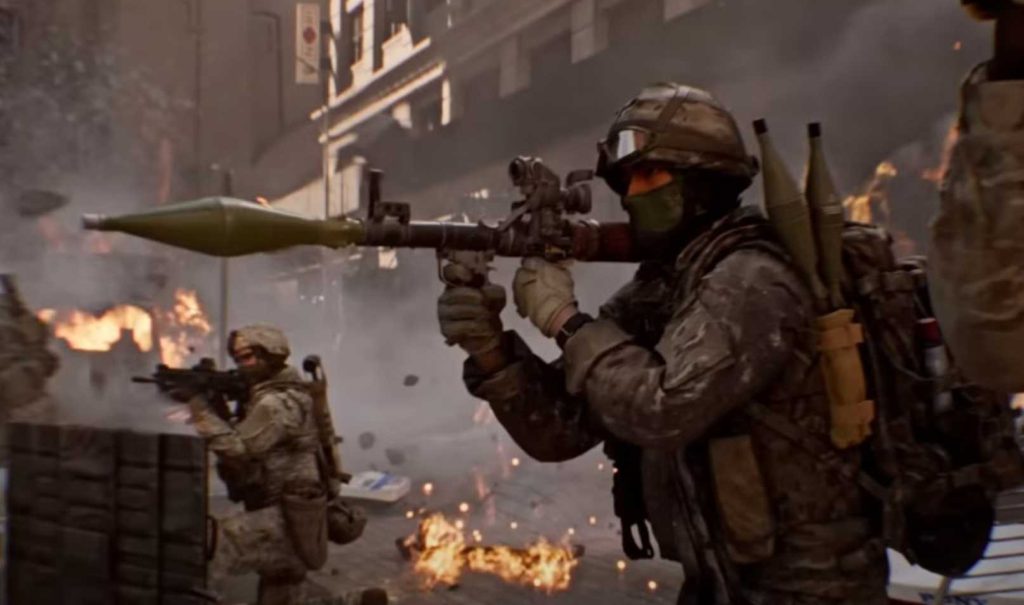
Recommended Class: Support
The Support class is the most efficient option due to:
- Faster revive speed
- Better survivability during frontline fights
- Higher revive frequency in objective-based combat
Other classes can revive but progress significantly slower.
Best Game Modes for Revive Progress
The award does not require a specific mode, but revive opportunities vary heavily by playlist.
| Game Mode | Revive Potential | Efficiency |
|---|---|---|
| Breakthrough | Very High | Best |
| Conquest | High | Very Good |
| Large-scale Objective Modes | High | Good |
| Small-team Modes | Low | Poor |
| Bot / Practice Modes | None | Does Not Count |
Why the Community Revive Award Feels Bugged
Players commonly believe the award is not tracking due to the following factors:
- No progress indicator in menus
- No post-match notifications
- No incremental unlock feedback
- Extremely high revive requirement
Despite this, progress does accumulate in the background and unlocks automatically once the requirement is met.
Quick Tips to Unlock the Award Faster
- Play Support class exclusively
- Stay near contested objectives
- Prioritize safe revives over kills
- Avoid leaving matches early
- Focus on high-population modes like Breakthrough
Consistent revive-focused play is more effective than attempting to farm revives in unsupported modes.
Common Mistakes That Stop Progress
- Farming revives in AI lobbies
- Leaving matches before completion
- Assuming partial revives count
- Expecting short-term unlocks
This award is designed as a long-term community participation milestone.
Summary
The Community Revive Award in Battlefield 6 is a cumulative multiplayer award earned through sustained teammate revives. The lack of visible tracking creates confusion, but the system functions correctly. Players who regularly revive teammates in supported multiplayer modes will unlock the award naturally over time.